Kas teie ostukotid teevad tööd ka pärast seda, kui klient poest välja astub? Enamik ei tee – ja see on kasutamata võimalus vestlust jätkata. See leht näitab teile, kuidas kujundada ostukottidele tõhusaid QR-koode, millega neid linkida ja kuidas tulemusi mõõta.
Miks ostukotid on väärtuslik QR-koodi pind
Ostukott reisib kaugele müügikohast. See sõidab metroos, istub kontorilaual, seda kasutatakse uuesti taluturul. Iga reis on potentsiaalne mulje – ja potentsiaalne skaneering.
World Sync 2024 tarbijauuringust selgus, et 64% ostjatest on juba poes osteldes tootel QR-koodi skaneerinud ja 42% ütleb, et QR-koodid on oluliselt parandanud nende isiklikku ostukogemust. Ostjad on valmis skaneerima. Küsimus on selles, kas teie kott annab neile selleks põhjuse.
Erinevalt toote pakendist, mille klient sageli pärast avamist minema viskab, kasutatakse ostukotti sageli uuesti. See pikendatud eluiga tähendab, et teie QR-kood on korduvalt nähtav – nii algsele ostjale kui ka kõigile nende ümber. Jaemüüjate jaoks, kes soovivad füüsilistest kokkupuutepunktidest rohkem väärtust välja pigistada, on kott üks lihtsamaid kohti alustamiseks. Saate uurida kogu valikut QR-koodi kasutusjuhtumeid jaemüügiettevõtetele et näha, kuidas teised kokkupuutepunktid võrdlevad.
Millega oma ostukoti QR-koodi linkida
Sihtkoht on sama oluline kui kood ise. QR-kood, mis ei vii kuhugi kasulikku, skaneeritakse üks kord ja unustatakse. Siin on jaemüügikottide kõige tõhusamad sihtkohad:
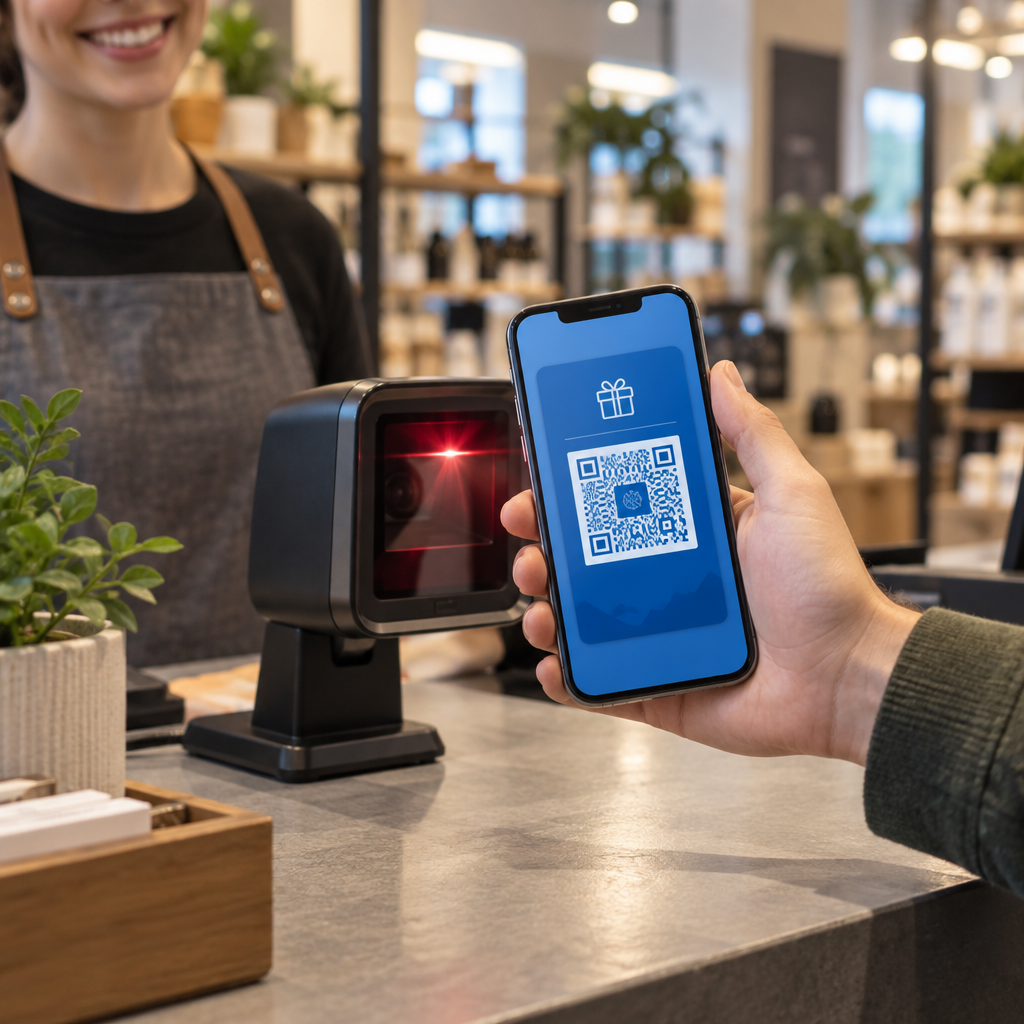
- Eksklusiivsed allahindlused või kupongid – Premeerige kliente, kes skaneerivad pärast ostu, allahindlusega nende järgmisele tellimusele. A kupongi QR-kood võimaldab teil kuvada mitu pakkumist ühel bränditud sihtlehel.
- Püsikliendiprogrammi registreerimine – Muutke ühekordne ostja korduvaks kliendiks, muutes teie preemiaprogrammiga liitumise vaevatuks.
- Uued saabumised või hooajalised kollektsioonid – Linkige kureeritud tootelehele, mis hoiab ostuhoogu üleval pärast poest lahkumist.
- Sotsiaalmeedia profiilid – Kasvata oma jälgijaskonda, andes koti saajatele otsese tee oma Instagrami, TikToki või Pinteresti lehele.
- Juhendav sisu või brändilugu – Lühike video või artikkel selle kohta, kuidas teie tooted on valmistatud, loob brändi poolehoidu ja usaldust.
- Toote registreerimise või garantiilehed – Eriti kasulik tehnika, kodumasinate või esmaklassiliste kaupade puhul.
- Arvustuste leht – Kutsuge kliente jätma Google'i või sotsiaalmeedia arvustust ajal, mil ost on veel värske.
A lingi QR-koodile käsitleb enamikku neist kasutusjuhtudest sujuvalt – sisestate URL-i, kohandate koodi oma brändiga sobivaks ja olete printimiseks valmis.
Muutke oma ostukott turunduskanaliks Kasuta QR-koodi generaator bränditud, jälgitava koodi loomiseks oma järgmise kottide trükipartii jaoks. Tehnilisi teadmisi pole vaja.
Miks peaksite kasutama dünaamilisi QR-koode kottidel
Staatilised QR-koodid kodeerivad fikseeritud URL-i. Kui olete need printinud, on see sihtkoht püsiv. Kui kampaania lõpeb, sihtleht muutub või link katkeb, muutub iga ringluses olev kott ummikteeks.
Dünaamilised QR-koodid lahendavad selle, suunates skaneeringud ümbersuunamise kaudu, nii et saate sihtkohta igal ajal värskendada ilma kotte uuesti printimata. See teeb neist praktilise valiku jaemüügipakendite jaoks, kus kottide laoseis kestab sageli kuid.
Lisaks paindlikkusele pakuvad dünaamilised QR-koodid üksikasjalikku skaneerimisanalüüsi: skaneeringute koguarv ja unikaalsed skaneeringud, skaneerimisajad, seadmetüübid ja geograafilised andmed linna või piirkonna tasandini. Need andmed muudavad passiivse koti aktiivseks kampaaniavaraks, mida saate mõõta ja parandada. Saate lugeda lähemalt milliseid andmeid dünaamilised QR-koodid koguvad ja kuidas seda kasutada.
Jaemüüjatele, kes korraldavad hooajalisi kampaaniaid või testivad erinevaid pakkumisi kaupluste asukohtades, on eriti väärtuslik võimalus värskendada sihtkohti ja võrrelda skaneerimise tulemuslikkust asukoha järgi. Pagelooti QR-koodi lahendused jaemüüjatele on loodud just selliseks kampaaniahalduseks.
Värskendage oma kotikampaaniat ilma uuesti printimata Looge dünaamiline QR-kood aadressil Pagelooti QR-koodi generaator ja muutke oma siht-URL-i igal ajal – teie prinditud kotid püsivad automaatselt ajakohased.
Kuidas kujundada QR-koodi, mis skaneerib usaldusväärselt kotil
A QR code that doesn’t scan is worse than no QR code at all – it frustrates customers and wastes print budget. Bags introduce specific design challenges: textured surfaces, folded panels, handles that interrupt the printing area, and varying lighting conditions at the point of scan. Here’s what to get right.
Suurus
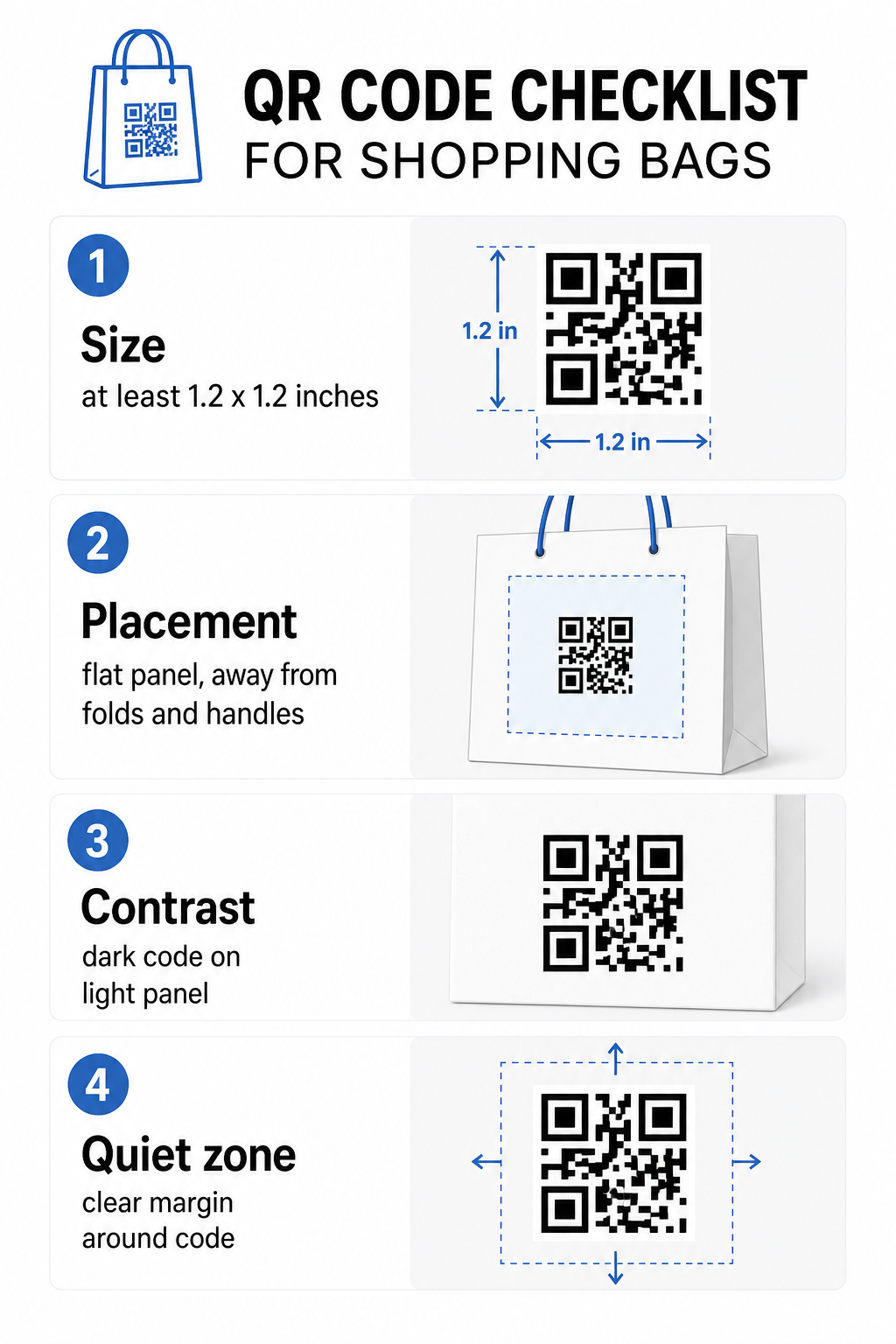
The minimum recommended print size for reliable scanning at arm’s length is 0,8 × 0,8 tolli (2 × 2 cm). For a shopping bag, where the scanning distance is typically greater and the bag may be moving, aim for at least 1,2 × 1,2 tolli (3 × 3 cm).
Kasulik rusikareegel on 10:1 kauguse ja suuruse suhe: the code should be 1 cm wide for every 10 cm of expected scanning distance. If someone is likely to scan your bag from about 30 cm (12 inches) away, the code should be at least 3 cm wide. Denser QR codes – those encoding longer URLs or more data – require additional size to remain readable, so using shortened or dynamic URLs keeps the code pattern less dense and easier to scan.
paigutus
Avoid placing the code near folds, seams, handles, or reinforced edges. These areas distort the code’s geometry, which confuses scanners. The flat center panel – front or back – is the safest location. If your bag design includes a side gusset, that panel works too, provided the surface is flat when the bag is held open. For more strategic placement thinking, the guide to parimate QR-koodi paigutuste juurde jaekauplustes covers how to think about surface, visibility, and context together.
Kontrast
QR code scanners detect the difference between dark modules and a light background. Dark pattern on a light background is the most reliable combination. Aim for a contrast ratio of at least 4:1 between the code and its background – higher is better. Avoid gradients, which create uneven contrast, and steer clear of reversed color schemes (light code on dark background), which some scanners fail to read.
If your bag has a dark base color, place the QR code inside a white or light-colored panel rather than printing directly onto the dark surface. For a full breakdown of which color pairings work and which to avoid, see the QR-koodi värvikontrasti parimate tavade juhend.
Vaikne tsoon
See vaikne tsoon on QR-koodi ümbritsev tühi veeris. See annab skannerile märku, kus kood algab ja lõpeb. Standard nõuab vähemalt neli moodulit selget ruumi igast küljest – kus moodul on koodivõrgustiku väikseim ruudukujuline ühik. Tüüpilise suurusega trükitud kotil tähendab see umbes 3–4 mm tühja ruumi igal küljel.
Ärge laske tekstil, logodel, brändimustritel ega dekoratiivelementidel sellesse veerisesse tungida. Isegi osaline sissetung võib põhjustada skaneerimisvigu. Kui teie koti disain on graafikaga tihe, asetage QR-kood piiratud valgesse kasti, et kaitsta vaikset tsooni.
Koodi brändimine
Bränditud QR-kood – see, mis sisaldab teie logo ja brändivärve – skaneeritakse tõenäolisemalt kui tavaline mustvalge versioon. Kliendid on tõenäolisemalt kaasatud, kui nad tunnevad allika ära ja mõistavad, et seal on midagi skaneerimist väärt. Saate kasutada QR-koodi generaator logoga oma logo koodi keskele manustamiseks, säilitades samal ajal skaneeritavuse.
Logo lisamisel kasutage kõrgemat veaparandustaset (Q või H), et kood jääks loetavaks isegi siis, kui osa mustrist on kaetud. Hoidke logo mitte rohkem kui 30% kogu koodi alast. See QR-koodi loetavuse parimate tavade juhend käsitleb logo paigutust koos kontrasti ja suuruse juhistega täielikult.
Testimine enne printimist
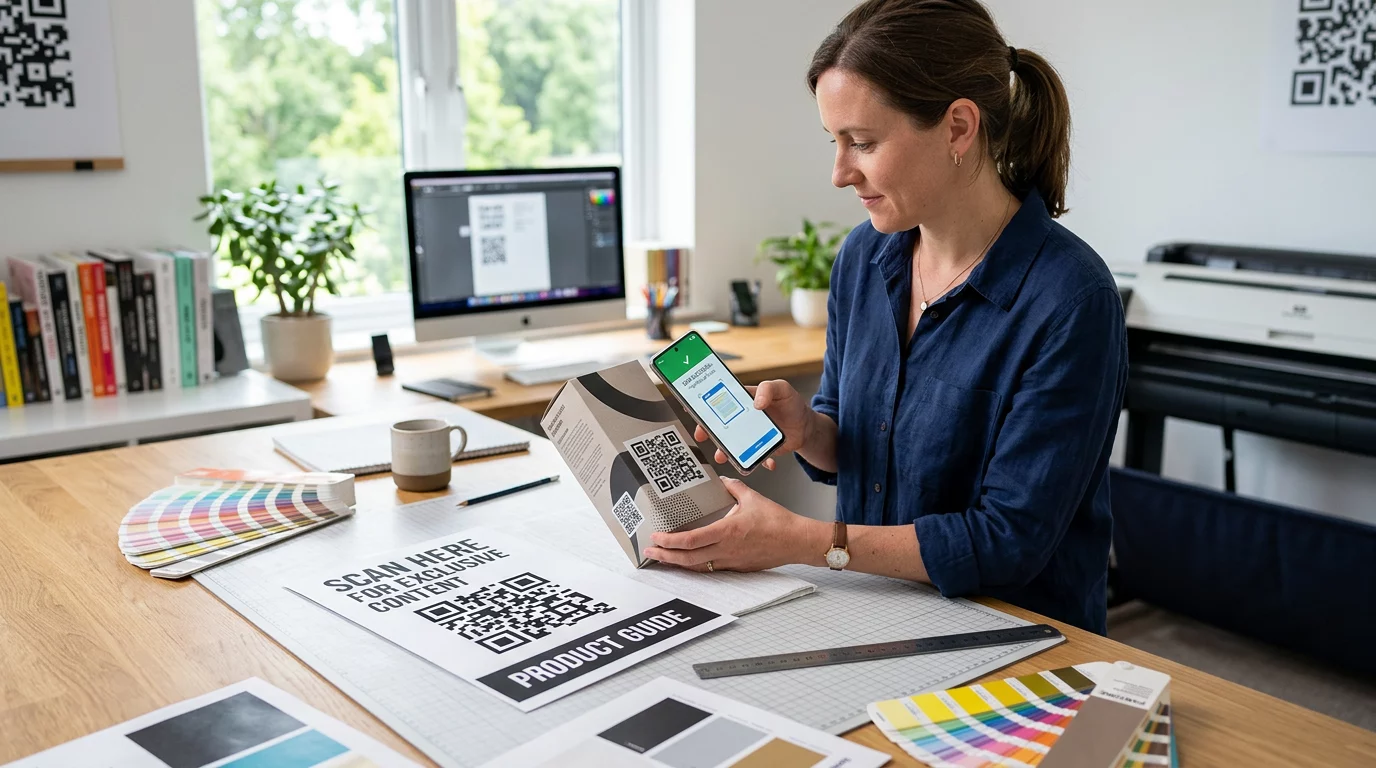
Testige lõplikku koodi alati mitmel seadmel ja tingimustes, mis vastavad tegelikule kasutusele – erinevad valgustasemed, erinevad skaneerimisnurgad ja eeldatav skaneerimiskaugus. Testige nii iOS-i kui ka Androidi peal. Printige füüsiline näidis enne täieliku koti tootmisse andmist, sest ekraanil hea välja nägev kood võib tekstuuriga või lamineeritud koti pinnal ebaõnnestuda.
Kutse tegevusele lisamine koodi lähedale
Scantrusti uuringud näitasid, et tarbijad, kes tavaliselt QR-koode ei skaneeri, ütlesid, et nad teeksid seda tõenäolisemalt, kui kood selgelt edastaks, mida nad saavad. Lühike, otsene kutse tegevusele, mis on paigutatud koodi lähedale, teeb just seda.
Hoidke see lühike ja konkreetne. Näited, mis kottidel hästi toimivad:
- Skaneeri, et saada 15% allahindlust järgmiselt tellimuselt
- Skaneeri, et liituda meie preemiaprogrammiga
- Skaneeri uute saabujate leidmiseks
- Eksklusiivne pakkumine sees – skaneeri avamiseks
Ebamäärased viiped nagu “Skaneeri mind” või “Lisateave” ei anna klientidele põhjust tegutseda. Öelge neile, mida nad saavad, enne kui nad skaneerivad. See põhimõte kehtib kõigi füüsiliste QR-koodi paigutuste puhul – näete, kuidas see töötab laiemates jaemüügi QR-koodi kontekstides samuti.
Kampaania tulemuslikkuse jälgimine
Üks tugevamaid argumente QR-koodide kasutamise kohta ostukottidel on mõõdetavus. Erinevalt trükitud telefoninumbrist või veebisaidi URL-ist on QR-koodi skaneerimine jälgitav sündmus. Dünaamiliste QR-koodide abil logib iga skaneering olulisi andmepunkte, mis muudavad teie koti mõõdetavaks kampaaniavaraks:
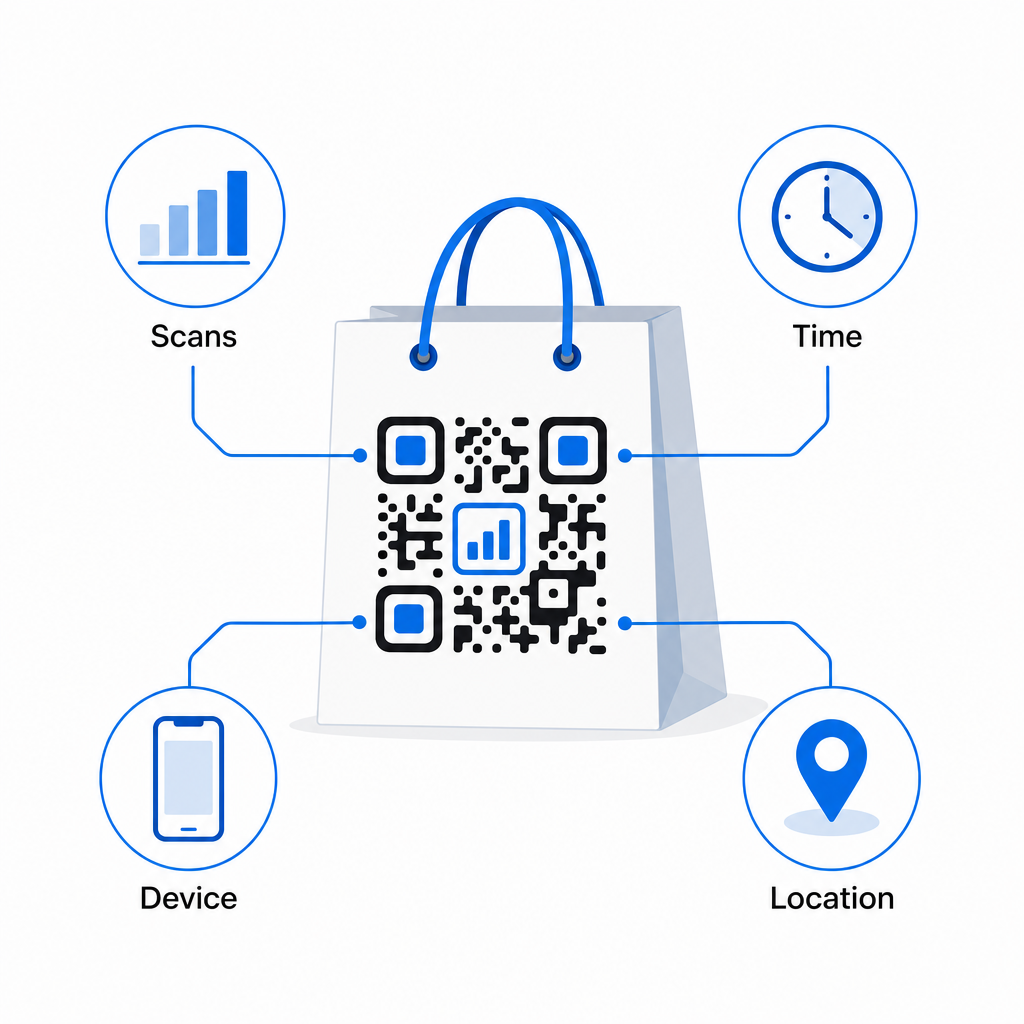
- Skannimiste koguarv ja unikaalsed skannimised – eristab üldist ulatust korduvast kaasamisest
- Skaneerimise aeg ja kuupäev – näitab, millal kliendid kõige tõenäolisemalt pärast ostu kaasuvad
- Seadme tüüp – aitab teil optimeerida sihtlehte kõige levinuma seadme jaoks, mida teie kliendid kasutavad
- Asukohaandmed – kasulik mitme asukohaga jaemüüjatele või piirkondlike kampaaniate jaoks
Need andmed võimaldavad teil võrrelda jõudlust kottide versioonide, kaupluste asukohtade või kampaania perioodide vahel. Kui konkreetne kampaania toob oluliselt rohkem skaneeringuid, saate seda pikendada. Kui skaneeringud kahe nädala pärast vähenevad, teate, et pakkumine on oma aja ära elanud ja saate sihtkohta uuendada kotti puudutamata. See QR-koodi analüüsi ja jälgimisfunktsioon selgitab, mida armatuurlaud näitab ja kuidas tõlgendada skaneerimisandmeid reaalajas.
Jaemüüjatele, kes korraldavad kampaaniaid mitmes füüsilises formaadis lisaks kottidele, see valdkonna lahenduste keskus annab laiema ülevaate, kuidas QR-koodid sobivad koordineeritud strateegiasse.
Disaini ja tehniline kontrollnimekiri
Enne koti disaini trükki saatmist kinnitage iga järgmine punkt:
| Element | Nõue |
|---|---|
| Koodi suurus | Minimaalselt 1,2 × 1,2 tolli (3 × 3 cm) kottidele |
| Kontrastisuhe | Vähemalt 4:1 koodi ja tausta vahel |
| Vaikne tsoon | Minimaalselt 4 moodulit vaba ruumi kõigil külgedel |
| paigutus | Lame paneel, eemal voltidest, õmblustest ja käepidemetest |
| Koodi tüüp | Dünaamiline QR-kood uuendatavate sihtkohtade jaoks |
| Üleskutse tegevusele | Spetsiifiline ja kasule suunatud, paigutatud koodi lähedale |
| Logo (kui kasutatakse) | Veaparanduse tase Q või H, ≤30% koodi alast |
| Testimine | Kinnitatud skaneeritav iOS-i ja Androidi seadmetel reaalses valguses |
Ostukott on üks väheseid jaemüügimaterjale, mis jätkab tööd pärast tehingu lõppemist. Hästi disainitud, dünaamiliselt lingitud QR-koodiga saab sellest jälgitav ühendus füüsilise ostu ja teie jätkuva digitaalse suhte vahel selle kliendiga. Kujundage see hoolikalt, andke klientidele selge põhjus skaneerimiseks ja kasutage analüütikat kampaania aja jooksul parendamiseks.
Alustage oma koti kampaania ehitamist Kasuta Pageloot QR-koodi generaator et luua bränditud, dünaamiline QR-kood, mis on valmis jaemüügikottide trükkimiseks – koos täieliku analüütikaga.
Korduma kippuvad küsimused
Jah. Dünaamilise QR-koodiga saate kasutada ühte koodi kõigis asukohtades ja jälgida skannimisandmeid geograafia järgi, mis võimaldab teil näha, millised poed kõige rohkem kaasatust tekitavad. Alternatiivina saate luua eraldi koodid iga asukoha kohta, et võrrelda jõudlust otse.
Dünaamilise QR-koodiga uuendate lihtsalt siht-URL-i oma Pagelooti juhtpaneelil. Vanade kottide skaneerimisel maanduvad kliendid automaatselt teie uuele lehele. Te ei pea kunagi uuesti printima, et kogemus oleks ajakohane.
Printige kood tasasele, matile pinnale ja vältige selle asetamist voltide, õmbluste või läikivate lamineeritud alade lähedusse, mis põhjustavad peegeldust. Kui teie kotil on üleni tekstureeritud viimistlus, kaaluge väikese lameda sildi või trükitud paneeli paigaldamist spetsiaalselt QR-koodi jaoks, tagades puhta, skaneeritava pinna.