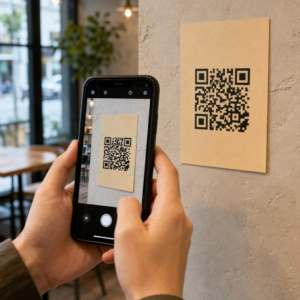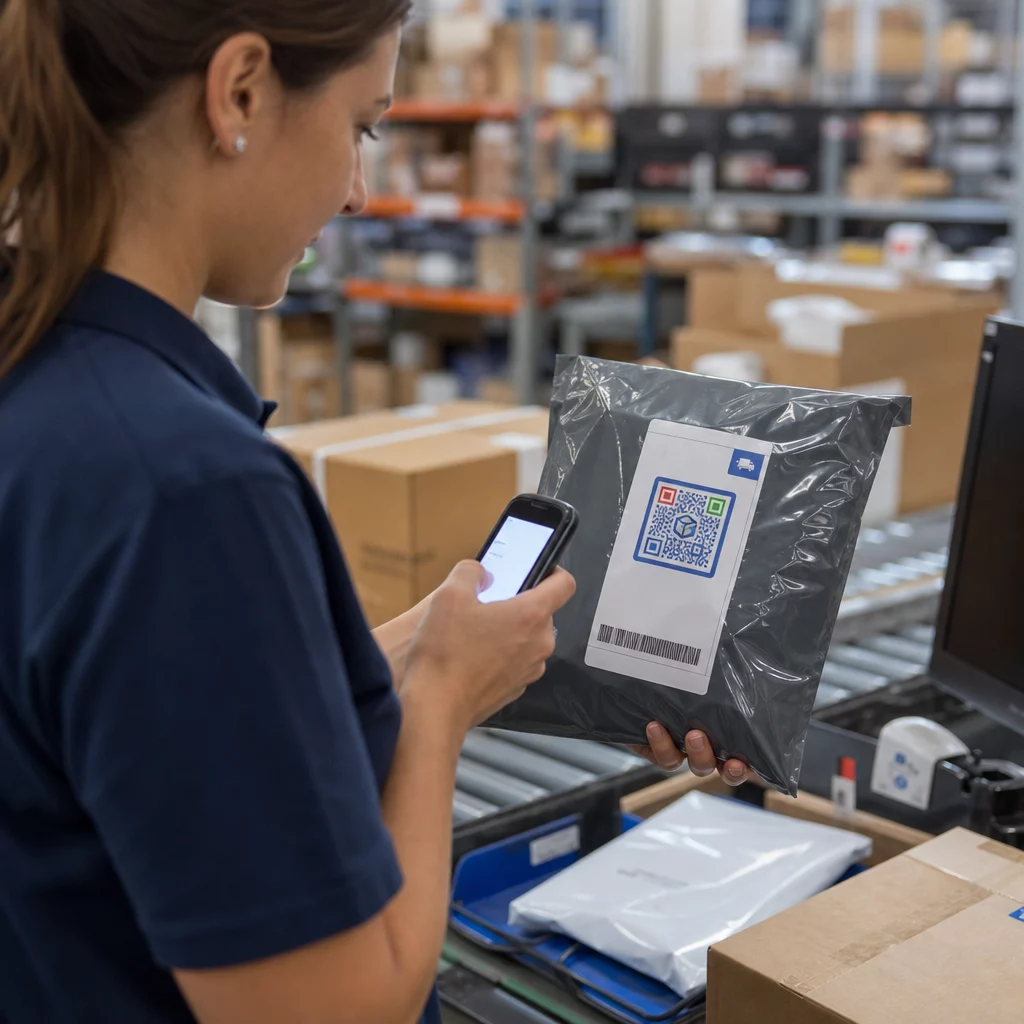
Haben Sie Schwierigkeiten, die Auftragsabwicklung präzise zu halten, wenn jeder manuelle Schritt das Fehlerrisiko erhöht? Fehler beim Kommissionieren, Verpacken oder Versenden führen zu Verzögerungen, die Kundenbeziehungen direkt schädigen. Dieser Leitfaden erklärt, wie QR-Codes diese Reibungspunkte in jeder Phase der Auftragsabwicklung eliminieren – vom Wareneingang bis zur Lieferbestätigung.
Was QR-Codes zur Auftragsabwicklung beitragen
Im Gegensatz zu herkömmlichen 1D-Barcodes, die in der Regel 20–85 Zeichen speichern, kann ein QR-Code über 7.000 Zeichen aufnehmen. Das bedeutet, dass ein einziges Etikett eine Bestellnummer, Lieferadresse, Chargendetails, Handhabungsanweisungen und einen Link zu einer Live-Tracking-Seite kodieren kann – alles in einem Scan.
Diese Datendichte macht QR-Codes in jeder Phase der Lieferkette nützlich: Wareneingang, Kommissionierung, Verpackung, Versand und Retouren. In Kombination mit dynamischen QR-Codes, die nach dem Drucken aktualisiert werden können, gewinnen Teams eine Flexibilität, die herkömmliche Etiketten einfach nicht bieten können.
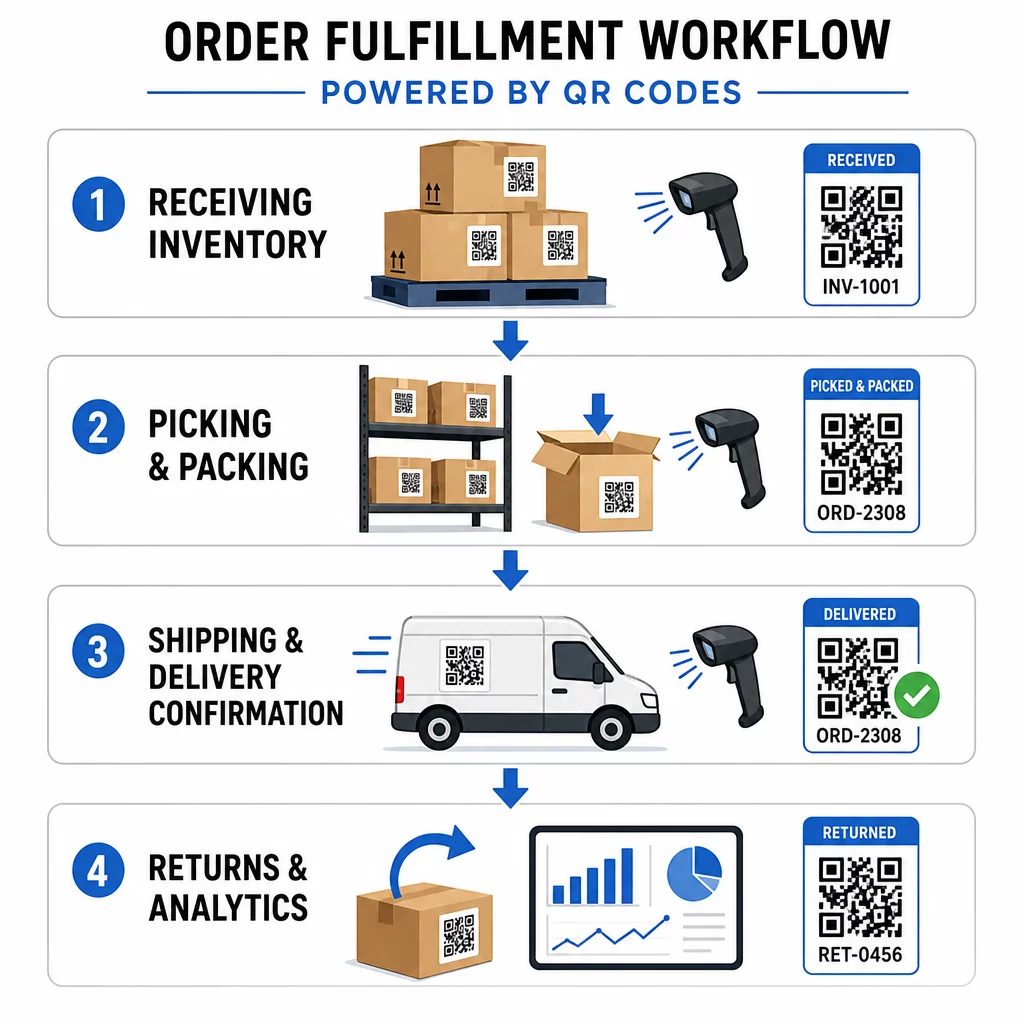
Beginnen Sie, jeden Scan in Ihrem Fulfillment-Workflow zu verfolgen Verwenden Sie die QR-Code-Generator um dynamische, verfolgbare Codes für Inventar, Versandetiketten und Lieferbestätigungen zu erstellen – kein Neudruck erforderlich, wenn sich Details ändern.
Wichtige Phasen der Auftragsabwicklung, die durch QR-Codes verbessert werden
Bestandsverwaltung und Wareneingang
Wenn neue Ware eintrifft, können QR-Codes Chargennummern, Verfallsdaten, Lieferantendetails und Lagerorte in einem einzigen scannbaren Etikett kodieren. Lagerteams überprüfen Sendungen und aktualisieren Bestandssysteme sofort, wodurch manuelle Eingabefehler eliminiert werden, die den Wareneingang verlangsamen.
QR-Codes für Produktinventar führen Unternehmen von manuellen Eingaben zu einem automatisierten System, das die Lagerbestände in Echtzeit aktualisiert, sobald ein Etikett gescannt wird. Diese Live-Ansicht des Bestands über mehrere Standorte hinweg ist besonders wertvoll in Spitzenzeiten, wenn Fehler am wahrscheinlichsten sind.
Für verderbliche Waren können QR-Codes Verfallsdaten und Lagerrichtlinien direkt auf dem Etikett enthalten. Das Scannen dieser Codes unterstützt auch die First-In-First-Out (FIFO)-Rotation, wodurch Abfall reduziert und die Produktqualität erhalten bleibt. Für Fertigungsumgebungen gilt der gleiche Ansatz für Rohmaterialien, unfertige Erzeugnisse und Fertigwaren – erfahren Sie mehr über Verfolgung von Materialien und Produkten in der Fertigung.
Dynamische QR-Codes bieten zusätzliche Flexibilität. Wenn sich Bestandsdaten ändern, können Sie das Ziel aktualisieren, ohne ein einziges Etikett neu drucken zu müssen – so bleiben physische Etiketten und Systemaufzeichnungen ohne zusätzliche Kosten oder Ausfallzeiten synchron.
Effizienz bei Kommissionierung und Verpackung
Kommissionierlisten mit QR-Codes leiten das Personal zu präzisen Lagerorten und zeigen die exakten Mengen an, die für jede Bestellung benötigt werden. Dies reduziert Verwirrung, beschleunigt die Entnahme und vermeidet unnötiges Hin und Her, das durch unklare Anweisungen entsteht.
Beim Verpacken dienen QR-Codes als letzte Kontrollinstanz. Jeder Artikel trägt einen Code, der Produkttyp, Menge oder spezielle Handhabungsanforderungen bestätigt. Packer scannen, um die Richtigkeit zu überprüfen, bevor das Paket die Einrichtung verlässt – ein einfacher Schritt, der kostspielige Versandfehler verhindert.
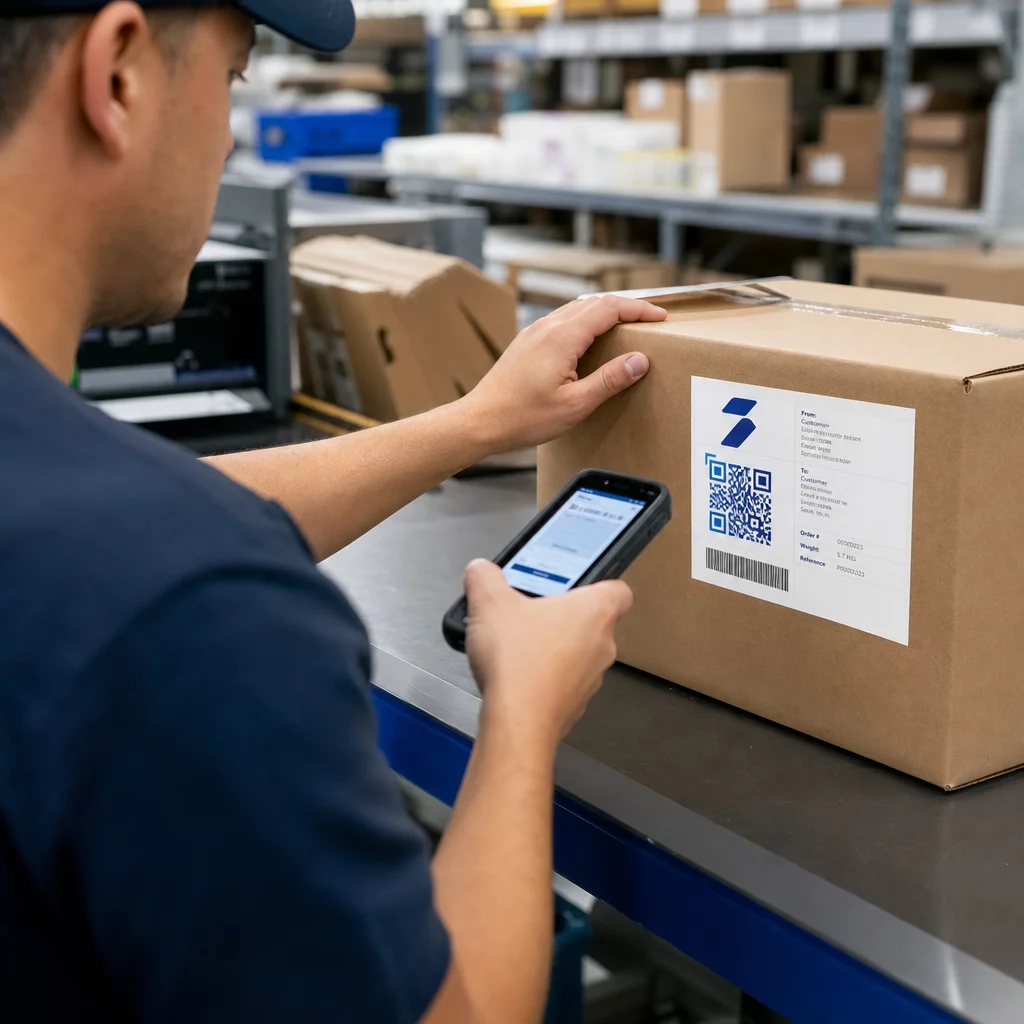
Für Unternehmen mit mehreren Lagerstandorten kann das Personal Codes scannen, um den Bestand in anderen Zonen zu überprüfen und bei Bedarf schnelle Umlagerungen zu ermöglichen. Bei kundenspezifischen Produkten können QR-Codes Montageanweisungen, Zubehöranforderungen oder Personalisierungsdetails speichern, um sicherzustellen, dass komplexe Bestellungen korrekt ausgeführt werden, ohne mehrere Systeme konsultieren zu müssen.
Versand- und Lieferbestätigung
QR-Codes auf Versandetiketten fassen Bestellnummern, Sendungsverfolgungsdetails, Lieferadressen und spezielle Anweisungen in einem Scan zusammen. Das Versandpersonal überprüft den Paketinhalt und aktualisiert die Sendungsverfolgungssysteme automatisch, ohne manuelle Neueingabe.
Die Lieferbestätigung wird ebenfalls zuverlässiger. Fahrer können QR-Codes verwenden, um erfolgreiche Lieferungen zu bestätigen und digitale Signaturen oder Fotos, die mit der Bestellung verknüpft sind, zu erfassen, wodurch ein klarer Prüfpfad für eventuelle Streitigkeiten entsteht. Kunden können Paketcodes scannen, um den Bestellstatus, Lieferaktualisierungen und Rücksendeanweisungen einzusehen – was die Anzahl der eingehenden Supportanfragen reduziert.
Für einen tieferen Einblick, wie QR-Codes gängige Lieferprobleme wie unklare Sendungsverfolgung und verpasste Updates lösen, siehe QR-Codes für bessere E-Commerce-Lieferungen.
Retouren und Reverse Logistik
Retouren sind einfacher zu verwalten, wenn QR-Codes Rücksendenummern, ursprüngliche Bestelldetails und Rückerstattungspräferenzen speichern. Kundendienstteams erhalten sofortigen Zugriff auf vollständige Bestellhistorien, ohne mehrere Systeme durchsuchen zu müssen, was den Prozess beschleunigt und die Zufriedenheit verbessert.
Erweiterte QR-Code-Funktionen für die Logistik
Dynamische QR-Codes für flexible Updates
Statische QR-Codes sind nach dem Drucken fixiert – eine Änderung des Ziels bedeutet ein erneutes Drucken des Etiketts. Dynamische QR-Codes eliminieren diese Einschränkung vollständig. Wenn sich das Ziel einer Sendung ändert, kann der Code auf dem physischen Etikett im Backend sofort aktualisiert werden, ohne das Paket zu berühren.
Dies ist besonders wertvoll bei der Zustellung auf der letzten Meile. Wenn ein Kunde eine neue Lieferzeit anfordert oder aktualisierte Zugangsanweisungen gibt, spiegelt der QR-Code auf seinem Paket diese Änderung sofort wider, sodass die Fahrer immer genaue Informationen haben. Weitere Informationen zur Anwendung im Frachtverkehr finden Sie im Leitfaden zu Sendungsverfolgung mit QR-Codes.
Versanddetails bearbeiten ohne Neudruck Die dynamischen QR-Codes von Pageloot ermöglichen es Ihnen, Ziele, Tracking-Links und Lieferanweisungen zu aktualisieren, nachdem die Etiketten bereits gedruckt wurden. Dynamische QR-Codes entdecken und sehen Sie, wie sie die Nachdruckkosten in Ihrem gesamten Betrieb senken.
Echtzeit-Analysen und Optimierung
QR-Codes sind nicht nur zum Scannen da – sie generieren bei jeder Interaktion Daten. Mit Pageloots Analyse-Dashboard, können Logistikmanager die Scanfrequenz, den Zeitpunkt, den Standort und den Gerätetyp überwachen, um Engpässe zu identifizieren und Arbeitsabläufe zu optimieren.
Zum Beispiel könnte eine hohe Anzahl von erneuten Scans an einer Packstation auf ein Platzierungsproblem oder einen Schulungsbedarf für das Personal hinweisen. Geografische Daten können Regionen hervorheben, in denen die Lieferleistung hinterherhinkt. Zeitbasierte Analysen helfen Managern, den Personalbestand an Spitzenaktivitätszeiten anzupassen. Dieser datengesteuerte Ansatz verwandelt routinemäßige Scan-Aktivitäten in umsetzbare operative Erkenntnisse.
Anpassung und Branding
Gebrandete QR-Codes – die Firmenlogos, Farben und Designelemente integrieren – sorgen für Konsistenz bei Versandetiketten, Lieferbestätigungen und Kundenkommunikation. Über die Ästhetik hinaus helfen Designelemente wie farbige Ränder oder Prioritätssymbole dem Lagerpersonal, Handhabungsanforderungen schnell zu erkennen, was die Bearbeitungszeit verkürzt.
Beim Anpassen von Codes ist auf einen ausreichenden Kontrast zwischen den dunklen Modulen und dem hellen Hintergrund zu achten. Ein Kontrastverhältnis von mindestens 4:1 zwischen Code und Hintergrund gewährleistet ein zuverlässiges Scannen über verschiedene Geräte und Lichtverhältnisse hinweg. Für gedruckte Etiketten ist eine Mindestgröße des Codes von 2 × 2 cm zu verwenden, und es muss eine klare Ruhezone (ein leerer Rand von mindestens vier Modulen Breite) um den Code herum vorhanden sein.
Branchenspezifische Anwendungen
E-Commerce und Einzelhandel
Im E-Commerce ermöglichen QR-Codes die Echtzeit-Sendungsverfolgung in jeder Erfüllungsphase und bieten Kunden und Betriebsteams die benötigte Transparenz. Sie vereinfachen Rücksendungen durch sofortigen Zugriff auf Bestellhistorien und Rücksendeautorisierungen und unterstützen die Lieferkettenverfolgung die Unternehmen hilft, Verluste zu identifizieren.
Über die Logistik hinaus schaffen QR-Codes auf Verpackungen Möglichkeiten für die Kundenbindung nach dem Kauf – Garantieregistrierung, Nachbestellungslinks und personalisierte Werbeaktionen basierend auf der Kaufhistorie.
Lieferkette und Flottenmanagement
In Lieferketten betten QR-Codes detaillierte Versandinformationen ein – Produktinhalte, Handhabungsanweisungen, Chargennummern – die sich automatisch aktualisieren, wenn Artikel die Phasen Wareneingang, Lagerung, Umlagerung und Verkauf durchlaufen. In Verbindung mit Lagerverwaltungssystemen, Echtzeit-Inventarverfolgung wird dies ohne teure Infrastruktur-Upgrades praktikabel.
Für Lieferanten und Wiederverkäufer bei der Verwaltung hoher Volumina ermöglicht die Massengenerierung von QR-Codes die Erstellung Tausender einzigartiger Codes für Verpackungen und Etiketten, mit Scan-Analysen und Vertriebskontrollen zur Überwachung der gesamten Kette.
GS1 Digital Link und Standardisierung
Die Initiative GS1 Sunrise 2027 treibt eine breitere Umstellung auf 2D-Barcodes im Einzelhandel und in der Logistik voran. Nach diesem Standard tragen QR-Codes, die mit GS1 Digital Link URIs kodiert sind, Globale Artikelidentifikationsnummern (GTINs) zusammen mit zusätzlichen Daten wie Verfallsdaten und Chargennummern – wodurch ein einziger Code sowohl für das Scannen am Point-of-Sale als auch für die Rückverfolgbarkeit in der Lieferkette verwendet werden kann. Für Unternehmen, die eine langfristige Fulfillment-Infrastruktur planen, gewährleistet die Ausrichtung an den GS1-Standards die Kompatibilität mit Einzelhandelspartnern und Logistiknetzwerken.
So implementieren Sie QR-Codes in der Auftragsabwicklung
Wähle den richtigen QR-Code-Typ
Die Wahl zwischen statischen und dynamischen Codes hängt davon ab, wie oft sich die zugrunde liegenden Daten ändern.
- Statische Codes eignen sich gut für feste Informationen: permanente Produkt-IDs, Regalstandortetiketten oder einfache Referenzcodes, die niemals aktualisiert werden müssen.
- Dynamische Codes sind die richtige Wahl für die Auftragsverfolgung, Versandetiketten und alle Daten, die sich während der Auftragsabwicklung ändern. Sie ermöglichen Echtzeit-Updates ohne Neudruck und bieten Scan-Analysen.
Verschiedene Fulfillment-Phasen profitieren von spezifischen QR-Code-Funktionen:
- Wareneingang: Codes, die mit Bestellungen und Lieferantendetails verknüpft sind, um Bestandsaktualisierungen zu optimieren
- Kommissionierung: Codes, die Artikelstandorte, Mengen und spezielle Anweisungen für eine schnellere, genauere Entnahme anzeigen
- Verpackung: Codes, die Zugriff auf Versandadressen, Spediteurpräferenzen und Verpackungsrichtlinien bieten
- Versand: Codes, die Sendungsverfolgungsnummern, Lieferbestätigungslinks und Auslöser für Kundenbenachrichtigungen kodieren
Integration mit bestehenden Systemen
QR-Codes bieten den größten Mehrwert, wenn sie mit Ihrem Lagerverwaltungssystem (WMS), ERP und Versandplattformen verbunden sind. API-Verbindungen ermöglichen es QR-Code-Plattformen, sich mit Inventarsystemen zu synchronisieren, sodass Lagerbestände bei jedem Scan automatisch aktualisiert werden, und sich mit Versandsoftware zu verbinden, sodass Sendungsverfolgungsnummern und Kundenbenachrichtigungen automatisch generiert werden, sobald Pakete bearbeitet werden.
Beginnen Sie damit, Ihren Fulfillment-Prozess abzubilden, um zu identifizieren, wo QR-Codes den größten unmittelbaren Wert schaffen. Die meisten Unternehmen beginnen mit einem Bereich – Wareneingang oder Kommissionierung –, um zu testen und zu verfeinern, bevor sie skalieren. Ein schrittweiser Ansatz begrenzt Störungen und gibt den Mitarbeitern Zeit, Vertrauen in den neuen Workflow aufzubauen.
Schulen Sie Ihr Team
Mitarbeiter sollten in der Lage sein, QR-Codes zu generieren, zu scannen und zu interpretieren und zu verstehen, wie sie mit Ihren umfassenderen Systemen verbunden sind. Rollenspezifisches Training ist effektiver als allgemeine Anweisungen:
- Wareneingangspersonal: Sendungen überprüfen und Inventar mit QR-Codes aktualisieren
- Kommissionierteams: Standortcodes lesen, Mengen bestätigen und Ausnahmen verwalten
- Verpackungsteams: Versandetiketten generieren, Qualitätskontrollscans durchführen und Kundenbenachrichtigungen auslösen
Praktische Übungen, Standardarbeitsanweisungen (SOPs) und regelmäßige Auffrischungskurse halten die Fähigkeiten auf dem neuesten Stand. Beheben Sie häufige Probleme – beschädigte Codes, schlechte Beleuchtung, Gerätekonnektivität – damit Mitarbeiter Probleme beheben können, ohne jedes Problem eskalieren zu müssen.
Sammeln Sie regelmäßig Feedback von Mitarbeitern, um Lücken zu identifizieren und den Prozess zu verfeinern. Die meisten Teams sehen messbare Verbesserungen bei Genauigkeit und Durchsatz, kurz nachdem sie konsistente Schulungsprotokolle eingeführt haben.
Skalieren Sie QR-Code-Operationen in Ihrem gesamten Fulfillment-Netzwerk Pageloot unterstützt Fertigung und Lieferant und Wiederverkäufer Operationen mit Massen-QR-Code-Erstellung, zentralisierter Verwaltung und Echtzeit-Analysen. QR-Code Lösungen nach Branche entdecken um die richtige Einrichtung für Ihre Arbeitsabläufe zu finden.
Der Weg nach vorn
QR-Codes sind praktische, kostengünstige Tools, die die Genauigkeit und Geschwindigkeit in jeder Phase der Auftragsabwicklung verbessern – ohne teure Infrastruktur zu erfordern. Ob Sie ein einzelnes Lager oder ein Distributionsnetzwerk mit mehreren Standorten verwalten, die Kombination aus datenreichen Etiketten, dynamischer Aktualisierung und Echtzeit-Analysen gibt Ihrem Team bessere Informationen und weniger manuelle Schritte.
Der logische erste Schritt ist die Auswahl einer Phase Ihres aktuellen Prozesses – Wareneingang, Kommissionierung oder Versand – und das Pilotieren von QR-Codes dort. Sobald die Integration stabil ist und die Mitarbeiter sicher sind, erweitern Sie auf die nächste Phase. Beginnen Sie mit Pageloot’s 14 Tage kostenlos testen um Ihre ersten Codes zu erstellen und zu sehen, wie Scandaten direkt in Ihre operativen Entscheidungen einfließen.
Häufig gestellte Fragen
Statische QR-Codes enthalten feste Informationen, die nach dem Druck nicht mehr geändert werden können – geeignet für dauerhafte Daten wie Regalstandortetiketten oder Produkt-IDs. Dynamische QR-Codes speichern eine kurze Weiterleitungs-URL, die auf bearbeitbare Inhalte verweist, sodass Sie Tracking-Details, Lieferanweisungen oder Bestandsdaten aktualisieren können, ohne das Etikett neu drucken zu müssen. Dynamische Codes generieren auch Scan-Analysen, was sie zur besseren Wahl für die meisten aktiven Fulfillment-Workflows macht.
Die Integration erfolgt typischerweise über API-Verbindungen zwischen Ihrer QR-Code-Plattform und Ihrem WMS, ERP oder Ihrer Versandsoftware. Wenn ein QR-Code gescannt wird, löst das Ereignis eine automatische Aktualisierung im verbundenen System aus – Anpassung der Lagerbestände, Protokollierung eines Versandstatus oder Generierung einer Kundenbenachrichtigung. Die meisten Implementierungen beginnen mit einem einzelnen Workflow-Bereich, um die Kompatibilität zu testen, bevor sie auf den vollständigen Betrieb ausgeweitet werden.
Kunden können einen QR-Code auf ihrem Paket scannen, um Echtzeit-Tracking-Updates, Lieferbestätigungen und Rücksendeanweisungen abzurufen – ohne den Support anzurufen oder eine Website zu navigieren. Dynamische Codes stellen sicher, dass Kunden immer den aktuellsten Status sehen, selbst wenn sich Lieferdetails ändern, nachdem das Etikett gedruckt wurde. Diese Transparenz reduziert Unsicherheit und senkt das Volumen eingehender Supportanfragen.