Leder du efter måder at gøre dit museums udstillinger mere engagerende uden at skulle omstrukturere hele din besøgsoplevelse? Statiske vægtekster og trykte brochurer kan kun gøre så meget – besøgende forventer i stigende grad digital adgang til rigere indhold på deres egne enheder. Denne guide dækker de mest praktiske måder at implementere QR-koder på museer, fra lydguider og digitale kort til billetkøb og tilgængelighed.
Hvorfor museer tager QR-koder i brug
QR-koder giver museer en billig måde at skabe et lagdelt informationssystem, der rækker langt ud over, hvad der kan stå på en fysisk etiket. En besøgende, der står foran en artefakt, kan scanne en kode og øjeblikkeligt få adgang til udvidet tekst, billeder, video, lydfortællinger eller endda augmented reality – alt sammen på deres egen smartphone, i deres eget tempo.
Den primære appel er fleksibilitet. Museer kan opdatere indholdet, der er knyttet til en kode, når som helst uden at genoptrykke noget, hvilket gør dynamiske QR-koder særligt praktiske til roterende udstillinger eller sæsonbestemt programmering. Ud over indholdslevering åbner QR-koder også en direkte kanal for indsamling af besøgsfeedback, tilbud om flersproget indhold og forbindelse af fysiske udstillinger til virtuelle ture og online samlinger.
Opret opdaterbare museums-QR-koder Har du brug for at opdatere udstillingsindhold uden at genoptrykke skilte? Brug Dynamisk QR-kode generator til at oprette koder, du kan redigere når som helst fra et centralt dashboard.
Almindelige måder at bruge QR-koder på museer
| Brug sag | Hvad det leverer |
|---|---|
| Lyd- og videoguidere | Fortalte udstillingshistorier, kunstnerinterviews, animerede rekonstruktioner |
| Digitale kort | Navigerbare plantegninger, som besøgende får adgang til på deres telefoner |
| Udstillingsinformation | Udvidet tekst, historisk kontekst, artefaktproveniens |
| Interaktive oplevelser | Augmented reality-overlejringer, skattejagter, quizzer |
| Billetbestilling | Kontaktløs adgang via scanbare digitale billetter |
| Wi-Fi-adgang | Øjeblikkelig netværksforbindelse uden at indtaste adgangskoder |
| Besøgendes feedback | Spørgeskemablanketter tilgængelige direkte fra udstillingsgulvet |
| Tilbud i gavebutikken | Links til eksklusive butikstilbud eller online produktsider |
| Donation og medlemskab | Portaler til at give eller melde sig ind, tilgængelige med en enkelt scanning |
Audio- og videoguider
QR-kodede audioture giver besøgende mulighed for at scanne en kode ved hver udstilling og høre fortællinger, kuratorkommentarer eller baggrundshistorier på deres egne enheder. Dette erstatter omfangsrigt lejet lydudstyr og understøtter fleksible, selvstyrede ruter gennem museet. For institutioner, der ønsker at gå videre, AR QR-koder kan transformere museets historiefortælling ved at lægge 3D-modeller eller animationer direkte over fysiske artefakter, når en besøgende retter sin telefon mod udstillingen.
Museer kan oprette audioguides ved hjælp af MP3 QR-kode generator, som lader dig uploade lydfiler og generere en scanbar kode, som besøgende kan afspille direkte fra deres enhed. For videoindhold – såsom kunstnerinterviews eller trin-for-trin restaureringsvisualiseringer – en YouTube QR-kode generator gør det ligetil at linke enhver udstilling til en hostet video.
Digitale kort og selvguidede ture
Store museer kan bruge PDF QR-koder at give besøgende et interaktivt digitalt kort, der hjælper dem med at navigere i sektioner, finde specifikke udstillinger og planlægge deres besøg efter deres interesser. Opsætning af koder ved udpegede tur-“stop”, der linker til lydfiler eller websider, der beskriver, hvad den besøgende ser, muliggør fuldstændig uafhængig udforskning med kun en smartphone.
For et dybere kig på at opbygge disse oplevelser, er guide til brug af QR-koder til virtuelle ture gennemgår hele opsætningsprocessen, fra hosting af dit indhold til design og placering af koder.
Udstillingsinformation og interaktive oplevelser
Placering af QR-koder nær udstillinger giver besøgende adgang til yderligere kontekst – historisk baggrund, kunstnerbiografier, samlingens proveniens – uden at overfylde etiketten. Nogle museer tager dette videre ved at skabe skattejagter, hvor hver kode nær en artefakt giver information om objektet og et spor, der peger på næste stop. Dette format opmuntrer til aktiv udforskning og holder besøgende engagerede på tværs af flere gallerier.
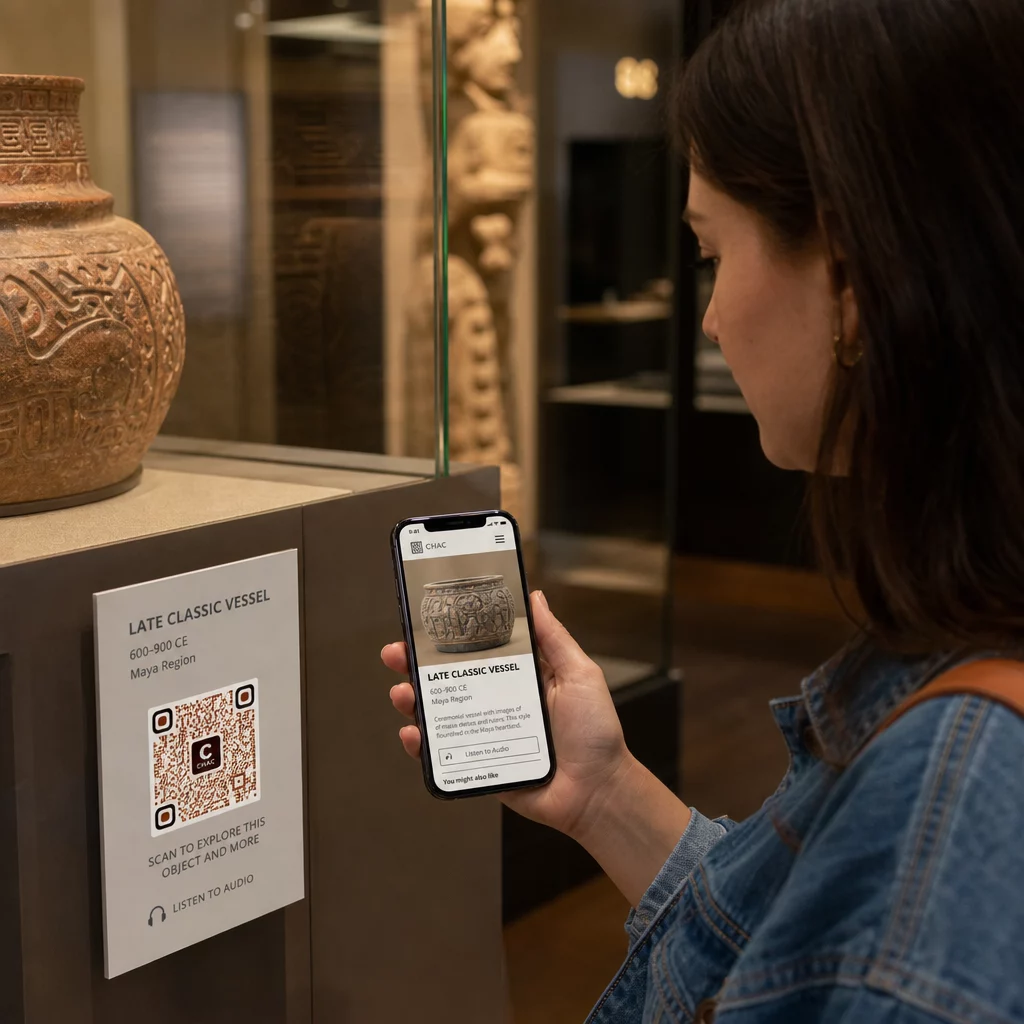
Museer har også brugt QR-koder i moderne kunstinstallationer til at forbinde fysiske værker med digital historiefortælling, herunder gamificeret indhold og designhistoriske fortællinger indlejret i koderne selv.
Billetkøb og kontaktløs adgang
Digital billetkøb via QR-koder giver besøgende scannbare billetter, de kan vise ved indgangene direkte fra deres telefoner. Dette forenkler adgangsstyring, reducerer køer og fjerner afhængigheden af fysiske billetlagre – især nyttigt i perioder med høj trafik.
Besøgsfeedback
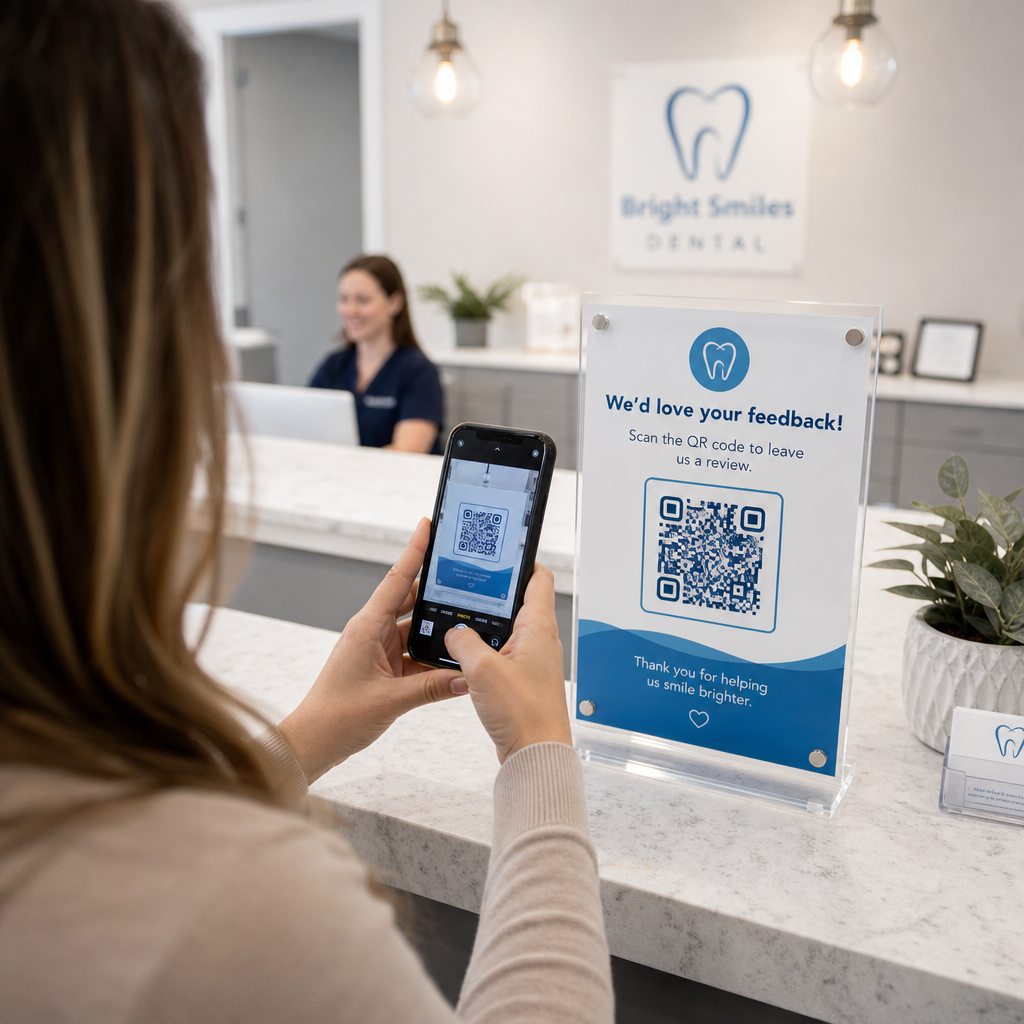
Placering af QR-koder ved udgange eller overalt på gallerigulvet lader besøgende hurtigt udfylde en feedbackformular uden at få udleveret en papirundersøgelse. De indsamlede data hjælper museer med at forstå besøgendes præferencer, evaluere udstillinger og planlægge forbedringer. En QR-kode til et link der peger på en online formular, er den enkleste måde at opsætte dette på.
Overvejelser om tilgængelighed
QR-koder kan meningsfuldt forbedre tilgængeligheden, når de implementeres gennemtænkt – men de kan også skabe barrierer, hvis disse behov ikke adresseres på forhånd.
Tilbyd et alternativ. Ikke alle besøgende vil have en smartphone eller være trygge ved at scanne en kode. Tilbyd altid en anden måde at få adgang til det samme indhold på, f.eks. en nærliggende trykt URL, en SMS-mulighed eller en medarbejder, der kan hjælpe. Besøgende, der er blinde eller har nedsat syn, kan finde SMS-adgang mere brugbar end QR-scanning.
Design for kontrast og synlighed. Brug mørke kodeelementer på en lys baggrund og sigt efter et kontrastforhold på mindst 4:1. Dette opfylder WCAG 2.1-kravene til ikke-tekstkontrast og sikrer, at koden forbliver læselig for besøgende med nedsat syn. Detaljeret vejledning om, hvordan dette opnås, findes i bedste praksis for QR-kodebrugervenlighed referencen.
Tilpas kodestørrelsen til scanningsafstanden. En tommelfingerregel er et forhold på 10:1 – for hver 10 cm forventet scanningsafstand skal koden være mindst 1 cm bred. Det praktiske minimum for de fleste museumsplaceringer er 2 × 2 cm (ca. 0,8 × 0,8 tommer), selvom større formater er bedre til udstillinger, der ses på afstand.
Overvej placeringshøjde. Monter koder i en højde og vinkel, som besøgende i kørestol eller med begrænset vækst komfortabelt kan nå og scanne. Øjenhøjde på 90 til 150 cm fra gulvet fungerer godt for stående besøgende; lavere placeringer kan være nødvendige for fuld inklusivitet.
Giv korte, klare instruktioner. Ikke alle besøgende vil vide, hvordan man scanner en QR-kode. En kort instruktion – “Åbn din kamera-app og peg den mod denne kode” – fjerner gætteriet. Hold instruktionerne konsekvente på tværs af hele museet, så besøgende ikke behøver at genlære interaktionen ved hver udstilling.
Test med hjælpeteknologier. Før lancering skal du verificere, at det linkede indhold og eventuelle alternative adgangsmetoder fungerer korrekt med skærmlæsere og forstørrelsesværktøjer som VoiceOver og TalkBack.
For museer, der specifikt er interesserede i lydtilgængelighed, stemmeaktiverede QR-koder tilbyd et håndfrit alternativ, der forbinder scanning med talt fortælling – særligt nyttigt for besøgende, der ikke komfortabelt kan navigere visuelle grænseflader.
Sådan opsætter du QR-koder i dit museum
Trin 1: Definer dit indhold og dine mål
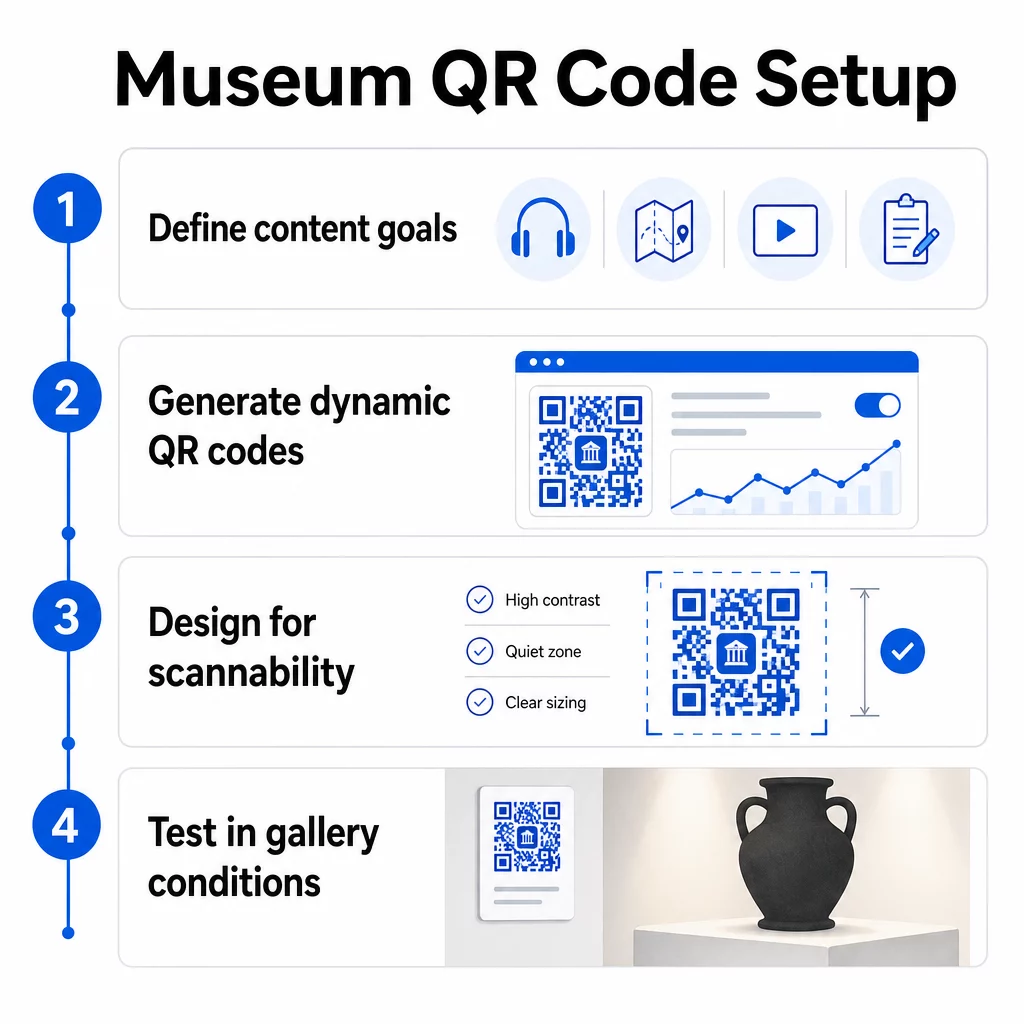
Før du genererer en enkelt kode, skal du beslutte, hvad hver kode skal levere, og hvem den tjener. En lydguide til en vigtig artefakt har andre krav end en feedbackformular ved udgangen. Kortlæg dine kodetyper – lyd, PDF-kort, video, spørgeskemalink – og match hver enkelt med det passende indholdsformat.
Trin 2: Generer dine koder
Brug en QR-kodeplatform, der understøtter dynamiske koder, så du kan opdatere destinationer uden at genudskrive. Pageloots QR-kodegenerator giver dig mulighed for at oprette koder til URL'er, PDF'er, lydfiler, videoer og mere, og derefter administrere dem fra et enkelt dashboard. Dynamiske koder giver også scanningsanalyse – sporing af volumen, placering, enhedstype og tidspunkt – så du kan se, hvilke udstillinger der genererer mest interesse.
Spor udstillingsengagement Vil du vide, hvilke artefakter besøgende engagerer sig mest i? Brug dynamiske QR-koder med indbygget analyse til at overvåge scanningsdata på tværs af hver udstilling på dit museum.
Trin 3: Design for scanningsvenlighed
Anvend konsekvent branding – dit museums farver og logo – samtidig med at du opretholder høj kontrast mellem koden og dens baggrund. Hold en klar stillezone (tom kant) omkring hver kode. For detaljeret designvejledning dækker bedste praksis for QR-kodelæsbarhed artiklen kontrastforhold, stillezoner, logoplacering og fejlkorrektionsniveauer i praktiske vendinger.
Trin 4: Udskriv og placer koder strategisk
Udskriv koder i tilstrækkelig størrelse til den forventede scanningsafstand, ved hjælp af højopløselige vektorformater (SVG, EPS eller PDF) for at undgå sløring. Placer dem i øjenhøjde nær den udstilling, de refererer til – ikke på tværs af rummet. For store eller komplekse installationer giver ultimative guide til placering af QR-koder miljøspecifikke råd, der passer godt til museumsindstillinger.
Trin 5: Test før du åbner
Test hver kode på både iOS- og Android-enheder under de faktiske lysforhold i dit galleri. Kontroller, at linkede sider indlæses hurtigt på mobildata (ikke kun WiFi), at lyd- og videoindhold afspilles korrekt, og at eventuelle alternative adgangsveje fungerer som tilsigtet.
Populære museer, der bruger QR-koder
- Smithsonian National Museum of Natural History har brugt QR-kodelinkede augmented reality-oplevelser til at vække fysiske udstillinger til live med digitale overlejringer og 3D-rekonstruktioner.
- The Metropolitan Museum of Art integrerer QR-kodeadgang i sin standardbesøgsoplevelse som en mulighed for at få adgang til sin digitale guide.
- Akropolismuseet tilbyder en QR-baseret audioguide, der muliggør selvguidede ture, hvilket gør besøget mere fleksibelt og informativt for internationale besøgende.
- British Museum bruger QR-koder, så besøgende kan få adgang til yderligere indhold og lære mere om udstillinger i deres eget tempo.
For et bredere perspektiv på innovative applikationer, er guide til QR-koder for virtuelle kunstture dokumenterer, hvordan institutioner bruger disse værktøjer til at udvide museumsoplevelsen ud over de fysiske vægge.
Ofte stillede spørgsmål
En museums-QR-kode kan linke til næsten ethvert digitalt indhold: lydfortællinger, videoguider, augmented reality-oplevelser, PDF-kort, udstillingsinformationssider, flersproget tekst, feedbackformularer, donationsportaler eller virtuelle ture. Det format, du vælger, afhænger af, hvad der bedst tjener hver udstilling og besøgendes behov.
Nej. Moderne iOS- og Android-smartphones kan scanne QR-koder direkte ved hjælp af den indbyggede kamera-app – ingen separat app er påkrævet. Nogle ældre enheder kan have brug for en dedikeret QR-scanner, så det er god praksis at nævne dette i dine instruktioner og sikre, at dit linkede indhold indlæses hurtigt i en standard mobilbrowser.
Dynamiske QR-koder lader dig opdatere indholdet, en kode peger på, når som helst uden at genprinte den fysiske kode. Det betyder, at du kan opdatere udstillingsbeskrivelser, udskifte lydfiler til en ny sæson eller rette et ødelagt link uden at forstyrre din trykte skiltning. Dynamiske koder giver også scanningsanalyser – der viser dig, hvilke udstillinger der tiltrækker mest engagement, på hvilke tidspunkter og på hvilke enheder – hvilket giver dit team handlingsrettede data til udstillingsplanlægning og forbedringer af besøgsoplevelsen.