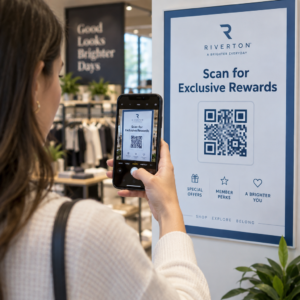
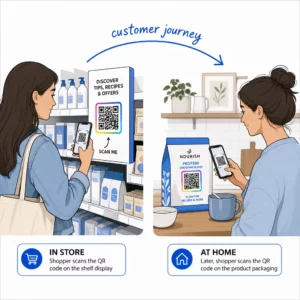
Jdete z veletrhů s hromadou vizitek a bez jasného plánu následných kroků? Ruční sběr dat vás zpomaluje a potenciální zákazníci rychle vychladnou. Tento průvodce vám ukáže, jak používat QR kódy k automatickému zachycení, organizaci a následné práci s potenciálními zákazníky z akcí – takže každé podání ruky se promění ve sledovatelný kontakt.
Proč tradiční získávání potenciálních zákazníků na akcích selhává
Na většině konferencí a veletrhů sbírají profesionálové kontaktní údaje výměnou vizitek nebo psaním poznámek. Problém: většina těchto karet skončí na stole, nikdy se nedostane do CRM. I když se tam dostanou, ruční zadávání dat je pomalé, náchylné k chybám a nesynchronizované s tempem moderního obchodního následování.
Okno pro jednání s potenciálním zákazníkem z akce je krátké. Následná práce po výstavě je široce popisována jako období, kdy se ROI akce získá nebo ztratí – teplí potenciální zákazníci rychle vychladnou a opožděný nebo obecný první kontakt může zabít jinak slibnou konverzaci. Potřebujete systém, který okamžitě zachytí data, nasměruje je na správné místo a spustí následné kroky, aniž byste to museli dělat ručně.
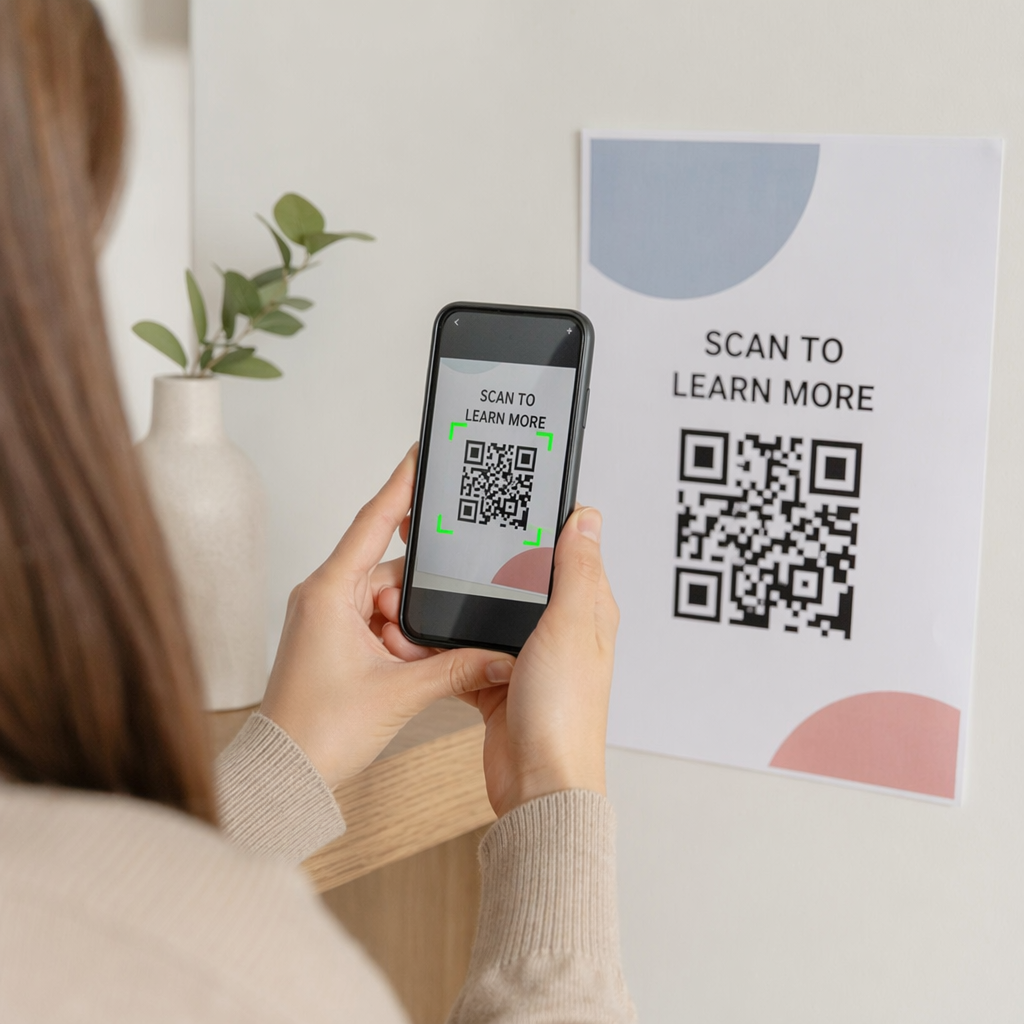
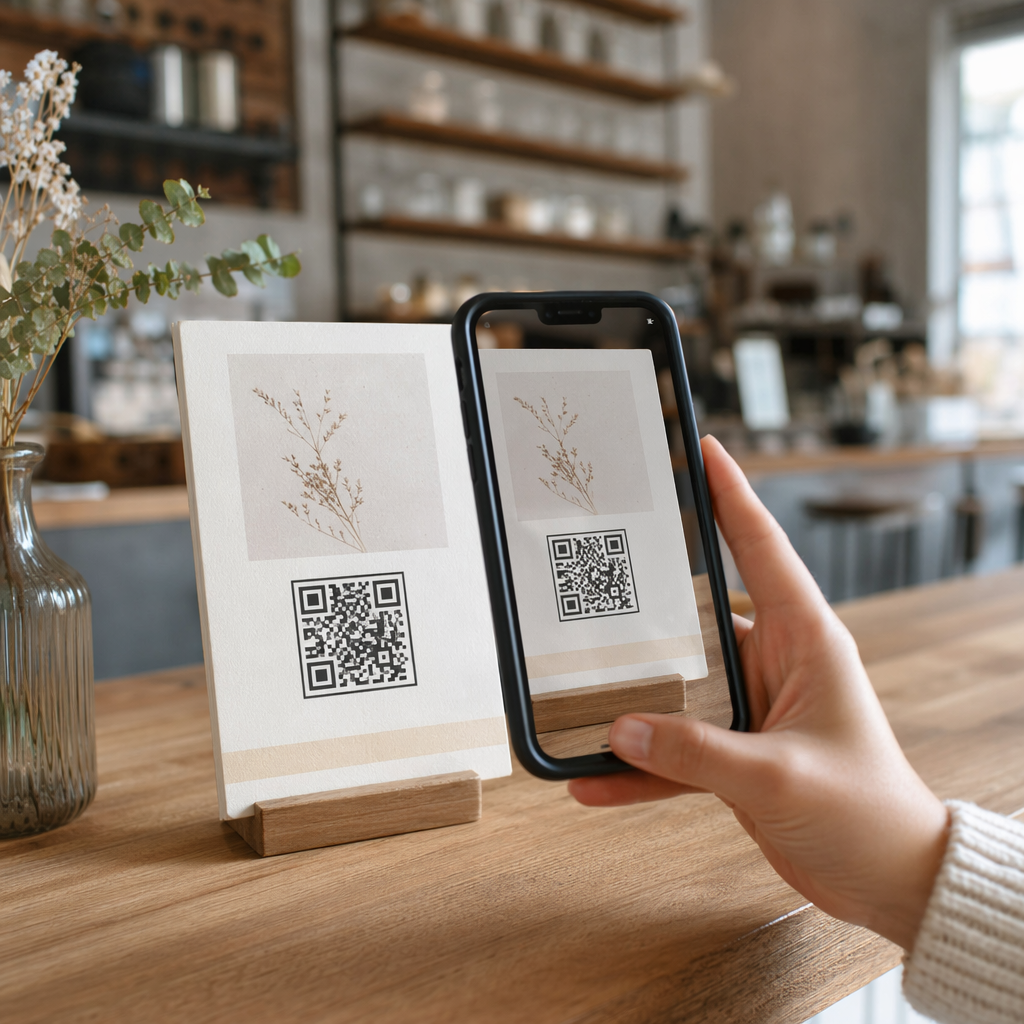
QR kódy tuto mezeru uzavírají propojením fyzické interakce – předání karty někomu, ukázání na banner nebo umístění kódu na stůl – s digitálním pracovním postupem, který běží automaticky.
Co dělá QR kód efektivním pro získávání potenciálních zákazníků
Ne všechny QR kódy jsou stejně užitečné pro generování potenciálních zákazníků na akcích. Statický QR kód odkazuje na pevné místo určení a neposkytuje vám žádná data o tom, kdo jej naskenoval, kdy nebo kde. A dynamický QR kód, naopak, používá krátký přesměrovací odkaz, který lze kdykoli aktualizovat a zaznamenává aktivitu skenování včetně času, typu zařízení a polohy.
Pro získávání potenciálních zákazníků na akcích jsou dynamické kódy zásadní ze tří důvodů:
- Cílovou URL můžete změnit po tisku – užitečné při účasti na více akcích s jednou dávkou tištěných materiálů
- Získáte analýzy v reálném čase o objemu skenování a chování publika
- Cíl můžete integrovat s vaším CRM nebo automatizační platformou, aniž byste se dotkli tištěného kódu
Ten Dynamický QR kód od Pageloot vám umožňuje vytvářet editovatelné kódy, aktualizovat cíle mezi událostmi a sledovat výkon z centrálního panelu.
Nastavte sledovatelné kódy událostí před vaší další výstavou Použijte Dynamický QR kód k vytvoření editovatelných QR kódů připravených pro analýzu, které nasměrují účastníky přímo do vašeho pracovního postupu pro získávání potenciálních zákazníků.
Krok 1: Navrhněte vizitku určenou pro získávání potenciálních zákazníků
Vaše vizitka je fyzickým spouštěčem celého digitálního pracovního postupu. Aby to fungovalo, samotná vizitka musí stát za to, aby si ji člověk ponechal – a QR kód musí být okamžitě skenovatelný.
Praktické úvahy:
- Použijte prémiové materiály: Odolné karty (plastové nebo z kartonu) se méně pravděpodobně vyhodí než tenké papírové alternativy. Vnímaná hodnota karty se odráží na vaší značce.
- Umístěte QR kód viditelně: Zadní strana karty funguje dobře. Dodržujte doporučení Pageloot pro minimální velikost 0,8 × 0,8 palce pro QR kódy vizitek pro zajištění spolehlivého skenování napříč typy zařízení.
- Zahrňte jasnou výzvu k akci: Text jako “Naskenujte a získejte bezplatnou konzultaci” nebo “Naskenujte a zůstaňte ve spojení” sděluje příjemci přesně, proč by měl skenovat a co získá.
- Označte kód značkou: Přidání vašeho loga a barev značky do QR kódu zvyšuje důvěru a míru skenování. Obecné černobílé kódy působí neosobně; kódy s logem působí záměrně.
Pokud chcete zahrnout kontaktní údaje přímo do kódu – aby si účastníci mohli uložit vaše informace bez odesílání formuláře – a QR kód vCard umožňuje vložit vaše jméno, telefonní číslo, e-mail a webové stránky ve formátu, který se okamžitě přenese do aplikace kontaktů smartphonu.
Krok 2: Vytvořte vstupní stránku přizpůsobenou události
Cíl, na který váš QR kód odkazuje, je stejně důležitý jako samotný kód. Obecná domovská stránka je promarněná příležitost. Účelově vytvořená vstupní stránka která odkazuje na konkrétní událost, vytváří okamžitou relevanci a zvyšuje míru dokončení formuláře.
Dobře strukturovaná vstupní stránka události zahrnuje:
- Personalizované uvítání (“Rád jsem vás potkal na [Název události] – zde je to, co jsem slíbil”)
- Krátký formulář požadující pouze základní informace: jméno, e-mail a jednu kvalifikační otázku relevantní k vaší nabídce
- Jasná motivace k odeslání – exkluzivní obsah, vstup na bezplatnou konzultaci, přístup do komunity nebo stáhnutelný zdroj
Udržujte formulář optimalizovaný pro mobilní zařízení. Téměř každé skenování na události proběhne na chytrém telefonu, takže přeplněný nebo pomalu se načítající formulář zabíjí konverze dříve, než začnou. Ten Google formulář QR kód generátor nabízí rychlý způsob, jak propojit formulář optimalizovaný pro mobilní zařízení s vaším QR kódem, přičemž odpovědi se přímo ukládají do Google Sheets pro snadnou kontrolu.
Po odeslání formuláře přesměrujte účastníky na děkovnou stránku s vedlejší výzvou k akci – přihlaste se k odběru newsletteru, připojte se ke komunitě, podívejte se na relevantní video. To rozšiřuje interakci za počáteční skenování.
Krok 3: Propojte svůj formulář s automatizovaným pracovním postupem
Získávání potenciálních zákazníků vytváří hodnotu pouze tehdy, pokud se data okamžitě přesunou někam užitečně. Ruční stahování tabulky po události a e-mailování lidem o dva týdny později není strategií následné péče – je to promarněná příležitost.
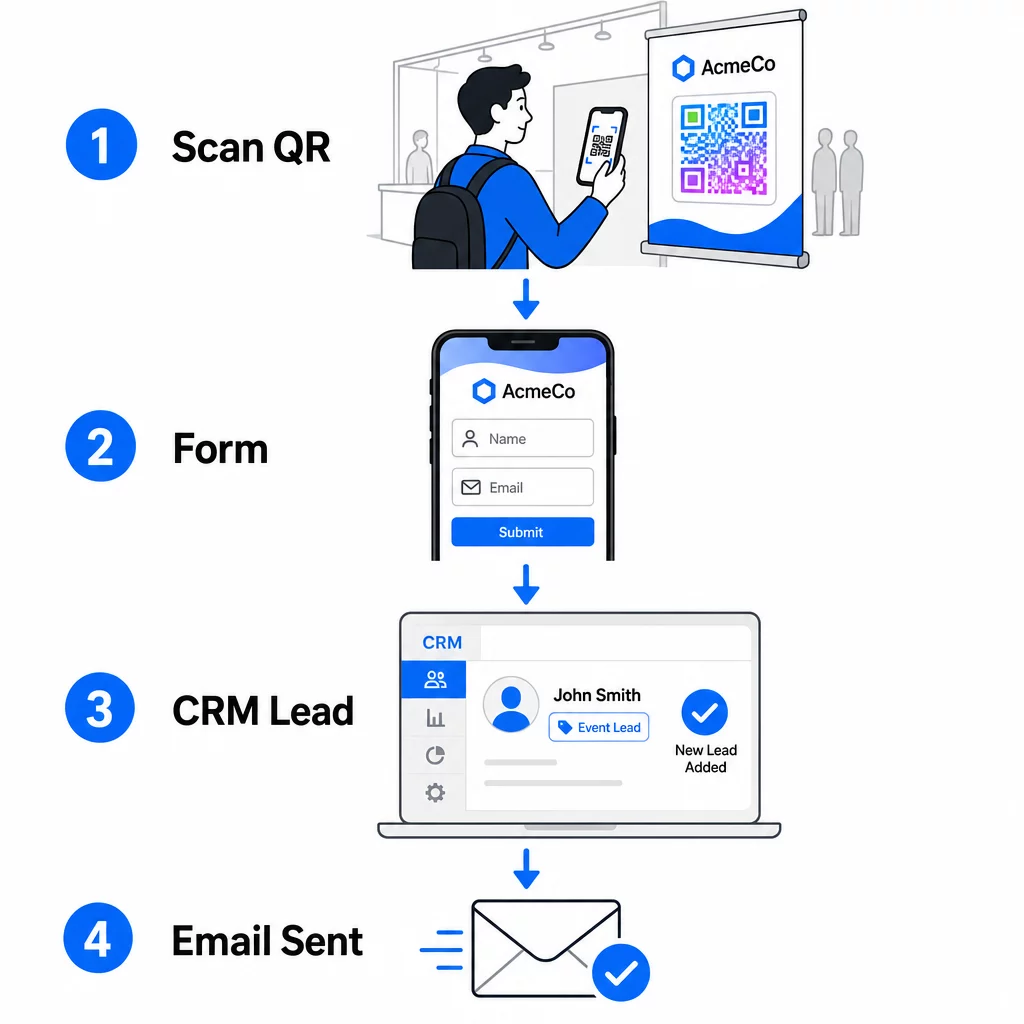
Nastavte si pracovní postup předtím, než dorazíte na událost:
- Integrace CRM: Směrujte každé odeslání formuláře přímo do vašeho CRM, označené názvem a datem události pro pozdější segmentaci
- Okamžitý následný e-mail: Spusťte automatický e-mail v okamžiku, kdy někdo odešle formulář – poděkujte jim, doručte slíbený zdroj a stanovte očekávání pro další kroky
- Bodování nebo směrování leadů: Pokud používáte CRM s bodováním leadů, nakonfigurujte značku události tak, aby upřednostnila následnou komunikaci vaším prodejním týmem
- Export do tabulky: Pro slosování o ceny nebo sledování docházky automaticky exportujte odeslané údaje do tabulky Google, kterou můžete kontrolovat v reálném čase
Pro hlubší pohled na propojení dynamických QR kódů s pracovními postupy CRM, průvodce na vytváření dynamických QR kódů pro odbavení do CRM podrobně prochází kódování URL, slučovací pole a nastavení webhooků. Můžete také prozkoumat Automatizace pracovního postupu skenování QR kódů pro podrobné pokyny k propojení událostí skenování s platformami jako Zapier nebo Make.
Automatizujte svůj pracovní postup pro eventové leady Propojte své QR pozvánka na akci s vaším CRM a e-mailovou platformou, aby každé skenování spustilo okamžitou, personalizovanou následnou komunikaci – bez manuální námahy.
Krok 4: Motivujte ke skenování
Účastníci veletrhu nebo konference jsou oslovováni desítkami stánků a kontaktů. Samotný QR kód nevyvolá akci – hodnota, která za ním stojí, ano.
Efektivní pobídky pro získávání eventových leadů zahrnují:
- Vstup do slosování o ceny (bezplatná konzultace, vzorek produktu nebo kredit za službu vylosovaný na konci akce)
- Okamžitý přístup k exkluzivnímu obsahu – průvodce, kontrolní seznam nebo šablona relevantní pro publikum
- Členství v soukromé komunitě nebo včasný přístup k produktu či zdroji
- Personalizovaný audit, posouzení nebo doporučení doručené po události
Motivace by měla být dostatečně specifická, aby působila cenně, a dostatečně nenáročná, aby na ni někdo zareagoval uprostřed konverzace. “Naskenujte zde a zúčastněte se soutěže o 60minutovou strategickou konzultaci” je přesvědčivější než “naskenujte pro více informací.”
Krok 5: Správa více událostí s jednou sadou karet
Jednou z nejpraktičtějších výhod dynamických QR kódů je, že nemusíte tisknout materiály pro každou událost znovu. Protože cílová URL adresa je uložena v přesměrování – nikoli v samotném vzoru kódu – můžete aktualizovat, kam kód posílá účastníky, aniž byste se dotkli vytištěné karty.
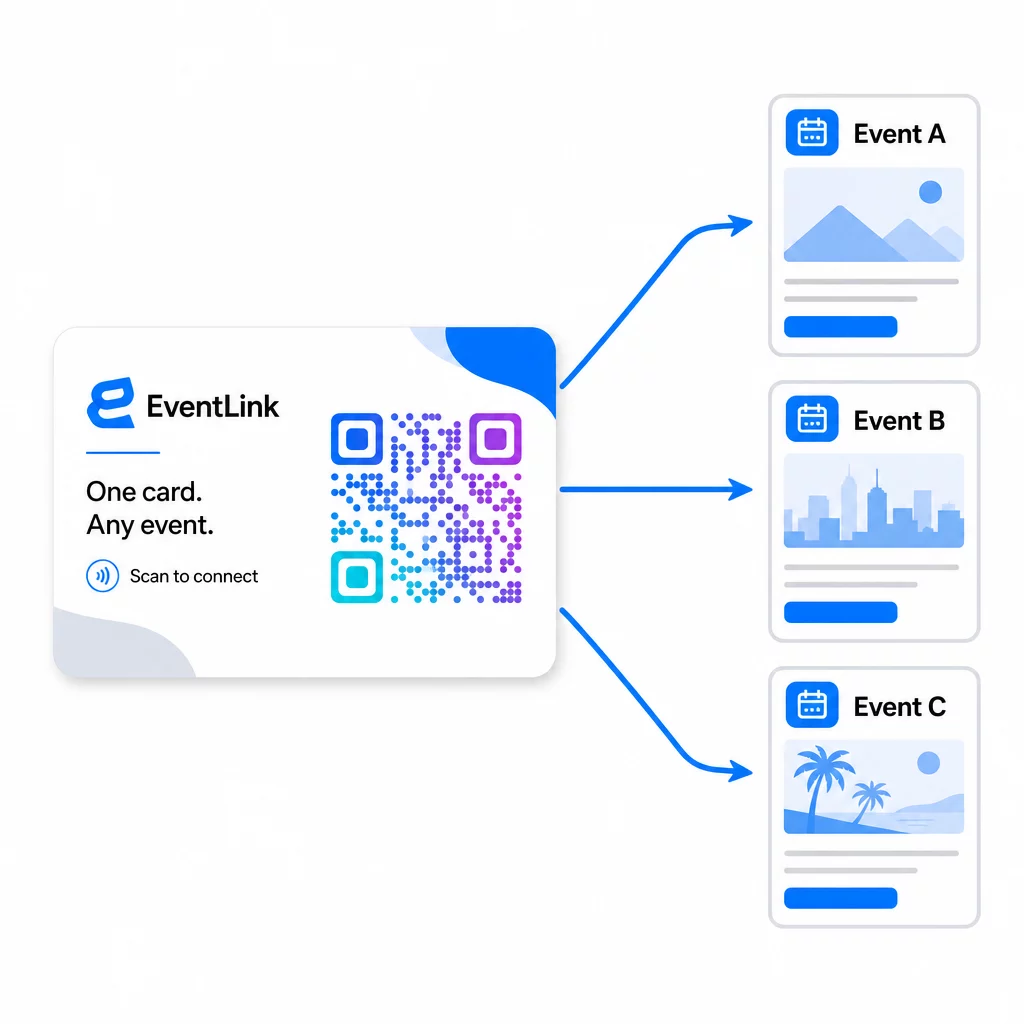
To znamená:
- Před každou událostí aktualizujte svou vstupní stránku tak, aby odkazovala na konkrétní název události a publikum
- Mezi událostmi přesměrujte kód na svůj hlavní web, univerzální lead magnet nebo kontaktní stránku
- Pokud nabídka vyprší nebo vstupní stránka přestane fungovat, okamžitě to opravte z vašeho řídicího panelu – žádné přetiskování, žádné nefunkční odkazy, které by se dostaly k reálným lidem
Tato flexibilita platí také pro výstavní stánky, letáky a tištěné nápisy. Jeden tištěný banner s QR kódem může sloužit pro více událostí s různými nabídkami, publikem a následnými sekvencemi, pokud je podkladový kód dynamický.
Krok 6: Sledování výkonu a vylepšování
Kampaň s QR kódy, která není měřena, nelze zlepšit. Dynamické QR kódy vám poskytují data na úrovni skenování, včetně celkového počtu skenů, unikátních skenů, typů zařízení, geografické polohy a vzorců denní doby. Tato data vám řeknou, zda je umístění vaší karty funkční, které události generují nejvíce angažovaných potenciálních zákazníků a zda se vaše vstupní stránka konvertuje.
Použijte tato data k zodpovězení praktických otázek po každé události:
- Jaké procento lidí, kteří obdrželi vaši kartu, ji skutečně naskenovalo?
- Došlo ke skenování během události nebo v následujících dnech – což naznačuje zpožděné následné chování?
- Které typy zařízení dominovaly a byla pro ně vaše vstupní stránka plně optimalizována?
- Jak se porovnávaly konverzní poměry na formuláři napříč událostmi s různými pobídkami?
Průvodce k Nástroje pro sledování událostí pomocí QR kódů pokrývá, jak vyhodnocovat a interpretovat analytiku skenování v kontextu události.
Poznámka k souhlasu a dodržování předpisů
Shromažďování kontaktních informací na událostech znamená, že podléháte platným zákonům o ochraně osobních údajů. V USA neexistuje jediný federální zákon o ochraně soukromí, ale na marketing po události se vztahuje několik pravidel:
- Ten Zákon CAN-SPAM vyžaduje, aby každý komerční e-mail, který odešlete, obsahoval jasný způsob, jak se příjemci mohou odhlásit, a tyto žádosti o odhlášení musíte vyřídit do 10 pracovních dnů.
- Pokud shromažďujete údaje od obyvatel Kalifornie, pak Kalifornský zákon o právech na soukromí vyžaduje, abyste spotřebitele informovali o tom, jak jsou jejich údaje shromažďovány a používány, a umožnili jim k nim přistupovat, opravovat je nebo je mazat.
- Ten Pravidla FCC pro souhlas pro telemarketing a marketing textových zpráv vyžadují samostatný, specifický souhlas pro každého odesílatele – paušální souhlas více stran získaný prostřednictvím jediného formuláře není dostatečný.
Nejbezpečnější přístup: udělejte jazyk souhlasu ve vašem formuláři explicitním. Jasně uveďte, kdo je bude kontaktovat, za jakým účelem a jak se mohou odhlásit. Pro toky RSVP a registrace na události, hostování vašeho formuláře na zabezpečené stránce HTTPS a zahrnutí transparentních informací o použití dat je jak právním základem, tak signálem důvěry.
QR kód vs. vizitka: Praktické srovnání
| Přístup | Zadávání dat | Integrace CRM | Znovupoužitelnost | ANALYTIKA |
|---|---|---|---|---|
| Papírová vizitka | Manuální | Vyžaduje manuální zadání | Jednorázová událost | Žádné |
| NFC karta | Automatické | Závisí na aplikaci | Opakovaně použitelné | Omezený |
| QR kód (statický) | Na základě formuláře | Prostřednictvím nástroje pro formuláře | Opakovaně použitelné | Žádné |
| QR kód (dynamický) | Na základě formuláře | Automatizováno přes webhook | Znovu použitelné, aktualizovatelné | Analytika plného skenování |
Dynamické QR kódy také řeší praktický problém, který se často objevuje u NFC karet: NFC vyžaduje, aby přijímací zařízení bylo v těsné blízkosti a v některých konfiguracích vyzývá k přístupu na úrovni systému. QR kód nevyžaduje od zařízení příjemce nic jiného než fotoaparát – žádnou aplikaci, žádnou změnu nastavení, žádná oprávnění udělená v daném okamžiku.
Často kladené otázky
Ne, pokud použijete dynamický QR kód. Dynamický kód odkazuje na přesměrovací URL adresu, kterou můžete kdykoli aktualizovat ze svého panelu, takže můžete změnit cílovou vstupní stránku před každou událostí, aniž byste museli znovu tisknout své karty nebo materiály.
Udržujte ho zaměřený a přívětivý pro mobilní zařízení. Zahrňte personalizované uvítání, které odkazuje na událost, krátký formulář s maximálně třemi až čtyřmi poli a konkrétní pobídku k odeslání – například vstup do bezplatné konzultace nebo stáhnutelný zdroj. Vyhněte se dlouhým textům nebo více konkurenčním výzvám k akci na stejné stránce.
Formulujte svůj souhlasný text explicitně ve formuláři. Jasně uveďte, kdo bude osobu kontaktovat, za jakým účelem a jak se může odhlásit. Zajistěte, aby vaše vstupní stránka byla hostována na HTTPS, okamžitě vyhovte žádostem o odhlášení, jak vyžaduje zákon CAN-SPAM Act, a prostudujte si příslušné státní zákony – jako je například California Privacy Rights Act – pokud vaše publikum zahrnuje obyvatele těchto států.