首页 > 指南 > How to Create a Single QR Code for App Downloads
Scanning app download code

How to Create a Single QR Code for App Downloads

Learn how to create a single dynamic QR code for app store downloads. Automatically route iOS and Android users to the correct store with one scan.
Updated on 8 月 29, 2026
目录

Are you tired of printing separate QR codes for iPhone and Android users on your marketing materials? Displaying multiple codes confuses potential customers and wastes valuable space on physical packaging, banners, and flyers. Creating a single dynamic QR code automatically routes each scanner to the correct app store for their specific device.

How Multi-Store QR Codes Route Scanners Automatically

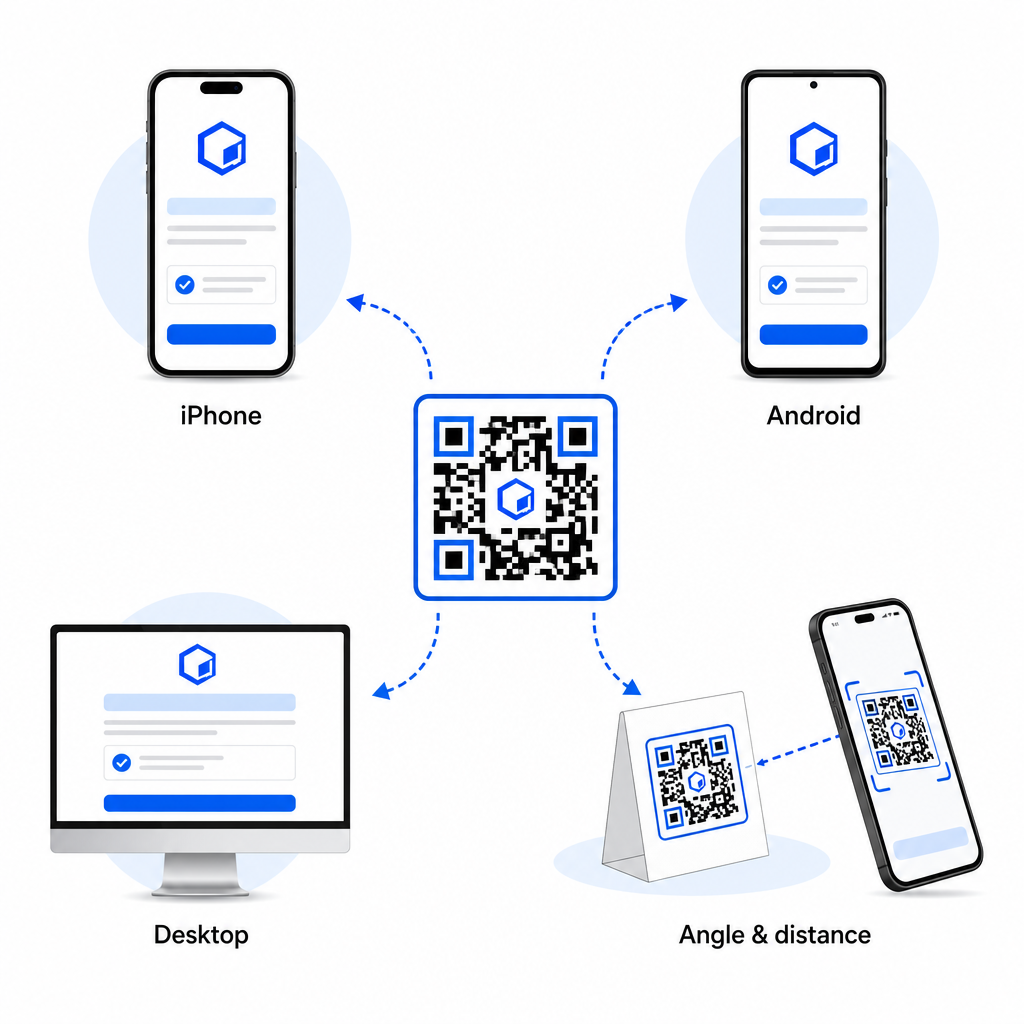
When a smartphone camera scans a QR code, the operating system decodes the pattern into a URL and opens it in the mobile browser. A multi-store QR code relies on a dynamic routing link rather than connecting directly to a fixed store web address.

Upon receiving the scan request, the routing server inspects browser signals and operating system headers to identify the scanning device:

  • iOS routing: Directs Apple users to your app listing on the App Store using your app’s unique numeric identifier.
  • Android routing: Directs Android users to your Google Play Store page using your app manifest package name.
  • Fallback routing: Sends non-mobile or desktop scanners to a universal web landing page or promotional site.

Using device detection inside a single dynamic link removes technical friction for customers, protects your physical layout from visual clutter, and ensures high conversion rates across every channel.

Create Your Cross-Platform App QR Code Streamline your onboarding flow by directing iOS and Android users to the correct store with a single scan. Launch the 应用程序商店 QR 代码生成器 to build and brand your dynamic code today.

How to Set Up an App Download QR Code

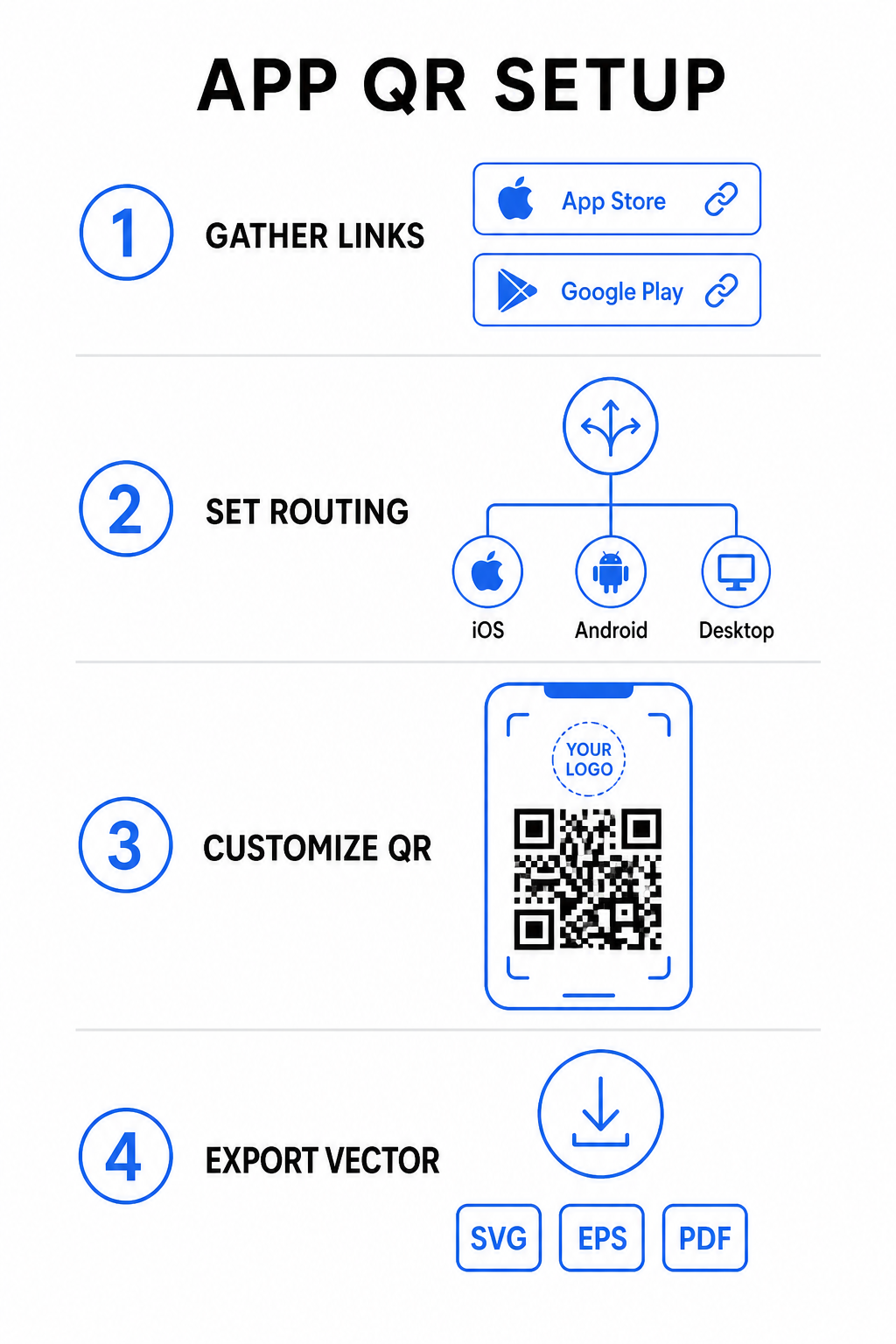
Generating a unified download code requires gathering your official platform URLs and configuring your smart link settings. Follow these steps to generate a print-ready code:

App QR setup steps
  • Gather official store URLs: Locate your Apple App Store path containing your app’s numeric ID and your Google Play URL containing your package name identifier.
  • Input store links into the generator: Enter your iOS link into the App Store field and your Android link into the Google Play field within the creation editor.
  • Set a universal fallback destination: Enter a standard website landing page URL to redirect desktop users or unsupported operating systems.
  • Customize your code appearance: Adjust module colors, background shading, frame styles, and call-to-action prompts, then embed your brand logo in the center.
  • Export print-ready vector files: Download your finished design in high-resolution vector formats such as SVG, EPS, or PDF for crisp printing.

If your store URLs change in the future, using a 动态二维码生成器 lets you update destination links directly from your dashboard without reprinting physical materials.

Technical Specifications for Optimal Scannability

Adhering to ISO/IEC 18004 barcode specifications ensures your printed QR code scans easily across different mobile devices, lighting conditions, and angles.

Design Element Technical Standard Practical Purpose
安静区域 Minimum 4 modules wide Preserves an unprinted margin around all four sides so camera sensors isolate the code matrix from background graphics.
Sizing Ratio 1:10(尺寸与距离) Maintains reliable readability; a 1-inch (2.5 cm) code supports a scanning distance of roughly 10 inches (25 cm).
色彩对比 High contrast (Dark on Light) Uses dark modules on a light background to maximize light absorption contrast for image sensors.
纠错 Level Q (25%) or Level H (30%) Restores missing or obscured data blocks, allowing the code to function even when a custom logo covers the center.

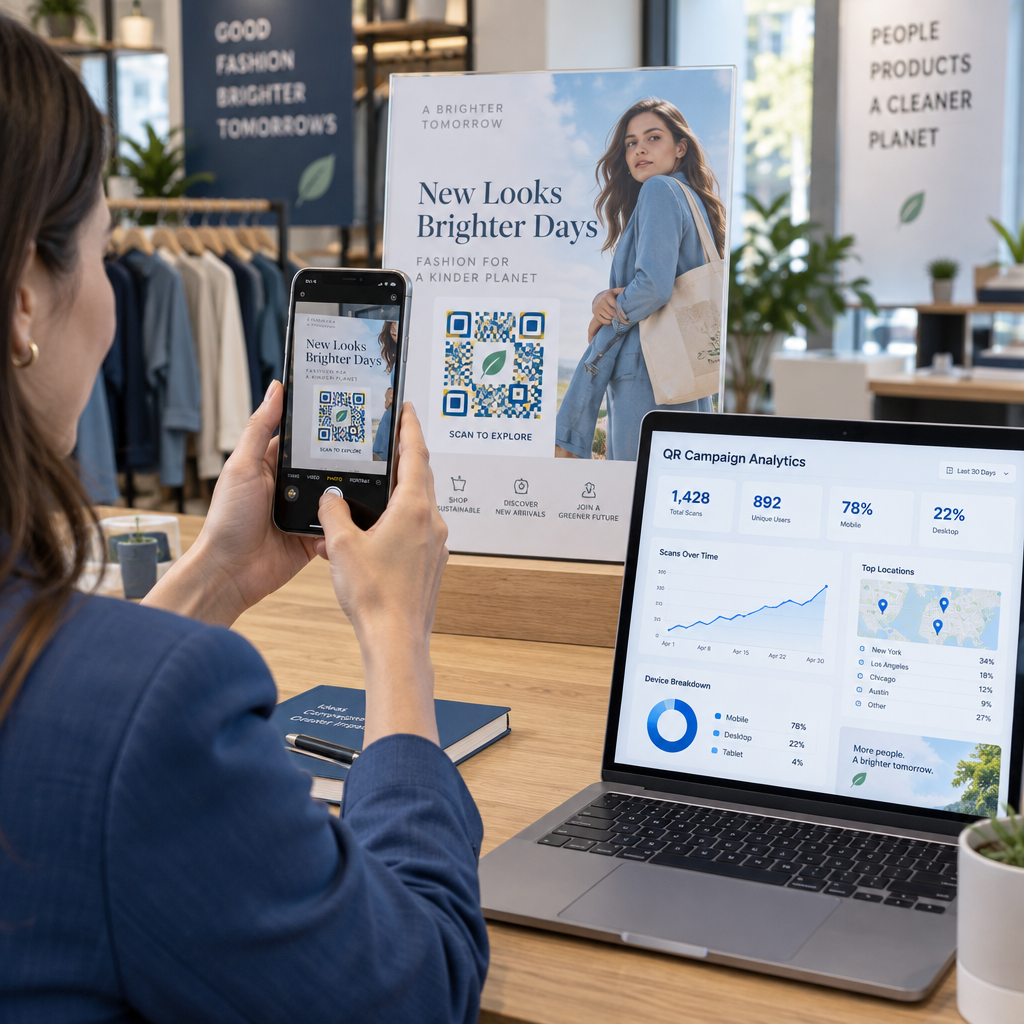
Measure Your Campaign Performance Want to see which marketing channels generate the most app installs? Use our platform for 追踪QR码 to analyze real-time scan metrics, locations, and operating systems.

Quality Assurance Practices Before Printing

Before committing to a large print run for packaging, posters, or retail signs, thoroughly evaluate your code’s performance in real-world scenarios.

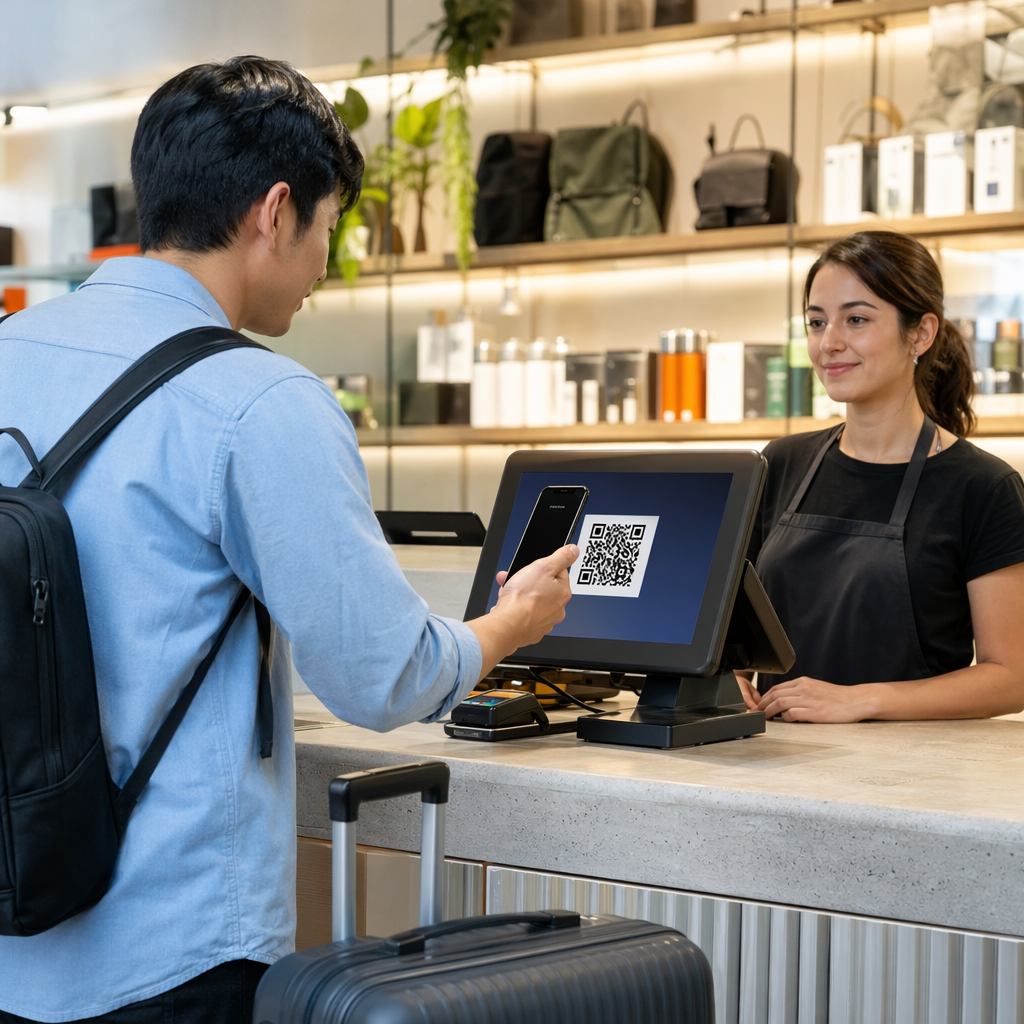
Testing QR code routing
  • Verify native platform routing: Scan the code with default camera applications on physical iOS and Android devices to ensure proper store redirection.
  • Confirm desktop fallback behavior: Click or scan the link from a desktop web browser to check that non-mobile traffic lands on your designated fallback web page.
  • Perform the three-distance inspection protocol: Test scanning at the intended viewing distance, repeat at 50% farther away, and test at a 30 to 45-degree angle.
  • Evaluate network load speed: Ensure the dynamic redirect processes rapidly across various mobile data and Wi-Fi networks.

For additional details on how smartphones process code requests, review our guides on how users 使用智能手机扫描二维码 and how consumers download an app with a QR code.

常见问题

Do I need separate QR codes for iPhone and Android users?

No. A dynamic app store QR code detects the user’s mobile operating system upon scanning and automatically routes iOS users to the Apple App Store and Android users to Google Play.

What happens if someone scans an app QR code from a desktop computer?

The dynamic routing engine identifies non-mobile devices and sends the visitor to your designated fallback URL, such as your main website or promotional landing page.

Can I edit my app store links after printing the QR code?

Yes. Dynamic QR codes allow you to modify your Apple, Android, or fallback destination links anytime in your management dashboard without reprinting artwork.

Combining your iOS and Android app download links into a single dynamic QR code eliminates download friction, saves layout space on print media, and provides a unified mobile experience. Applying high contrast, robust error correction, and eye-catching frames converts physical packaging and marketing displays into direct app installations.

Take full control of your cross-platform promotions by using the 链接二维码生成器 to build dynamic, trackable download links for your marketing campaigns.

关于作者

Siim Kostabi 是 Pageloot 的内容主管,负责撰写关于我们创新型二维码生成器服务的文章。凭借五年多来在二维码领域积累的深厚专业知识,Siim 是该领域的专家。他致力于利用二维码技术简化和增强数字交互,并取得了显著的成果。.

类别
了解更多关于
QR QR码的#1解决方案

如果您需要在线创建QR码,则可以 制作二维码 就在这里免费!
Pageloot是 #1转到解决方案 创建和扫描QR码。

BL-0358

博客生成器

受到超过 20,000 个品牌的信赖,可获得更多销售、评论和关注者。

客户徽标
受到顶级品牌的信赖
评分为 4.8(共 5)

4.86 / 5 星评级

雨果·劳伦特
雨果·劳伦特
餐馆老板
有史以来最容易和最可靠的QR码生成器。PDF文件可以立即上传。我们的餐厅菜单现在是数字化的。
卢卡斯-詹森
卢卡斯-詹森
房地产开发商
这是一个很好的工具,二维码带你到你想要的地方。我们只使用位置二维码,但有许多有用的功能。
艾玛-莫雷蒂
艾玛-莫雷蒂
零售产品
易于使用和快速。它工作得很好,创造了一个完美的图像,所以员工可以下载我的vCard。
雨果·劳伦特
雨果·劳伦特
餐馆老板
有史以来最容易和最可靠的QR码生成器。PDF文件可以立即上传。我们的餐厅菜单现在是数字化的。
卢卡斯-詹森
卢卡斯-詹森
房地产开发商
这是一个很好的工具,二维码带你到你想要的地方。我们只使用位置二维码,但有许多有用的功能。
艾玛-莫雷蒂
艾玛-莫雷蒂
零售产品
易于使用和快速。它工作得很好,创造了一个完美的图像,所以员工可以下载我的vCard。
查看更多QR码
扫描电子邮件签名二维码
制作二维码 电子邮件签名
Scanning text QR code
二维码 不同种类
扫描产品二维码
开启QR码 产品包装
将一切转化为数字体验 不到3分钟。

免费试用 14 天。

无需信用卡。

首次购买可享受 30% 折扣

使用代码:

分享您的 MP3 文件

注册以创建 PDF QR 码

上传和显示你需要的一切。

  • 音频文件
  • 播客
  • 音乐

注册即可享 14 天免费试用。.
试用期结束后,二维码将失效。.

注册以创建音频 mp3 二维码

使用边框获得更多扫描

注册以向您的二维码添加更多框架

呼叫行动框架帮助您的客户与QR码轻松互动。试试吧!

注册即可享 14 天免费试用。.
试用期结束后,二维码将失效。.

注册以向您的二维码添加更多框架

使用形状添加更多样式

注册以创建更多形状

二维码不一定是方形的。试着改变它以适应你的品牌形象。

注册即可享 14 天免费试用。.
试用期结束后,二维码将失效。.

注册以创建更多形状

为您的二维码添加徽标

注册以将您的徽标添加到二维码中

通过在二维码上添加你的标志和品牌,使你的二维码脱颖而出。

注册即可享 14 天免费试用。.
试用期结束后,二维码将失效。.

注册以将您的徽标添加到二维码中

智能应用商店重定向

注册以创建应用商店二维码

将您的应用程序链接添加到我们的智能应用程序商店QR码。用户会根据他们的设备被重新定向。

注册即可享 14 天免费试用。.
试用期结束后,二维码将失效。.

注册以创建应用商店二维码

将图片上传到二维码

注册以创建图像二维码

轻松分享你的图像。在几秒钟内动态地改变任何图像。

注册即可享 14 天免费试用。.
试用期结束后,二维码将失效。.

注册以创建图像二维码

分享您的 PDF 文件

注册以创建 PDF QR 码

上传和显示你需要的一切。

  • 菜单和价格表
  • 使用说明
  • 任何文件

注册即可享 14 天免费试用。.
试用期结束后,二维码将失效。.

注册以创建 PDF QR 码

稍后编辑,无需打印

注册即可编辑您的二维码,无需再次打印

动态QR码让你改变你的QR码的内容,而不需要打印新的QR码。

注册即可享 14 天免费试用。.
试用期结束后,二维码将失效。.

注册即可编辑您的二维码,无需再次打印

何时?何地?追踪您的二维码扫描

注册以追踪您的二维码

发现你的哪些二维码收到了最多的扫描,以及什么最能让你的客户兴奋。

注册即可享 14 天免费试用。.
试用期结束后,二维码将失效。.

注册以追踪您的二维码

提供可打印文件

注册以创建 PDF 和 SVG 等矢量二维码

.EPS, .PDF, .SVG

想下载高清分辨率的QR码吗?获得矢量或像素格式,可随时打印。

注册即可享 14 天免费试用。.
试用期结束后,二维码将失效。.

注册以创建 PDF 和 SVG 等矢量二维码

请等待。您的二维码是 正在加载... 正在加载...

打造专属

注册以保存您的二维码以供日后使用

通过创建具有不同颜色、标识和行动呼吁框架的出色的QR码,获得更多的扫描。

注册即可享 14 天免费试用。.
试用期结束后,二维码将失效。.

注册以保存您的二维码以供日后使用