Gặp khó khăn trong việc thu thập phản hồi từ khách hàng đang đứng ngay trước mặt bạn? Các biểu mẫu giấy bị bỏ qua và các URL khảo sát dài không bao giờ được nhập. Hướng dẫn này sẽ hướng dẫn bạn cách tạo một cuộc thăm dò bằng mã QR từ đầu – bao gồm lựa chọn nền tảng, tạo mã, thiết kế, vị trí và theo dõi – để bạn có thể bắt đầu thu thập phản hồi ngay lập tức.
Tại sao các cuộc thăm dò bằng mã QR hiệu quả cho đối tượng ngoại tuyến và di động
Vấn đề cốt lõi với các cuộc khảo sát truyền thống là sự cản trở. Việc gõ một URL trên bàn phím di động đủ khó chịu khiến hầu hết mọi người bỏ qua. Mã QR loại bỏ hoàn toàn rào cản đó – một lần quét sẽ mở cuộc thăm dò trực tiếp trong trình duyệt, không cần ứng dụng.
Điều này đặc biệt quan trọng trong các môi trường vật lý: nhà hàng, cửa hàng bán lẻ, sự kiện, phòng khám và lớp học. Đối tượng của bạn đã có mặt và đang tương tác. Một mã QR được đặt đúng chỗ sẽ nắm bắt khoảnh khắc đó trước khi nó trôi qua.
Một vài lý do khiến các cuộc thăm dò bằng mã QR luôn vượt trội so với các lựa chọn thay thế bằng giấy và email:
- Tốc độ: Thời gian hoàn thành khảo sát nhanh hơn đáng kể vì không có bước nhập URL thủ công hoặc phân phối biểu mẫu.
- Phạm vi tiếp cận: Việc sử dụng mã QR tiếp tục tăng ở Mỹ, với số lượng quét tăng lên hàng năm – nghĩa là đối tượng của bạn đã biết cách tương tác với chúng.
- Dữ liệu thời gian thực: Phản hồi đến ngay lập tức, vì vậy bạn có thể hành động dựa trên phản hồi ngay trong ngày thay vì chờ đợi xuất hàng loạt.
- Khả năng theo dõi: Mã QR động ghi lại số lượt quét, loại thiết bị, vị trí địa lý và dấu thời gian, cung cấp cho bạn ngữ cảnh hành vi cùng với các câu trả lời khảo sát.
Cách tạo cuộc thăm dò bằng mã QR: Từng bước
Bước 1: Xác định mục tiêu cuộc thăm dò của bạn
Trước khi xây dựng bất cứ điều gì, hãy làm rõ những gì bạn muốn tìm hiểu và cách bạn sẽ đo lường thành công. Các mục tiêu mơ hồ sẽ tạo ra các câu hỏi mơ hồ. Hãy tự hỏi:
- Bạn đang đo lường sự hài lòng sau một giao dịch mua hàng hoặc tương tác dịch vụ?
- Bạn đang thu thập ý kiến trong hay sau một sự kiện?
- Bạn đang thực hiện nghiên cứu sản phẩm để đưa ra quyết định trong tương lai?
Mục tiêu của bạn cũng định hình thời gian và định dạng của cuộc thăm dò. Một khảo sát sau mua hàng trên hóa đơn cần những câu hỏi khác với một cuộc thăm dò sự kiện trực tiếp được chiếu trên màn hình. Hãy quyết định trước tỷ lệ phản hồi hoặc thông tin chi tiết thành công trông như thế nào để bạn có thể đánh giá chiến dịch sau này.
Bước 2: Xây dựng cuộc thăm dò trên nền tảng khảo sát
Sử dụng một nền tảng khảo sát đáng tin cậy để xây dựng các câu hỏi của bạn. Google Biểu mẫu là một lựa chọn đơn giản, miễn phí tích hợp với Google Trang tính để dễ dàng xem xét dữ liệu. Đối với logic nâng cao hơn, tùy chỉnh thương hiệu hoặc phân tích chi tiết ở cấp độ biểu mẫu, Typeform hoặc SurveyMonkey là những lựa chọn thay thế mạnh mẽ.
Khi thiết kế câu hỏi, hãy luôn nghĩ đến người dùng di động – đó là gần như tất cả những người sẽ quét mã. Hãy tuân thủ các nguyên tắc sau:
- Giữ ngắn gọn. Đặt mục tiêu hoàn thành dưới hai phút. Các cuộc thăm dò dài hơn sẽ khiến người trả lời trên thiết bị di động bỏ cuộc trước khi họ đến cuối.
- Một ý tưởng cho mỗi câu hỏi. Tránh các câu hỏi kép hỏi hai điều cùng một lúc (ví dụ, “Dịch vụ của chúng tôi có nhanh và thân thiện không?” nên là hai câu hỏi riêng biệt).
- Sử dụng ngôn ngữ đơn giản. Giảm số lượng từ trong mỗi câu hỏi mà không làm mất đi ý nghĩa.
- Giữ thái độ trung lập. Tránh cách diễn đạt hướng người trả lời đến một câu trả lời cụ thể.
- Cân bằng các thang đo của bạn. Nếu bạn sử dụng thang đánh giá, hãy bao gồm số lượng tùy chọn tích cực và tiêu cực bằng nhau và một điểm giữa được xác định rõ ràng.
Sau khi cuộc thăm dò hoàn tất, hãy tạo một liên kết có thể chia sẻ. Trong Google Biểu mẫu, nhấp vào Gửi, sau đó chọn biểu tượng liên kết để sao chép URL.
Bước 3: Chuyển đổi liên kết thăm dò thành mã QR
Với URL thăm dò của bạn đã sẵn sàng, hãy dán nó vào một trình tạo mã QR. Pageloot's Trình tạo mã QR liên kết xử lý việc này trong vài giây – dán URL, và một mã có thể quét được sẽ xuất hiện ngay lập tức.
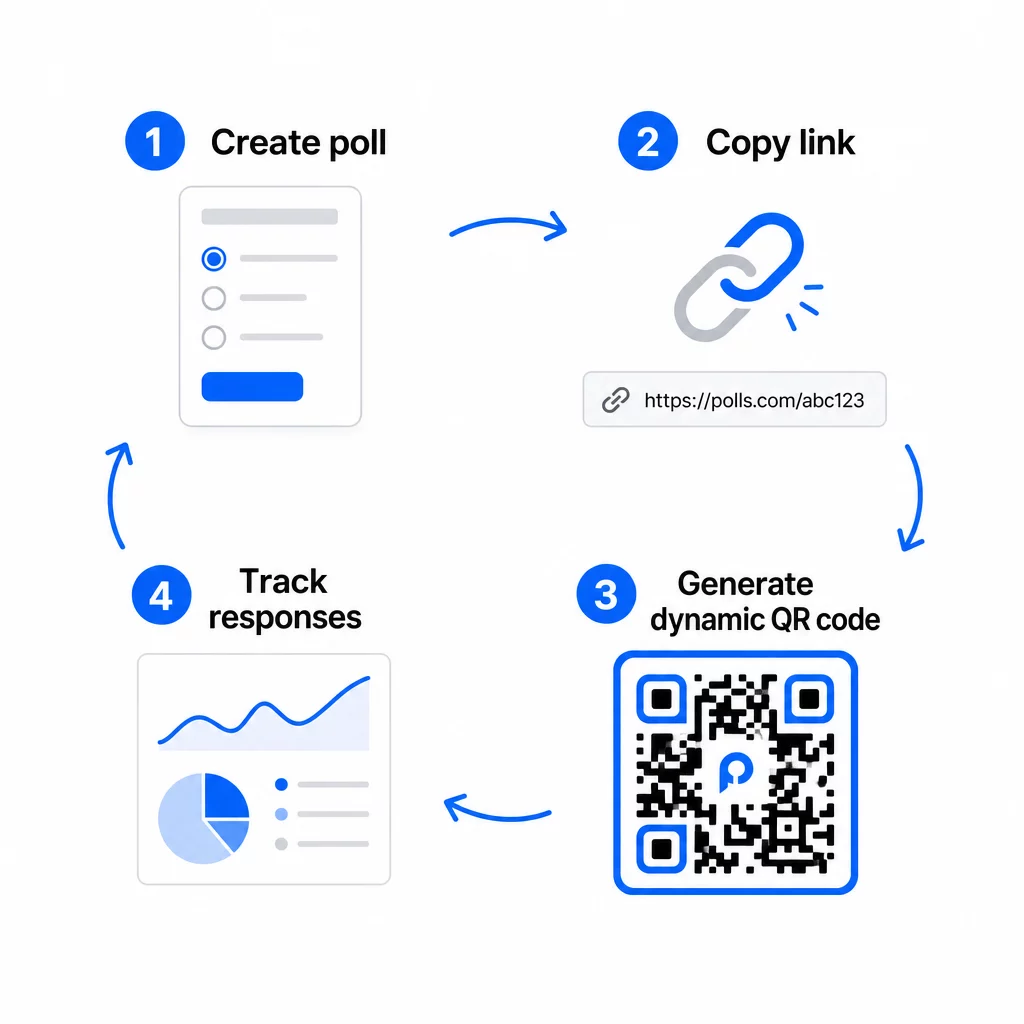
Ở giai đoạn này, bạn cũng cần quyết định giữa mã QR tĩnh và mã QR động.
| TÍNH NĂNG | Mã QR tĩnh | Mã QR động |
|---|---|---|
| Có thể chỉnh sửa sau khi tạo | KHÔNG | Đúng |
| Theo dõi và phân tích quét | KHÔNG | Đúng |
| Độ dài URL trong mẫu | Dài, dày đặc | Ngắn, gọn gàng |
| Tốc độ quét | Chậm hơn | Nhanh hơn |
| Cập nhật chiến dịch | Yêu cầu mã mới | Cập nhật đích bất cứ lúc nào |
Đối với hầu hết các chiến dịch thăm dò, mã QR động là lựa chọn tốt hơn. Bạn có thể cập nhật URL đích sau khi mã đã được in – hữu ích nếu bạn cần thay thế một cuộc thăm dò đã đóng bằng một cuộc thăm dò mới, gia hạn thời hạn hoặc chuyển hướng đến một cuộc khảo sát tiếp theo. Mã động cũng mở khóa phân tích quét bao gồm số lượt quét, vị trí, loại thiết bị và thời gian quét.
Theo dõi mọi lượt quét từ cuộc thăm dò mã QR của bạn Bạn muốn biết địa điểm nào tạo ra nhiều phản hồi nhất và khi nào mức độ tương tác đạt đỉnh? Sử dụng Pageloot’s Trình tạo mã QR để tạo mã thăm dò động với tính năng theo dõi tích hợp và bảng điều khiển phân tích tập trung.
Bước 4: Tùy chỉnh mã QR cho thương hiệu của bạn
Một mã QR đen trắng đơn giản vẫn hoạt động, nhưng một mã có thương hiệu sẽ hoạt động tốt hơn. Việc thêm logo và màu sắc thương hiệu của bạn báo hiệu rằng mã đó là hợp lệ, điều này làm tăng khả năng ai đó sẽ thực sự quét nó.
Hướng dẫn thiết kế thực tế:
- Sử dụng một nền tối trên nền sáng. Đen trên nền trắng là đáng tin cậy nhất. Xanh đậm hoặc xanh lá cây đậm trên nền trắng cũng hoạt động tốt. Không bao giờ đảo ngược điều này – màu sáng trên nền tối gây ra lỗi quét.
- Duy trì độ tương phản cao xuyên suốt. Độ tương phản thấp là một trong những lý do phổ biến nhất khiến mã QR không thể quét được.
- Thêm logo công ty vào giữa mã. Điều này tạo dựng niềm tin ngay lập tức mà không ảnh hưởng đến khả năng quét, miễn là logo không che quá khoảng 30% mẫu.
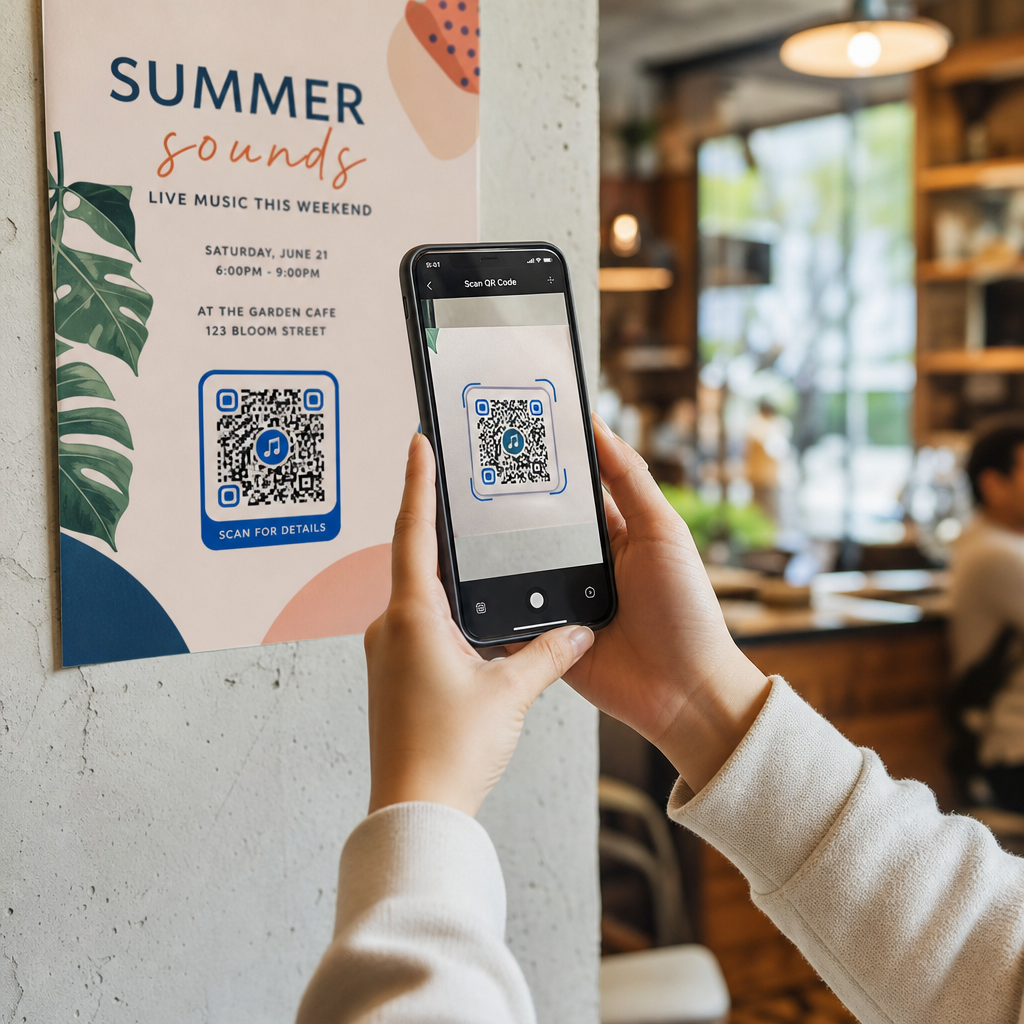
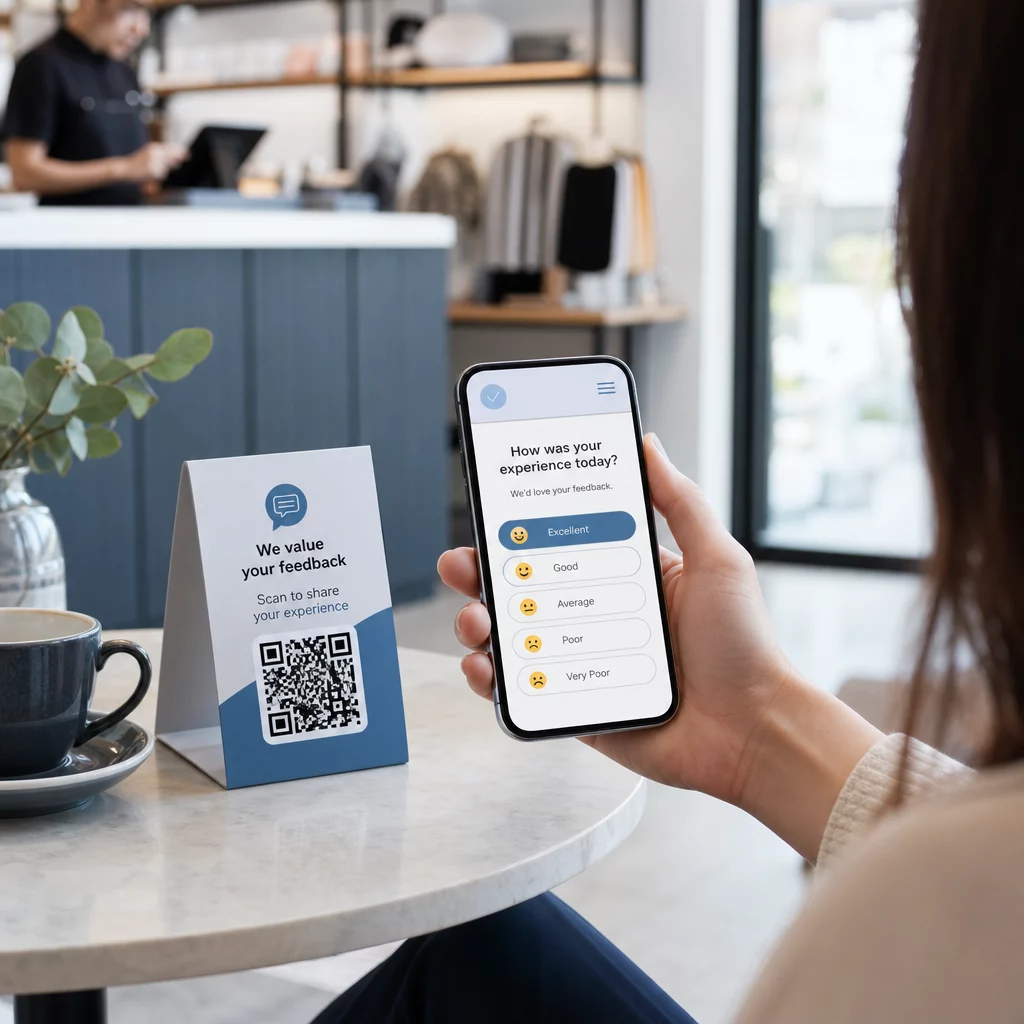
- Bao gồm một lời kêu gọi hành động gần (không phải bên trong) mã – chẳng hạn như “Quét để chia sẻ phản hồi của bạn” hoặc “Tham gia cuộc thăm dò 60 giây của chúng tôi.” Điều này cho mọi người biết lý do họ nên quét và những gì mong đợi.
- Đối với tài liệu in ấn, giữ mã ít nhất 0,8 × 0,8 inch (2 × 2 cm) để quét ở cự ly gần. Đối với áp phích hoặc biển báo được xem từ xa hơn, áp dụng quy tắc 10:1: chiều rộng của mã phải ít nhất bằng một phần mười khoảng cách quét dự kiến.
- Giữ một vùng yên tĩnh – ít nhất bốn mô-đun trống ở tất cả các cạnh của mã. Không có văn bản, logo hoặc màu sắc nào được lấn vào đường viền này.
Để biết thêm về vị trí và kích thước, thì Hướng dẫn đặt mã QR cho tiếp thị bao gồm mọi định dạng chính một cách chi tiết.
Bước 5: Kiểm tra mã trước khi triển khai
Kiểm tra là điều không thể bỏ qua. Mã QR không quét được tại hiện trường sẽ lãng phí ngân sách in ấn của bạn và gây khó chịu cho những người bạn đang cố gắng tiếp cận.
Kiểm tra trên:
- Nhiều thiết bị: Cả iOS và Android, và ít nhất một mẫu điện thoại thông minh cũ hơn.
- Nhiều ứng dụng: Ứng dụng camera tích hợp và ứng dụng quét của bên thứ ba.
- Nhiều điều kiện: Ánh sáng khác nhau (bao gồm cả ánh sáng chói ngoài trời), khoảng cách khác nhau và góc độ khác nhau.
- Nhiều trình duyệt: Xác nhận cuộc thăm dò tải và hiển thị chính xác trong Safari, Chrome và các trình duyệt phổ biến khác.
Nếu bạn đang sử dụng mã động, hãy xác minh rằng URL đích đang hoạt động và biểu mẫu gửi thành công từ trình duyệt di động trước khi bạn triển khai.
Bước 6: Triển khai ở đúng vị trí
Vị trí bạn đặt mã QR trực tiếp quyết định số lượng phản hồi bạn thu thập được. Mã QR cho phản hồi của khách hàng hoạt động tốt nhất khi chúng xuất hiện tại các điểm dừng tự nhiên trong hành trình của khách hàng – những khoảnh khắc khi ai đó có thời gian, bối cảnh và động lực để phản hồi.
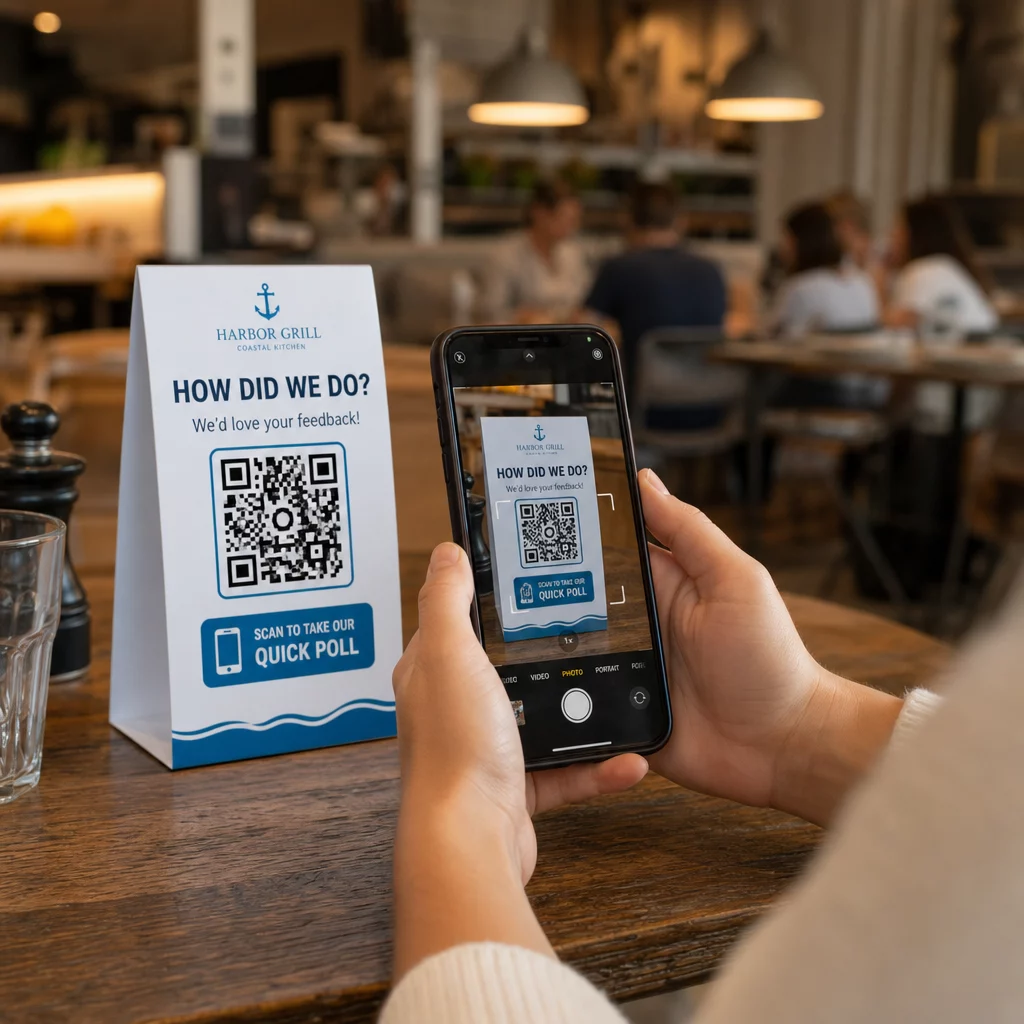
Ví dụ về vị trí đặt hiệu quả:
- Lều bàn hoặc tấm lót bàn trong nhà hàng, đặt ở nơi thực khách thường nhìn trong hoặc sau bữa ăn
- Hóa đơn hoặc bao bì đi kèm với một giao dịch mua, khuyến khích phản hồi khi trải nghiệm còn mới mẻ
- Biển báo gần lối ra của các cửa hàng bán lẻ hoặc địa điểm tổ chức sự kiện, thu hút sự chú ý khi khách hàng rời đi
- Bàn đăng ký hoặc khu vực làm thủ tục tại các sự kiện, nơi người tham dự có một khoảnh khắc trước khi tiếp tục
- Trang trình bày tại các hội nghị, hiển thị trong 15–20 giây kèm theo lời nhắc bằng lời nói để quét
Giữ mã ở ngang tầm mắt (khoảng 3,5–5,5 feet so với mặt đất) và tránh xa các bề mặt phản chiếu hoặc cong làm biến dạng quá trình quét. Tránh đặt mã ở những khu vực thiếu sáng, phía sau kính hoặc ở những góc khó. Mỗi vị trí đặt mã nên bao gồm một giải thích ngắn gọn về mục đích của cuộc thăm dò và ước tính trung thực về thời gian hoàn thành.
Quyền riêng tư và Đồng ý dữ liệu
Khi cuộc thăm dò của bạn thu thập dữ liệu cá nhân – tên, email hoặc bất kỳ phản hồi nào có thể nhận dạng một cá nhân – bạn có các nghĩa vụ pháp lý và đạo đức. Luật riêng tư của Hoa Kỳ là một tập hợp các quy định của liên bang và tiểu bang, nhưng các yêu cầu chung bao gồm việc lấy sự đồng ý trước khi thu thập dữ liệu, giải thích cách dữ liệu sẽ được sử dụng và bảo mật dữ liệu một cách thích hợp.
Các bước thực tế để duy trì tuân thủ:
- Thêm một câu hỏi đồng ý vào đầu cuộc thăm dò giải thích dữ liệu nào đang được thu thập, tại sao, dữ liệu sẽ được lưu giữ trong bao lâu và ai là người liên hệ nếu có thắc mắc. Chuyển hướng những người từ chối để không thu thập dữ liệu từ họ.
- Chỉ sử dụng liên kết HTTPS. Tiền tố “https://” xác nhận rằng dữ liệu được truyền bằng mã hóa SSL/TLS.
- Chọn các nền tảng khảo sát và trình tạo mã QR không lưu trữ dữ liệu người dùng không cần thiết.
- Nếu cuộc thăm dò của bạn được hiển thị công khai, hãy kiểm tra mã định kỳ để đảm bảo chúng không bị giả mạo hoặc thay thế.
- Đối với các chủ đề nhạy cảm, hãy cân nhắc bảo vệ cuộc thăm dò bằng mật khẩu hoặc sử dụng kiểm soát truy cập. Mã QR động cho phép bạn cập nhật các cài đặt này mà không cần in lại tài liệu.
Đo lường hiệu suất cuộc thăm dò
Khi chiến dịch của bạn hoạt động, hãy sử dụng phân tích để hiểu điều gì đang hiệu quả và điều gì cần điều chỉnh. Mã QR động cung cấp cho bạn quyền truy cập vào các chỉ số vượt xa số lượng phản hồi đơn thuần.
Các chỉ số chính cần theo dõi:
- Tổng số lượt quét so với số lượt quét duy nhất: Khoảng cách lớn giữa hai chỉ số này cho thấy có khách truy cập lặp lại hoặc quét lại ngẫu nhiên chứ không phải người trả lời mới.
- Tỷ lệ quét-hoàn thành: Nếu tỷ lệ quét cao nhưng tỷ lệ hoàn thành cuộc thăm dò thấp, cuộc thăm dò của bạn có thể quá dài hoặc câu hỏi đầu tiên đang gây ra sự bỏ cuộc.
- Thời gian quét cao điểm: Dấu thời gian cho thấy thời điểm tương tác cao nhất, điều này có thể cung cấp thông tin về thời điểm chạy các chiến dịch trong tương lai hoặc thời điểm bố trí nhân sự để phản hồi theo dõi.
- Phân tích theo địa lý: Nếu hầu hết các lượt quét đến từ một địa điểm nhưng bạn đang nhắm mục tiêu nhiều địa điểm, hãy điều chỉnh vị trí hoặc biển báo tại các địa điểm hoạt động kém hiệu quả.
- Dữ liệu thiết bị: Xác nhận liệu thiết kế ưu tiên thiết bị di động của bạn có đang phục vụ đúng đối tượng thực tế của bạn hay không.
Việc thêm các tham số UTM vào URL cuộc thăm dò của bạn trước khi tạo mã cho phép bạn đưa dữ liệu này vào Google Analytics cùng với các chỉ số tiếp thị rộng hơn của bạn, kết nối mức độ tương tác của cuộc thăm dò QR với phần còn lại của báo cáo chiến dịch của bạn.
Nếu bạn đang chạy nhiều vị trí cùng lúc, hãy coi chúng như một thử nghiệm A/B tự nhiên. So sánh tỷ lệ quét và hoàn thành trên các địa điểm để xác định bối cảnh nào thúc đẩy sự tham gia mạnh mẽ nhất, sau đó tập trung nỗ lực trong tương lai vào đó.
Kết nối dữ liệu cuộc thăm dò với hệ thống tiếp thị của bạn Sử dụng của Pageloot các tính năng theo dõi và phân tích để theo dõi hành vi quét trên tất cả các vị trí mã QR của bạn, sau đó điều chỉnh các chiến dịch theo thời gian thực – mà không cần in lại bất kỳ tài liệu nào.
Tổng hợp tất cả lại
Các cuộc thăm dò bằng mã QR hiệu quả nhất khi mọi yếu tố đều có chủ đích: một mục tiêu tập trung, một biểu mẫu ngắn gọn và thân thiện với thiết bị di động, một mã động được thiết kế tốt, một vị trí phù hợp với hành trình khách hàng và các phân tích cho bạn biết cách cải thiện chiến dịch tiếp theo.
Các Trình tạo mã QR Pageloot cung cấp cho bạn mọi thứ bạn cần trên một nền tảng – mã động, tùy chọn thương hiệu và dữ liệu quét theo thời gian thực. Bắt đầu với một tài khoản miễn phí và có cuộc thăm dò đầu tiên của bạn hoạt động trong vòng chưa đầy mười lăm phút.
Câu hỏi thường gặp
Mã QR tĩnh nhúng URL đích vĩnh viễn vào mẫu mã. Sau khi in, nó không thể thay đổi và không theo dõi lượt quét. Mã QR động sử dụng một URL chuyển hướng ngắn, có nghĩa là bạn có thể cập nhật đích khảo sát bất cứ lúc nào – ngay cả sau khi tài liệu đã được in – và truy cập các phân tích như số lượt quét, vị trí, loại thiết bị và thời gian quét. Đối với hầu hết các chiến dịch khảo sát, mã động là lựa chọn tốt hơn vì chúng cho phép chỉnh sửa và cung cấp dữ liệu bạn cần để đo lường và cải thiện hiệu suất.
Chỉ sử dụng các liên kết khảo sát được bảo mật bằng HTTPS để đảm bảo dữ liệu được mã hóa trong quá trình truyền tải. Thêm câu hỏi đồng ý vào đầu khảo sát giải thích dữ liệu nào được thu thập, tại sao và thời gian lưu giữ là bao lâu. Chọn các nền tảng khảo sát và trình tạo mã QR giúp giảm thiểu việc lưu trữ dữ liệu không cần thiết. Nếu cuộc khảo sát được hiển thị ở nơi công cộng, hãy kiểm tra định kỳ để đảm bảo mã không bị giả mạo. Đối với các cuộc khảo sát về chủ đề nhạy cảm, sử dụng bảo vệ bằng mật khẩu hoặc kiểm soát truy cập – mã QR động cho phép bạn cập nhật các cài đặt này mà không cần in lại.
Kích thước tối thiểu được khuyến nghị để quét ở cự ly gần là 0,8 × 0,8 inch (2 × 2 cm). Đối với các tài liệu được xem từ khoảng cách xa hơn, hãy sử dụng quy tắc 10:1: chiều rộng của mã QR phải ít nhất bằng một phần mười khoảng cách quét dự kiến. Một mã được xem từ khoảng cách năm feet phải rộng ít nhất sáu inch. Luôn giữ một vùng yên tĩnh ít nhất bốn mô-đun trống ở tất cả các mặt của mã và kiểm tra việc quét trong điều kiện thực tế trước khi triển khai trên quy mô lớn.