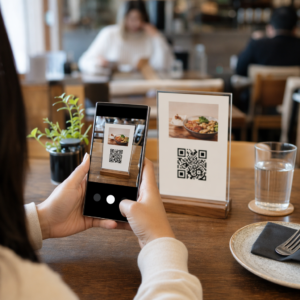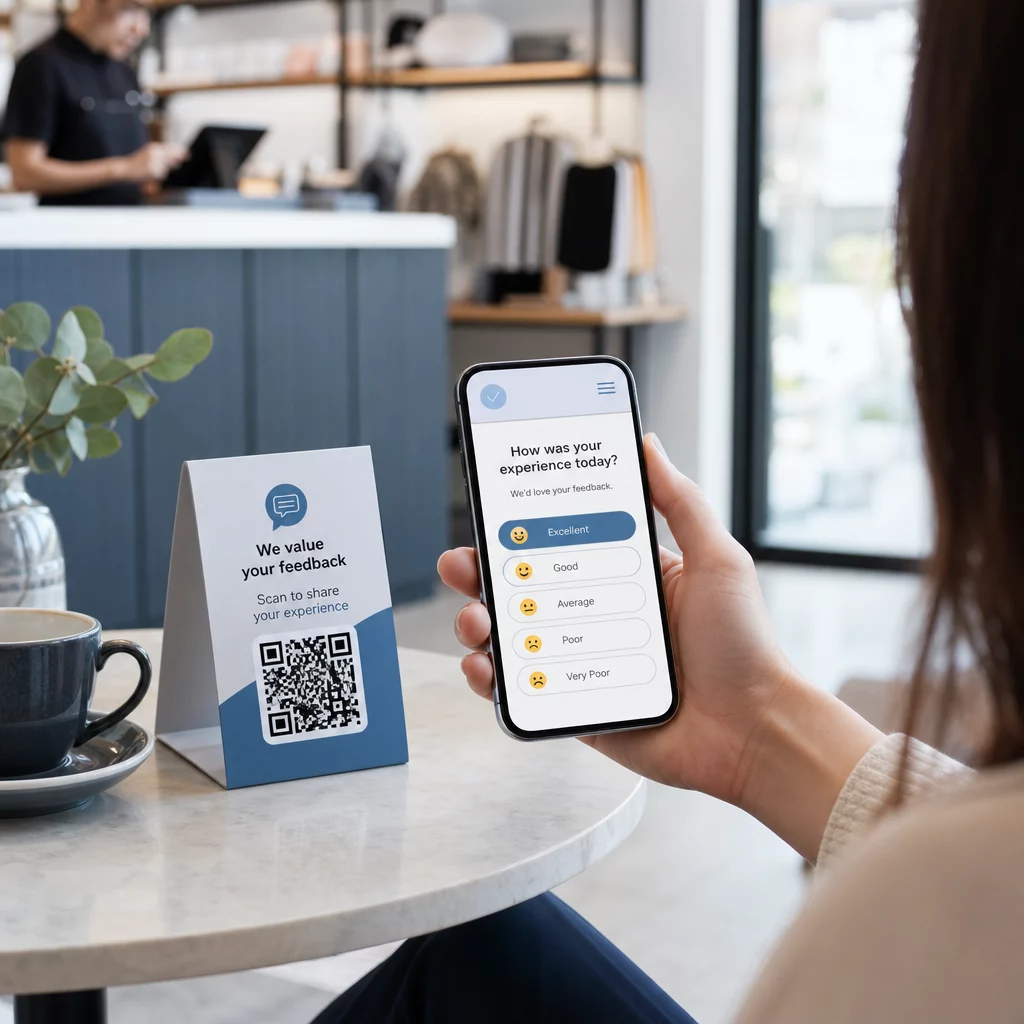
Kesulitan mengumpulkan umpan balik dari pelanggan yang berdiri tepat di depan Anda? Formulir kertas diabaikan, dan URL survei yang panjang tidak pernah diketik. Panduan ini akan memandu Anda cara membuat jajak pendapat kode QR dari awal – meliputi pilihan platform, pembuatan kode, desain, penempatan, dan pelacakan – sehingga Anda dapat mulai mengumpulkan tanggapan segera.
Mengapa Jajak Pendapat Kode QR Berhasil untuk Audiens Offline dan Seluler
Masalah inti dengan survei tradisional adalah gesekan. Mengetik URL di keyboard seluler cukup menjengkelkan sehingga kebanyakan orang melewatkannya. Kode QR menghilangkan hambatan itu sepenuhnya – satu pemindaian membuka jajak pendapat langsung di browser, tanpa perlu aplikasi.
Ini sangat penting terutama dalam pengaturan fisik: restoran, toko ritel, acara, klinik, dan ruang kelas. Audiens Anda sudah hadir dan terlibat. Kode QR yang ditempatkan dengan baik menangkap momen itu sebelum berlalu.
Beberapa alasan mengapa jajak pendapat kode QR secara konsisten mengungguli alternatif kertas dan email:
- Kecepatan: Waktu penyelesaian survei terukur lebih cepat karena tidak ada entri URL manual atau langkah distribusi formulir.
- Jangkauan: Penggunaan kode QR terus meningkat di AS, dengan volume pemindaian yang meningkat dari tahun ke tahun – artinya audiens Anda sudah tahu cara berinteraksi dengannya.
- Data waktu nyata: Tanggapan tiba secara instan, sehingga Anda dapat menindaklanjuti umpan balik pada hari yang sama daripada menunggu ekspor batch.
- Kemampuan pelacakan: Kode QR dinamis mencatat jumlah pemindaian, jenis perangkat, lokasi geografis, dan stempel waktu, memberi Anda konteks perilaku di samping jawaban survei itu sendiri.
Cara Membuat Jajak Pendapat Kode QR: Langkah demi Langkah
Langkah 1: Tentukan Tujuan Jajak Pendapat Anda
Sebelum membangun apa pun, klarifikasi apa yang ingin Anda pelajari dan bagaimana Anda akan mengukur keberhasilan. Tujuan yang tidak jelas menghasilkan pertanyaan yang tidak jelas. Tanyakan pada diri Anda:
- Apakah Anda mengukur kepuasan setelah pembelian atau interaksi layanan?
- Apakah Anda mengumpulkan opini selama atau setelah suatu acara?
- Apakah Anda melakukan riset produk untuk menginformasikan keputusan di masa mendatang?
Tujuan Anda juga membentuk waktu dan format jajak pendapat. Survei pasca-pembelian pada tanda terima membutuhkan pertanyaan yang berbeda dari jajak pendapat acara langsung yang diproyeksikan di layar. Putuskan di awal seperti apa tingkat respons atau wawasan yang berhasil sehingga Anda dapat mengevaluasi kampanye nanti.
Langkah 2: Buat Jajak Pendapat di Platform Survei
Gunakan platform survei yang andal untuk membuat pertanyaan Anda. Formulir Google adalah opsi gratis yang mudah digunakan yang terintegrasi dengan Google Sheets untuk tinjauan data yang mudah. Untuk logika yang lebih canggih, branding khusus, atau analitik terperinci di tingkat formulir, Typeform atau SurveyMonkey adalah alternatif yang kuat.
Saat merancang pertanyaan Anda, prioritaskan pengguna seluler – yang hampir semua orang yang akan memindai kode. Ikuti prinsip-prinsip ini:
- Buatlah singkat. Targetkan kurang dari dua menit untuk diselesaikan. Jajak pendapat yang lebih panjang akan kehilangan responden di perangkat seluler sebelum mereka mencapai akhir.
- Satu ide per pertanyaan. Hindari pertanyaan ganda yang menanyakan dua hal sekaligus (misalnya, “Apakah layanan kami cepat dan ramah?” seharusnya menjadi dua pertanyaan terpisah).
- Gunakan bahasa yang sederhana. Kurangi jumlah kata dalam setiap pertanyaan tanpa mengorbankan makna.
- Tetap netral. Hindari frasa yang mengarahkan responden ke jawaban tertentu.
- Seimbangkan skala Anda. Jika Anda menggunakan skala penilaian, sertakan jumlah pilihan positif dan negatif yang sama dan titik tengah yang jelas.
Setelah jajak pendapat selesai, buat tautan yang dapat dibagikan. Di Google Formulir, klik Kirim, lalu pilih ikon tautan untuk menyalin URL.
Langkah 3: Ubah Tautan Jajak Pendapat menjadi Kode QR
Dengan URL jajak pendapat Anda siap, tempelkan ke generator kode QR. Pageloot Generator Kode QR Tautan menanganinya dalam hitungan detik – tempelkan URL, dan kode yang dapat dipindai akan segera muncul.
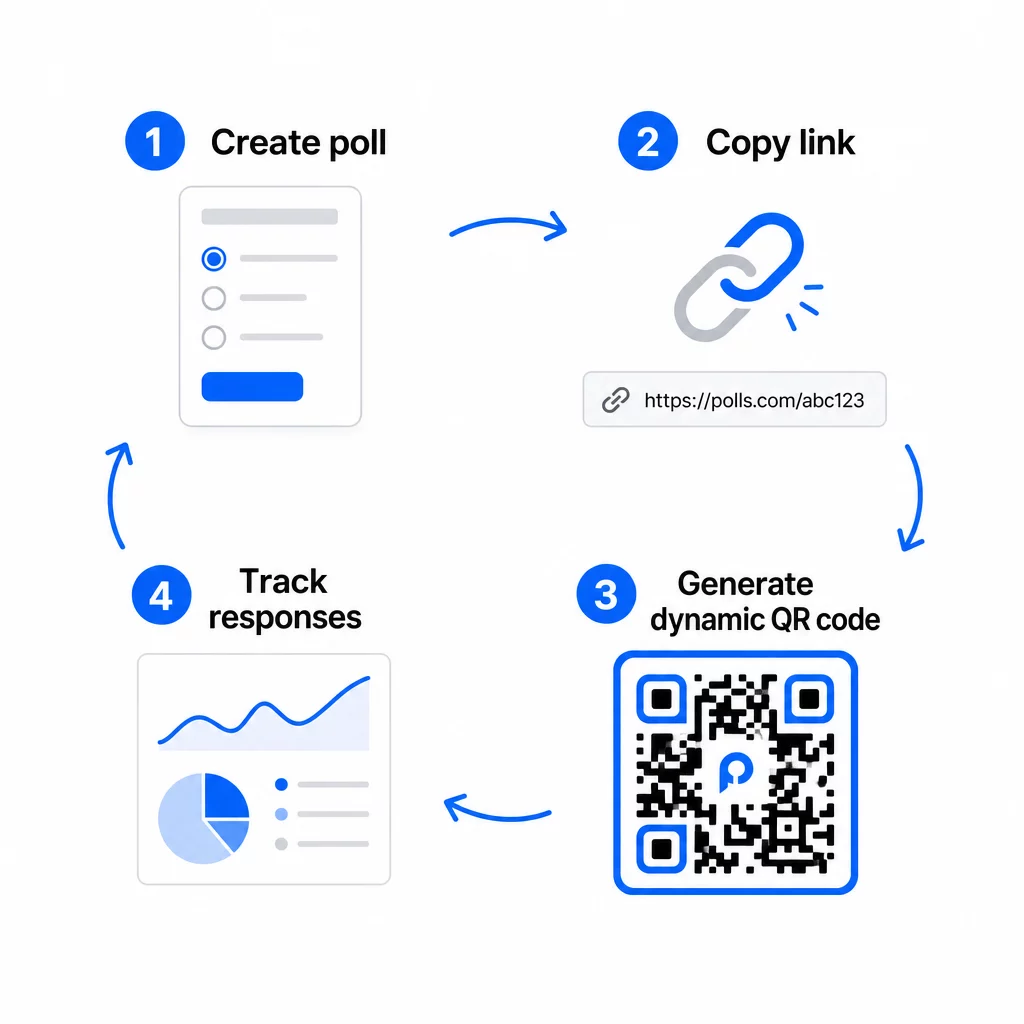
Pada tahap ini, Anda juga perlu memutuskan antara kode QR statis dan dinamis.
| FITUR | Kode QR Statis | Kode QR Dinamis |
|---|---|---|
| Dapat diedit setelah dibuat | Tidak. | Ya. |
| Pelacakan dan analisis pemindaian | Tidak. | Ya. |
| Panjang URL dalam pola | Panjang, padat | Pendek, bersih |
| Kecepatan pemindaian | Lebih lambat | Lebih cepat |
| Pembaruan kampanye | Membutuhkan kode baru | Perbarui tujuan kapan saja |
Untuk sebagian besar kampanye jajak pendapat, kode QR dinamis adalah pilihan yang lebih baik. Anda dapat memperbarui URL tujuan setelah kode dicetak – berguna jika Anda perlu menukar jajak pendapat yang ditutup dengan yang baru, memperpanjang tenggat waktu, atau mengarahkan ke survei lanjutan. Kode dinamis juga membuka analitik pemindaian termasuk jumlah pemindaian, lokasi, jenis perangkat, dan waktu pemindaian.
Lacak Setiap Pemindaian dari Jajak Pendapat Kode QR Anda Ingin melihat lokasi mana yang mendorong respons terbanyak dan kapan puncak keterlibatan? Gunakan Pageloot Generator Kode QR untuk membuat kode jajak pendapat dinamis dengan pelacakan bawaan dan dasbor analitik terpusat.
Langkah 4: Sesuaikan Kode QR untuk Merek Anda
Kode QR hitam-putih biasa berfungsi, tetapi yang bermerek berkinerja lebih baik. Menambahkan logo dan warna merek Anda menandakan bahwa kode tersebut sah, yang meningkatkan kemungkinan seseorang akan benar-benar memindainya.
Pedoman desain praktis:
- Gunakan latar depan gelap pada latar belakang terang. Hitam di atas putih adalah yang paling andal. Biru tua atau hijau tua di atas putih juga berfungsi dengan baik. Jangan pernah membalikkan ini – terang di atas gelap menyebabkan kegagalan pemindaian.
- Pertahankan kontras tinggi di seluruh. Kontras rendah adalah salah satu alasan paling umum mengapa kode QR gagal dipindai.
- Tambahkan logo perusahaan ke tengah kode. Ini membangun kepercayaan sekilas tanpa memengaruhi kemampuan pemindaian, selama logo tidak menutupi lebih dari sekitar 30% dari pola.
- Sertakan sebuah ajakan bertindak di dekat (bukan di dalam) kode – sesuatu seperti “Pindai untuk membagikan masukan Anda” atau “Ikuti survei 60 detik kami.” Ini memberi tahu orang mengapa mereka harus memindai dan apa yang diharapkan.
- Untuk materi cetak, jaga agar kode setidaknya 0,8 × 0,8 inci (2 × 2 cm) untuk pemindaian jarak dekat. Untuk poster atau papan nama yang dilihat dari jarak jauh, terapkan aturan 10:1: lebar kode harus setidaknya sepersepuluh dari jarak pemindaian yang diharapkan.
- Pertahankan zona tenang – setidaknya empat modul kosong di semua sisi kode. Tidak ada teks, logo, atau warna yang meluber yang boleh masuk ke dalam batas ini.
Untuk lebih lanjut tentang penempatan dan ukuran, Panduan penempatan kode QR untuk pemasaran mencakup setiap format utama secara rinci.
Langkah 5: Uji Kode Sebelum Disebarkan
Pengujian tidak bisa ditawar. Kode QR yang gagal dipindai di lapangan akan membuang anggaran pencetakan Anda dan membuat frustrasi orang-orang yang ingin Anda jangkau.
Uji di berbagai:
- Perangkat ganda: Baik iOS maupun Android, dan setidaknya satu model ponsel cerdas lama.
- Aplikasi ganda: Aplikasi kamera bawaan dan aplikasi pemindai pihak ketiga.
- Kondisi ganda: Pencahayaan berbeda (termasuk silau luar ruangan), jarak berbeda, dan sudut berbeda.
- Beberapa peramban: Konfirmasikan bahwa jajak pendapat dimuat dan ditampilkan dengan benar di Safari, Chrome, dan peramban umum lainnya.
Jika Anda menggunakan kode dinamis, verifikasi bahwa URL tujuan aktif dan formulir berhasil dikirim dari peramban seluler sebelum Anda menyebarkannya.
Langkah 6: Sebarkan di Lokasi yang Tepat
Di mana Anda menempatkan kode QR secara langsung menentukan berapa banyak tanggapan yang Anda kumpulkan. Kode QR untuk umpan balik pelanggan bekerja paling baik ketika muncul pada titik jeda alami dalam perjalanan pelanggan – saat-saat ketika seseorang memiliki waktu, konteks, dan motivasi untuk menanggapi.
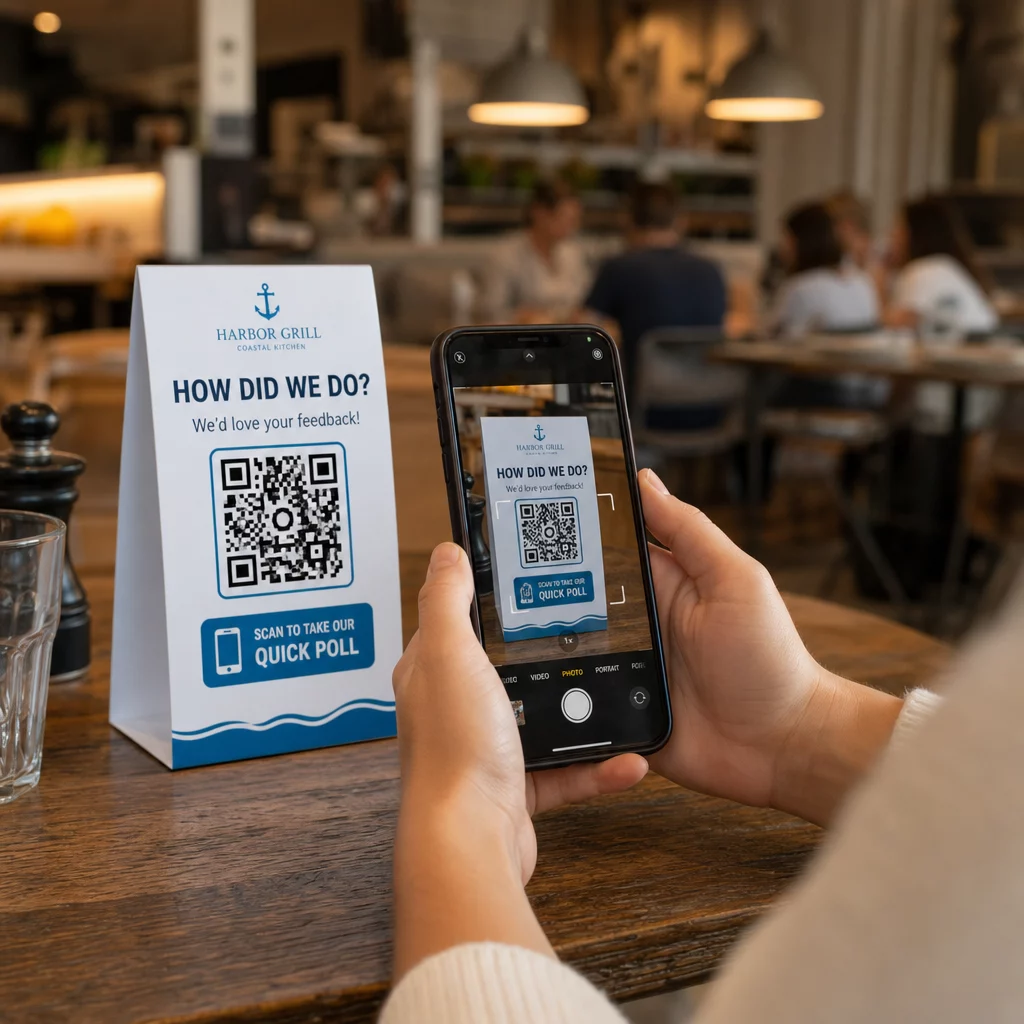
Contoh penempatan yang kuat:
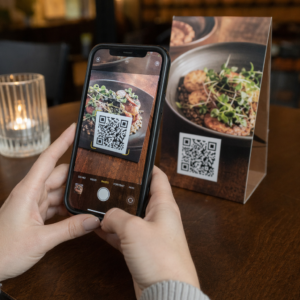
- Tenda meja atau alas piring di restoran, ditempatkan di mana pengunjung secara alami melihat selama atau setelah makan
- Kuitansi atau kemasan disertakan dengan pembelian, mendorong umpan balik saat pengalaman masih segar
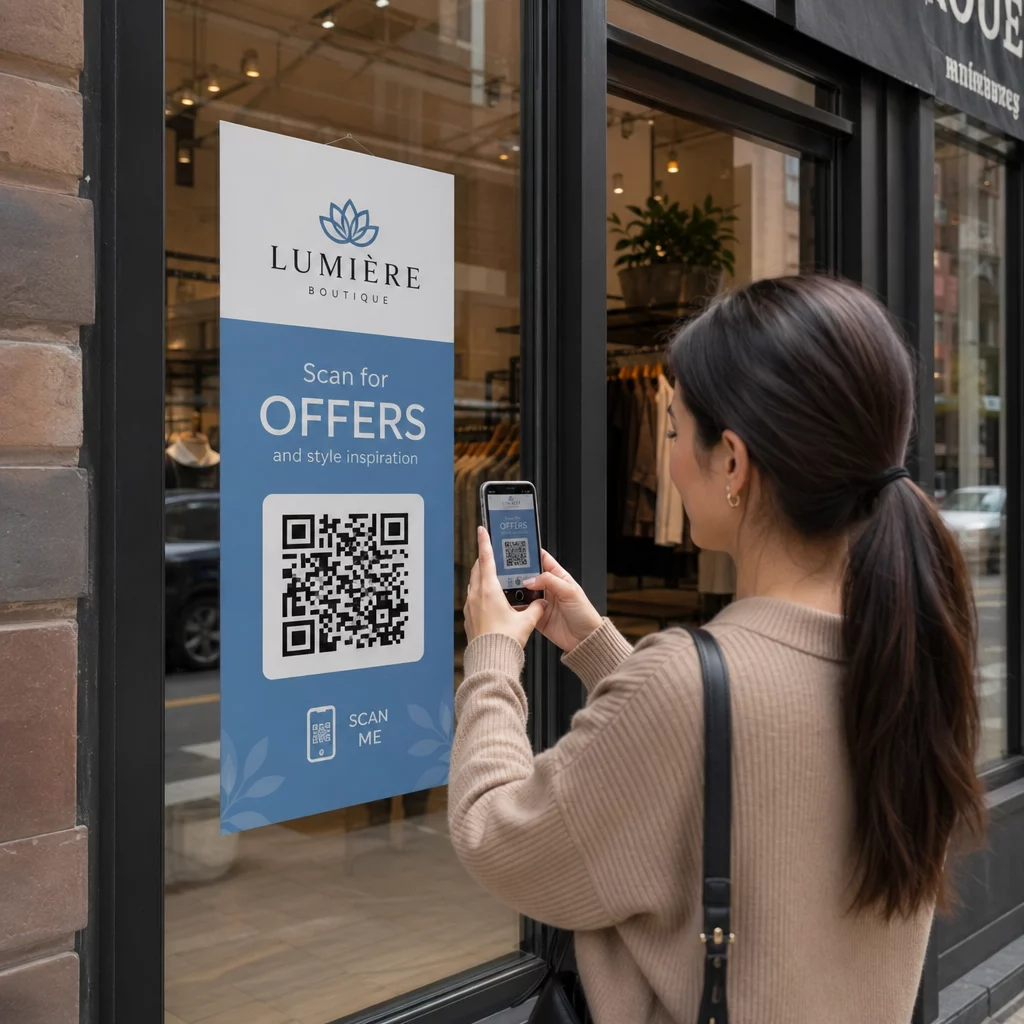
- Papan nama dekat pintu keluar toko ritel atau tempat acara, menangkap kesan saat keluar
- Meja pendaftaran atau area check-in di acara, di mana peserta memiliki waktu sejenak sebelum melanjutkan
- Slide presentasi di konferensi, ditampilkan selama 15–20 detik dengan perintah lisan untuk memindai
Jaga kode pada ketinggian mata (sekitar 3,5–5,5 kaki dari tanah) dan jauh dari permukaan reflektif atau melengkung yang mendistorsi pemindaian. Hindari menempatkan kode di area minim cahaya, di balik kaca, atau pada sudut yang canggung. Setiap lokasi penempatan harus menyertakan penjelasan singkat tentang tujuan jajak pendapat dan perkiraan jujur tentang berapa lama waktu yang dibutuhkan untuk menyelesaikannya.
Privasi dan Persetujuan Data
Ketika jajak pendapat Anda mengumpulkan data pribadi – nama, email, atau tanggapan apa pun yang dapat mengidentifikasi individu – Anda memiliki kewajiban hukum dan etika. Hukum privasi A.S. adalah gabungan peraturan federal dan negara bagian, tetapi persyaratan umum meliputi mendapatkan persetujuan sebelum mengumpulkan data, menjelaskan bagaimana data akan digunakan, dan mengamankannya dengan tepat.
Langkah-langkah praktis untuk tetap patuh:
- Tambahkan pertanyaan persetujuan di awal jajak pendapat yang menjelaskan data apa yang dikumpulkan, mengapa, berapa lama akan disimpan, dan siapa yang harus dihubungi untuk pertanyaan. Arahkan penolakan agar tidak ada data yang dikumpulkan dari mereka yang menolak.
- Gunakan tautan HTTPS saja. Awalan “https://” mengonfirmasi bahwa data ditransmisikan dengan enkripsi SSL/TLS.
- Pilih platform survei dan generator kode QR yang tidak menyimpan data pengguna yang tidak perlu.
- Jika jajak pendapat Anda ditampilkan secara publik, periksa kode secara berkala untuk memastikan kode tersebut tidak dirusak atau diganti.
- Untuk topik sensitif, pertimbangkan untuk melindungi jajak pendapat dengan kata sandi atau menggunakan kontrol akses. Kode QR dinamis memungkinkan Anda memperbarui pengaturan ini tanpa mencetak ulang materi.
Mengukur Kinerja Jajak Pendapat
Setelah kampanye Anda aktif, gunakan analitik untuk memahami apa yang berhasil dan apa yang perlu disesuaikan. Kode QR dinamis memberi Anda akses ke metrik yang jauh melampaui jumlah respons sederhana.
Metrik utama yang perlu dipantau:
- Total pemindaian vs. pemindaian unik: Kesenjangan besar di antara keduanya menunjukkan pengunjung berulang atau pemindaian ulang yang tidak disengaja daripada responden baru.
- Tingkat pemindaian-ke-penyelesaian: Jika tingkat pemindaian tinggi tetapi penyelesaian jajak pendapat rendah, jajak pendapat Anda mungkin terlalu panjang atau pertanyaan pertama menyebabkan penurunan.
- Waktu puncak pemindaian: Stempel waktu menunjukkan kapan keterlibatan tertinggi, yang dapat menginformasikan kapan harus menjalankan kampanye di masa mendatang atau kapan harus menugaskan staf untuk tanggapan lanjutan.
- Rincian geografis: Jika sebagian besar pemindaian berasal dari satu lokasi tetapi Anda menargetkan beberapa situs, sesuaikan penempatan atau papan nama di lokasi yang berkinerja buruk.
- Data perangkat: Mengonfirmasi apakah desain mobile-first Anda melayani audiens Anda dengan benar.
Menambahkan parameter UTM ke URL jajak pendapat Anda sebelum membuat kode memungkinkan Anda menarik data ini ke Google Analytics bersama metrik pemasaran Anda yang lebih luas, menghubungkan keterlibatan jajak pendapat QR ke sisa pelaporan kampanye Anda.
Jika Anda menjalankan beberapa penempatan secara bersamaan, perlakukan itu sebagai uji A/B alami. Bandingkan tingkat pemindaian dan penyelesaian di berbagai lokasi untuk mengidentifikasi konteks mana yang mendorong partisipasi terkuat, lalu fokuskan upaya di masa mendatang di sana.
Hubungkan Data Jajak Pendapat ke Tumpukan Pemasaran Anda Gunakan Pageloot fitur pelacakan dan analitik untuk memantau perilaku pemindaian di semua penempatan kode QR Anda, lalu sesuaikan kampanye secara real time – tanpa mencetak ulang satu pun materi.
Menyatukan Semuanya
Jajak pendapat kode QR paling efektif bila setiap elemen disengaja: tujuan yang terfokus, formulir yang singkat dan ramah seluler, kode dinamis yang dirancang dengan baik, penempatan yang sesuai dengan perjalanan pelanggan, dan analitik yang memberi tahu Anda cara meningkatkan kampanye berikutnya.
Itu Pembuat Kode QR Pageloot memberi Anda semua yang Anda butuhkan dalam satu platform – kode dinamis, opsi branding, dan data pemindaian real-time. Mulai dengan akun gratis dan jajak pendapat pertama Anda akan tayang dalam waktu kurang dari lima belas menit.
Pertanyaan yang sering diajukan
Kode QR statis menyematkan URL tujuan secara permanen ke dalam pola kode. Setelah dicetak, kode tersebut tidak dapat diubah dan tidak melacak pemindaian. Kode QR dinamis menggunakan URL pengalihan singkat, yang berarti Anda dapat memperbarui tujuan jajak pendapat kapan saja – bahkan setelah materi sudah dicetak – dan mengakses analitik seperti jumlah pemindaian, lokasi, jenis perangkat, dan waktu pemindaian. Untuk sebagian besar kampanye jajak pendapat, kode dinamis adalah pilihan yang lebih baik karena memungkinkan pengeditan dan menyediakan data yang Anda butuhkan untuk mengukur dan meningkatkan kinerja.
Gunakan hanya tautan jajak pendapat yang diamankan HTTPS untuk memastikan data dienkripsi saat transit. Tambahkan pertanyaan persetujuan di awal survei yang menjelaskan data apa yang dikumpulkan, mengapa, dan berapa lama data tersebut disimpan. Pilih platform survei dan generator kode QR yang meminimalkan penyimpanan data yang tidak perlu. Jika jajak pendapat ditampilkan di ruang publik, periksa secara berkala bahwa kode tersebut belum dirusak. Untuk jajak pendapat yang mencakup topik sensitif, gunakan perlindungan kata sandi atau kontrol akses – kode QR dinamis memungkinkan Anda memperbarui pengaturan ini tanpa mencetak ulang.
Ukuran minimum yang direkomendasikan untuk pemindaian jarak dekat adalah 0,8 × 0,8 inci (2 × 2 cm). Untuk materi yang dilihat dari jarak yang lebih jauh, gunakan aturan 10:1: lebar kode QR harus setidaknya sepersepuluh dari jarak pemindaian yang diharapkan. Kode yang dilihat dari jarak lima kaki harus setidaknya enam inci lebarnya. Selalu pertahankan zona tenang setidaknya empat modul kosong di semua sisi kode, dan uji pemindaian dalam kondisi nyata sebelum diterapkan dalam skala besar.