> 블로그 > QR 코드 설문조사 만드는 방법
Customer scanning poll

QR 코드 설문조사 만드는 방법

Learn how to create QR code polls to gather instant feedback from mobile users. This guide covers platform choice, code design, placement, and tracking.
Updated on 6월 10, 2026
목차

Struggling to collect feedback from customers who are standing right in front of you? Paper forms get ignored, and long survey URLs are never typed in. This guide walks you through how to create a QR code poll from scratch – covering platform choice, code generation, design, placement, and tracking – so you can start gathering responses immediately.

Why QR Code Polls Work for Offline and Mobile Audiences

The core problem with traditional surveys is friction. Typing a URL on a mobile keyboard is annoying enough that most people skip it. A QR code removes that barrier entirely – one scan opens the poll directly in a browser, no app required.

This matters especially in physical settings: restaurants, retail stores, events, clinics, and classrooms. Your audience is already present and engaged. A well-placed QR code captures that moment before it passes.

A few reasons QR code polls consistently outperform paper and email alternatives:

  • Speed: Survey completion times are measurably faster because there is no manual URL entry or form distribution step.
  • Reach: QR code usage continues to grow in the US, with scan volumes rising year over year – meaning your audience already knows how to interact with them.
  • Real-time data: Responses arrive instantly, so you can act on feedback the same day rather than waiting for a batch export.
  • 추적 가능성: 동적 QR 코드 record scan counts, device types, geographic locations, and timestamps, giving you behavioral context alongside the survey answers themselves.

How to Create a QR Code Poll: Step-by-Step

Step 1: Define Your Poll Objectives

Before building anything, clarify what you want to learn and how you’ll measure success. Vague goals produce vague questions. Ask yourself:

  • Are you measuring satisfaction after a purchase or service interaction?
  • Are you gathering opinions during or after an event?
  • Are you running product research to inform a future decision?

Your objective also shapes the timing and format of the poll. A post-purchase survey on a receipt needs different questions than a live event poll projected on a screen. Decide upfront what a successful response rate or insight looks like so you can evaluate the campaign later.

Step 2: Build the Poll on a Survey Platform

Use a reliable survey platform to build your questions. Google 설문지 is a straightforward, free option that integrates with Google Sheets for easy data review. For more advanced logic, custom branding, or detailed analytics at the form level, Typeform or SurveyMonkey are strong alternatives.

When designing your questions, keep mobile users front of mind – which is nearly everyone who will scan the code. Follow these principles:

  • Keep it short. Aim for under two minutes to complete. Longer polls lose respondents on mobile before they reach the end.
  • One idea per question. Avoid double-barreled questions that ask two things at once (for example, “Was our service fast and friendly?” should be two separate questions).
  • Use plain language. Reduce the word count in each question without sacrificing meaning.
  • Stay neutral. Avoid phrasing that steers respondents toward a particular answer.
  • Balance your scales. If you use rating scales, include an equal number of positive and negative options and a clearly defined midpoint.

Once the poll is complete, generate a shareable link. In Google Forms, click 보내기, then select the link icon to copy the URL.

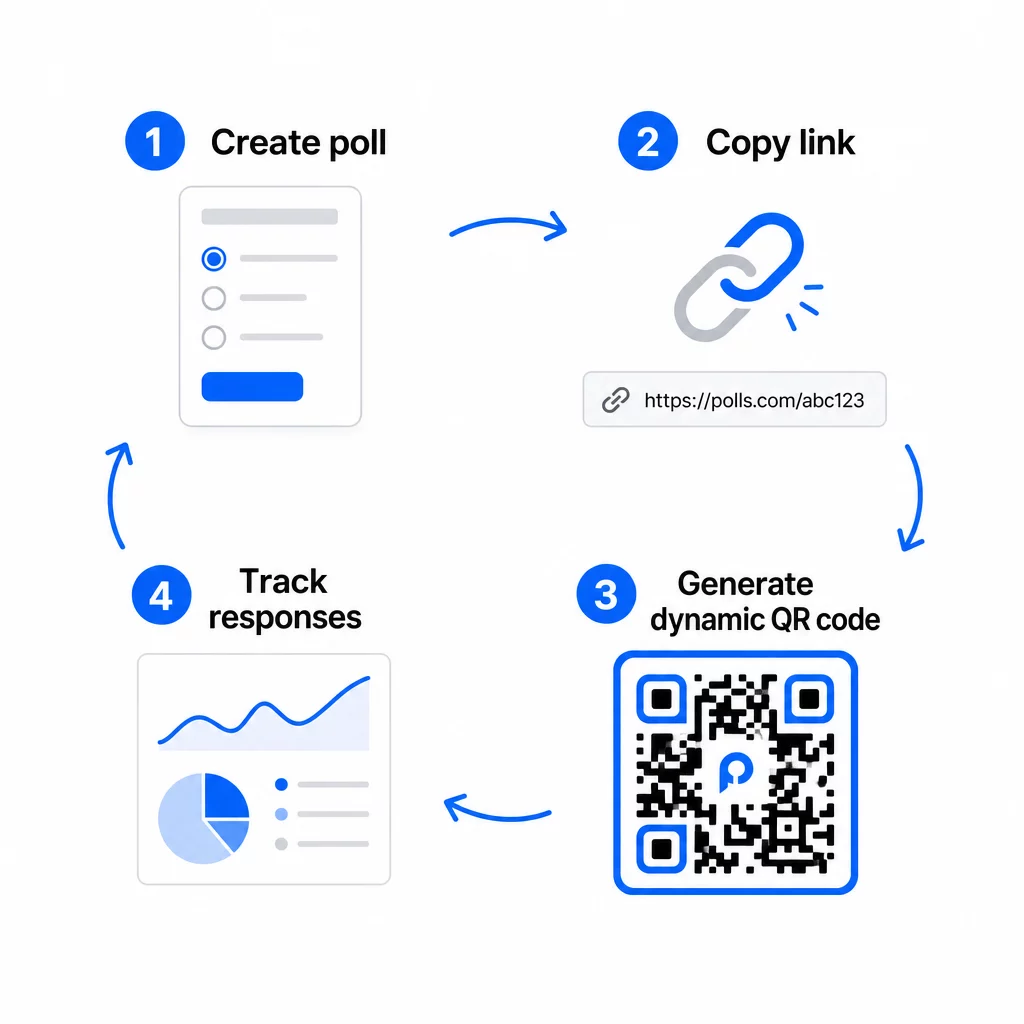
Step 3: Convert the Poll Link into a QR Code

With your poll URL ready, paste it into a QR code generator. Pageloot’s 링크 QR 코드 생성기 handles this in seconds – paste the URL, and a scannable code appears immediately.

QR poll workflow

At this stage, you also need to decide between a static and a dynamic QR code.

기능 정적 QR 코드 동적 QR 코드
생성 후 편집 가능 아니요
스캔 추적 및 분석 아니요
URL length in pattern Long, dense Short, clean
Scanning speed Slower Faster
Campaign updates Requires new code 언제든지 목적지 업데이트

For most poll campaigns, dynamic QR codes are the better choice. You can update the destination URL after the code is already printed – useful if you need to swap a closed poll for a new one, extend a deadline, or redirect to a follow-up survey. Dynamic codes also unlock 스캔 분석 including scan count, location, device type, and time of scan.

Track Every Scan From Your QR Code Poll Want to see which locations drive the most responses and when engagement peaks? Use Pageloot’s QR 코드 생성기 to create a dynamic poll code with built-in tracking and a centralized analytics dashboard.

Step 4: Customize the QR Code for Your Brand

A plain black-and-white QR code works, but a branded one performs better. Adding your logo and brand colors signals that the code is legitimate, which increases the likelihood that someone will actually scan it.

Practical design guidelines:

  • 사용 밝은 배경에 어두운 전경. Black on white is the most reliable. Dark blue or dark green on white also work well. Never invert this – light on dark causes scanning failures.
  • Maintain high contrast throughout. Low contrast is one of the most common reasons QR codes fail to scan.
  • Add your company logo to the center of the code. This builds trust at a glance without affecting scannability, as long as the logo doesn’t cover more than roughly 30% of the pattern.
  • Include a call-to-action near (not inside) the code – something like “Scan to share your feedback” or “Take our 60-second poll.” This tells people why they should scan and what to expect.
  • For printed materials, keep the code at least 0.8 × 0.8 inches (2 × 2 cm) for close-range scanning. For posters or signage viewed from further away, apply the 10:1 rule: the code’s width should be at least one-tenth of the expected scanning distance.
  • Preserve a 콰이어트 존 – at least four blank modules on all sides of the code. No text, logos, or color bleed should intrude into this border.

For more on placement and sizing, the QR code placement guide for marketing covers every major format in detail.

Step 5: Test the Code Before Deploying

Testing is non-negotiable. A QR code that fails to scan in the field wastes your printing budget and frustrates the people you’re trying to reach.

Test across:

  • Multiple devices: Both iOS and Android, and at least one older smartphone model.
  • Multiple apps: Built-in camera apps and third-party scanner apps.
  • Multiple conditions: Different lighting (including outdoor glare), different distances, and different angles.
  • Multiple browsers: Confirm the poll loads and displays correctly in Safari, Chrome, and other common browsers.

If you’re using a dynamic code, verify that the destination URL is live and that the form submits successfully from a mobile browser before you deploy.

Step 6: Deploy in the Right Locations

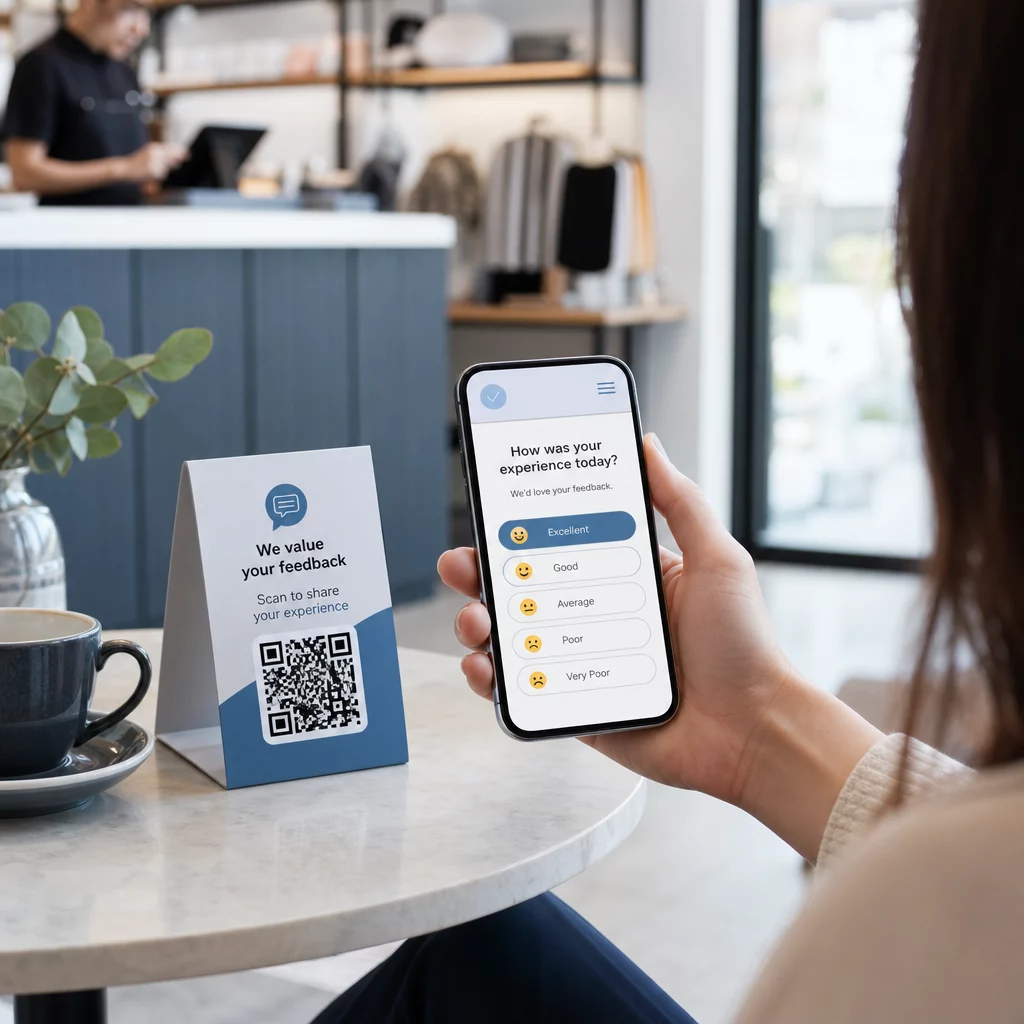
Where you place the QR code directly determines how many responses you collect. 고객 피드백을 위한 QR 코드 work best when they appear at natural pause points in the customer journey – moments when someone has time, context, and motivation to respond.

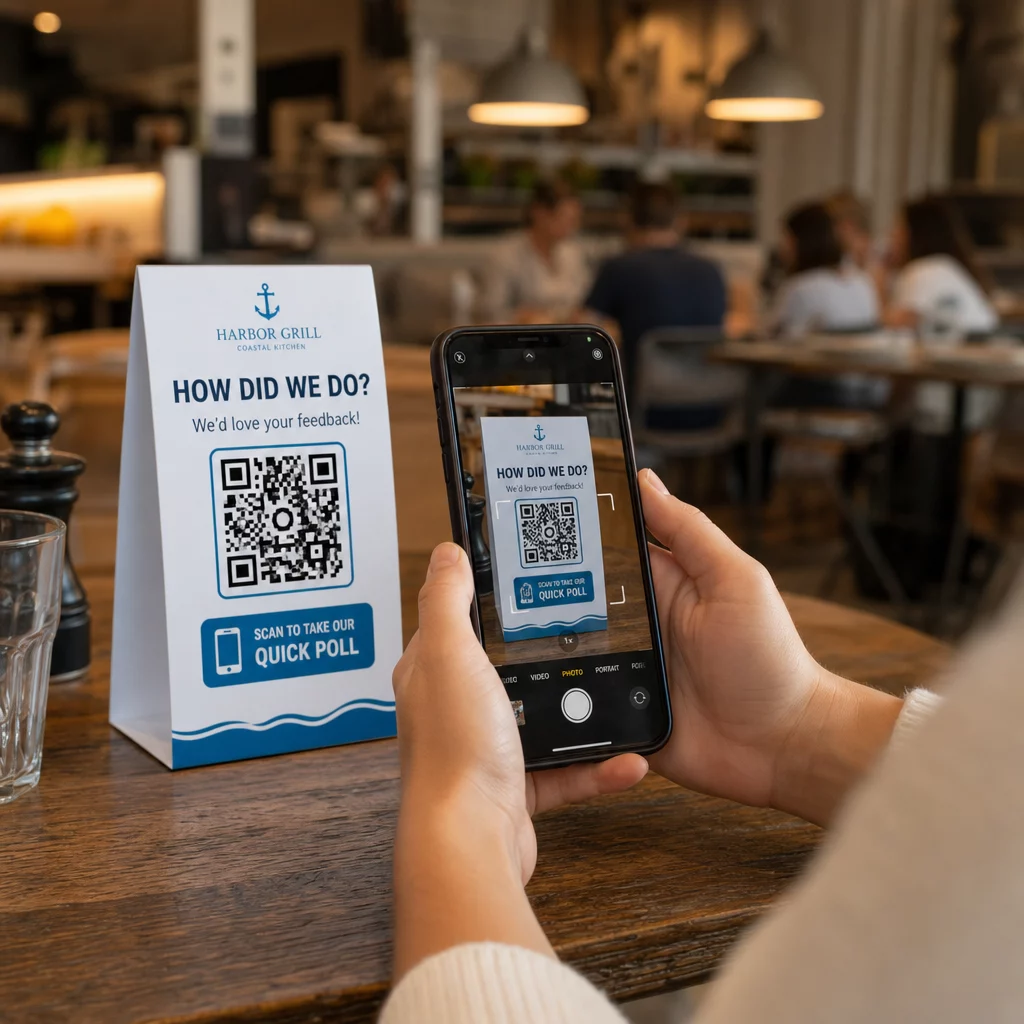
Scanning feedback poll

Strong placement examples:

  • Table tents or placemats in restaurants, placed where diners naturally look during or after a meal
  • Receipts or packaging included with a purchase, prompting feedback while the experience is fresh
  • Signage near exits of retail stores or event venues, capturing impressions on the way out
  • Registration desks or check-in areas at events, where attendees have a moment before moving on
  • Presentation slides at conferences, displayed for 15–20 seconds with a verbal prompt to scan

Keep codes at eye level (roughly 3.5–5.5 feet from the ground) and away from reflective or curved surfaces that distort scanning. Avoid placing codes in low-light areas, behind glass, or at awkward angles. Each placement location should include a brief explanation of the poll’s purpose and an honest estimate of how long it takes to complete.

Privacy and Data Consent

When your poll collects personal data – names, emails, or any responses that could identify an individual – you have legal and ethical obligations. U.S. privacy law is a patchwork of federal and state regulations, but common requirements include obtaining consent before collecting data, explaining how it will be used, and securing it appropriately.

Practical steps to stay compliant:

  • Add a consent question at the start of the poll that explains what data is being collected, why, how long it will be retained, and who to contact with questions. Route refusals so no data is collected from those who decline.
  • Use HTTPS links only. The “https://” prefix confirms that data is transmitted with SSL/TLS encryption.
  • Choose survey platforms and QR code generators that do not store unnecessary user data.
  • If your poll is displayed publicly, check codes periodically to make sure they have not been tampered with or replaced.
  • For sensitive topics, consider password-protecting the poll or using access controls. Dynamic QR codes let you update these settings without reprinting materials.

Measuring Poll Performance

Once your campaign is live, use analytics to understand what is working and what needs adjustment. Dynamic QR codes give you access to metrics that go well beyond a simple response count.

Key metrics to monitor:

  • Total scans vs. unique scans: A large gap between these suggests repeat visitors or accidental rescans rather than new respondents.
  • Scan-to-completion rate: If scan rates are high but poll completions are low, your poll may be too long or the first question is causing drop-off.
  • Peak scan times: Timestamps show when engagement is highest, which can inform when to run future campaigns or when to staff follow-up responses.
  • Geographic breakdown: If most scans come from one location but you’re targeting multiple sites, adjust placement or signage at underperforming locations.
  • Device data: Confirms whether your mobile-first design is serving your actual audience correctly.

Adding UTM parameters to your poll URL before generating the code allows you to pull this data into Google Analytics alongside your broader marketing metrics, connecting QR poll engagement to the rest of your campaign reporting.

If you’re running multiple placements simultaneously, treat them as a natural A/B test. Compare scan and completion rates across locations to identify which contexts drive the strongest participation, then concentrate future efforts there.

Connect Poll Data to Your Marketing Stack Pageloot의 tracking and analytics features to monitor scan behavior across all your QR code placements, then adjust campaigns in real time – without reprinting a single material.

모두 종합하기

QR code polls are most effective when every element is intentional: a focused objective, a short and mobile-friendly form, a well-designed dynamic code, a placement that fits the customer journey, and analytics that tell you how to improve the next campaign.

그만큼 Pageloot QR 코드 생성기 gives you everything you need in one platform – dynamic codes, branding options, and real-time scan data. Start with a free account and have your first poll live in under fifteen minutes.

자주 묻는 질문

What is the difference between a static and dynamic QR code for polls?

A static QR code embeds the destination URL permanently into the code pattern. Once printed, it cannot be changed and does not track scans. A dynamic QR code uses a short redirect URL, which means you can update the poll destination at any time – even after materials are already printed – and access analytics like scan count, location, device type, and time of scan. For most poll campaigns, dynamic codes are the better choice because they allow edits and provide the data you need to measure and improve performance.

How do I keep respondent data private when using a QR code poll?

Use only HTTPS-secured poll links to ensure data is encrypted in transit. Add a consent question at the start of the survey explaining what data is collected, why, and how long it is retained. Choose survey platforms and QR code generators that minimize unnecessary data storage. If the poll is displayed in a public space, check periodically that the code has not been tampered with. For polls covering sensitive topics, use password protection or access controls – dynamic QR codes let you update these settings without reprinting.

How large does a QR code need to be for reliable scanning?

The minimum recommended size for close-range scanning is 0.8 × 0.8 inches (2 × 2 cm). For materials viewed from a greater distance, use the 10:1 rule: the QR code’s width should be at least one-tenth of the expected scanning distance. A code viewed from five feet away should be at least six inches wide. Always preserve a quiet zone of at least four blank modules on all sides of the code, and test scanning under real conditions before deploying at scale.

작성자 정보

시임 코스타비는 페이지루트의 콘텐츠 책임자입니다. 그는 페이지루트의 혁신적인 QR 코드 생성 서비스에 대한 글을 쓰고 있습니다. 5년 이상 QR 코드 분야에서 쌓아온 깊이 있는 전문 지식을 바탕으로, 시임은 이 분야의 전문가로 인정받고 있습니다. 그는 QR 기술을 활용하여 디지털 상호작용을 간소화하고 향상시키는 데 크게 기여하고 있습니다.

범주
에 대해 자세히 알아보기
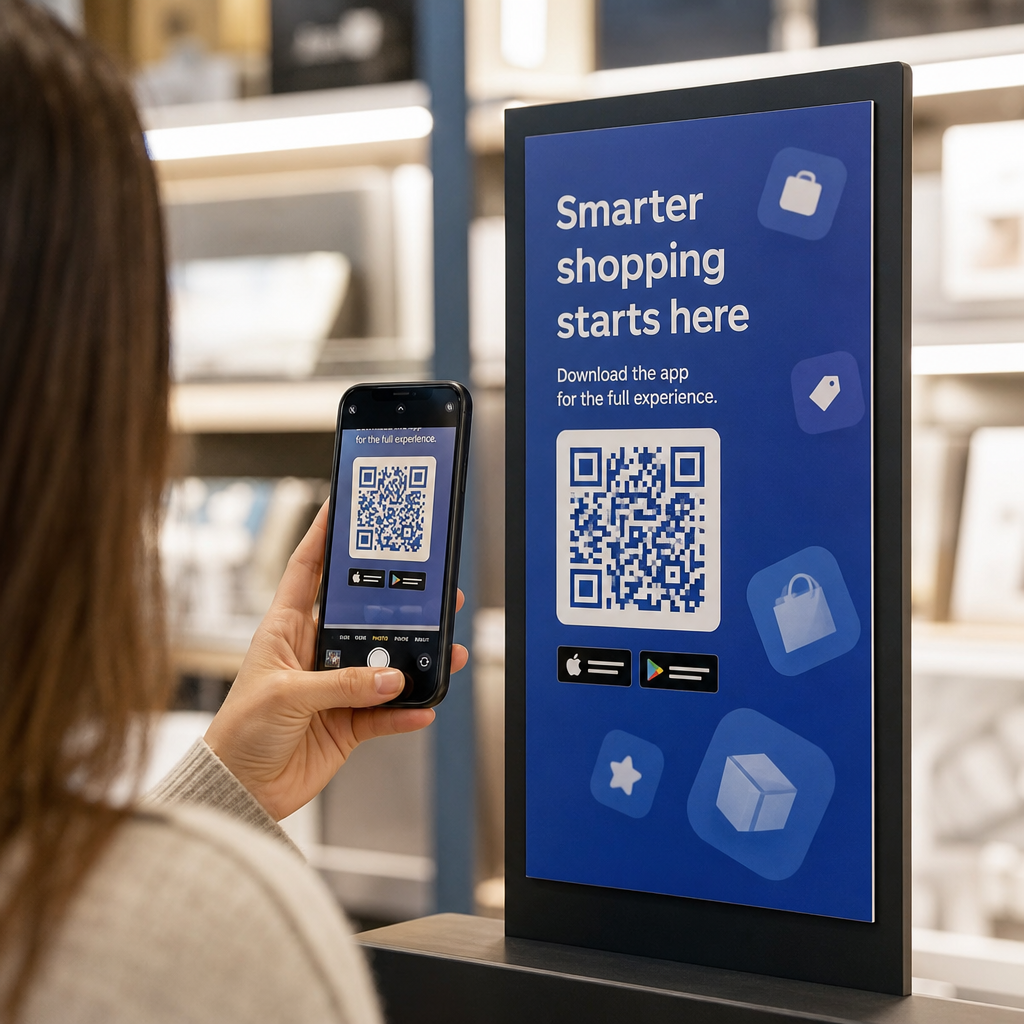
Storefront QR scan
QR 코드 사용 윈도우

온라인으로 QR 코드를 생성해야하는 경우 QR 코드 만들기 무료로 여기!
Pageloot는 #1 Go-To 솔루션 QR 코드를 만들고 스캔합니다.

BL-0018

20,000개 이상의 브랜드로부터 신뢰를 받아 더 많은 매출, 리뷰, 팔로워를 확보했습니다.

클라이언트 로고
최고 브랜드의 신뢰
5 중 4.8 평가

4.86 / 5 별점

휴고 로랑
휴고 로랑
레스토랑 주인
가장 쉽고 안정적인 QR 코드 생성기. PDF 파일을 즉시 업로드할 수 있습니다. 이제 레스토랑 메뉴가 디지털화되었습니다.
루카스 얀센
루카스 얀센
부동산 개발사
이것은 훌륭한 도구이며 QR 코드를 사용하면 원하는 곳으로 이동할 수 있습니다. 우리는 위치 QR 코드만 사용하지만 유용한 기능이 너무 많습니다.
엠마 모레티
엠마 모레티
소매 제품
사용하기 쉽고 빠릅니다. 그것은 훌륭하게 작동하고 완벽한 이미지를 생성하므로 직원들이 내 vCard를 다운로드할 수 있습니다.
휴고 로랑
휴고 로랑
레스토랑 주인
가장 쉽고 안정적인 QR 코드 생성기. PDF 파일을 즉시 업로드할 수 있습니다. 이제 레스토랑 메뉴가 디지털화되었습니다.
루카스 얀센
루카스 얀센
부동산 개발사
이것은 훌륭한 도구이며 QR 코드를 사용하면 원하는 곳으로 이동할 수 있습니다. 우리는 위치 QR 코드만 사용하지만 유용한 기능이 너무 많습니다.
엠마 모레티
엠마 모레티
소매 제품
사용하기 쉽고 빠릅니다. 그것은 훌륭하게 작동하고 완벽한 이미지를 생성하므로 직원들이 내 vCard를 다운로드할 수 있습니다.
더 많은 QR 코드보기
QR 코드 마케팅
5 간편한 QR 코드 마케팅 해킹
무엇이든 디지털 경험으로 전환하세요 3분 이내에.

14일 무료 체험.

신용카드는 필요 없습니다.

첫 구매 시 30% 할인

코드를 사용하세요:

MP3 파일 공유

PDF QR 코드를 생성하려면 가입하세요

필요한 모든 것을 업로드하고 표시합니다.

  • 오디오 파일
  • 팟캐스트
  • 음악

가입 시 14일 무료 체험.
체험 기간 후 QR 코드 만료.

오디오 mp3 QR 코드를 생성하려면 가입하세요

프레임으로 더 많은 스캔 확보

QR 코드에 더 많은 프레임을 추가하려면 가입하세요

클릭 유도 문안 프레임은 고객이 QR 코드와 쉽게 상호 작용할 수 있도록 도와줍니다. 사용해 보세요!

가입 시 14일 무료 체험.
체험 기간 후 QR 코드 만료.

QR 코드에 더 많은 프레임을 추가하려면 가입하세요

도형으로 더 많은 스타일 추가

더 많은 도형을 만들려면 가입하세요

QR 코드는 정사각형일 필요가 없습니다. 브랜드 이미지에 맞게 전환해 보세요.

가입 시 14일 무료 체험.
체험 기간 후 QR 코드 만료.

더 많은 도형을 만들려면 가입하세요

QR 코드에 로고 추가

QR 코드에 로고를 추가하려면 가입하세요

로고와 브랜드를 추가하여 QR 코드를 돋보이게 만드세요.

가입 시 14일 무료 체험.
체험 기간 후 QR 코드 만료.

QR 코드에 로고를 추가하려면 가입하세요

스마트 앱 스토어 리디렉션

앱 스토어 QR 코드를 생성하려면 가입하세요

스마트 앱 스토어 QR 코드에 앱 링크를 추가하세요. 사용자는 장치에 따라 리디렉션됩니다.

가입 시 14일 무료 체험.
체험 기간 후 QR 코드 만료.

앱 스토어 QR 코드를 생성하려면 가입하세요

QR 코드에 이미지 업로드

이미지 QR 코드를 생성하려면 가입하세요

이미지를 쉽게 공유하세요. 몇 초 안에 동적으로 이미지를 변경하십시오.

가입 시 14일 무료 체험.
체험 기간 후 QR 코드 만료.

이미지 QR 코드를 생성하려면 가입하세요

PDF 파일 공유

PDF QR 코드를 생성하려면 가입하세요

필요한 모든 것을 업로드하고 표시합니다.

  • 메뉴 및 가격표
  • 명령
  • 모든 문서

가입 시 14일 무료 체험.
체험 기간 후 QR 코드 만료.

PDF QR 코드를 생성하려면 가입하세요

인쇄 없이 나중에 편집

다시 인쇄하지 않고 QR 코드를 편집하려면 가입하세요

동적 QR 코드를 사용하면 새 QR 코드를 인쇄하지 않고도 QR 코드의 내용을 변경할 수 있습니다.

가입 시 14일 무료 체험.
체험 기간 후 QR 코드 만료.

다시 인쇄하지 않고 QR 코드를 편집하려면 가입하세요

언제? 어디서? QR 코드 스캔 추적

QR 코드를 추적하려면 가입하세요

어떤 QR 코드가 가장 많이 스캔되고 무엇이 고객을 가장 흥분시키는지 알아보십시오.

가입 시 14일 무료 체험.
체험 기간 후 QR 코드 만료.

QR 코드를 추적하려면 가입하세요

인쇄 준비 파일 제공

PDF 및 SVG와 같은 벡터 QR 코드를 생성하려면 가입하세요.

.EPS, .PDF, .SVG

HD 해상도로 QR 코드를 다운로드하고 싶으신가요? 인쇄할 준비가 된 벡터 또는 픽셀 형식을 가져옵니다.

가입 시 14일 무료 체험.
체험 기간 후 QR 코드 만료.

PDF 및 SVG와 같은 벡터 QR 코드를 생성하려면 가입하세요.

기다리세요. 귀하의 QR 코드는 로드 중... 로드 중...

나만의 것으로 만들기

나중을 위해 QR 코드를 저장하려면 가입하세요.

다양한 색상, 로고 및 클릭 유도문안 프레임으로 멋진 QR 코드를 만들어 더 많은 스캔을 받으세요.

가입 시 14일 무료 체험.
체험 기간 후 QR 코드 만료.

나중을 위해 QR 코드를 저장하려면 가입하세요.