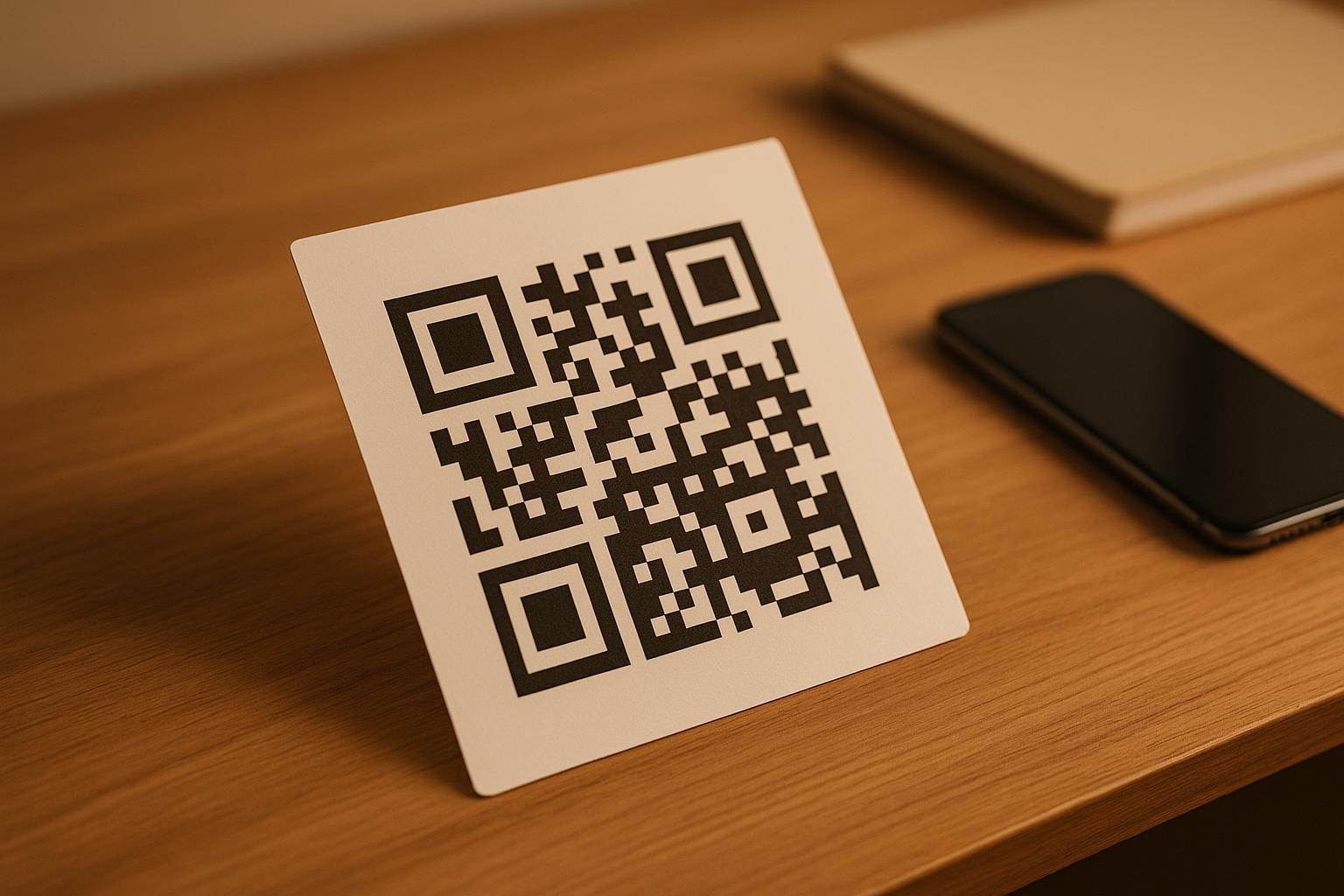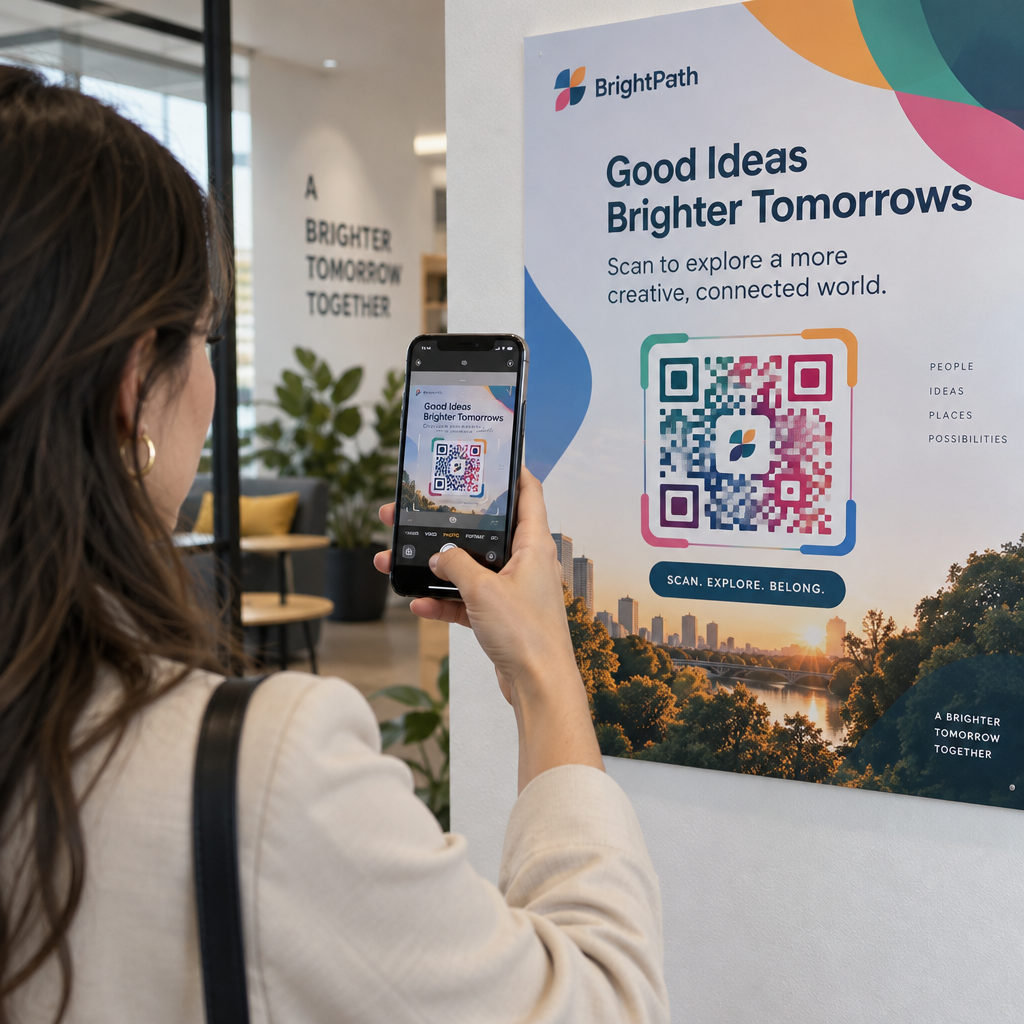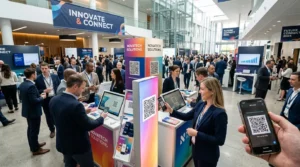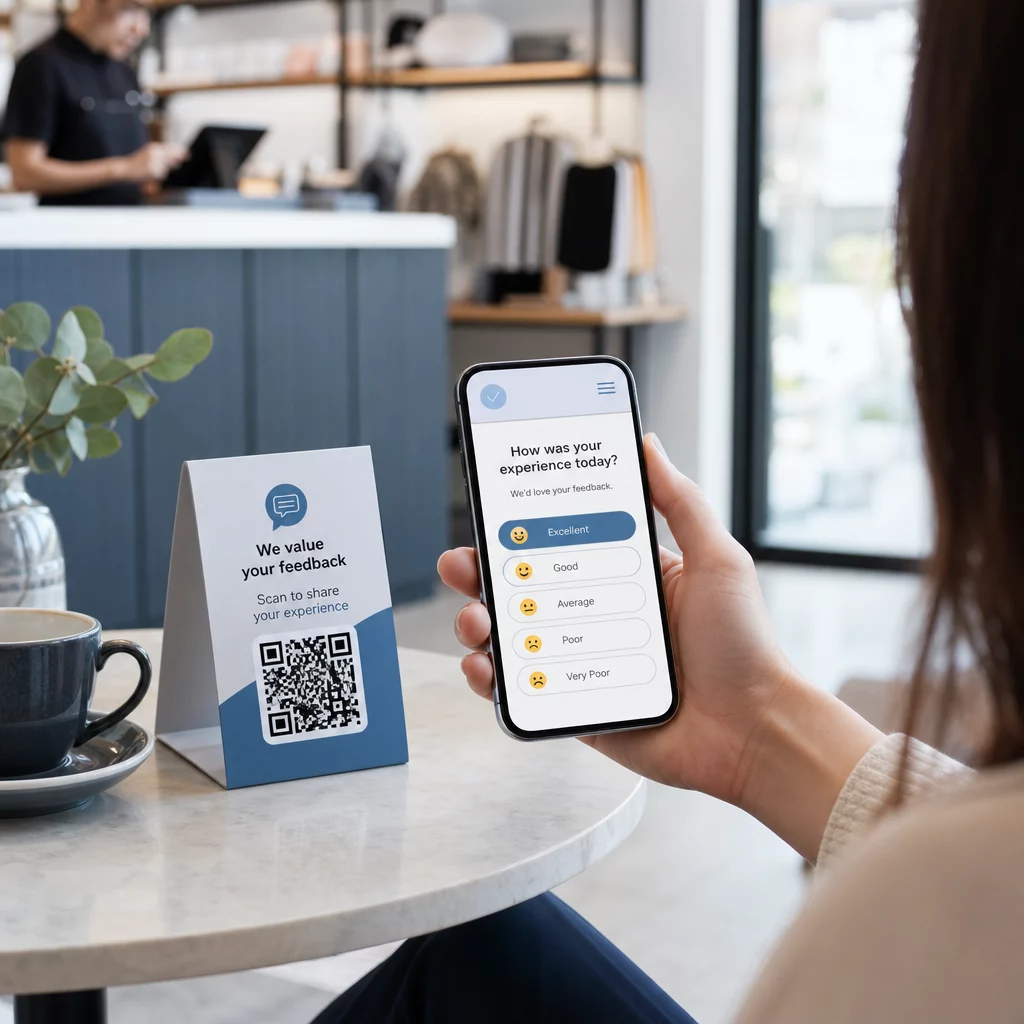
Δυσκολεύεστε να συλλέξετε σχόλια από πελάτες που βρίσκονται ακριβώς μπροστά σας; Οι έντυπες φόρμες αγνοούνται και οι μεγάλες διευθύνσεις URL ερευνών δεν πληκτρολογούνται ποτέ. Αυτός ο οδηγός σας καθοδηγεί στο πώς να δημιουργήσετε μια δημοσκόπηση με κωδικό QR από το μηδέν – καλύπτοντας την επιλογή πλατφόρμας, τη δημιουργία κώδικα, το σχεδιασμό, την τοποθέτηση και την παρακολούθηση – ώστε να μπορείτε να αρχίσετε να συλλέγετε απαντήσεις αμέσως.
Γιατί οι δημοσκοπήσεις με κωδικό QR λειτουργούν για κοινό εκτός σύνδεσης και κινητών συσκευών
Το βασικό πρόβλημα με τις παραδοσιακές έρευνες είναι η τριβή. Η πληκτρολόγηση μιας διεύθυνσης URL σε ένα πληκτρολόγιο κινητού είναι αρκετά ενοχλητική ώστε οι περισσότεροι άνθρωποι να την παραλείπουν. Ένας κωδικός QR αφαιρεί αυτό το εμπόδιο εντελώς – μία σάρωση ανοίγει τη δημοσκόπηση απευθείας σε ένα πρόγραμμα περιήγησης, χωρίς να απαιτείται εφαρμογή.
Αυτό έχει σημασία ειδικά σε φυσικά περιβάλλοντα: εστιατόρια, καταστήματα λιανικής, εκδηλώσεις, κλινικές και αίθουσες διδασκαλίας. Το κοινό σας είναι ήδη παρόν και αφοσιωμένο. Ένας καλά τοποθετημένος κωδικός QR συλλαμβάνει αυτή τη στιγμή πριν περάσει.
Μερικοί λόγοι για τους οποίους οι δημοσκοπήσεις με κωδικό QR υπερτερούν σταθερά των εναλλακτικών λύσεων με χαρτί και email:
- Ταχύτητα: Οι χρόνοι ολοκλήρωσης της έρευνας είναι μετρήσιμα ταχύτεροι επειδή δεν υπάρχει χειροκίνητη εισαγωγή URL ή βήμα διανομής φόρμας.
- Εμβέλεια: Η χρήση κωδικών QR συνεχίζει να αυξάνεται στις ΗΠΑ, με τους όγκους σάρωσης να αυξάνονται χρόνο με το χρόνο – πράγμα που σημαίνει ότι το κοινό σας γνωρίζει ήδη πώς να αλληλεπιδράσει μαζί τους.
- Δεδομένα σε πραγματικό χρόνο: Οι απαντήσεις φτάνουν άμεσα, ώστε να μπορείτε να ενεργήσετε βάσει των σχολίων την ίδια ημέρα αντί να περιμένετε για μαζική εξαγωγή.
- Ιχνηλασιμότητα: Δυναμικοί κωδικοί QR καταγράφουν τον αριθμό σαρώσεων, τους τύπους συσκευών, τις γεωγραφικές τοποθεσίες και τις χρονικές σημάνσεις, παρέχοντάς σας συμπεριφορικό πλαίσιο παράλληλα με τις ίδιες τις απαντήσεις της έρευνας.
Πώς να δημιουργήσετε μια δημοσκόπηση με κωδικό QR: Βήμα προς βήμα
Βήμα 1: Καθορίστε τους στόχους της δημοσκόπησής σας
Πριν δημιουργήσετε οτιδήποτε, διευκρινίστε τι θέλετε να μάθετε και πώς θα μετρήσετε την επιτυχία. Οι ασαφείς στόχοι παράγουν ασαφείς ερωτήσεις. Ρωτήστε τον εαυτό σας:
- Μετράτε την ικανοποίηση μετά από μια αγορά ή μια αλληλεπίδραση υπηρεσίας;
- Συλλέγετε απόψεις κατά τη διάρκεια ή μετά από ένα γεγονός;
- Διεξάγετε έρευνα προϊόντος για να ενημερώσετε μια μελλοντική απόφαση;
Ο στόχος σας διαμορφώνει επίσης τον χρόνο και τη μορφή της δημοσκόπησης. Μια έρευνα μετά την αγορά σε μια απόδειξη χρειάζεται διαφορετικές ερωτήσεις από μια δημοσκόπηση ζωντανής εκδήλωσης που προβάλλεται σε οθόνη. Αποφασίστε εκ των προτέρων πώς μοιάζει ένα επιτυχημένο ποσοστό απόκρισης ή μια διορατικότητα, ώστε να μπορείτε να αξιολογήσετε την καμπάνια αργότερα.
Βήμα 2: Δημιουργήστε τη Δημοσκόπηση σε μια Πλατφόρμα Έρευνας
Χρησιμοποιήστε μια αξιόπιστη πλατφόρμα έρευνας για να δημιουργήσετε τις ερωτήσεις σας. Φόρμες Google είναι μια απλή, δωρεάν επιλογή που ενσωματώνεται με τα Google Sheets για εύκολη αναθεώρηση δεδομένων. Για πιο προηγμένη λογική, προσαρμοσμένη επωνυμία ή λεπτομερή αναλυτικά στοιχεία σε επίπεδο φόρμας, το Typeform ή το SurveyMonkey είναι ισχυρές εναλλακτικές λύσεις.
Κατά τον σχεδιασμό των ερωτήσεών σας, να έχετε κατά νου τους χρήστες κινητών – που είναι σχεδόν όλοι όσοι θα σαρώσουν τον κωδικό. Ακολουθήστε αυτές τις αρχές:
- Κρατήστε το σύντομο. Στοχεύστε σε λιγότερο από δύο λεπτά για την ολοκλήρωση. Οι μεγαλύτερες δημοσκοπήσεις χάνουν τους ερωτηθέντες σε κινητά πριν φτάσουν στο τέλος.
- Μία ιδέα ανά ερώτηση. Αποφύγετε τις διπλές ερωτήσεις που ζητούν δύο πράγματα ταυτόχρονα (για παράδειγμα, “Ήταν η υπηρεσία μας γρήγορη και φιλική;” θα πρέπει να είναι δύο ξεχωριστές ερωτήσεις).
- Χρησιμοποιήστε απλή γλώσσα. Μειώστε τον αριθμό των λέξεων σε κάθε ερώτηση χωρίς να θυσιάσετε το νόημα.
- Μείνετε ουδέτεροι. Αποφύγετε διατυπώσεις που οδηγούν τους ερωτηθέντες προς μια συγκεκριμένη απάντηση.
- Ισορροπήστε τις κλίμακες σας. Εάν χρησιμοποιείτε κλίμακες αξιολόγησης, συμπεριλάβετε ίσο αριθμό θετικών και αρνητικών επιλογών και ένα σαφώς καθορισμένο μέσο σημείο.
Μόλις ολοκληρωθεί η δημοσκόπηση, δημιουργήστε έναν σύνδεσμο κοινής χρήσης. Στις Φόρμες Google, κάντε κλικ Στείλτε, και στη συνέχεια επιλέξτε το εικονίδιο συνδέσμου για να αντιγράψετε το URL.
Βήμα 3: Μετατροπή του Συνδέσμου Δημοσκόπησης σε Κωδικό QR
Με το URL της δημοσκόπησής σας έτοιμο, επικολλήστε το σε μια γεννήτρια κωδικών QR. Το Pageloot's Γεννήτρια Κωδικών QR Συνδέσμων το χειρίζεται αυτό σε δευτερόλεπτα – επικολλήστε το URL και ένας σαρώσιμος κωδικός εμφανίζεται αμέσως.
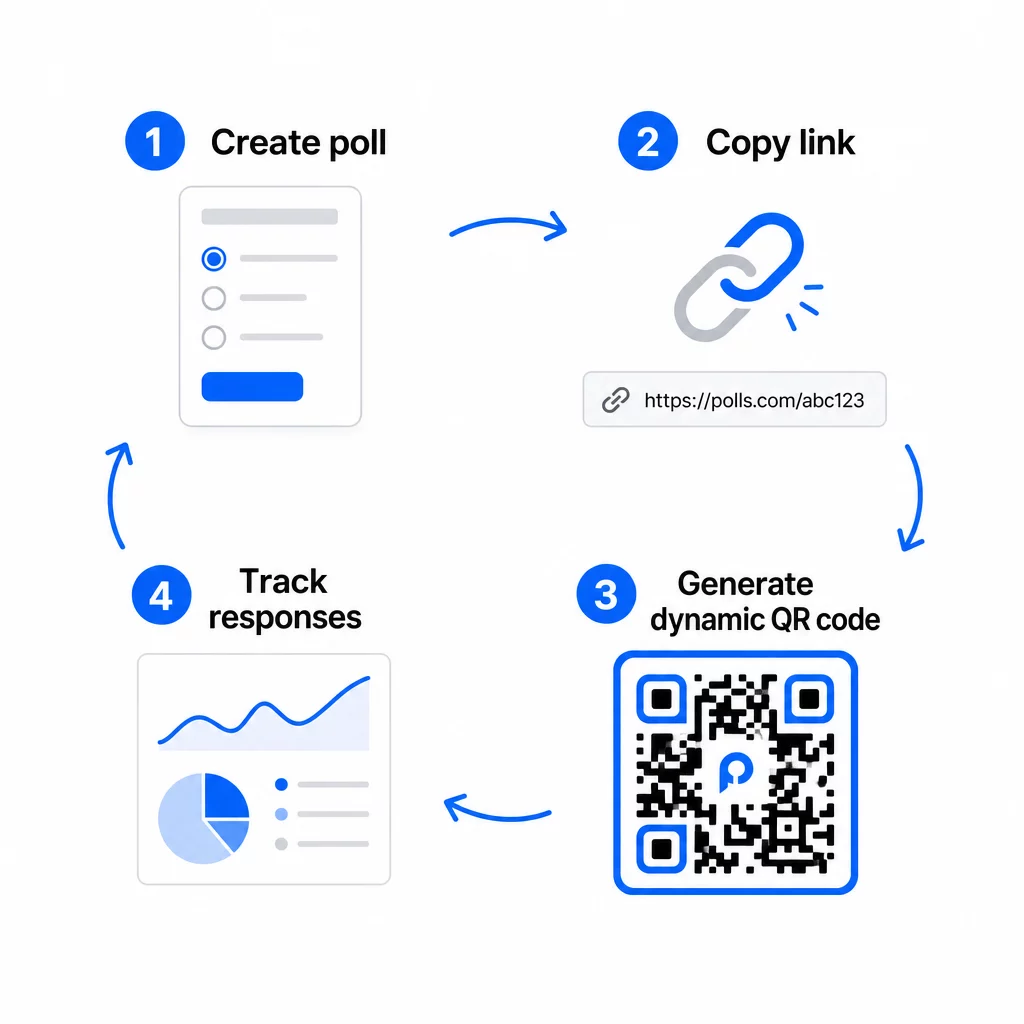
Σε αυτό το στάδιο, πρέπει επίσης να αποφασίσετε μεταξύ ενός στατικού και ενός δυναμικού κωδικού QR.
| ΛΕΙΤΟΥΡΓΙΑ | Στατικοί Κωδικοί QR | Δυναμικοί Κωδικοί QR |
|---|---|---|
| Επεξεργάσιμο μετά τη δημιουργία | Όχι | Ναι |
| Παρακολούθηση σάρωσης και αναλυτικά στοιχεία | Όχι | Ναι |
| Μήκος URL στο μοτίβο | Μακρύ, πυκνό | Κοντό, καθαρό |
| Ταχύτητα σάρωσης | Πιο αργή | Πιο γρήγορο |
| Ενημερώσεις καμπάνιας | Απαιτεί νέο κωδικό | Ενημέρωση προορισμού ανά πάσα στιγμή |
Για τις περισσότερες καμπάνιες δημοσκοπήσεων, οι δυναμικοί κωδικοί QR είναι η καλύτερη επιλογή. Μπορείτε να ενημερώσετε τη διεύθυνση URL προορισμού αφού ο κωδικός έχει ήδη εκτυπωθεί – χρήσιμο αν χρειάζεται να ανταλλάξετε μια κλειστή δημοσκόπηση με μια νέα, να παρατείνετε μια προθεσμία ή να ανακατευθύνετε σε μια έρευνα παρακολούθησης. Οι δυναμικοί κωδικοί ξεκλειδώνουν επίσης δεδομένα ανάλυσης σάρωσης συμπεριλαμβανομένου του αριθμού σαρώσεων, της τοποθεσίας, του τύπου συσκευής και της ώρας σάρωσης.
Παρακολουθήστε κάθε σάρωση από τη δημοσκόπηση κωδικού QR σας Θέλετε να δείτε ποιες τοποθεσίες οδηγούν στις περισσότερες απαντήσεις και πότε κορυφώνεται η αφοσίωση; Χρησιμοποιήστε το Pageloot’s Γεννήτρια Κωδικών QR για να δημιουργήσετε έναν δυναμικό κωδικό δημοσκόπησης με ενσωματωμένη παρακολούθηση και έναν κεντρικό πίνακα ελέγχου αναλυτικών στοιχείων.
Βήμα 4: Προσαρμόστε τον κωδικό QR για την επωνυμία σας
Ένας απλός ασπρόμαυρος κωδικός QR λειτουργεί, αλλά ένας επώνυμος αποδίδει καλύτερα. Η προσθήκη του λογότυπου και των χρωμάτων της επωνυμίας σας σηματοποιεί ότι ο κωδικός είναι νόμιμος, γεγονός που αυξάνει την πιθανότητα κάποιος να τον σαρώσει πραγματικά.
Πρακτικές οδηγίες σχεδιασμού:
- Χρησιμοποίησε ένα σκούρο προσκήνιο σε ανοιχτό φόντο. Το μαύρο σε λευκό είναι το πιο αξιόπιστο. Το σκούρο μπλε ή το σκούρο πράσινο σε λευκό λειτουργούν επίσης καλά. Ποτέ μην το αντιστρέφετε – το ανοιχτό σε σκούρο προκαλεί αποτυχίες σάρωσης.
- Διατηρήστε υψηλή αντίθεση σε όλη την έκταση. Η χαμηλή αντίθεση είναι ένας από τους πιο συνηθισμένους λόγους που οι κωδικοί QR αποτυγχάνουν να σαρωθούν.
- Προσθέστε το λογότυπο της εταιρείας σας στο κέντρο του κωδικού. Αυτό χτίζει εμπιστοσύνη με μια ματιά χωρίς να επηρεάζει τη δυνατότητα σάρωσης, εφόσον το λογότυπο δεν καλύπτει περισσότερο από περίπου το 30% του μοτίβου.
- Συμπεριλάβετε ένα κλήση σε δράση κοντά (όχι μέσα) στον κωδικό – κάτι σαν “Σαρώστε για να μοιραστείτε τα σχόλιά σας” ή “Λάβετε μέρος στην ψηφοφορία μας διάρκειας 60 δευτερολέπτων”. Αυτό λέει στους ανθρώπους γιατί πρέπει να σαρώσουν και τι να περιμένουν.
- Για έντυπα υλικά, κρατήστε τον κωδικό τουλάχιστον 0.8 × 0.8 ίντσες (2 × 2 cm) για σάρωση από κοντινή απόσταση. Για αφίσες ή πινακίδες που προβάλλονται από πιο μακριά, εφαρμόστε τον κανόνα 10:1: το πλάτος του κωδικού πρέπει να είναι τουλάχιστον το ένα δέκατο της αναμενόμενης απόστασης σάρωσης.
- Διατηρήστε ένα ήσυχη ζώνη – τουλάχιστον τέσσερα κενά modules σε όλες τις πλευρές του κωδικού. Κανένα κείμενο, λογότυπο ή διαρροή χρώματος δεν πρέπει να εισχωρεί σε αυτό το περίγραμμα.
Για περισσότερα σχετικά με την τοποθέτηση και το μέγεθος, το Οδηγό τοποθέτησης κωδικών QR για το μάρκετινγκ καλύπτει κάθε κύρια μορφή λεπτομερώς.
Βήμα 5: Δοκιμάστε τον Κωδικό πριν την Ανάπτυξη
Η δοκιμή είναι αδιαπραγμάτευτη. Ένας κωδικός QR που αποτυγχάνει να σαρωθεί στο πεδίο σπαταλά τον προϋπολογισμό εκτύπωσής σας και απογοητεύει τους ανθρώπους που προσπαθείτε να προσεγγίσετε.
Δοκιμάστε σε:
- Πολλαπλές συσκευές: Τόσο iOS όσο και Android, και τουλάχιστον ένα παλαιότερο μοντέλο smartphone.
- Πολλαπλές εφαρμογές: Ενσωματωμένες εφαρμογές κάμερας και εφαρμογές σαρωτή τρίτων.
- Πολλαπλές συνθήκες: Διαφορετικός φωτισμός (συμπεριλαμβανομένης της εξωτερικής αντανάκλασης), διαφορετικές αποστάσεις και διαφορετικές γωνίες.
- Πολλαπλά προγράμματα περιήγησης: Επιβεβαιώστε ότι η δημοσκόπηση φορτώνει και εμφανίζεται σωστά σε Safari, Chrome και άλλα κοινά προγράμματα περιήγησης.
Εάν χρησιμοποιείτε δυναμικό κώδικα, επαληθεύστε ότι η διεύθυνση URL προορισμού είναι ενεργή και ότι η φόρμα υποβάλλεται επιτυχώς από ένα πρόγραμμα περιήγησης κινητού πριν την ανάπτυξη.
Βήμα 6: Ανάπτυξη στις Σωστές Τοποθεσίες
Το πού τοποθετείτε τον κωδικό QR καθορίζει άμεσα πόσες απαντήσεις συλλέγετε. Οι κωδικοί QR για την ανατροφοδότηση πελατών λειτουργούν καλύτερα όταν εμφανίζονται σε φυσικά σημεία παύσης στο ταξίδι του πελάτη – στιγμές που κάποιος έχει χρόνο, πλαίσιο και κίνητρο να απαντήσει.
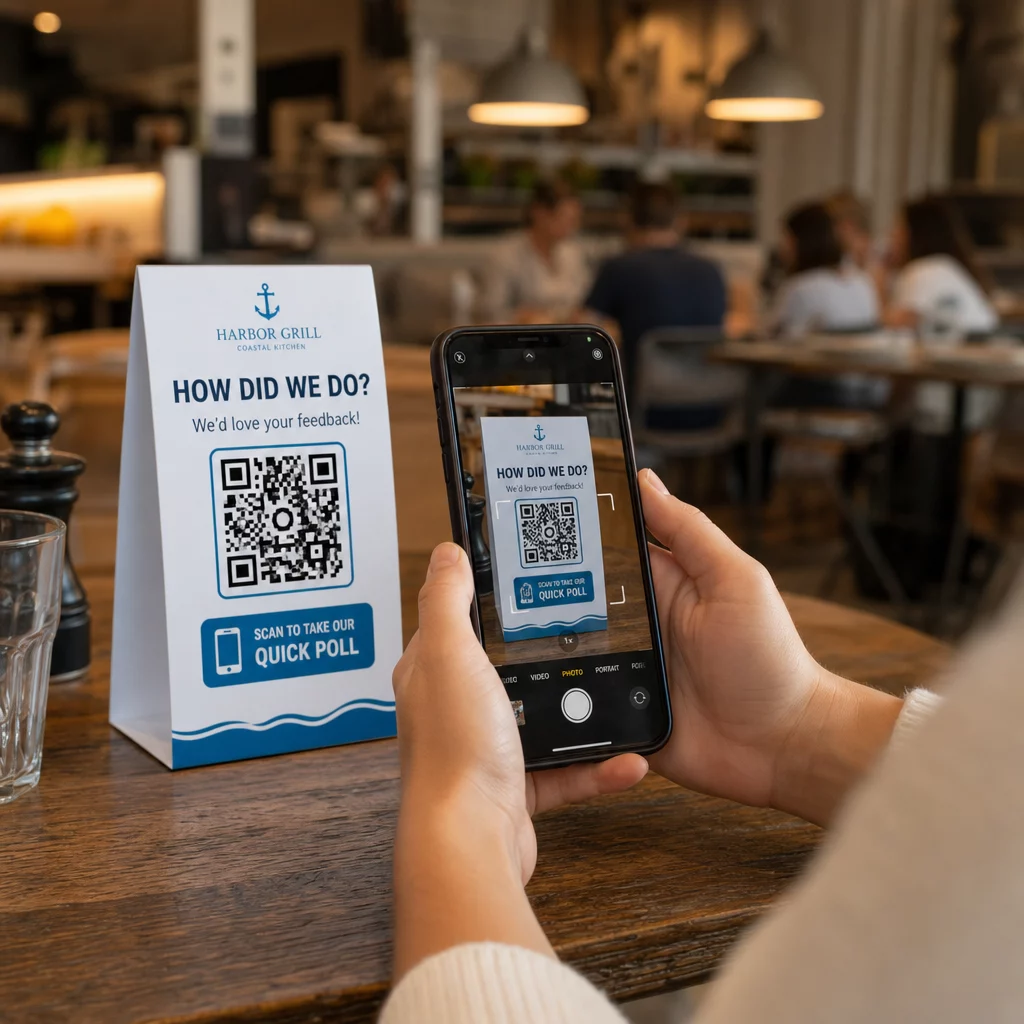
Ισχυρά παραδείγματα τοποθέτησης:
- Καρτελάκια τραπεζιού ή σουπλά σε εστιατόρια, τοποθετημένα εκεί που οι πελάτες κοιτάζουν φυσικά κατά τη διάρκεια ή μετά το γεύμα
- Αποδείξεις ή συσκευασίες περιλαμβάνονται με μια αγορά, παροτρύνοντας για ανατροφοδότηση ενώ η εμπειρία είναι ακόμα νωπή
- Σήμανση κοντά στις εξόδους καταστημάτων λιανικής ή χώρων εκδηλώσεων, συλλέγοντας εντυπώσεις κατά την έξοδο
- Γραφεία εγγραφής ή χώροι check-in σε εκδηλώσεις, όπου οι παρευρισκόμενοι έχουν μια στιγμή πριν προχωρήσουν
- Διαφάνειες παρουσίασης σε συνέδρια, εμφανίζονται για 15–20 δευτερόλεπτα με προφορική προτροπή για σάρωση
Κρατήστε τους κωδικούς στο ύψος των ματιών (περίπου 1,05–1,65 μέτρα από το έδαφος) και μακριά από ανακλαστικές ή καμπύλες επιφάνειες που παραμορφώνουν τη σάρωση. Αποφύγετε την τοποθέτηση κωδικών σε περιοχές με χαμηλό φωτισμό, πίσω από γυαλί ή σε άβολες γωνίες. Κάθε σημείο τοποθέτησης θα πρέπει να περιλαμβάνει μια σύντομη εξήγηση του σκοπού της δημοσκόπησης και μια ειλικρινή εκτίμηση του χρόνου που απαιτείται για την ολοκλήρωσή της.
Συγκατάθεση Προσωπικών Δεδομένων και Απορρήτου
Όταν η δημοσκόπησή σας συλλέγει προσωπικά δεδομένα – ονόματα, email ή οποιεσδήποτε απαντήσεις που θα μπορούσαν να ταυτοποιήσουν ένα άτομο – έχετε νομικές και ηθικές υποχρεώσεις. Η νομοθεσία περί απορρήτου των ΗΠΑ είναι ένα συνονθύλευμα ομοσπονδιακών και πολιτειακών κανονισμών, αλλά οι κοινές απαιτήσεις περιλαμβάνουν τη λήψη συγκατάθεσης πριν από τη συλλογή δεδομένων, την επεξήγηση του τρόπου χρήσης τους και την κατάλληλη διασφάλισή τους.
Πρακτικά βήματα για να παραμείνετε συμβατοί:
- Προσθέστε μια ερώτηση συγκατάθεσης στην αρχή της δημοσκόπησης που να εξηγεί ποια δεδομένα συλλέγονται, γιατί, πόσο καιρό θα διατηρηθούν και ποιον να επικοινωνήσετε για ερωτήσεις. Δρομολογήστε τις αρνήσεις έτσι ώστε να μην συλλέγονται δεδομένα από όσους αρνούνται.
- Χρησιμοποιήστε μόνο συνδέσμους HTTPS. Το πρόθεμα “https://” επιβεβαιώνει ότι τα δεδομένα μεταδίδονται με κρυπτογράφηση SSL/TLS.
- Επιλέξτε πλατφόρμες έρευνας και γεννήτριες κωδικών QR που δεν αποθηκεύουν περιττά δεδομένα χρήστη.
- Εάν η δημοσκόπησή σας εμφανίζεται δημόσια, ελέγχετε περιοδικά τους κωδικούς για να βεβαιωθείτε ότι δεν έχουν παραβιαστεί ή αντικατασταθεί.
- Για ευαίσθητα θέματα, εξετάστε το ενδεχόμενο προστασίας της δημοσκόπησης με κωδικό πρόσβασης ή τη χρήση ελέγχων πρόσβασης. Οι δυναμικοί κωδικοί QR σάς επιτρέπουν να ενημερώνετε αυτές τις ρυθμίσεις χωρίς να ανατυπώνετε υλικά.
Μέτρηση Απόδοσης Δημοσκόπησης
Μόλις η καμπάνια σας είναι ενεργή, χρησιμοποιήστε αναλυτικά στοιχεία για να κατανοήσετε τι λειτουργεί και τι χρειάζεται προσαρμογή. Οι δυναμικοί κωδικοί QR σάς δίνουν πρόσβαση σε μετρήσεις που ξεπερνούν κατά πολύ έναν απλό αριθμό απαντήσεων.
Βασικές μετρήσεις για παρακολούθηση:
- Συνολικές σαρώσεις έναντι μοναδικών σαρώσεων: Ένα μεγάλο χάσμα μεταξύ αυτών υποδηλώνει επαναλαμβανόμενους επισκέπτες ή τυχαίες επανασαρώσεις και όχι νέους ερωτηθέντες.
- Ποσοστό σάρωσης προς ολοκλήρωση: Εάν τα ποσοστά σάρωσης είναι υψηλά αλλά οι ολοκληρώσεις της δημοσκόπησης είναι χαμηλές, η δημοσκόπησή σας μπορεί να είναι πολύ μεγάλη ή η πρώτη ερώτηση να προκαλεί εγκατάλειψη.
- Ώρες αιχμής σάρωσης: Οι χρονοσφραγίδες δείχνουν πότε η αφοσίωση είναι υψηλότερη, κάτι που μπορεί να ενημερώσει πότε να εκτελέσετε μελλοντικές καμπάνιες ή πότε να στελεχώσετε απαντήσεις παρακολούθησης.
- Γεωγραφική ανάλυση: Εάν οι περισσότερες σαρώσεις προέρχονται από μία τοποθεσία, αλλά στοχεύετε σε πολλαπλές τοποθεσίες, προσαρμόστε την τοποθέτηση ή τη σήμανση σε τοποθεσίες με χαμηλή απόδοση.
- Δεδομένα συσκευής: Επιβεβαιώνει εάν ο σχεδιασμός σας με προτεραιότητα το κινητό εξυπηρετεί σωστά το πραγματικό σας κοινό.
Η προσθήκη παραμέτρων UTM στη διεύθυνση URL της δημοσκόπησής σας πριν από τη δημιουργία του κώδικα σάς επιτρέπει να μεταφέρετε αυτά τα δεδομένα στο Google Analytics μαζί με τις ευρύτερες μετρήσεις μάρκετινγκ, συνδέοντας την αφοσίωση της δημοσκόπησης QR με την υπόλοιπη αναφορά της καμπάνιας σας.
Εάν εκτελείτε πολλαπλές τοποθετήσεις ταυτόχρονα, αντιμετωπίστε τις ως μια φυσική δοκιμή A/B. Συγκρίνετε τα ποσοστά σάρωσης και ολοκλήρωσης σε όλες τις τοποθεσίες για να εντοπίσετε ποια πλαίσια οδηγούν στην ισχυρότερη συμμετοχή και, στη συνέχεια, συγκεντρώστε εκεί τις μελλοντικές προσπάθειες.
Συνδέστε τα Δεδομένα Δημοσκόπησης με το Marketing Stack σας Χρησιμοποιήστε το Pageloot’s λειτουργίες παρακολούθησης και ανάλυσης για να παρακολουθείτε τη συμπεριφορά σάρωσης σε όλες τις τοποθετήσεις κωδικών QR και, στη συνέχεια, να προσαρμόζετε τις καμπάνιες σε πραγματικό χρόνο – χωρίς να ανατυπώνετε ούτε ένα υλικό.
Συγκεντρώνοντας τα πάντα
Οι δημοσκοπήσεις με κωδικούς QR είναι πιο αποτελεσματικές όταν κάθε στοιχείο είναι σκόπιμο: ένας εστιασμένος στόχος, μια σύντομη και φιλική προς κινητά φόρμα, ένας καλά σχεδιασμένος δυναμικός κωδικός, μια τοποθέτηση που ταιριάζει στο ταξίδι του πελάτη και αναλυτικά στοιχεία που σας λένε πώς να βελτιώσετε την επόμενη καμπάνια.
ο Δημιουργία κώδικα Pageloot QR σας δίνει όλα όσα χρειάζεστε σε μία πλατφόρμα – δυναμικούς κωδικούς, επιλογές επωνυμίας και δεδομένα σάρωσης σε πραγματικό χρόνο. Ξεκινήστε με έναν δωρεάν λογαριασμό και έχετε την πρώτη σας δημοσκόπηση ζωντανή σε λιγότερο από δεκαπέντε λεπτά.
Συχνές ερωτήσεις
Ένας στατικός κωδικός QR ενσωματώνει τη διεύθυνση URL προορισμού μόνιμα στο μοτίβο του κώδικα. Μόλις εκτυπωθεί, δεν μπορεί να αλλάξει και δεν παρακολουθεί σαρώσεις. Ένας δυναμικός κωδικός QR χρησιμοποιεί μια σύντομη διεύθυνση URL ανακατεύθυνσης, πράγμα που σημαίνει ότι μπορείτε να ενημερώσετε τον προορισμό της δημοσκόπησης ανά πάσα στιγμή – ακόμα και αφού έχουν ήδη εκτυπωθεί τα υλικά – και να αποκτήσετε πρόσβαση σε αναλυτικά στοιχεία όπως ο αριθμός σαρώσεων, η τοποθεσία, ο τύπος συσκευής και η ώρα σάρωσης. Για τις περισσότερες καμπάνιες δημοσκοπήσεων, οι δυναμικοί κωδικοί είναι η καλύτερη επιλογή επειδή επιτρέπουν επεξεργασίες και παρέχουν τα δεδομένα που χρειάζεστε για να μετρήσετε και να βελτιώσετε την απόδοση.
Χρησιμοποιήστε μόνο συνδέσμους δημοσκοπήσεων ασφαλισμένους με HTTPS για να διασφαλίσετε ότι τα δεδομένα είναι κρυπτογραφημένα κατά τη μεταφορά. Προσθέστε μια ερώτηση συγκατάθεσης στην αρχή της έρευνας εξηγώντας ποια δεδομένα συλλέγονται, γιατί και για πόσο καιρό διατηρούνται. Επιλέξτε πλατφόρμες ερευνών και γεννήτριες κωδικών QR που ελαχιστοποιούν την περιττή αποθήκευση δεδομένων. Εάν η δημοσκόπηση εμφανίζεται σε δημόσιο χώρο, ελέγχετε περιοδικά ότι ο κωδικός δεν έχει παραβιαστεί. Για δημοσκοπήσεις που καλύπτουν ευαίσθητα θέματα, χρησιμοποιήστε προστασία με κωδικό πρόσβασης ή ελέγχους πρόσβασης – οι δυναμικοί κωδικοί QR σάς επιτρέπουν να ενημερώνετε αυτές τις ρυθμίσεις χωρίς επανεκτύπωση.
Το ελάχιστο συνιστώμενο μέγεθος για σάρωση από κοντινή απόσταση είναι 0,8 × 0,8 ίντσες (2 × 2 cm). Για υλικά που προβάλλονται από μεγαλύτερη απόσταση, χρησιμοποιήστε τον κανόνα 10:1: το πλάτος του κωδικού QR πρέπει να είναι τουλάχιστον το ένα δέκατο της αναμενόμενης απόστασης σάρωσης. Ένας κωδικός που προβάλλεται από απόσταση πέντε ποδιών πρέπει να έχει πλάτος τουλάχιστον έξι ίντσες. Διατηρείτε πάντα μια ήσυχη ζώνη τουλάχιστον τεσσάρων κενών μονάδων σε όλες τις πλευρές του κωδικού και δοκιμάστε τη σάρωση υπό πραγματικές συνθήκες πριν την ανάπτυξη σε κλίμακα.