מתקשים לאסוף משוב מלקוחות שעומדים ממש מולכם? טפסי נייר מתעלמים מהם, וכתובות URL ארוכות של סקרים לעולם אינן מוקלדות. מדריך זה מלווה אתכם בתהליך יצירת סקר קוד QR מאפס – כולל בחירת פלטפורמה, יצירת קוד, עיצוב, מיקום ומעקב – כך שתוכלו להתחיל לאסוף תגובות באופן מיידי.
מדוע סקרי קוד QR עובדים עבור קהלים לא מקוונים וניידים
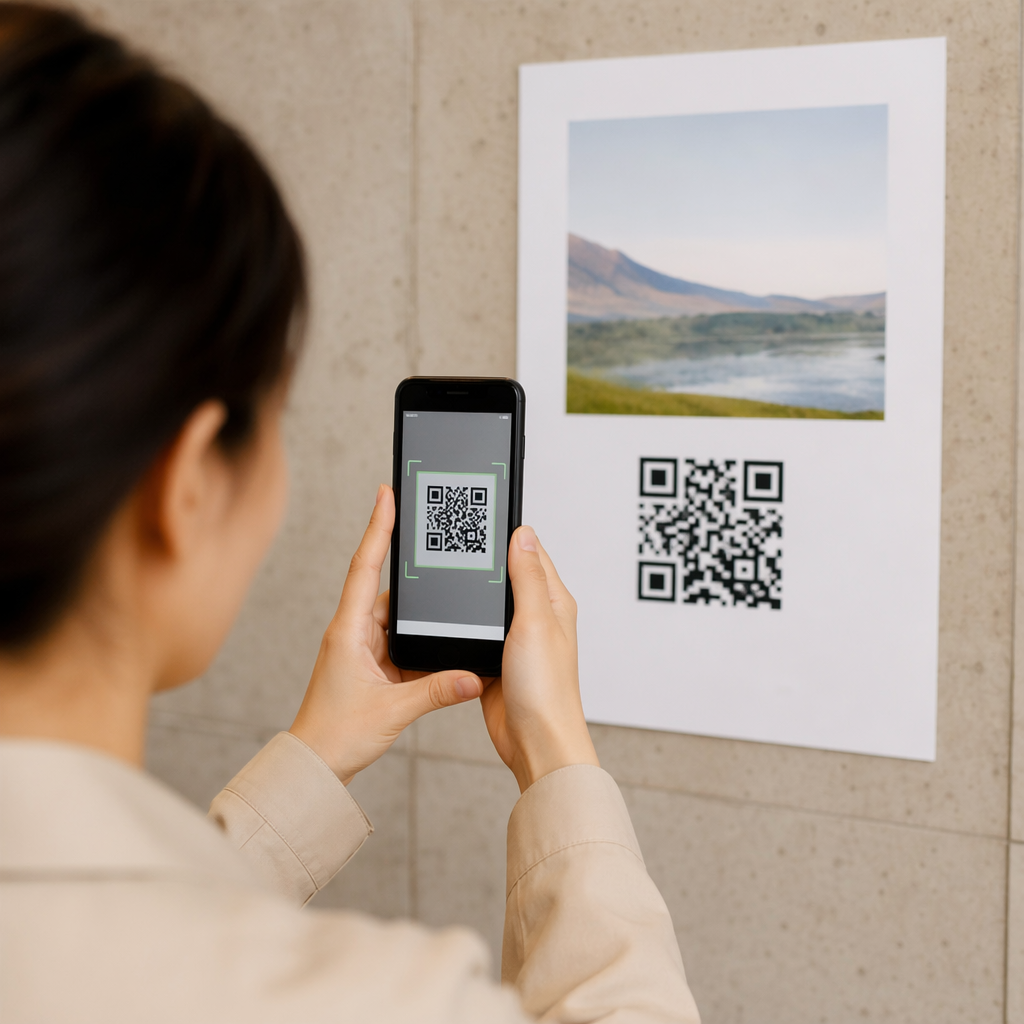
הבעיה המרכזית בסקרים מסורתיים היא חיכוך. הקלדת כתובת URL במקלדת ניידת מעצבנת מספיק כדי שרוב האנשים ידלגו עליה. קוד QR מסיר את המחסום הזה לחלוטין – סריקה אחת פותחת את הסקר ישירות בדפדפן, ללא צורך באפליקציה.
זה חשוב במיוחד בסביבות פיזיות: מסעדות, חנויות קמעונאיות, אירועים, מרפאות וכיתות לימוד. הקהל שלכם כבר נוכח ומעורב. קוד QR ממוקם היטב לוכד את הרגע הזה לפני שהוא חולף.
כמה סיבות מדוע סקרי קוד QR עולים באופן עקבי על חלופות נייר ודוא"ל:
- מהירות: זמני השלמת הסקר מהירים באופן מדיד מכיוון שאין הזנת URL ידנית או שלב הפצת טפסים.
- טווח הגעה: השימוש בקוד QR ממשיך לגדול בארה"ב, עם עליות בנפחי הסריקה משנה לשנה – כלומר הקהל שלכם כבר יודע כיצד לתקשר איתם.
- נתונים בזמן אמת: תגובות מגיעות באופן מיידי, כך שתוכלו לפעול על סמך משוב באותו יום במקום לחכות לייצוא אצווה.
- יכולת מעקב: קודי QR דינמיים מתעדים ספירות סריקה, סוגי מכשירים, מיקומים גיאוגרפיים וחותמות זמן, ומספקים לכם הקשר התנהגותי לצד תשובות הסקר עצמן.
כיצד ליצור סקר קוד QR: צעד אחר צעד
שלב 1: הגדירו את יעדי הסקר שלכם
לפני שאתם בונים משהו, הבהירו מה אתם רוצים ללמוד וכיצד תמדדו הצלחה. מטרות מעורפלות מייצרות שאלות מעורפלות. שאלו את עצמכם:
- האם אתם מודדים שביעות רצון לאחר רכישה או אינטראקציה עם שירות?
- האם אתם אוספים דעות במהלך אירוע או אחריו?
- האם אתם עורכים מחקר מוצר כדי ליידע החלטה עתידית?
המטרה שלכם גם מעצבת את התזמון והפורמט של הסקר. סקר לאחר רכישה על קבלה דורש שאלות שונות מסקר אירוע חי המוקרן על מסך. החליטו מראש איך נראה שיעור תגובה מוצלח או תובנה מוצלחת כדי שתוכלו להעריך את הקמפיין מאוחר יותר.
שלב 2: בנו את הסקר בפלטפורמת סקרים
השתמשו בפלטפורמת סקרים אמינה כדי לבנות את השאלות שלכם. טפסים של גוגל היא אפשרות פשוטה וחינמית המשתלבת עם Google Sheets לבדיקת נתונים קלה. עבור לוגיקה מתקדמת יותר, מיתוג מותאם אישית או ניתוח נתונים מפורט ברמת הטופס, Typeform או SurveyMonkey הן חלופות חזקות.
בעת עיצוב השאלות שלכם, זכרו את משתמשי המובייל – שהם כמעט כל מי שיסרוק את הקוד. עקבו אחר העקרונות הבאים:
- שמרו על קצר. שאפו לפחות משתי דקות להשלמה. סקרים ארוכים יותר מאבדים משיבים במובייל לפני שהם מגיעים לסוף.
- רעיון אחד לשאלה. הימנעו משאלות כפולות המבקשות שני דברים בבת אחת (לדוגמה, “האם השירות שלנו היה מהיר וידידותי?” צריכות להיות שתי שאלות נפרדות).
- השתמשו בשפה פשוטה. צמצמו את ספירת המילים בכל שאלה מבלי לוותר על המשמעות.
- הישארו ניטרליים. הימנעו מניסוח המכוון משיבים לתשובה מסוימת.
- אזנו את הסולמות שלכם. אם אתה משתמש בסולמות דירוג, כלול מספר שווה של אפשרויות חיוביות ושליליות ונקודת אמצע מוגדרת בבירור.
לאחר שהסקר הושלם, צור קישור שניתן לשיתוף. ב-Google Forms, לחץ על שליחה, ולאחר מכן בחר בסמל הקישור כדי להעתיק את כתובת האתר.
שלב 3: המרת קישור הסקר לקוד QR
כשכתובת ה-URL של הסקר שלך מוכנה, הדבק אותה במחולל קודי QR. של Pageloot מחולל קודי QR לקישורים מטפל בזה תוך שניות – הדבק את כתובת ה-URL, וקוד סריקה יופיע מיד.
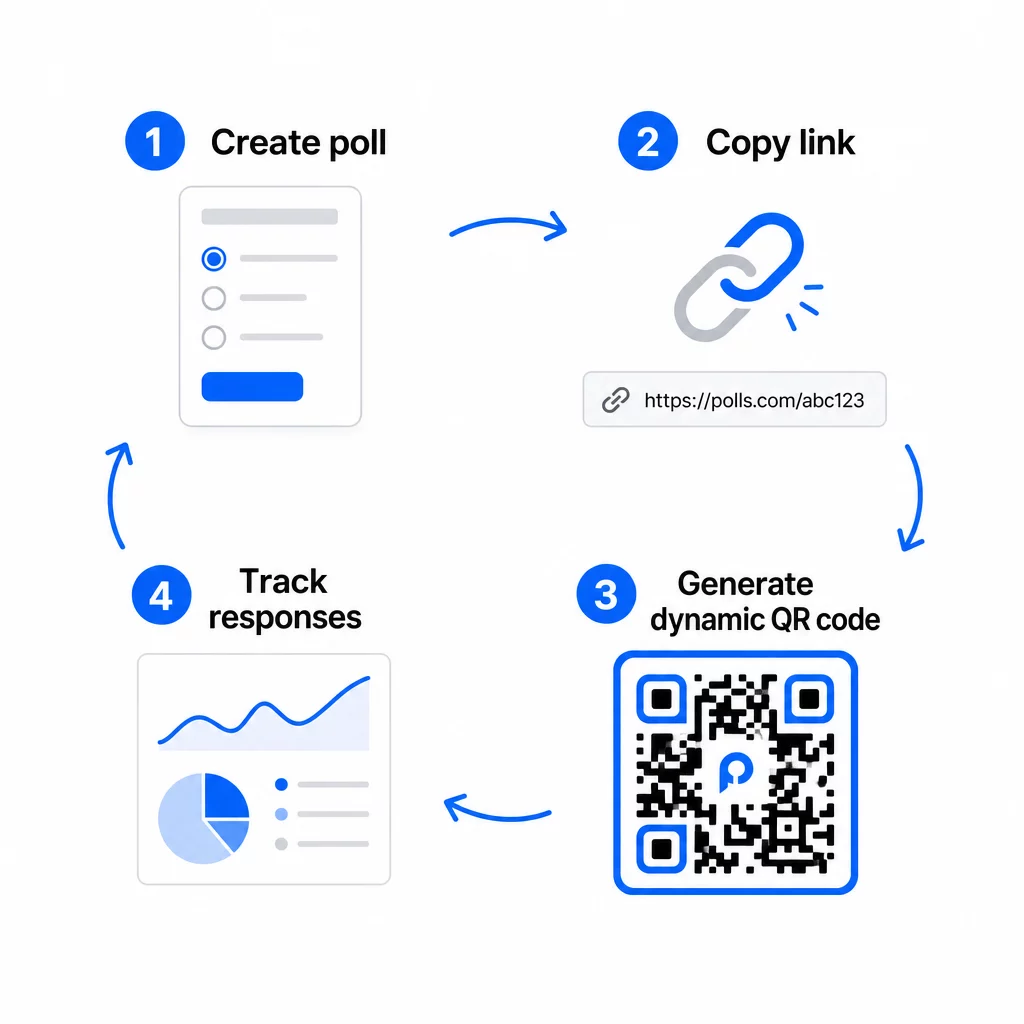
בשלב זה, עליך גם להחליט בין קוד QR סטטי לדינמי.
| תכונה | קודי QR סטטיים | קודי QR דינמיים |
|---|---|---|
| ניתן לעריכה לאחר יצירה | לא | כן |
| מעקב וניתוח סריקות | לא | כן |
| אורך כתובת URL בתבנית | ארוך, צפוף | קצר, נקי |
| מהירות סריקה | איטית יותר | מהירה יותר |
| עדכוני קמפיין | דורש קוד חדש | עדכן יעד בכל עת |
עבור רוב קמפייני הסקרים, קודי QR דינמיים הם הבחירה הטובה יותר. ניתן לעדכן את כתובת ה-URL של היעד לאחר שהקוד כבר הודפס – שימושי אם צריך להחליף סקר סגור בחדש, להאריך מועד אחרון, או להפנות לסקר המשך. קודים דינמיים גם פותחים ניתוח סריקות כולל ספירת סריקות, מיקום, סוג מכשיר וזמן סריקה.
עקוב אחר כל סריקה מסקר קוד ה-QR שלך רוצה לראות אילו מיקומים מניבים את מירב התגובות ומתי שיא המעורבות? השתמש ב-Pageloot’s מחולל קודי QR כדי ליצור קוד סקר דינמי עם מעקב מובנה ולוח מחוונים מרכזי לניתוח נתונים.
שלב 4: התאמה אישית של קוד ה-QR למותג שלך
קוד QR רגיל בשחור-לבן עובד, אך קוד ממותג מניב ביצועים טובים יותר. הוספת הלוגו וצבעי המותג שלך מאותתת שהקוד לגיטימי, מה שמגדיל את הסבירות שמישהו אכן יסרוק אותו.
הנחיות עיצוב מעשיות:
- תשתמש ב חזית כהה על רקע בהיר. שחור על לבן הוא האמין ביותר. כחול כהה או ירוק כהה על לבן גם עובדים היטב. לעולם אל תהפוך זאת – בהיר על כהה גורם לכשלים בסריקה.
- שמור על ניגודיות גבוהה לכל אורכו. ניגודיות נמוכה היא אחת הסיבות הנפוצות ביותר לכשלים בסריקת קודי QR.
- הוסף את לוגו החברה למרכז הקוד. זה בונה אמון במבט ראשון מבלי להשפיע על יכולת הסריקה, כל עוד הלוגו אינו מכסה יותר מכ-30% מהתבנית.
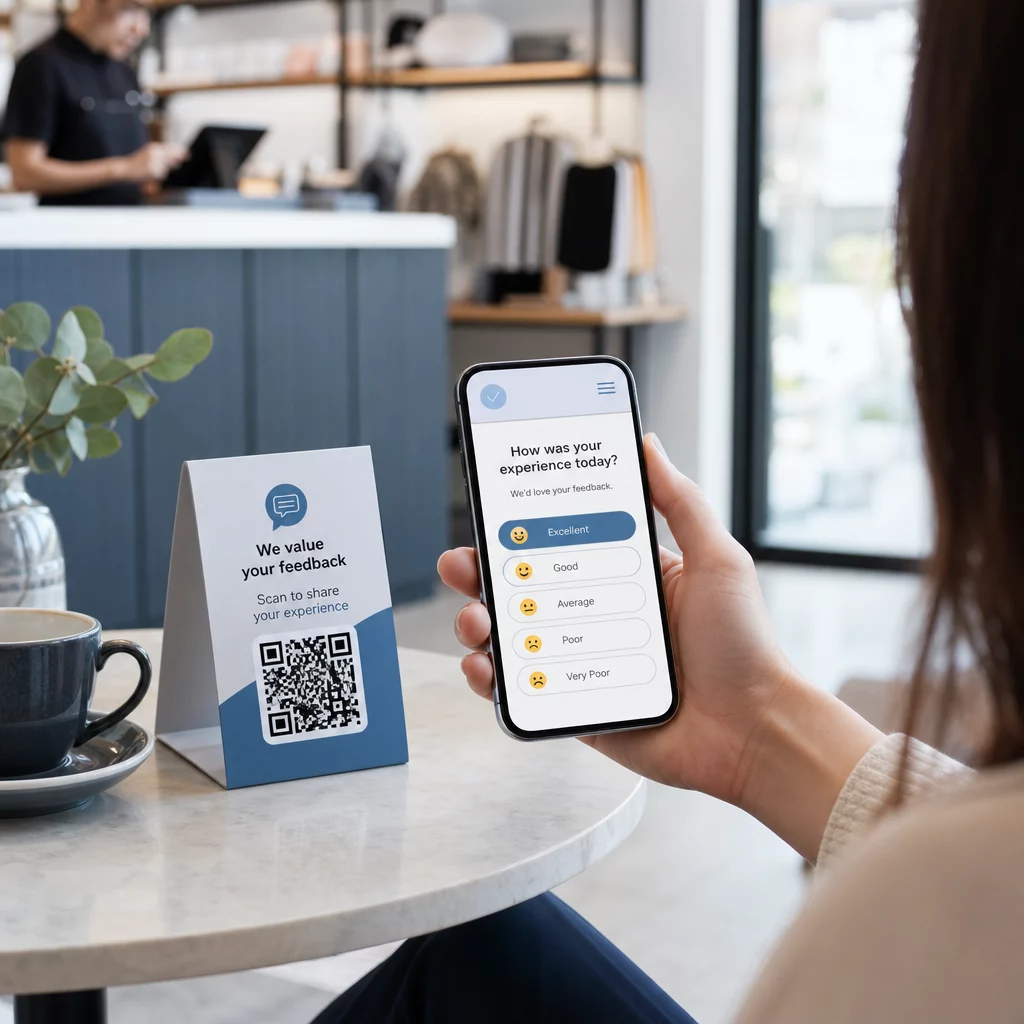
- כלול/הוסף א/ה קריאה לפעולה ליד (לא בתוך) הקוד – משהו כמו “סרוק כדי לשתף את המשוב שלך” או “קח את הסקר שלנו בן 60 שניות.” זה אומר לאנשים למה הם צריכים לסרוק ומה לצפות.
- עבור חומרים מודפסים, שמור את הקוד לפחות 0.8 × 0.8 אינץ' (2 × 2 ס"מ) לסריקה מטווח קרוב. עבור פוסטרים או שילוט הנצפים מרחוק יותר, החל את כלל 10:1: רוחב הקוד צריך להיות לפחות עשירית ממרחק הסריקה הצפוי.
- שמור על אזור שקט – לפחות ארבעה מודולים ריקים מכל צידי הקוד. אין טקסט, לוגו או זליגת צבע שיחדרו לגבול זה.
למידע נוסף על מיקום וגודל, ה- מדריך הצבת קוד QR לשיווק מכסה כל פורמט עיקרי בפירוט.
שלב 5: בדוק את הקוד לפני הפריסה
בדיקה אינה ניתנת למשא ומתן. קוד QR שלא מצליח להיסרק בשטח מבזבז את תקציב ההדפסה שלך ומתסכל את האנשים שאתה מנסה להגיע אליהם.
בדוק על פני:
- מכשירים מרובים: גם iOS וגם אנדרואיד, ולפחות דגם סמארטפון ישן יותר אחד.
- אפליקציות מרובות: אפליקציות מצלמה מובנות ואפליקציות סורק של צד שלישי.
- תנאים מרובים: תאורה שונה (כולל סנוור חיצוני), מרחקים שונים וזוויות שונות.
- דפדפנים מרובים: ודא שהסקר נטען ומוצג כהלכה בספארי, כרום ובדפדפנים נפוצים אחרים.
אם אתה משתמש בקוד דינמי, ודא שכתובת ה-URL של היעד פעילה ושהטופס נשלח בהצלחה מדפדפן נייד לפני הפריסה.
שלב 6: פרוס במיקומים הנכונים
המיקום שבו אתה מציב את קוד ה-QR קובע ישירות כמה תגובות תאסוף. קודי QR למשוב לקוחות עובדים בצורה הטובה ביותר כשהם מופיעים בנקודות עצירה טבעיות במסע הלקוח – רגעים שבהם למישהו יש זמן, הקשר ומוטיבציה להגיב.
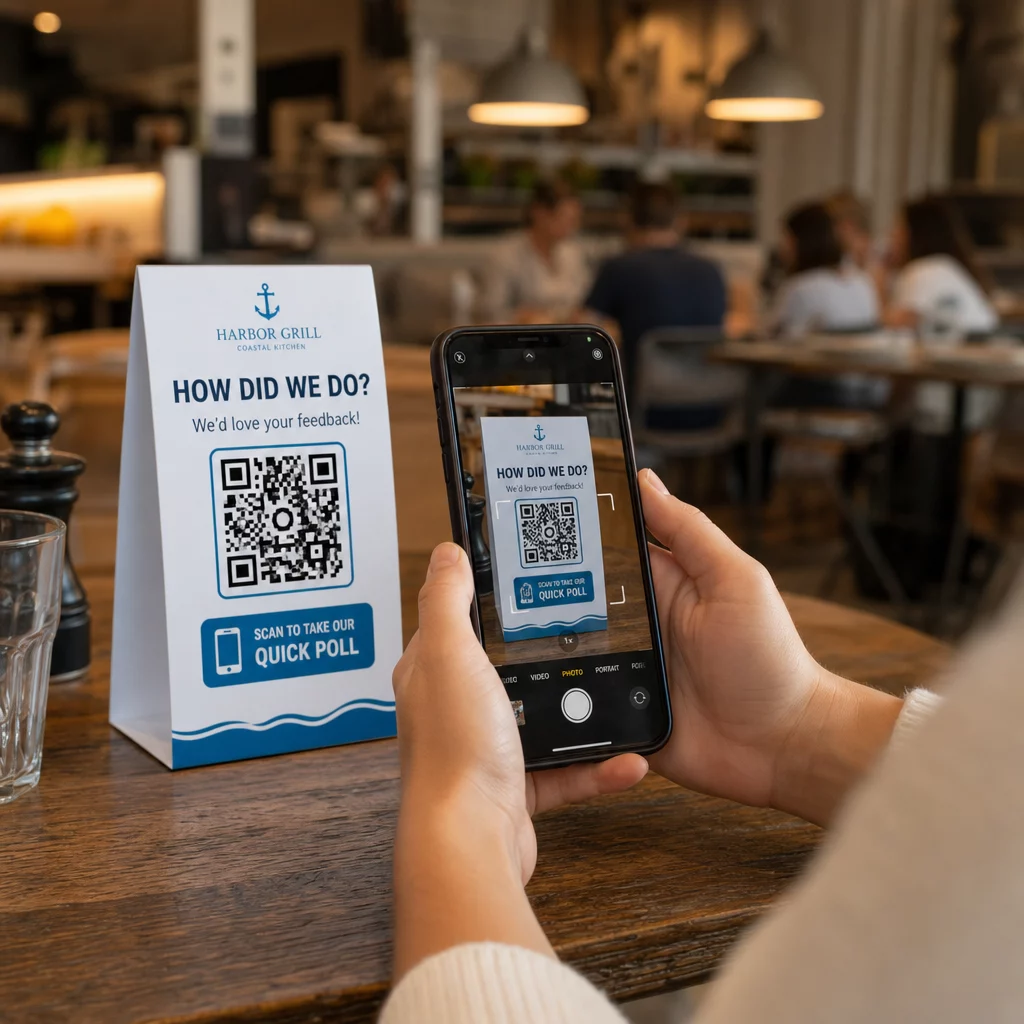
דוגמאות למיקום חזק:
- אוהלי שולחן או פלייסמטים במסעדות, ממוקמים במקומות שבהם סועדים מסתכלים באופן טבעי במהלך או אחרי ארוחה
- קבלות או אריזות כלולים עם רכישה, המעודדים משוב בזמן שהחוויה טרייה
- שילוט ליד יציאות של חנויות קמעונאיות או מקומות אירועים, לכידת רשמים בדרך החוצה
- דלפקי רישום או אזורי צ'ק-אין באירועים, שבהם למשתתפים יש רגע לפני שהם ממשיכים הלאה
- שקופיות מצגת בכנסים, מוצגות למשך 15–20 שניות עם הנחיה מילולית לסריקה
שמרו את הקודים בגובה העיניים (בערך 1.05–1.65 מטר מהקרקע) והרחק ממשטחים מחזירי אור או מעוקלים המעוותים את הסריקה. הימנעו מהצבת קודים באזורים עם תאורה חלשה, מאחורי זכוכית, או בזוויות לא נוחות. כל מיקום הצבה צריך לכלול הסבר קצר על מטרת הסקר והערכה כנה של משך הזמן הנדרש להשלמתו.
פרטיות והסכמה לנתונים
כאשר הסקר שלכם אוסף נתונים אישיים – שמות, מיילים, או כל תגובה שיכולה לזהות אדם – יש לכם חובות משפטיות ואתיות. חוקי הפרטיות בארה"ב הם אוסף של תקנות פדרליות ומדינתיות, אך דרישות נפוצות כוללות קבלת הסכמה לפני איסוף נתונים, הסבר כיצד הם ישמשו, ואבטחתם כראוי.
צעדים מעשיים לשמירה על עמידה בתקנות:
- הוסיפו שאלת הסכמה בתחילת הסקר המסבירה אילו נתונים נאספים, מדוע, כמה זמן הם יישמרו, ולמי לפנות עם שאלות. נתבו סירובים כך שלא יישמרו נתונים מאלה שמסרבים.
- השתמשו בקישורי HTTPS בלבד. הקידומת “https://” מאשרת שהנתונים מועברים עם הצפנת SSL/TLS.
- בחרו פלטפורמות סקרים ומחוללי קודי QR שאינם אוגרים נתוני משתמש מיותרים.
- אם הסקר שלכם מוצג בפומבי, בדקו את הקודים מעת לעת כדי לוודא שלא עברו עליהם מניפולציות או שהוחלפו.
- לנושאים רגישים, שקלו להגן על הסקר באמצעות סיסמה או להשתמש בבקרות גישה. קודי QR דינמיים מאפשרים לכם לעדכן הגדרות אלו מבלי להדפיס מחדש חומרים.
מדידת ביצועי הסקר
ברגע שהקמפיין שלכם פעיל, השתמשו בניתוח נתונים כדי להבין מה עובד ומה דורש התאמה. קודי QR דינמיים מעניקים לכם גישה למדדים החורגים הרבה מעבר לספירת תגובות פשוטה.
מדדים מרכזיים לניטור:
- סך סריקות לעומת סריקות ייחודיות: פער גדול ביניהם מצביע על מבקרים חוזרים או סריקות חוזרות בשוגג, ולא על משיבים חדשים.
- שיעור סריקה להשלמה: אם שיעורי הסריקה גבוהים אך השלמות הסקר נמוכות, ייתכן שהסקר שלכם ארוך מדי או שהשאלה הראשונה גורמת לנטישה.
- זמני סריקה שיא: חותמות זמן מראות מתי המעורבות היא הגבוהה ביותר, מה שיכול ליידע מתי להריץ קמפיינים עתידיים או מתי לאייש תגובות מעקב.
- פירוט גיאוגרפי: אם רוב הסריקות מגיעות ממיקום אחד אך אתם מכוונים למספר אתרים, התאימו את המיקום או השילוט במיקומים עם ביצועים נמוכים.
- נתוני מכשיר: מאשר אם העיצוב שלכם המותאם למובייל משרת את הקהל האמיתי שלכם כראוי.
הוספת פרמטרי UTM לכתובת ה-URL של הסקר שלכם לפני יצירת הקוד מאפשרת לכם למשוך נתונים אלה ל-Google Analytics לצד מדדי השיווק הרחבים יותר שלכם, ובכך לחבר את מעורבות סקר ה-QR לשאר דיווחי הקמפיין שלכם.
אם אתם מריצים מספר מיקומים בו-זמנית, התייחסו אליהם כאל מבחן A/B טבעי. השוו את שיעורי הסריקה וההשלמה בין מיקומים כדי לזהות אילו הקשרים מניעים את ההשתתפות החזקה ביותר, ולאחר מכן רכזו שם את המאמצים העתידיים.
חברו נתוני סקר לערימת השיווק שלכם השתמשו ב-Pageloot’s תכונות מעקב וניתוח כדי לנטר התנהגות סריקה בכל מיקומי קודי ה-QR שלכם, ולאחר מכן להתאים קמפיינים בזמן אמת – מבלי להדפיס מחדש חומר אחד.
מרכיבים את הכל יחד
סקרים באמצעות קודי QR יעילים ביותר כאשר כל אלמנט מכוון: מטרה ממוקדת, טופס קצר וידידותי למובייל, קוד דינמי מעוצב היטב, מיקום שמתאים למסע הלקוח, וניתוחים שמספרים לכם כיצד לשפר את הקמפיין הבא.
ה מחולל קוד QR של Pageloot נותן לכם את כל מה שאתם צריכים בפלטפורמה אחת – קודים דינמיים, אפשרויות מיתוג, ונתוני סריקה בזמן אמת. התחילו עם חשבון חינם והסקר הראשון שלכם יהיה פעיל תוך פחות מחמש עשרה דקות.
שאלות נפוצות
קוד QR סטטי מטמיע את כתובת ה-URL היעד באופן קבוע לתוך תבנית הקוד. לאחר שהודפס, לא ניתן לשנות אותו והוא אינו עוקב אחר סריקות. קוד QR דינמי משתמש בכתובת URL קצרה להפניה מחדש, מה שאומר שאתה יכול לעדכן את יעד הסקר בכל עת – גם לאחר שהחומרים כבר הודפסו – ולגשת לנתונים אנליטיים כגון מספר סריקות, מיקום, סוג מכשיר וזמן סריקה. עבור רוב קמפייני הסקרים, קודים דינמיים הם הבחירה הטובה יותר מכיוון שהם מאפשרים עריכות ומספקים את הנתונים שאתה צריך כדי למדוד ולשפר ביצועים.
השתמשו רק בקישורי סקר מאובטחים ב-HTTPS כדי להבטיח שהנתונים מוצפנים במעבר. הוסיפו שאלת הסכמה בתחילת הסקר המפרטת אילו נתונים נאספים, מדוע, וכמה זמן הם נשמרים. בחרו פלטפורמות סקרים ומחוללי קודי QR הממזערים אחסון נתונים מיותר. אם הסקר מוצג במרחב ציבורי, בדקו מעת לעת שהקוד לא שונה. עבור סקרים המכסים נושאים רגישים, השתמשו בהגנת סיסמה או בבקרות גישה – קודי QR דינמיים מאפשרים לכם לעדכן הגדרות אלו ללא הדפסה מחדש.
הגודל המינימלי המומלץ לסריקה מטווח קרוב הוא 0.8 × 0.8 אינץ' (2 × 2 ס"מ). עבור חומרים הנצפים ממרחק גדול יותר, השתמשו בכלל 10:1: רוחב קוד ה-QR צריך להיות לפחות עשירית ממרחק הסריקה הצפוי. קוד הנצפה ממרחק של חמישה רגל צריך להיות ברוחב של לפחות שישה אינץ'. שמרו תמיד על אזור שקט של לפחות ארבעה מודולים ריקים מכל צידי הקוד, ובדקו את הסריקה בתנאים אמיתיים לפני פריסה בקנה מידה גדול.