Hai difficoltà a raccogliere feedback dai clienti che sono proprio di fronte a te? I moduli cartacei vengono ignorati e gli URL lunghi dei sondaggi non vengono mai digitati. Questa guida ti illustra come creare un sondaggio con codice QR da zero – coprendo la scelta della piattaforma, la generazione del codice, il design, il posizionamento e il tracciamento – in modo da poter iniziare a raccogliere risposte immediatamente.
Perché i sondaggi con codice QR funzionano per il pubblico offline e mobile
Il problema principale dei sondaggi tradizionali è l'attrito. Digitare un URL su una tastiera mobile è abbastanza fastidioso da far sì che la maggior parte delle persone lo salti. Un codice QR rimuove completamente questa barriera – una scansione apre il sondaggio direttamente in un browser, senza bisogno di app.
Questo è particolarmente importante in contesti fisici: ristoranti, negozi al dettaglio, eventi, cliniche e aule. Il tuo pubblico è già presente e coinvolto. Un codice QR ben posizionato cattura quel momento prima che passi.
Alcuni motivi per cui i sondaggi con codice QR superano costantemente le alternative cartacee ed e-mail:
- Velocità: I tempi di completamento del sondaggio sono misurabilmente più rapidi perché non c'è l'inserimento manuale dell'URL o il passaggio di distribuzione del modulo.
- Portata: L'uso dei codici QR continua a crescere negli Stati Uniti, con volumi di scansione in aumento di anno in anno – il che significa che il tuo pubblico sa già come interagire con essi.
- Dati in tempo reale: Le risposte arrivano istantaneamente, così puoi agire sul feedback lo stesso giorno invece di aspettare un'esportazione in batch.
- Tracciabilità: Codici QR dinamici registrare il numero di scansioni, i tipi di dispositivo, le posizioni geografiche e i timestamp, fornendoti un contesto comportamentale insieme alle risposte del sondaggio stesso.
Come creare un sondaggio con codice QR: passo dopo passo
Passo 1: Definisci gli obiettivi del tuo sondaggio
Prima di costruire qualsiasi cosa, chiarisci cosa vuoi imparare e come misurerai il successo. Obiettivi vaghi producono domande vaghe. Chiediti:
- Stai misurando la soddisfazione dopo un acquisto o un'interazione di servizio?
- Stai raccogliendo opinioni durante o dopo un evento?
- Stai conducendo ricerche sul prodotto per informare una decisione futura?
Il tuo obiettivo modella anche i tempi e il formato del sondaggio. Un sondaggio post-acquisto su una ricevuta richiede domande diverse rispetto a un sondaggio per eventi dal vivo proiettato su uno schermo. Decidi in anticipo come dovrebbe essere un tasso di risposta o un'intuizione di successo in modo da poter valutare la campagna in seguito.
Passo 2: Crea il sondaggio su una piattaforma di sondaggi
Usa una piattaforma di sondaggi affidabile per creare le tue domande. Moduli di Google è un'opzione semplice e gratuita che si integra con Google Sheets per una facile revisione dei dati. Per logiche più avanzate, branding personalizzato o analisi dettagliate a livello di modulo, Typeform o SurveyMonkey sono valide alternative.
Quando progetti le tue domande, tieni a mente gli utenti mobili – che sono quasi tutti coloro che scannerizzeranno il codice. Segui questi principi:
- Mantienilo breve. Punta a meno di due minuti per il completamento. Sondaggi più lunghi perdono i rispondenti su mobile prima che raggiungano la fine.
- Un'idea per domanda. Evita domande a doppio barile che chiedono due cose contemporaneamente (ad esempio, “Il nostro servizio è stato veloce e cordiale?” dovrebbe essere diviso in due domande separate).
- Usa un linguaggio semplice. Riduci il numero di parole in ogni domanda senza sacrificare il significato.
- Rimani neutrale. Evita formulazioni che indirizzano i rispondenti verso una risposta particolare.
- Bilancia le tue scale. Se utilizzi scale di valutazione, includi un numero uguale di opzioni positive e negative e un punto medio chiaramente definito.
Una volta completato il sondaggio, genera un link condivisibile. In Google Moduli, fai clic su Invia, quindi seleziona l'icona del link per copiare l'URL.
Passaggio 3: Converti il link del sondaggio in un codice QR
Con il tuo URL del sondaggio pronto, incollalo in un generatore di codici QR. Quello di Pageloot Generatore di codici QR per link gestisce questo in pochi secondi – incolla l'URL e un codice scansionabile appare immediatamente.
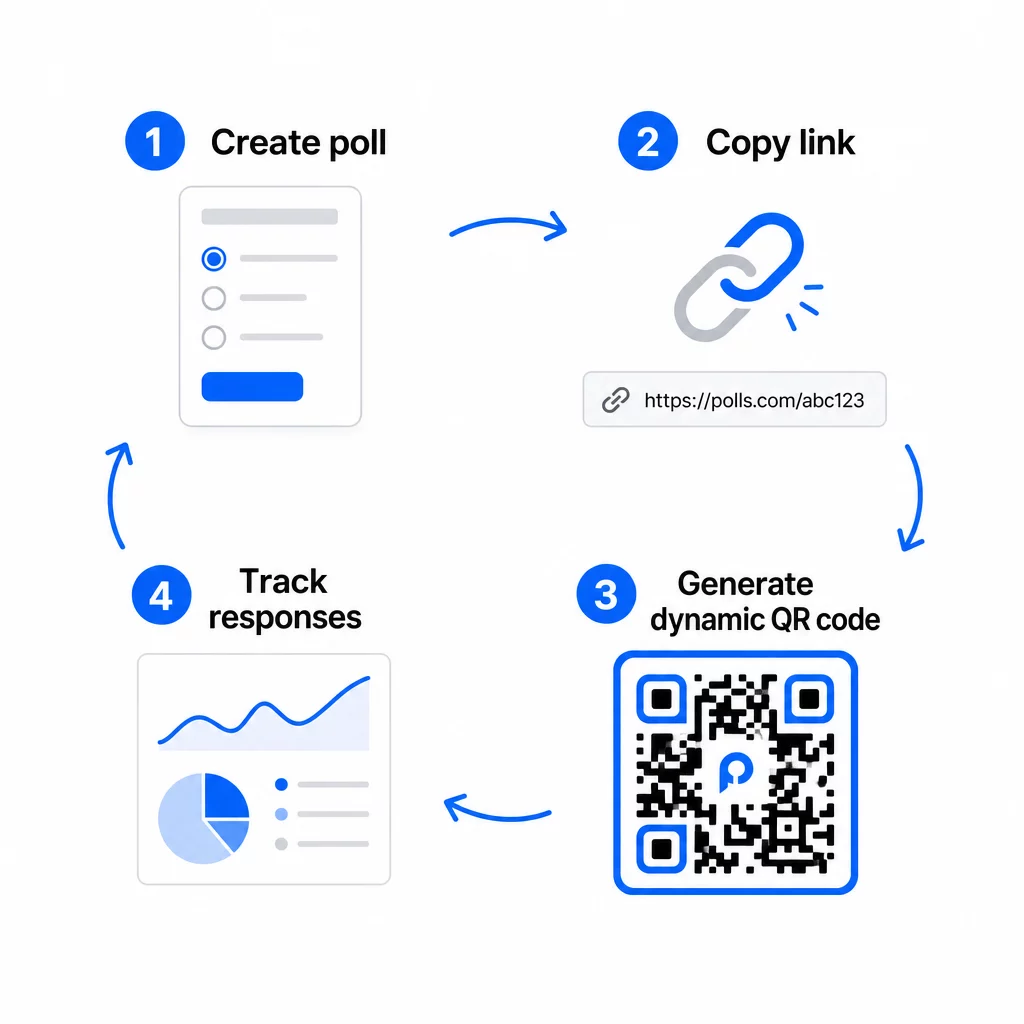
A questo punto, devi anche decidere tra un codice QR statico e uno dinamico.
| FUNZIONE | Codici QR statici | Codici QR Dinamici |
|---|---|---|
| Modificabile dopo la creazione | No | Sì |
| Monitoraggio e analisi delle scansioni | No | Sì |
| Lunghezza URL nel modello | Lungo, denso | Corto, pulito |
| Velocità di scansione | Più lento | Più veloce |
| Aggiornamenti della campagna | Richiede un nuovo codice | Aggiorna la destinazione in qualsiasi momento |
Per la maggior parte delle campagne di sondaggi, i codici QR dinamici sono la scelta migliore. Puoi aggiornare l'URL di destinazione dopo che il codice è già stampato – utile se devi sostituire un sondaggio chiuso con uno nuovo, estendere una scadenza o reindirizzare a un sondaggio di follow-up. I codici dinamici sbloccano anche dati di scansione inclusi il numero di scansioni, la posizione, il tipo di dispositivo e l'ora della scansione.
Tieni traccia di ogni scansione dal tuo sondaggio con codice QR Vuoi vedere quali posizioni generano il maggior numero di risposte e quando l'engagement raggiunge il picco? Usa il Generatore di codici QR di Pageloot per creare un codice di sondaggio dinamico con tracciamento integrato e una dashboard di analisi centralizzata.
Passaggio 4: Personalizza il codice QR per il tuo brand
Un semplice codice QR in bianco e nero funziona, ma uno brandizzato funziona meglio. Aggiungere il tuo logo e i colori del tuo brand segnala che il codice è legittimo, il che aumenta la probabilità che qualcuno lo scansioni effettivamente.
Linee guida pratiche per il design:
- Usare un primo piano scuro su uno sfondo chiaro. Il nero su bianco è il più affidabile. Anche il blu scuro o il verde scuro su bianco funzionano bene. Non invertire mai questo – chiaro su scuro causa errori di scansione.
- Mantieni un contrasto elevato in tutto. Un contrasto basso è una delle ragioni più comuni per cui i codici QR non riescono a essere scansionati.
- Aggiungi il tuo logo aziendale al centro del codice. Questo crea fiducia a prima vista senza compromettere la scansionabilità, purché il logo non copra più di circa il 30% del pattern.
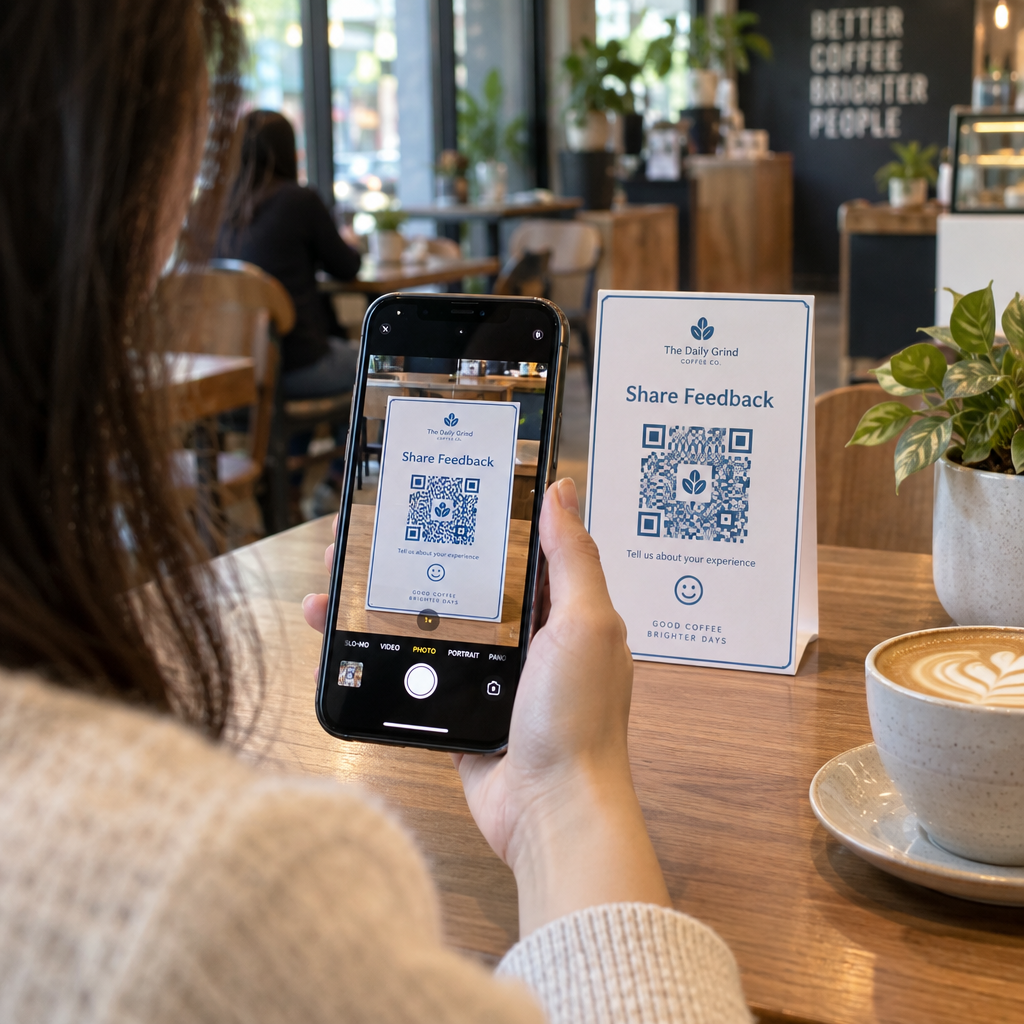
- Includi un invito all'azione vicino (non all'interno) al codice – qualcosa come “Scansiona per condividere il tuo feedback” o “Partecipa al nostro sondaggio di 60 secondi.” Questo dice alle persone perché dovrebbero scansionare e cosa aspettarsi.
- Per i materiali stampati, mantieni il codice almeno 0,8 × 0,8 pollici (2 × 2 cm) per la scansione a distanza ravvicinata. Per poster o segnaletica visualizzati da più lontano, applica la regola 10:1: la larghezza del codice dovrebbe essere almeno un decimo della distanza di scansione prevista.
- Preserva un zona silenziosa – almeno quattro moduli vuoti su tutti i lati del codice. Nessun testo, logo o sbavatura di colore dovrebbe invadere questo bordo.
Per maggiori informazioni su posizionamento e dimensionamento, il Guida al posizionamento dei codici QR per il marketing copre ogni formato principale in dettaglio.
Passo 5: Testa il Codice Prima del Deployment
Il test è non negoziabile. Un codice QR che non riesce a essere scansionato sul campo spreca il tuo budget di stampa e frustra le persone che stai cercando di raggiungere.
Testa su:
- Dispositivi multipli: Sia iOS che Android, e almeno un modello di smartphone più vecchio.
- App multiple: App fotocamera integrate e app scanner di terze parti.
- Condizioni multiple: Illuminazione diversa (incluso il riverbero esterno), distanze diverse e angolazioni diverse.
- Browser multipli: Conferma che il sondaggio si carica e viene visualizzato correttamente in Safari, Chrome e altri browser comuni.
Se stai utilizzando un codice dinamico, verifica che l'URL di destinazione sia attivo e che il modulo venga inviato correttamente da un browser mobile prima di implementare.
Passo 6: Implementa nelle posizioni giuste
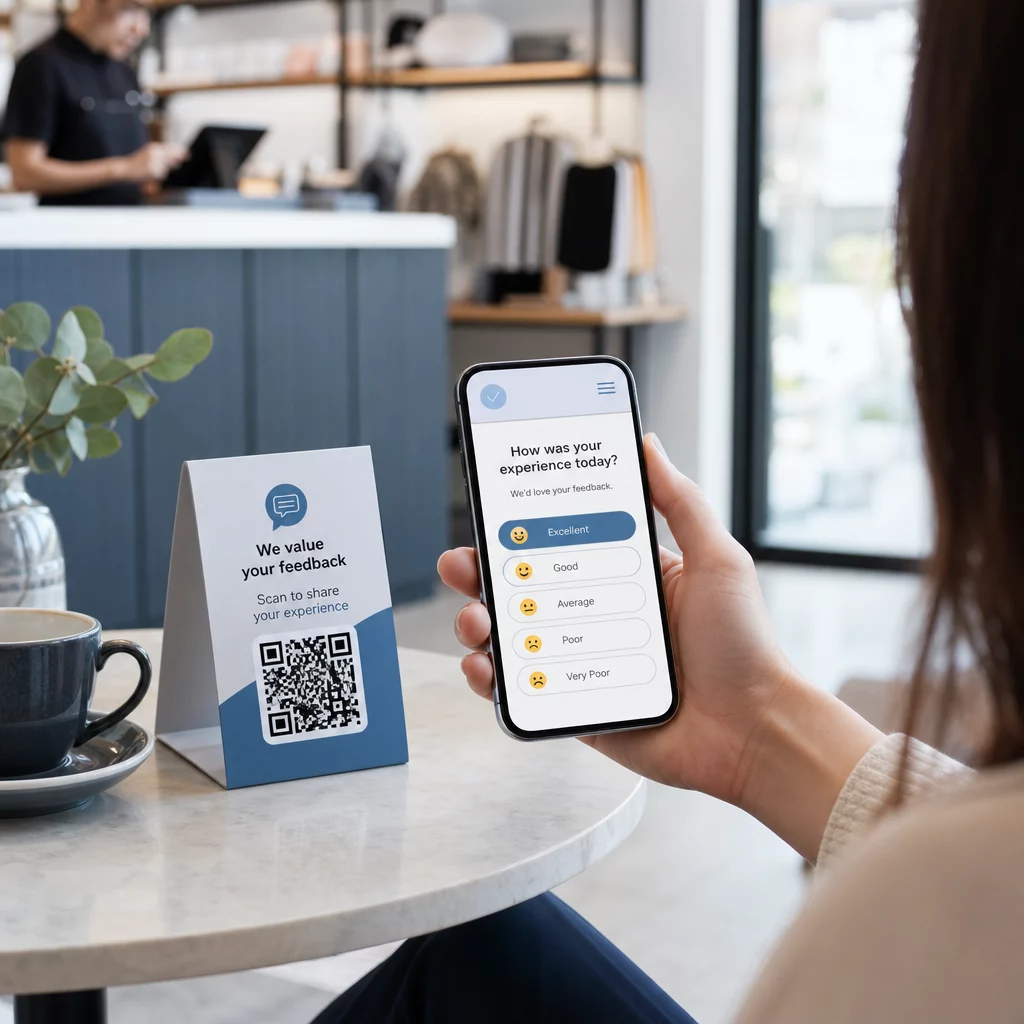
Dove posizioni il codice QR determina direttamente quante risposte raccogli. i codici QR per il feedback dei clienti funzionano meglio quando appaiono in punti di pausa naturali nel percorso del cliente – momenti in cui qualcuno ha tempo, contesto e motivazione per rispondere.
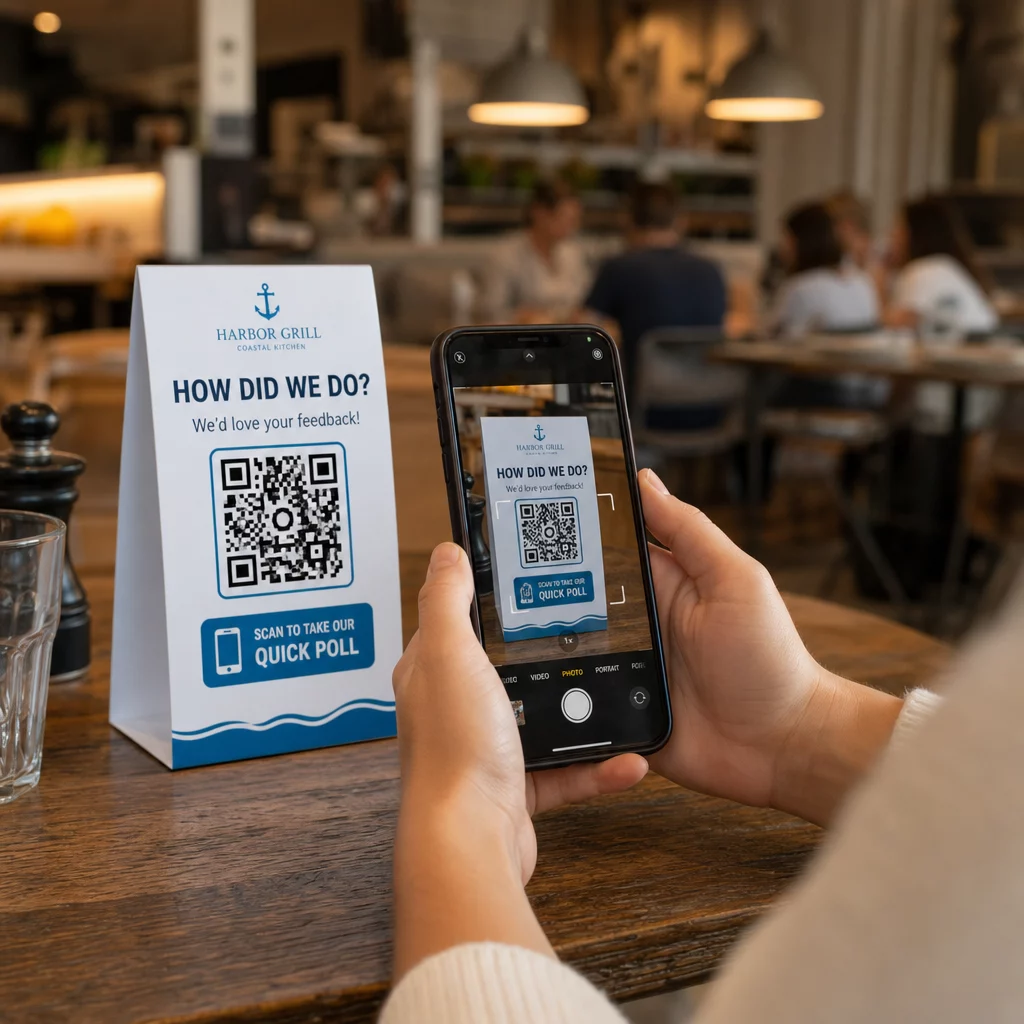
Esempi di posizionamento efficace:
- Segnatavoli o tovagliette nei ristoranti, posizionati dove i commensali guardano naturalmente durante o dopo un pasto
- Scontrini o imballaggi inclusi con un acquisto, sollecitando feedback mentre l'esperienza è fresca
- Cartellonistica vicino alle uscite di negozi al dettaglio o luoghi di eventi, catturando impressioni all'uscita
- Banchi di registrazione o aree check-in agli eventi, dove i partecipanti hanno un momento prima di proseguire
- Diapositive di presentazione alle conferenze, visualizzate per 15-20 secondi con un invito verbale alla scansione
Mantenere i codici all'altezza degli occhi (all'incirca da 1 a 1,7 metri da terra) e lontano da superfici riflettenti o curve che distorcono la scansione. Evitare di posizionare i codici in aree con poca luce, dietro il vetro o ad angolazioni scomode. Ogni luogo di posizionamento dovrebbe includere una breve spiegazione dello scopo del sondaggio e una stima onesta del tempo necessario per completarlo.
Privacy e Consenso ai Dati
Quando il tuo sondaggio raccoglie dati personali – nomi, email o qualsiasi risposta che possa identificare un individuo – hai obblighi legali ed etici. La legge sulla privacy degli Stati Uniti è un mosaico di regolamenti federali e statali, ma i requisiti comuni includono l'ottenimento del consenso prima di raccogliere dati, la spiegazione di come verranno utilizzati e la loro adeguata protezione.
Passi pratici per rimanere conformi:
- Aggiungi una domanda di consenso all'inizio del sondaggio che spieghi quali dati vengono raccolti, perché, per quanto tempo verranno conservati e chi contattare per domande. Gestisci i rifiuti in modo che nessun dato venga raccolto da coloro che rifiutano.
- Utilizzare solo link HTTPS. Il prefisso “https://” conferma che i dati vengono trasmessi con crittografia SSL/TLS.
- Scegli piattaforme di sondaggio e generatori di codici QR che non memorizzano dati utente non necessari.
- Se il tuo sondaggio è visualizzato pubblicamente, controlla periodicamente i codici per assicurarti che non siano stati manomessi o sostituiti.
- Per argomenti sensibili, considera di proteggere il sondaggio con password o di utilizzare controlli di accesso. I codici QR dinamici ti consentono di aggiornare queste impostazioni senza ristampare i materiali.
Misurare le Prestazioni del Sondaggio
Una volta che la tua campagna è attiva, usa l'analisi per capire cosa funziona e cosa necessita di aggiustamenti. I codici QR dinamici ti danno accesso a metriche che vanno ben oltre un semplice conteggio delle risposte.
Metriche chiave da monitorare:
- Scansioni totali vs. scansioni uniche: Un ampio divario tra questi suggerisce visitatori ripetuti o scansioni accidentali piuttosto che nuovi rispondenti.
- Tasso di scansione-completamento: Se i tassi di scansione sono alti ma i completamenti del sondaggio sono bassi, il tuo sondaggio potrebbe essere troppo lungo o la prima domanda sta causando l'abbandono.
- Orari di punta delle scansioni: I timestamp mostrano quando l'engagement è più alto, il che può indicare quando lanciare future campagne o quando assegnare personale per le risposte di follow-up.
- Ripartizione geografica: Se la maggior parte delle scansioni proviene da una sola località ma stai mirando a più siti, regola il posizionamento o la segnaletica nelle località con prestazioni inferiori.
- Dati del dispositivo: Conferma se il tuo design mobile-first sta servendo correttamente il tuo pubblico effettivo.
L'aggiunta di parametri UTM all'URL del sondaggio prima di generare il codice ti consente di importare questi dati in Google Analytics insieme alle tue metriche di marketing più ampie, collegando l'engagement del sondaggio QR al resto del reporting della tua campagna.
Se stai eseguendo più posizionamenti contemporaneamente, trattali come un test A/B naturale. Confronta i tassi di scansione e completamento tra le località per identificare quali contesti guidano la partecipazione più forte, quindi concentra lì i tuoi sforzi futuri.
Collega i dati del sondaggio al tuo stack di marketing Usa di Pageloot funzionalità di tracciamento e analisi per monitorare il comportamento di scansione su tutti i tuoi posizionamenti di codici QR, quindi regolare le campagne in tempo reale – senza ristampare un singolo materiale.
Mettere tutto insieme
I sondaggi con codice QR sono più efficaci quando ogni elemento è intenzionale: un obiettivo mirato, un modulo breve e mobile-friendly, un codice dinamico ben progettato, un posizionamento che si adatta al percorso del cliente e analisi che ti dicono come migliorare la prossima campagna.
Il sito Generatore di codici QR di Pageloot ti offre tutto ciò di cui hai bisogno in un'unica piattaforma – codici dinamici, opzioni di branding e dati di scansione in tempo reale. Inizia con un account gratuito e avrai il tuo primo sondaggio attivo in meno di quindici minuti.
Domande frequenti
Un codice QR statico incorpora l'URL di destinazione in modo permanente nel modello del codice. Una volta stampato, non può essere modificato e non traccia le scansioni. Un codice QR dinamico utilizza un URL di reindirizzamento breve, il che significa che puoi aggiornare la destinazione del sondaggio in qualsiasi momento – anche dopo che i materiali sono già stati stampati – e accedere ad analisi come il numero di scansioni, la posizione, il tipo di dispositivo e l'ora della scansione. Per la maggior parte delle campagne di sondaggio, i codici dinamici sono la scelta migliore perché consentono modifiche e forniscono i dati necessari per misurare e migliorare le prestazioni.
Utilizzare solo link di sondaggio protetti da HTTPS per garantire che i dati siano crittografati durante il transito. Aggiungere una domanda di consenso all'inizio del sondaggio che spieghi quali dati vengono raccolti, perché e per quanto tempo vengono conservati. Scegliere piattaforme di sondaggio e generatori di codici QR che minimizzino l'archiviazione non necessaria dei dati. Se il sondaggio è visualizzato in uno spazio pubblico, controllare periodicamente che il codice non sia stato manomesso. Per i sondaggi che trattano argomenti sensibili, utilizzare la protezione con password o i controlli di accesso – i codici QR dinamici consentono di aggiornare queste impostazioni senza ristampare.
La dimensione minima consigliata per la scansione a distanza ravvicinata è di 0,8 × 0,8 pollici (2 × 2 cm). Per i materiali visualizzati da una distanza maggiore, usa la regola 10:1: la larghezza del codice QR dovrebbe essere almeno un decimo della distanza di scansione prevista. Un codice visualizzato da cinque piedi di distanza dovrebbe essere largo almeno sei pollici. Preserva sempre una zona di silenzio di almeno quattro moduli vuoti su tutti i lati del codice e testa la scansione in condizioni reali prima di implementare su larga scala.