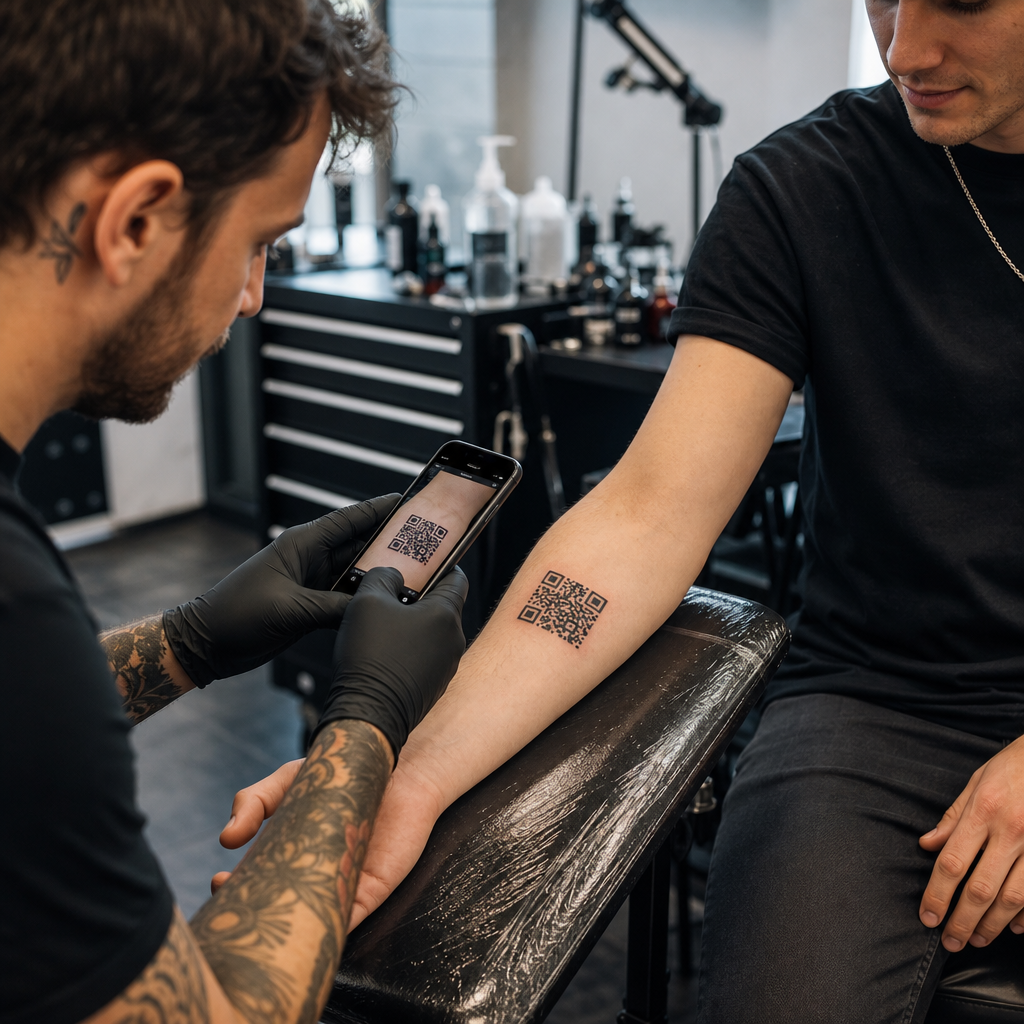

Overweeg je om een QR-code op de huid van een klant te tatoeëren of er een te gebruiken in je marketing, maar ben je bang dat deze niet meer scant? Een niet-functionerende tatoeage leidt tot blijvende frustratie bij klanten, terwijl kapotte promotiecodes je marketingbudget verspillen. Hier lees je alles wat je moet weten over huidfysica, scanrisico's en de beste marketingpraktijken voor je studio.
De technische haalbaarheid van QR-code tatoeages
Het is technisch mogelijk om een scanbare QR-code direct op de menselijke huid te tatoeëren, maar dit brengt aanzienlijke fysieke uitdagingen met zich mee. In tegenstelling tot papier of vlakke borden, rekt, buigt en kromt de menselijke huid over de onderliggende spiergroepen. Wanneer een smartphonecamera een QR-code probeert te decoderen, zoekt deze naar een strakke geometrie, duidelijke module-randen en precieze vierkante verhoudingen. Lichaamsbeweging verstoort deze verhoudingen, waardoor de scannersoftware het datapatroon verkeerd interpreteert.
Na verloop van tijd zorgen natuurlijke huidveroudering en pigmentmigratie voor extra risico's bij het scannen. Inktdeeltjes verspreiden zich microscopisch onder de huid naarmate een tatoeage geneest en veroudert. Deze geleidelijke vervaging van scherpe zwarte lijnen vermindert het onderscheidingsvermogen dat nodig is voor sensoren van mobiele apparaten.
Om een op een skin gebaseerde code ook maar enige kans op leesbaarheid op de lange termijn te geven, moet je begrijpen hoe Foutcorrectie werkt in bewerkbare QR-codes.. QR-codes maken gebruik van Reed-Solomon-foutcorrectiealgoritmen om ontbrekende of onduidelijke gegevens te herstellen, verdeeld over vier gestandaardiseerde niveaus:
- Niveau L (7%)Herstelt tot 7% aan ontbrekende gegevens, waardoor het ongeschikt is voor organische of bewegende oppervlakken.
- Niveau M (15%)Herstelt tot 15% aan ontbrekende gegevens en dient als standaard voor basisprintmedia.
- Niveau Q (25%)Herstelt tot 25% aan ontbrekende gegevens en biedt bescherming tegen matige oppervlaktevervorming.
- Niveau H (30%)Herstelt tot 30% aan ontbrekende gegevens, waardoor de maximale veerkracht wordt geboden die nodig is voor toepassingen op de huid.
Zelfs met foutcorrectie op niveau H zal een statische, vastgelegde link die op de huid is getatoeëerd, permanent onbruikbaar worden als de doel-URL verandert of niet meer werkt. Door dynamische codes te gebruiken, zorgt u ervoor dat, zelfs als uw klant jaren later zijn gekoppelde portfolio, sociale profiel of audiotrack wil wijzigen, de bestemmingslink volledig bewerkbaar blijft achter hetzelfde fysieke tatoeagepatroon.
Maak flexibele links voordat je gaat tekenen. Tatoeëer nooit een hardgecodeerde statische link die binnen een jaar mogelijk niet meer werkt. Gebruik de Dynamische QR code generator zodat de bestemmingslink op elk moment kan worden bijgewerkt.
Ontwerp- en plaatsingsregels voor permanente huidcodes
Als een klant per se een QR-code tatoeage wil, moet je de plaatsing op het lichaam en het ontwerp van de sjabloon uiterst zorgvuldig te werk gaan. De huid gedraagt zich vergelijkbaar met flexibele textielsoorten, waarbij beweging zorgt voor natuurlijke plooien en uitrekking. Voor meer informatie over flexibele oppervlakken, raadpleeg onze handleiding over scanbare QR-codes voor kleding.
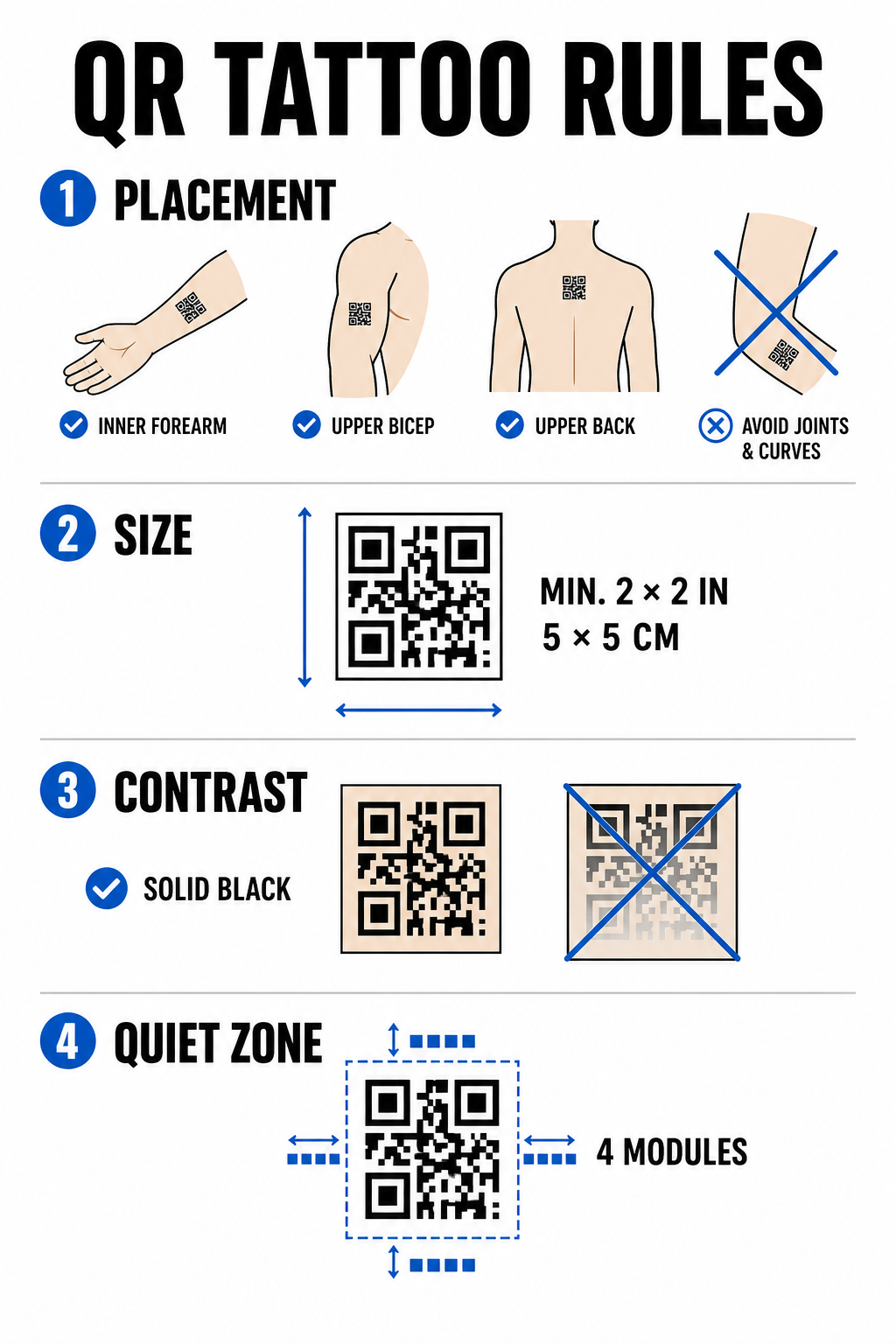
Om scanfouten op de lange termijn te minimaliseren, dient u zich aan deze structurele ontwerpbeperkingen te houden.
Plaatsingsselectie
Kies vlakke, stabiele anatomische plekken met minimale spierbuiging of verschuivingen in de vetverdeling. Ideale locaties zijn de binnenkant van de onderarm, het vlakke gedeelte van de bovenarm of de bovenrug onder de nek. Vermijd plaatsing boven gewrichten, ribben, polsen, enkels of gebieden die gevoelig zijn voor aanzienlijke striemen.
Maatbeperkingen
Tatoeëer nooit een QR-code kleiner dan 5 x 5 cm. Dichte datastructuren vereisen nog grotere afmetingen om leesbaar te blijven. Kleinere modules zullen binnen enkele jaren samensmelten tot een compacte massa doordat de inkt door de huid migreert, waardoor de code onleesbaar wordt.
Contrastnormen
Scanners vertrouwen op een hoog contrast tussen een lichte huidskleur en een donkere inktkleur op de voorgrond. Effen zwarte inkt op een lichte tot gemiddelde huidskleur biedt de hoogste contrastverhouding. Vermijd het gebruik van gekleurde inkt, subtiele kleurovergangen of witte inktaccenten binnen het gegevensraster, aangezien camerasensoren deze middentonen inconsistent interpreteren. Raadpleeg de strikte richtlijnen. best practices voor kleurcontrast bij het plannen van leidingwerk.
Regels voor de stiltezone
Elke code vereist een duidelijke, ononderbroken marge rondom de omtrek – de zogenaamde rustzone – die minstens vier modules breed is. Omringend artwork, schaduw of achtergrondvulling mogen niet te dicht bij de buitenranden van het tattoo-raster komen.
| Factor | Getatoeëerde QR-codes (op de huid) | QR-codes voor studiomarketing (print/digitaal) |
|---|---|---|
| Duurzaamheid | Hoog fysiek risico door veroudering en verspreiding van inkt. | Duurzaam en gemakkelijk te vervangen. |
| Groottelimiet | Beperkt door het beschikbare anatomische oppervlak. | Veelzijdig te gebruiken op posters, kaarten en banners. |
| Foutcorrectie | Verplicht niveau H (30%) | Standaardniveau M (15%) of niveau H (30%) |
| Linkbeheer | Vereist dynamische code om te voorkomen dat URL's niet werken. | Maakt gebruik van dynamische codes voor eenvoudige campagne-updates. |
Effectieve QR-code strategieën voor studiomarketing
Hoewel het tatoeëren van codes op klanten biologische risico's met zich meebrengt, biedt het gebruik van QR-codes voor de promotie van je studio op fysieke producten een betrouwbare manier om boekingen te genereren en de communicatie met klanten te beheren. diverse zakelijke toepassingen.
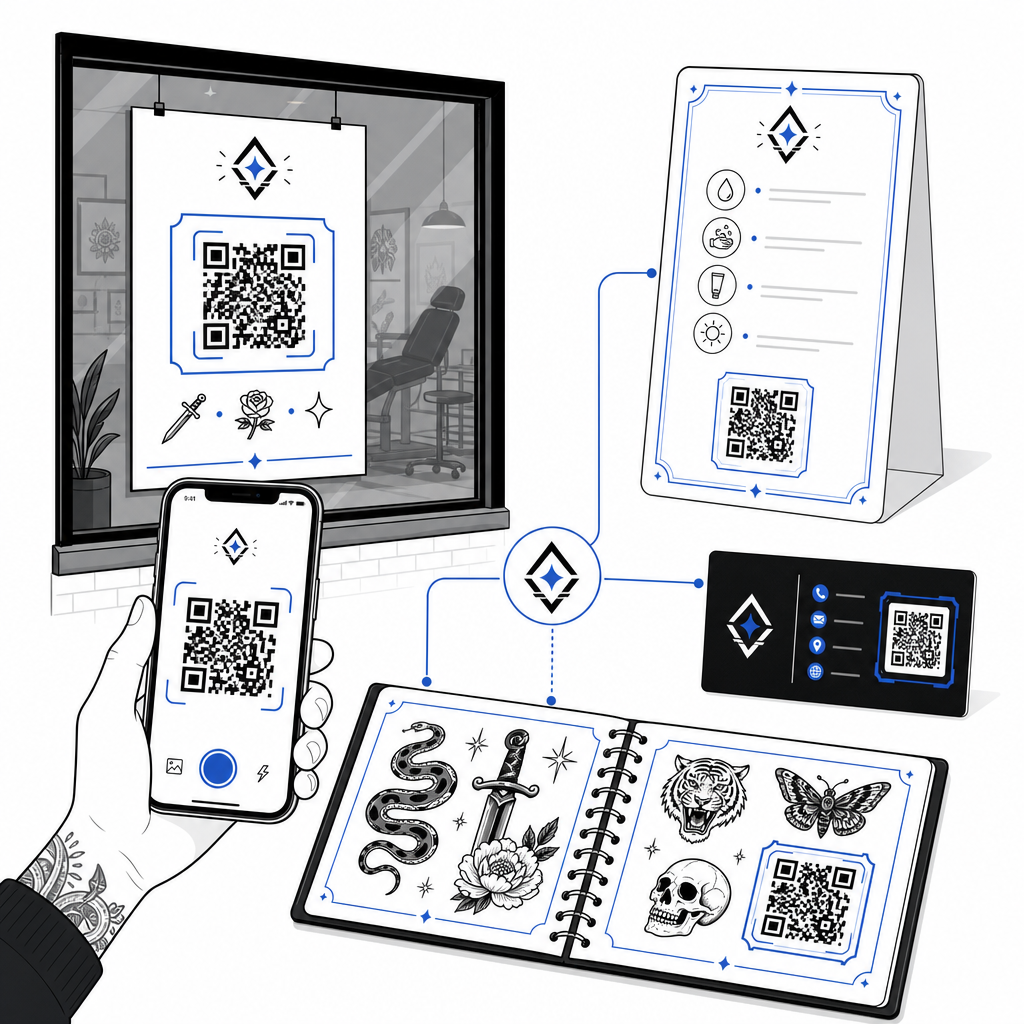
Digitale nazorginstructies
Door klanten geprinte nazorgkaarten met een dynamische QR-code te geven, kunnen ze deze scannen om toegang te krijgen tot directe nazorgrichtlijnen, links naar aanbevolen producten of instructievideo's. Als uw winkel de aanbevelingen voor nazorgmerken of productpartners bijwerkt, kunt u het digitale bestand online bijwerken zonder de fysieke kaarten opnieuw te hoeven printen.
Interactieve flashsheets en portfolio's
Voeg subtiele QR-codes toe naast de flash-ontwerpen in uw fysieke winkelbrochures of etalages. Klanten die wachten op een afspraak kunnen de flash-ontwerpen scannen om de prijs te bekijken, foto's van genezen resultaten te bekijken of de betreffende flash-kunst direct via uw online boekingssysteem te reserveren.
Winkelraamreclame en visitekaartjes
Voorbijgangers kunnen buiten openingstijden raamstickers scannen om de beschikbaarheid van de studio te controleren, artiestenlijsten te bekijken of direct naar Instagram-feeds te gaan. Door merkcodes toe te voegen aan visitekaartjes van artiesten wordt traditioneel netwerken omgezet in direct digitaal contact opslaan.
Ontwikkel gepersonaliseerde merkcodes voor uw studio. Geef uw marketingmateriaal een professionele uitstraling door uw winkellogo en aangepaste kaderstijlen toe te voegen. Ontwerp uw merkidentiteit met de QR code met logo maken vandaag.
Beste werkwijzen voor scanbaarheid en testen
Of het nu gaat om het voorbereiden van een sjabloon voor een huidapplicatie of het ontwerpen van promotionele bewegwijzering voor uw receptie, strenge kwaliteitscontroles voorkomen mislukte scans in het veld.
- Houd de gegevens eenvoudig.Gebruik verkorte dynamische links om de gegevensdichtheid te verlagen, wat resulteert in grotere, minder rommelige moduleblokken.
- Controleer het kleurcontrast.Gebruik diepzwarte inkt op lichte achtergronden en zorg ervoor dat het contrast voldoet aan de leesbaarheidseisen van mobiele camera's.
- Houd de rustzone in standZorg ervoor dat de code aan alle vier zijden een duidelijke rand behoudt, vrij van achtergrondschaduw, omringende tatoeages of grafische randen.
- Testen onder reële omstandighedenTest je eerste sjabloon op de huid met behulp van een smartphonecamera of een online tool. QR-code scanner terwijl de cliënt zijn of haar lichaam beweegt of draait.
- Volg de algemene leesbaarheidsregels.Controleer de afstand van de camera, de omgevingsverlichting en de scherpte van de lijnen voordat u een print- of tattoo-project afrondt. Bekijk onze volledige lijst. richtlijnen voor de leesbaarheid van QR-codes om uw ontwerp te controleren.
QR-codes beheersen in je studio
Het tatoeëren van QR-codes op de huid vereist realistische verwachtingen van de klant: biologische veroudering, inktverspreiding en huidbewegingen maken huidcodes veel onvoorspelbaarder dan standaard gedrukte media. Door gebruik te maken van een hoge foutcorrectie en dynamische links hebben huidtatoeages de beste kans op succes. Tegelijkertijd biedt het inzetten van dynamische QR-codes op het fysieke marketingmateriaal van uw shop een strakke, flexibele verbinding tussen uw offline flashwall en uw online boekingskalender.
Om traceerbare, aanpasbare codes in te stellen voor uw winkelreclame, onderhoudsinstructies en portfolio's, kunt u beginnen met het bouwen van de volgende tools: Pageloot QR-codegenerator vandaag.
Veelgestelde vragen
De huid veroudert, rekt uit en inkt migreert na verloop van tijd, waardoor scherpe randen kunnen vervagen en de scanbaarheid afneemt. Het gebruik van foutcorrectie op niveau H en dynamische URL's geeft de tatoeage de beste operationele levensduur, maar de leesbaarheid op de huid op de lange termijn kan niet worden gegarandeerd.
Een QR-code tattoo moet minimaal 5 x 5 cm groot zijn. De gecodeerde data heeft voldoende ruimte nodig, zodat de afzonderlijke modules niet vervagen tijdens het genezingsproces of door huidbewegingen in de loop der jaren.
Met dynamische QR-codes kunt u de bestemmingslink wijzigen – bijvoorbeeld om uw flashcatalogus, boekingsformulier of nazorghandleiding bij te werken – zonder dat u fysieke visitekaartjes, posters of raamstickers opnieuw hoeft te laten drukken.