Adakah invois anda tidak berbayar lama selepas tarikh akhir? Pembayaran lewat adalah salah satu masalah aliran tunai yang paling biasa dihadapi perniagaan – dan pemacu penting adalah semata-mata geseran yang terlibat dalam pembayaran. Panduan ini menunjukkan kepada anda bagaimana menambah kod QR pada invois anda menghilangkan geseran itu dan memasukkan wang ke akaun anda dengan lebih cepat.
Mengapa Pembayaran Invois Lewat Adalah Masalah Perniagaan Sebenar
Angka-angka sukar untuk diabaikan. 56% perniagaan kecil A.S. melaporkan bahawa mereka terhutang wang daripada invois yang tidak berbayar atau lewat, dan secara purata perniagaan-perniagaan itu membawa lebih daripada $17,000 dalam penghutang tertunggak setiap satu. Pembayaran biasanya tiba 8.2 hari selepas tarikh akhir yang dipersetujui – bukan kerana pelanggan tidak berniat untuk membayar, tetapi kerana aliran kerja invois-ke-pembayaran tradisional mempunyai terlalu banyak langkah.
Pelanggan menerima invois kertas atau PDF, kemudian perlu mencari butiran perbankan anda, melayari portal pembayaran, atau ingat untuk menulis cek. Setiap langkah tambahan adalah peluang untuk kelewatan. Semakin mudah anda membuat pembayaran, semakin cepat anda dibayar.
Bagaimana Kod QR pada Invois Berfungsi
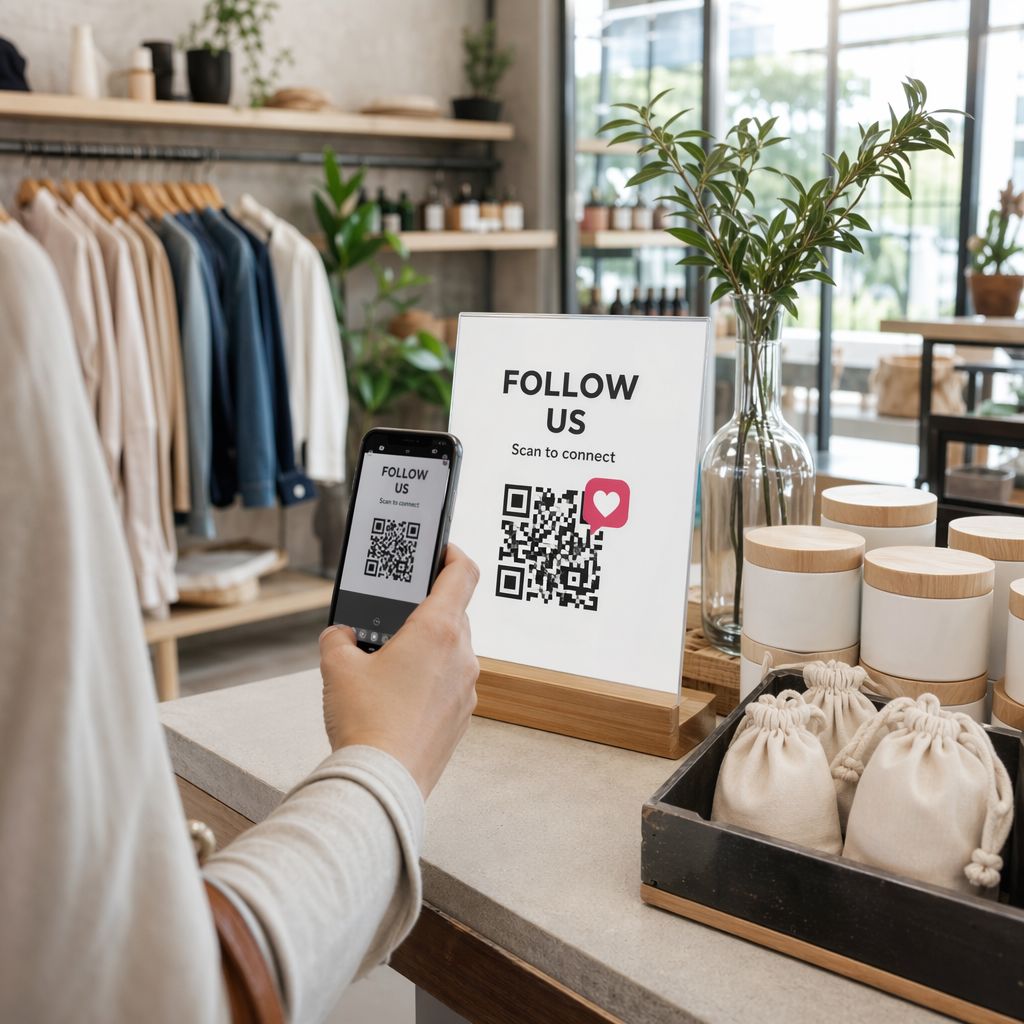
Kod QR pembayaran pada invois mengekod URL yang membawa terus ke halaman pembayaran yang selamat. Apabila pelanggan mengimbas kod itu dengan kamera telefon pintar mereka, halaman pembayaran terbuka secara automatik dalam pelayar mereka. Mereka mengesahkan jumlah, memilih kaedah pembayaran mereka – kad kredit, pindahan bank, dompet digital – dan menyelesaikan transaksi dalam beberapa saat.
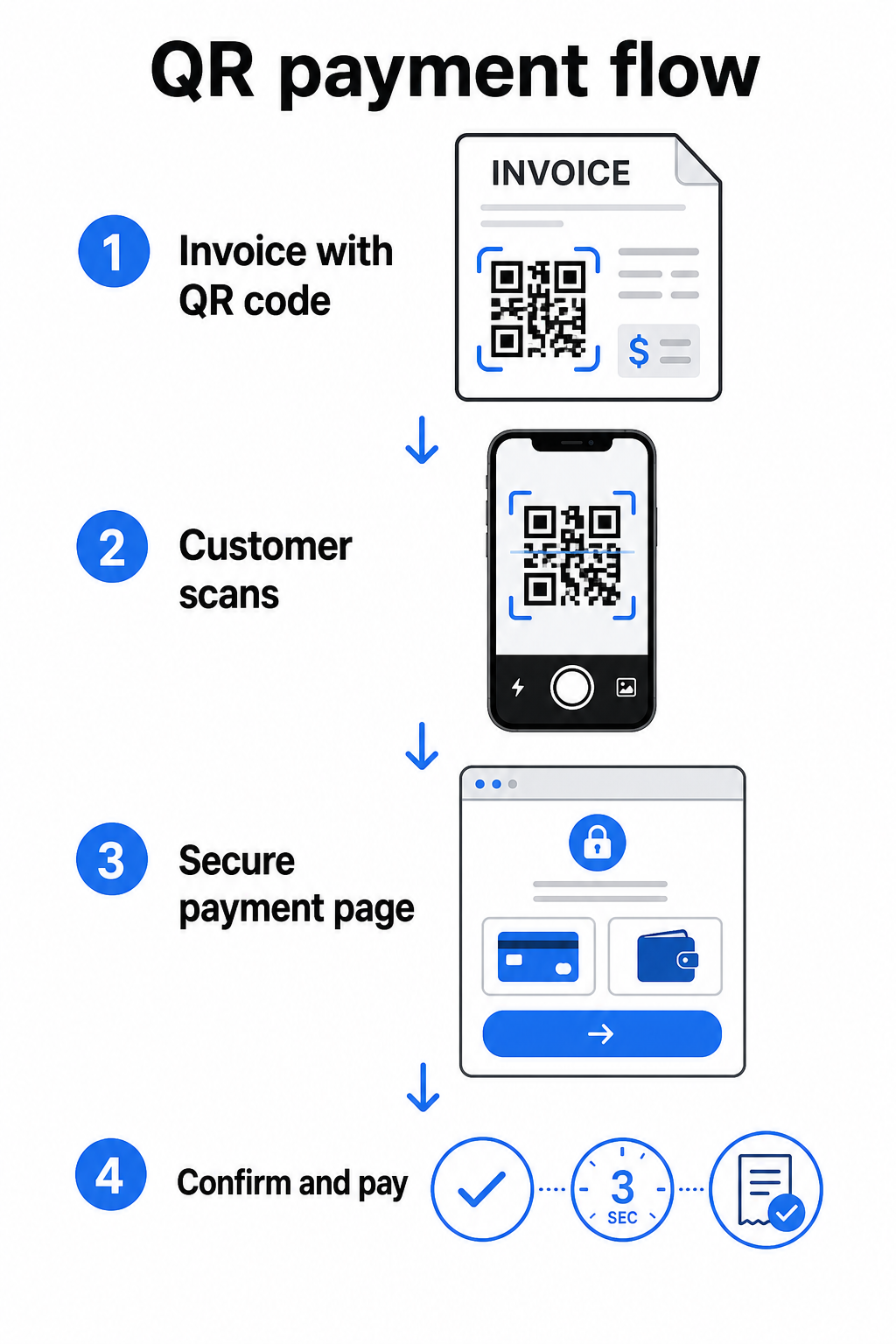
Perkhidmatan FedNow Federal Reserve menerangkan aliran kerja tepat ini: bil yang dihantar secara digital dengan kod QR terbenam membolehkan pelanggan mengimbas dan memulakan pembayaran daripada menunggu penyata kertas atau mencari portal pembayaran secara manual. Pelanggan juga boleh mengimbas kod QR yang mengandungi Permintaan Pembayaran (RfP) untuk memulakan pembayaran segera terus melalui FedNow.
Proses umum berfungsi seperti ini:
- Jana pautan pembayaran melalui penyedia pembayaran anda (seperti PayPal, Stripe, atau Square)
- Tukar pautan itu menjadi kod QR menggunakan penjana kod QR
- Letakkan kod QR pada invois, PDF, atau penyata bil anda
- Pelanggan mengimbas, menyemak jumlah, dan membayar – sering kali dalam beberapa saat
Penyedia pembayaran utama A.S. termasuk PayPal, Stripe, dan Square semuanya menyokong pautan pembayaran yang boleh dikongsi sebagai kod QR, jadi tiada perkakasan atau perisian khas diperlukan di kedua-dua belah pihak.
Sedia untuk Mencipta Kod QR Pembayaran? Tukar mana-mana pautan pembayaran menjadi kod QR yang boleh diimbas yang boleh digunakan oleh pelanggan anda terus dari invois anda. Gunakan Pageloot’s Buat QR untuk pembayaran PayPal atau penjana umum Penjana Kod QR untuk bermula dalam beberapa minit.
Apa yang Perlu Dipautkan Kod QR Invois Anda Kepada
Kod QR itu sendiri hanyalah mekanisme penghantaran. Apa yang anda pautkan kepadanya menentukan betapa lancarnya pengalaman pembayaran sebenarnya.
Halaman pembayaran atau pautan pembayaran adalah pilihan yang paling langsung. Jana pautan pembayaran dari papan pemuka penyedia anda – dengan jumlah invois, penerangan, dan butiran perniagaan anda yang telah diisi – dan tukarkannya menjadi kod QR. Pelanggan tiba di halaman sedia untuk membayar tanpa memerlukan kemasukan data manual. Pageloot’s panduan kepada kod QR pembayaran menerangkan bagaimana ini berfungsi dengan penyedia seperti PayPal dan Stripe.
PDF invois penuh berguna apabila anda ingin memberi pelanggan akses kepada butiran terperinci, terma, atau dokumentasi sokongan bersama pilihan pembayaran. A Kod QR PDF memaut terus ke dokumen supaya pelanggan boleh membuka atau memuat turunnya serta-merta tanpa mencari peti masuk mereka.
Portal pembayaran atau halaman layan diri berfungsi dengan baik untuk perniagaan dengan pelanggan berulang. A kod QR pautan boleh menunjuk ke halaman log masuk atau papan pemuka akaun di mana pelanggan menguruskan semua invois mereka di satu tempat.
Pilihan yang tepat bergantung pada aliran kerja pengebilan anda, tetapi bagi kebanyakan perniagaan yang cuba mengurangkan hari-ke-pembayaran, kod QR pautan pembayaran langsung menghasilkan laluan terpendek dari invois ke penyelesaian.
Kod QR Statik lwn. Dinamik: Yang Mana Patut Anda Gunakan?
Apabila menjana kod QR untuk invois, anda mempunyai dua pilihan: statik dan dinamik. Untuk tujuan penginvoisan, kod QR dinamik menawarkan kelebihan praktikal yang bermakna.
| CIRI | Kod QR Statik | Kod QR Dinamik |
|---|---|---|
| Edit destinasi selepas mencetak | Tidak | ya |
| Jejaki data imbasan | Tidak | ya |
| Kemas kini pautan pembayaran jika ia berubah | Memerlukan pencetakan semula | Kemas kini dalam papan pemuka |
| Pantau siapa yang membuka invois | Tidak | ya |
| Nyahaktifkan jika perlu | Tidak | ya |
Dengan kod QR dinamik, anda boleh mengemas kini URL destinasi tanpa mencipta kod baharu atau mencetak semula templat invois anda. Jika penyedia pembayaran anda berubah, susun atur invois anda dikemas kini, atau anda ingin mengalihkan ke kaedah pembayaran yang berbeza untuk pelanggan tertentu, perubahan itu berkuat kuasa serta-merta – kod QR yang dicetak atau digital kekal sama.
Kod dinamik juga memberi anda analitik imbasan: cap masa, jenis peranti, dan data geografi yang memberitahu anda sama ada pelanggan telah membuka dan berinteraksi dengan invois mereka. Jika invois besar menunjukkan sifar imbasan seminggu sebelum tarikh akhir, itu adalah isyarat awal yang berguna untuk membuat susulan secara proaktif.
Cara Menambah Kod QR pada Invois Anda
Menambah kod QR pada aliran kerja invois sedia ada adalah mudah dan tidak memerlukan pembinaan semula persediaan pengebilan anda dari awal.
Langkah 1: Jana pautan pembayaran anda. Log masuk ke penyedia pembayaran anda (PayPal, Stripe, Square, atau penyedia A.S. lain) dan buat pautan pembayaran. Sertakan jumlah invois, nama perniagaan anda, dan nombor rujukan atau penerangan supaya pembayaran mudah diselaraskan.
Langkah 2: Tukar pautan kepada kod QR. Tampal URL pembayaran ke dalam Pageloot Penjana Kod QR atau Buat QR untuk pembayaran PayPal. Pilih kod QR dinamik jika anda mahukan keupayaan penyuntingan dan penjejakan.
Langkah 3: Sesuaikan kod. Tambah logo anda, gunakan warna jenama anda, dan sertakan label seruan tindakan ringkas seperti “Imbas untuk Bayar.” Kod berjenama membina kepercayaan pelanggan dan lebih sukar untuk dipalsukan – pertimbangan penting memandangkan risiko yang ditimbulkan oleh kod QR berniat jahat dalam konteks pembayaran.
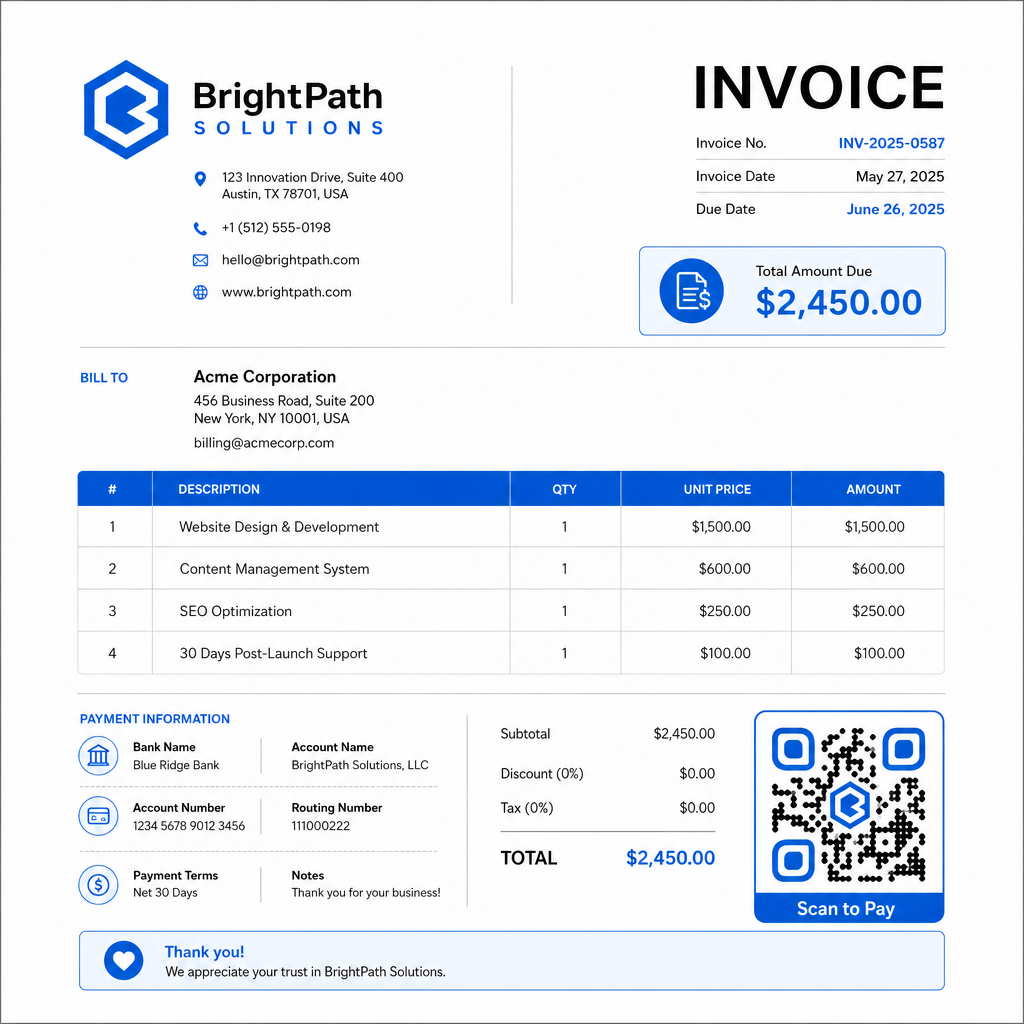
Langkah 4: Muat turun dalam format yang betul. Eksport kod QR sebagai fail SVG atau EPS untuk invois yang akan dicetak, atau sebagai PNG resolusi tinggi untuk invois PDF atau digital. Format vektor menghalang pikselasi dan mengekalkan kebolehimbasan pada sebarang saiz.
Langkah 5: Letakkan dan uji sebelum menghantar. Masukkan kod QR ke dalam templat invois anda. Ujinya pada sekurang-kurangnya dua peranti berbeza dan sahkan halaman pembayaran dimuatkan dengan betul, jumlahnya tepat, dan aliran pengesahan berfungsi dari awal hingga akhir.
Jejaki Penglibatan Invois dalam Masa Nyata Ketahui sama ada pelanggan anda telah mengimbas invois anda sebelum tarikh akhir. Kod QR dinamik Pageloot memberikan anda kiraan imbasan, data peranti, dan cap masa dari satu papan pemuka. Buat kod QR dinamik untuk mula menjejak.
Piawaian Reka Bentuk Kod QR untuk Invois Bercetak dan Digital
Kod QR yang tidak boleh diimbas dengan andal akan menjejaskan tujuan. Ingat piawaian ini apabila meletakkan kod pada invois:
- Saiz minimum: Cetak kod QR sekurang-kurangnya 2×2 cm untuk pengimbasan jarak dekat. Untuk invois di mana kod mungkin diimbas dari halaman bercetak, 1×1 inci atau lebih besar adalah garis dasar yang boleh dipercayai.
- Kontras: Gunakan corak gelap pada latar belakang terang dengan nisbah kontras sekurang-kurangnya 4:1. Elakkan meletakkan kod pada latar belakang berwarna, kawasan bercorak, atau tera air.
- Zon senyap: Kekalkan sempadan kosong yang jelas di sekeliling keseluruhan kod. Tiada teks, logo, atau elemen reka bentuk harus menceroboh ke dalam margin ini.
- Format fail: Gunakan SVG atau EPS untuk cetakan. Format vektor ini kekal tajam pada sebarang resolusi, tidak seperti fail PNG raster yang diskalakan dari asal kecil.
- Kekadaran: Jangan sekali-kali meregangkan atau memampatkan kod QR. Skalakannya secara berkadaran untuk mengekalkan bentuk segi empat sama.
- Pembetulan ralat: Gunakan tahap pembetulan ralat yang tinggi (Q atau H) jika anda menambah logo di dalam kod. Pastikan sebarang logo terbenam berpusat dan meliputi tidak lebih daripada 30% daripada kawasan kod.
- Label: Sertakan arahan ringkas berhampiran kod, seperti “Imbas untuk membayar invois anda.” Ini membantu pelanggan yang tidak biasa dengan proses tersebut dan juga menyokong kebolehcapaian.
Untuk panduan kebolehcapaian penuh – termasuk cadangan saiz dan pilihan arahan berbilang bahasa – lihat Pageloot amalan terbaik kebolehcapaian pembayaran kod QR.
Pertimbangan Keselamatan untuk Kod QR Pembayaran Invois
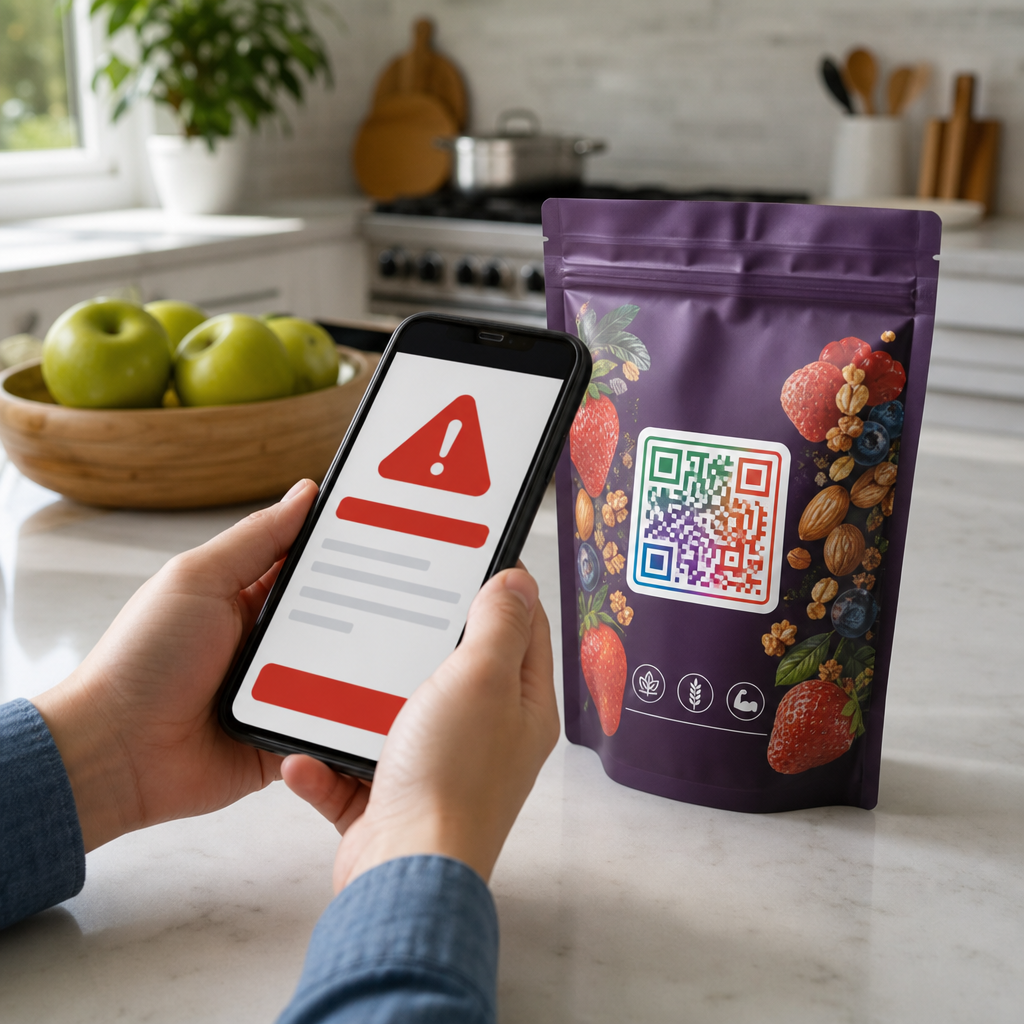
Kod QR pembayaran pada invois adalah konteks kepercayaan tinggi – pelanggan diminta untuk menghantar wang. Itu menjadikan amalan keselamatan tidak boleh dirunding.
Gunakan pautan pembayaran HTTPS sahaja. Setiap URL yang ditunjuk oleh kod QR anda harus menggunakan HTTPS. Pautan tidak selamat adalah tanda amaran bagi pelanggan dan risiko sebenar untuk data yang dipintas.
Sahkan pautan sebelum mengedarkan invois. Sebelum menghantar kumpulan invois, imbas kod itu sendiri dan sahkan ia membawa ke halaman pembayaran yang betul dan berfungsi. Ini menangkap ralat dalam URL dan mengesahkan aliran pembayaran berfungsi seperti yang diharapkan.
Gunakan kod dinamik supaya anda boleh bertindak balas terhadap masalah. Jika pautan pembayaran terjejas atau perlu diubah, kod QR dinamik membolehkan anda mengemas kini atau menyahaktifkan destinasi dengan serta-merta tanpa mengeluarkan semula invois. Kod statik tidak boleh diubah setelah dicetak atau dihantar.
Jenamakan kod QR anda secara jelas. Memasukkan logo anda dalam kod QR menyukarkan penipu untuk menggantikan kod palsu, dan memberikan pelanggan isyarat visual bahawa mereka mengimbas sesuatu yang sah. Baca lebih lanjut tentang mengurus keselamatan pembayaran di Pageloot Panduan keselamatan dan kelajuan pembayaran kod QR dan Panduan pematuhan PCI-DSS untuk pembayaran kod QR.
Industri Yang Mendapat Manfaat Daripada Kod QR Invois
Invois pembayaran kod QR boleh digunakan merentasi pelbagai jenis perniagaan. Beberapa kes penggunaan biasa menggambarkan di mana pendekatan ini mempunyai impak yang paling jelas:
- Pekerja bebas dan penyedia perkhidmatan – Kod QR pada invois PDF membolehkan pelanggan membayar dari telefon mereka sebaik sahaja mereka membuka dokumen, bukannya log masuk ke portal beberapa hari kemudian.
- Perniagaan perkhidmatan lapangan dan penghantaran – Juruteknik atau pemandu boleh mengemukakan invois dengan kod QR di tempat perkhidmatan, membolehkan pembayaran serta-merta sebelum mereka beredar.
- Firma guaman dan perkhidmatan profesional – Penyata bil bulanan dengan kod QR terbenam mengurangkan urusan arahan pembayaran yang berulang-alik dan memudahkan pelanggan untuk membayar serta-merta.
- Amalan penjagaan kesihatan – Penyata bil pesakit dengan kod QR membolehkan pesakit membayar dari rumah selepas janji temu mereka, mengurangkan pengendalian pembayaran di kaunter hadapan.
- Pembinaan dan pengkontrakan – Invois bil kemajuan dengan kod QR memberikan pelanggan laluan pembayaran yang jelas dan lancar yang terikat dengan setiap pencapaian.
Pageloot halaman penyelesaian industri merangkumi aplikasi khusus sektor tambahan untuk kod QR dalam aliran kerja perniagaan.
Pembayaran lewat merugikan perniagaan masa, aliran tunai, dan usaha pentadbiran. Menambah kod QR pada invois anda adalah salah satu langkah paling langsung yang boleh anda ambil untuk memendekkan jurang antara menghantar bil dan menerima pembayaran. Semakin sedikit langkah yang perlu diselesaikan oleh pelanggan, semakin besar kemungkinan mereka untuk membayar dengan segera. Sediakan kod QR pembayaran pertama anda dengan Pageloot’s Penjana Kod QR atau yang khusus Buat QR untuk pembayaran PayPal, dan mula menjejaki hasil daripada invois pertama anda.
Soalan lazim
Ia bergantung pada persediaan pembayaran anda. Jika anda menggunakan satu halaman pembayaran di mana pelanggan memasukkan jumlah secara manual, satu kod QR boleh berfungsi merentasi semua invois. Jika anda ingin mengisi awal jumlah tertentu untuk setiap invois, anda memerlukan pautan pembayaran individu – dan oleh itu kod QR individu bagi setiap invois. Kod QR dinamik membolehkan anda mengemas kini destinasi jika pautan pembayaran anda berubah, tanpa menjana semula atau mencetak semula kod tersebut.
Sentiasa sertakan pilihan sandaran di samping kod QR – URL pembayaran teks biasa, butiran pindahan bank anda, atau nombor telefon untuk pertanyaan bil. Tidak setiap pelanggan akan mempunyai telefon pintar atau berasa selesa menggunakan kod QR, dan mengekalkan pilihan pembayaran alternatif memastikan tiada invois yang tidak dibayar kerana halangan teknikal. Amalan terbaik kebolehcapaian pembayaran kod QR Pageloot merangkumi alternatif tambahan secara terperinci.
Ya, dengan syarat anda mengikut amalan terbaik keselamatan. Gunakan pautan pembayaran HTTPS, jenamakan kod QR anda dengan logo anda supaya pelanggan boleh mengesahkan sumber secara visual, dan gunakan kod QR dinamik supaya anda boleh menyahaktifkan atau mengemas kini kod dengan serta-merta jika berlaku sesuatu yang tidak diingini. Elakkan kod QR statik untuk tujuan pembayaran, kerana ia tidak boleh diubah jika halaman yang dipautkan terjejas. Sentiasa uji aliran pembayaran penuh sebelum menghantar invois, dan arahkan pelanggan untuk menyemak URL yang muncul selepas mengimbas sebelum memasukkan sebarang butiran pembayaran.