> 사용 사례 > QR Codes on Invoices: How to Get Paid Faster
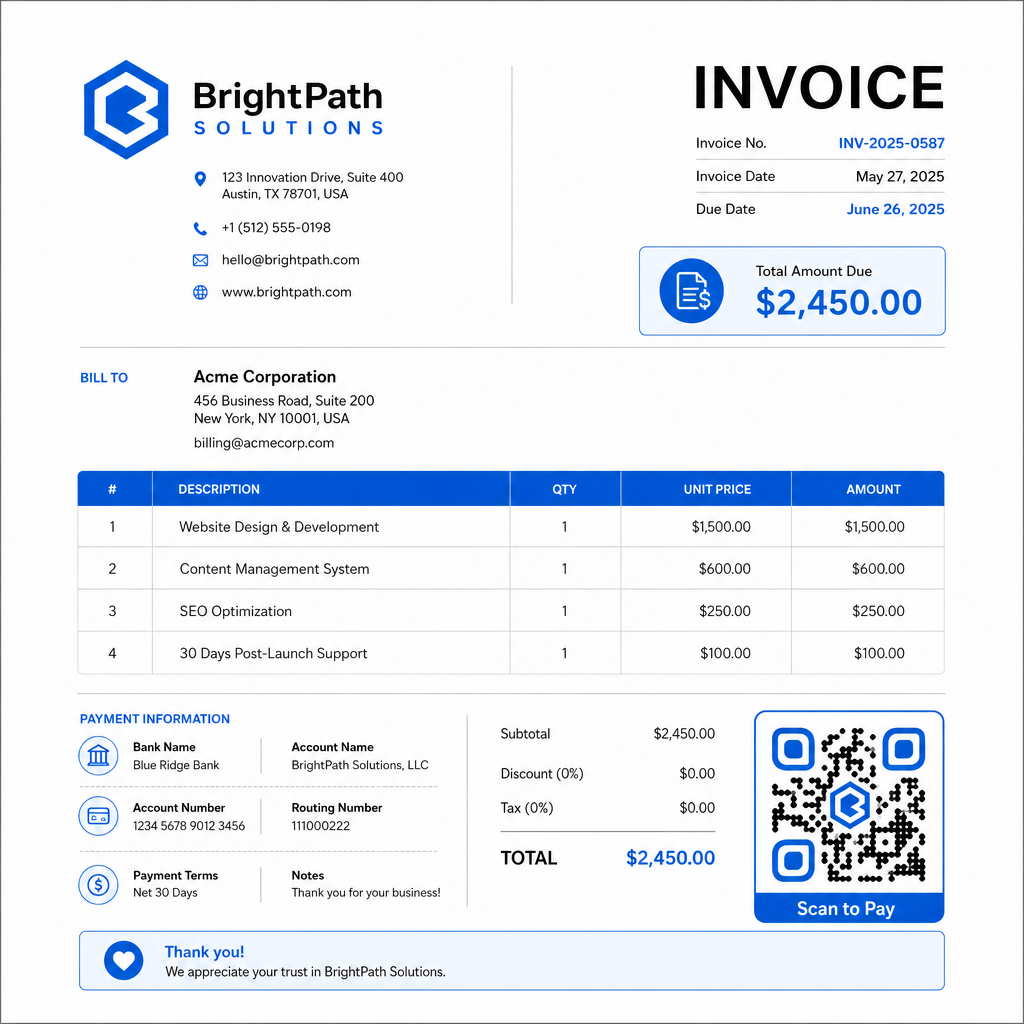
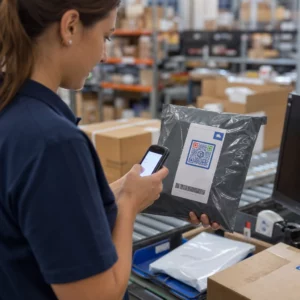
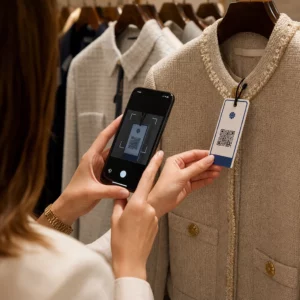
Scanning invoice QR

QR Codes on Invoices: How to Get Paid Faster

Reduce late payments by adding QR codes to your invoices to get paid faster. Learn how to link to payment pages, use dynamic codes, and simplify billing.
Updated on 7월 2, 2026
목차

Are your invoices sitting unpaid long after the due date? Late payments are one of the most common cash flow problems businesses face – and a significant driver is simply the friction involved in paying. This guide shows you how adding a QR code to your invoices removes that friction and puts money in your account faster.

Why Late Invoice Payments Are a Real Business Problem

The numbers are hard to ignore. 56% of U.S. small businesses report being owed money from unpaid or late invoices, and on average those businesses are carrying more than $17,000 in outstanding receivables each. Payments typically arrive 8.2 days past the agreed deadline – not because customers don’t intend to pay, but because traditional invoice-to-payment workflows have too many steps.

Customers receive a paper or PDF invoice, then have to locate your banking details, navigate to a payment portal, or remember to write a check. Each additional step is an opportunity for delay. The simpler you make paying, the faster you get paid.

How QR Codes on Invoices Work

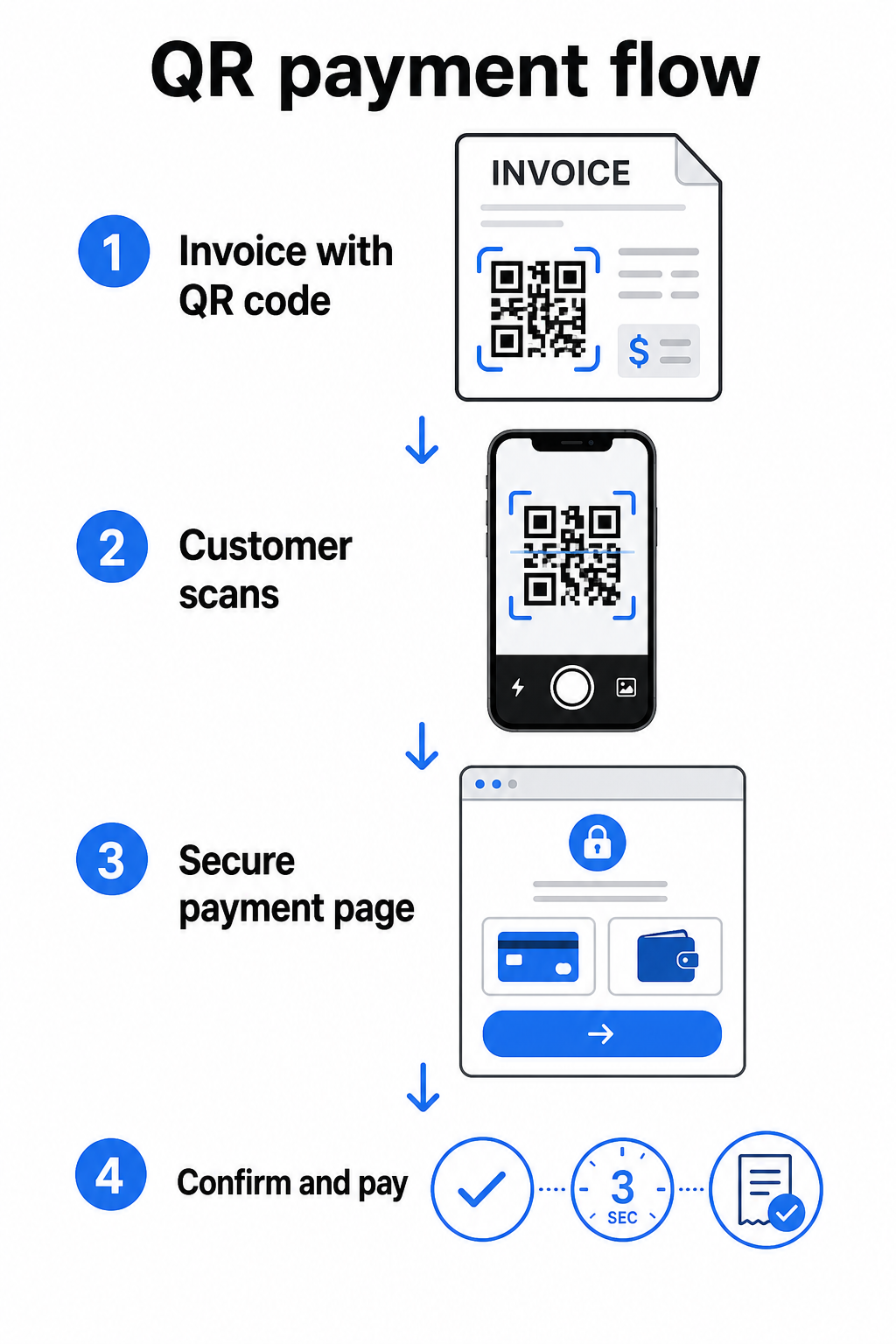
A payment QR code on an invoice encodes a URL that leads directly to a secure payment page. When a customer scans the code with their smartphone camera, the payment page opens automatically in their browser. They confirm the amount, choose their payment method – credit card, bank transfer, digital wallet – and complete the transaction in seconds.

QR payment flow

The Federal Reserve’s FedNow Service describes this exact workflow: bills sent digitally with an embedded QR code allow customers to scan and initiate payment instead of waiting for paper statements or manually searching for payment portals. Clients can even scan a QR code containing a Request for Payment (RfP) to initiate an instant payment directly via FedNow.

The general process works like this:

  • Generate a payment link through your payment provider (such as PayPal, Stripe, or Square)
  • Convert that link into a QR code using a QR code generator
  • Place the QR code on your invoice, PDF, or billing statement
  • The customer scans, reviews the amount, and pays – often within seconds

Major U.S. payment providers including PayPal, Stripe, and Square all support payment links that can be shared as QR codes, so no special hardware or software is required on either end.

Ready to Create a Payment QR Code? Turn any payment link into a scannable QR code your customers can use directly from your invoice. Use Pageloot’s PayPal QR 코드 생성기 or the general QR 코드 생성기 to get started in minutes.

What to Link Your Invoice QR Code To

The QR code itself is just the delivery mechanism. What you link it to determines how smooth the payment experience actually is.

A payment page or checkout link is the most direct option. Generate a payment link from your provider’s dashboard – with the invoice amount, description, and your business details pre-filled – and convert it into a QR code. Customers arrive at a ready-to-pay page with no manual data entry required. Pageloot’s guide to payment QR codes walks through how this works with providers like PayPal and Stripe.

A PDF of the full invoice is useful when you want to give customers access to itemized details, terms, or supporting documentation alongside the payment option. A PDF QR 코드 links directly to the document so customers can open or download it instantly without searching their inbox.

A payment portal or self-service page works well for businesses with recurring clients. A QR 코드 링크 can point to a login page or account dashboard where clients manage all their invoices in one place.

The right choice depends on your billing workflow, but for most businesses trying to reduce days-to-payment, a direct payment link QR code produces the shortest path from invoice to settlement.

정적 QR 코드 vs. 동적 QR 코드: 어떤 것을 사용해야 할까요?

When generating a QR code for invoices, you have two options: static and dynamic. For invoicing purposes, dynamic QR codes offer meaningful practical advantages.

기능 정적 QR 코드 동적 QR 코드
Edit destination after printing 아니요
Track scan data 아니요
Update payment link if it changes Requires reprinting Update in dashboard
Monitor who opened the invoice 아니요
Deactivate if needed 아니요

With a dynamic QR code, you can update the destination URL without creating a new code or reprinting your invoice template. If your payment provider changes, your invoice layout updates, or you want to redirect to a different payment method for a specific client, the change takes effect immediately – the printed or digital QR code stays the same.

Dynamic codes also give you 스캔 분석: timestamps, device types, and geographic data that tell you whether a client has opened and interacted with their invoice. If a large invoice shows zero scans a week before the due date, that’s a useful early signal to follow up proactively.

How to Add a QR Code to Your Invoices

Adding a QR code to an existing invoice workflow is straightforward and doesn’t require rebuilding your billing setup from scratch.

Step 1: Generate your payment link. Log in to your payment provider (PayPal, Stripe, Square, or another U.S. provider) and create a payment link. Include the invoice amount, your business name, and a reference number or description so the payment is easy to reconcile.

Step 2: Convert the link to a QR code. Paste the payment URL into Pageloot’s QR 코드 생성기 또는 PayPal QR 코드 생성기. Choose a dynamic QR code if you want editing and tracking capabilities.

Step 3: Customize the code. Add your logo, apply your brand colors, and include a short call-to-action label such as “Scan to Pay.” Branded codes build customer trust and are harder to spoof – an important consideration given the risks that malicious QR codes pose in payment contexts.

Branded payment QR

Step 4: Download in the right format. Export the QR code as an SVG or EPS file for invoices that will be printed, or as a high-resolution PNG for PDF or digital invoices. Vector formats prevent pixelation and maintain scannability at any size.

Step 5: Place and test before sending. Insert the QR code into your invoice template. Test it on at least two different devices and confirm the payment page loads correctly, the amount is accurate, and the confirmation flow works end to end.

Track Invoice Engagement in Real Time Know whether your client has scanned your invoice before the due date. Pageloot’s dynamic QR codes give you scan counts, device data, and timestamps from a single dashboard. 동적 QR 코드 생성 to start tracking.

QR Code Design Standards for Printed and Digital Invoices

A QR code that doesn’t scan reliably defeats the purpose. Keep these standards in mind when placing codes on invoices:

  • 최소 크기: Print QR codes at least 2×2 cm for close-range scanning. For invoices where the code may be scanned from a printed page, 1×1 inch or larger is a reliable baseline.
  • 대비: Use dark patterns on a light background with a contrast ratio of at least 4:1. Avoid placing the code on colored backgrounds, patterned areas, or watermarks.
  • 콰이어트 존: Maintain a clear blank border around the entire code. No text, logos, or design elements should intrude into this margin.
  • 파일 형식: Use SVG or EPS for print. These vector formats stay sharp at any resolution, unlike rasterized PNG files scaled up from a small original.
  • Proportionality: Never stretch or compress the QR code. Scale it proportionally to preserve the square shape.
  • Error correction: Use a high error correction level (Q or H) if you’re adding a logo inside the code. Keep any embedded logo centered and covering no more than 30% of the code area.
  • Label: Include a brief instruction near the code, such as “Scan to pay your invoice.” This helps customers who are unfamiliar with the process and also supports accessibility.

For full accessibility guidance – including sizing recommendations and multilingual instruction options – see Pageloot’s QR 코드 결제 접근성 모범 사례.

Security Considerations for Invoice Payment QR Codes

Payment QR codes on invoices are a high-trust context – customers are being asked to send money. That makes security practices non-negotiable.

Use HTTPS payment links only. Every URL your QR code points to should use HTTPS. An unsecured link is a red flag for customers and a real risk for intercepted data.

Verify the link before distributing invoices. Before sending a batch of invoices, scan the code yourself and confirm it leads to the correct, functioning payment page. This catches errors in the URL and confirms the payment flow works as expected.

Use dynamic codes so you can respond to problems. If a payment link is compromised or needs to change, a dynamic QR code lets you update or deactivate the destination immediately without reissuing the invoice. Static codes cannot be changed once printed or sent.

Brand your QR codes visibly. Including your logo in the QR code makes it harder for fraudsters to substitute a fake code, and gives customers a visual cue that they’re scanning something legitimate. Read more about managing payment security in Pageloot’s QR code payments security and speed guide 그리고 PCI-DSS compliance guide for QR code payments.

Industries That Benefit From Invoice QR Codes

QR code payment invoices apply across a wide range of business types. A few common use cases illustrate where this approach has the clearest impact:

  • Freelancers and service providers – A QR code on a PDF invoice lets clients pay from their phone the moment they open the document, rather than logging into a portal days later.
  • Field service and delivery businesses – Technicians or drivers can present an invoice with a QR code at the point of service, enabling payment on the spot before they leave.
  • Law firms and professional services – Monthly billing statements with embedded QR codes reduce the back-and-forth of payment instructions and make it easier for clients to pay immediately.
  • Healthcare practices – Patient billing statements with a QR code allow patients to pay from home after their appointment, reducing front-desk payment handling.
  • Construction and contracting – Progress billing invoices with QR codes give clients a clear, frictionless payment path tied to each milestone.

페이지루트의 industry solutions page covers additional sector-specific applications for QR codes in business workflows.

Late payments cost businesses time, cash flow, and administrative effort. Adding a QR code to your invoices is one of the most direct steps you can take to shorten the gap between sending a bill and receiving payment. The fewer steps a customer has to complete, the more likely they are to pay promptly. Set up your first payment QR code with Pageloot’s QR 코드 생성기 or the dedicated PayPal QR 코드 생성기, and start tracking results from your first invoice.

자주 묻는 질문

Can I use one QR code on all my invoices, or do I need a different one for each invoice?

It depends on your payment setup. If you use a single payment page where customers enter the amount manually, one QR code can work across all invoices. If you want to pre-fill specific amounts for each invoice, you’ll need individual payment links – and therefore individual QR codes per invoice. Dynamic QR codes let you update the destination if your payment link changes, without regenerating or reprinting the code.

What happens if a customer can’t scan the QR code on my invoice?

Always include a fallback option alongside the QR code – a plain-text payment URL, your bank transfer details, or a phone number for billing inquiries. Not every customer will have a smartphone or feel comfortable using QR codes, and maintaining alternative payment options ensures no invoice goes unpaid because of a technical barrier. Pageloot’s QR code payment accessibility best practices covers additional alternatives in detail.

Are QR code payments on invoices secure for my customers?

Yes, provided you follow security best practices. Use HTTPS payment links, brand your QR codes with your logo so customers can visually verify the source, and use dynamic QR codes so you can deactivate or update a code immediately if something goes wrong. Avoid static QR codes for payment purposes, since they cannot be changed if the linked page is compromised. Always test the full payment flow before sending invoices, and instruct customers to check the URL that appears after scanning before entering any payment details.

작성자 정보

시임 코스타비는 페이지루트의 콘텐츠 책임자입니다. 그는 페이지루트의 혁신적인 QR 코드 생성 서비스에 대한 글을 쓰고 있습니다. 5년 이상 QR 코드 분야에서 쌓아온 깊이 있는 전문 지식을 바탕으로, 시임은 이 분야의 전문가로 인정받고 있습니다. 그는 QR 기술을 활용하여 디지털 상호작용을 간소화하고 향상시키는 데 크게 기여하고 있습니다.

범주
에 대해 자세히 알아보기

온라인으로 QR 코드를 생성해야하는 경우 QR 코드 만들기 무료로 여기!
Pageloot는 #1 Go-To 솔루션 QR 코드를 만들고 스캔합니다.

BL-0291

블로그 세대

20,000개 이상의 브랜드로부터 신뢰를 받아 더 많은 매출, 리뷰, 팔로워를 확보했습니다.

클라이언트 로고
최고 브랜드의 신뢰
5 중 4.8 평가

4.86 / 5 별점

휴고 로랑
휴고 로랑
레스토랑 주인
가장 쉽고 안정적인 QR 코드 생성기. PDF 파일을 즉시 업로드할 수 있습니다. 이제 레스토랑 메뉴가 디지털화되었습니다.
루카스 얀센
루카스 얀센
부동산 개발사
이것은 훌륭한 도구이며 QR 코드를 사용하면 원하는 곳으로 이동할 수 있습니다. 우리는 위치 QR 코드만 사용하지만 유용한 기능이 너무 많습니다.
엠마 모레티
엠마 모레티
소매 제품
사용하기 쉽고 빠릅니다. 그것은 훌륭하게 작동하고 완벽한 이미지를 생성하므로 직원들이 내 vCard를 다운로드할 수 있습니다.
휴고 로랑
휴고 로랑
레스토랑 주인
가장 쉽고 안정적인 QR 코드 생성기. PDF 파일을 즉시 업로드할 수 있습니다. 이제 레스토랑 메뉴가 디지털화되었습니다.
루카스 얀센
루카스 얀센
부동산 개발사
이것은 훌륭한 도구이며 QR 코드를 사용하면 원하는 곳으로 이동할 수 있습니다. 우리는 위치 QR 코드만 사용하지만 유용한 기능이 너무 많습니다.
엠마 모레티
엠마 모레티
소매 제품
사용하기 쉽고 빠릅니다. 그것은 훌륭하게 작동하고 완벽한 이미지를 생성하므로 직원들이 내 vCard를 다운로드할 수 있습니다.
더 많은 QR 코드보기
암호 화폐 전송을위한 QR 코드
QR 코드 암호 화폐
무엇이든 디지털 경험으로 전환하세요 3분 이내에.

14일 무료 체험.

신용카드는 필요 없습니다.

첫 구매 시 30% 할인

코드를 사용하세요:

MP3 파일 공유

PDF QR 코드를 생성하려면 가입하세요

필요한 모든 것을 업로드하고 표시합니다.

  • 오디오 파일
  • 팟캐스트
  • 음악

가입 시 14일 무료 체험.
체험 기간 후 QR 코드 만료.

오디오 mp3 QR 코드를 생성하려면 가입하세요

프레임으로 더 많은 스캔 확보

QR 코드에 더 많은 프레임을 추가하려면 가입하세요

클릭 유도 문안 프레임은 고객이 QR 코드와 쉽게 상호 작용할 수 있도록 도와줍니다. 사용해 보세요!

가입 시 14일 무료 체험.
체험 기간 후 QR 코드 만료.

QR 코드에 더 많은 프레임을 추가하려면 가입하세요

도형으로 더 많은 스타일 추가

더 많은 도형을 만들려면 가입하세요

QR 코드는 정사각형일 필요가 없습니다. 브랜드 이미지에 맞게 전환해 보세요.

가입 시 14일 무료 체험.
체험 기간 후 QR 코드 만료.

더 많은 도형을 만들려면 가입하세요

QR 코드에 로고 추가

QR 코드에 로고를 추가하려면 가입하세요

로고와 브랜드를 추가하여 QR 코드를 돋보이게 만드세요.

가입 시 14일 무료 체험.
체험 기간 후 QR 코드 만료.

QR 코드에 로고를 추가하려면 가입하세요

스마트 앱 스토어 리디렉션

앱 스토어 QR 코드를 생성하려면 가입하세요

스마트 앱 스토어 QR 코드에 앱 링크를 추가하세요. 사용자는 장치에 따라 리디렉션됩니다.

가입 시 14일 무료 체험.
체험 기간 후 QR 코드 만료.

앱 스토어 QR 코드를 생성하려면 가입하세요

QR 코드에 이미지 업로드

이미지 QR 코드를 생성하려면 가입하세요

이미지를 쉽게 공유하세요. 몇 초 안에 동적으로 이미지를 변경하십시오.

가입 시 14일 무료 체험.
체험 기간 후 QR 코드 만료.

이미지 QR 코드를 생성하려면 가입하세요

PDF 파일 공유

PDF QR 코드를 생성하려면 가입하세요

필요한 모든 것을 업로드하고 표시합니다.

  • 메뉴 및 가격표
  • 명령
  • 모든 문서

가입 시 14일 무료 체험.
체험 기간 후 QR 코드 만료.

PDF QR 코드를 생성하려면 가입하세요

인쇄 없이 나중에 편집

다시 인쇄하지 않고 QR 코드를 편집하려면 가입하세요

동적 QR 코드를 사용하면 새 QR 코드를 인쇄하지 않고도 QR 코드의 내용을 변경할 수 있습니다.

가입 시 14일 무료 체험.
체험 기간 후 QR 코드 만료.

다시 인쇄하지 않고 QR 코드를 편집하려면 가입하세요

언제? 어디서? QR 코드 스캔 추적

QR 코드를 추적하려면 가입하세요

어떤 QR 코드가 가장 많이 스캔되고 무엇이 고객을 가장 흥분시키는지 알아보십시오.

가입 시 14일 무료 체험.
체험 기간 후 QR 코드 만료.

QR 코드를 추적하려면 가입하세요

인쇄 준비 파일 제공

PDF 및 SVG와 같은 벡터 QR 코드를 생성하려면 가입하세요.

.EPS, .PDF, .SVG

HD 해상도로 QR 코드를 다운로드하고 싶으신가요? 인쇄할 준비가 된 벡터 또는 픽셀 형식을 가져옵니다.

가입 시 14일 무료 체험.
체험 기간 후 QR 코드 만료.

PDF 및 SVG와 같은 벡터 QR 코드를 생성하려면 가입하세요.

기다리세요. 귀하의 QR 코드는 로드 중... 로드 중...

나만의 것으로 만들기

나중을 위해 QR 코드를 저장하려면 가입하세요.

다양한 색상, 로고 및 클릭 유도문안 프레임으로 멋진 QR 코드를 만들어 더 많은 스캔을 받으세요.

가입 시 14일 무료 체험.
체험 기간 후 QR 코드 만료.

나중을 위해 QR 코드를 저장하려면 가입하세요.