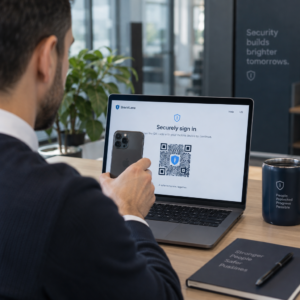
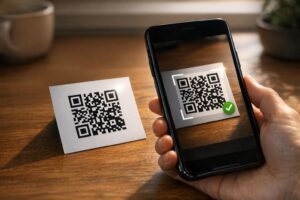
האם החשבוניות שלכם נשארות ללא תשלום זמן רב לאחר תאריך היעד? תשלומים מאוחרים הם אחת מבעיות תזרים המזומנים הנפוצות ביותר שעסקים מתמודדים איתן – וגורם משמעותי לכך הוא פשוט החיכוך הכרוך בתשלום. מדריך זה מראה לכם כיצד הוספת קוד QR לחשבוניות שלכם מסירה את החיכוך הזה ומכניסה כסף לחשבונכם מהר יותר.
מדוע תשלומים מאוחרים של חשבוניות הם בעיה עסקית אמיתית
קשה להתעלם מהמספרים. 56% מהעסקים הקטנים בארה"ב מדווחים כי חייבים להם כסף מחשבוניות שלא שולמו או ששולמו באיחור, ובממוצע עסקים אלה נושאים יותר מ-17,000 דולר בחובות לקוחות פתוחים כל אחד. תשלומים מגיעים בדרך כלל 8.2 ימים לאחר המועד המוסכם – לא בגלל שלקוחות לא מתכוונים לשלם, אלא בגלל שלתהליכי עבודה מסורתיים של חשבונית-לתשלום יש יותר מדי שלבים.
לקוחות מקבלים חשבונית מודפסת או בקובץ PDF, ואז צריכים לאתר את פרטי הבנק שלכם, לנווט לפורטל תשלומים, או לזכור לכתוב צ'ק. כל שלב נוסף הוא הזדמנות לעיכוב. ככל שתפשטו את התשלום, כך תקבלו תשלום מהר יותר.
כיצד קודי QR בחשבוניות עובדים
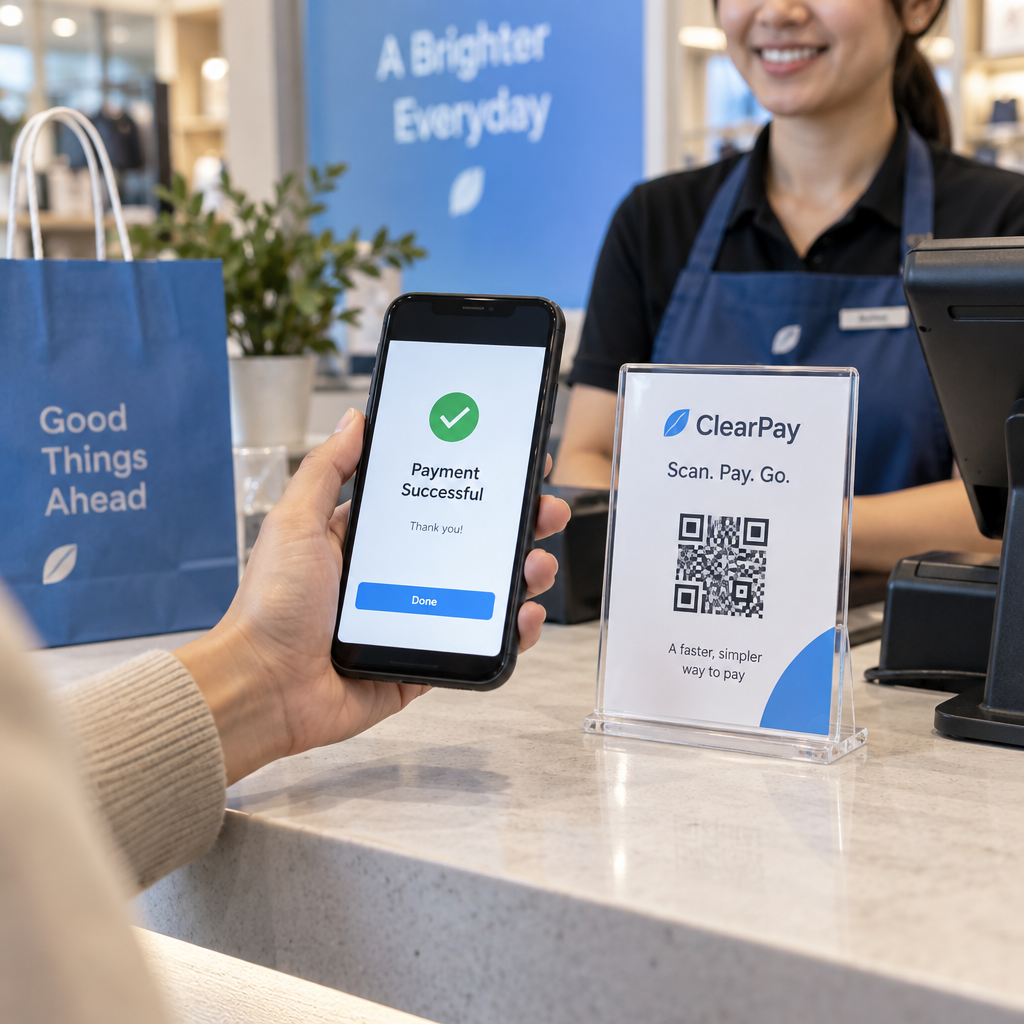
קוד QR לתשלום על חשבונית מקודד כתובת URL המובילה ישירות לדף תשלום מאובטח. כאשר לקוח סורק את הקוד עם מצלמת הטלפון החכם שלו, דף התשלום נפתח אוטומטית בדפדפן שלו. הם מאשרים את הסכום, בוחרים את שיטת התשלום שלהם – כרטיס אשראי, העברה בנקאית, ארנק דיגיטלי – ומשלימים את העסקה תוך שניות.
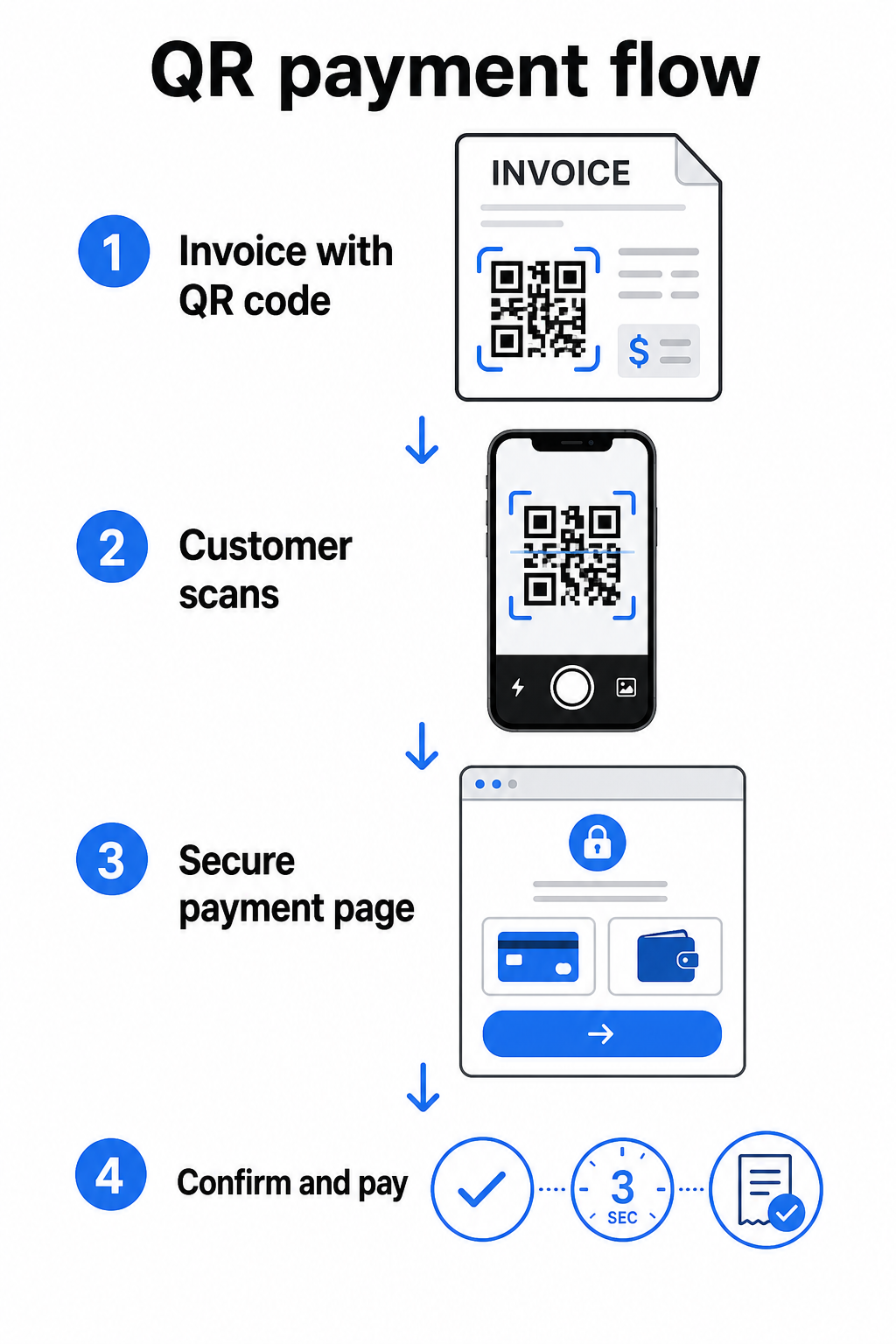
שירות FedNow של הפדרל ריזרב מתאר את תהליך העבודה המדויק הזה: חשבונות הנשלחים דיגיטלית עם קוד QR מוטבע מאפשרים ללקוחות לסרוק וליזום תשלום במקום לחכות לדפי חשבון מודפסים או לחפש ידנית פורטלי תשלום. לקוחות יכולים אפילו לסרוק קוד QR המכיל בקשה לתשלום (RfP) כדי ליזום תשלום מיידי ישירות דרך FedNow.
התהליך הכללי עובד כך:
- צרו קישור תשלום דרך ספק התשלומים שלכם (כגון PayPal, Stripe, או Square)
- המירו את הקישור הזה לקוד QR באמצעות מחולל קודי QR
- הציבו את קוד ה-QR על החשבונית, קובץ ה-PDF, או דף החיוב שלכם
- הלקוח סורק, בודק את הסכום, ומשלם – לעיתים קרובות תוך שניות
ספקי תשלומים אמריקאים גדולים, כולל PayPal, Stripe ו-Square, כולם תומכים בקישורי תשלום שניתן לשתף כקודי QR, כך שאין צורך בחומרה או תוכנה מיוחדת באף אחד מהצדדים.
מוכנים ליצור קוד QR לתשלום? הפכו כל קישור תשלום לקוד QR סריקה שלקוחותיכם יכולים להשתמש בו ישירות מהחשבונית שלכם. השתמשו ב-Pageloot’s מחולל קוד QR ל-PayPal או הכללי מחולל קודי QR כדי להתחיל תוך דקות.
למה לקשר את קוד ה-QR של החשבונית שלכם
קוד ה-QR עצמו הוא רק מנגנון המסירה. למה שתקשרו אותו קובע עד כמה חווית התשלום חלקה בפועל.
דף תשלום או קישור לקופה היא האפשרות הישירה ביותר. צרו קישור תשלום מלוח הבקרה של הספק שלכם – עם סכום החשבונית, התיאור ופרטי העסק שלכם ממולאים מראש – והמירו אותו לקוד QR. לקוחות מגיעים לדף מוכן לתשלום ללא צורך בהזנת נתונים ידנית. Pageloot’s מדריך לקודי QR לתשלום מסביר כיצד זה עובד עם ספקים כמו PayPal ו-Stripe.
קובץ PDF של החשבונית המלאה שימושי כאשר אתם רוצים לתת ללקוחות גישה לפרטים מפורטים, תנאים, או תיעוד תומך לצד אפשרות התשלום. א קוד QR של PDF מקשר ישירות למסמך כך שלקוחות יכולים לפתוח או להוריד אותו באופן מיידי מבלי לחפש בתיבת הדואר הנכנס שלהם.
פורטל תשלומים או דף שירות עצמי עובד היטב עבור עסקים עם לקוחות חוזרים. א קוד QR לקישור יכול להפנות לדף התחברות או ללוח בקרה של חשבון שבו לקוחות מנהלים את כל החשבוניות שלהם במקום אחד.
הבחירה הנכונה תלויה בתהליך העבודה של החיוב שלכם, אך עבור רוב העסקים המנסים לצמצם את ימי התשלום, קוד QR של קישור תשלום ישיר מייצר את הנתיב הקצר ביותר מחשבונית לסילוק.
קודי QR סטטיים לעומת דינמיים: באילו כדאי להשתמש?
בעת יצירת קוד QR לחשבוניות, יש לכם שתי אפשרויות: סטטי ודינמי. למטרות חיוב, קודי QR דינמיים מציעים יתרונות מעשיים משמעותיים.
| תכונה | קוד QR סטטי | קוד QR דינמי |
|---|---|---|
| עריכת יעד לאחר הדפסה | לא | כן |
| מעקב אחר נתוני סריקה | לא | כן |
| עדכון קישור תשלום אם הוא משתנה | דורש הדפסה מחדש | עדכון בלוח הבקרה |
| ניטור מי פתח את החשבונית | לא | כן |
| ביטול הפעלה במידת הצורך | לא | כן |
עם קוד QR דינמי, אתם יכולים לעדכן את כתובת ה-URL של היעד מבלי ליצור קוד חדש או להדפיס מחדש את תבנית החשבונית שלכם. אם ספק התשלומים שלכם משתנה, פריסת החשבונית שלכם מתעדכנת, או שאתם רוצים להפנות לשיטת תשלום אחרת עבור לקוח ספציפי, השינוי נכנס לתוקף באופן מיידי – קוד ה-QR המודפס או הדיגיטלי נשאר זהה.
קודים דינמיים גם נותנים לכם ניתוח סריקות: חותמות זמן, סוגי מכשירים ונתונים גיאוגרפיים שאומרים לך אם לקוח פתח את החשבונית שלו וקיים איתה אינטראקציה. אם חשבונית גדולה מציגה אפס סריקות שבוע לפני תאריך היעד, זהו אות מוקדם שימושי למעקב יזום.
כיצד להוסיף קוד QR לחשבוניות שלך
הוספת קוד QR לתהליך עבודה קיים של חשבוניות פשוטה ואינה דורשת בנייה מחדש של מערך החיוב שלך מאפס.
שלב 1: צור את קישור התשלום שלך. היכנס לספק התשלומים שלך (PayPal, Stripe, Square, או ספק אמריקאי אחר) וצור קישור תשלום. כלול את סכום החשבונית, שם העסק שלך, ומספר אסמכתא או תיאור כך שהתשלום יהיה קל ליישוב.
שלב 2: המר את הקישור לקוד QR. הדבק את כתובת ה-URL של התשלום לתוך Pageloot’s מחולל קודי QR אוֹ מחולל קוד QR ל-PayPal. בחר קוד QR דינמי אם אתה רוצה יכולות עריכה ומעקב.
שלב 3: התאם אישית את הקוד. הוסף את הלוגו שלך, החל את צבעי המותג שלך, וכלול תווית קצרה לקריאה לפעולה כגון “סרוק לתשלום.” קודים ממותגים בונים אמון לקוחות וקשה יותר לזייף אותם – שיקול חשוב בהתחשב ב- סיכונים שקודי QR זדוניים מציבים בהקשרי תשלום.
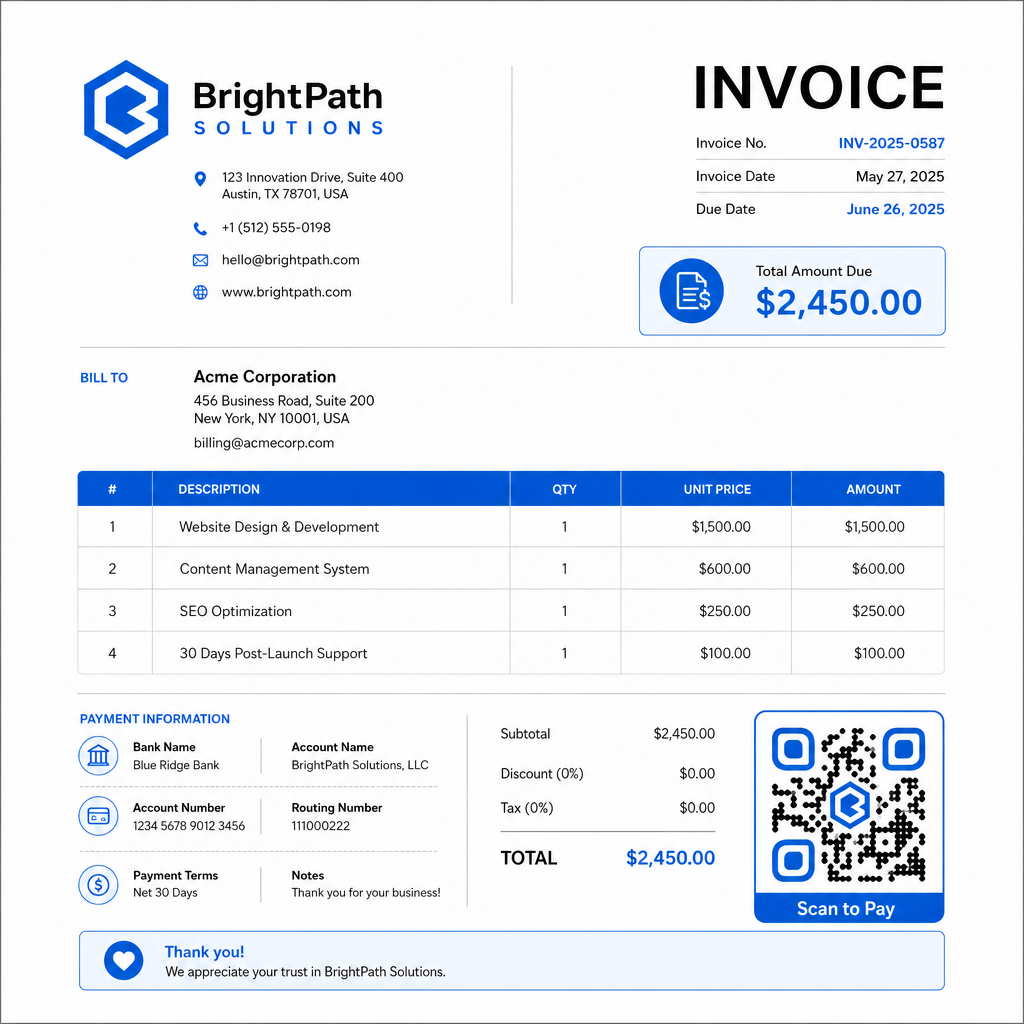
שלב 4: הורד בפורמט הנכון. ייצא את קוד ה-QR כקובץ SVG או EPS עבור חשבוניות שיודפסו, או כקובץ PNG ברזולוציה גבוהה עבור חשבוניות PDF או דיגיטליות. פורמטים וקטוריים מונעים פיקסלציה ושומרים על יכולת סריקה בכל גודל.
שלב 5: מקם ובדוק לפני השליחה. הכנס את קוד ה-QR לתבנית החשבונית שלך. בדוק אותו על לפחות שני מכשירים שונים ואשר שדף התשלום נטען כהלכה, הסכום מדויק, ותהליך האישור עובד מקצה לקצה.
עקוב אחר מעורבות חשבוניות בזמן אמת דע אם הלקוח שלך סרק את החשבונית שלך לפני תאריך היעד. קודי ה-QR הדינמיים של Pageloot נותנים לך ספירות סריקה, נתוני מכשיר וחותמות זמן מלוח מחוונים יחיד. צור קוד QR דינמי כדי להתחיל לעקוב.
תקני עיצוב קוד QR עבור חשבוניות מודפסות ודיגיטליות
קוד QR שאינו נסרק באופן אמין מפספס את המטרה. זכור תקנים אלה בעת הצבת קודים על חשבוניות:
- גודל מינימלי: הדפס קודי QR בגודל של לפחות 2×2 ס"מ לסריקה מטווח קרוב. עבור חשבוניות שבהן הקוד עשוי להיסרק מדף מודפס, 1×1 אינץ' או יותר הוא קו בסיס אמין.
- ניגודיות: השתמש בדפוסים כהים על רקע בהיר עם יחס ניגודיות של לפחות 4:1. הימנע מהצבת הקוד על רקעים צבעוניים, אזורים עם דפוסים או סימני מים.
- אזור שקט: שמור על גבול ריק ברור סביב הקוד כולו. אין טקסט, לוגואים או אלמנטים עיצוביים צריכים לחדור לשוליים אלה.
- פורמט קובץ: השתמש ב-SVG או EPS להדפסה. פורמטים וקטוריים אלה נשארים חדים בכל רזולוציה, בניגוד לקבצי PNG מרוסטר שמוגדלים ממקור קטן.
- פרופורציונליות: לעולם אל תמתח או תכווץ את קוד ה-QR. קנה אותו באופן פרופורציונלי כדי לשמור על הצורה המרובעת.
- תיקון שגיאות: השתמש ברמת תיקון שגיאות גבוהה (Q או H) אם אתה מוסיף לוגו בתוך הקוד. שמור כל לוגו מוטבע ממורכז ומכסה לא יותר מ-30% משטח הקוד.
- תווית: כלול הוראה קצרה ליד הקוד, כגון “סרוק כדי לשלם את חשבוניתך.” זה עוזר ללקוחות שאינם מכירים את התהליך וגם תומך בנגישות.
להנחיות נגישות מלאות – כולל המלצות גודל ואפשרויות הוראה רב-לשוניות – ראה את Pageloot's שיטות עבודה מומלצות לנגישות תשלומי קוד QR.
שיקולי אבטחה עבור קודי QR לתשלום חשבוניות
קודי QR לתשלום על חשבוניות הם הקשר בעל אמון גבוה – מלקוחות מתבקש לשלוח כסף. זה הופך את נוהלי האבטחה לבלתי ניתנים למשא ומתן.
השתמש בקישורי תשלום HTTPS בלבד. כל כתובת URL שקוד ה-QR שלך מצביע עליה צריכה להשתמש ב-HTTPS. קישור לא מאובטח הוא דגל אדום עבור לקוחות וסיכון אמיתי לנתונים שייורטו.
ודא את הקישור לפני הפצת חשבוניות. לפני שליחת אצווה של חשבוניות, סרוק את הקוד בעצמך ואשר שהוא מוביל לדף התשלום הנכון והמתפקד. זה תופס שגיאות בכתובת ה-URL ומאשר שתהליך התשלום עובד כמצופה.
השתמש בקודים דינמיים כדי שתוכל להגיב לבעיות. אם קישור תשלום נפגע או צריך להשתנות, קוד QR דינמי מאפשר לך לעדכן או לבטל את היעד באופן מיידי מבלי להנפיק מחדש את החשבונית. קודים סטטיים אינם ניתנים לשינוי לאחר שהודפסו או נשלחו.
מיתג את קודי ה-QR שלך באופן גלוי. הכללת הלוגו שלך בקוד ה-QR מקשה על רמאים להחליף קוד מזויף, ונותן ללקוחות רמז ויזואלי שהם סורקים משהו לגיטימי. קרא עוד על ניהול אבטחת תשלומים ב-Pageloot's מדריך אבטחה ומהירות לתשלומי קוד QR ו- מדריך תאימות PCI-DSS לתשלומי קוד QR.
תעשיות הנהנות מקודי QR לחשבוניות
חשבוניות תשלום בקוד QR חלות על מגוון רחב של סוגי עסקים. כמה מקרי שימוש נפוצים ממחישים היכן לגישה זו יש את ההשפעה הברורה ביותר:
- פרילנסרים ונותני שירותים – קוד QR על חשבונית PDF מאפשר ללקוחות לשלם מהטלפון שלהם ברגע שהם פותחים את המסמך, במקום להתחבר לפורטל ימים לאחר מכן.
- עסקי שירות שטח ומשלוחים – טכנאים או נהגים יכולים להציג חשבונית עם קוד QR בנקודת השירות, המאפשר תשלום במקום לפני שהם עוזבים.
- משרדי עורכי דין ושירותים מקצועיים – דפי חיוב חודשיים עם קודי QR מוטמעים מפחיתים את ההתכתבות הלוך ושוב של הוראות תשלום ומקלים על הלקוחות לשלם באופן מיידי.
- מרפאות – דפי חיוב מטופלים עם קוד QR מאפשרים למטופלים לשלם מהבית לאחר פגישתם, מפחיתים את הטיפול בתשלומים בדלפק הקבלה.
- בנייה וקבלנות – חשבוניות חיוב התקדמות עם קודי QR מעניקות ללקוחות נתיב תשלום ברור וללא חיכוך הקשור לכל אבן דרך.
של Pageloot דף פתרונות תעשייתיים מכסה יישומים נוספים ספציפיים למגזר עבור קודי QR בתהליכי עבודה עסקיים.
תשלומים מאוחרים עולים לעסקים זמן, תזרים מזומנים ומאמץ אדמיניסטרטיבי. הוספת קוד QR לחשבוניות שלך היא אחד הצעדים הישירים ביותר שתוכל לנקוט כדי לקצר את הפער בין שליחת חשבון לקבלת תשלום. ככל שללקוח יש פחות שלבים להשלם, כך גדל הסיכוי שישלם במהירות. הגדר את קוד ה-QR הראשון שלך לתשלום עם Pageloot’s מחולל קודי QR או הייעודי מחולל קוד QR ל-PayPal, והתחל לעקוב אחר התוצאות מהחשבונית הראשונה שלך.
שאלות נפוצות
זה תלוי בהגדרות התשלום שלך. אם אתה משתמש בדף תשלום יחיד שבו לקוחות מזינים את הסכום ידנית, קוד QR אחד יכול לעבוד על פני כל החשבוניות. אם ברצונך למלא מראש סכומים ספציפיים עבור כל חשבונית, תזדקק לקישורי תשלום נפרדים – ולכן לקודי QR נפרדים לכל חשבונית. קודי QR דינמיים מאפשרים לך לעדכן את היעד אם קישור התשלום שלך משתנה, מבלי ליצור מחדש או להדפיס מחדש את הקוד.
כלול תמיד אפשרות חלופית לצד קוד ה-QR – כתובת URL לתשלום בטקסט רגיל, פרטי העברה בנקאית שלך, או מספר טלפון לבירורי חיוב. לא לכל לקוח יהיה סמארטפון או שירגיש בנוח להשתמש בקודי QR, ושמירה על אפשרויות תשלום חלופיות מבטיחה שאף חשבונית לא תישאר ללא תשלום בגלל מחסום טכני. שיטות העבודה המומלצות של Pageloot לנגישות תשלום בקוד QR מכסות חלופות נוספות בפירוט.
כן, בתנאי שאתם מקפידים על שיטות אבטחה מומלצות. השתמשו בקישורי תשלום HTTPS, מיתגו את קודי ה-QR שלכם עם הלוגו שלכם כך שלקוחות יוכלו לאמת ויזואלית את המקור, והשתמשו בקודי QR דינמיים כך שתוכלו לבטל או לעדכן קוד מיד אם משהו משתבש. הימנעו מקודי QR סטטיים למטרות תשלום, מכיוון שלא ניתן לשנות אותם אם הדף המקושר נפגע. תמיד בדקו את תהליך התשלום המלא לפני שליחת חשבוניות, והורו ללקוחות לבדוק את כתובת ה-URL שמופיעה לאחר הסריקה לפני הזנת פרטי תשלום כלשהם.