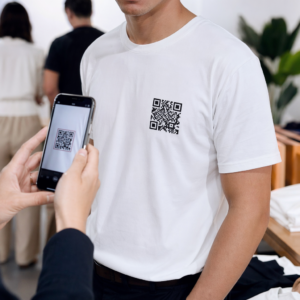
As suas faturas estão sem pagamento muito depois da data de vencimento? Pagamentos atrasados são um dos problemas de fluxo de caixa mais comuns que as empresas enfrentam – e um fator significativo é simplesmente o atrito envolvido no pagamento. Este guia mostra como adicionar um código QR às suas faturas remove esse atrito e coloca dinheiro na sua conta mais rapidamente.
Por Que Pagamentos Atrasados de Faturas São um Problema Real para as Empresas
Os números são difíceis de ignorar. 56% das pequenas empresas dos EUA relatam ter dinheiro devido de faturas não pagas ou atrasadas, e, em média, essas empresas estão a carregar mais de $17.000 em contas a receber pendentes cada. Os pagamentos geralmente chegam 8,2 dias após o prazo acordado – não porque os clientes não pretendam pagar, mas porque os fluxos de trabalho tradicionais de fatura para pagamento têm demasiados passos.
Os clientes recebem uma fatura em papel ou PDF, depois têm de localizar os seus dados bancários, navegar para um portal de pagamento, ou lembrar-se de escrever um cheque. Cada passo adicional é uma oportunidade para atraso. Quanto mais simples tornar o pagamento, mais rápido será pago.
Como os Códigos QR em Faturas Funcionam
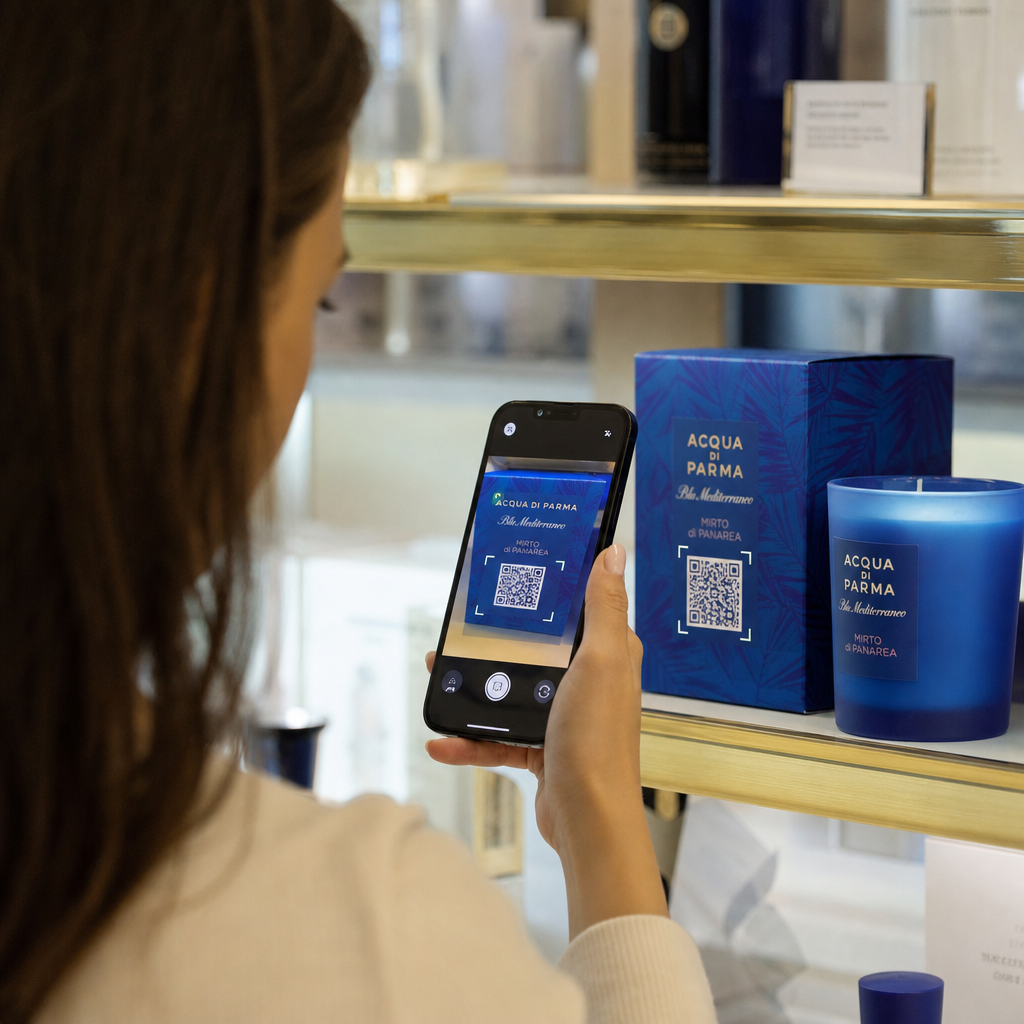
Um código QR de pagamento numa fatura codifica um URL que leva diretamente a uma página de pagamento segura. Quando um cliente digitaliza o código com a câmara do seu smartphone, a página de pagamento abre automaticamente no seu navegador. Eles confirmam o valor, escolhem o seu método de pagamento – cartão de crédito, transferência bancária, carteira digital – e concluem a transação em segundos.
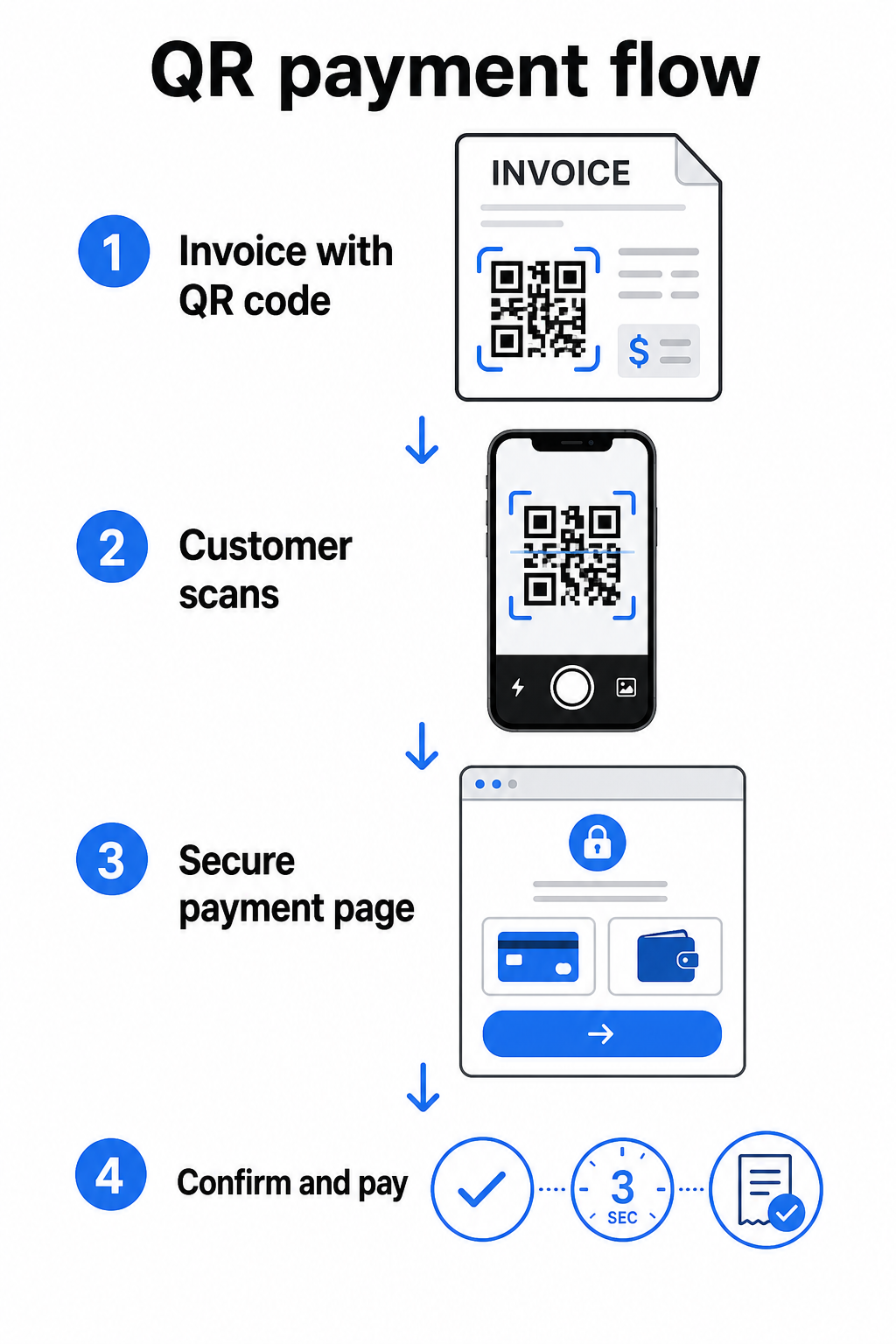
O Serviço FedNow da Reserva Federal descreve este fluxo de trabalho exato: contas enviadas digitalmente com um código QR incorporado permitem que os clientes digitalizem e iniciem o pagamento em vez de esperar por extratos em papel ou procurar manualmente por portais de pagamento. Os clientes podem até digitalizar um código QR contendo um Pedido de Pagamento (RfP) para iniciar um pagamento instantâneo diretamente via FedNow.
O processo geral funciona assim:
- Gere um link de pagamento através do seu provedor de pagamento (como PayPal, Stripe ou Square)
- Converta esse link num código QR usando um gerador de código QR
- Coloque o código QR na sua fatura, PDF ou extrato de cobrança
- O cliente digitaliza, revê o valor e paga – muitas vezes em segundos
Os principais provedores de pagamento dos EUA, incluindo PayPal, Stripe e Square, todos suportam links de pagamento que podem ser partilhados como códigos QR, portanto, nenhum hardware ou software especial é necessário em nenhuma das extremidades.
Pronto para Criar um Código QR de Pagamento? Transforme qualquer link de pagamento num código QR digitalizável que os seus clientes podem usar diretamente da sua fatura. Use o da Pageloot Gerador de QR Code do PayPal ou o geral Gerador de Código QR para começar em minutos.
O Que Ligar o Seu Código QR da Fatura A
O código QR em si é apenas o mecanismo de entrega. O que você liga a ele determina quão suave é a experiência de pagamento.
Uma página de pagamento ou link de checkout é a opção mais direta. Gere um link de pagamento a partir do painel do seu provedor – com o valor da fatura, descrição e os detalhes da sua empresa pré-preenchidos – e converta-o num código QR. Os clientes chegam a uma página pronta para pagar sem necessidade de introdução manual de dados. O da Pageloot guia para códigos QR de pagamento explica como isso funciona com provedores como PayPal e Stripe.
Um PDF da fatura completa é útil quando você quer dar aos clientes acesso a detalhes discriminados, termos ou documentação de suporte juntamente com a opção de pagamento. Um Código QR em PDF liga diretamente ao documento para que os clientes possam abri-lo ou descarregá-lo instantaneamente sem procurar na sua caixa de entrada.
Um portal de pagamento ou página de autoatendimento funciona bem para empresas com clientes recorrentes. Um QR code de link pode apontar para uma página de login ou painel de conta onde os clientes gerenciam todas as suas faturas num só lugar.
A escolha certa depende do seu fluxo de trabalho de cobrança, mas para a maioria das empresas que tentam reduzir os dias para pagamento, um código QR de link de pagamento direto produz o caminho mais curto da fatura ao pagamento.
Códigos QR Estáticos vs. Dinâmicos: Qual Deve Usar?
Ao gerar um código QR para faturas, você tem duas opções: estático e dinâmico. Para fins de faturação, códigos QR dinâmicos oferecem vantagens práticas significativas.
| RECURSO | Código QR estático | Código QR Dinâmico |
|---|---|---|
| Editar destino após a impressão | Não | Sim |
| Rastrear dados de digitalização | Não | Sim |
| Atualizar link de pagamento se ele mudar | Requer reimpressão | Atualizar no painel |
| Monitorizar quem abriu a fatura | Não | Sim |
| Desativar se necessário | Não | Sim |
Com um código QR dinâmico, você pode atualizar o URL de destino sem criar um novo código ou reimprimir o seu modelo de fatura. Se o seu provedor de pagamento mudar, o layout da sua fatura for atualizado, ou você quiser redirecionar para um método de pagamento diferente para um cliente específico, a alteração entra em vigor imediatamente – o código QR impresso ou digital permanece o mesmo.
Códigos dinâmicos também lhe dão dados de análise de digitalização: carimbos de data/hora, tipos de dispositivo e dados geográficos que informam se um cliente abriu e interagiu com a sua fatura. Se uma fatura de alto valor mostrar zero leituras uma semana antes da data de vencimento, esse é um sinal inicial útil para fazer um acompanhamento proativo.
Como Adicionar um Código QR às Suas Faturas
Adicionar um código QR a um fluxo de trabalho de faturação existente é simples e não exige a reconstrução da sua configuração de cobrança do zero.
Passo 1: Gere o seu link de pagamento. Faça login no seu provedor de pagamento (PayPal, Stripe, Square ou outro provedor dos EUA) e crie um link de pagamento. Inclua o valor da fatura, o nome da sua empresa e um número de referência ou descrição para que o pagamento seja fácil de conciliar.
Passo 2: Converta o link num código QR. Cole o URL de pagamento no Pageloot’s Gerador de Código QR ou Gerador de QR Code do PayPal. Escolha um código QR dinâmico se quiser capacidades de edição e rastreamento.
Passo 3: Personalize o código. Adicione o seu logótipo, aplique as cores da sua marca e inclua uma breve etiqueta de chamada para ação, como “Digitalizar para Pagar”. Códigos com marca própria geram confiança no cliente e são mais difíceis de falsificar – uma consideração importante dados os riscos que códigos QR maliciosos representam em contextos de pagamento.
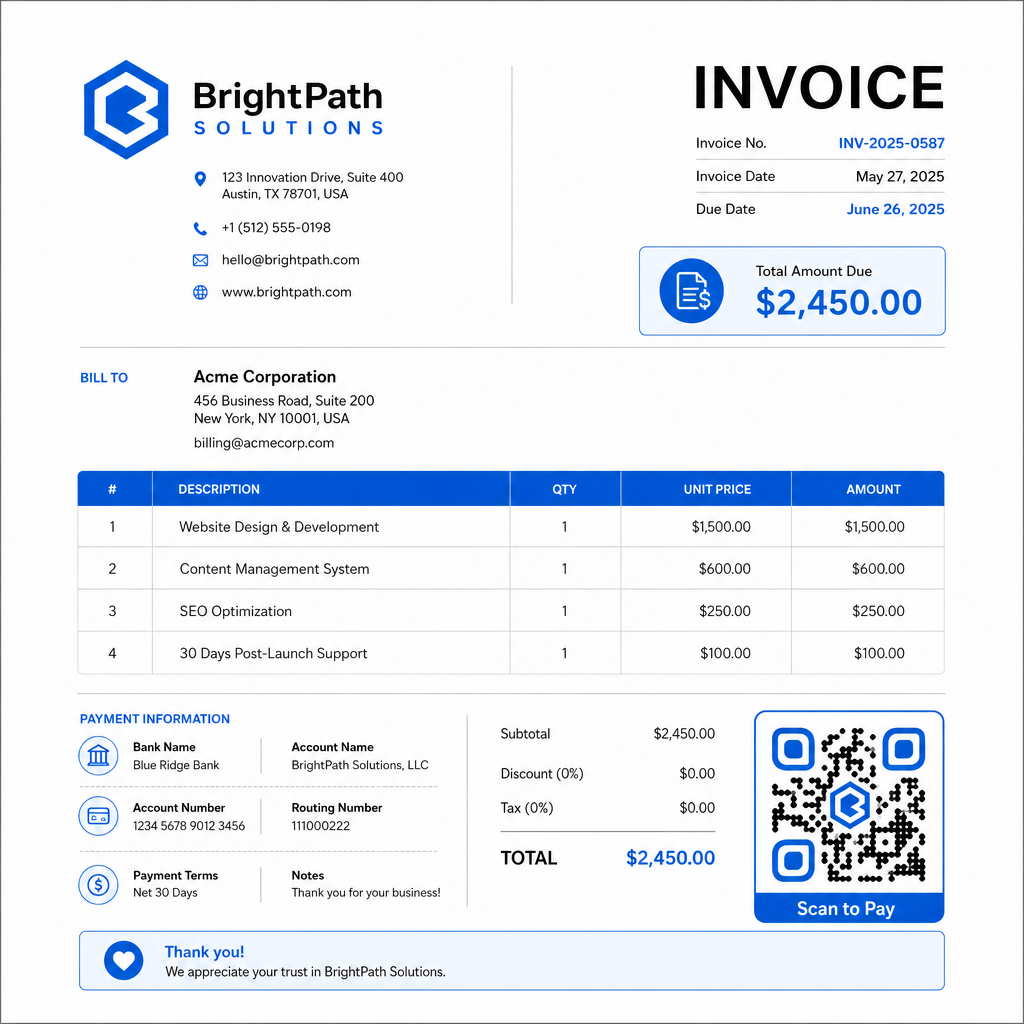
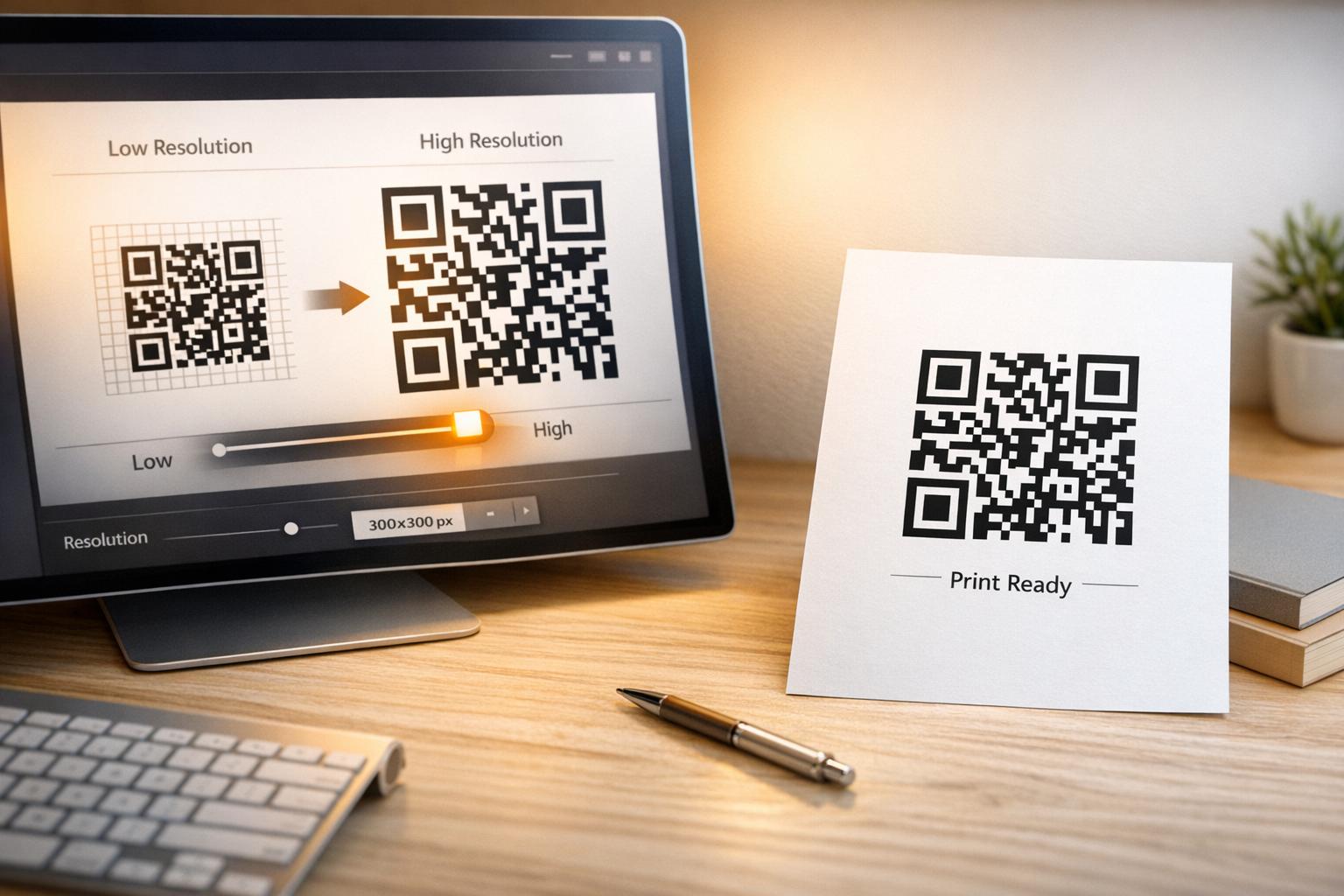
Passo 4: Descarregue no formato certo. Exporte o código QR como um ficheiro SVG ou EPS para faturas que serão impressas, ou como um PNG de alta resolução para faturas PDF ou digitais. Formatos vetoriais evitam a pixelização e mantêm a capacidade de leitura em qualquer tamanho.
Passo 5: Posicione e teste antes de enviar. Insira o código QR no seu modelo de fatura. Teste-o em pelo menos dois dispositivos diferentes e confirme que a página de pagamento carrega corretamente, o valor está exato e o fluxo de confirmação funciona de ponta a ponta.
Monitorize o Engajamento da Fatura em Tempo Real Saiba se o seu cliente digitalizou a sua fatura antes da data de vencimento. Os códigos QR dinâmicos do Pageloot fornecem contagens de leitura, dados do dispositivo e carimbos de data/hora a partir de um único painel. Crie um código QR dinâmico para começar a monitorizar.
Padrões de Design de Código QR para Faturas Impressas e Digitais
Um código QR que não digitaliza de forma fiável anula o propósito. Tenha estes padrões em mente ao colocar códigos em faturas:
- Tamanho mínimo: Imprima códigos QR com pelo menos 2×2 cm para digitalização de curta distância. Para faturas onde o código pode ser digitalizado de uma página impressa, 1×1 polegada ou maior é uma linha de base fiável.
- Contraste: Use padrões escuros num fundo claro com uma taxa de contraste de pelo menos 4:1. Evite colocar o código em fundos coloridos, áreas padronizadas ou marcas d'água.
- Zona de silêncio: Mantenha uma borda branca clara em torno de todo o código. Nenhum texto, logótipo ou elemento de design deve invadir esta margem.
- Formato de arquivo: Use SVG ou EPS para impressão. Estes formatos vetoriais mantêm-se nítidos em qualquer resolução, ao contrário dos ficheiros PNG rasterizados ampliados a partir de um original pequeno.
- Proporcionalidade: Nunca estique ou comprima o código QR. Escale-o proporcionalmente para preservar a forma quadrada.
- Correção de erro: Use um nível de correção de erro alto (Q ou H) se estiver a adicionar um logótipo dentro do código. Mantenha qualquer logótipo incorporado centrado e cobrindo não mais de 30% da área do código.
- Etiqueta: Inclua uma breve instrução perto do código, como “Digitalizar para pagar a sua fatura”. Isso ajuda os clientes que não estão familiarizados com o processo e também apoia a acessibilidade.
Para orientação completa sobre acessibilidade – incluindo recomendações de dimensionamento e opções de instrução multilingues – consulte o Pageloot’s as melhores práticas de acessibilidade para pagamentos com código QR.
Considerações de Segurança para Códigos QR de Pagamento de Faturas
Os códigos QR de pagamento em faturas são um contexto de alta confiança – os clientes estão a ser solicitados a enviar dinheiro. Isso torna as práticas de segurança não negociáveis.
Use apenas links de pagamento HTTPS. Cada URL para o qual o seu código QR aponta deve usar HTTPS. Um link não seguro é um sinal de alerta para os clientes e um risco real para dados intercetados.
Verifique o link antes de distribuir as faturas. Antes de enviar um lote de faturas, digitalize o código você mesmo e confirme que ele leva à página de pagamento correta e funcional. Isso deteta erros no URL e confirma que o fluxo de pagamento funciona como esperado.
Use códigos dinâmicos para que possa responder a problemas. Se um link de pagamento for comprometido ou precisar de ser alterado, um código QR dinâmico permite-lhe atualizar ou desativar o destino imediatamente sem reemitir a fatura. Códigos estáticos não podem ser alterados depois de impressos ou enviados.
Marque os seus códigos QR visivelmente. Incluir o seu logótipo no código QR torna mais difícil para os fraudadores substituírem um código falso e dá aos clientes uma pista visual de que estão a digitalizar algo legítimo. Leia mais sobre a gestão da segurança de pagamentos no Pageloot’s guia de segurança e velocidade de pagamentos com código QR e o guia de conformidade PCI-DSS para pagamentos com código QR.
Indústrias Que Beneficiam de Códigos QR em Faturas
Faturas de pagamento com código QR aplicam-se a uma vasta gama de tipos de negócio. Alguns casos de uso comuns ilustram onde esta abordagem tem o impacto mais claro:
- Freelancers e prestadores de serviços – Um código QR numa fatura PDF permite que os clientes paguem a partir do seu telemóvel no momento em que abrem o documento, em vez de fazerem login num portal dias depois.
- Empresas de serviços de campo e entregas – Técnicos ou motoristas podem apresentar uma fatura com um código QR no ponto de serviço, permitindo o pagamento no local antes de partirem.
- Escritórios de advocacia e serviços profissionais – Extratos de faturação mensais com códigos QR incorporados reduzem a troca de instruções de pagamento e facilitam o pagamento imediato pelos clientes.
- Clínicas de saúde – Extratos de faturação de pacientes com um código QR permitem que os pacientes paguem de casa após a consulta, reduzindo o manuseio de pagamentos na receção.
- Construção e empreitadas – Faturas de progresso com códigos QR oferecem aos clientes um caminho de pagamento claro e sem atritos, ligado a cada marco.
Da Pageloot página de soluções para a indústria abrange aplicações adicionais específicas do setor para códigos QR em fluxos de trabalho empresariais.
Pagamentos atrasados custam tempo, fluxo de caixa e esforço administrativo às empresas. Adicionar um código QR às suas faturas é um dos passos mais diretos que pode dar para encurtar o intervalo entre o envio de uma fatura e o recebimento do pagamento. Quanto menos passos um cliente tiver de completar, maior a probabilidade de pagar prontamente. Configure o seu primeiro código QR de pagamento com o Pageloot’s Gerador de Código QR ou o dedicado Gerador de QR Code do PayPal, e comece a acompanhar os resultados da sua primeira fatura.
Perguntas frequentes
Depende da sua configuração de pagamento. Se usar uma única página de pagamento onde os clientes inserem o valor manualmente, um código QR pode funcionar em todas as faturas. Se quiser pré-preencher valores específicos para cada fatura, precisará de links de pagamento individuais – e, portanto, de códigos QR individuais por fatura. Os códigos QR dinâmicos permitem-lhe atualizar o destino se o seu link de pagamento mudar, sem regenerar ou reimprimir o código.
Inclua sempre uma opção de fallback (alternativa) ao lado do código QR – um URL de pagamento em texto simples, os seus detalhes de transferência bancária ou um número de telefone para questões de faturação. Nem todo cliente terá um smartphone ou se sentirá confortável a usar códigos QR, e manter opções de pagamento alternativas garante que nenhuma fatura fique por pagar devido a uma barreira técnica. As melhores práticas de acessibilidade de pagamento com código QR do Pageloot cobrem alternativas adicionais em detalhe.
Sim, desde que você siga as melhores práticas de segurança. Use links de pagamento HTTPS, personalize os seus códigos QR com o seu logótipo para que os clientes possam verificar visualmente a origem, e use códigos QR dinâmicos para que você possa desativar ou atualizar um código imediatamente se algo der errado. Evite códigos QR estáticos para fins de pagamento, uma vez que eles não podem ser alterados se a página vinculada for comprometida. Sempre teste o fluxo de pagamento completo antes de enviar faturas, e instrua os clientes a verificar o URL que aparece após a digitalização antes de inserir quaisquer detalhes de pagamento.