Sidder dine fakturaer ubetalte længe efter forfaldsdatoen? Sene betalinger er et af de mest almindelige likviditetsproblemer, virksomheder står over for – og en væsentlig årsag er simpelthen den friktion, der er forbundet med at betale. Denne guide viser dig, hvordan tilføjelse af en QR-kode til dine fakturaer fjerner den friktion og sætter penge ind på din konto hurtigere.
Hvorfor sene fakturabetalinger er et reelt forretningsproblem
Tallene er svære at ignorere. 56% af amerikanske små virksomheder rapporterer at have penge til gode fra ubetalte eller forsinkede fakturaer, og i gennemsnit bærer disse virksomheder mere end 17.000 USD i udestående tilgodehavender hver. Betalinger ankommer typisk 8,2 dage efter den aftalte frist – ikke fordi kunderne ikke har til hensigt at betale, men fordi traditionelle faktura-til-betaling-arbejdsgange har for mange trin.
Kunder modtager en papir- eller PDF-faktura, skal derefter finde dine bankoplysninger, navigere til en betalingsportal eller huske at skrive en check. Hvert ekstra trin er en mulighed for forsinkelse. Jo enklere du gør betalingen, jo hurtigere får du betalt.
Sådan fungerer QR-koder på fakturaer
En betalings-QR-kode på en faktura koder en URL, der fører direkte til en sikker betalingsside. Når en kunde scanner koden med deres smartphone-kamera, åbnes betalingssiden automatisk i deres browser. De bekræfter beløbet, vælger deres betalingsmetode – kreditkort, bankoverførsel, digital tegnebog – og gennemfører transaktionen på få sekunder.
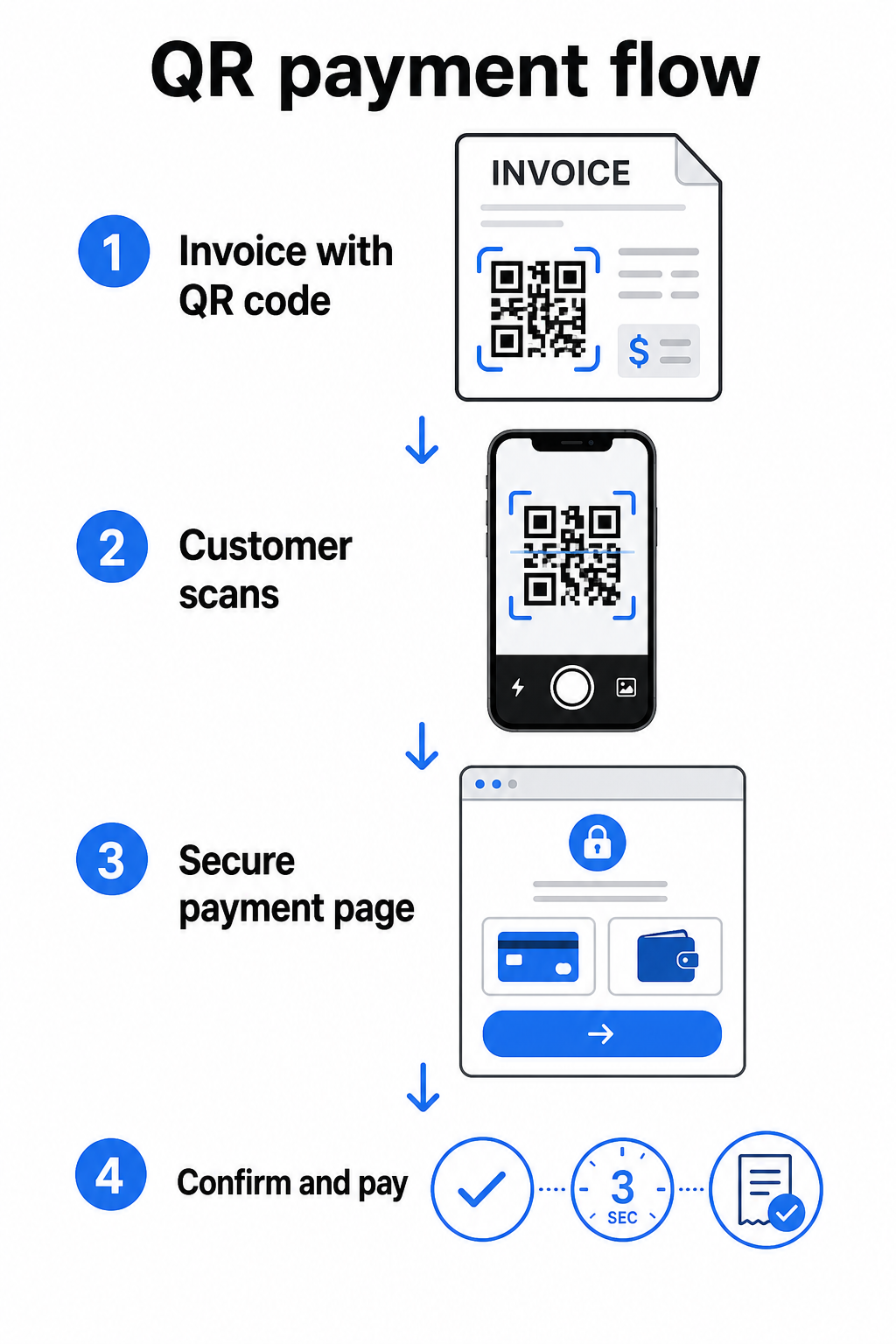
Federal Reserves FedNow Service beskriver denne præcise arbejdsgang: regninger sendt digitalt med en indlejret QR-kode giver kunderne mulighed for at scanne og igangsætte betaling i stedet for at vente på papirudtog eller manuelt søge efter betalingsportaler. Kunder kan endda scanne en QR-kode, der indeholder en Anmodning om betaling (RfP) for at igangsætte en øjeblikkelig betaling direkte via FedNow.
Den generelle proces fungerer således:
- Generer et betalingslink via din betalingsudbyder (såsom PayPal, Stripe eller Square)
- Konverter det link til en QR-kode ved hjælp af en QR-kodegenerator
- Placer QR-koden på din faktura, PDF eller betalingsopgørelse
- Kunden scanner, gennemgår beløbet og betaler – ofte inden for få sekunder
Store amerikanske betalingsudbydere, herunder PayPal, Stripe og Square, understøtter alle betalingslinks, der kan deles som QR-koder, så ingen speciel hardware eller software er påkrævet i nogen ende.
Klar til at oprette en betalings-QR-kode? Forvandl ethvert betalingslink til en scannbar QR-kode, som dine kunder kan bruge direkte fra din faktura. Brug Pageloots PayPal QR-kode generator eller den generelle QR-kodegenerator for at komme i gang på få minutter.
Hvad du skal linke din faktura-QR-kode til
QR-koden i sig selv er blot leveringsmekanismen. Hvad du linker den til, bestemmer, hvor glat betalingsoplevelsen faktisk er.
En betalingsside eller et checkout-link er den mest direkte mulighed. Generer et betalingslink fra din udbyders dashboard – med fakturabeløb, beskrivelse og dine virksomhedsoplysninger forududfyldt – og konverter det til en QR-kode. Kunder ankommer til en klar-til-betaling-side uden manuel dataindtastning. Pageloots guide til betalings-QR-koder gennemgår, hvordan dette fungerer med udbydere som PayPal og Stripe.
En PDF af den fulde faktura er nyttig, når du vil give kunderne adgang til specificerede detaljer, vilkår eller understøttende dokumentation sammen med betalingsmuligheden. En PDF QR-kode linker direkte til dokumentet, så kunderne kan åbne eller downloade det øjeblikkeligt uden at søge i deres indbakke.
En betalingsportal eller selvbetjeningsside fungerer godt for virksomheder med tilbagevendende kunder. En QR-kode til et link kan pege på en login-side eller et kontodashboard, hvor kunder kan administrere alle deres fakturaer ét sted.
Det rigtige valg afhænger af din faktureringsarbejdsgang, men for de fleste virksomheder, der forsøger at reducere dage til betaling, producerer en direkte betalingslink QR-kode den korteste vej fra faktura til afregning.
Statiske vs. Dynamiske QR-koder: Hvilken skal du bruge?
Når du genererer en QR-kode til fakturaer, har du to muligheder: statisk og dynamisk. Til faktureringsformål, dynamiske QR-koder tilbyder betydelige praktiske fordele.
| FUNKTION | Statisk QR-kode | Dynamisk QR-kode |
|---|---|---|
| Rediger destination efter udskrivning | Nej, det er det ikke | Ja |
| Spor scanningsdata | Nej, det er det ikke | Ja |
| Opdater betalingslink, hvis det ændres | Kræver genoptryk | Opdater i dashboard |
| Overvåg, hvem der åbnede fakturaen | Nej, det er det ikke | Ja |
| Deaktiver om nødvendigt | Nej, det er det ikke | Ja |
Med en dynamisk QR-kode kan du opdatere destinations-URL'en uden at oprette en ny kode eller genudskrive din fakturaskabelon. Hvis din betalingsudbyder ændres, dit fakturalayout opdateres, eller du ønsker at omdirigere til en anden betalingsmetode for en specifik kunde, træder ændringen i kraft øjeblikkeligt – den udskrevne eller digitale QR-kode forbliver den samme.
Dynamiske koder giver dig også scanningsanalyser: tidsstempler, enhedstyper og geografiske data, der fortæller dig, om en klient har åbnet og interageret med deres faktura. Hvis en stor faktura viser nul scanninger en uge før forfaldsdatoen, er det et nyttigt tidligt signal til at følge op proaktivt.
Sådan tilføjer du en QR-kode til dine fakturaer
At tilføje en QR-kode til en eksisterende fakturaarbejdsgang er ligetil og kræver ikke, at du genopbygger din faktureringsopsætning fra bunden.
Trin 1: Generer dit betalingslink. Log ind på din betalingsudbyder (PayPal, Stripe, Square eller en anden amerikansk udbyder) og opret et betalingslink. Inkluder fakturabeløbet, dit firmanavn og et referencenummer eller en beskrivelse, så betalingen er nem at afstemme.
Trin 2: Konverter linket til en QR-kode. Indsæt betalings-URL'en i Pageloots QR-kodegenerator eller PayPal QR-kode generator. Vælg en dynamisk QR-kode, hvis du ønsker redigerings- og sporingsfunktioner.
Trin 3: Tilpas koden. Tilføj dit logo, anvend dine brandfarver, og inkluder en kort opfordring til handling som f.eks. “Scan for at betale”. Brandede koder opbygger kundetillid og er sværere at forfalske – en vigtig overvejelse i betragtning af de risici, som ondsindede QR-koder udgør i betalingssammenhænge.
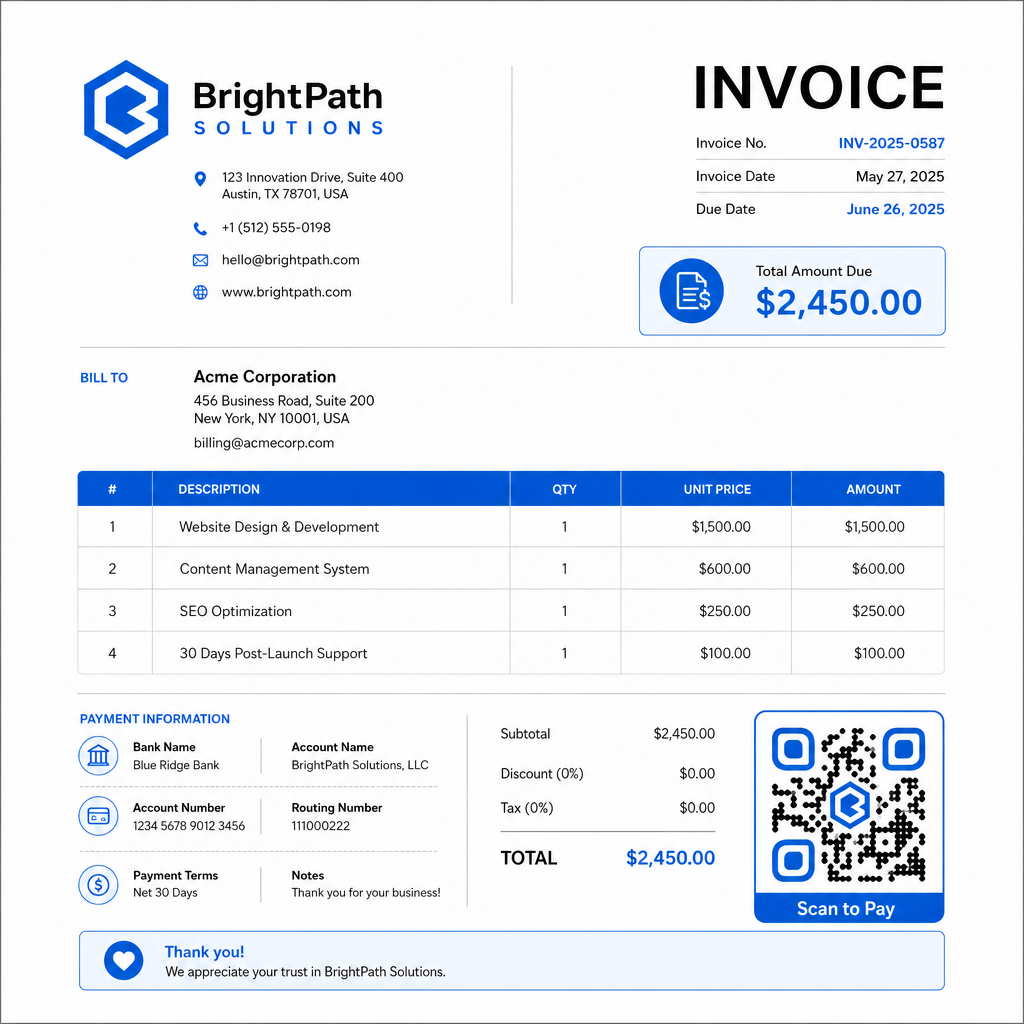
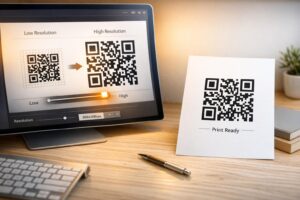
Trin 4: Download i det rigtige format. Eksporter QR-koden som en SVG- eller EPS-fil til fakturaer, der skal udskrives, eller som en højopløselig PNG til PDF- eller digitale fakturaer. Vektorformater forhindrer pixelering og opretholder scannbarhed i enhver størrelse.
Trin 5: Placer og test før afsendelse. Indsæt QR-koden i din fakturaskabelon. Test den på mindst to forskellige enheder, og bekræft, at betalingssiden indlæses korrekt, beløbet er nøjagtigt, og bekræftelsesflowet fungerer fra start til slut.
Spor fakturaengagement i realtid Ved, om din klient har scannet din faktura før forfaldsdatoen. Pageloots dynamiske QR-koder giver dig scanningsantal, enhedsdata og tidsstempler fra et enkelt dashboard. Opret en dynamisk QR-kode for at starte sporing.
QR-kode designstandarder for udskrevne og digitale fakturaer
En QR-kode, der ikke scanner pålideligt, modarbejder formålet. Husk disse standarder, når du placerer koder på fakturaer:
- Minimumstørrelse: Udskriv QR-koder på mindst 2×2 cm til scanning på nært hold. For fakturaer, hvor koden kan scannes fra en udskrevet side, er 1×1 tomme eller større en pålidelig basislinje.
- Kontrast: Brug mørke mønstre på en lys baggrund med et kontrastforhold på mindst 4:1. Undgå at placere koden på farvede baggrunde, mønstrede områder eller vandmærker.
- Stillezone: Oprethold en klar, tom kant omkring hele koden. Ingen tekst, logoer eller designelementer bør trænge ind i denne margen.
- Filformat: Brug SVG eller EPS til udskrivning. Disse vektorformater forbliver skarpe ved enhver opløsning, i modsætning til rasteriserede PNG-filer, der er skaleret op fra et lille originalt billede.
- Proportionalitet: Stræk eller komprimer aldrig QR-koden. Skaler den proportionalt for at bevare den kvadratiske form.
- Fejlkorrektion: Brug et højt fejlkorrektionsniveau (Q eller H), hvis du tilføjer et logo inde i koden. Hold ethvert indlejret logo centreret og dækkende ikke mere end 30% af kodeområdet.
- Etiket: Inkluder en kort instruktion nær koden, f.eks. “Scan for at betale din faktura”. Dette hjælper kunder, der er ukendte med processen, og understøtter også tilgængelighed.
For fuld vejledning om tilgængelighed – herunder anbefalinger til størrelse og flersprogede instruktionsmuligheder – se Pageloots bedste praksis for tilgængelighed af QR-kodebetalinger.
Sikkerhedsovervejelser for fakturabetalings-QR-koder
Betalings-QR-koder på fakturaer er en kontekst med høj tillid – kunder bliver bedt om at sende penge. Det gør sikkerhedspraksis ikke-forhandlingsbar.
Brug kun HTTPS-betalingslinks. Hver URL, din QR-kode peger på, skal bruge HTTPS. Et usikkert link er et rødt flag for kunder og en reel risiko for opsnappede data.
Bekræft linket, før du distribuerer fakturaer. Før du sender en bunke fakturaer, skal du scanne koden selv og bekræfte, at den fører til den korrekte, fungerende betalingsside. Dette fanger fejl i URL'en og bekræfter, at betalingsflowet fungerer som forventet.
Brug dynamiske koder, så du kan reagere på problemer. Hvis et betalingslink er kompromitteret eller skal ændres, lader en dynamisk QR-kode dig opdatere eller deaktivere destinationen øjeblikkeligt uden at genudstede fakturaen. Statiske koder kan ikke ændres, når de er udskrevet eller sendt.
Brand dine QR-koder synligt. Inkludering af dit logo i QR-koden gør det sværere for svindlere at erstatte en falsk kode og giver kunderne et visuelt signal om, at de scanner noget legitimt. Læs mere om administration af betalingssikkerhed i Pageloots Vejledning til QR-kodebetalingers sikkerhed og hastighed og PCI-DSS overholdelsesvejledning for QR-kodebetalinger.
Brancher der drager fordel af faktura-QR-koder
QR-kodebetalingsfakturaer gælder for en bred vifte af virksomhedstyper. Et par almindelige brugsscenarier illustrerer, hvor denne tilgang har den tydeligste indvirkning:
- Freelancere og tjenesteudbydere – En QR-kode på en PDF-faktura lader kunder betale fra deres telefon i det øjeblik, de åbner dokumentet, i stedet for at logge ind på en portal dage senere.
- Feltservice- og leveringsvirksomheder – Teknikere eller chauffører kan præsentere en faktura med en QR-kode på servicestedet, hvilket muliggør betaling på stedet, før de tager afsted.
- Advokatfirmaer og professionelle tjenester – Månedlige fakturaer med indlejrede.
- Sundhedspraksis – Patientfakturaer med en QR-kode giver patienter mulighed for at betale hjemmefra efter deres aftale, hvilket reducerer betalingshåndtering ved skranken.
- Byggeri og entreprenørarbejde – Fremdriftsfakturaer med QR-koder giver kunderne en klar, friktionsfri betalingsvej knyttet til hver milepæl.
Pageloots side for industriløsninger dækker yderligere sektorspecifikke anvendelser for QR-koder i forretningsarbejdsgange.
Sene betalinger koster virksomheder tid, likviditet og administrativ indsats. At tilføje en QR-kode til dine fakturaer er et af de mest direkte skridt, du kan tage for at forkorte tidsrummet mellem afsendelse af en regning og modtagelse af betaling. Jo færre trin en kunde skal gennemføre, jo mere sandsynligt er det, at de betaler prompte. Opsæt din første betalings-QR-kode med Pageloot’s QR-kodegenerator eller den dedikerede PayPal QR-kode generator, og begynd at spore resultater fra din første faktura.
Ofte stillede spørgsmål
Det afhænger af din betalingsopsætning. Hvis du bruger en enkelt betalingsside, hvor kunder indtaster beløbet manuelt, kan én QR-kode fungere på tværs af alle fakturaer. Hvis du vil forudfylde specifikke beløb for hver faktura, skal du bruge individuelle betalingslinks – og derfor individuelle QR-koder pr. faktura. Dynamiske QR-koder lader dig opdatere destinationen, hvis dit betalingslink ændres, uden at regenerere eller genudskrive koden.
Inkluder altid en fallback-mulighed sammen med QR-koden – en almindelig tekst-betalings-URL, dine bankoverførselsoplysninger eller et telefonnummer til faktureringsforespørgsler. Ikke alle kunder vil have en smartphone eller føle sig trygge ved at bruge QR-koder, og vedligeholdelse af alternative betalingsmuligheder sikrer, at ingen faktura forbliver ubetalt på grund af en teknisk barriere. Pageloots bedste praksis for tilgængelighed af QR-kodebetaling dækker yderligere alternativer i detaljer.
Ja, forudsat du følger bedste sikkerhedspraksis. Brug HTTPS betalingslinks, brand dine QR-koder med dit logo, så kunderne visuelt kan verificere kilden, og brug dynamiske QR-koder, så du kan deaktivere eller opdatere en kode øjeblikkeligt, hvis noget går galt. Undgå statiske QR-koder til betalingsformål, da de ikke kan ændres, hvis den linkede side kompromitteres. Test altid hele betalingsflowet, før du sender fakturaer, og instruer kunderne i at tjekke den URL, der vises efter scanning, før de indtaster betalingsoplysninger.