首页 > 使用案例 > QR Codes on Invoices: How to Get Paid Faster
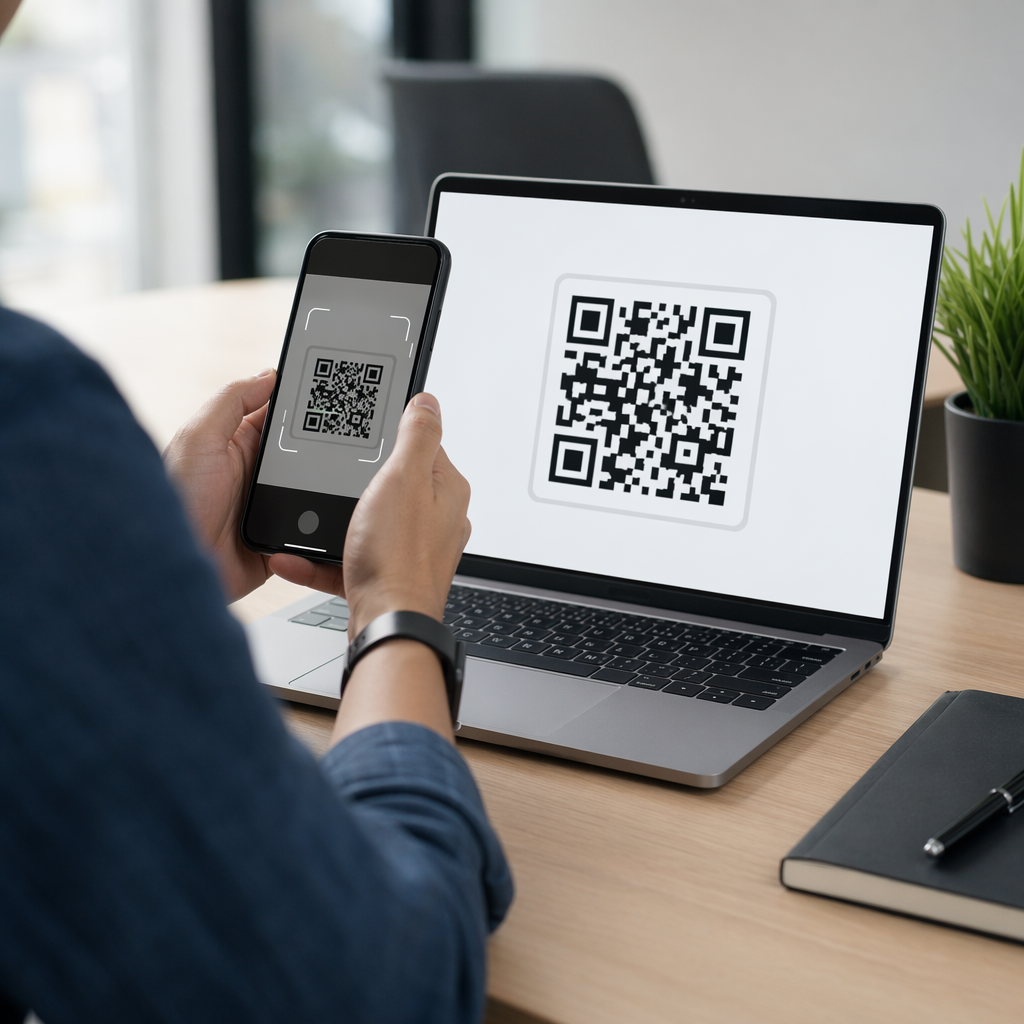
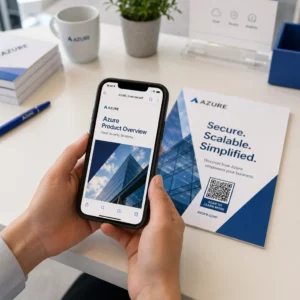
Scanning invoice QR

QR Codes on Invoices: How to Get Paid Faster

Reduce late payments by adding QR codes to your invoices to get paid faster. Learn how to link to payment pages, use dynamic codes, and simplify billing.
Updated on 7 月 2, 2026
目录

Are your invoices sitting unpaid long after the due date? Late payments are one of the most common cash flow problems businesses face – and a significant driver is simply the friction involved in paying. This guide shows you how adding a QR code to your invoices removes that friction and puts money in your account faster.

Why Late Invoice Payments Are a Real Business Problem

The numbers are hard to ignore. 56% of U.S. small businesses report being owed money from unpaid or late invoices, and on average those businesses are carrying more than $17,000 in outstanding receivables each. Payments typically arrive 8.2 days past the agreed deadline – not because customers don’t intend to pay, but because traditional invoice-to-payment workflows have too many steps.

Customers receive a paper or PDF invoice, then have to locate your banking details, navigate to a payment portal, or remember to write a check. Each additional step is an opportunity for delay. The simpler you make paying, the faster you get paid.

How QR Codes on Invoices Work

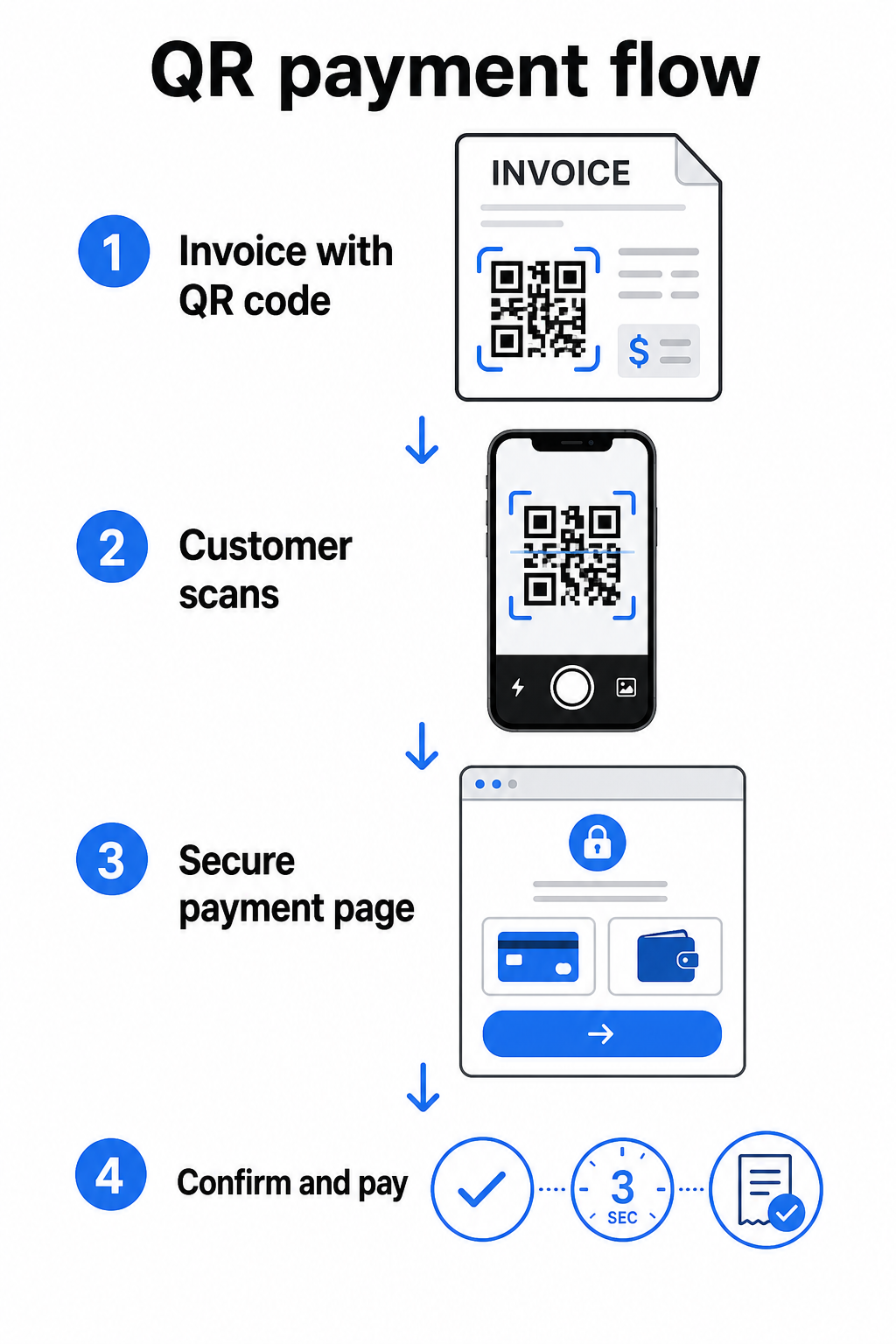
A payment QR code on an invoice encodes a URL that leads directly to a secure payment page. When a customer scans the code with their smartphone camera, the payment page opens automatically in their browser. They confirm the amount, choose their payment method – credit card, bank transfer, digital wallet – and complete the transaction in seconds.

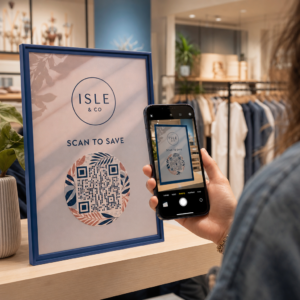
QR payment flow

The Federal Reserve’s FedNow Service describes this exact workflow: bills sent digitally with an embedded QR code allow customers to scan and initiate payment instead of waiting for paper statements or manually searching for payment portals. Clients can even scan a QR code containing a Request for Payment (RfP) to initiate an instant payment directly via FedNow.

The general process works like this:

  • Generate a payment link through your payment provider (such as PayPal, Stripe, or Square)
  • Convert that link into a QR code using a QR code generator
  • Place the QR code on your invoice, PDF, or billing statement
  • The customer scans, reviews the amount, and pays – often within seconds

Major U.S. payment providers including PayPal, Stripe, and Square all support payment links that can be shared as QR codes, so no special hardware or software is required on either end.

Ready to Create a Payment QR Code? Turn any payment link into a scannable QR code your customers can use directly from your invoice. Use Pageloot’s 贝宝 QR 码生成器 or the general 二维码生成器 to get started in minutes.

What to Link Your Invoice QR Code To

The QR code itself is just the delivery mechanism. What you link it to determines how smooth the payment experience actually is.

A payment page or checkout link is the most direct option. Generate a payment link from your provider’s dashboard – with the invoice amount, description, and your business details pre-filled – and convert it into a QR code. Customers arrive at a ready-to-pay page with no manual data entry required. Pageloot’s guide to payment QR codes walks through how this works with providers like PayPal and Stripe.

A PDF of the full invoice is useful when you want to give customers access to itemized details, terms, or supporting documentation alongside the payment option. A PDF QR 码 links directly to the document so customers can open or download it instantly without searching their inbox.

A payment portal or self-service page works well for businesses with recurring clients. A 链接二维码 can point to a login page or account dashboard where clients manage all their invoices in one place.

The right choice depends on your billing workflow, but for most businesses trying to reduce days-to-payment, a direct payment link QR code produces the shortest path from invoice to settlement.

静态二维码与动态二维码:您应该使用哪种?

When generating a QR code for invoices, you have two options: static and dynamic. For invoicing purposes, dynamic QR codes offer meaningful practical advantages.

功能 静态 QR 码 动态二维码
Edit destination after printing 没有
Track scan data 没有
Update payment link if it changes Requires reprinting Update in dashboard
Monitor who opened the invoice 没有
Deactivate if needed 没有

With a dynamic QR code, you can update the destination URL without creating a new code or reprinting your invoice template. If your payment provider changes, your invoice layout updates, or you want to redirect to a different payment method for a specific client, the change takes effect immediately – the printed or digital QR code stays the same.

Dynamic codes also give you 扫描分析: timestamps, device types, and geographic data that tell you whether a client has opened and interacted with their invoice. If a large invoice shows zero scans a week before the due date, that’s a useful early signal to follow up proactively.

How to Add a QR Code to Your Invoices

Adding a QR code to an existing invoice workflow is straightforward and doesn’t require rebuilding your billing setup from scratch.

Step 1: Generate your payment link. Log in to your payment provider (PayPal, Stripe, Square, or another U.S. provider) and create a payment link. Include the invoice amount, your business name, and a reference number or description so the payment is easy to reconcile.

Step 2: Convert the link to a QR code. Paste the payment URL into Pageloot’s 二维码生成器 要么 贝宝 QR 码生成器. Choose a dynamic QR code if you want editing and tracking capabilities.

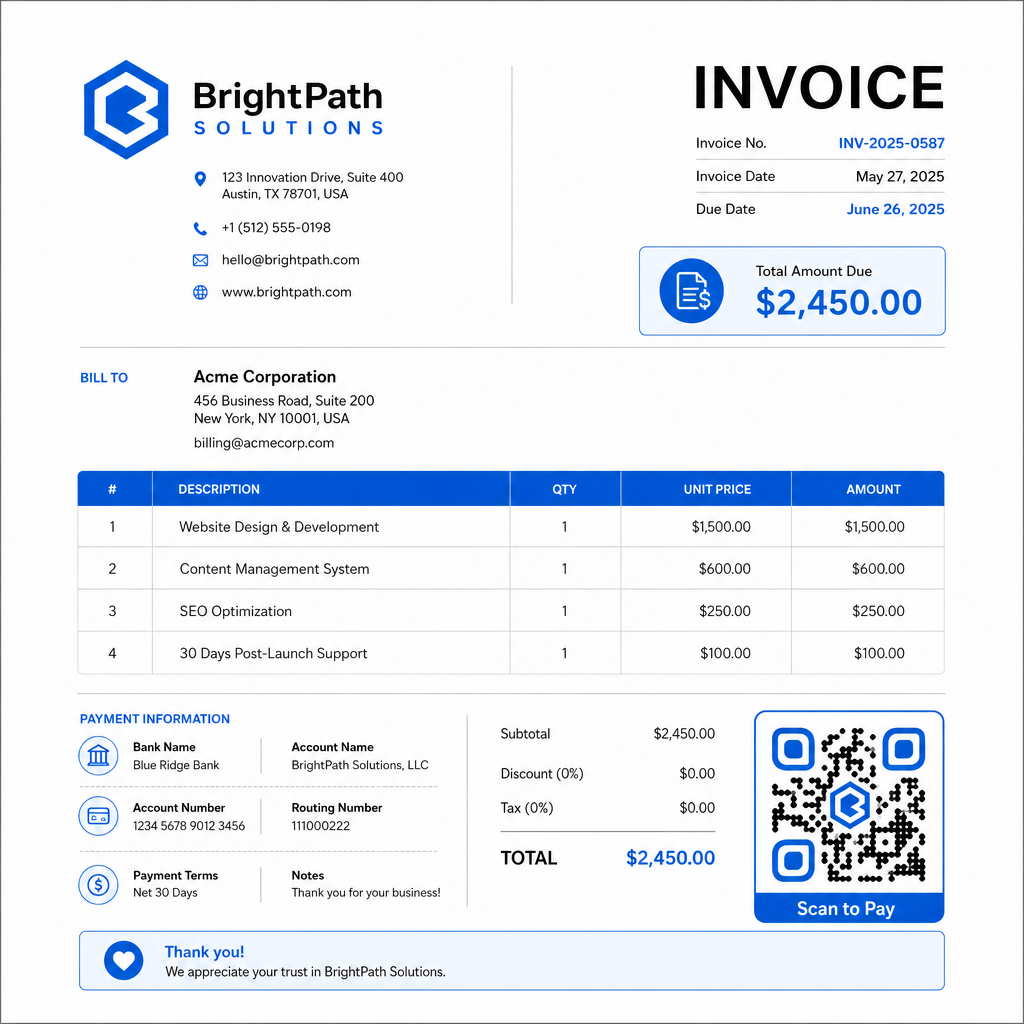
Step 3: Customize the code. Add your logo, apply your brand colors, and include a short call-to-action label such as “Scan to Pay.” Branded codes build customer trust and are harder to spoof – an important consideration given the risks that malicious QR codes pose in payment contexts.

Branded payment QR

Step 4: Download in the right format. Export the QR code as an SVG or EPS file for invoices that will be printed, or as a high-resolution PNG for PDF or digital invoices. Vector formats prevent pixelation and maintain scannability at any size.

Step 5: Place and test before sending. Insert the QR code into your invoice template. Test it on at least two different devices and confirm the payment page loads correctly, the amount is accurate, and the confirmation flow works end to end.

Track Invoice Engagement in Real Time Know whether your client has scanned your invoice before the due date. Pageloot’s dynamic QR codes give you scan counts, device data, and timestamps from a single dashboard. 创建动态二维码 to start tracking.

QR Code Design Standards for Printed and Digital Invoices

A QR code that doesn’t scan reliably defeats the purpose. Keep these standards in mind when placing codes on invoices:

  • 最小尺寸: Print QR codes at least 2×2 cm for close-range scanning. For invoices where the code may be scanned from a printed page, 1×1 inch or larger is a reliable baseline.
  • 对比度: Use dark patterns on a light background with a contrast ratio of at least 4:1. Avoid placing the code on colored backgrounds, patterned areas, or watermarks.
  • 静区: Maintain a clear blank border around the entire code. No text, logos, or design elements should intrude into this margin.
  • 文件格式: Use SVG or EPS for print. These vector formats stay sharp at any resolution, unlike rasterized PNG files scaled up from a small original.
  • Proportionality: Never stretch or compress the QR code. Scale it proportionally to preserve the square shape.
  • Error correction: Use a high error correction level (Q or H) if you’re adding a logo inside the code. Keep any embedded logo centered and covering no more than 30% of the code area.
  • Label: Include a brief instruction near the code, such as “Scan to pay your invoice.” This helps customers who are unfamiliar with the process and also supports accessibility.

For full accessibility guidance – including sizing recommendations and multilingual instruction options – see Pageloot’s 二维码支付可访问性最佳实践.

Security Considerations for Invoice Payment QR Codes

Payment QR codes on invoices are a high-trust context – customers are being asked to send money. That makes security practices non-negotiable.

Use HTTPS payment links only. Every URL your QR code points to should use HTTPS. An unsecured link is a red flag for customers and a real risk for intercepted data.

Verify the link before distributing invoices. Before sending a batch of invoices, scan the code yourself and confirm it leads to the correct, functioning payment page. This catches errors in the URL and confirms the payment flow works as expected.

Use dynamic codes so you can respond to problems. If a payment link is compromised or needs to change, a dynamic QR code lets you update or deactivate the destination immediately without reissuing the invoice. Static codes cannot be changed once printed or sent.

Brand your QR codes visibly. Including your logo in the QR code makes it harder for fraudsters to substitute a fake code, and gives customers a visual cue that they’re scanning something legitimate. Read more about managing payment security in Pageloot’s QR code payments security and speed guide 以及 PCI-DSS compliance guide for QR code payments.

Industries That Benefit From Invoice QR Codes

QR code payment invoices apply across a wide range of business types. A few common use cases illustrate where this approach has the clearest impact:

  • Freelancers and service providers – A QR code on a PDF invoice lets clients pay from their phone the moment they open the document, rather than logging into a portal days later.
  • Field service and delivery businesses – Technicians or drivers can present an invoice with a QR code at the point of service, enabling payment on the spot before they leave.
  • Law firms and professional services – Monthly billing statements with embedded QR codes reduce the back-and-forth of payment instructions and make it easier for clients to pay immediately.
  • Healthcare practices – Patient billing statements with a QR code allow patients to pay from home after their appointment, reducing front-desk payment handling.
  • Construction and contracting – Progress billing invoices with QR codes give clients a clear, frictionless payment path tied to each milestone.

Pageloot 的 industry solutions page covers additional sector-specific applications for QR codes in business workflows.

Late payments cost businesses time, cash flow, and administrative effort. Adding a QR code to your invoices is one of the most direct steps you can take to shorten the gap between sending a bill and receiving payment. The fewer steps a customer has to complete, the more likely they are to pay promptly. Set up your first payment QR code with Pageloot’s 二维码生成器 or the dedicated 贝宝 QR 码生成器, and start tracking results from your first invoice.

常见问题

Can I use one QR code on all my invoices, or do I need a different one for each invoice?

It depends on your payment setup. If you use a single payment page where customers enter the amount manually, one QR code can work across all invoices. If you want to pre-fill specific amounts for each invoice, you’ll need individual payment links – and therefore individual QR codes per invoice. Dynamic QR codes let you update the destination if your payment link changes, without regenerating or reprinting the code.

What happens if a customer can’t scan the QR code on my invoice?

Always include a fallback option alongside the QR code – a plain-text payment URL, your bank transfer details, or a phone number for billing inquiries. Not every customer will have a smartphone or feel comfortable using QR codes, and maintaining alternative payment options ensures no invoice goes unpaid because of a technical barrier. Pageloot’s QR code payment accessibility best practices covers additional alternatives in detail.

Are QR code payments on invoices secure for my customers?

Yes, provided you follow security best practices. Use HTTPS payment links, brand your QR codes with your logo so customers can visually verify the source, and use dynamic QR codes so you can deactivate or update a code immediately if something goes wrong. Avoid static QR codes for payment purposes, since they cannot be changed if the linked page is compromised. Always test the full payment flow before sending invoices, and instruct customers to check the URL that appears after scanning before entering any payment details.

关于作者

Siim Kostabi 是 Pageloot 的内容主管,负责撰写关于我们创新型二维码生成器服务的文章。凭借五年多来在二维码领域积累的深厚专业知识,Siim 是该领域的专家。他致力于利用二维码技术简化和增强数字交互,并取得了显著的成果。.

类别
了解更多关于
Data Matrix和QR
数据矩阵 VS 二维码
客户扫描二维码海报
的QR码 社交媒体
QR QR码的#1解决方案

如果您需要在线创建QR码,则可以 制作二维码 就在这里免费!
Pageloot是 #1转到解决方案 创建和扫描QR码。

BL-0291

博客生成器

受到超过 20,000 个品牌的信赖,可获得更多销售、评论和关注者。

客户徽标
受到顶级品牌的信赖
评分为 4.8(共 5)

4.86 / 5 星评级

雨果·劳伦特
雨果·劳伦特
餐馆老板
有史以来最容易和最可靠的QR码生成器。PDF文件可以立即上传。我们的餐厅菜单现在是数字化的。
卢卡斯-詹森
卢卡斯-詹森
房地产开发商
这是一个很好的工具,二维码带你到你想要的地方。我们只使用位置二维码,但有许多有用的功能。
艾玛-莫雷蒂
艾玛-莫雷蒂
零售产品
易于使用和快速。它工作得很好,创造了一个完美的图像,所以员工可以下载我的vCard。
雨果·劳伦特
雨果·劳伦特
餐馆老板
有史以来最容易和最可靠的QR码生成器。PDF文件可以立即上传。我们的餐厅菜单现在是数字化的。
卢卡斯-詹森
卢卡斯-詹森
房地产开发商
这是一个很好的工具,二维码带你到你想要的地方。我们只使用位置二维码,但有许多有用的功能。
艾玛-莫雷蒂
艾玛-莫雷蒂
零售产品
易于使用和快速。它工作得很好,创造了一个完美的图像,所以员工可以下载我的vCard。
查看更多QR码
包装商品的QR码
的QR码 包装产品
扫描品牌二维码
如何 嵌入图片
将一切转化为数字体验 不到3分钟。

免费试用 14 天。

无需信用卡。

首次购买可享受 30% 折扣

使用代码:

分享您的 MP3 文件

注册以创建 PDF QR 码

上传和显示你需要的一切。

  • 音频文件
  • 播客
  • 音乐

注册即可享 14 天免费试用。.
试用期结束后,二维码将失效。.

注册以创建音频 mp3 二维码

使用边框获得更多扫描

注册以向您的二维码添加更多框架

呼叫行动框架帮助您的客户与QR码轻松互动。试试吧!

注册即可享 14 天免费试用。.
试用期结束后,二维码将失效。.

注册以向您的二维码添加更多框架

使用形状添加更多样式

注册以创建更多形状

二维码不一定是方形的。试着改变它以适应你的品牌形象。

注册即可享 14 天免费试用。.
试用期结束后,二维码将失效。.

注册以创建更多形状

为您的二维码添加徽标

注册以将您的徽标添加到二维码中

通过在二维码上添加你的标志和品牌,使你的二维码脱颖而出。

注册即可享 14 天免费试用。.
试用期结束后,二维码将失效。.

注册以将您的徽标添加到二维码中

智能应用商店重定向

注册以创建应用商店二维码

将您的应用程序链接添加到我们的智能应用程序商店QR码。用户会根据他们的设备被重新定向。

注册即可享 14 天免费试用。.
试用期结束后,二维码将失效。.

注册以创建应用商店二维码

将图片上传到二维码

注册以创建图像二维码

轻松分享你的图像。在几秒钟内动态地改变任何图像。

注册即可享 14 天免费试用。.
试用期结束后,二维码将失效。.

注册以创建图像二维码

分享您的 PDF 文件

注册以创建 PDF QR 码

上传和显示你需要的一切。

  • 菜单和价格表
  • 使用说明
  • 任何文件

注册即可享 14 天免费试用。.
试用期结束后,二维码将失效。.

注册以创建 PDF QR 码

稍后编辑,无需打印

注册即可编辑您的二维码,无需再次打印

动态QR码让你改变你的QR码的内容,而不需要打印新的QR码。

注册即可享 14 天免费试用。.
试用期结束后,二维码将失效。.

注册即可编辑您的二维码,无需再次打印

何时?何地?追踪您的二维码扫描

注册以追踪您的二维码

发现你的哪些二维码收到了最多的扫描,以及什么最能让你的客户兴奋。

注册即可享 14 天免费试用。.
试用期结束后,二维码将失效。.

注册以追踪您的二维码

提供可打印文件

注册以创建 PDF 和 SVG 等矢量二维码

.EPS, .PDF, .SVG

想下载高清分辨率的QR码吗?获得矢量或像素格式,可随时打印。

注册即可享 14 天免费试用。.
试用期结束后,二维码将失效。.

注册以创建 PDF 和 SVG 等矢量二维码

请等待。您的二维码是 正在加载... 正在加载...

打造专属

注册以保存您的二维码以供日后使用

通过创建具有不同颜色、标识和行动呼吁框架的出色的QR码,获得更多的扫描。

注册即可享 14 天免费试用。.
试用期结束后,二维码将失效。.

注册以保存您的二维码以供日后使用