Är dina fakturor obetalda långt efter förfallodatumet? Sena betalningar är ett av de vanligaste kassaflödesproblemen företag står inför – och en betydande orsak är helt enkelt friktionen som är involverad i att betala. Denna guide visar dig hur du genom att lägga till en QR-kod på dina fakturor tar bort den friktionen och sätter in pengar på ditt konto snabbare.
Varför sena fakturabetalningar är ett verkligt affärsproblem
Siffrorna är svåra att ignorera. 56% av amerikanska småföretag rapporterar att de är skyldiga pengar från obetalda eller sena fakturor, och i genomsnitt bär dessa företag mer än $17 000 i utestående fordringar vardera. Betalningar anländer vanligtvis 8,2 dagar efter den överenskomna tidsfristen – inte för att kunder inte avser att betala, utan för att traditionella arbetsflöden från faktura till betalning har för många steg.
Kunder får en pappers- eller PDF-faktura, måste sedan hitta dina bankuppgifter, navigera till en betalningsportal eller komma ihåg att skriva en check. Varje ytterligare steg är en möjlighet till fördröjning. Ju enklare du gör betalningen, desto snabbare får du betalt.
Hur QR-koder på fakturor fungerar
En betalnings-QR-kod på en faktura kodar en URL som leder direkt till en säker betalningssida. När en kund skannar koden med sin smartphonekamera öppnas betalningssidan automatiskt i deras webbläsare. De bekräftar beloppet, väljer sin betalningsmetod – kreditkort, banköverföring, digital plånbok – och slutför transaktionen på några sekunder.
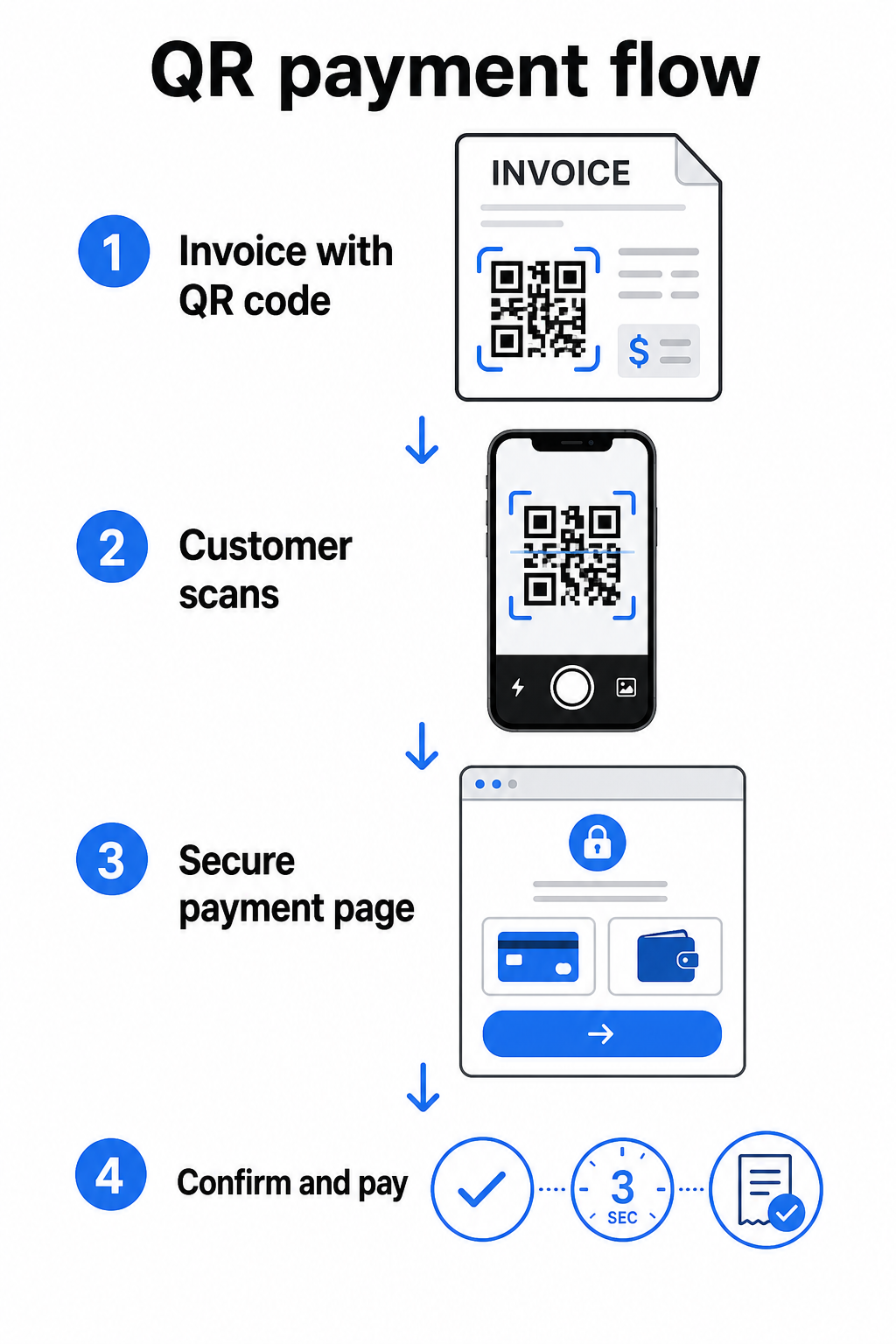
Federal Reserves FedNow-tjänst beskriver detta exakta arbetsflöde: räkningar som skickas digitalt med en inbäddad QR-kod gör det möjligt för kunder att skanna och initiera betalning istället för att vänta på pappersutdrag eller manuellt söka efter betalningsportaler. Kunder kan till och med skanna en QR-kod som innehåller en Begäran om betalning (RfP) för att initiera en omedelbar betalning direkt via FedNow.
Den allmänna processen fungerar så här:
- Generera en betalningslänk via din betalningsleverantör (som PayPal, Stripe eller Square)
- Konvertera den länken till en QR-kod med hjälp av en QR-kodgenerator
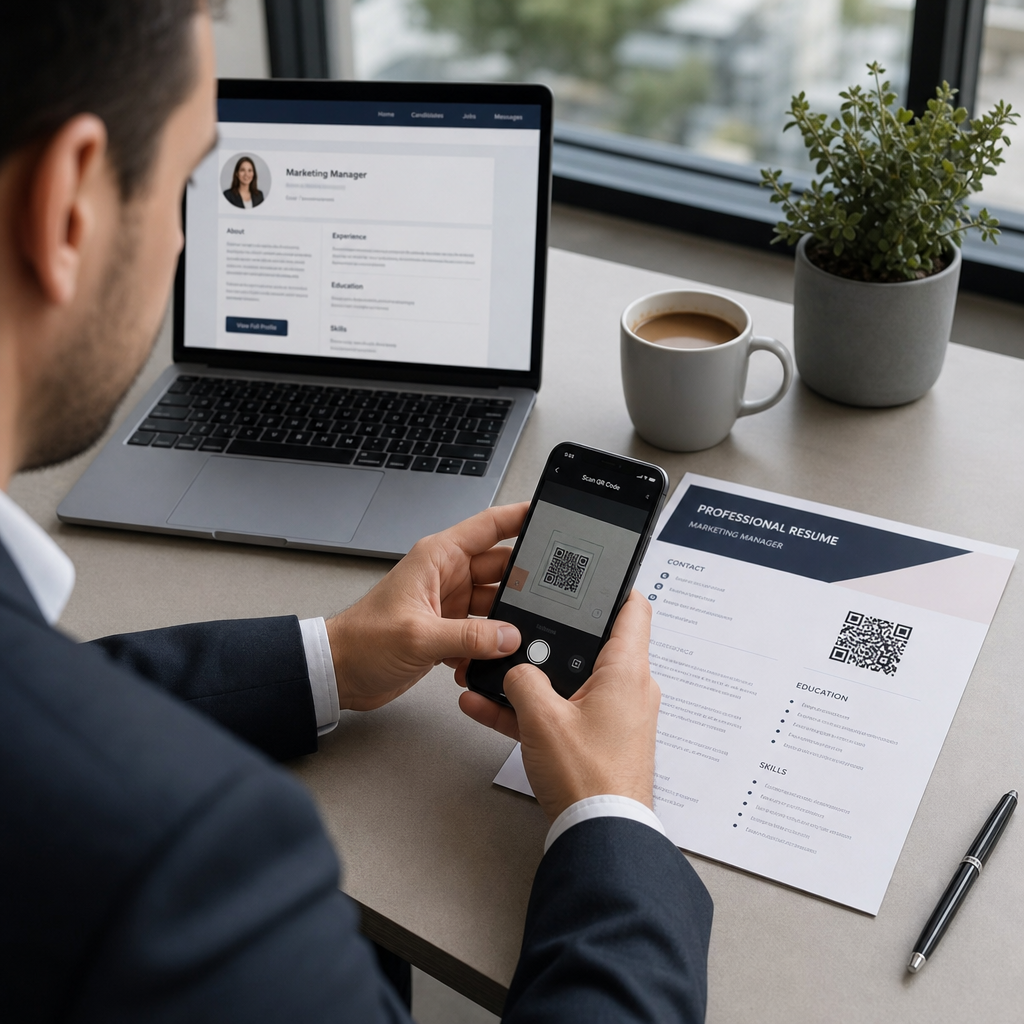
- Placera QR-koden på din faktura, PDF eller faktureringsutdrag
- Kunden skannar, granskar beloppet och betalar – ofta inom några sekunder
Stora amerikanska betalningsleverantörer inklusive PayPal, Stripe och Square stöder alla betalningslänkar som kan delas som QR-koder, så ingen speciell hårdvara eller programvara krävs i någon ände.
Redo att skapa en betalnings-QR-kod? Förvandla vilken betalningslänk som helst till en skanningsbar QR-kod som dina kunder kan använda direkt från din faktura. Använd Pageloots QR-kodgenerator för PayPal Stripe QR-kodgenerator QR-kodgenerator för att komma igång på några minuter.
Vad du ska länka din faktura-QR-kod till
QR-koden i sig är bara leveransmekanismen. Vad du länkar den till avgör hur smidig betalningsupplevelsen faktiskt blir.
En betalningssida eller kassa-länk är det mest direkta alternativet. Generera en betalningslänk från din leverantörs instrumentpanel – med fakturabelopp, beskrivning och dina företagsdetaljer förifyllda – och konvertera den till en QR-kod. Kunder kommer till en redo-att-betala-sida utan manuell datainmatning. Pageloots guide till betalnings-QR-koder går igenom hur detta fungerar med leverantörer som PayPal och Stripe.
En PDF av hela fakturan är användbar när du vill ge kunder tillgång till specificerade detaljer, villkor eller stödjande dokumentation tillsammans med betalningsalternativet. En PDF QR-kod länkar direkt till dokumentet så att kunder kan öppna eller ladda ner det omedelbart utan att söka i sin inkorg.
En betalningsportal eller självbetjäningssida fungerar bra för företag med återkommande kunder. En QR-kod för länk kan peka på en inloggningssida eller kontoinstrumentpanel där kunder hanterar alla sina fakturor på ett ställe.
Rätt val beror på ditt faktureringsarbetsflöde, men för de flesta företag som försöker minska dagar till betalning, ger en direkt betalningslänk QR-kod den kortaste vägen från faktura till reglering.
Statiska vs. Dynamiska QR-koder: Vilken ska du använda?
När du genererar en QR-kod för fakturor har du två alternativ: statisk och dynamisk. För faktureringsändamål, dynamiska QR-koder erbjuder betydande praktiska fördelar.
| FUNKTION | Statisk QR-kod | Dynamisk QR-kod |
|---|---|---|
| Redigera destination efter utskrift | Nej | Ja |
| Spåra skanningsdata | Nej | Ja |
| Uppdatera betalningslänk om den ändras | Kräver omtryckning | Uppdatera i instrumentpanelen |
| Övervaka vem som öppnade fakturan | Nej | Ja |
| Avaktivera vid behov | Nej | Ja |
Med en dynamisk QR-kod kan du uppdatera destinations-URL:en utan att skapa en ny kod eller skriva ut din fakturamall igen. Om din betalningsleverantör ändras, din fakturalayout uppdateras, eller om du vill omdirigera till en annan betalningsmetod för en specifik klient, träder ändringen i kraft omedelbart – den utskrivna eller digitala QR-koden förblir densamma.
Dynamiska koder ger dig också skanningsanalys: tidsstämplar, enhetstyper och geografisk data som berättar om en klient har öppnat och interagerat med sin faktura. Om en stor faktura visar noll skanningar en vecka före förfallodatumet, är det en användbar tidig signal att följa upp proaktivt.
Hur man lägger till en QR-kod till dina fakturor
Att lägga till en QR-kod till ett befintligt faktureringsflöde är enkelt och kräver inte att du bygger om din faktureringsinställning från grunden.
Steg 1: Generera din betalningslänk. Logga in till din betalningsleverantör (PayPal, Stripe, Square, eller en annan amerikansk leverantör) och skapa en betalningslänk. Inkludera fakturabeloppet, ditt företagsnamn och ett referensnummer eller en beskrivning så att betalningen är lätt att stämma av.
Steg 2: Konvertera länken till en QR-kod. Klistra in betalnings-URL:en i Pageloots QR-kodgenerator eller QR-kodgenerator för PayPal. Välj en dynamisk QR-kod om du vill ha redigerings- och spårningsfunktioner.
Steg 3: Anpassa koden. Lägg till din logotyp, använd dina varumärkesfärger och inkludera en kort uppmaningsetikett som “Skanna för att betala.” Varumärkta koder bygger kundförtroende och är svårare att förfalska – en viktig faktor med tanke på de risker som skadliga QR-koder utgör i betalningssammanhang.
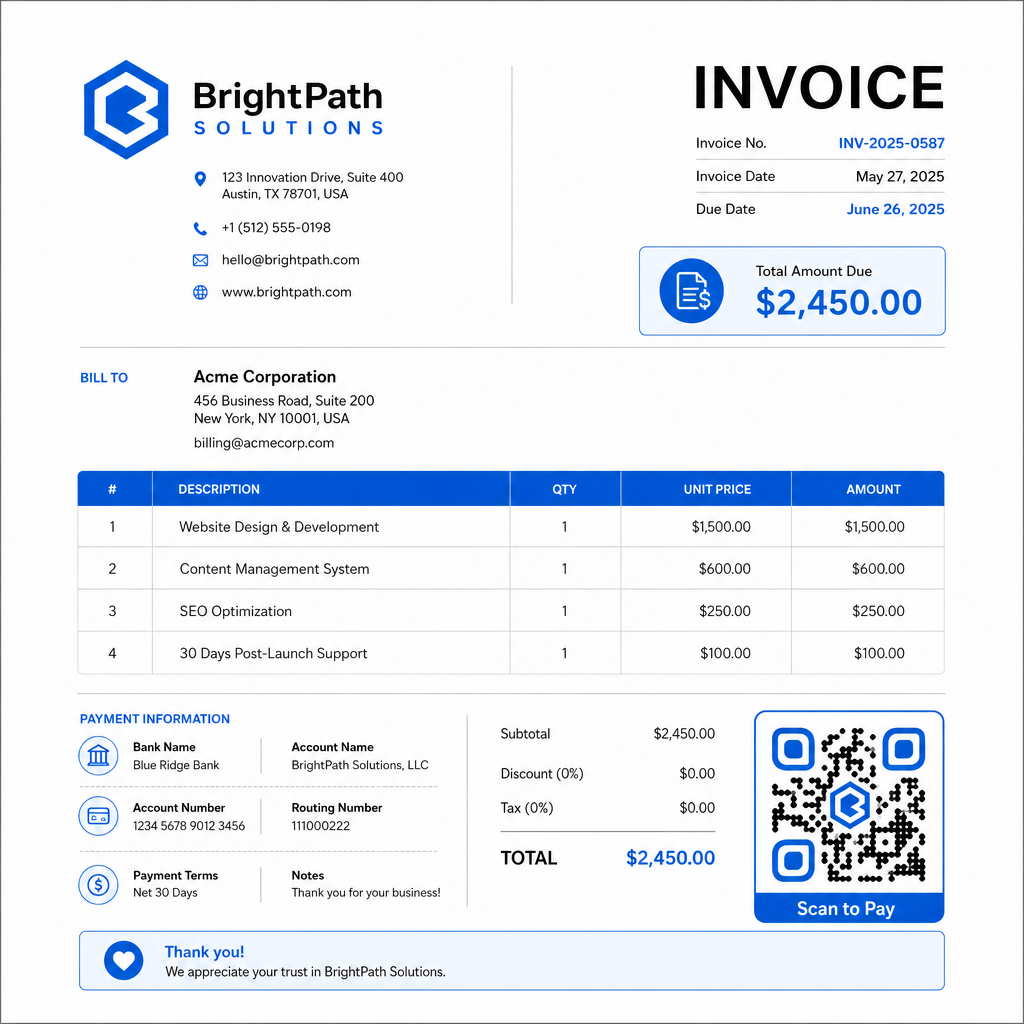
Steg 4: Ladda ner i rätt format. Exportera QR-koden som en SVG- eller EPS-fil för fakturor som ska skrivas ut, eller som en högupplöst PNG för PDF- eller digitala fakturor. Vektorformat förhindrar pixelering och bibehåller skanningsbarheten i alla storlekar.
Steg 5: Placera och testa innan du skickar. Infoga QR-koden i din fakturamall. Testa den på minst två olika enheter och bekräfta att betalningssidan laddas korrekt, att beloppet är korrekt och att bekräftelseflödet fungerar från början till slut.
Spåra fakturaengagemang i realtid Vet om din klient har skannat din faktura före förfallodatumet. Pageloots dynamiska QR-koder ger dig skanningsantal, enhetsdata och tidsstämplar från en enda instrumentpanel. Skapa en dynamisk QR-kod för att börja spåra.
QR-kod designstandarder för utskrivna och digitala fakturor
En QR-kod som inte skannar tillförlitligt motverkar syftet. Tänk på dessa standarder när du placerar koder på fakturor:
- Minsta storlek: Skriv ut QR-koder minst 2×2 cm för närskanning. För fakturor där koden kan skannas från en utskriven sida, är 1×1 tum eller större en tillförlitlig baslinje.
- Kontrast: Använd mörka mönster på en ljus bakgrund med ett kontrastförhållande på minst 4:1. Undvik att placera koden på färgade bakgrunder, mönstrade områden eller vattenstämplar.
- Tyst zon: Bibehåll en tydlig tom kant runt hela koden. Ingen text, logotyper eller designelement får tränga in i denna marginal.
- Filformat: Använd SVG eller EPS för utskrift. Dessa vektorformat förblir skarpa vid vilken upplösning som helst, till skillnad från rasteriserade PNG-filer som skalats upp från ett litet original.
- Proportionalitet: Sträck eller komprimera aldrig QR-koden. Skala den proportionerligt för att bevara den kvadratiska formen.
- Felkorrigering: Använd en hög felkorrigeringsnivå (Q eller H) om du lägger till en logotyp inuti koden. Håll eventuell inbäddad logotyp centrerad och täckande högst 30% av kodområdet.
- Etikett: Inkludera en kort instruktion nära koden, som “Skanna för att betala din faktura.” Detta hjälper kunder som är obekanta med processen och stöder även tillgänglighet.
För fullständig tillgänglighetsvägledning – inklusive storleksrekommendationer och flerspråkiga instruktionsalternativ – se Pageloots bästa praxis för tillgänglighet för QR-kodsbetalningar.
Säkerhetsöverväganden för fakturabetalnings-QR-koder
Betalnings-QR-koder på fakturor är ett sammanhang med högt förtroende – kunder ombeds att skicka pengar. Det gör säkerhetspraxis icke förhandlingsbar.
Använd endast HTTPS-betalningslänkar. Varje URL din QR-kod pekar till bör använda HTTPS. En osäkrad länk är en röd flagga för kunder och en verklig risk för avlyssnad data.
Verifiera länken innan du distribuerar fakturor. Innan du skickar en omgång fakturor, skanna koden själv och bekräfta att den leder till rätt, fungerande betalningssida. Detta fångar upp fel i URL:en och bekräftar att betalningsflödet fungerar som förväntat.
Använd dynamiska koder så att du kan svara på problem. Om en betalningslänk komprometteras eller behöver ändras, låter en dynamisk QR-kod dig uppdatera eller avaktivera destinationen omedelbart utan att utfärda fakturan på nytt. Statiska koder kan inte ändras när de väl har skrivits ut eller skickats.
Varumärk dina QR-koder synligt. Att inkludera din logotyp i QR-koden gör det svårare för bedragare att ersätta en falsk kod, och ger kunderna en visuell signal om att de skannar något legitimt. Läs mer om att hantera betalningssäkerhet i Pageloots Guide för säkerhet och hastighet för QR-kodbetalningar och PCI-DSS efterlevnadsguide för QR-kodbetalningar.
Branscher som drar nytta av faktura-QR-koder
QR-kodbetalningsfakturor tillämpas inom en mängd olika företagstyper. Några vanliga användningsfall illustrerar var denna metod har den tydligaste effekten:
- Frilansare och tjänsteleverantörer – En QR-kod på en PDF-faktura låter kunder betala från sin telefon i samma ögonblick som de öppnar dokumentet, istället för att logga in på en portal dagar senare.
- Fältservice- och leveransföretag – Tekniker eller förare kan presentera en faktura med en QR-kod vid servicetillfället, vilket möjliggör betalning på plats innan de lämnar.
- Advokatbyråer och professionella tjänster – Månatliga faktureringsutdrag med inbäddade QR-koder minskar fram och tillbaka med betalningsinstruktioner och gör det enklare för kunder att betala omedelbart.
- Vårdmottagningar – Patientfaktureringsutdrag med en QR-kod låter patienter betala hemifrån efter sitt besök, vilket minskar hanteringen av betalningar vid receptionen.
- Bygg och entreprenad – Progressfakturor med QR-koder ger kunder en tydlig, friktionsfri betalningsväg kopplad till varje milstolpe.
Pageloots sidan för branschlösningar täcker ytterligare sektorspecifika tillämpningar för QR-koder i affärsflöden.
Sena betalningar kostar företag tid, kassaflöde och administrativt arbete. Att lägga till en QR-kod på dina fakturor är ett av de mest direkta stegen du kan ta för att förkorta gapet mellan att skicka en räkning och att ta emot betalning. Ju färre steg en kund behöver slutföra, desto mer sannolikt är det att de betalar omgående. Ställ in din första betalnings-QR-kod med Pageloots QR-kodgenerator eller den dedikerade QR-kodgenerator för PayPal, och börja spåra resultat från din första faktura.
Vanliga frågor
Det beror på din betalningsinställning. Om du använder en enda betalningssida där kunder anger beloppet manuellt, kan en QR-kod fungera för alla fakturor. Om du vill förifylla specifika belopp för varje faktura, behöver du individuella betalningslänkar – och därmed individuella QR-koder per faktura. Dynamiska QR-koder låter dig uppdatera destinationen om din betalningslänk ändras, utan att återskapa eller skriva ut koden igen.
Inkludera alltid ett reservalternativ bredvid QR-koden – en betalnings-URL i klartext, dina banköverföringsuppgifter eller ett telefonnummer för fakturafrågor. Alla kunder kommer inte att ha en smartphone eller känna sig bekväma med att använda QR-koder, och att upprätthålla alternativa betalningsalternativ säkerställer att ingen faktura förblir obetald på grund av en teknisk barriär. Pageloots bästa praxis för tillgänglighet för QR-kodbetalningar täcker ytterligare alternativ i detalj.
Ja, förutsatt att du följer bästa säkerhetspraxis. Använd HTTPS-betalningslänkar, märk dina QR-koder med din logotyp så att kunder visuellt kan verifiera källan, och använd dynamiska QR-koder så att du omedelbart kan avaktivera eller uppdatera en kod om något går fel. Undvik statiska QR-koder för betalningsändamål, eftersom de inte kan ändras om den länkade sidan komprometteras. Testa alltid hela betalningsflödet innan du skickar fakturor, och instruera kunder att kontrollera URL:en som visas efter skanning innan de anger några betalningsuppgifter.