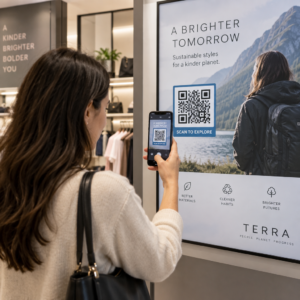
Vai jūsu QR kodi tiek ignorēti? Zems skenēšanas līmenis parasti ir saistīts ar dažām paredzamām, novēršamām problēmām – sākot no slikta izvietojuma līdz uzticības zaudēšanai. Šis raksts aplūko katru šķērsli un sniedz konkrētus soļus tā pārvarēšanai.
Vai cilvēki joprojām izmanto QR kodus?
QR kodu skenēšana gadiem ilgi ir stabili augusi, un to ieviešana strauji paātrinājās pandēmijas laikā un pēc tās, uzņēmumiem pārejot uz bezkontakta mijiedarbību. Ja jūs nesaņemat skenējumus, problēma gandrīz noteikti nav pati tehnoloģija – tā ir saistīta ar to, kā jūsu kodi ir izstrādāti, izvietoti vai prezentēti.
Kāpēc jūsu QR kodi netiek skenēti
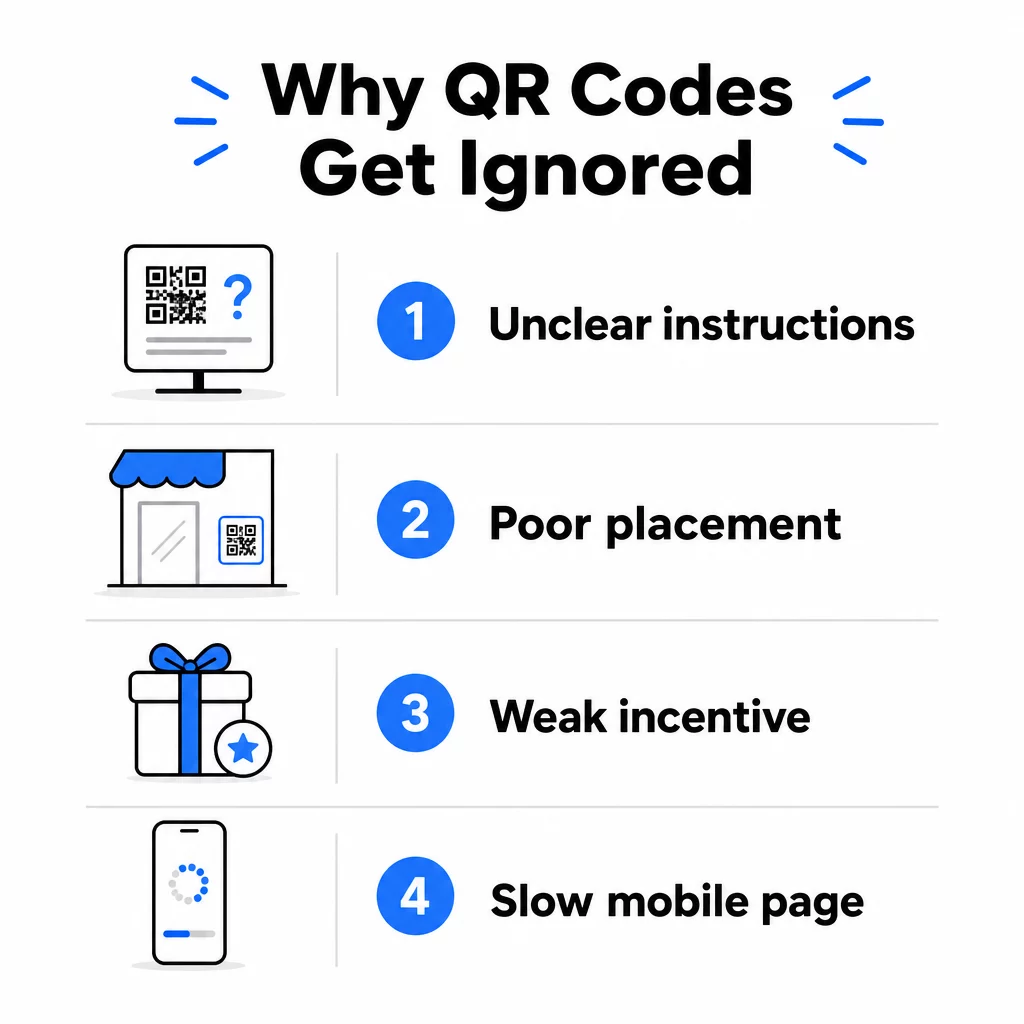
1. Cilvēki nezina, ko darīt
Ne katrs cilvēks, kurš sastopas ar jūsu kodu, zina, kā to skenēt, un pieņēmums, ka viņi to zina, ir dārga kļūda. Īpaši vecāka gadagājuma cilvēki var nebūt pazīstami ar šo procesu.
Risinājums ir vienkāršs: pievienojiet īsas instrukcijas blakus kodam. Teksts, piemēram, “Atveriet kameras lietotni un pavērsiet to šeit” vai maza tālruņa ikona, novērš šķēršļus neizlēmīgiem lietotājiem. Vietās ar lielu apmeklētību var palīdzēt īss video pamācība, kas tiek rādīta tuvumā. Varat arī izmantot QR koda rāmi ar skaidru aicinājumu uz darbību piemēram, “Skenē mani”, lai vizuāli vadītu cilvēkus, pirms viņi pat izlasa instrukcijas.
2. Kods ir novietots nepareizā vietā
QR kods, ko neviens nevar redzēt – vai sasniegt – nekad netiks skenēts. Izvietojums nosaka, vai jūsu kods gūst iesaisti vai tiek pilnībā ignorēts.
Efektīvi izvietojumi novieto kodu tur, kur jūsu auditorijai ir laiks un vieta, lai izņemtu savu tālruni. Spēcīgas atrašanās vietas ietver:
- Skrejlapas un drukāti materiāli
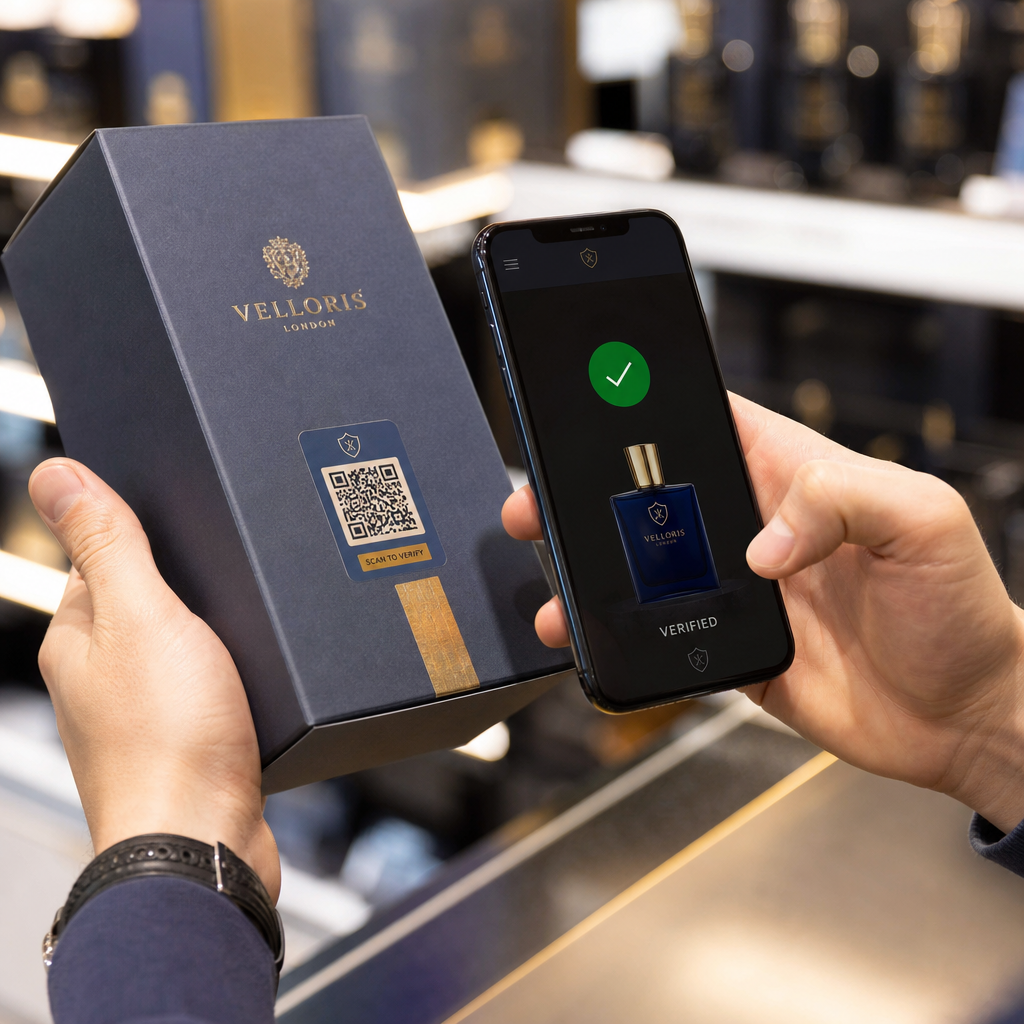
- Produktu iepakojums un etiķetes
- Vizītkartes
- Veikalu skatlogi un fasādes
- Plakāti, baneri un reklāmas stendi
- Žurnāli un galda kartes
Tikpat svarīgi ir tas, no kā izvairīties. Izliektas virsmas, atstarojoši materiāli, vāji apgaismotas vietas, aizņemti foni un spīdīgas vides samazina skenēšanas uzticamību. Tas galīgais ceļvedis QR kodu izvietošanai mārketingā aptver pozicionēšanas noteikumus, tostarp 10:1 attāluma un izmēra vadlīniju un ieteikumu novietot kodus acu līmenī starp 3,5 un 5,5 pēdām.
3. Nav iemesla skenēt
Jūsu klienti vienmēr jautā: “Kas man no tā būs?” Ja jūs nevarat atbildēt uz šo jautājumu divu sekunžu laikā, ko viņi pavada, skatoties uz jūsu kodu, viņi turpinās iet.
Vienkāršs QR kods bez konteksta nedod cilvēkiem iemeslu rīkoties. Risinājums ir padarīt vērtību skaidri izteiktu. Izmantojiet aicinājumu uz darbību, kas tieši norāda ieguvumu, piemēram:
- “Skenējiet, lai saņemtu 20% atlaidi”
- “Skenējiet, lai redzētu šodienas ēdienkarti”
- “Skenējiet, lai piedalītos mūsu izlozē”
Spēlēšana, ekskluzīvi piedāvājumi un potenciālo klientu piesaistes rīki – piemēram, bezmaksas PDF ceļvedis vai iespēja laimēt balvu – visi sniedz klientiem taustāmu stimulu. Pageloot pētījumi konsekventi liecina, ka labi izstrādātas QR kodu kampaņas kas jau iepriekš paziņo par vērtību, ievērojami pārspēj vispārīgos kodus.
Iegūstiet vairāk skenējumu ar zīmolotiem, rīcībspējīgiem QR kodiem Pievienojiet saviem kodiem profesionālus rāmjus, pielāgotas krāsas un skaidrus aicinājumus uz darbību ar Pageloot QR kodu ģenerators. Bezmaksas 14 dienu izmēģinājums, nav nepieciešama kredītkarte.
4. Ziņojums neuzrunā jūsu auditoriju
QR kods ir tikpat efektīvs, cik efektīva ir aiz tā esošā kampaņa. Ja valoda, dizains vai piedāvājums nesaskan ar jūsu konkrēto auditoriju, iesaiste samazināsies neatkarīgi no tā, cik labi kods ir novietots.
Lai novērstu šo plaisu, sāciet ar to, ka identificējat sāpju punktus, kas patiešām ir jūsu klientiem. Pēc tam saskaņojiet ziņojumu ar platformām un fiziskajām telpām, kurās šī auditorija pavada laiku. Kods uz izstādes skrejlapas, kas paredzēts iepirkumu vadītājiem, prasa citu ziņojumu nekā kods uz restorāna galda, kas paredzēts ikdienas apmeklētājiem. Nesaskaņots ziņojums ir neredzams ziņojums.
5. Mērķlapas pieredze ir slikta
QR koda vienīgais uzdevums ir novirzīt kādu uz lapu. No tā brīža jūsu saturam ir jāpārvēršas. Kods, kas ved uz lēnu, pārblīvētu vai tikai darbvirsmas lapu, iznieko katru iegūto skenēšanu.
Tā kā QR kodi tiek skenēti viedtālruņos, galamērķim jābūt pilnībā optimizētam mobilajām ierīcēm – ne tikai mobilajām ierīcēm draudzīgam. Tās nav viena un tā pati lieta. Mobilajām ierīcēm optimizēta lapa ir veidota, ņemot vērā mobilo pieredzi, ar ātru ielādes laiku, īkšķiem draudzīgu navigāciju un saturu, kas pielāgots maziem ekrāniem. Galvenie faktori, kas jāpārbauda pirms koda publicēšanas:
- Vai lapa ir responsīva un ātri ielādējas mobilajos savienojumos?
- Vai virs lapas redzamās daļas ir viens, skaidrs aicinājums uz darbību?
- Vai esat noņēmis traucēkļus, kas novērš uzmanību no galvenā mērķa?
- Vai lapa nodrošina to, ko QR kods solīja?
Portāls ceļvedis QR kodu testēšanai mobilajai lietojamībai iesaka ielādes laiku, kas nepārsniedz divas līdz trīs sekundes, un testēšanu vairākās ierīcēs un pārlūkprogrammās pirms palaišanas.
6. Kodam ir tehniskas problēmas
Tehniski bojāts QR kods ir ātrākais veids, kā iznīcināt uzticību un zaudēt skenēšanu uz visiem laikiem. Biežas problēmas ietver kodus, kas ir pārāk mazi, ar nepietiekamu kontrastu vai ved uz bojātu URL.
Galvenie tehniskie standarti, kas jāpārbauda:
- Izmērs: Izmantojiet vismaz 2 × 2 cm tuvās darbības skenēšanai un palieliniet izmēru, pamatojoties uz paredzamo skatīšanās attālumu, izmantojot attiecību 10:1 (skenēšanas attālums ÷ 10 = minimālais platums).
- Kontrasts: Saglabājiet tumšu priekšplānu uz gaiša fona. Melns uz balta nodrošina visaugstāko uzticamību. Izvairieties no zema kontrasta krāsu kombinācijām, gradientiem un apgrieztiem dizainiem. QR kodu krāsu kontrasta labāko praksi iesaka mērķēt uz kontrasta attiecību vismaz 4.5:1 uzticamai skenēšanai.
- Klusā zona: Saglabājiet skaidru apmali vismaz četru moduļu platumā katrā koda pusē. Skeneri izmanto šo vietu, lai noteiktu, kur kods sākas un beidzas.
- Kļūdu labošana: Izmantojiet augstāku kļūdu labošanas līmeni (Q vai H), ja pievienojat logotipu vai pielāgojat dizainu. Šie līmeņi var kompensēt līdz pat 25–30% datu zudumu no aizsprostojuma vai bojājumiem.
Pirms izplatīšanas vienmēr pārbaudiet savu kodu vairākās ierīcēs, kameru lietotnēs un dažādos apgaismojuma apstākļos. QR kodu lasāmības labākās prakses ceļvedis un lietojamības standarti, kas balstīti uz ISO/IEC 18004 detalizēti aptver šīs tehniskās prasības. Varat arī izmantot bezmaksas QR koda skenera rīku lai pirms drukāšanas pārbaudītu, vai jūsu kodi tiek pareizi skenēti.
7. Jūs izmantojat statisku kodu, ko nevar atjaunināt
Statiskie QR kodi kodē fiksētu galamērķi. Ja šis URL mainās, sabojājas vai beidzas tā derīguma termiņš pēc koda izdrukāšanas, katrs, kurš to skenē, nonāk strupceļā – un jūs to nevarat labot, nepārprintējot visu.
Dinamiskie QR kodi atrisiniet šo problēmu, norādot uz īsu novirzīšanas saiti, ko varat jebkurā laikā atjaunināt no vadības paneļa. Mainiet galamērķa URL, nomainiet PDF failu vai novirziet uz jaunu piedāvājumu – nepieskaroties izdrukātajam kodam. Dinamiskie kodi arī atbloķē skenēšanas analītiku, sniedzot datus par to, cik cilvēku skenēja, kad, kur un ar kādu ierīci. Šī izsekošanas iespēja ļauj jums izmērīt patieso kampaņas veiktspēju un optimizēt to laika gaitā.
Uzturiet savas kampaņas aktuālas bez atkārtotas drukāšanas Izmantojiet Dinamisks QR kodu ģenerators lai izveidotu kodus, ko varat atjaunināt jebkurā laikā – un izsekot katrai skenēšanai ar iebūvētu analītiku.
Uzticības problēma: Kāpēc daži cilvēki nekad neko neskenē
Papildus tehniskajām un dizaina problēmām pastāv dziļāks šķērslis, kam netiek pievērsta pietiekama uzmanība: drošības apsvērumi. Daži lietotāji nevēlas skenēt QR kodus no nepazīstamiem avotiem, jo viņi nevar redzēt, kurp kods ved, pirms viņi apņemas to darīt. Šīs bažas ir pamatotas – ļaunprātīgi QR kodi var novirzīt lietotājus uz pikšķerēšanas vietnēm, izraisīt ļaunprātīgas programmatūras lejupielādi vai iegūt sensitīvu informāciju.
Kā mārketinga speciālists vai uzņēmuma īpašnieks jūs varat samazināt šo berzi, iekļaujot uzticības signālus savā QR koda izvietojumā:
- Skaidri parādiet savu zīmolu blakus kodam, lai lietotāji zinātu, kas aiz tā stāv
- Pievienojiet īsu aprakstu par to, kurp ved kods (“Skenējiet, lai apskatītu mūsu digitālo ēdienkarti”)
- Izmantojiet HTTPS galamērķus un nodrošiniet, ka jūsu galvenās lapas izskatās profesionālas un likumīgas
- Izvairieties ievietot kodus zemas uzticamības vidēs, kur lietotājiem nav konteksta, kāpēc kods tur atrodas
Zīmoloti QR kodi – ar jūsu logotipu, krāsām, kas atbilst jūsu identitātei, un skaidru aicinājuma uz darbību (CTA) rāmi – signalizē par likumību un palielina iespējamību, ka piesardzīgs lietotājs to skenēs.
Galīgais kontrolsaraksts pirms izvietošanas
Pirms jebkuras QR koda kampaņas publicēšanas izskatiet šos jautājumus:
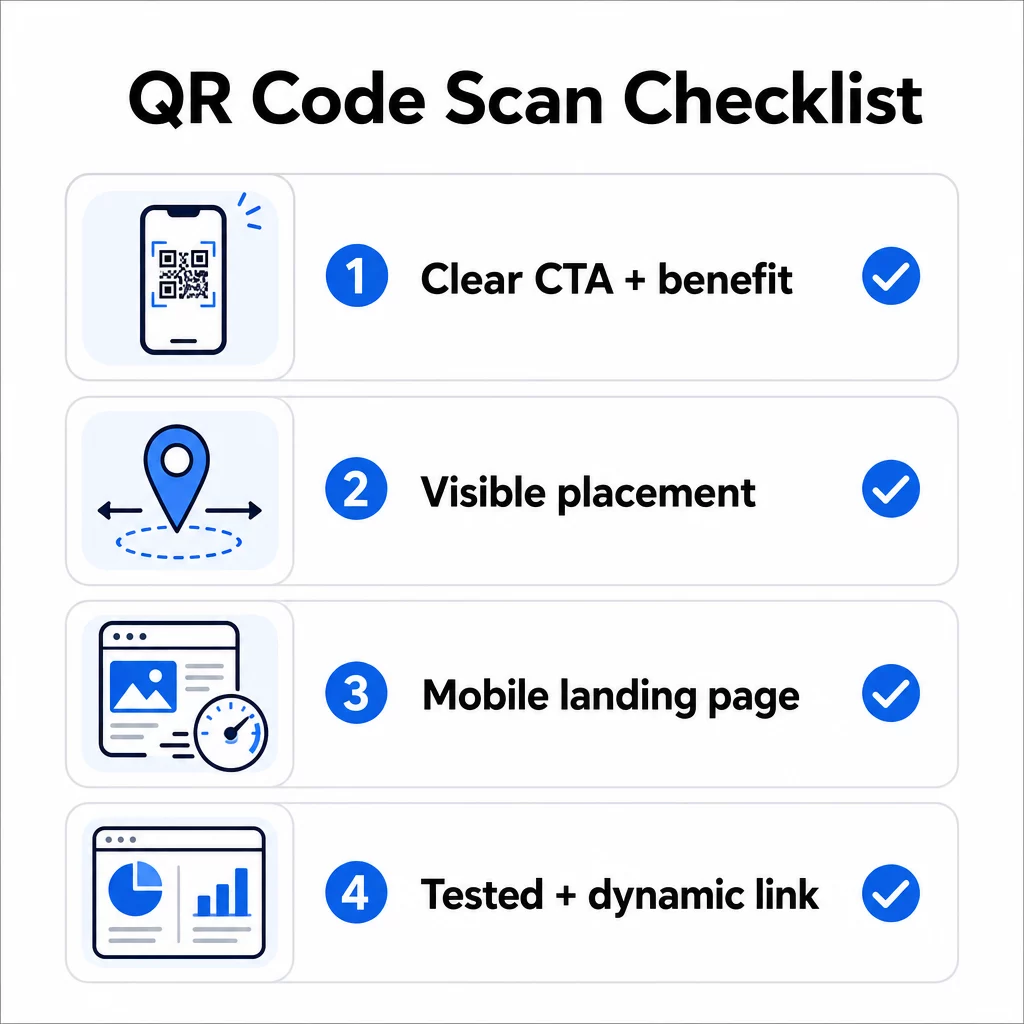
- Vai esat pievienojis instrukcijas vai redzamu aicinājumu uz darbību, lai lietotāji zinātu, ko darīt?
- Vai kods ir novietots vietā, kur jūsu auditorijai ir laiks un vieta skenēšanai?
- Vai kods piedāvā skaidru, pārliecinošu iemeslu skenēšanai?
- Vai ziņojums atbilst jūsu konkrētajai mērķauditorijai?
- Vai galamērķa lapa ir pilnībā optimizēta mobilajām ierīcēm un ātri ielādējas?
- Vai esat pārbaudījis kodu vairākās ierīcēs un reālos apstākļos?
- Vai izmantojat dinamisku kodu, lai vajadzības gadījumā varētu atjaunināt galamērķi?
Ja kāda atbilde ir “nē”, tas ir jūsu vājais punkts. Novērsiet to pirms koda palaišanas – nevis pēc tam.
Lai iegūtu padziļinātas vadlīnijas par dizainu un tehniskajiem standartiem, QR kodu lietojamības labākās prakses lapa un ceļvedis QR kodu skenēšanas izsekošanai ir labas nākamās pieturas.
Biežāk uzdotie jautājumi
Vides faktori, piemēram, slikts apgaismojums, atspīdumi no spīdīgām virsmām un lieli skenēšanas attālumi, ietekmē uzticamību. Pārliecinieties, ka jūsu kods atbilst 10:1 izmēra un attāluma vadlīnijai, izmanto tumšu priekšplānu uz gaiša fona un ir novietots uz līdzenas, matētas virsmas ar atbilstošu apgaismojumu. Pārbaudiet kodu faktiskajā atrašanās vietā pirms galīgās izvietošanas.
Statisks QR kods pastāvīgi kodē savu galamērķi, tāpēc, ja URL mainās vai sabojājas, kods kļūst bezjēdzīgs un tas ir jāpārprintē. Dinamisks QR kods norāda uz pāradresācijas saiti, ko varat atjaunināt jebkurā laikā no vadības paneļa. Dinamiskie kodi nodrošina arī skenēšanas analītiku – ieskaitot skenēšanas skaitu, atrašanās vietas, ierīču veidus un laiku – padarot tos par labāku izvēli jebkurai mārketinga kampaņai, kurā svarīga ir elastība vai mērījumi.
Visefektīvākās izmaiņas ir skaidra aicinājuma uz darbību pievienošana, kas norāda ieguvumu (piemēram, “Skenēt, lai saņemtu atlaidi” vai “Skenēt, lai apskatītu ēdienkarti”), koda novietošana vietā, kur lietotājiem ir laiks apstāties un skenēt, nodrošinot, ka galamērķa lapa ātri ielādējas mobilajā ierīcē, un zīmola dizaina izmantošana, kas signalizē, ka kods ir likumīgs. Jebkādas berzes novēršana – vai tās būtu neskaidras instrukcijas, lēna galvenā lapa vai slikti novietots kods – tieši palielina skenēšanas rādītājus.