> QR 뉴스 > 7 Reasons Why Customers Never Scan Your QR Codes (And How to Fix It)
Trusted QR code

7 Reasons Why Customers Never Scan Your QR Codes (And How to Fix It)

Discover why customers ignore your QR codes and how to fix it. Improve engagement with better placement, clear incentives, and technical optimization steps.
Updated on 6월 10, 2026
목차

Are your QR codes getting ignored? Poor scan rates usually come down to a handful of predictable, fixable problems – ranging from bad placement to broken trust. This article walks through each barrier and gives you concrete steps to overcome it.

Are People Still Using QR Codes?

QR code scanning has grown steadily for years, and adoption accelerated sharply during and after the pandemic as businesses shifted to contactless interactions. If you are not getting scans, the problem almost certainly is not the technology itself – it is how your codes are designed, placed, or presented.

Why Your QR Codes Are Not Getting Scans

QR scan mistakes

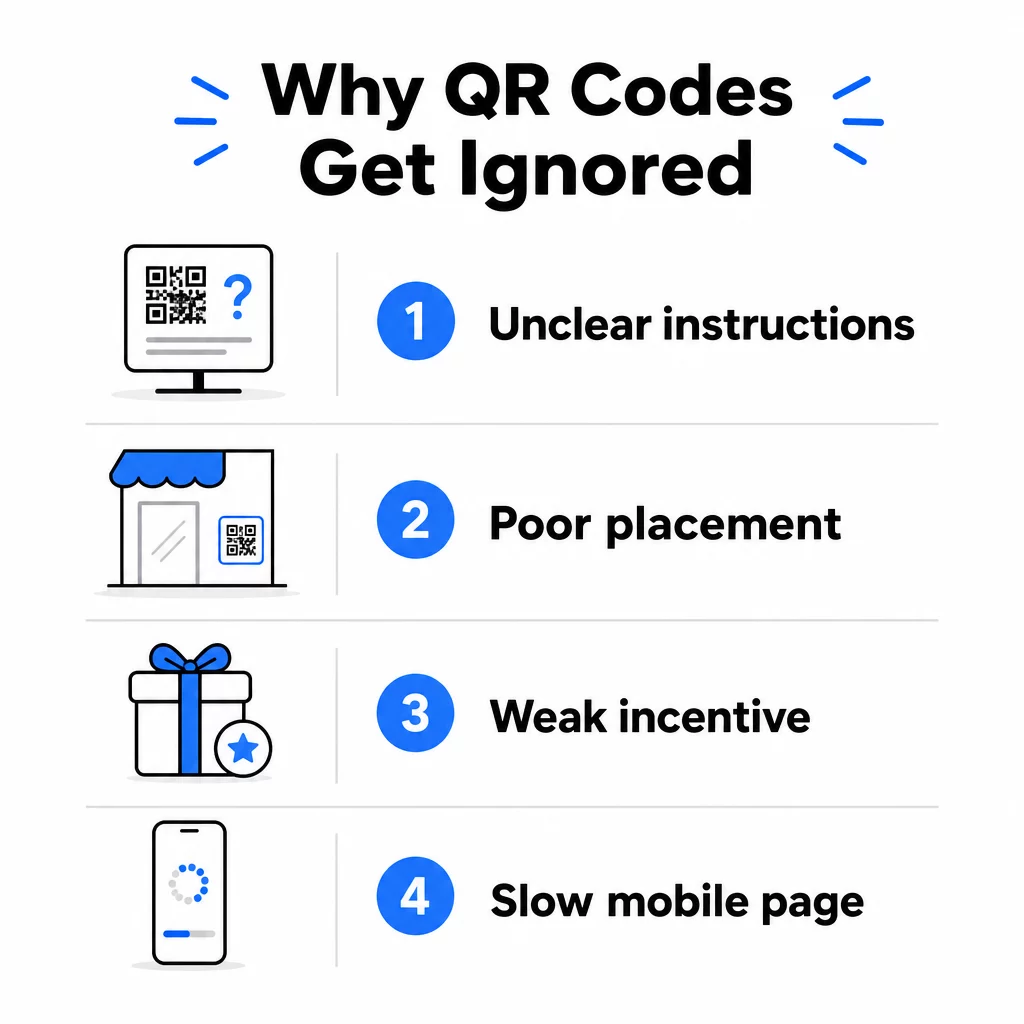
1. People Do Not Know What to Do

Not every person who encounters your code knows how to scan it, and assuming they do is a costly mistake. Older demographics, in particular, may be unfamiliar with the process.

The fix is simple: add brief instructions next to the code. Text like “Open your camera app and point it here” or a small phone icon removes the friction for hesitant users. For high-traffic placements, a short video tutorial displayed nearby can help. You can also use a QR code frame with a clear call-to-action such as “Scan Me” to guide people visually before they even read the instructions.

2. The Code Is Placed in the Wrong Spot

A QR code nobody can see – or reach – will never get scanned. Placement determines whether your code gets engagement or gets ignored entirely.

Effective placements put the code where your audience has the time and space to take out their phone. Strong locations include:

  • Flyers and printed handouts
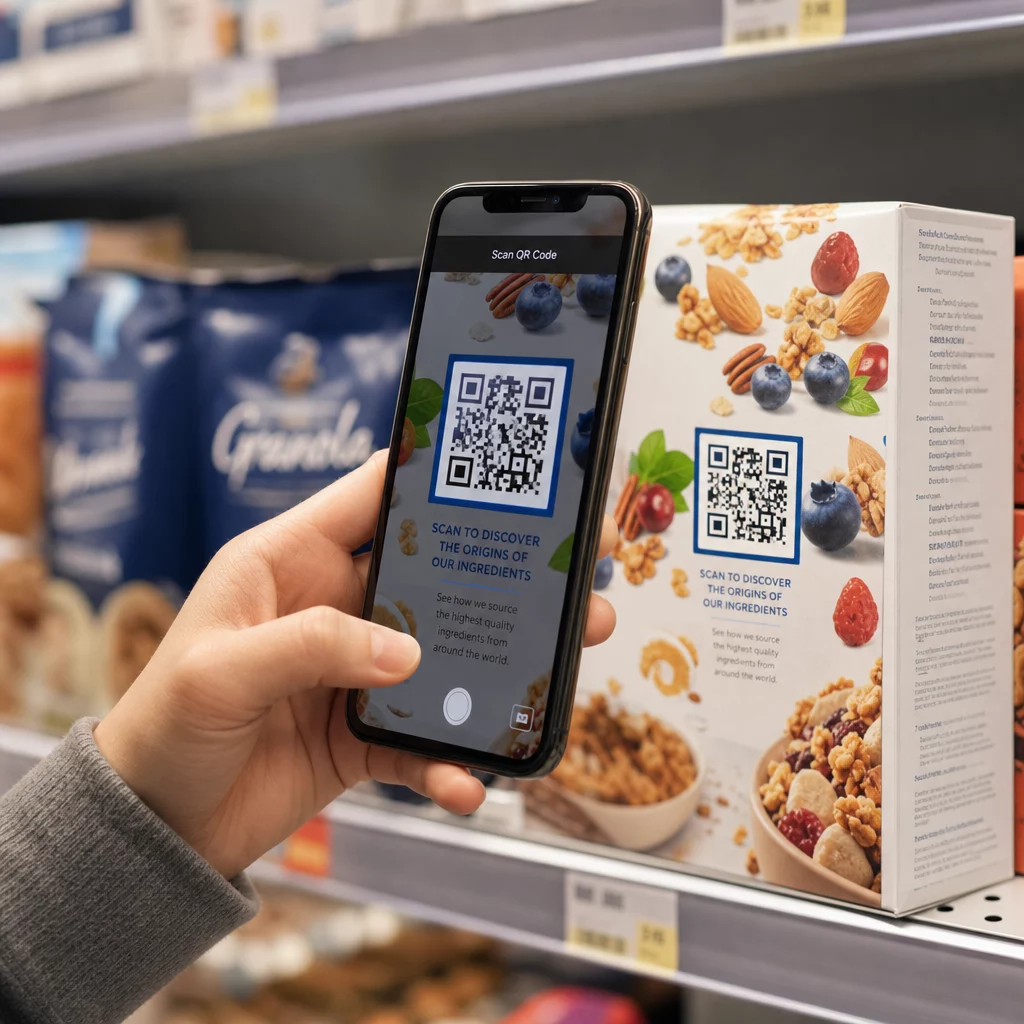
  • Product packaging and labels
  • 명함
  • Store windows and facades
  • Posters, banners, and billboards
  • Magazines and table tents

Just as important is what to avoid. Curved surfaces, reflective materials, low-light areas, busy backgrounds, and high-glare environments all reduce scan reliability. The 마케팅에서 QR 코드 배치에 대한 궁극적인 가이드 covers positioning rules, including the 10:1 distance-to-size guideline and the recommendation to place codes at eye level between 3.5 and 5.5 feet.

3. There Is No Reason to Scan

Your customers are always asking, “What is in it for me?” If you cannot answer that question in the two seconds they spend looking at your code, they will keep walking.

A plain QR code with no context gives people no reason to act. The solution is to make the value explicit. Use a call-to-action that states the benefit directly, such as:

  • “Scan for a 20% discount”
  • “Scan to see today’s menu”
  • “Scan to enter our giveaway”

Gamification, exclusive offers, and lead magnets – such as a free PDF guide or a chance to win a prize – all give customers a tangible incentive. Pageloot’s research consistently shows that well-designed QR code campaigns that communicate value upfront outperform generic codes by a significant margin.

Get More Scans with Branded, Actionable QR Codes Add professional frames, custom colors, and clear calls-to-action to your codes with the Pageloot QR 코드 생성기. Free 14-day trial, no credit card required.

4. The Message Does Not Speak to Your Audience

A QR code is only as effective as the campaign behind it. If the language, design, or offer does not connect with your specific audience, engagement will fall regardless of how well the code is placed.

To close this gap, start by identifying the pain points your customers actually have. Then match the message to the platforms and physical spaces where that audience spends time. A code on a trade-show flyer targeting procurement managers needs a different message than one on a restaurant table targeting casual diners. Mismatched messaging is invisible messaging.

5. The Landing Page Experience Is Poor

The QR code’s only job is to get someone to a page. From that point, your content has to convert. A code that leads to a slow, cluttered, or desktop-only page wastes every scan it earns.

Because QR codes are scanned on smartphones, the destination must be fully mobile-optimized – not just mobile-friendly. These are not the same thing. A mobile-optimized page is built around the mobile experience, with fast load times, thumb-friendly navigation, and content scaled for small screens. Key factors to audit before you publish a code:

  • Is the page responsive and fast-loading on cellular connections?
  • Is there a single, clear call-to-action above the fold?
  • Have you removed distractions that pull attention away from the main goal?
  • Does the page deliver on whatever the QR code promised?

그만큼 guide to testing QR codes for mobile usability recommends load times under two to three seconds and testing across multiple devices and browsers before launch.

6. The Code Has Technical Problems

A technically broken QR code is the fastest way to destroy trust and lose a scan forever. Common problems include codes that are too small, have insufficient contrast, or link to a broken URL.

Key technical standards to check:

  • 크기: Use at least 2 × 2 cm for close-range scanning, and scale up based on the expected viewing distance using the 10:1 ratio (scan distance ÷ 10 = minimum width).
  • 대비: Keep a dark foreground on a light background. Black on white provides the highest reliability. Avoid low-contrast color combinations, gradients, and inverted designs. QR 코드 색상 대비 모범 사례 recommends targeting a contrast ratio of at least 4.5:1 for reliable scanning.
  • 콰이어트 존: Maintain a clear border of at least four modules on every side of the code. Scanners use this space to locate where the code begins and ends.
  • Error correction: Use a higher error correction level (Q or H) if you are adding a logo or customizing the design. These levels can compensate for up to 25–30% data loss from obstruction or damage.

Always test your code across multiple devices, camera apps, and lighting conditions before distributing it. The QR code readability best practices guideusability standards based on ISO/IEC 18004 cover these technical requirements in detail. You can also use the free QR code scanner tool to verify your codes scan correctly before printing.

7. You Are Using a Static Code You Cannot Update

Static QR codes encode a fixed destination. If that URL changes, breaks, or expires after the code is printed, every person who scans it hits a dead end – and you cannot fix it without reprinting everything.

동적 QR 코드 solve this problem by pointing to a short redirect link that you can update at any time from a dashboard. Change the destination URL, swap out a PDF, or redirect to a new offer – without touching the printed code. Dynamic codes also unlock scan analytics, giving you data on how many people scanned, when, where, and on what device. This tracking capability is what allows you to measure true campaign performance and optimize over time.

Keep Your Campaigns Up to Date Without Reprinting 사용 동적 QR 코드 생성기 to create codes you can update anytime – and track every scan with built-in analytics.

The Trust Problem: Why Some People Never Scan Anything

Beyond technical and design issues, there is a deeper barrier that does not get enough attention: security concerns. Some users are reluctant to scan QR codes from unfamiliar sources because they cannot see where the code leads before they commit. This concern is legitimate – malicious QR codes can redirect users to phishing sites, trigger malware downloads, or capture sensitive information.

As a marketer or business owner, you can reduce this friction by building trust signals into your QR code placement:

  • Display your brand prominently alongside the code so users know who is behind it
  • Add a brief description of what the code leads to (“Scan to view our digital menu”)
  • Use HTTPS destinations and ensure your landing pages look professional and legitimate
  • Avoid placing codes in low-trust environments where users have no context for why a code is there

Branded QR codes – with your logo embedded, colors that match your identity, and a clear CTA frame – signal legitimacy and increase the likelihood that a cautious user will scan.

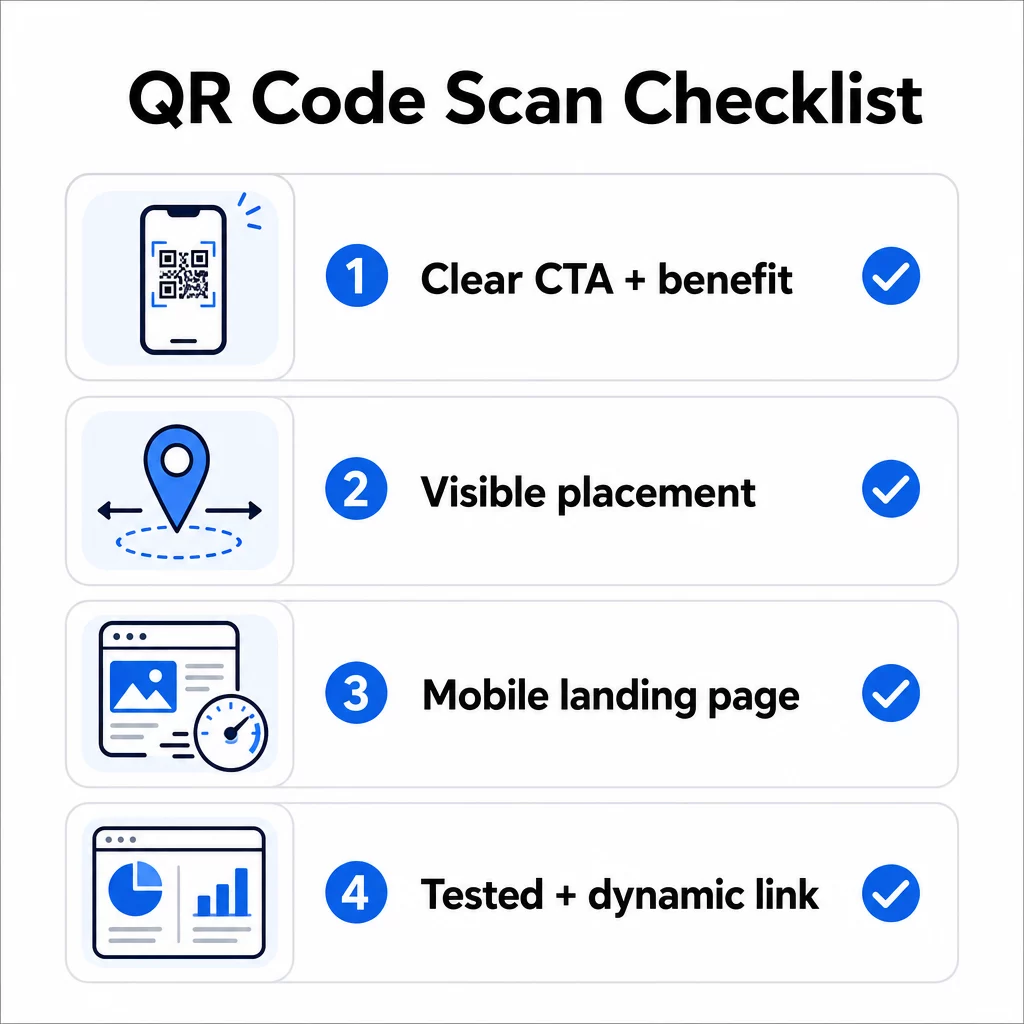
A Final Checklist Before You Deploy

Run through these questions before publishing any QR code campaign:

QR code checklist
  • Have you added instructions or a visible call-to-action so users know what to do?
  • Is the code placed where your audience has time and space to scan?
  • Does the code offer a clear, compelling reason to scan?
  • Does the message match your specific target audience?
  • Is the destination page fully mobile-optimized and fast-loading?
  • Have you tested the code on multiple devices and in real-world conditions?
  • Are you using a dynamic code so you can update the destination if needed?

If any answer is “no,” that is your bottleneck. Address it before the code goes live – not after.

For deeper guidance on design and technical standards, the QR code usability best practices page 그리고 guide to tracking QR code scans are good next stops.

자주 묻는 질문

Why does my QR code scan in some places but not others?

Environmental factors like poor lighting, glare from glossy surfaces, and long scanning distances all affect reliability. Make sure your code meets the 10:1 size-to-distance guideline, uses a dark foreground on a light background, and is placed on a flat, matte surface with adequate lighting. Test the code in the actual location before finalizing placement.

What is the difference between a static and dynamic QR code, and which should I use?

A static QR code permanently encodes its destination, so if the URL changes or breaks, the code becomes useless and must be reprinted. A dynamic QR code points to a redirect link you can update anytime from a dashboard. Dynamic codes also provide scan analytics – including scan counts, locations, device types, and timing – making them the better choice for any marketing campaign where flexibility or measurement matters.

How can I get more people to actually scan my QR code?

The most effective changes are adding a clear call-to-action that states the benefit (such as “Scan for a discount” or “Scan to view the menu”), placing the code where users have time to stop and scan, ensuring the destination page loads quickly on mobile, and using a branded design that signals the code is legitimate. Removing any friction – whether that is unclear instructions, a slow landing page, or a poorly placed code – directly increases scan rates.

작성자 정보

시임 코스타비는 페이지루트의 콘텐츠 책임자입니다. 그는 페이지루트의 혁신적인 QR 코드 생성 서비스에 대한 글을 쓰고 있습니다. 5년 이상 QR 코드 분야에서 쌓아온 깊이 있는 전문 지식을 바탕으로, 시임은 이 분야의 전문가로 인정받고 있습니다. 그는 QR 기술을 활용하여 디지털 상호작용을 간소화하고 향상시키는 데 크게 기여하고 있습니다.

범주
에 대해 자세히 알아보기
회원이 헬스장 QR 스캔
QR 코드체육관 및 웰빙
Trusted QR code
아무도 신경 쓰지 않는다QR 코드 정보
QR 코드를 스캔하는 고객
QR 코드중소기업

온라인으로 QR 코드를 생성해야하는 경우 QR 코드 만들기 무료로 여기!
Pageloot는 #1 Go-To 솔루션 QR 코드를 만들고 스캔합니다.

QRN-019

블로그 스캔

20,000개 이상의 브랜드로부터 신뢰를 받아 더 많은 매출, 리뷰, 팔로워를 확보했습니다.

클라이언트 로고
최고 브랜드의 신뢰
5 중 4.8 평가

4.86 / 5 별점

휴고 로랑
휴고 로랑
레스토랑 주인
가장 쉽고 안정적인 QR 코드 생성기. PDF 파일을 즉시 업로드할 수 있습니다. 이제 레스토랑 메뉴가 디지털화되었습니다.
루카스 얀센
루카스 얀센
부동산 개발사
이것은 훌륭한 도구이며 QR 코드를 사용하면 원하는 곳으로 이동할 수 있습니다. 우리는 위치 QR 코드만 사용하지만 유용한 기능이 너무 많습니다.
엠마 모레티
엠마 모레티
소매 제품
사용하기 쉽고 빠릅니다. 그것은 훌륭하게 작동하고 완벽한 이미지를 생성하므로 직원들이 내 vCard를 다운로드할 수 있습니다.
휴고 로랑
휴고 로랑
레스토랑 주인
가장 쉽고 안정적인 QR 코드 생성기. PDF 파일을 즉시 업로드할 수 있습니다. 이제 레스토랑 메뉴가 디지털화되었습니다.
루카스 얀센
루카스 얀센
부동산 개발사
이것은 훌륭한 도구이며 QR 코드를 사용하면 원하는 곳으로 이동할 수 있습니다. 우리는 위치 QR 코드만 사용하지만 유용한 기능이 너무 많습니다.
엠마 모레티
엠마 모레티
소매 제품
사용하기 쉽고 빠릅니다. 그것은 훌륭하게 작동하고 완벽한 이미지를 생성하므로 직원들이 내 vCard를 다운로드할 수 있습니다.
더 많은 QR 코드보기
무엇이든 디지털 경험으로 전환하세요 3분 이내에.

14일 무료 체험.

신용카드는 필요 없습니다.

첫 구매 시 30% 할인

코드를 사용하세요:

MP3 파일 공유

PDF QR 코드를 생성하려면 가입하세요

필요한 모든 것을 업로드하고 표시합니다.

  • 오디오 파일
  • 팟캐스트
  • 음악

가입 시 14일 무료 체험.
체험 기간 후 QR 코드 만료.

오디오 mp3 QR 코드를 생성하려면 가입하세요

프레임으로 더 많은 스캔 확보

QR 코드에 더 많은 프레임을 추가하려면 가입하세요

클릭 유도 문안 프레임은 고객이 QR 코드와 쉽게 상호 작용할 수 있도록 도와줍니다. 사용해 보세요!

가입 시 14일 무료 체험.
체험 기간 후 QR 코드 만료.

QR 코드에 더 많은 프레임을 추가하려면 가입하세요

도형으로 더 많은 스타일 추가

더 많은 도형을 만들려면 가입하세요

QR 코드는 정사각형일 필요가 없습니다. 브랜드 이미지에 맞게 전환해 보세요.

가입 시 14일 무료 체험.
체험 기간 후 QR 코드 만료.

더 많은 도형을 만들려면 가입하세요

QR 코드에 로고 추가

QR 코드에 로고를 추가하려면 가입하세요

로고와 브랜드를 추가하여 QR 코드를 돋보이게 만드세요.

가입 시 14일 무료 체험.
체험 기간 후 QR 코드 만료.

QR 코드에 로고를 추가하려면 가입하세요

스마트 앱 스토어 리디렉션

앱 스토어 QR 코드를 생성하려면 가입하세요

스마트 앱 스토어 QR 코드에 앱 링크를 추가하세요. 사용자는 장치에 따라 리디렉션됩니다.

가입 시 14일 무료 체험.
체험 기간 후 QR 코드 만료.

앱 스토어 QR 코드를 생성하려면 가입하세요

QR 코드에 이미지 업로드

이미지 QR 코드를 생성하려면 가입하세요

이미지를 쉽게 공유하세요. 몇 초 안에 동적으로 이미지를 변경하십시오.

가입 시 14일 무료 체험.
체험 기간 후 QR 코드 만료.

이미지 QR 코드를 생성하려면 가입하세요

PDF 파일 공유

PDF QR 코드를 생성하려면 가입하세요

필요한 모든 것을 업로드하고 표시합니다.

  • 메뉴 및 가격표
  • 명령
  • 모든 문서

가입 시 14일 무료 체험.
체험 기간 후 QR 코드 만료.

PDF QR 코드를 생성하려면 가입하세요

인쇄 없이 나중에 편집

다시 인쇄하지 않고 QR 코드를 편집하려면 가입하세요

동적 QR 코드를 사용하면 새 QR 코드를 인쇄하지 않고도 QR 코드의 내용을 변경할 수 있습니다.

가입 시 14일 무료 체험.
체험 기간 후 QR 코드 만료.

다시 인쇄하지 않고 QR 코드를 편집하려면 가입하세요

언제? 어디서? QR 코드 스캔 추적

QR 코드를 추적하려면 가입하세요

어떤 QR 코드가 가장 많이 스캔되고 무엇이 고객을 가장 흥분시키는지 알아보십시오.

가입 시 14일 무료 체험.
체험 기간 후 QR 코드 만료.

QR 코드를 추적하려면 가입하세요

인쇄 준비 파일 제공

PDF 및 SVG와 같은 벡터 QR 코드를 생성하려면 가입하세요.

.EPS, .PDF, .SVG

HD 해상도로 QR 코드를 다운로드하고 싶으신가요? 인쇄할 준비가 된 벡터 또는 픽셀 형식을 가져옵니다.

가입 시 14일 무료 체험.
체험 기간 후 QR 코드 만료.

PDF 및 SVG와 같은 벡터 QR 코드를 생성하려면 가입하세요.

기다리세요. 귀하의 QR 코드는 로드 중... 로드 중...

나만의 것으로 만들기

나중을 위해 QR 코드를 저장하려면 가입하세요.

다양한 색상, 로고 및 클릭 유도문안 프레임으로 멋진 QR 코드를 만들어 더 많은 스캔을 받으세요.

가입 시 14일 무료 체험.
체험 기간 후 QR 코드 만료.

나중을 위해 QR 코드를 저장하려면 가입하세요.