ホーム > QRニュース > 7 Reasons Why Customers Never Scan Your QR Codes (And How to Fix It)
Trusted QR code

7 Reasons Why Customers Never Scan Your QR Codes (And How to Fix It)

Discover why customers ignore your QR codes and how to fix it. Improve engagement with better placement, clear incentives, and technical optimization steps.
Updated on 6月 10, 2026
目次

Are your QR codes getting ignored? Poor scan rates usually come down to a handful of predictable, fixable problems – ranging from bad placement to broken trust. This article walks through each barrier and gives you concrete steps to overcome it.

Are People Still Using QR Codes?

QR code scanning has grown steadily for years, and adoption accelerated sharply during and after the pandemic as businesses shifted to contactless interactions. If you are not getting scans, the problem almost certainly is not the technology itself – it is how your codes are designed, placed, or presented.

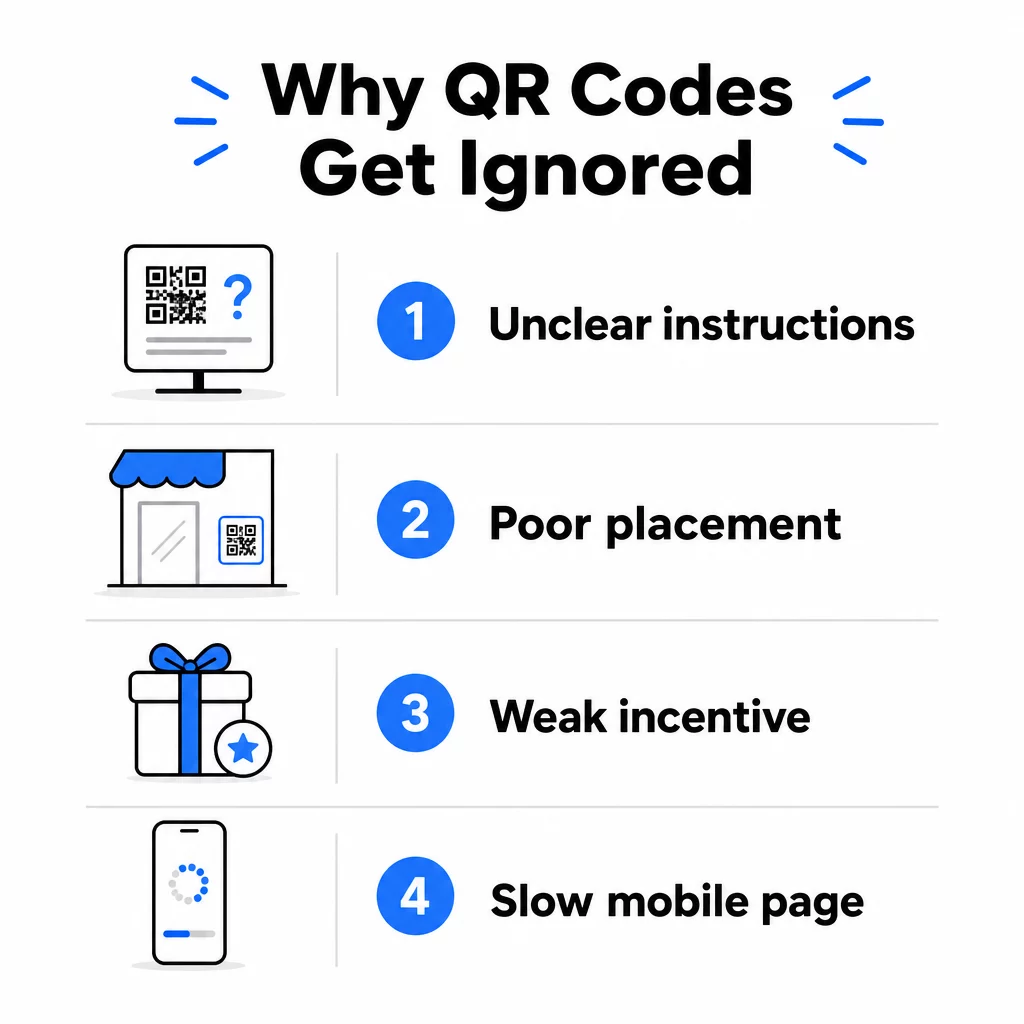
Why Your QR Codes Are Not Getting Scans

QR scan mistakes

1. People Do Not Know What to Do

Not every person who encounters your code knows how to scan it, and assuming they do is a costly mistake. Older demographics, in particular, may be unfamiliar with the process.

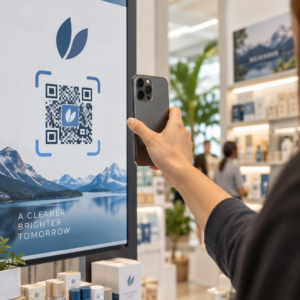
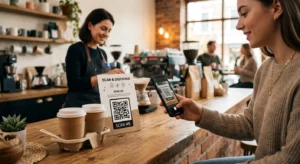
The fix is simple: add brief instructions next to the code. Text like “Open your camera app and point it here” or a small phone icon removes the friction for hesitant users. For high-traffic placements, a short video tutorial displayed nearby can help. You can also use a QR code frame with a clear call-to-action such as “Scan Me” to guide people visually before they even read the instructions.

2. The Code Is Placed in the Wrong Spot

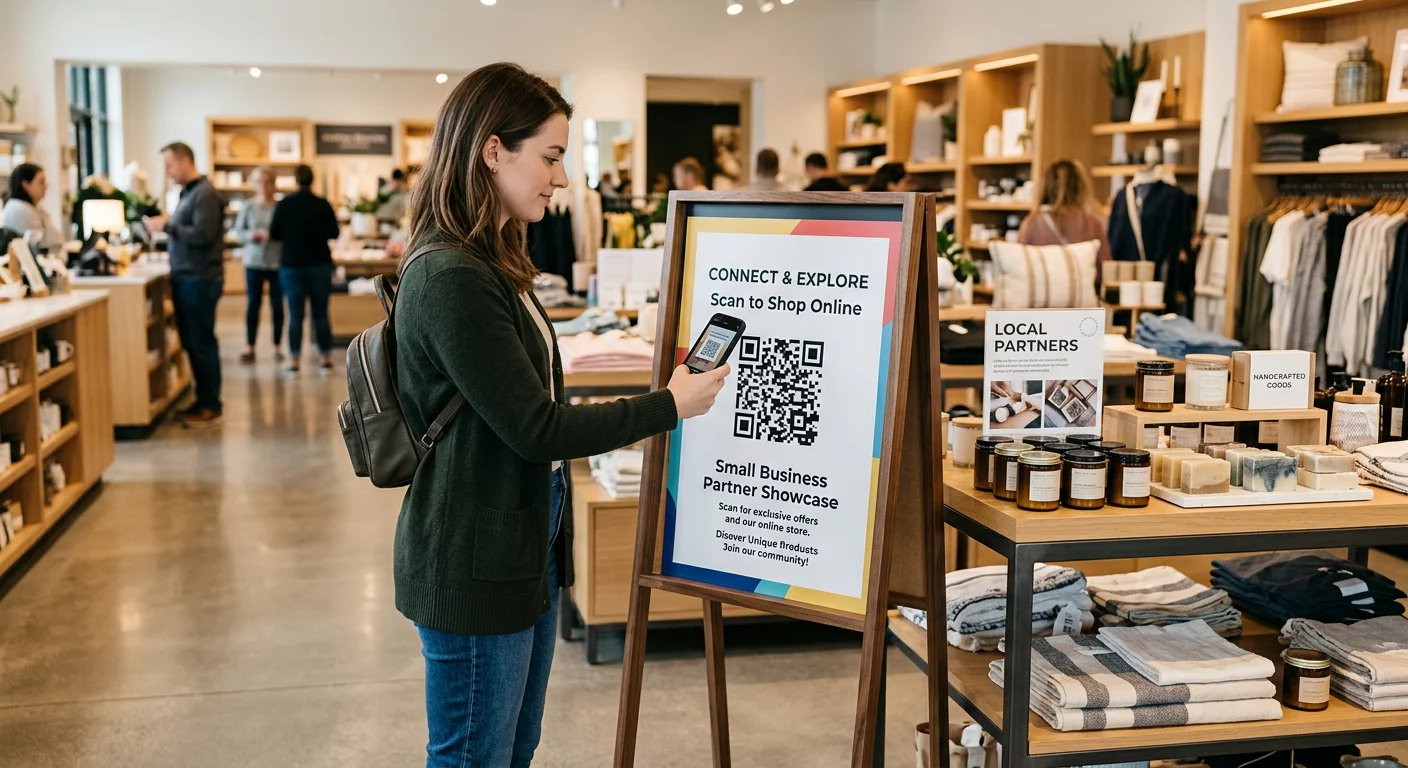
A QR code nobody can see – or reach – will never get scanned. Placement determines whether your code gets engagement or gets ignored entirely.

Effective placements put the code where your audience has the time and space to take out their phone. Strong locations include:

  • Flyers and printed handouts
  • Product packaging and labels
  • 名刺
  • Store windows and facades
  • Posters, banners, and billboards
  • Magazines and table tents

Just as important is what to avoid. Curved surfaces, reflective materials, low-light areas, busy backgrounds, and high-glare environments all reduce scan reliability. The マーケティングにおけるQRコード配置の究極ガイド covers positioning rules, including the 10:1 distance-to-size guideline and the recommendation to place codes at eye level between 3.5 and 5.5 feet.

3. There Is No Reason to Scan

Your customers are always asking, “What is in it for me?” If you cannot answer that question in the two seconds they spend looking at your code, they will keep walking.

A plain QR code with no context gives people no reason to act. The solution is to make the value explicit. Use a call-to-action that states the benefit directly, such as:

  • “Scan for a 20% discount”
  • “Scan to see today’s menu”
  • “Scan to enter our giveaway”

Gamification, exclusive offers, and lead magnets – such as a free PDF guide or a chance to win a prize – all give customers a tangible incentive. Pageloot’s research consistently shows that well-designed QR code campaigns that communicate value upfront outperform generic codes by a significant margin.

Get More Scans with Branded, Actionable QR Codes Add professional frames, custom colors, and clear calls-to-action to your codes with the Pageloot QRコードジェネレータ. Free 14-day trial, no credit card required.

4. The Message Does Not Speak to Your Audience

A QR code is only as effective as the campaign behind it. If the language, design, or offer does not connect with your specific audience, engagement will fall regardless of how well the code is placed.

To close this gap, start by identifying the pain points your customers actually have. Then match the message to the platforms and physical spaces where that audience spends time. A code on a trade-show flyer targeting procurement managers needs a different message than one on a restaurant table targeting casual diners. Mismatched messaging is invisible messaging.

5. The Landing Page Experience Is Poor

The QR code’s only job is to get someone to a page. From that point, your content has to convert. A code that leads to a slow, cluttered, or desktop-only page wastes every scan it earns.

Because QR codes are scanned on smartphones, the destination must be fully mobile-optimized – not just mobile-friendly. These are not the same thing. A mobile-optimized page is built around the mobile experience, with fast load times, thumb-friendly navigation, and content scaled for small screens. Key factors to audit before you publish a code:

  • Is the page responsive and fast-loading on cellular connections?
  • Is there a single, clear call-to-action above the fold?
  • Have you removed distractions that pull attention away from the main goal?
  • Does the page deliver on whatever the QR code promised?

guide to testing QR codes for mobile usability recommends load times under two to three seconds and testing across multiple devices and browsers before launch.

6. The Code Has Technical Problems

A technically broken QR code is the fastest way to destroy trust and lose a scan forever. Common problems include codes that are too small, have insufficient contrast, or link to a broken URL.

Key technical standards to check:

  • サイズです。 Use at least 2 × 2 cm for close-range scanning, and scale up based on the expected viewing distance using the 10:1 ratio (scan distance ÷ 10 = minimum width).
  • コントラスト: Keep a dark foreground on a light background. Black on white provides the highest reliability. Avoid low-contrast color combinations, gradients, and inverted designs. QRコードの色のコントラストに関するベストプラクティス recommends targeting a contrast ratio of at least 4.5:1 for reliable scanning.
  • クワイエットゾーン: Maintain a clear border of at least four modules on every side of the code. Scanners use this space to locate where the code begins and ends.
  • Error correction: Use a higher error correction level (Q or H) if you are adding a logo or customizing the design. These levels can compensate for up to 25–30% data loss from obstruction or damage.

Always test your code across multiple devices, camera apps, and lighting conditions before distributing it. The QR code readability best practices guide そして usability standards based on ISO/IEC 18004 cover these technical requirements in detail. You can also use the free QR code scanner tool to verify your codes scan correctly before printing.

7. You Are Using a Static Code You Cannot Update

Static QR codes encode a fixed destination. If that URL changes, breaks, or expires after the code is printed, every person who scans it hits a dead end – and you cannot fix it without reprinting everything.

ダイナミックQRコード solve this problem by pointing to a short redirect link that you can update at any time from a dashboard. Change the destination URL, swap out a PDF, or redirect to a new offer – without touching the printed code. Dynamic codes also unlock scan analytics, giving you data on how many people scanned, when, where, and on what device. This tracking capability is what allows you to measure true campaign performance and optimize over time.

Keep Your Campaigns Up to Date Without Reprinting を使用しています。 ダイナミックQRコードジェネレーター to create codes you can update anytime – and track every scan with built-in analytics.

The Trust Problem: Why Some People Never Scan Anything

Beyond technical and design issues, there is a deeper barrier that does not get enough attention: security concerns. Some users are reluctant to scan QR codes from unfamiliar sources because they cannot see where the code leads before they commit. This concern is legitimate – malicious QR codes can redirect users to phishing sites, trigger malware downloads, or capture sensitive information.

As a marketer or business owner, you can reduce this friction by building trust signals into your QR code placement:

  • Display your brand prominently alongside the code so users know who is behind it
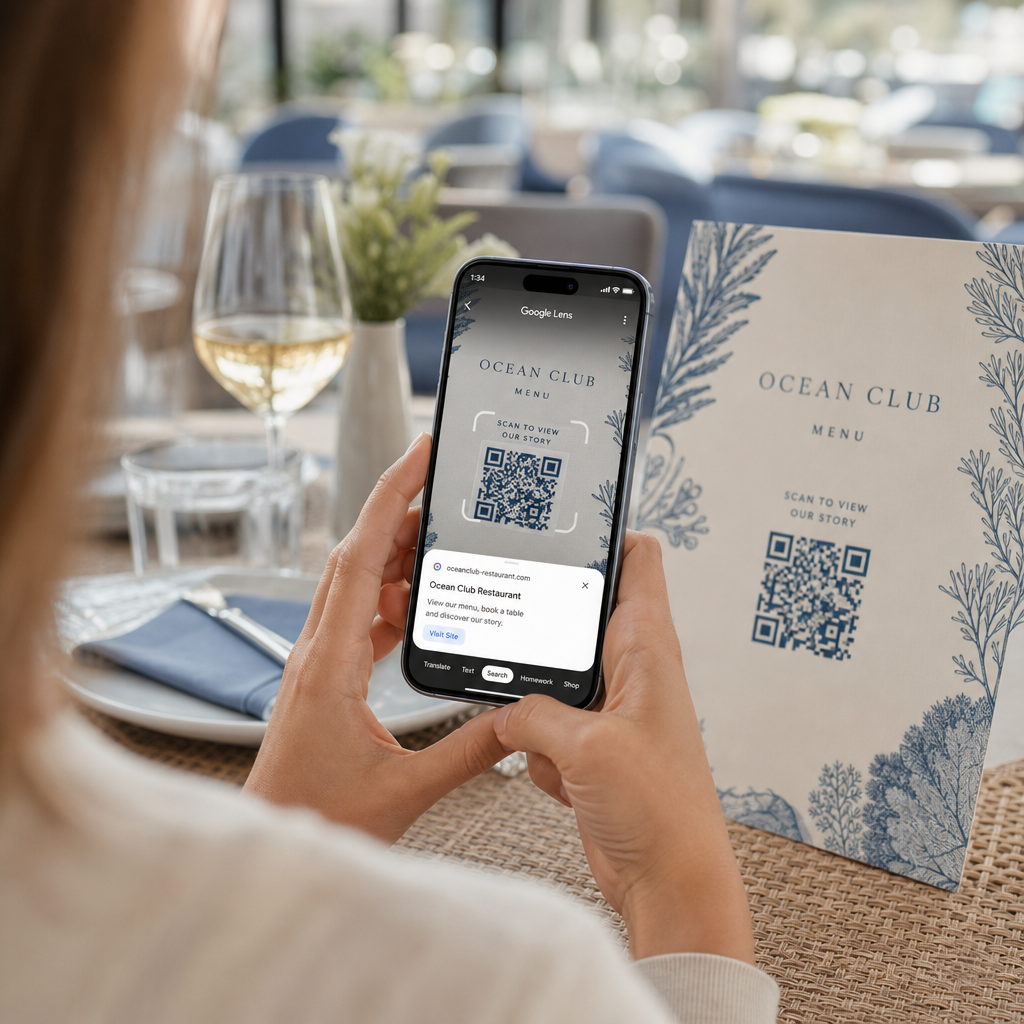
  • Add a brief description of what the code leads to (“Scan to view our digital menu”)
  • Use HTTPS destinations and ensure your landing pages look professional and legitimate
  • Avoid placing codes in low-trust environments where users have no context for why a code is there

Branded QR codes – with your logo embedded, colors that match your identity, and a clear CTA frame – signal legitimacy and increase the likelihood that a cautious user will scan.

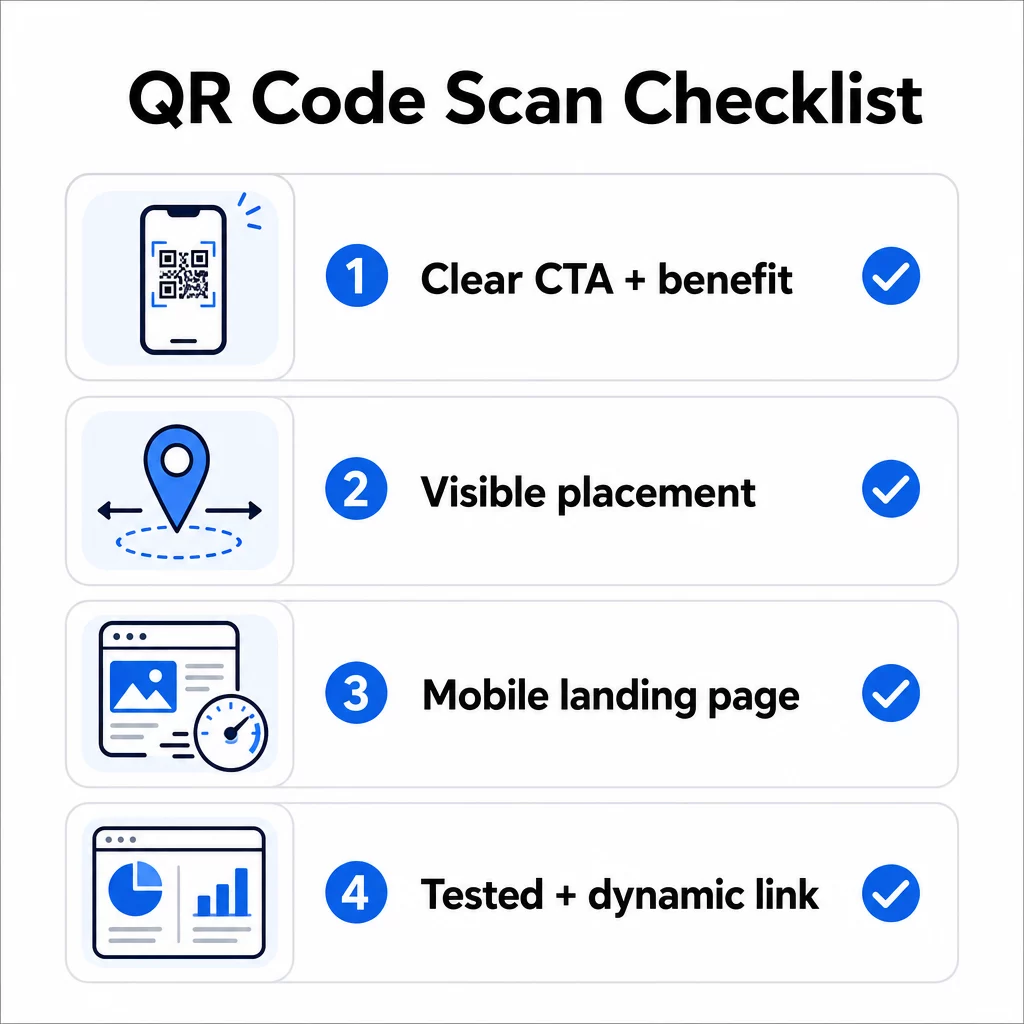
A Final Checklist Before You Deploy

Run through these questions before publishing any QR code campaign:

QR code checklist
  • Have you added instructions or a visible call-to-action so users know what to do?
  • Is the code placed where your audience has time and space to scan?
  • Does the code offer a clear, compelling reason to scan?
  • Does the message match your specific target audience?
  • Is the destination page fully mobile-optimized and fast-loading?
  • Have you tested the code on multiple devices and in real-world conditions?
  • Are you using a dynamic code so you can update the destination if needed?

If any answer is “no,” that is your bottleneck. Address it before the code goes live – not after.

For deeper guidance on design and technical standards, the QR code usability best practices page および guide to tracking QR code scans are good next stops.

よくある質問

Why does my QR code scan in some places but not others?

Environmental factors like poor lighting, glare from glossy surfaces, and long scanning distances all affect reliability. Make sure your code meets the 10:1 size-to-distance guideline, uses a dark foreground on a light background, and is placed on a flat, matte surface with adequate lighting. Test the code in the actual location before finalizing placement.

What is the difference between a static and dynamic QR code, and which should I use?

A static QR code permanently encodes its destination, so if the URL changes or breaks, the code becomes useless and must be reprinted. A dynamic QR code points to a redirect link you can update anytime from a dashboard. Dynamic codes also provide scan analytics – including scan counts, locations, device types, and timing – making them the better choice for any marketing campaign where flexibility or measurement matters.

How can I get more people to actually scan my QR code?

The most effective changes are adding a clear call-to-action that states the benefit (such as “Scan for a discount” or “Scan to view the menu”), placing the code where users have time to stop and scan, ensuring the destination page loads quickly on mobile, and using a branded design that signals the code is legitimate. Removing any friction – whether that is unclear instructions, a slow landing page, or a poorly placed code – directly increases scan rates.

著者について

Siim KostabiはPagelootのコンテンツリードです。Pagelootの革新的なQRコード生成サービスについて執筆しています。5年以上にわたるQRコードに関する深い専門知識を持つSiimは、この分野の専門家です。QRテクノロジーを活用してデジタルインタラクションを簡素化・拡張する上で、大きな進歩を遂げています。.

カテゴリー
について詳しくはこちら
✅ QRコードの#1ソリューション

オンラインでQRコードを作成する必要がある場合は QRコードを作る ここで無料で
ページルートは #1のGo-Toソリューション でQRコードを作成してスキャンすることができます。

QRN-019

ブログスキャン

売上、レビュー、フォロワーを増やすために 20,000 を超えるブランドから信頼されています。

クライアントのロゴ
トップブランドから信頼される
5 のうち 4.8 と評価しました

4.86 / 5つ星評価

ユーゴ・ローラン
ユーゴ・ローラン
レストランオーナー
最も簡単で信頼性の高いQRコードジェネレータです。PDFファイルを即座にアップロードできます。レストランのメニューがデジタル化されました。
ルーカス・ジャンセン
ルーカス・ジャンセン
不動産開発業者
これは優れたツールで、QRコードでちょうど欲しいところに連れて行ってくれます。私たちは位置情報のQRコードしか使っていませんが、とても便利な機能がたくさんあります。
エマ・モレッティ
エマ・モレッティ
小売製品
使いやすいし、早い。素晴らしい機能で、完璧な画像を作成してくれるので、社員は私のvCardをダウンロードすることができます。
ユーゴ・ローラン
ユーゴ・ローラン
レストランオーナー
最も簡単で信頼性の高いQRコードジェネレータです。PDFファイルを即座にアップロードできます。レストランのメニューがデジタル化されました。
ルーカス・ジャンセン
ルーカス・ジャンセン
不動産開発業者
これは優れたツールで、QRコードでちょうど欲しいところに連れて行ってくれます。私たちは位置情報のQRコードしか使っていませんが、とても便利な機能がたくさんあります。
エマ・モレッティ
エマ・モレッティ
小売製品
使いやすいし、早い。素晴らしい機能で、完璧な画像を作成してくれるので、社員は私のvCardをダウンロードすることができます。
QRコードをもっと見る
あらゆるものをデジタル体験に変えよう 3分以内に。

14日間の無料トライアル。

クレジットカードは必要ありません。

初回購入で30%オフ

次のコードを使用してください:

MP3ファイルを共有

PDF QRコードを作成するにはサインアップしてください

必要なものをすべてアップロードして表示する。

  • オーディオファイル
  • ポッドキャスト
  • 音楽

サインアップで14日間無料トライアル。.
トライアル終了後、QRコードは期限切れになります。.

オーディオmp3 QRコードを作成するにはサインアップしてください

フレームでより多くのスキャンを獲得

QRコードにフレームを追加するにはサインアップしてください

コールトゥアクションフレームは、お客様が簡単にQRコードと対話できるようにします。ぜひお試しください。

サインアップで14日間無料トライアル。.
トライアル終了後、QRコードは期限切れになります。.

QRコードにフレームを追加するにはサインアップしてください

シェイプでスタイルを追加

より多くの図形を作成するにはサインアップしてください

QRコードは四角いものである必要はありません。あなたのブランドのイメージに合わせて変えてみてください。

サインアップで14日間無料トライアル。.
トライアル終了後、QRコードは期限切れになります。.

より多くの図形を作成するにはサインアップしてください

QRコードにロゴを追加

QRコードにロゴを追加するにはサインアップしてください

QRコードにロゴやブランドを入れることで、目立たせることができます。

サインアップで14日間無料トライアル。.
トライアル終了後、QRコードは期限切れになります。.

QRコードにロゴを追加するにはサインアップしてください

スマートなApp Storeリダイレクト

アプリストアのQRコードを作成するにはサインアップしてください

スマートなApp StoreのQRコードに、あなたのアプリのリンクを追加します。ユーザーは、デバイスに応じてリダイレクトされます。

サインアップで14日間無料トライアル。.
トライアル終了後、QRコードは期限切れになります。.

アプリストアのQRコードを作成するにはサインアップしてください

QRコードに画像をアップロード

画像QRコードを作成するにはサインアップしてください

画像を簡単に共有できます。どんな画像も、数秒でダイナミックに変化します。

サインアップで14日間無料トライアル。.
トライアル終了後、QRコードは期限切れになります。.

画像QRコードを作成するにはサインアップしてください

PDFファイルを共有

PDF QRコードを作成するにはサインアップしてください

必要なものをすべてアップロードして表示する。

  • メニュー&プライスリスト
  • 指示
  • 任意の書類

サインアップで14日間無料トライアル。.
トライアル終了後、QRコードは期限切れになります。.

PDF QRコードを作成するにはサインアップしてください

印刷せずに後で編集

再度印刷せずにQRコードを編集するにはサインアップしてください

ダイナミックQRコードは、新たにQRコードを印刷することなく、QRコードの内容を変更することができます。

サインアップで14日間無料トライアル。.
トライアル終了後、QRコードは期限切れになります。.

再度印刷せずにQRコードを編集するにはサインアップしてください

いつ?どこで?QRコードのスキャンを追跡

QRコードを追跡するにはサインアップしてください

どのQRコードが最も多くスキャンされ、何が最も顧客を喜ばせているのかを知ることができます。

サインアップで14日間無料トライアル。.
トライアル終了後、QRコードは期限切れになります。.

QRコードを追跡するにはサインアップしてください

印刷可能なファイルが利用可能

PDFやSVGのようなベクターQRコードを作成するにはサインアップしてください

.eps、.pdf、.svg

QRコードをHD解像度でダウンロードしたいですか?すぐに印刷できるベクターまたはピクセル形式を入手しましょう。

サインアップで14日間無料トライアル。.
トライアル終了後、QRコードは期限切れになります。.

PDFやSVGのようなベクターQRコードを作成するにはサインアップしてください

しばらくお待ちください。あなたのQRコードは ロード... ロード...

あなただけのものに

サインアップしてQRコードを後で保存してください

異なる色、ロゴ、コールトゥアクションフレームで素晴らしいQRコードを作成することで、より多くのスキャンを得ることができます。

サインアップで14日間無料トライアル。.
トライアル終了後、QRコードは期限切れになります。.

サインアップしてQRコードを後で保存してください