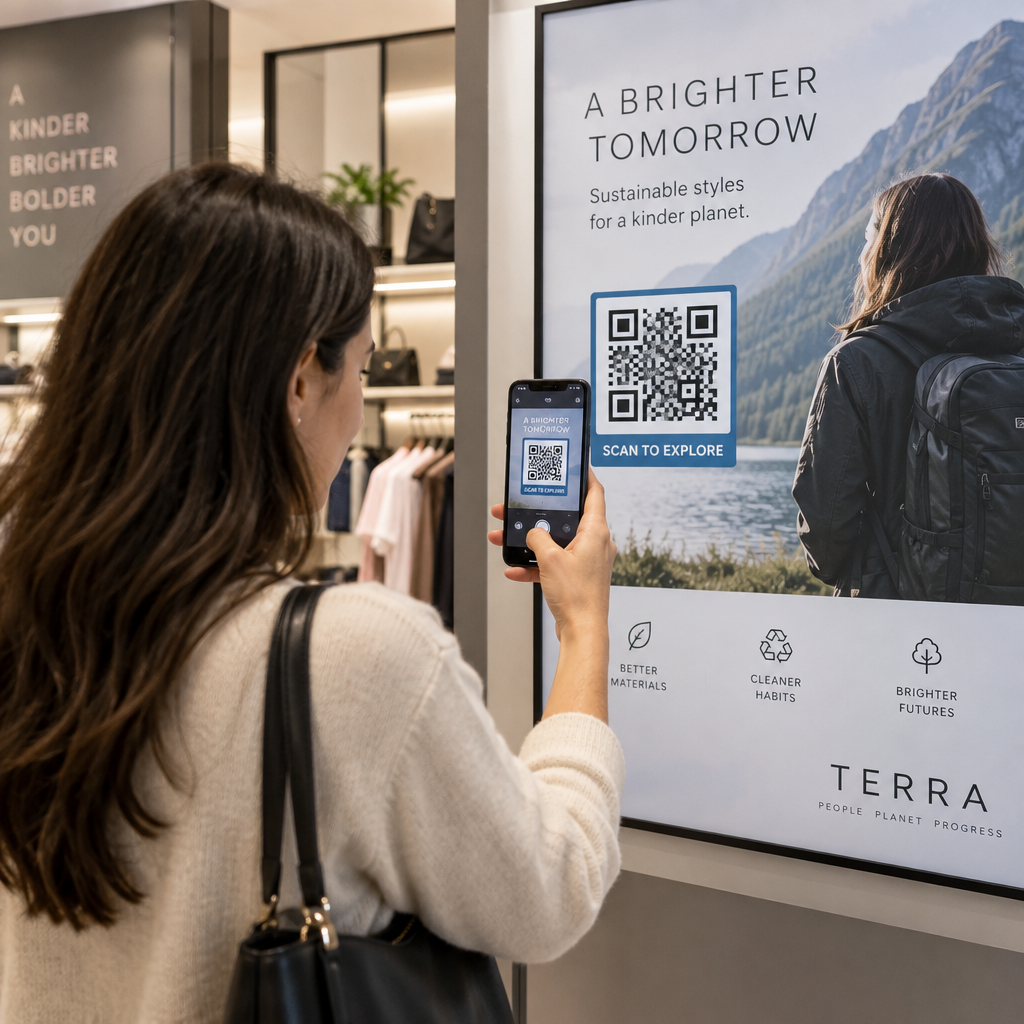
Werden Ihre QR-Codes ignoriert? Schlechte Scanraten sind meist auf eine Handvoll vorhersehbarer, behebbarer Probleme zurückzuführen – von schlechter Platzierung bis hin zu gebrochenem Vertrauen. Dieser Artikel geht auf jede Barriere ein und gibt Ihnen konkrete Schritte, um sie zu überwinden.
Nutzen Menschen noch QR-Codes?
Das Scannen von QR-Codes ist seit Jahren stetig gewachsen, und die Akzeptanz hat sich während und nach der Pandemie stark beschleunigt, da Unternehmen auf kontaktlose Interaktionen umgestiegen sind. Wenn Sie keine Scans erhalten, liegt das Problem fast sicher nicht an der Technologie selbst – sondern daran, wie Ihre Codes gestaltet, platziert oder präsentiert werden.
Warum Ihre QR-Codes nicht gescannt werden
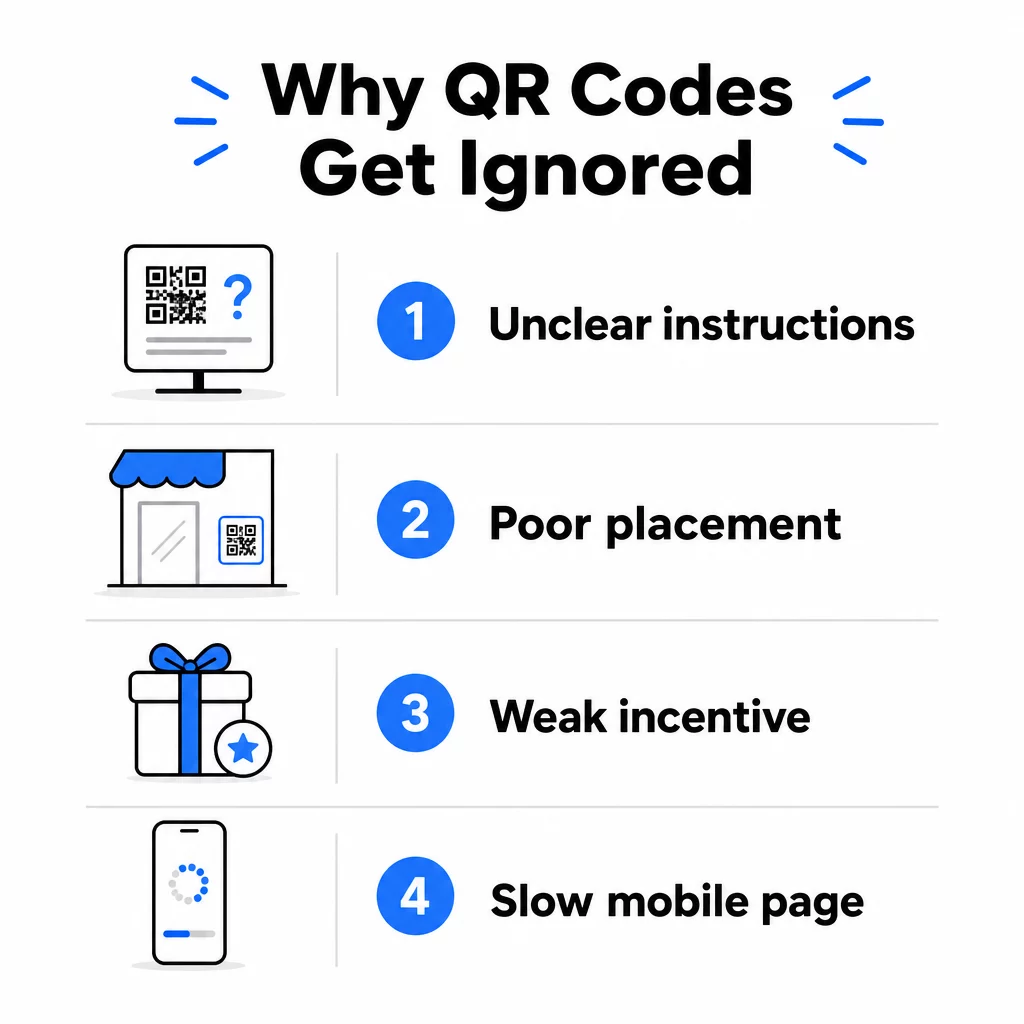
1. Menschen wissen nicht, was zu tun ist
Nicht jede Person, die auf Ihren Code stößt, weiß, wie man ihn scannt, und davon auszugehen, ist ein kostspieliger Fehler. Insbesondere ältere Bevölkerungsgruppen sind möglicherweise mit dem Vorgang nicht vertraut.
Die Lösung ist einfach: Fügen Sie kurze Anweisungen neben dem Code hinzu. Text wie “Öffnen Sie Ihre Kamera-App und richten Sie sie hierher” oder ein kleines Telefonsymbol beseitigt die Hemmschwelle für zögerliche Benutzer. Bei stark frequentierten Platzierungen kann ein kurzes Video-Tutorial in der Nähe helfen. Sie können auch einen QR-Code-Rahmen mit einem klaren Call-to-Action wie “Scan mich” verwenden, um Menschen visuell zu leiten, noch bevor sie die Anweisungen lesen.
2. Der Code ist am falschen Ort platziert
Ein QR-Code, den niemand sehen – oder erreichen – kann, wird niemals gescannt. Die Platzierung entscheidet darüber, ob Ihr Code Beachtung findet oder vollständig ignoriert wird.
Effektive Platzierungen positionieren den Code dort, wo Ihr Publikum die Zeit und den Raum hat, sein Telefon herauszuholen. Gute Standorte sind:
- Flyer und gedruckte Handzettel
- Produktverpackungen und Etiketten
- Visitenkarten
- Schaufenster und Fassaden
- Plakate, Banner und Werbetafeln
- Zeitschriften und Tischaufsteller
Genauso wichtig ist, was zu vermeiden ist. Gekrümmte Oberflächen, reflektierende Materialien, schlecht beleuchtete Bereiche, unruhige Hintergründe und Umgebungen mit starker Blendung reduzieren alle die Scan-Zuverlässigkeit. Die ultimativer Leitfaden zur Platzierung von QR-Codes im Marketing behandelt Positionierungsregeln, einschließlich der 10:1-Richtlinie für Abstand zu Größe und der Empfehlung, Codes auf Augenhöhe zwischen 3,5 und 5,5 Fuß zu platzieren.
3. Es gibt keinen Grund zum Scannen
Ihre Kunden fragen immer: “Was habe ich davon?” Wenn Sie diese Frage nicht in den zwei Sekunden beantworten können, die sie damit verbringen, Ihren Code anzusehen, werden sie weitergehen.
Ein einfacher QR-Code ohne Kontext gibt den Leuten keinen Grund zum Handeln. Die Lösung besteht darin, den Wert explizit zu machen. Verwenden Sie einen Call-to-Action, der den Vorteil direkt benennt, wie zum Beispiel:
- “Scannen Sie für einen 20% Rabatt”
- “Scannen Sie, um die heutige Speisekarte zu sehen”
- “Scannen Sie, um an unserem Gewinnspiel teilzunehmen”
Gamification, exklusive Angebote und Lead-Magnete – wie ein kostenloser PDF-Leitfaden oder die Chance, einen Preis zu gewinnen – all das bietet Kunden einen greifbaren Anreiz. Die Forschung von Pageloot zeigt durchweg, dass gut gestaltete QR-Code-Kampagnen die den Wert im Voraus kommunizieren, generische Codes deutlich übertreffen.
Mehr Scans mit gebrandeten, handlungsrelevanten QR-Codes erhalten Fügen Sie Ihren Codes professionelle Rahmen, benutzerdefinierte Farben und klare Handlungsaufforderungen hinzu mit dem Pageloot QR-Code-Generator. Kostenlose 14-Tage-Testversion, keine Kreditkarte erforderlich.
4. Die Botschaft spricht Ihr Publikum nicht an
Ein QR-Code ist nur so effektiv wie die Kampagne dahinter. Wenn die Sprache, das Design oder das Angebot nicht mit Ihrem spezifischen Publikum in Verbindung steht, wird die Beteiligung sinken, unabhängig davon, wie gut der Code platziert ist.
Um diese Lücke zu schließen, beginnen Sie damit, die tatsächlichen Schmerzpunkte Ihrer Kunden zu identifizieren. Passen Sie dann die Botschaft an die Plattformen und physischen Räume an, in denen sich dieses Publikum aufhält. Ein Code auf einem Messeflyer, der sich an Einkaufsleiter richtet, benötigt eine andere Botschaft als einer auf einem Restauranttisch, der sich an Gelegenheitsgäste richtet. Eine nicht passende Botschaft ist eine unsichtbare Botschaft.
5. Die Landingpage-Erfahrung ist schlecht
Die einzige Aufgabe des QR-Codes ist es, jemanden auf eine Seite zu bringen. Ab diesem Punkt muss Ihr Inhalt konvertieren. Ein Code, der zu einer langsamen, überladenen oder nur für Desktops geeigneten Seite führt, verschwendet jeden Scan, den er erhält.
Da QR-Codes auf Smartphones gescannt werden, muss das Ziel vollständig mobiloptimiert sein – nicht nur mobilfreundlich. Das ist nicht dasselbe. Eine mobiloptimierte Seite ist auf das mobile Erlebnis zugeschnitten, mit schnellen Ladezeiten, daumenfreundlicher Navigation und Inhalten, die für kleine Bildschirme skaliert sind. Wichtige Faktoren, die Sie vor der Veröffentlichung eines Codes prüfen sollten:
- Ist die Seite responsiv und lädt schnell über Mobilfunkverbindungen?
- Gibt es einen einzigen, klaren Call-to-Action oberhalb des Falzes?
- Haben Sie Ablenkungen entfernt, die die Aufmerksamkeit vom Hauptziel ablenken?
- Hält die Seite, was der QR-Code versprochen hat?
Die Leitfaden zum Testen von QR-Codes auf mobile Benutzerfreundlichkeit empfiehlt Ladezeiten unter zwei bis drei Sekunden und Tests auf mehreren Geräten und Browsern vor dem Start.
6. Der Code hat technische Probleme
Ein technisch defekter QR-Code ist der schnellste Weg, Vertrauen zu zerstören und einen Scan für immer zu verlieren. Häufige Probleme sind Codes, die zu klein sind, unzureichenden Kontrast aufweisen oder auf eine defekte URL verlinken.
Wichtige technische Standards, die Sie überprüfen sollten:
- Größe: Verwenden Sie mindestens 2 × 2 cm für das Scannen aus nächster Nähe und skalieren Sie die Größe basierend auf der erwarteten Betrachtungsentfernung mit dem Verhältnis 10:1 (Scan-Entfernung ÷ 10 = Mindestbreite).
- Kontrast: Halten Sie einen dunklen Vordergrund auf einem hellen Hintergrund. Schwarz auf Weiß bietet die höchste Zuverlässigkeit. Vermeiden Sie kontrastarme Farbkombinationen, Farbverläufe und invertierte Designs. Best Practices für den Farbkontrast von QR-Codes empfiehlt ein Kontrastverhältnis von mindestens 4,5:1 für zuverlässiges Scannen anzustreben.
- Ruhezone: Halten Sie einen klaren Rand von mindestens vier Modulen auf jeder Seite des Codes ein. Scanner nutzen diesen Bereich, um zu lokalisieren, wo der Code beginnt und endet.
- Fehlerkorrektur: Verwenden Sie eine höhere Fehlerkorrekturstufe (Q oder H), wenn Sie ein Logo hinzufügen oder das Design anpassen. Diese Stufen können bis zu 25–30 % Datenverlust durch Verdeckung oder Beschädigung ausgleichen.
Testen Sie Ihren Code immer auf mehreren Geräten, Kamera-Apps und unter verschiedenen Lichtverhältnissen, bevor Sie ihn verteilen. Die Leitfaden für bewährte Verfahren zur Lesbarkeit von QR-Codes und Usability-Standards basierend auf ISO/IEC 18004 decken diese technischen Anforderungen detailliert ab. Sie können auch das kostenlose QR-Code-Scanner-Tool verwenden, um zu überprüfen, ob Ihre Codes vor dem Drucken korrekt scannen.
7. Sie verwenden einen statischen Code, den Sie nicht aktualisieren können
Statische QR-Codes kodieren ein festes Ziel. Wenn sich diese URL ändert, kaputtgeht oder abläuft, nachdem der Code gedruckt wurde, landet jede Person, die ihn scannt, in einer Sackgasse – und Sie können dies nicht beheben, ohne alles neu zu drucken.
Dynamische QR-Codes lösen Sie dieses Problem, indem Sie auf einen kurzen Weiterleitungslink verweisen, den Sie jederzeit über ein Dashboard aktualisieren können. Ändern Sie die Ziel-URL, tauschen Sie ein PDF aus oder leiten Sie zu einem neuen Angebot um – ohne den gedruckten Code zu berühren. Dynamische Codes ermöglichen auch Scan-Analysen, die Ihnen Daten darüber liefern, wie viele Personen wann, wo und auf welchem Gerät gescannt haben. Diese Tracking-Funktion ermöglicht es Ihnen, die tatsächliche Kampagnenleistung zu messen und im Laufe der Zeit zu optimieren.
Halten Sie Ihre Kampagnen ohne Neudruck auf dem neuesten Stand Verwenden Sie die Dynamischer QR-Code Generator um Codes zu erstellen, die Sie jederzeit aktualisieren können – und jeden Scan mit integrierten Analysen verfolgen.
Das Vertrauensproblem: Warum manche Leute nie etwas scannen
Jenseits technischer und gestalterischer Probleme gibt es eine tiefere Barriere, die nicht genug Beachtung findet: Sicherheitsbedenken. Einige Benutzer zögern, QR-Codes von unbekannten Quellen zu scannen, weil sie nicht sehen können, wohin der Code führt, bevor sie sich festlegen. Diese Sorge ist berechtigt – bösartige QR-Codes können Benutzer auf Phishing-Seiten umleiten, Malware-Downloads auslösen oder sensible Informationen erfassen.
Als Vermarkter oder Geschäftsinhaber können Sie diese Reibung reduzieren, indem Sie Vertrauenssignale in die Platzierung Ihres QR-Codes einbauen:
- Zeigen Sie Ihre Marke prominent neben dem Code an, damit Benutzer wissen, wer dahintersteckt
- Fügen Sie eine kurze Beschreibung hinzu, wohin der Code führt (“Scannen Sie, um unsere digitale Speisekarte anzuzeigen”)
- Verwenden Sie HTTPS-Ziele und stellen Sie sicher, dass Ihre Landing Pages professionell und seriös aussehen
- Vermeiden Sie es, Codes in Umgebungen mit geringem Vertrauen zu platzieren, in denen Benutzer keinen Kontext dafür haben, warum ein Code dort ist
Gebrandete QR-Codes – mit Ihrem eingebetteten Logo, Farben, die zu Ihrer Identität passen, und einem klaren CTA-Rahmen – signalisieren Legitimität und erhöhen die Wahrscheinlichkeit, dass ein vorsichtiger Benutzer scannt.
Eine letzte Checkliste vor der Bereitstellung
Gehen Sie diese Fragen durch, bevor Sie eine QR-Code-Kampagne veröffentlichen:
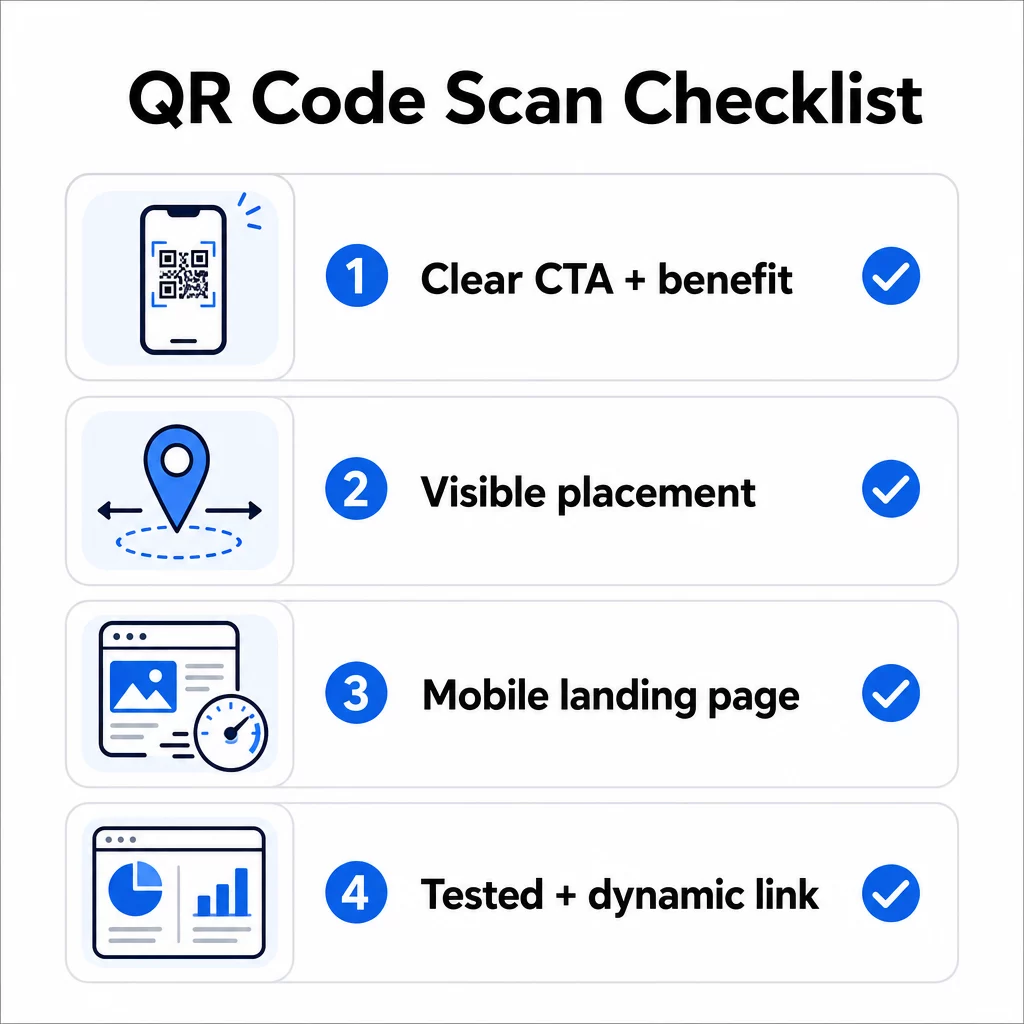
- Haben Sie Anweisungen oder einen sichtbaren Call-to-Action hinzugefügt, damit Benutzer wissen, was zu tun ist?
- Ist der Code dort platziert, wo Ihr Publikum Zeit und Raum zum Scannen hat?
- Bietet der Code einen klaren, überzeugenden Grund zum Scannen?
- Passt die Botschaft zu Ihrer spezifischen Zielgruppe?
- Ist die Zielseite vollständig mobiloptimiert und schnell ladend?
- Haben Sie den Code auf mehreren Geräten und unter realen Bedingungen getestet?
- Verwenden Sie einen dynamischen Code, damit Sie das Ziel bei Bedarf aktualisieren können?
Wenn eine Antwort “nein” ist, ist das Ihr Engpass. Beheben Sie ihn, bevor der Code live geht – nicht danach.
Für eine tiefere Anleitung zu Design- und technischen Standards, die Seite mit Best Practices für die Benutzerfreundlichkeit von QR-Codes und der Anleitung zum Verfolgen von QR-Code-Scans sind gute nächste Anlaufstellen.
Häufig gestellte Fragen
Umweltfaktoren wie schlechte Beleuchtung, Blendung durch glänzende Oberflächen und lange Scan-Distanzen beeinträchtigen alle die Zuverlässigkeit. Stellen Sie sicher, dass Ihr Code die 10:1 Größen-zu-Abstands-Richtlinie erfüllt, einen dunklen Vordergrund auf hellem Hintergrund verwendet und auf einer flachen, matten Oberfläche mit ausreichender Beleuchtung platziert wird. Testen Sie den Code am tatsächlichen Standort, bevor Sie die Platzierung abschließen.
Ein statischer QR-Code kodiert sein Ziel dauerhaft, sodass der Code unbrauchbar wird und neu gedruckt werden muss, wenn sich die URL ändert oder defekt ist. Ein dynamischer QR-Code verweist auf einen Weiterleitungslink, den Sie jederzeit über ein Dashboard aktualisieren können. Dynamische Codes bieten auch Scan-Analysen – einschließlich Scan-Anzahl, Standorte, Gerätetypen und Zeitpunkt – was sie zur besseren Wahl für jede Marketingkampagne macht, bei der Flexibilität oder Messung wichtig sind.
Die effektivsten Änderungen sind das Hinzufügen eines klaren Call-to-Action, der den Nutzen angibt (wie “Scannen für einen Rabatt” oder “Scannen, um die Speisekarte anzuzeigen”), das Platzieren des Codes dort, wo Benutzer Zeit haben anzuhalten und zu scannen, das Sicherstellen, dass die Zielseite schnell auf Mobilgeräten lädt, und die Verwendung eines Marken-Designs, das signalisiert, dass der Code legitim ist. Das Entfernen jeglicher Reibung – sei es durch unklare Anweisungen, eine langsame Landingpage oder einen schlecht platzierten Code – erhöht direkt die Scanraten.