Kas soovite muuta oma kinkekaardid lihtsamini lunastatavaks ja raskemini ignoreeritavaks? Halvasti kujundatud lunastusprotsess frustreerib kliente ja viib lunastamata saldode tühikäigul seismiseni. See juhend selgitab, kuidas lisada QR-koode füüsilistele ja digitaalsetele kinkekaartidele, mida need teie ettevõtte jaoks avavad ja kuidas neid õigesti seadistada.
Miks QR-koodid kuuluvad kinkekaartidele
Kinkekaardid on oluline ostukategooria. Hiljutised uuringuandmed näitavad, et 76% USA tarbijatest ostis viimase aasta jooksul kinkekaardi, kusjuures 40% nendest ostudest olid digitaalsed. Lunastamiskäitumine varieerub aga laialdaselt – tarbijad kulutavad digitaalseid kinkekaarte keskmiselt 16,8 päevaga, võrreldes füüsiliste kaartide 35,3 päevaga. See vahe esindab reaalset tulu, mis seisab riiulil.
QR-kood kinkekaardil eemaldab lunastusprotsessist hõõrdumise. Selle asemel, et paluda kliendil sisestada pikk kaardinumber või navigeerida mitmeastmelises ostukorvis, viib üks skaneerimine nad otse makselehele, saldootsingusse või veebipoodi. See pingutuse vähenemine tähendab otseselt kiiremaid lunastamisi ja vähem hüljatud saldosid.
Lisaks mugavusele annavad QR-koodid teile midagi, mida traditsioonilised kinkekaardid ei suuda: andmeid. Saate jälgida, millal ja kus kaarte skaneeritakse, millised kaardikujundused toimivad paremini ja kas kliendid viivad lunastamise pärast skaneerimist lõpule.
Füüsilised kinkekaardid: toimiva QR-koodi lisamine
Füüsilisel kinkekaardil on piiratud ruum, seega on iga disainiotsus oluline. QR-koodi lisamine on lihtne, kuid mõned tehnilised standardid määravad, kas see tegelikult reaalses maailmas usaldusväärselt skaneerib.
Minimaalne suurus ja vaikne tsoon
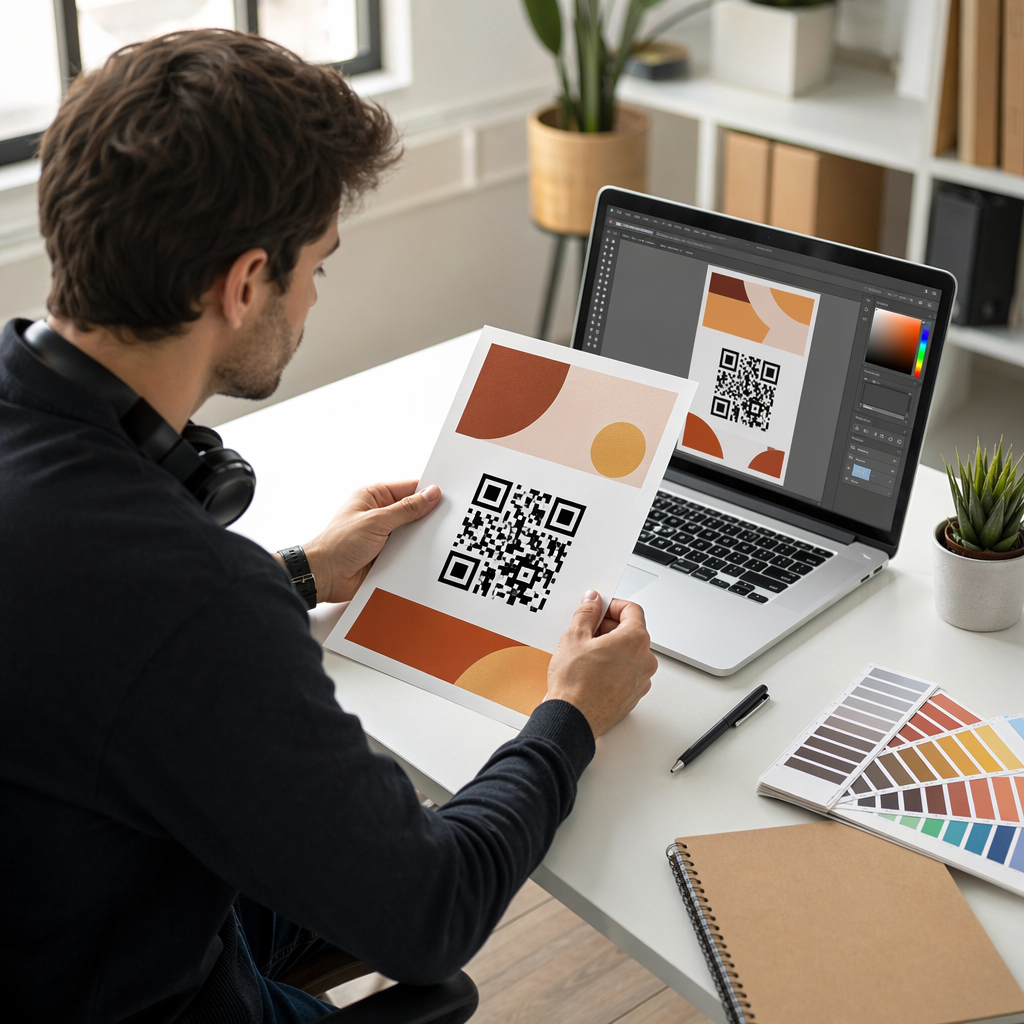
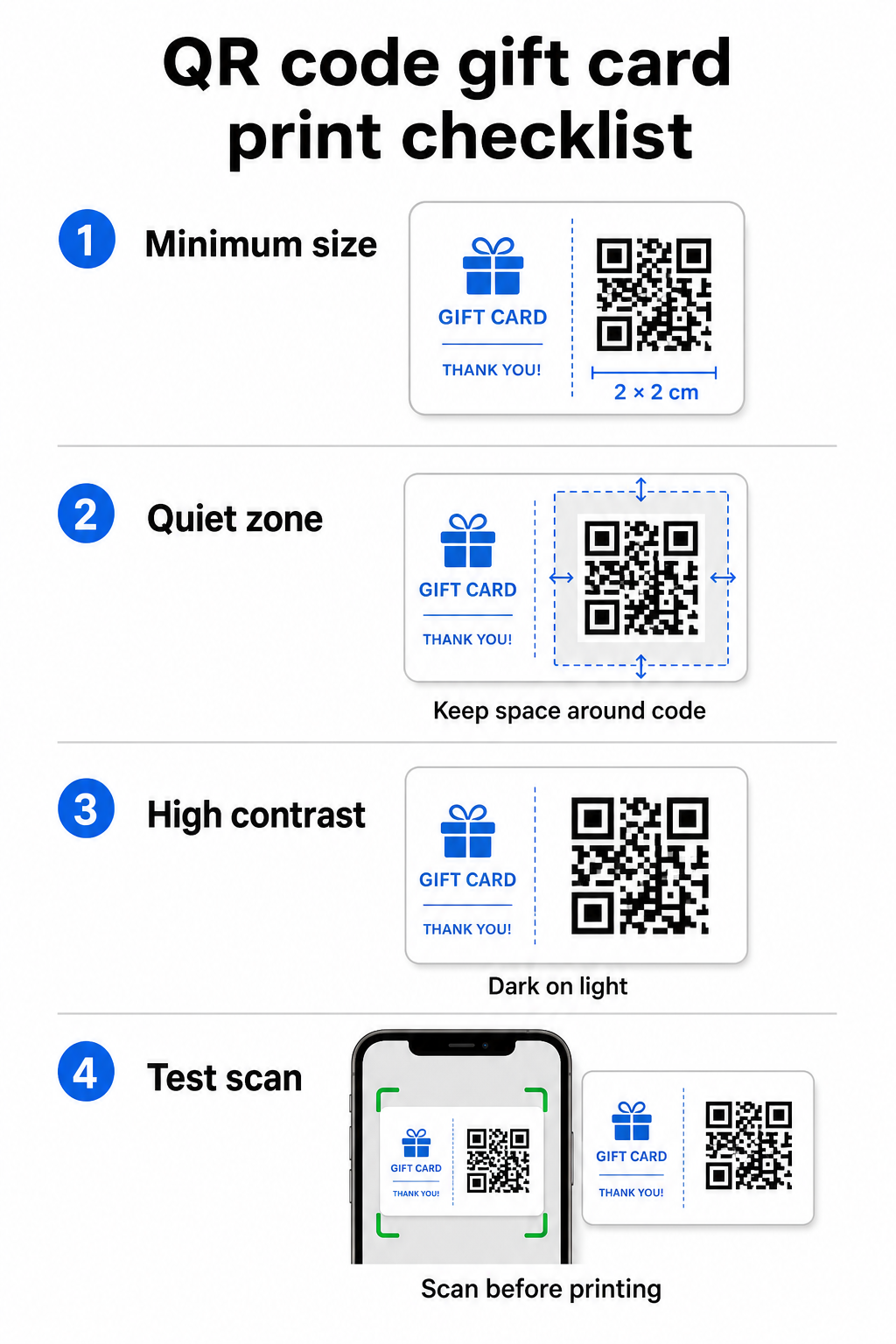
Usaldusväärseks skaneerimiseks trükitud materjalidel peaks teie QR-kood olema vähemalt 2 × 2 cm. Koodi ümber jätke tühi äär – mida nimetatakse vaikne tsoon – vähemalt nelja mooduli laiune igast küljest. Kui iga moodul teie QR-koodis on 2 mm lai, tähendab see 8 mm äärist igast küljest. Koodi ülerahvastamine teksti või disainielementidega selles tsoonis on üks levinumaid põhjuseid, miks koodid ei skaneeri.
Kontrasti nõuded
Kasutage heledal taustal tumedat esiplaanivärvi. Minimaalne soovitatav kontrastsussuhe on 4:1, kuigi must valgel (21:1) jääb kõige usaldusväärsemaks kombinatsiooniks. Vältige pööratud värviskeeme (hele muster tumedal taustal), gradiente ja varje – kõik need loovad ebaühtlase kontrasti, mis ajab kaameraskannerid segadusse. Üksikasjalikuma juhendi leiate siit: QR-koodi värvikontrasti parimaid tavasid.
Paigutus kaardil
Asetage QR-kood kaardi tagaküljele, eemal magnetribast ja kraabitavast PIN-koodi alast. Kaardi esikülg on brändituvastuseks; tagakülg on koht, kuhu kuuluvad funktsionaalsed elemendid nagu kaardinumber ja QR-koodid. Lisage koodi kõrvale lühike üleskutse tegevusele – näiteks “Skaneeri oma saldo kontrollimiseks” või “Skaneeri veebis lunastamiseks” – et kliendid mõistaksid, mis skaneerimisel juhtub.
Kasutage paindlikkuse tagamiseks dünaamilisi QR-koode
Kui prindite füüsilisi kaarte hulgi, seob staatiline QR-kood teid ühe siht-URL-iga. Dünaamiline dünaamiline QR-kood võimaldab teil sihtkohta igal ajal värskendada ilma kaarti uuesti printimata. See on oluline, kui kujundate ümber oma lunastusportaali, korraldate hooajalist kampaaniat või migreerute uuele maksesüsteemile. Dünaamilisi QR-koode saate luua ja hallata Pagelooti QR-koodi generaatoriga, mis annab teile ka skaneerimisanalüüsi tsentraliseeritud armatuurlaualt.
Hoidke oma kinkekaartide kampaaniad paindlikena Kas teil on vaja värskendada, kuhu teie kinkekaartide QR-koodid suunavad, ilma tuhandeid kaarte uuesti printimata? Kasutage Lingi QR-koodi generaator dünaamiliste koodide loomiseks, mida saate igal ajal ümber suunata, koos täieliku skaneerimise jälgimisega.
Digitaalsed kinkekaardid: QR-koodid e-posti ja rahakoti formaatides
Digitaalne kinkekaart – mis edastatakse e-posti, SMS-i teel või salvestatakse mobiilsesse rahakotti – võib sisaldada QR-koodi sama tõhusalt kui füüsiline kaart. Selles kontekstis toimib QR-kood lunastusmehhanismina ise.
Kui klient saab digitaalse kinkekaardi, saab e-kirja või pildifaili manustatud QR-kood linkida otse ostukorvi lehele, mis on eelnevalt laetud kaardi väärtusega, kupongi sihtlehele lunastamisjuhistega või makseprotsessorile nagu PayPal või Stripe. Klient skannib koodi kassas – poes või veebis – ja väärtus rakendatakse automaatselt.
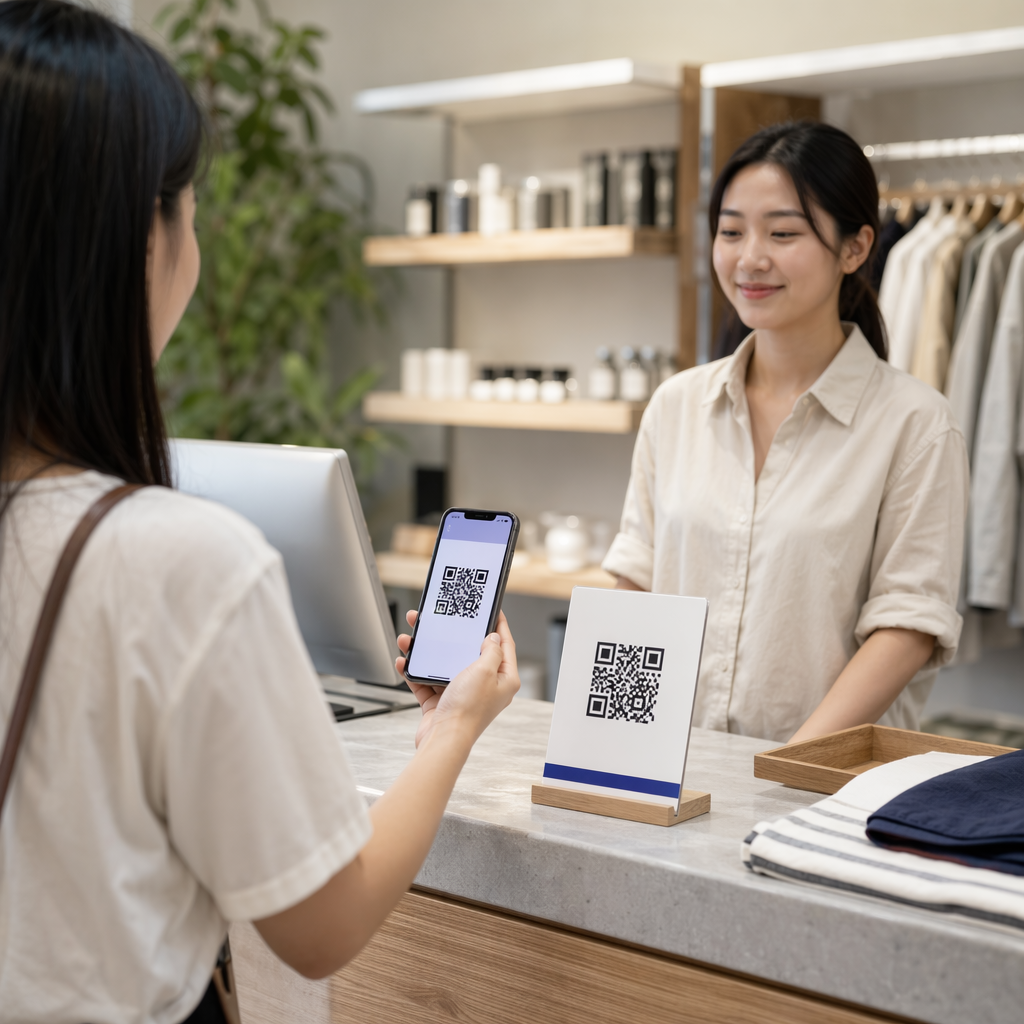
See lähenemine sobib eriti hästi ettevõtetele, mis tegutsevad nii füüsilistes kui ka veebipoodides. Klient, kes saab digitaalse kinkekaardi e-posti teel, saab minna teie poodi, avada e-kirja ja lasta kassapidajal skannida QR-koodi oma telefoni ekraanilt – kaardi numbrit pole vaja.
Maksevoo jaoks konkreetselt, Pageloot'i PayPali QR koodi loomine võimaldab teil luua koodi, mis lingib otse makselehele, muutes lihtsaks skannimise-ja-maksmise lunastuskogemuse loomise oma digitaalse kinkekaardi kujundusse.
Millega oma kinkekaardi QR-koodi linkida
Valitud sihtkoht määrab kliendikogemuse pärast skannimist. Siin on kõige levinumad ja tõhusamad valikud:
| Sihtkoht | Parim kasutuskohver |
|---|---|
| Veebipood või ostukorvi leht | Täielik e-kaubanduse lunastamine; kaardi väärtus rakendatakse kassas |
| Saldo kontrollimise leht | Võimaldab saajatel enne kulutamist järelejäänud väärtust kontrollida |
| Kupongi või pakkumise sihtleht | Kinkekaardi väärtusega seotud kampaaniad |
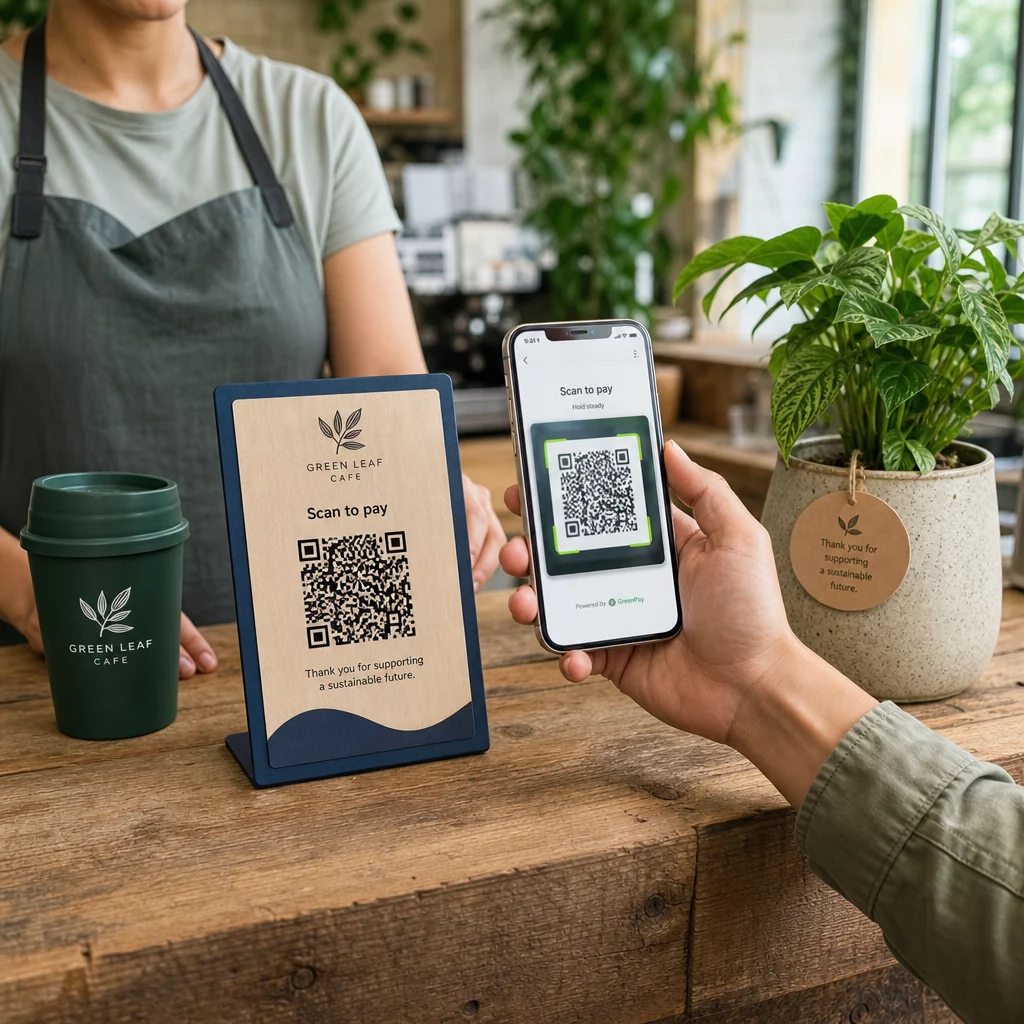
| Makselink (PayPal, Stripe) | Otsemakse füüsilises müügikohas |
| Brändi tervitusleht | Uue kliendi sisseelamine; lingid lojaalsusprogrammi registreerimisele |
Kui soovite oma kinkekaardiprogrammi kõrval kampaaniaid korraldada – pakkudes näiteks boonussoodustusi saajatele, kes skannivad kindla aja jooksul – Pageloot'i Kupongi QR-koodi generaator võimaldab teil luua sihtlehe, mis kuvab mitu pakkumist, jälgib, millised asukohad koguvad kõige rohkem lunastusi, ja uuendab neid pakkumisi ilma uut koodi genereerimata.
Laiema ülevaate saamiseks sellest, kuidas QR-põhised kampaaniad võrreldes traditsiooniliste soodusmeetoditega, vaadake QR-koodid vs. traditsioonilised kupongid: kumb töötab paremini.
Lunastuste ja kampaania tulemuslikkuse jälgimine
Üks selgemaid eeliseid QR-koodide kasutamisel kinkekaartidel – võrreldes ainult traditsiooniliste kaardinumbritega – on analüütika kiht, mida need lisavad. Pagelooti-suguse platvormiga logitakse iga skaneering ajatempli, seadmetüübi ja asukohaandmetega. See ütleb teile:
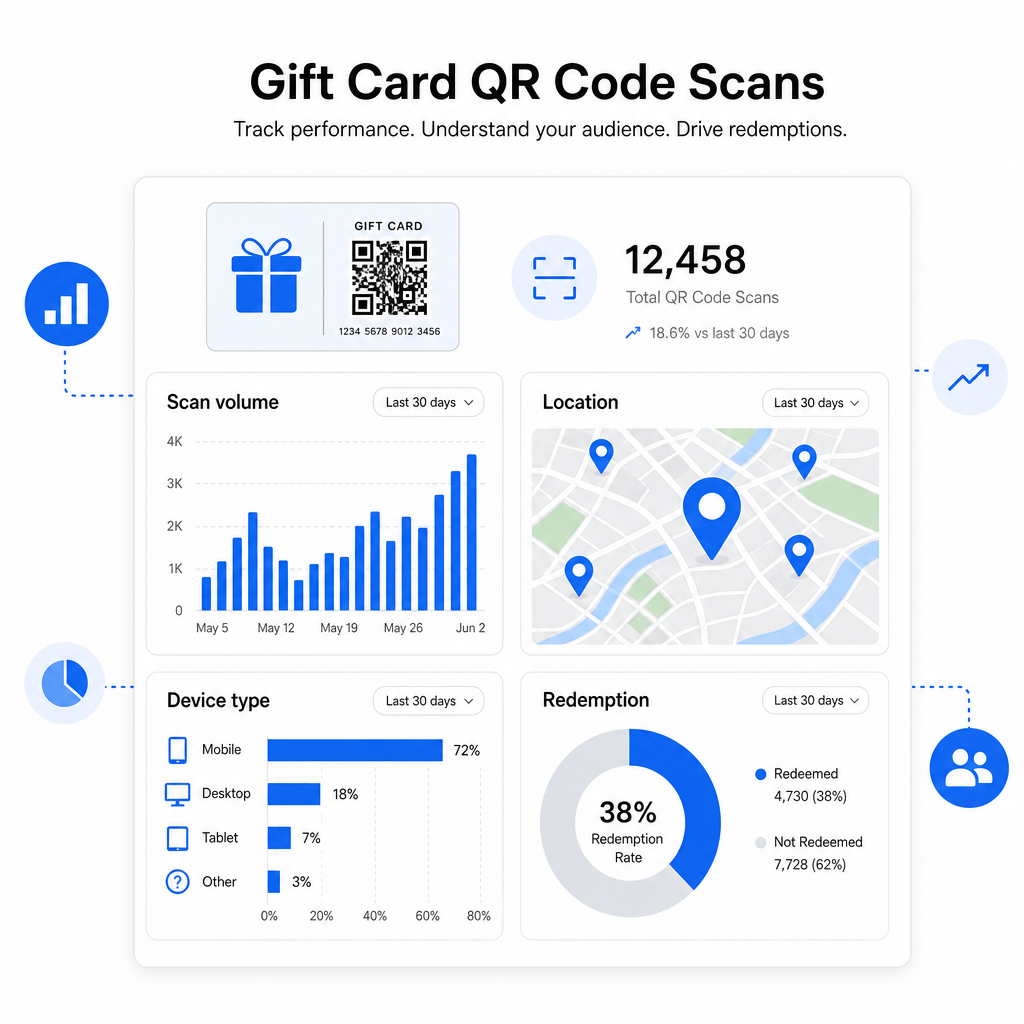
- Milliseid kaardikujundusi või kampaaniapartiisid skaneeritakse kõige rohkem
- Kas kliendid skaneerivad, kuid ei vii lunastamist lõpule, mis viitab sihtlehe probleemile
- Lunastamiste geograafiline jaotus, mis on kasulik mitme asukohaga jaemüüjatele
- Lunastamise tipptunnid, mis võivad anda teavet tulevaste kampaaniate ajastuse kohta
Need andmed on eriti väärtuslikud jaemüügiettevõtetele, kes korraldavad kinkekaartide kampaaniaid pühade või hooajaliste sündmuste ajal. Lisateavet selle kohta, kuidas QR-koodid toetavad jaemüügi makse- ja kaasamisstrateegiaid, leiate siit: QR-koodid jaemüügiks ja kuidas QR-koodid jaemaksete tegemist lihtsustavad.
Vaadake, millised kinkekaartide kampaaniad ajendavad lunastamisi Jälgige oma kinkekaartidel iga QR-koodi skaneerimismahtu, seadmetüüpe ja asukohti. Alustage Pageloot QR-koodi generaator ja pääsete oma analüütika armatuurlauale ligi esimesest päevast alates.
Kinkekaartide õiguslikud kaalutlused USA-s.
Kui väljastate kinkekaarte Ameerika Ühendriikides, reguleerib nende toimimist föderaalne seadus. CARD Act'i ja määruse E (12 C.F.R. § 1005.20) kohaselt ei tohi kaetud kinkekaardid – sealhulgas poe kinkekaardid ja üldotstarbelised ettemaksukaardid – aeguda vähem kui viie aasta jooksul alates väljastamise kuupäevast ning tegevusetuse tasusid saab võtta alles pärast 12 järjestikust kuud ilma tegevuseta, kusjuures selliseid tasusid ei tohi olla rohkem kui üks kuus. Kõik tasud ja aegumistingimused tuleb kliendile selgelt avaldada.
QR-koodi lisamine oma kinkekaardile ei muuda neid kohustusi, kuid see annab teile praktilise vahendi nende selgemaks edastamiseks. Teie QR-koodi sihtleht saab kuvada järelejäänud saldot, aegumiskuupäeva, kohaldatavaid tasusid ja täielikke tingimusi formaadis, mida on palju lihtsam lugeda kui füüsilisel kaardil olevat peenkirja.
Pange tähele, et mõned ettemakstud tooted on nendest föderaalsetest reeglitest vabastatud – sealhulgas korduvlaetavad kaardid, mida ei turustata kinkekaartidena, ja sooduspreemiakaardid – kuid osariigi seadused võivad kehtestada lisatingimusi. Enne kinkekaardiprogrammi käivitamist vaadake alati üle nii föderaalsed kui ka kohaldatavad osariigi reeglid.
Disaini kontrollnimekiri enne printimist või saatmist
Enne kinkekaardi QR-koodide lõplikku vormistamist tehke läbi need kontrollid:
- Suurus: Vähemalt 2 × 2 cm füüsiliste kaartide puhul; skaleeritav e-posti või rahakoti kuvamiseks
- Vaikne tsoon: Minimaalselt neli moodulit tühja ruumi kõigil neljal küljel
- Kontrast: Tume esiplaan heledal taustal, vähemalt 4:1 suhe
- Sihtkoht: Testige linki mitmel seadmel ja veenduge, et see laadib mobiilis õigesti
- Üleskutse tegevusele: Lisage koodi kõrvale lühike juhis, selgitades, mida skaneerimine teeb
- Dünaamiline vs. staatiline: Kasutage dünaamilist koodi, kui sihtkoht võib muutuda või kui soovite skaneerimisanalüütikat
- Veaparandus: Kasutage taset Q või H, kui lisate QR-koodile logo, et säilitada skaneeritavus
QR-koodi disainistandardite täieliku ülevaate saamiseks vaadake QR-koodi loetavuse parimaid tavasid.
QR-koodid muudavad passiivse kinkekaardi aktiivseks kliendi puutepunktiks. Kui need on õigesti kujundatud ja seotud hästi ülesehitatud lunastamiskogemusega, vähendavad need hõõrdumist, suurendavad lunastamismäärasid ja annavad teile mõõdetavaid andmeid selle kohta, kuidas teie kinkekaardiprogramm tegelikult toimib. Alustage dünaamilise koodiga, et säilitada kontroll sihtkoha üle, ja kasutage oma skaneerimisanalüütikat, et kogemust aja jooksul pidevalt parandada.
Looge oma kinkekaardi QR-kood juba täna Loo bränditud, jälgitav QR-kood oma kinkekaardiprogrammi jaoks minutitega. Proovi seda Pageloot QR-koodi generaator tasuta 14 päeva – krediitkaarti pole vaja.
Korduma kippuvad küsimused
Kui te kasutate dünaamilist QR-koodi, saate sihtlinki igal ajal uuendada, muutmata koodi ennast. See tähendab, et saate QR-koodi printida üks kord ja suunata selle hiljem uuele makselehele, hooajalisele pakkumisele või uuendatud portaalile. Kuid kui teil on vaja muuta kaardi füüsilist disaini, on teil vaja uuesti printida.
Kõige tõhusam sihtkoht on mobiilile optimeeritud leht, kus klient saab sooritada lunastuse, kontrollida oma saldot või teha makse. Valikute hulka kuuluvad ostukorvi leht, mis on eelnevalt laetud kaardi väärtusega, PayPali või Stripe'i makselink, või kupongi sihtleht praeguste pakkumistega. Peamine on see, et leht laadib kiiresti mobiilis ja muudab järgmise sammu ilmseks.
Kasuta QR-koodi platvormi, mis sisaldab sisseehitatud analüütikat, näiteks Pagelooti. Iga skaneering salvestatakse koos aja, seadme tüübi ja asukohaga, nii et sa näed, kui palju kaarte skaneeritakse, millal lunastustegevus haripunkti jõuab ja kas kliendid lahkuvad enne lunastuse lõpetamist. Need andmed aitavad sul tuvastada ja parandada nõrku kohti oma lunastusvoos.