Quer tornar os seus cartões-presente mais fáceis de resgatar e mais difíceis de ignorar? Um processo de resgate mal concebido frustra os clientes e leva a saldos não resgatados parados. Este guia explica como adicionar códigos QR a cartões-presente físicos e digitais, o que eles desbloqueiam para o seu negócio e como configurá-los corretamente.
Por que os Códigos QR Pertencem a Cartões-Presente
Cartões-presente são uma categoria de compra significativa. Dados de pesquisas recentes mostram que 76% dos consumidores dos EUA compraram um cartão-presente no ano passado, sendo 40% dessas compras digitais. No entanto, o comportamento de resgate varia amplamente – os consumidores gastam cartões-presente digitais em uma média de 16,8 dias, em comparação com 35,3 dias para cartões físicos. Essa lacuna representa receita real parada na prateleira.
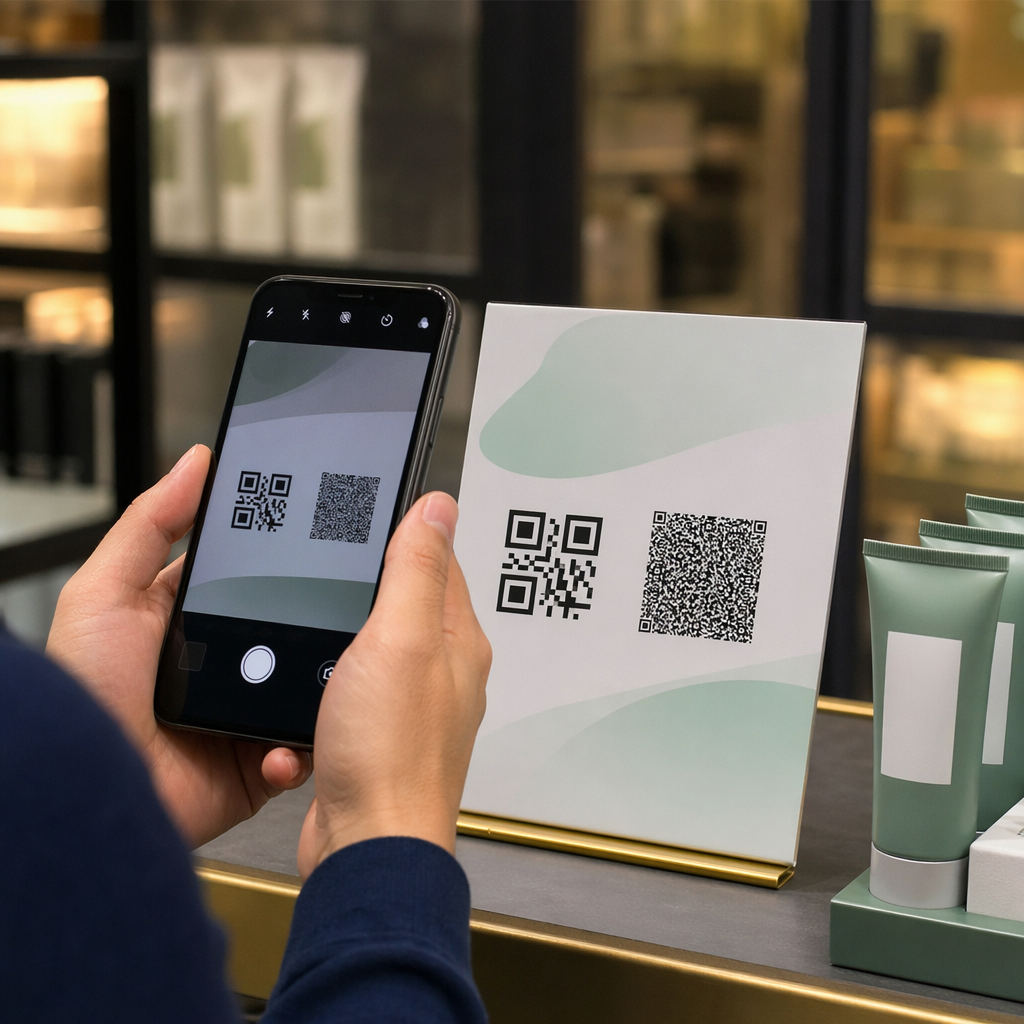
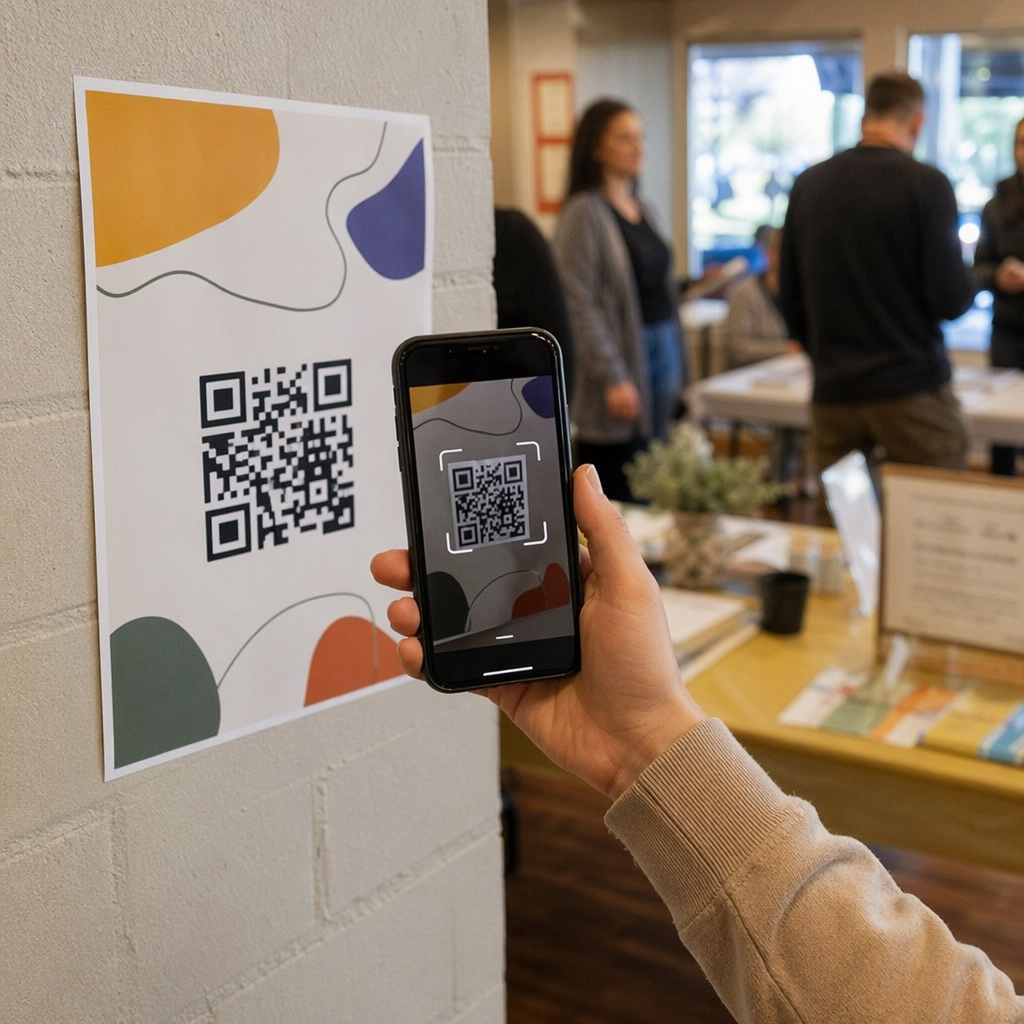
Um código QR em um cartão-presente remove o atrito do processo de resgate. Em vez de pedir a um cliente para digitar um longo número de cartão ou navegar por um checkout de várias etapas, uma única leitura os leva diretamente a uma página de pagamento, consulta de saldo ou loja online. Essa redução no esforço se traduz diretamente em resgates mais rápidos e menos saldos abandonados.
Além da conveniência, os códigos QR oferecem algo que os cartões-presente tradicionais não podem: dados. Você pode rastrear quando e onde os cartões são lidos, quais designs de cartão têm melhor desempenho e se os clientes concluem o resgate após a leitura.
Cartões-Presente Físicos: Adicionando um Código QR Que Funciona
Um cartão-presente físico tem espaço limitado, então cada decisão de design importa. Adicionar um código QR é simples, mas alguns padrões técnicos determinam se ele realmente é lido de forma confiável no mundo real.
Tamanho Mínimo e Zona de Silêncio
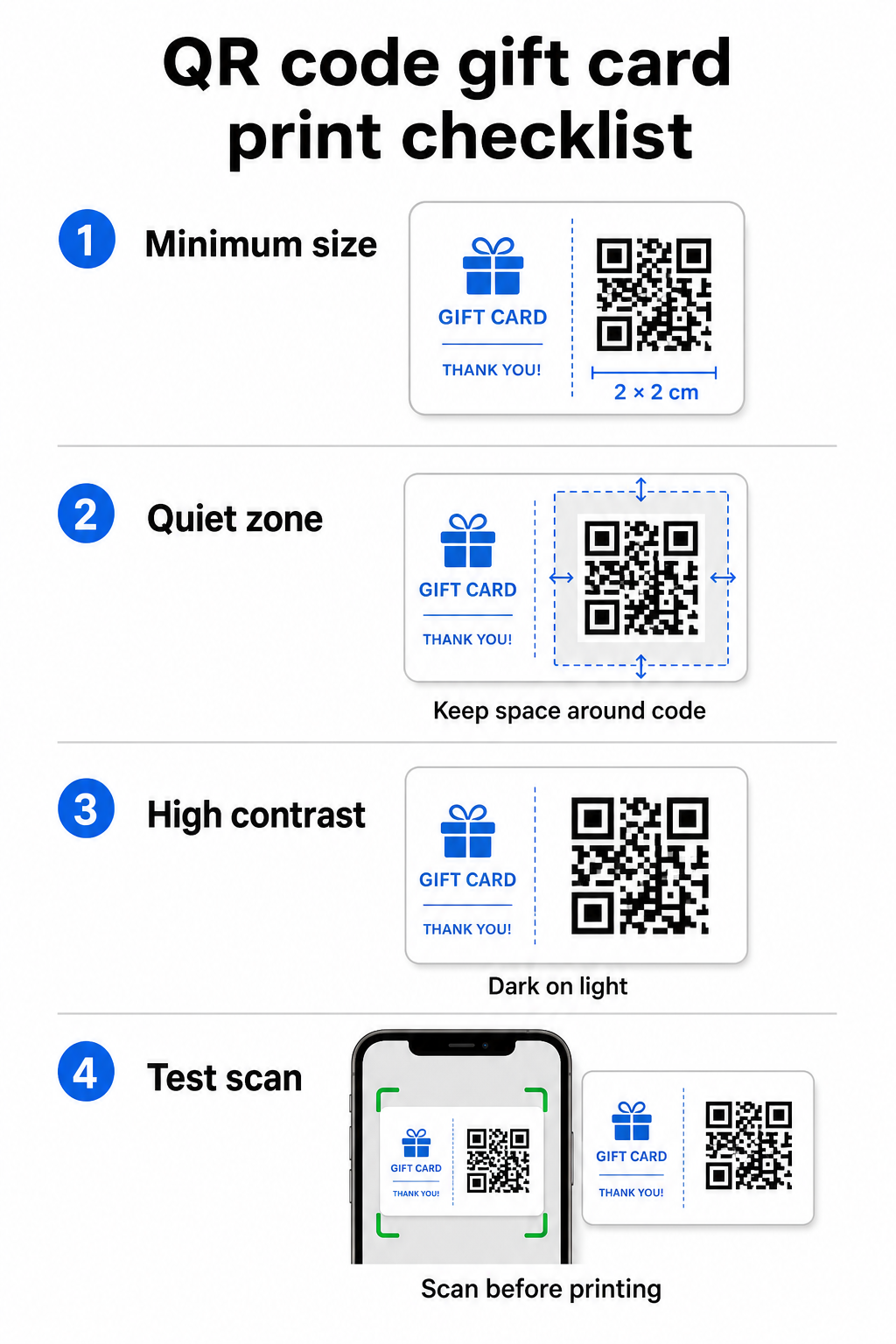
Para uma leitura confiável em materiais impressos, seu código QR deve ter pelo menos 2 × 2 cm. Ao redor do próprio código, deixe uma margem em branco – chamada de zona de silêncio – de pelo menos quatro módulos em todos os lados. Se cada módulo do seu código QR tiver 2 mm de largura, isso significa uma margem de 8 mm em toda a volta. Aglomerar o código com texto ou elementos de design nesta zona é uma das razões mais comuns para que os códigos não sejam lidos.
Requisitos de Contraste
Use uma cor de primeiro plano escura em um fundo claro. A taxa de contraste mínima recomendada é de 4:1, embora preto no branco (21:1) continue sendo a combinação mais confiável. Evite esquemas de cores invertidos (padrão claro em fundo escuro), gradientes e sombras – todos estes criam contraste inconsistente que confunde os scanners de câmera. Para orientações detalhadas, consulte melhores práticas de contraste de cores para códigos QR.
Posicionamento no Cartão
Coloque o código QR na parte de trás do cartão, longe da tarja magnética e da área de PIN raspável. A frente do cartão é para reconhecimento da marca; a parte de trás é onde elementos funcionais como números de cartão e códigos QR pertencem. Inclua uma breve chamada para ação ao lado do código – como “Digitalize para verificar seu saldo” ou “Digitalize para resgatar online” – para que os clientes entendam o que acontece quando eles digitalizam.
Use Códigos QR Dinâmicos para Flexibilidade
Se você imprime cartões físicos em massa, um código QR estático o prende a uma única URL de destino. Um código QR dinâmico permite que você atualize o destino a qualquer momento sem reimprimir o cartão. Isso é importante quando você redesenha seu portal de resgate, executa uma promoção sazonal ou migra para um novo sistema de pagamento. Você pode criar e gerenciar códigos QR dinâmicos através gerador de código QR da Pageloot, que também oferece análises de leitura a partir de um painel centralizado.
Mantenha Suas Campanhas de Cartão-Presente Flexíveis Precisa atualizar para onde seus códigos QR de cartão-presente apontam sem reimprimir milhares de cartões? Use o Gerador de Código QR de Link para criar códigos dinâmicos que você pode redirecionar a qualquer momento, com rastreamento completo de leitura incluído.
Cartões-Presente Digitais: Códigos QR em Formatos de E-mail e Carteira
Um cartão-presente digital – entregue por e-mail, SMS ou armazenado em uma carteira móvel – pode conter um código QR tão eficazmente quanto um físico. Neste contexto, o código QR serve como o próprio mecanismo de resgate.
Quando um cliente recebe um cartão-presente digital, o código QR incorporado no e-mail ou arquivo de imagem pode vincular diretamente a uma página de checkout pré-carregada com o valor do cartão, uma página de destino de cupom com instruções de resgate, ou um processador de pagamento como PayPal ou Stripe. O cliente digitaliza o código no checkout – na loja ou online – e o valor é aplicado automaticamente.
Essa abordagem funciona particularmente bem para empresas que operam lojas físicas e online. Um cliente que recebe um cartão-presente digital por e-mail pode entrar em sua loja, abrir o e-mail e deixar o caixa digitalizar o código QR da tela do telefone – sem necessidade de número de cartão.
Para o fluxo de pagamento especificamente, o Pageloot Gerador de QR Code do PayPal permite criar um código que se liga diretamente a uma página de pagamento, tornando simples construir uma experiência de resgate de "escanear para pagar" no design do seu cartão-presente digital.
O que Vincular o seu Código QR do Cartão-Presente a
O destino que você escolhe determina a experiência do cliente após a leitura. Aqui estão as opções mais comuns e eficazes:
| Destino | Melhor caso de uso |
|---|---|
| Loja online ou página de checkout | Resgate completo de e-commerce; valor do cartão aplicado no checkout |
| Página de consulta de saldo | Permite que os destinatários verifiquem o valor restante antes de gastar |
| Cupom ou página de destino de oferta | Promoções combinadas juntamente com o valor do cartão-presente |
| Link de pagamento (PayPal, Stripe) | Pagamento direto no ponto de venda físico |
| Página de boas-vindas da marca | Integração de novos clientes; links para inscrição em programa de fidelidade |
Se você deseja realizar promoções juntamente com o seu programa de cartão-presente – oferecendo descontos bônus a destinatários que escaneiam dentro de um prazo definido, por exemplo – a Pageloot Gerador de QR Code para Cupom permite construir uma página de destino que exibe múltiplas ofertas, rastreia quais locais coletam o maior número de resgates e atualiza essas ofertas sem gerar um novo código.
Para uma visão mais ampla de como as promoções baseadas em QR se comparam aos métodos de desconto tradicionais, veja Códigos QR vs. cupons tradicionais: qual funciona melhor.
Rastreamento de Resgates e Desempenho da Campanha
Uma das vantagens mais claras de usar códigos QR em cartões-presente – em comparação com apenas números de cartão tradicionais – é a camada de análise que eles adicionam. Com uma plataforma como a Pageloot, cada leitura é registrada com um carimbo de data/hora, tipo de dispositivo e dados de localização. Isso informa você:
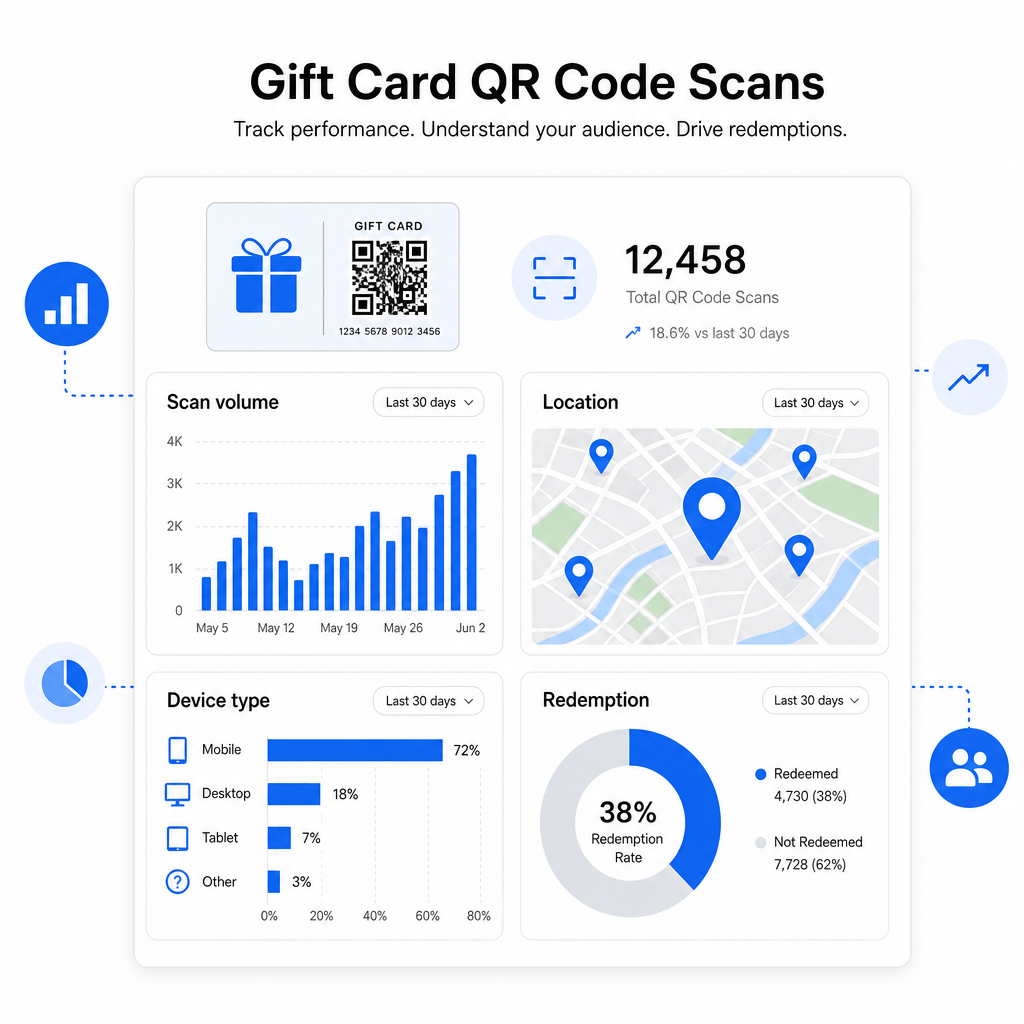
- Quais designs de cartão ou lotes promocionais estão sendo mais escaneados
- Se os clientes escaneiam mas não completam o resgate, indicando um problema na página de destino
- Distribuição geográfica dos resgates, útil para varejistas com múltiplas localizações
- Horários de pico de resgate, que podem informar o timing de futuras promoções
Esses dados são especialmente valiosos para empresas de varejo que executam campanhas de cartão-presente em torno de feriados ou eventos sazonais. Para mais sobre como os códigos QR apoiam o pagamento no varejo e estratégias de engajamento, veja QR codes para varejo e como os códigos QR simplificam os pagamentos no retalho.
Veja Quais Campanhas de Cartão-Presente Estão Gerando Resgates Rastreie o volume de leituras, tipos de dispositivo e localizações para cada código QR nos seus cartões-presente. Comece com o Gerador de Código QR Pageloot e acesse seu painel de análise desde o primeiro dia.
Considerações Legais para Cartões-Presente nos EUA.
Se você emite cartões-presente nos Estados Unidos, a lei federal rege como eles funcionam. Sob o CARD Act e a Regulamentação E (12 C.F.R. § 1005.20), cartões-presente cobertos – incluindo cartões-presente de loja e cartões pré-pagos de uso geral – não podem expirar em menos de cinco anos a partir da data de emissão, e taxas de inatividade só podem ser cobradas após 12 meses consecutivos sem atividade, com não mais de uma taxa por mês. Todas as taxas e termos de expiração devem ser divulgados claramente ao cliente.
Adicionar um código QR ao seu cartão-presente não altera essas obrigações, mas lhe dá uma ferramenta prática para comunicá-las mais claramente. Sua página de destino do código QR pode exibir o saldo restante, data de validade, taxas aplicáveis e termos completos em um formato que é muito mais fácil de ler do que a letra miúda em um cartão físico.
Observe que alguns produtos pré-pagos estão isentos dessas regras federais – incluindo cartões recarregáveis não comercializados como cartões-presente e cartões de recompensa promocionais – mas as leis estaduais podem impor requisitos adicionais. Sempre revise as regras federais e estaduais aplicáveis antes de lançar um programa de cartão-presente.
Lista de Verificação de Design Antes de Imprimir ou Enviar
Antes de finalizar seus códigos QR de cartão-presente, faça estas verificações:
- Tamanho: Pelo menos 2 × 2 cm para cartões físicos; escalável para exibição em e-mail ou carteira
- Zona de silêncio: Mínimo de quatro módulos de espaço em branco em todos os quatro lados
- Contraste: Primeiro plano escuro em fundo claro, proporção de pelo menos 4:1
- Destino: Teste o link em múltiplos dispositivos e confirme se ele carrega corretamente no celular
- Chamada para ação: Inclua uma breve instrução ao lado do código explicando o que a leitura faz
- Dinâmico vs. estático: Use um código dinâmico se o destino puder mudar ou se você quiser análises de leitura
- Correção de erro: Use o nível Q ou H se adicionar um logotipo ao código QR, para manter a capacidade de leitura
Para um guia completo dos padrões de design de código QR, veja melhores práticas para legibilidade de códigos QR.
Códigos QR transformam um cartão-presente passivo em um ponto de contato ativo com o cliente. Quando projetados corretamente e vinculados a uma experiência de resgate bem construída, eles reduzem o atrito, aumentam as taxas de resgate e fornecem dados mensuráveis sobre como seu programa de cartão-presente está realmente performando. Comece com um código dinâmico para que você mantenha o controle sobre o destino, e use suas análises de leitura para continuar melhorando a experiência ao longo do tempo.
Crie Seu Código QR de Cartão-Presente Hoje Crie um código QR de marca e rastreável para o seu programa de cartões-presente em minutos. Experimente o Gerador de Código QR Pageloot gratuitamente por 14 dias – sem necessidade de cartão de crédito.
Perguntas frequentes
Se você usar um código QR dinâmico, você pode atualizar o link de destino a qualquer momento sem mudar o próprio código. Isso significa que você pode imprimir o código QR uma vez e redirecioná-lo para uma nova página de pagamento, oferta sazonal ou portal atualizado mais tarde. No entanto, se você precisar mudar o design físico do cartão, você precisará reimprimir.
O destino mais eficaz é uma página otimizada para dispositivos móveis onde o cliente pode concluir um resgate, verificar o seu saldo ou fazer um pagamento. As opções incluem uma página de checkout pré-carregada com o valor do cartão, um link de pagamento PayPal ou Stripe, ou uma página de destino de cupom com ofertas atuais. O segredo é que a página carregue rapidamente no celular e torne o próximo passo óbvio.
Use uma plataforma de código QR que inclua análises integradas, como o Pageloot. Cada leitura é registrada com a hora, tipo de dispositivo e localização, para que você possa ver quantas cartas estão sendo lidas, quando a atividade de resgate atinge o pico e se os clientes estão desistindo antes de completar o resgate. Esses dados ajudam você a identificar e corrigir pontos fracos em seu fluxo de resgate.