Norite, kad jūsų dovanų korteles būtų lengviau išpirkti ir sunkiau ignoruoti? Prastai suplanuotas išpirkimo procesas erzina klientus ir lemia neišpirktų likučių stovėjimą be naudos. Šis vadovas paaiškina, kaip pridėti QR kodus prie fizinių ir skaitmeninių dovanų kortelių, ką jie atveria jūsų verslui ir kaip juos teisingai nustatyti.
Kodėl QR kodai tinka dovanų kortelėms
Dovanų kortelės yra svarbi pirkimo kategorija. Naujausi apklausos duomenys rodo, kad 76% JAV vartotojų per pastaruosius metus įsigijo dovanų kortelę, o 40% šių pirkinių buvo skaitmeniniai. Tačiau išpirkimo elgsena labai skiriasi – vartotojai skaitmenines dovanų korteles išleidžia vidutiniškai per 16,8 dienos, palyginti su 35,3 dienos fizinėms kortelėms. Šis skirtumas reiškia realias pajamas, gulinčias lentynoje.
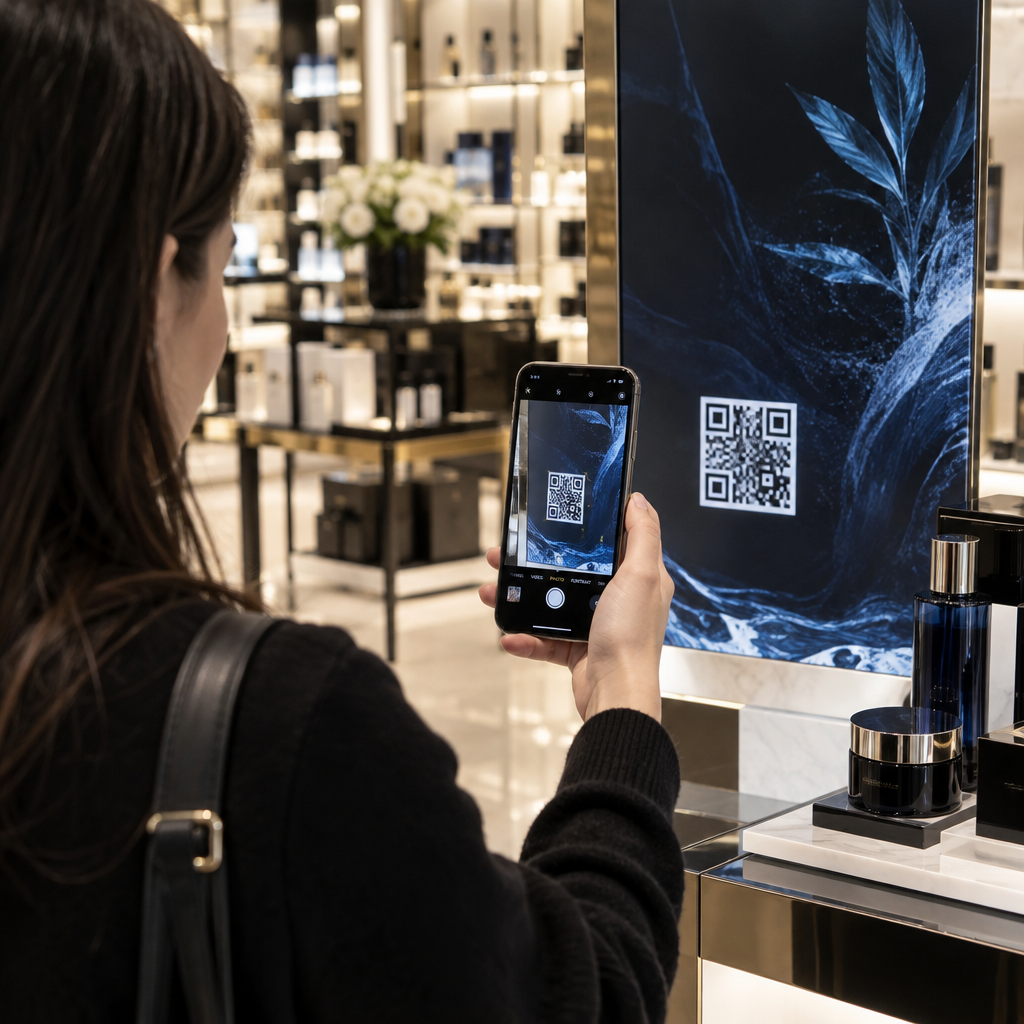
QR kodas ant dovanų kortelės pašalina trintį iš išpirkimo proceso. Užuot prašius kliento įvesti ilgą kortelės numerį arba naršyti daugiapakopį atsiskaitymą, vienas nuskaitymas nukreipia juos tiesiai į mokėjimo puslapį, likučio patikrinimą arba internetinę parduotuvę. Šis pastangų sumažinimas tiesiogiai reiškia greitesnius išpirkimus ir mažiau apleistų likučių.
Be patogumo, QR kodai suteikia jums tai, ko negali tradicinės dovanų kortelės: duomenis. Galite stebėti, kada ir kur kortelės nuskaitomos, kurie kortelių dizainai veikia geriau ir ar klientai užbaigia išpirkimą po nuskaitymo.
Fizinės dovanų kortelės: veikiančio QR kodo pridėjimas
Fizinė dovanų kortelė turi ribotą vietą, todėl kiekvienas dizaino sprendimas yra svarbus. QR kodo pridėjimas yra paprastas, tačiau keli techniniai standartai lemia, ar jis iš tikrųjų patikimai nuskaitomas realiame pasaulyje.
Minimalus dydis ir rami zona
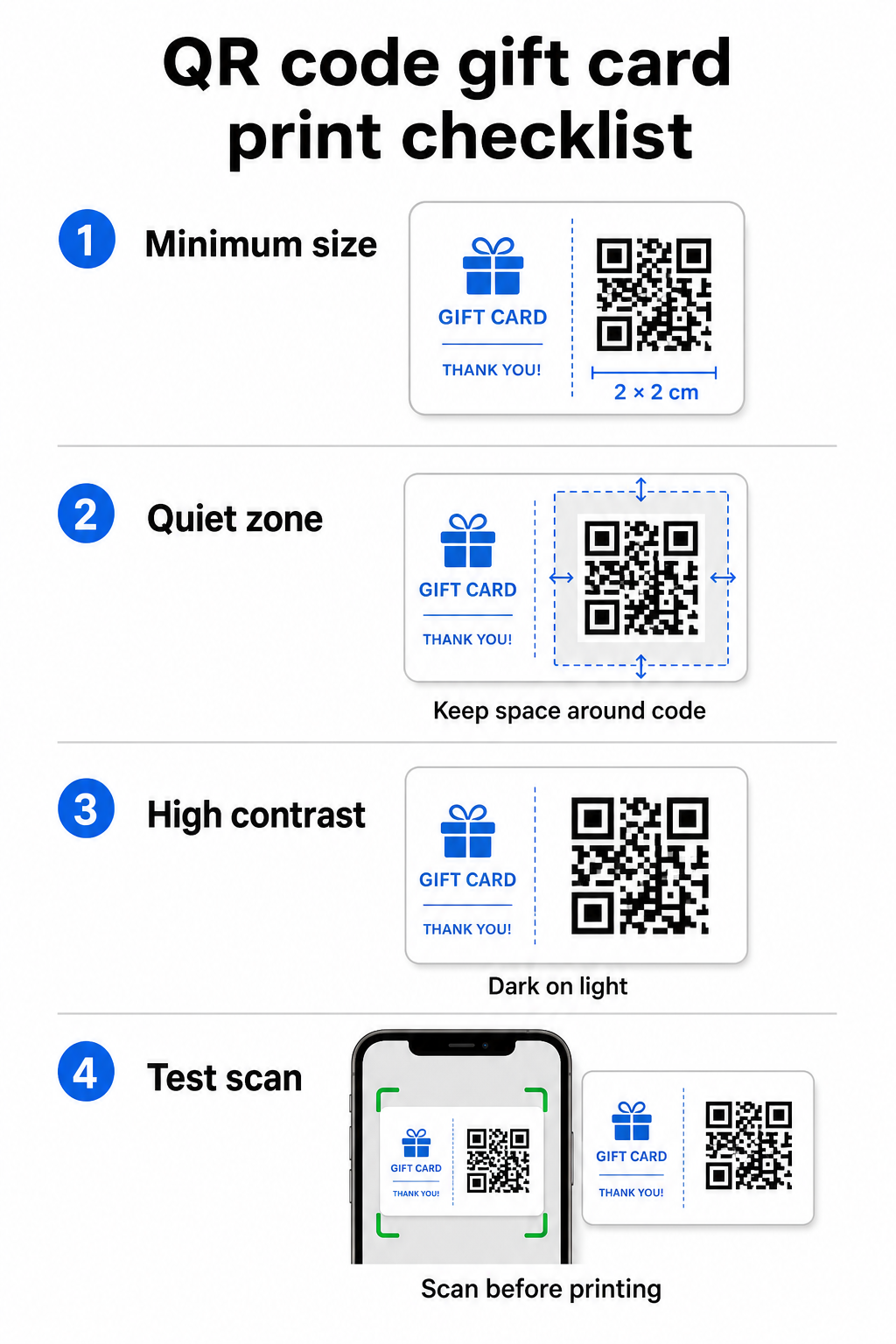
Kad būtų patikimai nuskaitoma ant spausdintų medžiagų, jūsų QR kodas turėtų būti bent 2 × 2 cm. Aplink patį kodą palikite tuščią paraštę – vadinamąją ramioji zona – bent keturių modulių iš visų pusių. Jei kiekvienas jūsų QR kodo modulis yra 2 mm pločio, tai reiškia 8 mm paraštę aplink visą kodą. Kodo užpildymas tekstu ar dizaino elementais šioje zonoje yra viena dažniausių priežasčių, kodėl kodai nenuskaitomi.
Kontrasto reikalavimai
Naudokite tamsią priekinio plano spalvą ant šviesaus fono. Minimalus rekomenduojamas kontrasto santykis yra 4:1, nors juoda ant balto (21:1) išlieka patikimiausiu deriniu. Venkite atvirkštinių spalvų schemų (šviesus raštas ant tamsaus fono), gradientų ir šešėlių – visa tai sukuria nenuoseklų kontrastą, kuris klaidina kamerų skaitytuvus. Išsamesnės gairės pateikiamos QR kodo spalvų kontrasto geriausios praktikos.
Išdėstymas ant kortelės
Padėkite QR kodą kortelės nugarėlėje, toliau nuo magnetinės juostelės ir nutrinamos PIN kodo srities. Kortelės priekis skirtas prekės ženklo atpažinimui; nugarėlėje yra funkciniai elementai, tokie kaip kortelės numeriai ir QR kodai. Šalia kodo įtraukite trumpą raginimą veikti – pvz., “Nuskaitykite, kad patikrintumėte likutį” arba “Nuskaitykite, kad išpirktumėte internetu” – kad klientai suprastų, kas nutinka, kai jie nuskaito.
Naudokite dinaminius QR kodus lankstumui
Jei spausdinate fizines korteles dideliais kiekiais, statinis QR kodas jus pririša prie vieno paskirties URL. A dinaminis QR kodas leidžia bet kuriuo metu atnaujinti paskirties vietą neperspausdinant kortelės. Tai svarbu, kai pertvarkote savo išpirkimo portalą, vykdote sezoninę akciją arba pereinate prie naujos mokėjimo sistemos. Dinaminius QR kodus galite kurti ir valdyti per Pageloot QR kodo generatoriumi, kuri taip pat suteikia nuskaitymo analizę iš centralizuoto prietaisų skydelio.
Išlaikykite savo dovanų kortelių kampanijas lanksčias Reikia atnaujinti, kur nukreipia jūsų dovanų kortelių QR kodai, neperspausdinant tūkstančių kortelių? Naudokite Nuorodos QR kodo generatorius kad sukurtumėte dinaminius kodus, kuriuos galite nukreipti bet kuriuo metu, su visišku nuskaitymo stebėjimu.
Skaitmeninės dovanų kortelės: QR kodai el. pašto ir piniginės formatuose
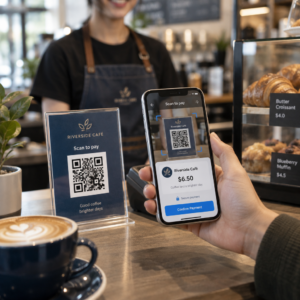
Skaitmeninė dovanų kortelė – pristatyta el. paštu, SMS žinute arba saugoma mobiliojoje piniginėje – gali turėti QR kodą taip pat efektyviai, kaip ir fizinė. Šiame kontekste QR kodas pats veikia kaip išpirkimo mechanizmas.
Kai klientas gauna skaitmeninę dovanų kortelę, el. laiške ar paveikslėlio faile įterptas QR kodas gali tiesiogiai nukreipti į atsiskaitymo puslapį, iš anksto įkeltą su kortelės verte, kupono nukreipimo puslapį su išpirkimo instrukcijomis arba mokėjimo procesorių, pvz., PayPal ar Stripe. Klientas nuskaito kodą atsiskaitydamas – parduotuvėje ar internetu – ir vertė pritaikoma automatiškai.
Šis metodas ypač gerai tinka įmonėms, kurios veikia tiek fizinėse, tiek internetinėse parduotuvėse. Klientas, gavęs skaitmeninę dovanų kortelę el. paštu, gali užeiti į jūsų parduotuvę, atidaryti el. laišką ir leisti kasininkui nuskaityti QR kodą iš savo telefono ekrano – kortelės numeris nereikalingas.
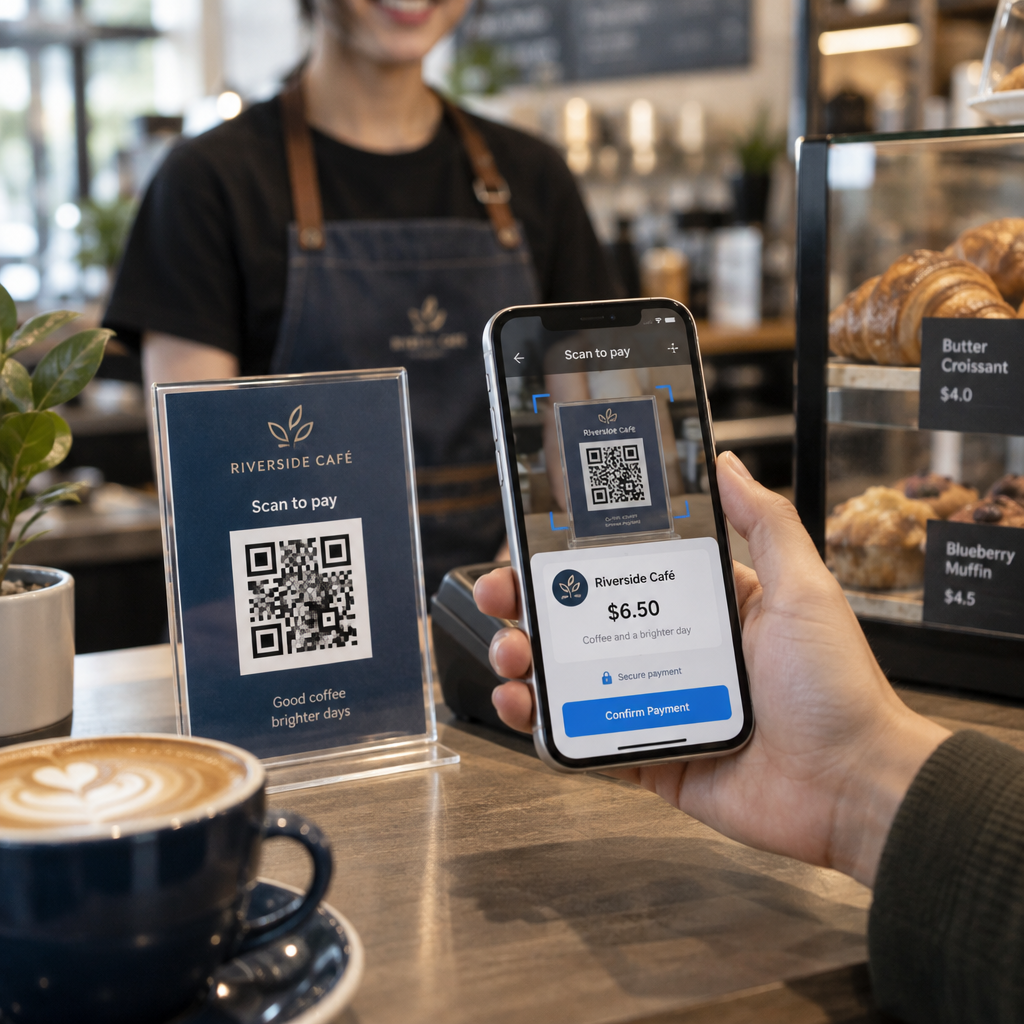
Konkrečiai mokėjimo srautui, Pageloot's PayPal QR kodo generatorius leidžia jums sukurti kodą, kuris tiesiogiai susieja su mokėjimo puslapiu, todėl lengva integruoti nuskaitymo ir apmokėjimo (scan-to-pay) išpirkimo patirtį į jūsų skaitmeninės dovanų kortelės dizainą.
Su kuo susieti savo dovanų kortelės QR kodą
Jūsų pasirinkta paskirties vieta lemia kliento patirtį po nuskaitymo. Štai dažniausiai pasirenkami ir efektyviausi variantai:
| Paskirties vieta | Geriausias naudojimo dėklas |
|---|---|
| Internetinė parduotuvė arba atsiskaitymo puslapis | Visas el. prekybos išpirkimas; kortelės vertė pritaikoma atsiskaitant |
| Likučio patikrinimo puslapis | Leidžia gavėjams patikrinti likusią vertę prieš išleidžiant |
| Kupono arba pasiūlymo nukreipiamasis puslapis | Susietos akcijos kartu su dovanų kortelės verte |
| Mokėjimo nuoroda (PayPal, Stripe) | Tiesioginis mokėjimas fiziniame prekybos taške |
| Prekės ženklo pasveikinimo puslapis | Naujų klientų įvedimas; nuorodos į lojalumo programos registraciją |
Jei norite vykdyti akcijas kartu su savo dovanų kortelių programa – pavyzdžiui, siūlydami papildomas nuolaidas gavėjams, kurie nuskenuoja per nustatytą laikotarpį – „Pageloot“ Kuponų QR kodo generatorius leidžia jums sukurti nukreipiamąjį puslapį, kuriame rodomi keli pasiūlymai, seka, kurios vietos surenka daugiausiai išpirkimų, ir atnaujina tuos pasiūlymus negeneruojant naujo kodo.
Norėdami plačiau apžvelgti, kaip QR pagrindu veikiančios akcijos lyginamos su tradiciniais nuolaidų metodais, žr. QR kodai prieš tradicinius kuponus: kas veikia geriau.
Išpirkimų ir kampanijos našumo sekimas
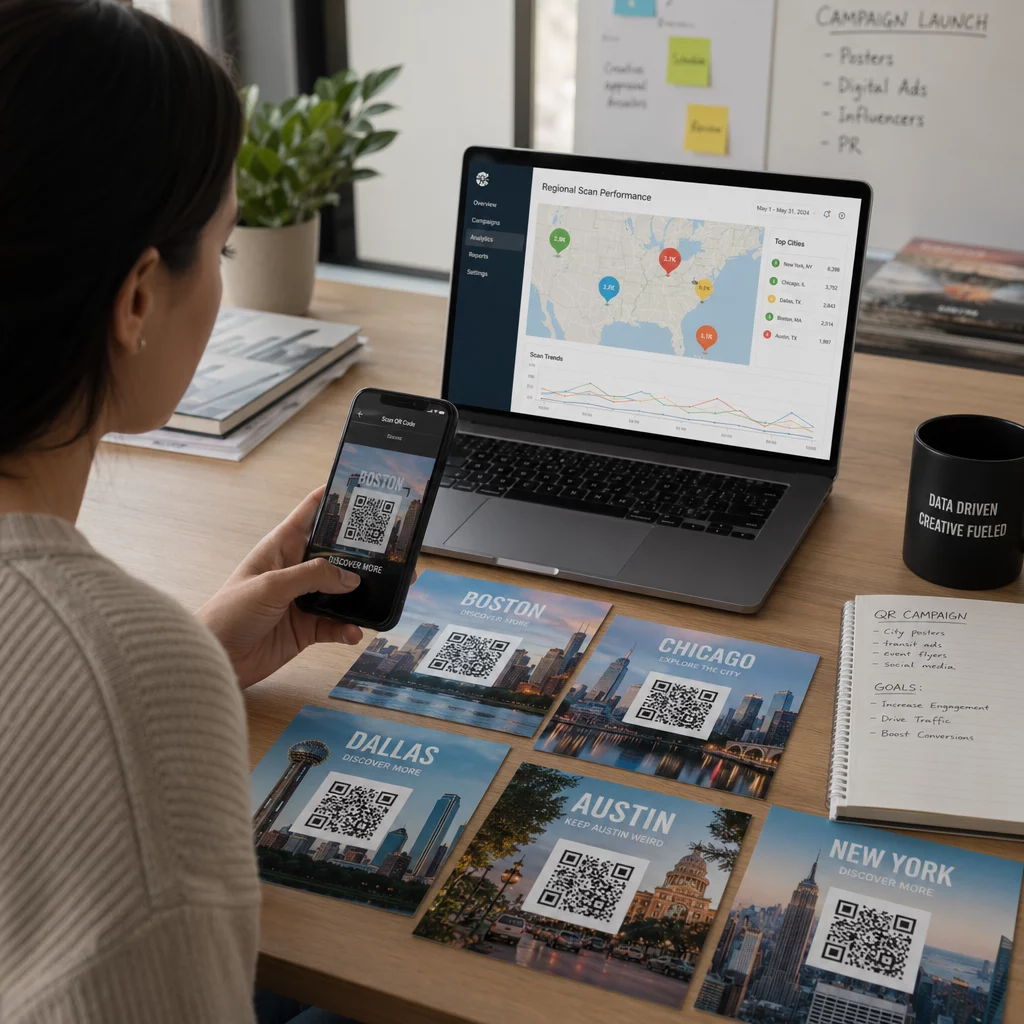
Vienas iš aiškiausių QR kodų naudojimo dovanų kortelėse pranašumų – palyginti su vien tik tradiciniais kortelių numeriais – yra jų pridedamas analizės sluoksnis. Naudojant tokią platformą kaip „Pageloot“, kiekvienas nuskaitymas registruojamas su laiko žyma, įrenginio tipu ir vietos duomenimis. Tai jums pasako:
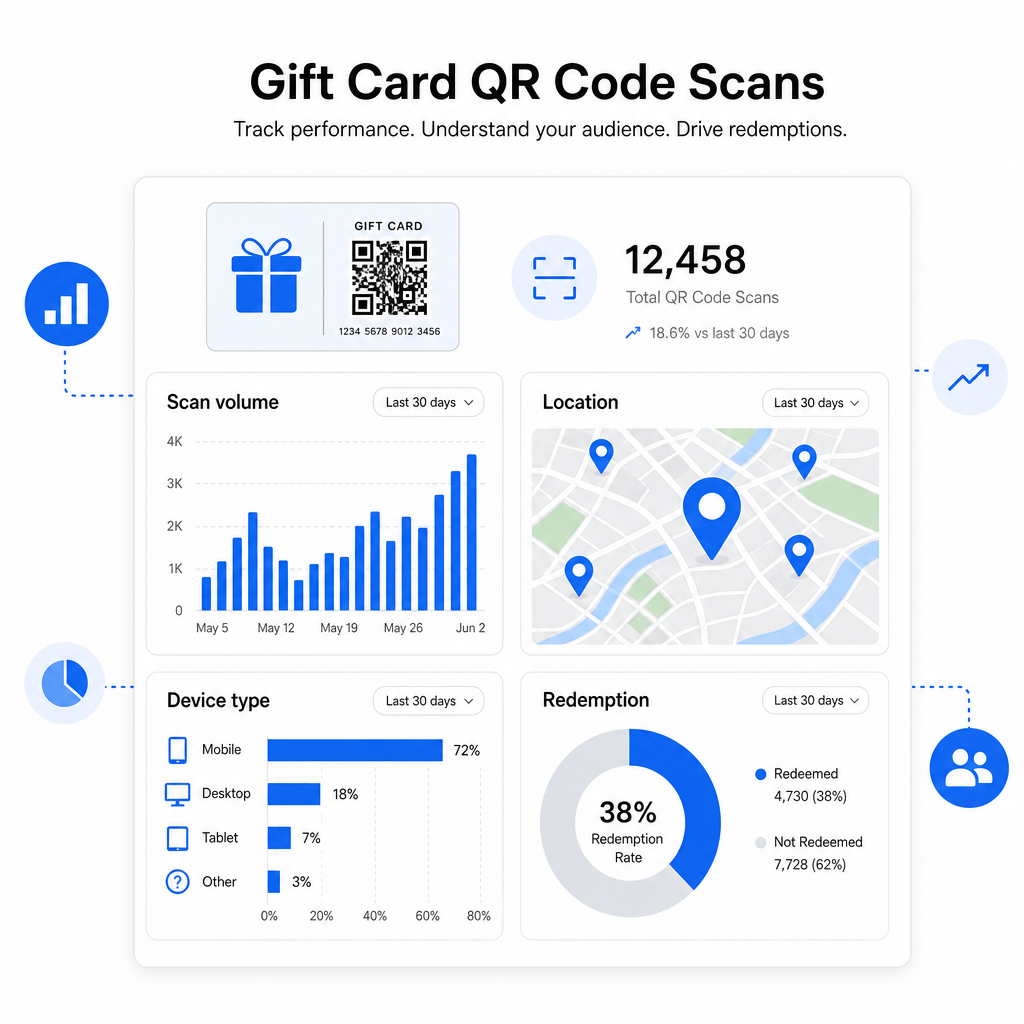
- Kokie kortelių dizainai ar reklaminės partijos yra skenuojami dažniausiai
- Ar klientai nuskaito, bet nebaigia išpirkimo, kas rodo nukreipiamojo puslapio problemą
- Geografinis išpirkimų pasiskirstymas, naudingas kelių vietų mažmenininkams
- Didžiausio išpirkimo laikas, kuris gali padėti planuoti būsimų akcijų laiką
Šie duomenys ypač vertingi mažmeninės prekybos įmonėms, vykdančioms dovanų kortelių kampanijas per šventes ar sezoninius renginius. Norėdami sužinoti daugiau apie tai, kaip QR kodai palaiko mažmeninės prekybos mokėjimo ir įsitraukimo strategijas, žr. QR kodai mažmeninei prekybai ir kaip QR kodai supaprastina mažmeninės prekybos mokėjimus.
Sužinokite, kurios dovanų kortelių kampanijos skatina išpirkimus Stebėkite nuskaitymų skaičių, įrenginių tipus ir vietas kiekvienam QR kodui ant jūsų dovanų kortelių. Pradėkite naudodami „Pageloot“ QR kodų generatorius ir pasiekite savo analizės prietaisų skydelį nuo pirmos dienos.
Teisiniai aspektai dovanų kortelėms JAV.
Jei išduodate dovanų korteles Jungtinėse Valstijose, federaliniai įstatymai reglamentuoja jų veikimą. Pagal CARD įstatymą ir E reglamentą (12 C.F.R. § 1005.20), reglamentuojamos dovanų kortelės – įskaitant parduotuvių dovanų korteles ir bendrojo naudojimo išankstinio mokėjimo korteles – negali baigti galioti anksčiau nei po penkerių metų nuo išdavimo datos, o neaktyvumo mokesčiai gali būti taikomi tik po 12 iš eilės einančių neaktyvumo mėnesių, taikant ne daugiau kaip vieną tokį mokestį per mėnesį. Visi mokesčiai ir galiojimo sąlygos turi būti aiškiai atskleisti klientui.
QR kodo pridėjimas prie jūsų dovanų kortelės nepakeičia šių įsipareigojimų, tačiau suteikia jums praktinę priemonę aiškiau juos pranešti. Jūsų QR kodo nukreipimo puslapis gali rodyti likutį, galiojimo datą, taikomus mokesčius ir visas sąlygas formatu, kurį daug lengviau perskaityti nei smulkų šriftą ant fizinės kortelės.
Atkreipkite dėmesį, kad kai kurie išankstinio mokėjimo produktai yra atleisti nuo šių federalinių taisyklių – įskaitant papildomas korteles, nepristatomas kaip dovanų kortelės, ir reklaminius atlygio korteles – tačiau valstijų įstatymai gali nustatyti papildomus reikalavimus. Visada peržiūrėkite tiek federalines, tiek taikomas valstijų taisykles prieš pradedant dovanų kortelių programą.
Dizaino kontrolinis sąrašas prieš spausdinant ar siunčiant
Prieš baigdami kurti savo dovanų kortelių QR kodus, peržiūrėkite šiuos patikrinimus:
- Dydis: Mažiausiai 2 × 2 cm fizinė
- Tylioji zona: Minimum four modules of blank space on all four sides
- Kontrastas: Dark foreground on light background, at least 4:1 ratio
- Paskirties vieta: Test the link on multiple devices and confirm it loads correctly on mobile
- Call-to-action: Include a short instruction next to the code explaining what the scan does
- Dynamic vs. static: Use a dynamic code if the destination may change or if you want scan analytics
- Klaidų taisymas: Use level Q or H if adding a logo to the QR code, to maintain scannability
Norėdami išsamiai susipažinti su QR kodo dizaino standartais, žr. geriausia praktika QR kodo skaitomumui.
QR kodai pasyvią dovanų kortelę paverčia aktyviu klientų sąlyčio tašku. Tinkamai suprojektuoti ir susieti su gerai sukurta išpirkimo patirtimi, jie sumažina trintį, padidina išpirkimo rodiklius ir suteikia jums išmatuojamų duomenų apie tai, kaip iš tikrųjų veikia jūsų dovanų kortelių programa. Pradėkite nuo dinaminio kodo, kad išlaikytumėte kontrolę virš paskirties vietos, ir naudokite savo nuskaitymo analizę, kad laikui bėgant nuolat tobulintumėte patirtį.
Sukurkite savo dovanų kortelės QR kodą šiandien Sukurkite firminį, sekamą QR kodą savo dovanų kortelių programai per kelias minutes. Išbandykite „Pageloot“ QR kodų generatorius nemokamai 14 dienų – nereikia kredito kortelės.
Dažniausiai užduodami klausimai
Jei naudojate dinaminį QR kodą, galite atnaujinti paskirties nuorodą bet kuriuo metu nekeisdami paties kodo. Tai reiškia, kad galite atspausdinti QR kodą vieną kartą ir nukreipti jį į naują mokėjimo puslapį, sezoninį pasiūlymą ar atnaujintą portalą vėliau. Tačiau, jei jums reikia pakeisti fizinį kortelės dizainą, jums reikės perspausdinti.
Efektyviausia paskirties vieta yra mobiliesiems pritaikytas puslapis, kuriame klientas gali atlikti išpirkimą, patikrinti savo likutį arba atlikti mokėjimą. Parinktys apima atsiskaitymo puslapį, iš anksto įkeltą su kortelės verte, „PayPal“ arba „Stripe“ mokėjimo nuorodą arba kuponų nukreipimo puslapį su dabartiniais pasiūlymais. Svarbiausia, kad puslapis greitai įkeltų mobiliajame telefone ir padarytų kitą žingsnį akivaizdžiu.
Naudokite QR kodo platformą, kuri apima integruotą analizę, tokią kaip Pageloot. Kiekvienas nuskaitymas yra įrašomas su laiku, įrenginio tipu ir vieta, kad galėtumėte matyti, kiek kortelių yra nuskaitoma, kada išpirkimo veikla pasiekia piką ir ar klientai atsisako prieš užbaigdami išpirkimą. Šie duomenys padeda jums nustatyti ir ištaisyti silpnąsias vietas jūsų išpirkimo sraute.