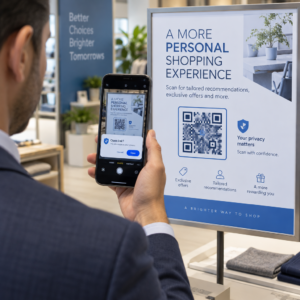
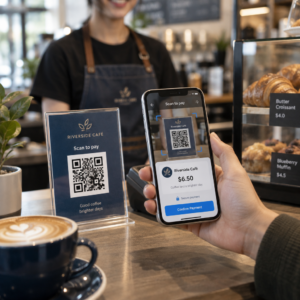
Chcete, aby se vaše dárkové karty snadněji uplatňovaly a bylo těžší je ignorovat? Špatně navržený proces uplatnění frustruje zákazníky a vede k nevyužitým zůstatkům, které leží ladem. Tento průvodce vysvětluje, jak přidat QR kódy na fyzické a digitální dárkové karty, co odemknou pro vaše podnikání a jak je správně nastavit.
Proč QR kódy patří na dárkové karty
Dárkové karty jsou významnou kategorií nákupů. Nedávná data z průzkumu ukazují, že 76 % amerických spotřebitelů si v uplynulém roce zakoupilo dárkovou kartu, přičemž 40 % těchto nákupů bylo digitálních. Chování při uplatnění se však značně liší – spotřebitelé utratí digitální dárkové karty v průměru za 16,8 dne, ve srovnání s 35,3 dny u fyzických karet. Tato mezera představuje skutečné příjmy, které leží ladem.
QR kód na dárkové kartě odstraňuje tření z procesu uplatnění. Namísto toho, aby zákazník zadával dlouhé číslo karty nebo procházel vícestupňovou pokladnou, jediné naskenování ho zavede přímo na platební stránku, kontrolu zůstatku nebo do online obchodu. Toto snížení úsilí se přímo promítá do rychlejšího uplatnění a menšího počtu opuštěných zůstatků.
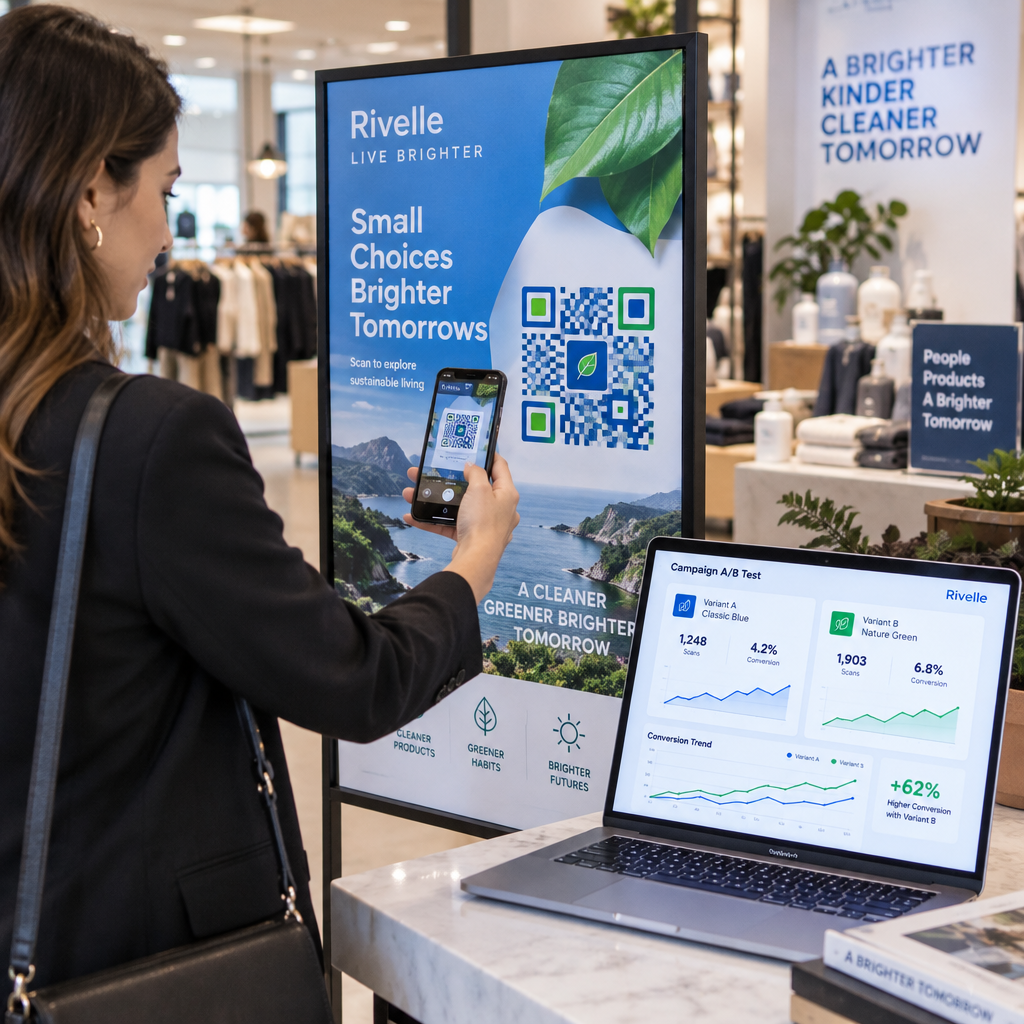
Kromě pohodlí vám QR kódy dávají něco, co tradiční dárkové karty nemohou: data. Můžete sledovat, kdy a kde jsou karty skenovány, které designy karet fungují lépe a zda zákazníci dokončí uplatnění po naskenování.
Fyzické dárkové karty: Přidání funkčního QR kódu
Fyzická dárková karta má omezený prostor, takže každé designové rozhodnutí je důležité. Přidání QR kódu je jednoduché, ale několik technických standardů určuje, zda se skutečně spolehlivě naskenuje v reálném světě.
Minimální velikost a klidová zóna
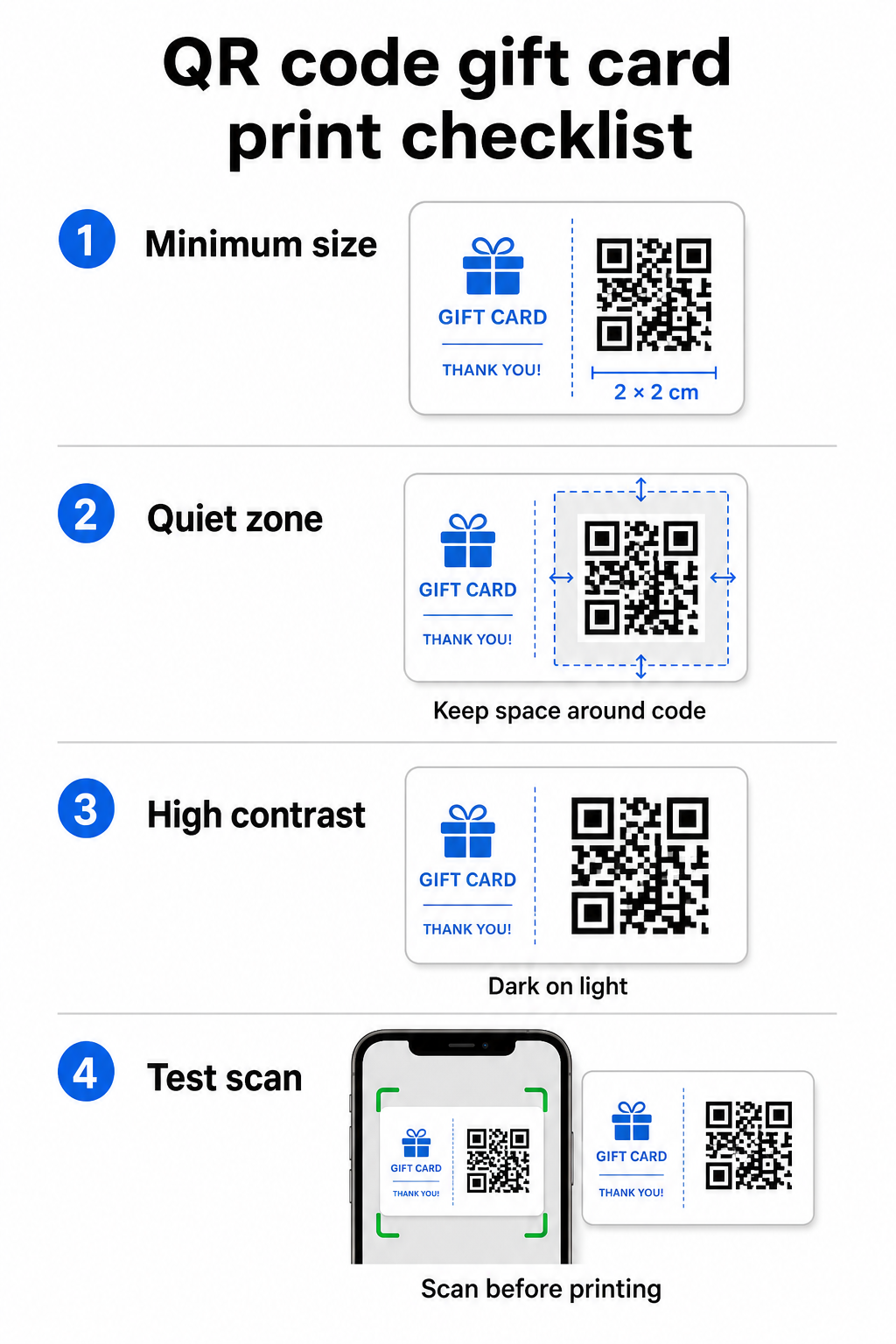
Pro spolehlivé skenování na tištěných materiálech by váš QR kód měl mít minimálně 2 × 2 cm. Kolem samotného kódu ponechte prázdný okraj – nazývaný tichou zónu – o velikosti alespoň čtyř modulů na všech stranách. Pokud je každý modul ve vašem QR kódu široký 2 mm, znamená to okraj 8 mm po celém obvodu. Přeplnění kódu textem nebo designovými prvky v této zóně je jedním z nejčastějších důvodů, proč se kódy nedaří naskenovat.
Požadavky na kontrast
Použijte tmavou barvu popředí na světlém pozadí. Minimální doporučený kontrastní poměr je 4:1, ačkoli černá na bílé (21:1) zůstává nejspolehlivější kombinací. Vyhněte se obráceným barevným schématům (světlý vzor na tmavém pozadí), přechodům a stínům – všechny tyto prvky vytvářejí nekonzistentní kontrast, který mate skenery fotoaparátů. Podrobné pokyny naleznete viz osvědčené postupy pro barevný kontrast QR kódů.
Umístění na kartě
Umístěte QR kód na zadní stranu karty, mimo magnetický proužek a stírací plochu pro PIN. Přední strana karty slouží k rozpoznání značky; zadní strana je určena pro funkční prvky, jako jsou čísla karet a QR kódy. Vedle kódu uveďte krátkou výzvu k akci – například “Naskenujte pro kontrolu zůstatku” nebo “Naskenujte pro online uplatnění” – aby zákazníci pochopili, co se stane, když kód naskenují.
Použijte dynamické QR kódy pro flexibilitu
Pokud tisknete fyzické karty ve velkém, statický QR kód vás uzamkne na jedinou cílovou URL adresu. dynamický QR kód Dynamický QR kód vám umožňuje kdykoli aktualizovat cíl bez opětovného tisku karty. To je důležité, když přepracujete svůj portál pro uplatnění, spustíte sezónní akci nebo migrujete na nový platební systém. Dynamické QR kódy můžete vytvářet a spravovat prostřednictvím generátoru QR kódů Pageloot, což vám také poskytuje analytiku skenování z centralizovaného řídicího panelu.
Udržujte své kampaně s dárkovými kartami flexibilní Potřebujete aktualizovat, kam směřují QR kódy vašich dárkových karet, aniž byste museli přetiskovat tisíce karet? Použijte Generátor QR kódů pro odkazy k vytvoření dynamických kódů, které můžete kdykoli přesměrovat, včetně kompletního sledování skenování.
Digitální dárkové karty: QR kódy ve formátech e-mailu a peněženky
Digitální dárková karta – doručená e-mailem, SMS nebo uložená v mobilní peněžence – může nést QR kód stejně efektivně jako fyzická. V tomto kontextu slouží QR kód jako samotný mechanismus pro uplatnění.
Když zákazník obdrží digitální dárkovou kartu, QR kód vložený v e-mailu nebo souboru obrázku může odkazovat přímo na stránku pokladny předem načtenou s hodnotou karty, na vstupní stránku kupónu s pokyny k uplatnění, nebo na platební procesor jako PayPal nebo Stripe. Zákazník naskenuje kód u pokladny – v obchodě nebo online – a hodnota se automaticky uplatní.
Tento přístup funguje obzvláště dobře pro podniky, které provozují jak kamenné, tak online obchody. Zákazník, který obdrží digitální dárkovou kartu e-mailem, může přijít do vašeho obchodu, otevřít e-mail a nechat pokladního naskenovat QR kód z obrazovky svého telefonu – bez nutnosti zadávat číslo karty.
Konkrétně pro platební tok, Pageloot's QR kód pro platbu přes PayPal vám umožňuje vytvořit kód, který odkazuje přímo na platební stránku, což usnadňuje začlenění zážitku uplatnění „naskenuj a zaplať“ do designu vaší digitální dárkové karty.
Na co odkázat QR kód vaší dárkové karty
Cíl, který zvolíte, určuje zákaznickou zkušenost po naskenování. Zde jsou nejběžnější a nejúčinnější možnosti:
| Cíl | Nejlepší případ použití |
|---|---|
| Online obchod nebo stránka pokladny | Plné uplatnění v e-commerce; hodnota karty uplatněna u pokladny |
| Stránka pro kontrolu zůstatku | Umožňuje příjemcům zkontrolovat zbývající hodnotu před utracením |
| Vstupní stránka kupónu nebo nabídky | Spárované akce spolu s hodnotou dárkové karty |
| Platební odkaz (PayPal, Stripe) | Přímá platba na fyzickém prodejním místě |
| Uvítací stránka značky | Onboarding nových zákazníků; odkazy na registraci do věrnostního programu |
Pokud chcete provozovat akce souběžně s vaším programem dárkových karet – například nabízet bonusové slevy příjemcům, kteří naskenují kód v určitém časovém rámci – Pageloot's QR kód kupón generátor vám umožňuje vytvořit vstupní stránku, která zobrazuje více nabídek, sleduje, které lokality shromažďují nejvíce uplatnění, a aktualizuje tyto nabídky bez generování nového kódu.
Pro širší pohled na to, jak se propagace založené na QR kódech srovnávají s tradičními slevovými metodami, viz QR kódy vs. tradiční kupóny: co funguje lépe.
Sledování uplatnění a výkonu kampaně
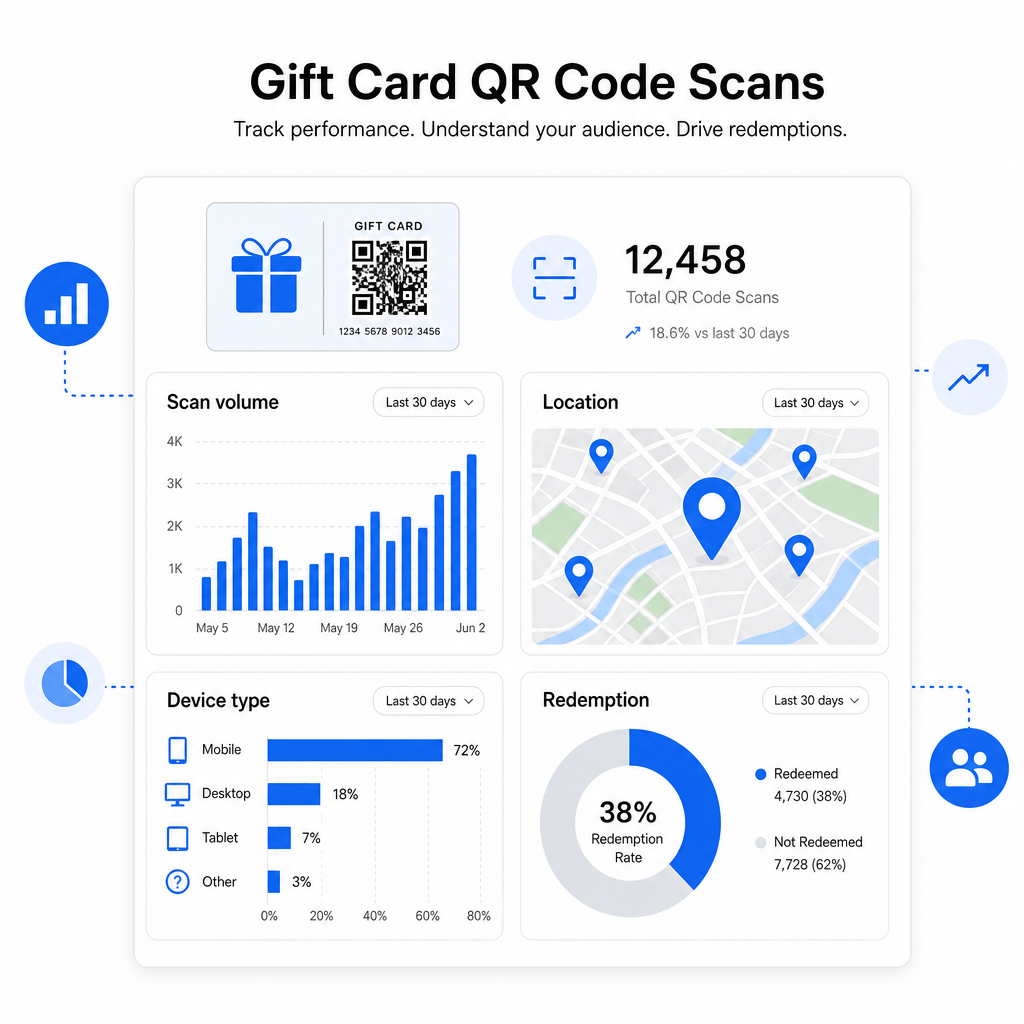
Jednou z nejjasnějších výhod používání QR kódů na dárkových kartách – oproti samotným tradičním číslům karet – je vrstva analytiky, kterou přidávají. S platformou jako Pageloot je každé skenování zaznamenáno s časovou značkou, typem zařízení a údaji o poloze. To vám řekne:
- Které designy karet nebo propagační série jsou skenovány nejvíce
- Zda zákazníci skenují, ale nedokončí uplatnění, což naznačuje problém s cílovou stránkou
- Geografické rozložení uplatnění, užitečné pro maloobchodníky s více pobočkami
- Špičkové časy uplatnění, které mohou ovlivnit budoucí načasování propagace
Tato data jsou obzvláště cenná pro maloobchodní podniky, které provozují kampaně s dárkovými kartami kolem svátků nebo sezónních událostí. Více o tom, jak QR kódy podporují strategie maloobchodních plateb a zapojení, naleznete zde: QR kódy pro maloobchod a jak QR kódy zjednodušují maloobchodní platby.
Podívejte se, které kampaně s dárkovými kartami vedou k uplatnění Sledujte objem skenování, typy zařízení a polohy pro každý QR kód na vašich dárkových kartách. Začněte s Generátor QR kódu Pageloot a získejte přístup ke svému analytickému panelu od prvního dne.
Právní aspekty dárkových karet v USA.
Pokud vydáváte dárkové karty ve Spojených státech, federální zákon upravuje jejich fungování. Podle zákona CARD Act a nařízení E (12 C.F.R. § 1005.20) nesmí kryté dárkové karty – včetně dárkových karet obchodů a předplacených karet pro všeobecné použití – vypršet dříve než pět let od data vydání a poplatky za neaktivitu mohou být účtovány pouze po 12 po sobě jdoucích měsících bez aktivity, s maximálně jedním takovým poplatkem za měsíc. Všechny poplatky a podmínky platnosti musí být zákazníkovi jasně sděleny.
Přidání QR kódu na vaši dárkovou kartu nemění tyto povinnosti, ale poskytuje vám praktický nástroj k jejich jasnější komunikaci. Cílová stránka vašeho QR kódu může zobrazovat zbývající zůstatek, datum vypršení platnosti, příslušné poplatky a úplné podmínky ve formátu, který je mnohem snazší číst než drobný tisk na fyzické kartě.
Všimněte si, že některé předplacené produkty jsou z těchto federálních pravidel vyňaty – včetně znovu nabitelných karet, které nejsou prodávány jako dárkové karty, a propagačních odměnových karet – ale státní zákony mohou ukládat další požadavky. Vždy si prostudujte jak federální, tak platná státní pravidla před spuštěním programu dárkových karet.
Kontrolní seznam designu před tiskem nebo odesláním
Před dokončením QR kódů pro dárkové karty projděte tyto kontroly:
- Velikost: Minimálně 2 × 2 cm pro fyzické karty; škálovatelné pro zobrazení v e-mailu nebo peněžence
- Tichá zóna: Minimálně čtyři moduly prázdného prostoru na všech čtyřech stranách
- Kontrast: Tmavé popředí na světlém pozadí, poměr alespoň 4:1
- Cíl: Otestujte odkaz na více zařízeních a ověřte, že se správně načítá na mobilu
- Výzva k akci: Vedle kódu uveďte krátký pokyn vysvětlující, co skenování dělá
- Dynamický vs. statický: Použijte dynamický kód, pokud se cíl může změnit nebo pokud chcete analytiku skenování
- Korekce chyb: Použijte úroveň Q nebo H, pokud přidáváte logo do QR kódu, pro zachování skenovatelnosti
Pro kompletní přehled standardů designu QR kódů viz osvědčené postupy pro čitelnost QR kódů.
QR kódy promění pasivní dárkovou kartu v aktivní kontaktní bod se zákazníkem. Jsou-li správně navrženy a propojeny s dobře vytvořeným zážitkem z uplatnění, snižují tření, zvyšují míru uplatnění a poskytují vám měřitelná data o tom, jak váš program dárkových karet skutečně funguje. Začněte s dynamickým kódem, abyste si udrželi kontrolu nad cílem, a použijte svou analytiku skenování k neustálému zlepšování zážitku v průběhu času.
Vytvořte si svůj QR kód pro dárkovou kartu ještě dnes Vytvořte si značkový, sledovatelný QR kód pro svůj program dárkových karet během několika minut. Vyzkoušejte Generátor QR kódu Pageloot zdarma po dobu 14 dnů – není vyžadována kreditní karta.
Často kladené otázky
Pokud vy použijete dynamický QR kód, můžete kdykoli aktualizovat cílový odkaz, aniž byste změnili samotný kód. To znamená, že můžete QR kód vytisknout jednou a později ho přesměrovat na novou platební stránku, sezónní nabídku nebo aktualizovaný portál. Nicméně, pokud potřebujete změnit fyzický design karty, budete muset znovu vytisknout.
Nejúčinnější destinací je stránka optimalizovaná pro mobilní zařízení, kde zákazník může dokončit uplatnění, zkontrolovat svůj zůstatek nebo provést platbu. Možnosti zahrnují platební stránku předem načtenou s hodnotou karty, platební odkaz PayPal nebo Stripe, nebo vstupní stránku s kupóny s aktuálními nabídkami. Klíčové je, aby se stránka rychle načítala na mobilu a aby byl další krok zřejmý.
Použijte platformu pro QR kódy, která zahrnuje vestavěnou analytiku, jako je Pageloot. Každé skenování je zaznamenáno s časem, typem zařízení a polohou, abyste viděli, kolik karet je skenováno, kdy aktivita uplatnění vrcholí a zda zákazníci odpadávají před dokončením uplatnění. Tato data vám pomohou identifikovat a opravit slabá místa ve vašem procesu uplatnění.