Plānojot kāzas, ir jāsaskaņo desmitiem mainīgu elementu starp viesiem, pakalpojumu sniedzējiem un norises vietām. QR kodi sniedz vienkāršu veidu, kā savienot visu šo informāciju vienā skenējamā saskares punktā – samazinot papīra atkritumus, saīsinot koordinācijas laiku un padarot dienu raitāku visiem iesaistītajiem.
Kāpēc QR kodi labi darbojas kāzās
Tā kā vidēji ASV kāzās piedalās aptuveni 116 viesi, visu informēšana un vienotas izpratnes uzturēšana ir reāls loģistikas izaicinājums. Fiziski drukātie materiāli pazūd, noveco un to pavairošana maksā naudu. QR kodi atrisina visas trīs problēmas vienlaikus.
Viens kods var savienot viesus ar jūsu kāzu vietni, RSVP veidlapu, norises vietas norādēm vai foto galeriju – un tāpēc, ka dinamiskie QR kodi ļauj atjaunināt galamērķa URL bez atkārtotas drukāšanas, jūs varat veikt pēdējā brīža izmaiņas līdz pat pašai dienai. Šī elastība vien padara tos vērtīgus apsvēršanai jebkuram pārim, kas pārvalda sarežģītu viesu sarakstu.
Arī pieņemšanas līkne vairs nav šķērslis. Paredzams, ka 2025. gadā ASV QR kodus skenēs aptuveni 99,5 miljoni cilvēku, un lielākā daļa viedtālruņu to var darīt dabiski ar kameras lietotni – nav nepieciešama papildu lietotne.
Izveidojiet savu kāzu QR kodu Gatavs sākt? Izmantojiet QR kodu ģenerators lai izveidotu pielāgojamus, dinamiskus kāzu QR kodus, kurus varat atjaunināt jebkurā laikā.
Kā ģenerēt kāzu QR kodus
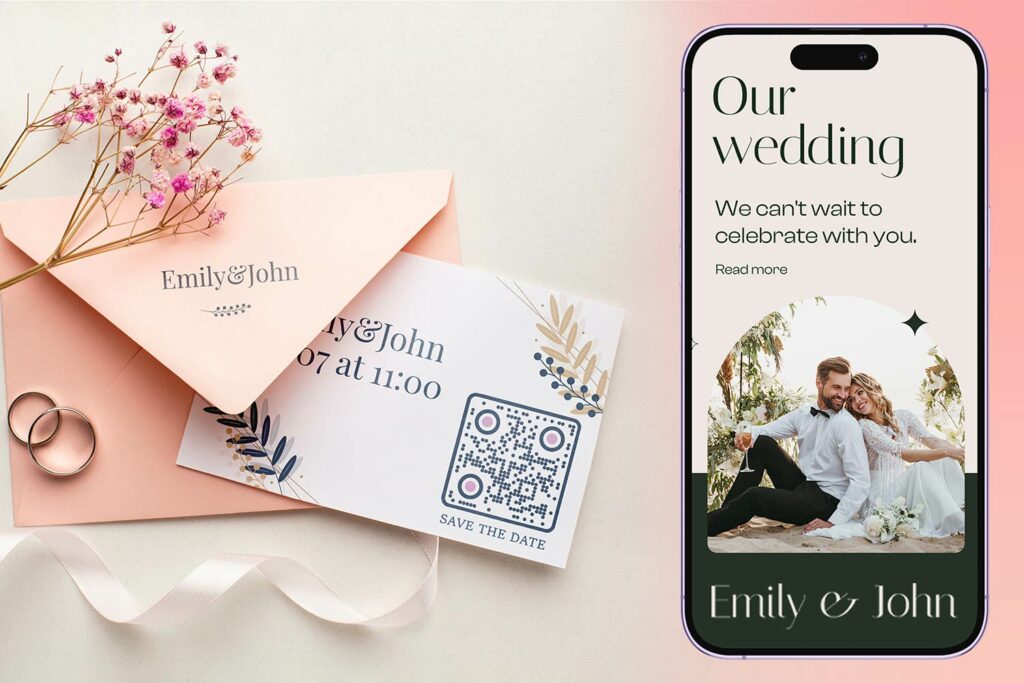
Kāzu QR koda izveide aizņem tikai dažas minūtes. Lūk, pamata process:
- Izvēlieties QR koda veidu. Dažādiem lietošanas gadījumiem ir nepieciešami dažādi kodu veidi – a Saites QR koda ģenerators darbojas kāzu vietnēm un fotoalbumiem, savukārt Notikumu QR kodu ģenerators ir ideāli piemērots datumu saglabāšanai un kalendāra ierakstiem.
- Ievadiet savu saturu. Pievienojiet URL, veidlapas saiti, PDF vai pasākuma informāciju, kurai vēlaties, lai viesi piekļūtu, skenējot kodu.
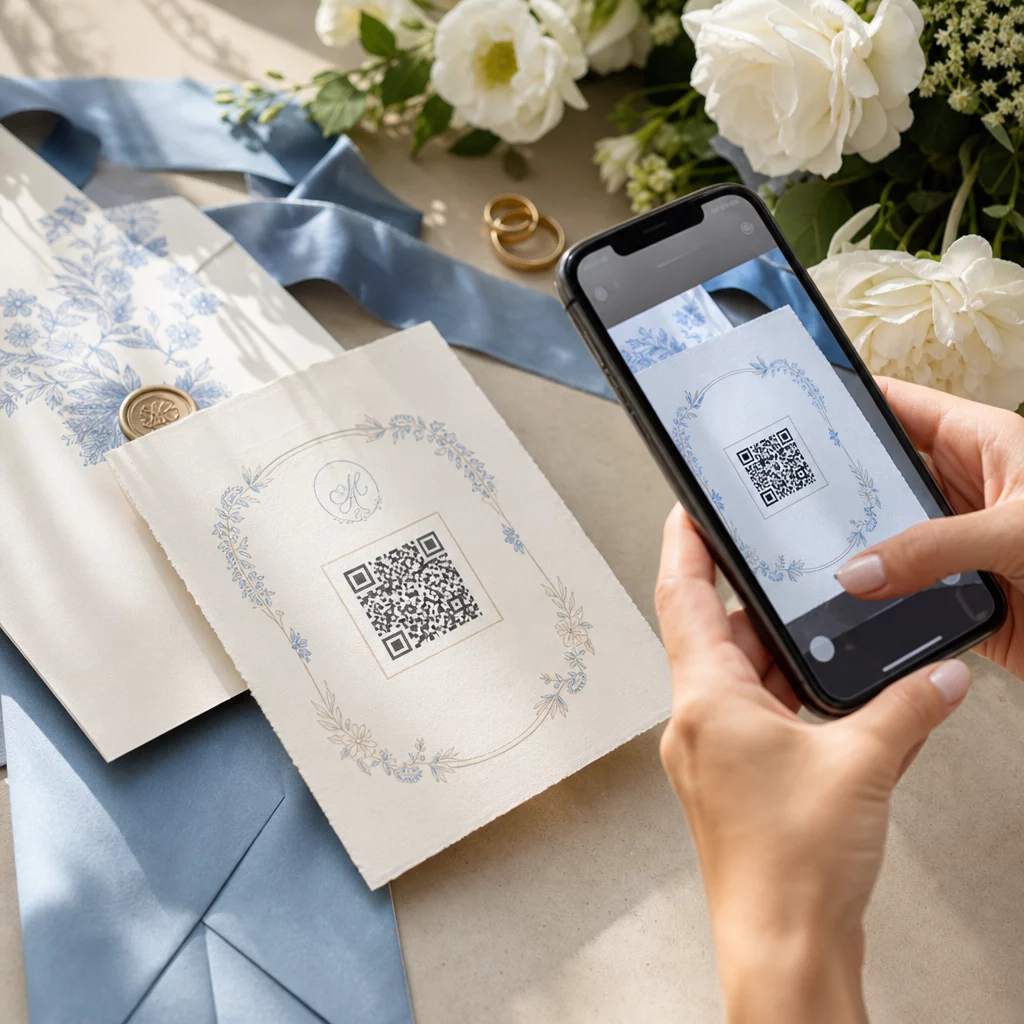
- Pielāgojiet dizainu. Pieskaņojiet QR koda krāsas un stilu jūsu kāzu estētikai – pievienojiet savu monogrammu vai iniciāļus kā logotipu, izvēlieties krāsu paleti, kas atbilst jūsu tēmai, un izvēlieties rāmja formu, kas sader ar jūsu kancelejas preču izkārtojumu.
- Pārbaudiet pirms drukāšanas. Skenējiet pabeigto kodu vairākās ierīcēs reālistiskos apgaismojuma apstākļos pirms drukāšanas. Izmēru norādījumus dažādiem drukas materiāliem skatiet QR koda izmēri dažādiem drukas materiāliem.
- Lejupielādējiet un izplatiet. Lejupielādējiet augstas izšķirtspējas formātā (SVG vai PDF) tīrai drukāšanai uz ielūgumiem, programmām, ēdienkartēm un norādēm.
Saglabājiet galvenās detaļas redzamas uz visiem drukātajiem materiāliem. Laikam, datumam un norises vietai vienmēr jābūt redzamai vienkāršā tekstā. Izmantojiet QR kodus, lai pievienotu papildu saturu – nevis lai aizstātu būtiskāko, kas viesiem nepieciešams vienā mirklī.
Kur izmantot kāzu QR kodus
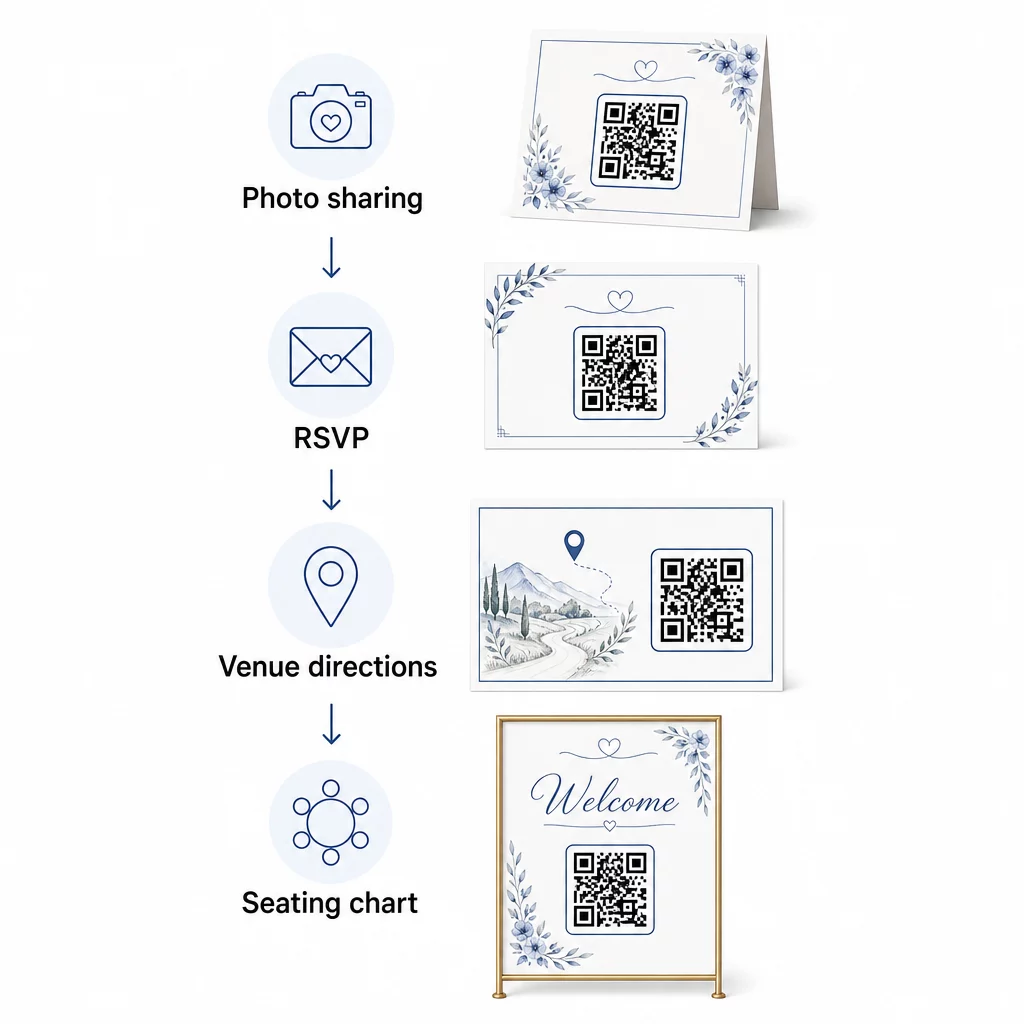
📷 Photo Sharing
Viens no populārākajiem kāzu QR kodu izmantošanas veidiem ir kopīga fotoattēlu koplietošana. Novietojiet QR kodu uz galda rotājumiem vai pie bāra, kas ved uz kopīgu albumu, kur viesi var apskatīt profesionālās fotogrāfijas un augšupielādēt savus spontānos kadrus. Saite uz kopīgu Google Photos albumu vai Dropbox mapi ļauj veikt reāllaika ieguldījumus visa pasākuma laikā. Pageloot failu augšupielādes funkcija atvieglo attēlu galeriju mitināšanu un koplietošanu tieši, izmantojot QR kodu.
💌 RSVPs
QR kods uz jūsu paziņojuma par datuma saglabāšanu vai ielūguma, kas tieši ved uz RSVP veidlapu, novērš berzi atbildes procesā. Viesi skenē, aizpilda īsu veidlapu un iesniedz – aploksne nav nepieciešama. Izmantojiet Google formas QR koda ģenerators lai savienotu jūsu ielūgumu tieši ar Google veidlapu, kas apkopo ēdienreižu preferences, uztura ierobežojumus un dziesmu pieprasījumus kopā ar apmeklējuma apstiprinājumu. Lai iegūtu pilnīgu aprakstu, skatiet ceļvedi par kā izveidot RSVP QR kodus pasākumiem.
📍 Venue Directions
Novērsiet viesu atkārtotus jautājumus par norādēm vai stāvvietas instrukcijām. Atrašanās vietas QR kods uz jūsu ielūguma vai norāžu kartes atver jūsu norises vietu tieši Google Maps ar vienu skenēšanu. Google Maps QR kodu ģenerators ļauj jums izveidot kodu, kas novirza viesus uz precīzu atrašanās vietu – ieskaitot autostāvvietas vai atsevišķas ceremonijas un pieņemšanas vietas.
🗓️ Save-the-Dates and Event Details
Vienkāršas datuma rezervēšanas kartītes vietā izveidojiet saiti uz pilnu pasākuma lapu, kurā ir ceremonijas un pieņemšanas laiki, naktsmītņu ieteikumi, apģērba kods un saite uz jūsu kāzu vietni. The Notikumu QR kodu ģenerators ļauj jums izveidot zīmola galveno lapu ar visām pasākuma detaļām, un the Google kalendāra QR kodu ģenerators ļauj viesiem pievienot datumu savam kalendāram ar vienu pieskārienu.
🪑 Digitālās sēdvietu diagrammas
Novietojiet vienu QR kodu pasākuma vietas ieejā, kas ved uz digitālu sēdvietu plānu. Viesi skenē ierodoties un uzreiz redz savu galdiņa numuru – nav nepieciešama drukāta tāfele. Šī pieeja arī atvieglo pēdējā brīža sēdvietu izmaiņu pārvaldību, jo jūs atjaunināt saistīto lapu, nevis pārdrukājat fiziskas norādes.
📜 Wedding Programs
QR kods, kas aizstāj drukāto ceremonijas programmu, samazina papīra izmaksas un ļauj veikt atjauninājumus līdz pat ceremonijas sākumam. Izveidojiet saiti uz PDF programmu, izmantojot the PDF QR kodu ģenerators lai viesi varētu sekot līdzi savos tālruņos. Ja mainās lasījumi, mūzika vai pasākumu secība, atjauniniet PDF failu, nemainot kodu.
🍽️ Interaktīvās izvēlnes
Novietojiet QR kodus pie katra galda, kas ved uz pilnu vakariņu ēdienkarti, ieskaitot sastāvdaļas un alergēnu informāciju. Pieņemšanām ar vēlās nakts ēdienu stacijām vai kokteiļu stundas ēdienkartēm, jūs varat atjaunināt saistīto saturu visas vakara garumā, izmantojot dinamisku kodu.
🎁 Wedding Favors
Pievienojiet nelielu QR koda kartīti katrai dāvanai, kas ved uz personalizētu pateicības ziņojumu, video ziņojumu no pāra vai atlasītu atskaņošanas sarakstu, ko viesi var paņemt līdzi mājās. Tas piešķir personisku pieskārienu, nepalielinot fizisko dāvanu izmaksas.
Kāzu QR kodu plusi un mīnusi
| Ieguvumi | Trūkumi |
|---|---|
| Viegla piekļuve informācijai bez drukātiem materiāliem | Ne visi viesi var justies ērti ar viedtālruņiem |
| Rentabli – samazina drukāšanu programmām un ēdienkartēm | Nepieciešams Wi-Fi vai mobilie dati pasākuma vietā |
| Reāllaika atjauninājumi, izmantojot dinamiskos kodus | Nepieciešams pārdomāts izvietojums un izmērs, lai to varētu droši skenēt |
| Interaktīvs un saistošs viesiem | Dažiem vecāka gadagājuma viesiem var būt nepieciešamas īsas instrukcijas |
| Centralizēta informācija vienā skenējamā kodā | Slikti izstrādātus kodus var būt grūti skenēt vājā apgaismojumā |
Vietās ar nestabilu mobilo sakaru pārklājumu apsveriet iespēju nodrošināt drukātu rezerves kopiju kritiskai informācijai, piemēram, sēdvietu plāniem un norādēm.
QR kodu dizains, kas atbilst jūsu kāzu estētikai
Vienkāršs melnbalts QR kods nav pretrunā ar elegantu kancelejas piederumu. Lielākā daļa QR kodu ģeneratoru – tostarp Pageloot – ļauj pielāgot krāsas, pievienot monogrammu vai logotipu centrā, izvēlēties rāmja formas un saskaņot dizainu ar jūsu ielūgumu komplektu.
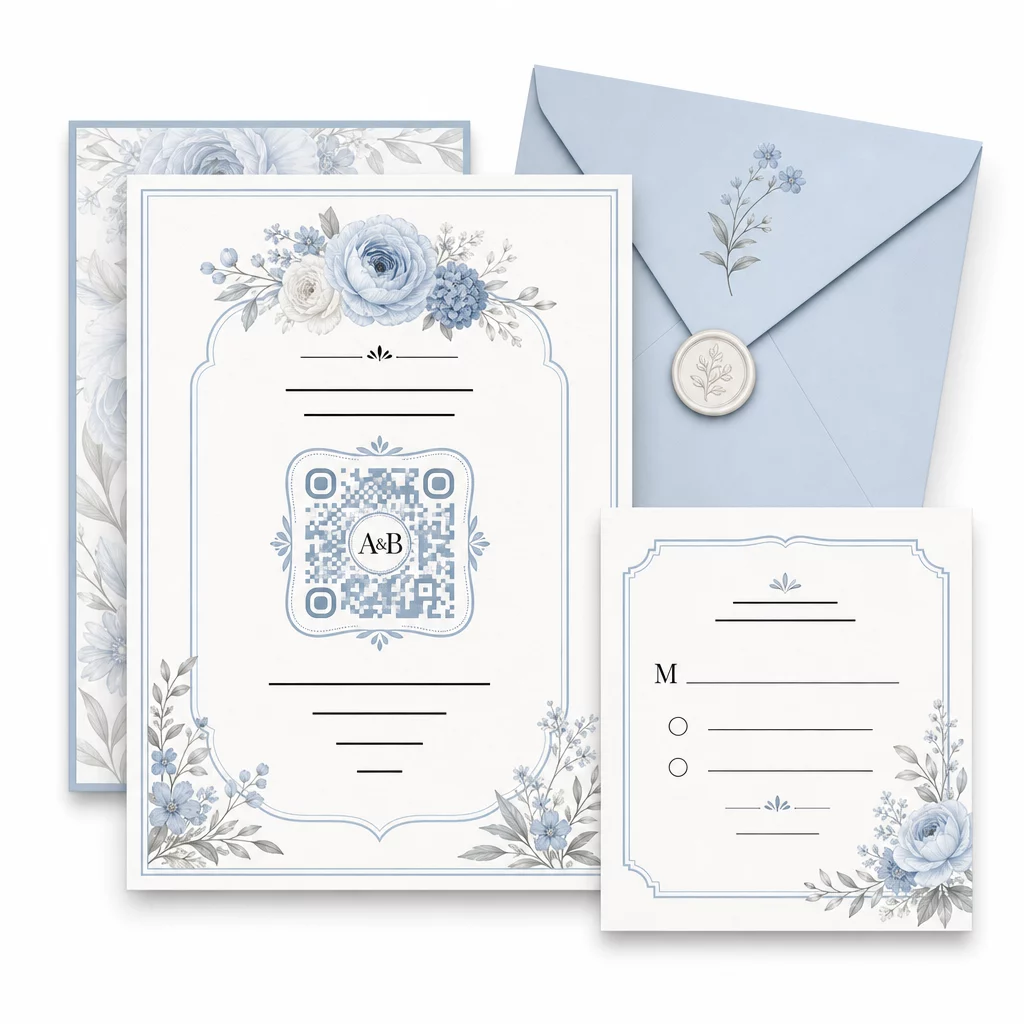
Dažas praktiskas vadlīnijas, lai saglabātu skenējamību pielāgošanas laikā:
- Saglabājiet priekšplāna krāsu vismaz par 40% tumšāku nekā fona krāsu
- Izvairieties novietot kodu uz rakstaina vai teksturēta papīra, kas varētu aizsegt moduļus
- Ap kodu saglabājiet skaidru kluso zonu (balto apmali)
- Drukājiet vismaz 0,8 × 0,8 collu izmērā ielūgumiem; lielāku izmēru izkārtnēm
Lai iegūtu pilnīgu informāciju par labāko dizaina praksi, skatiet labāko praksi QR kodu lasāmībā.
Dinamisku QR kodu izmantošana kāzu elastībai
Kāzas ietver pastāvīgas pēdējā brīža izmaiņas – ēdinātāji atjaunina ēdienkartes, ceremoniju laiki mainās un norises vietas izkārtojums tiek pielāgots. Dinamiskie QR kodi ļauj jums jebkurā brīdī atjaunināt galamērķa URL, pat pēc tam, kad ielūgumi ir izsūtīti vai programmas izdrukātas. Pats kods paliek nemainīgs; mainās tikai saturs, uz kuru tas norāda.
Tas nozīmē, ka varat:
- Atjaunināt sēdvietu plānu kāzu rītā, nepārprintējot norādes
- Nomainīt PDF programmu, lai atspoguļotu pēdējā brīža runātāja maiņu
- Pievienot pēckāzu fotogalerijas saites tam pašam kodam, kas jau izplatīts uz dāvanu birkām
Dinamiskie kodi nodrošina arī skenēšanas analītiku – varat redzēt, cik viesu skenēja jūsu RSVP kodu, kad un ar kādu ierīci. Šie dati ir noderīgi, plānojot turpmāko saziņu un izprotot viesu iesaisti. Uzziniet vairāk par QR kodu veiktspējas izsekošana pasākumiem.
Uzturiet savas kāzu detaļas aktuālas Izmantojiet dinamiskie QR kodi lai reāllaikā atjauninātu norises vietas norādes, sēdvietu plānus vai ēdienkartes – nav nepieciešama atkārtota drukāšana, pat pēc ielūgumu nosūtīšanas.
Digitāla kāzu ielūguma izveide ar QR kodu
Ja vēlaties pilnībā pāriet uz digitāliem ielūgumiem, QR koda iegulšana izstrādātā digitālajā ielūgumā ir vienkārša. Kods var tieši saistīties ar jūsu RSVP veidlapu, kāzu vietni vai pasākuma galveno lapu – automatizējot atbilžu izsekošanu un sniedzot viesiem visu nepieciešamo vienuviet. Lai iegūtu soli pa solim instrukcijas, skatiet ceļvedi par kā izveidot digitālu kāzu ielūgumu ar QR kodu.
QR kodi vienlīdz labi darbojas gan uz drukātiem, gan digitāliem ielūgumiem, tāpēc varat izmantot vienu un to pašu kodu abos formātos, nedublējot pūles. Neatkarīgi no tā, vai koordinējat RSVP, kopīgojat fotoattēlus vai virzāt viesus uz viņu sēdvietām, QR kodi sniedz jums praktisku, atjaunināmu un viesiem draudzīgu risinājumu jūsu kāzu loģistikas pusei. Sāciet ar vienu vai diviem augstas ietekmes lietošanas gadījumiem – RSVP un norises vietas norādes parasti sniedz vislielāko tūlītējo vērtību – un paplašiniet to, pamatojoties uz to, kas atbilst jūsu pasākumam.
Izveidojiet savus kāzu QR kodus Izveidojiet pielāgojamus, dinamiskus kāzu QR kodus ar Pageloot QR kodu ģenerators – bez maksas sākumā, ar 14 dienu izmēģinājuma periodu, lai piekļūtu analītikai un rediģēšanas funkcijām.
Bieži uzdotie jautājumi
Jā, bet tikai tad, ja izmantojat dinamisku QR kodu. Dinamiskie kodi izmanto pāradresācijas serveri, lai jūs varētu mainīt galamērķa URL – atjauninot savu sēdvietu plānu, ēdienkarti vai pasākuma detaļas – neizveidojot jaunu kodu vai nepārprintējot materiālus.
Nē. Jebkurš viedtālrunis ar kameru, kurā darbojas pietiekami jauna operētājsistēma (iOS 11+ vai Android 8+), var skenēt QR kodu tieši, izmantojot iebūvēto kameras lietotni. Viesiem, kuri ir mazāk pazīstami, īsas piezīmes “Skenējiet ar tālruņa kameru” novietošana blakus kodam parasti ir pietiekams norādījums.
Ielūgumiem un drukātām programmām paredziet vismaz 0,8 × 0,8 collas (20 × 20 mm). Vietas norādēm un sēdvietu plānu displejiem, ko viesi skenēs no dažām pēdām attāluma, palieliniet proporcionāli – aptuveni 1 cm koda izmēra uz katriem 10 cm paredzētā skenēšanas attāluma. Vienmēr pārbaudiet uz faktiskā drukātā materiāla pirms pilnas tirāžas drukāšanas.