Att planera ett bröllop innebär att koordinera dussintals rörliga delar mellan gäster, leverantörer och platser. QR-koder ger dig ett enkelt sätt att koppla samman all den informationen i en skanningsbar kontaktpunkt – vilket minskar pappersavfall, kapar koordinationstid och gör dagen smidigare för alla inblandade.
Varför QR-koder fungerar bra på bröllop
Med ett genomsnittligt amerikanskt bröllop som har cirka 116 gäster är det en verklig logistisk utmaning att hålla alla informerade och uppdaterade. Fysiskt tryckt material försvinner, blir inaktuellt och kostar pengar att reproducera. QR-koder löser alla tre problemen samtidigt.
En enda kod kan länka gäster till din bröllopswebbplats, OSA-formulär, vägbeskrivning till platsen eller fotogalleri – och eftersom dynamiska QR-koder låter dig uppdatera destinations-URL:en utan att skriva ut igen, kan du göra sista-minuten-ändringar ända fram till själva dagen. Den flexibiliteten i sig gör dem värda att överväga för alla par som hanterar en komplex gästlista.
Adoptionskurvan är inte längre ett hinder heller. Uppskattningsvis 99,5 miljoner människor i USA förväntas skanna QR-koder år 2025, och de allra flesta smartphones kan göra det inbyggt med kameraappen – ingen ytterligare app krävs.
Skapa din bröllops-QR-kod Redo att komma igång? Använd QR-kodgenerator för att bygga anpassningsbara, dynamiska bröllops-QR-koder som du kan uppdatera när som helst.
Hur man genererar bröllops-QR-koder
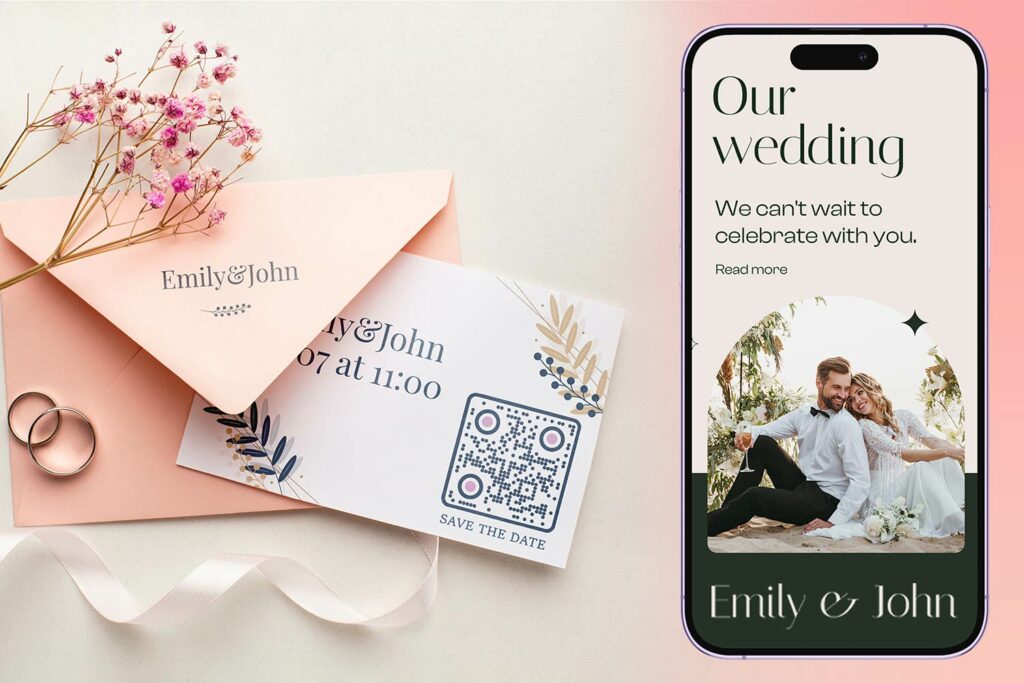
Att skapa en bröllops-QR-kod tar bara några minuter. Här är den grundläggande processen:
- Välj din QR-kodstyp. Olika användningsfall kräver olika kodtyper – en Länk QR-kodgenerator fungerar för bröllopswebbplatser och fotoalbum, medan QR-kodgenerator för event är idealisk för save-the-dates och kalenderposter.
- Ange ditt innehåll. Lägg till URL:en, formulärlänken, PDF:en eller evenemangsdetaljerna som du vill att gästerna ska komma åt när de skannar.
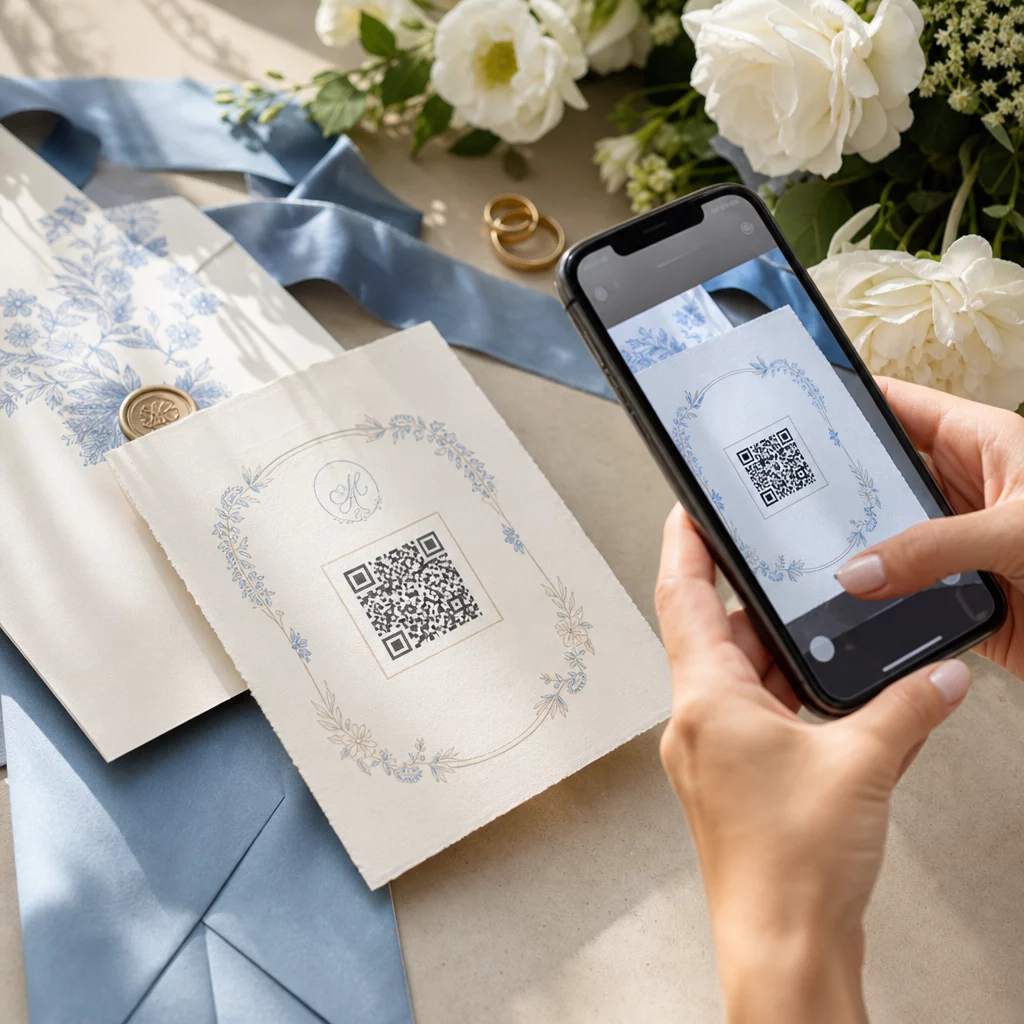
- Anpassa designen. Matcha QR-kodens färger och stil med din bröllopsestetik – lägg till ditt monogram eller dina initialer som logotyp, välj en färgpalett som passar ditt tema, och välj en ramform som fungerar med din trycksaksdesign.
- Testa innan du skriver ut. Skanna den färdiga koden på flera enheter under realistiska ljusförhållanden innan du beställer tryck. För storleksvägledning för olika tryckmaterial, se QR-kodstorlek för olika tryckmaterial.
- Ladda ner och distribuera. Ladda ner i ett högupplöst format (SVG eller PDF) för tydlig utskrift på inbjudningar, program, menyer och skyltar.
Håll primära detaljer synliga på allt tryckt material. Tid, datum och plats ska alltid visas i vanlig text. Använd QR-koder för att lägga till kompletterande innehåll – inte för att ersätta det viktigaste gästerna behöver se med en blick.
Var du kan använda QR-koder för bröllop
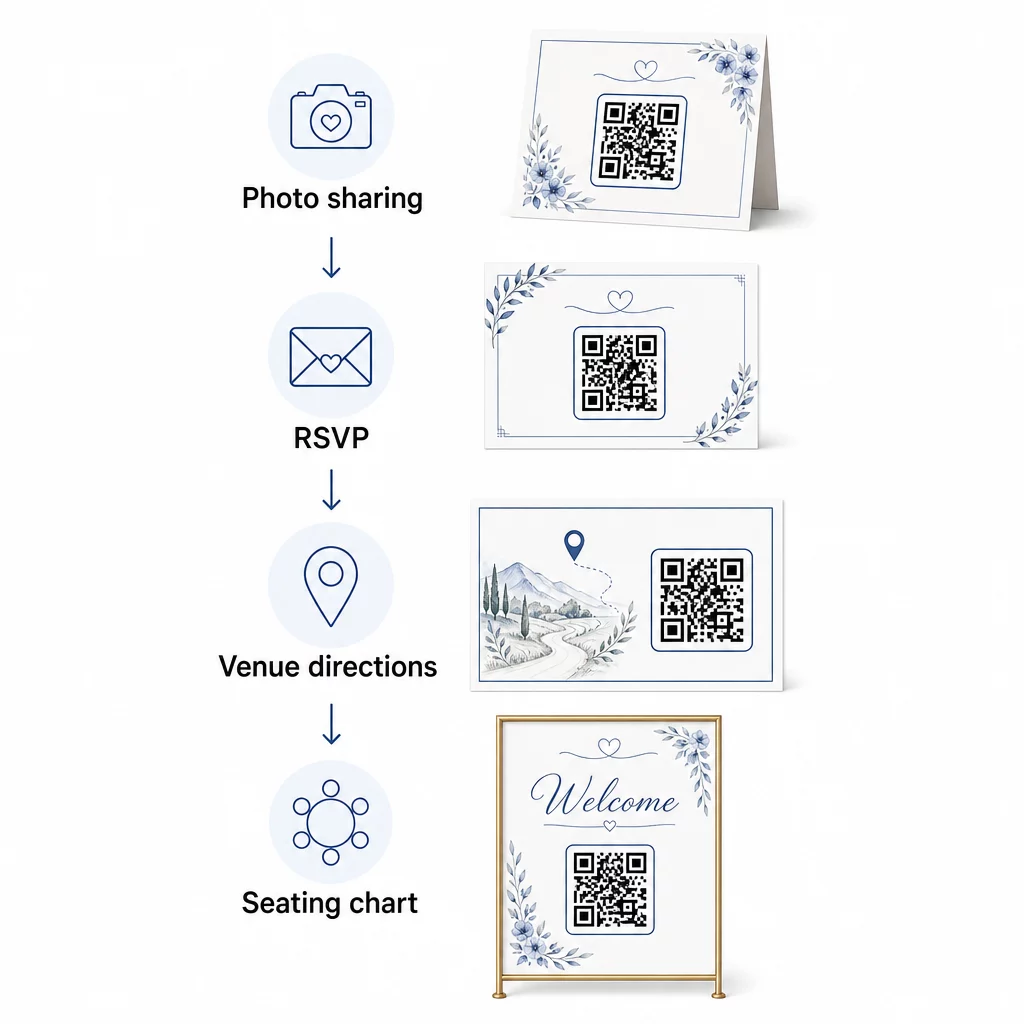
📷 Photo Sharing
Ett av de mest populära användningsområdena för QR-koder vid bröllop är samarbetsbaserad fotodelning. Placera en QR-kod på bordsdekorationer eller i baren som länkar till ett delat album där gästerna kan se professionella foton och ladda upp sina egna spontana bilder. Att länka till ett delat Google Photos-album eller en Dropbox-mapp möjliggör bidrag i realtid under hela evenemanget. Pageloots filuppladdningsfunktion gör det enkelt att vara värd för och dela bildgallerier direkt via en QR-kod.
💌 RSVPs
En QR-kod på ditt "save-the-date" eller din inbjudan som länkar direkt till ett OSA-formulär tar bort friktion från svarsprocessen. Gästerna skannar, fyller i ett kort formulär och skickar in – inget kuvert krävs. Använd QR-kodgenerator för Google Formulär för att koppla din inbjudan direkt till ett Google-formulär som samlar in matpreferenser, kostrestriktioner och låtönskemål tillsammans med närvarobekräftelse. För en fullständig genomgång, se guiden om Skapa OSA-QR-koder för event.
📍 Venue Directions
Eliminera fram och tillbaka med gäster som frågar efter vägbeskrivningar eller parkeringsinstruktioner. En plats-QR-kod på din inbjudan eller vägbeskrivningskort öppnar din plats direkt i Google Maps med en enda skanning. Den QR-kodgenerator för Google Maps låter dig skapa en kod som leder gästerna till den exakta platsen – inklusive parkeringsplatser eller separata platser för ceremoni och mottagning.
🗓️ Save-the-Dates and Event Details
Istället för ett enkelt boka datum-kort, länka till en komplett evenemangssida som innehåller tider för ceremoni och mottagning, förslag på boende, klädkod och en länk till er bröllopswebbplats. Den QR-kodgenerator för event låter dig bygga en varumärkesanpassad landningssida med alla evenemangsdetaljer, och den QR-kodgenerator för Google Kalender låter gästerna lägga till datumet i sin kalender med ett enda tryck.
🪑 Digitala platsscheman
Sätt upp en enda QR-kod vid ingången till lokalen som länkar till en digital bordsplacering. Gästerna skannar vid ankomst och ser omedelbart sin bordsplacering – ingen tryckt tavla behövs. Detta tillvägagångssätt gör också sista-minuten-ändringar av platser lätta att hantera eftersom du uppdaterar den länkade sidan istället för att trycka om fysisk skyltning.
📜 Wedding Programs
En QR-kod som ersätter det tryckta ceremoniprogrammet minskar papperskostnaderna och tillåter uppdateringar ända fram till ceremonin börjar. Länka till ett PDF-program med hjälp av QR-kodgenerator för PDF så att gästerna kan följa med på sina telefoner. Om läsningar, musik eller ordningsföljd ändras, uppdatera PDF:en utan att ändra koden.
🍽️ Interaktiva menyer
Placera QR-koder vid varje kuvert som länkar till hela middagsmenyn, inklusive ingredienser och allergeninformation. För mottagningar med sena matstationer eller cocktailmenyer kan du uppdatera det länkade innehållet under hela kvällen med hjälp av en dynamisk kod.
🎁 Wedding Favors
Fäst ett litet QR-kodkort på varje gåva som länkar till ett personligt tackmeddelande, ett videomeddelande från paret eller en kurerad spellista som gästerna kan ta med sig hem. Det ger en personlig touch utan att öka kostnaden för fysiska gåvor.
För- och nackdelar med QR-koder för bröllop
| Fördelar | Nackdelar |
|---|---|
| Enkel åtkomst till information utan tryckta utdelningar | Alla gäster kanske inte är bekväma med smartphones |
| Kostnadseffektivt – minska utskrifter för program och menyer | Kräver Wi-Fi eller mobildata på platsen |
| Uppdateringar i realtid via dynamiska koder | Kräver genomtänkt placering och storlek för att kunna skannas pålitligt |
| Interaktivt och engagerande för gästerna | Vissa äldre gäster kan behöva korta instruktioner |
| Centraliserad information i en skanningsbar kod | Dåligt designade koder kan vara svåra att skanna i dåligt ljus |
För platser med opålitlig mobiltäckning, överväg att tillhandahålla en utskriven backup för kritisk information som bordsplaceringar och vägbeskrivningar.
Designa QR-koder som passar din bröllopsestetik
En enkel svartvit QR-kod behöver inte krocka med eleganta trycksaker. De flesta QR-kodgeneratorer – inklusive Pageloot – låter dig anpassa färger, lägga till ett monogram eller en logotyp i mitten, välja ramformer och matcha designen med din inbjudningssvit.
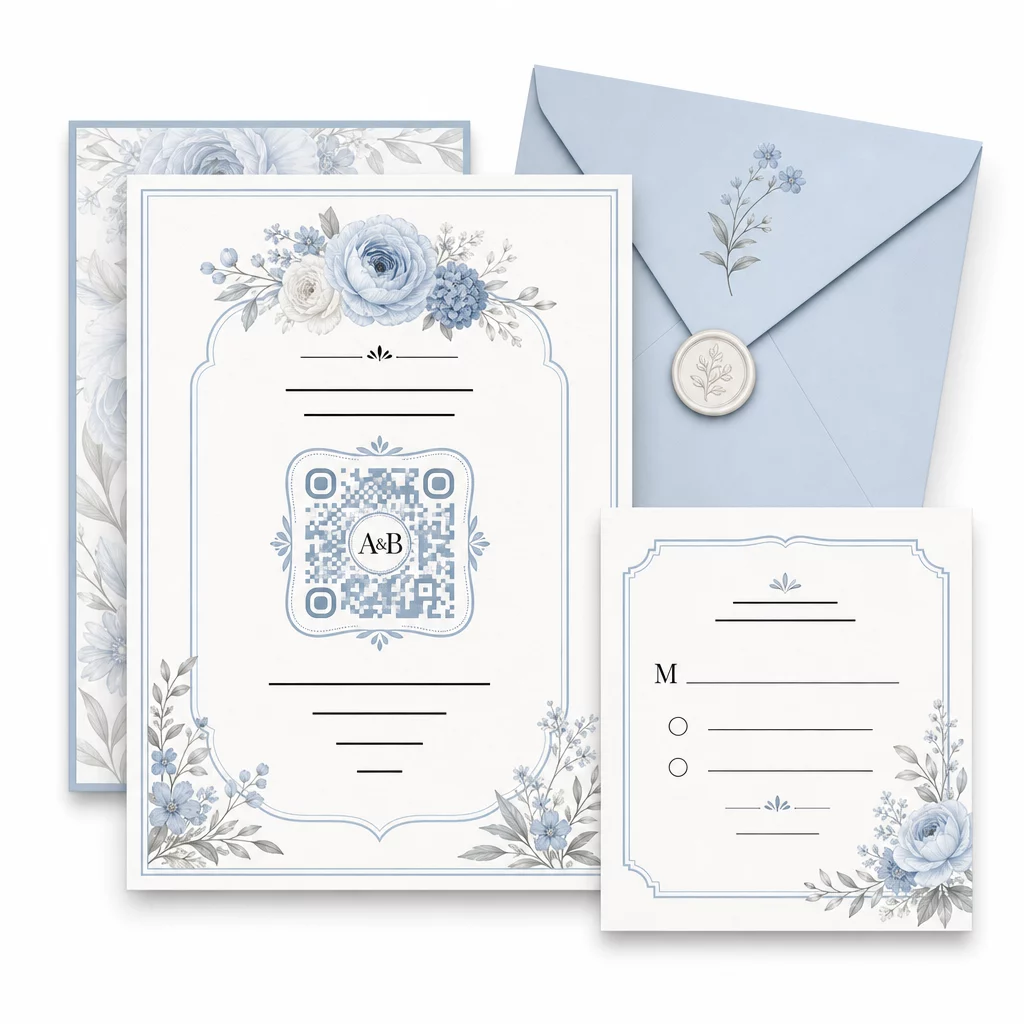
Några praktiska riktlinjer för att bibehålla skanningsbarheten vid anpassning:
- Håll förgrundsfärgen minst 40% mörkare än bakgrunden
- Undvik att placera koden på mönstrat eller texturerat papper som kan dölja modulerna
- Bibehåll en tydlig tyst zon (den vita kanten) runt koden
- Skriv ut i minst 0,8 × 0,8 tum för inbjudningar; större för skyltar
För en fullständig genomgång av bästa designpraxis, se bästa praxis för läsbarhet av QR-koder.
Använda dynamiska QR-koder för bröllopsflexibilitet
Bröllop innebär ständiga ändringar i sista minuten – cateringfirmor uppdaterar menyer, ceremonitider ändras och lokalens layout justeras. Dynamiska QR-koder låter dig uppdatera destinations-URL:en när som helst, även efter att inbjudningar har skickats eller program har tryckts. Själva koden förblir densamma; endast innehållet den pekar på ändras.
Detta innebär att du kan:
- Uppdatera placeringsschemat på bröllopsmorgonen utan att trycka om skyltar
- Byta ut ett PDF-program för att återspegla en sista-minuten-ändring av talare
- Lägga till länkar till fotogallerier efter bröllopet till samma kod som redan distribuerats på presentetiketter
Dynamiska koder ger också skanningsanalys – du kan se hur många gäster som skannade din OSA-kod, när och på vilken enhet. Denna data är användbar för att planera uppföljande kommunikation och förstå gästernas engagemang. Läs mer om spåra QR-kodprestanda för evenemang.
Håll dina bröllopsdetaljer uppdaterade Använda sig av dynamiska QR-koder för att uppdatera vägbeskrivningar till lokalen, placeringsscheman eller menyer i realtid – ingen omtryckning behövs, även efter att inbjudningar har skickats.
Skapa en digital bröllopsinbjudan med en QR-kod
Om du vill gå helt digitalt med dina inbjudningar är det enkelt att bädda in en QR-kod i en designad digital inbjudan. Koden kan länka direkt till ditt OSA-formulär, bröllopswebbplats eller evenemangslandningssida – vilket automatiserar svarsspårning och ger gästerna allt de behöver på ett ställe. För en steg-för-steg-guide, se guiden om Skapa en digital bröllopsinbjudan med QR-kod.
QR-koder fungerar lika bra på tryckta och digitala inbjudningar, så du kan använda samma kod i båda formaten utan dubbelarbete. Oavsett om du koordinerar OSA, delar foton eller guidar gäster till sina platser, ger QR-koder dig en praktisk, uppdaterbar och gästvänlig lösning för den logistiska sidan av ditt bröllop. Börja med ett eller två användningsfall med stor effekt – OSA och vägbeskrivningar till lokalen tenderar att ge mest omedelbart värde – och expandera därifrån baserat på vad som passar ditt evenemang.
Skapa dina bröllops-QR-koder Skapa anpassningsbara, dynamiska bröllops-QR-koder med Pageloot QR-kodgenerator – gratis att börja med, med en 14-dagars provperiod för att få tillgång till analys- och redigeringsfunktioner.
Vanliga frågor
Ja, men bara om du använder en dynamisk QR-kod. Dynamiska koder använder en omdirigeringsserver, så du kan ändra destinations-URL:en – uppdatera din bordsplacering, meny eller evenemangsdetaljer – utan att skapa en ny kod eller trycka om material.
Nej. Alla smartphones med en kamera som kör ett någorlunda aktuellt operativsystem (iOS 11+ eller Android 8+) kan skanna en QR-kod direkt via den inbyggda kameraappen. För gäster som är mindre bekanta räcker det oftast med att placera en kort anteckning “Skanna med din telefonkamera” bredvid koden som vägledning.
För inbjudningar och tryckta program, sikta på minst 0,8 × 0,8 tum (20 × 20 mm). För skyltning på plats och visning av bordsplaceringar som gäster kommer att skanna från några fots avstånd, skala upp proportionerligt – ungefär 1 cm kodstorlek per 10 cm förväntat skanningsavstånd. Testa alltid på det faktiska tryckta materialet innan hela upplagan trycks.