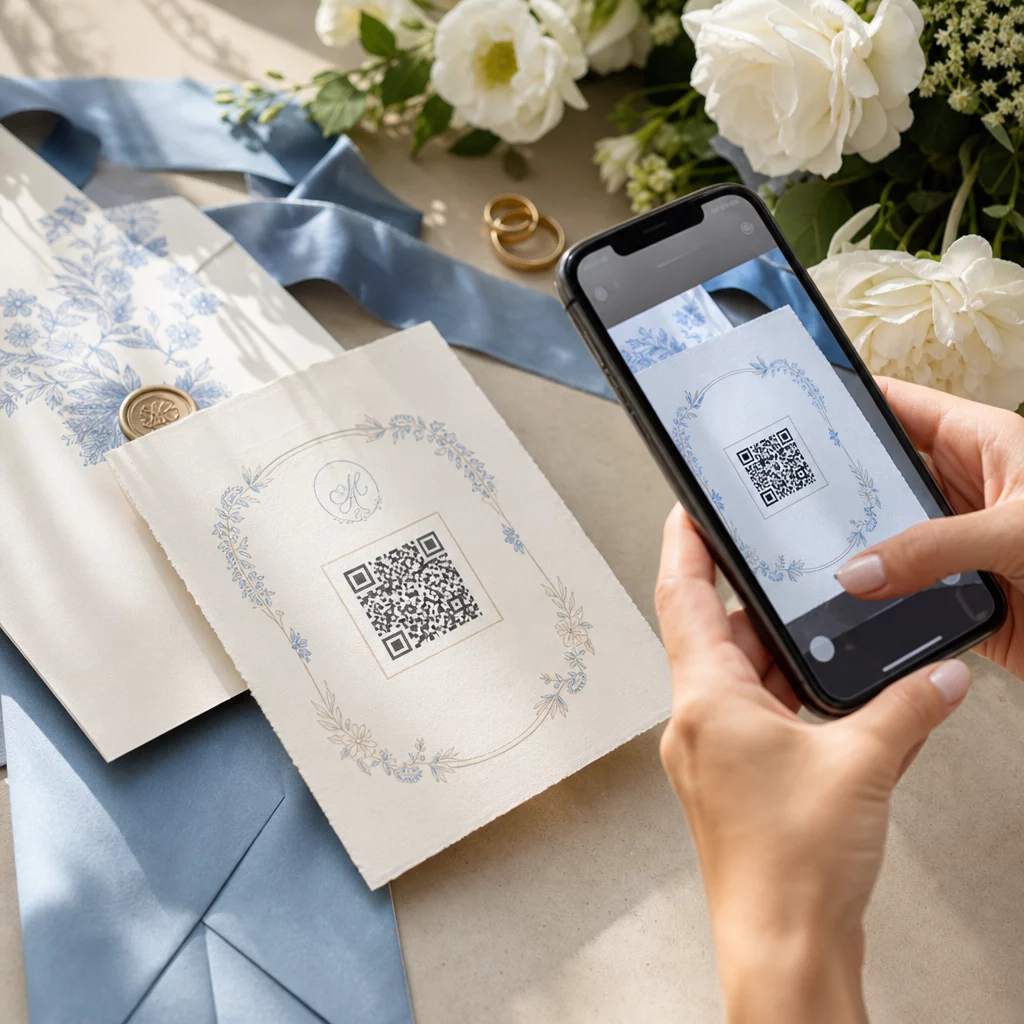
Planificar una boda implica coordinar docenas de elementos móviles entre invitados, proveedores y lugares. Los códigos QR te ofrecen una forma sencilla de conectar toda esa información en un único punto de contacto escaneable, reduciendo el desperdicio de papel, acortando el tiempo de coordinación y haciendo que el día sea más fluido para todos los involucrados.
Por qué los códigos QR funcionan bien en las bodas
Con una boda promedio en EE. UU. que acoge a unos 116 invitados, mantener a todos informados y en sintonía es un verdadero desafío logístico. Los materiales impresos físicos se pierden, quedan obsoletos y cuestan dinero de reproducir. Los códigos QR resuelven los tres problemas a la vez.
Un solo código puede enlazar a los invitados a tu sitio web de bodas, formulario de confirmación de asistencia, indicaciones del lugar o galería de fotos, y porque códigos QR dinámicos te permiten actualizar la URL de destino sin reimprimir, puedes hacer cambios de última hora hasta el mismo día. Esa flexibilidad por sí sola hace que valga la pena considerarlos para cualquier pareja que gestione una lista de invitados compleja.
La curva de adopción tampoco es ya un obstáculo. Se estima que 99.5 millones de personas en EE. UU. escanearán códigos QR en 2025, y la gran mayoría de los teléfonos inteligentes pueden hacerlo de forma nativa con la aplicación de la cámara, sin necesidad de una aplicación adicional.
Crea tu código QR de boda ¿Listo para empezar? Usa el Generador de códigos QR para crear códigos QR de boda personalizables y dinámicos que puedes actualizar en cualquier momento.
Cómo generar códigos QR de boda
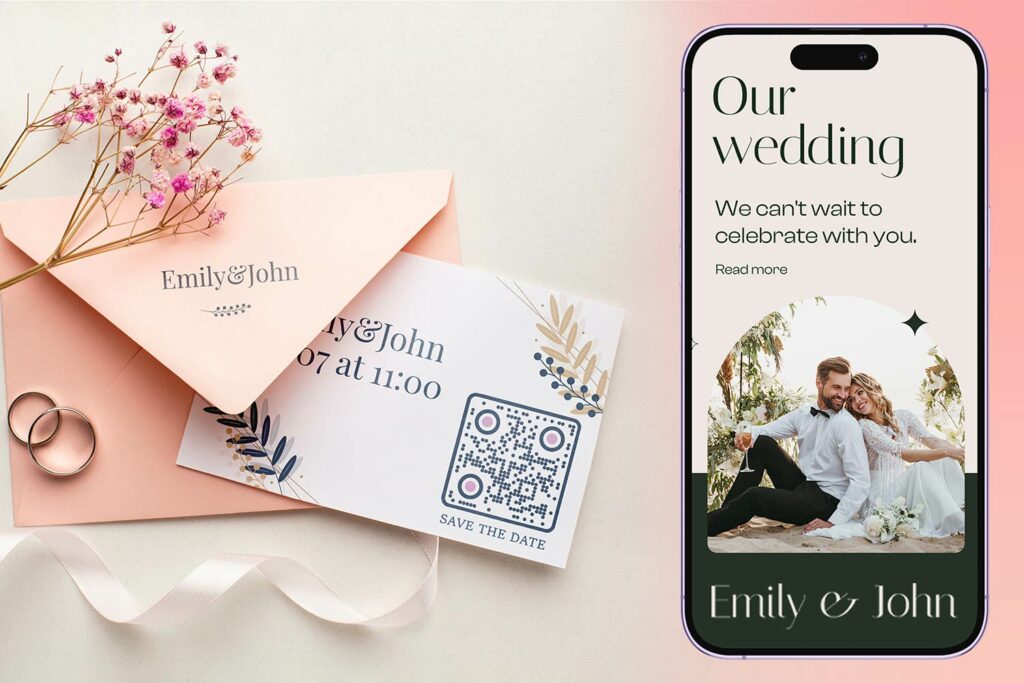
Crear un código QR de boda lleva solo unos minutos. Este es el proceso básico:
- Elige tu tipo de código QR. Diferentes casos de uso requieren diferentes tipos de código – un Generador de códigos QR de enlace funciona para sitios web de bodas y álbumes de fotos, mientras que el Generador de códigos QR para eventos es ideal para guardar la fecha y entradas de calendario.
- Introduce tu contenido. Añade la URL, el enlace del formulario, el PDF o los detalles del evento a los que quieres que los invitados accedan cuando escaneen.
- Personalice el diseño. Coincide los colores y el estilo del código QR con la estética de tu boda – añade tu monograma o iniciales como logotipo, elige una paleta de colores que se adapte a tu tema y selecciona una forma de marco que funcione con el diseño de tu papelería.
- Prueba antes de imprimir. Escanea el código final en múltiples dispositivos bajo condiciones de iluminación realistas antes de comprometerte con tiradas de impresión. Para obtener orientación sobre el tamaño en diferentes materiales impresos, consulta dimensionamiento de códigos QR para diferentes materiales de impresión.
- Descarga y distribuye. Descarga en un formato de alta resolución (SVG o PDF) para una impresión limpia en invitaciones, programas, menús y señalización.
Mantén los detalles principales visibles en todos los materiales impresos. La hora, la fecha y el lugar siempre deben aparecer en texto sin formato. Utiliza códigos QR para añadir contenido suplementario, no para reemplazar lo esencial que los invitados necesitan ver de un vistazo.
Dónde Usar Códigos QR para Bodas
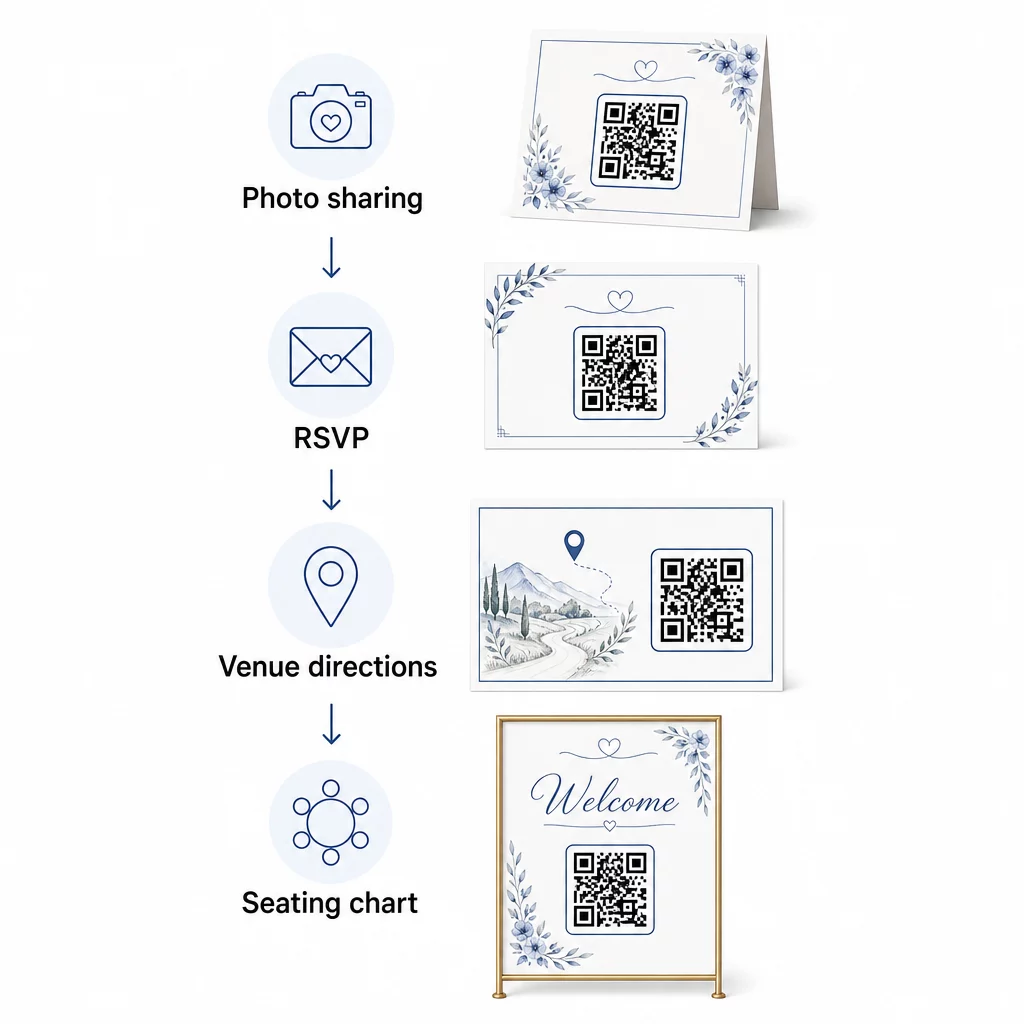
📷 Photo Sharing
Uno de los usos más populares de los códigos QR para bodas es el intercambio colaborativo de fotos. Coloca un código QR en los centros de mesa o en el bar que enlace a un álbum compartido donde los invitados puedan ver fotos profesionales y subir sus propias fotos espontáneas. Enlazar a un álbum compartido de Google Fotos o a una carpeta de Dropbox permite contribuciones en tiempo real durante todo el evento. El de Pageloot función de carga de archivos facilita alojar y compartir galerías de imágenes directamente a través de un código QR.
💌 RSVPs
Un código QR en tu "save-the-date" o invitación que enlace directamente a un formulario de RSVP elimina la fricción del proceso de respuesta. Los invitados escanean, rellenan un breve formulario y envían – no se necesita sobre. Usa el Generador de código QR para Google Forms para conectar tu invitación directamente a un formulario de Google que recopile preferencias de comida, restricciones dietéticas y solicitudes de canciones junto con la confirmación de asistencia. Para una guía completa, consulta la guía sobre Cómo crear códigos QR de RSVP para eventos.
📍 Venue Directions
Elimina el ir y venir de los invitados preguntando por direcciones o instrucciones de estacionamiento. Un código QR de ubicación en tu invitación o tarjeta de direcciones abre tu lugar directamente en Google Maps con un solo escaneo. El Generador de código QR de Google Maps te permite crear un código que dirige a los invitados a la ubicación exacta, incluyendo áreas de estacionamiento o lugares separados para la ceremonia y la recepción.
🗓️ Save-the-Dates and Event Details
En lugar de una simple tarjeta de guardar la fecha, enlaza a una página completa del evento que contenga los horarios de la ceremonia y la recepción, sugerencias de alojamiento, código de vestimenta y un enlace a tu sitio web de bodas. El Generador de códigos QR para eventos te permite construir una página de destino de marca con todos los detalles del evento, y el Generador de código QR de Google Calendar permite a los invitados añadir la fecha a su calendario con un solo toque.
🪑 Tabla de asientos digital
Coloca un único código QR en la entrada del lugar que enlace a un plano de asientos digital. Los invitados escanean al llegar y ven instantáneamente su asignación de mesa, sin necesidad de un tablero impreso. Este enfoque también facilita la gestión de cambios de asiento de última hora, ya que actualizas la página enlazada en lugar de reimprimir la señalización física.
📜 Wedding Programs
Un código QR que reemplace el programa impreso de la ceremonia reduce los costos de papel y permite actualizaciones hasta el momento en que comienza la ceremonia. Enlaza a un programa en PDF usando el Generador de código QR para PDF para que los invitados puedan seguirlo en sus teléfonos. Si las lecturas, la música o el orden de los eventos cambian, actualiza el PDF sin cambiar el código.
🍽️ Menús interactivos
Coloca códigos QR en cada mesa que enlacen al menú completo de la cena, incluyendo ingredientes e información sobre alérgenos. Para recepciones con estaciones de comida nocturna o menús de hora de cóctel, puedes actualizar el contenido enlazado durante toda la noche utilizando un código dinámico.
🎁 Wedding Favors
Adjunta una pequeña tarjeta con código QR a cada recuerdo que enlace a un mensaje de agradecimiento personalizado, un mensaje de video de la pareja o una lista de reproducción curada que los invitados puedan llevar a casa. Añade un toque personal sin aumentar el costo de los recuerdos físicos.
Ventajas e inconvenientes de los códigos QR para bodas
| Beneficios | Inconvenientes |
|---|---|
| Fácil acceso a la información sin folletos impresos | No todos los invitados pueden sentirse cómodos con los teléfonos inteligentes |
| Rentable – reduce la impresión de programas y menús | Requiere Wi-Fi o datos móviles en el lugar |
| Actualizaciones en tiempo real a través de códigos dinámicos | Necesita una ubicación y un tamaño cuidadosos para escanear de forma fiable |
| Interactivo y atractivo para los invitados | Algunos invitados mayores pueden necesitar instrucciones breves |
| Información centralizada en un solo código escaneable | Los códigos mal diseñados pueden ser difíciles de escanear con poca luz |
Para lugares con servicio de telefonía móvil poco fiable, considere proporcionar una copia de seguridad impresa para información crítica como planos de asientos e indicaciones.
Diseño de códigos QR que se adapten a la estética de tu boda
Un código QR simple en blanco y negro no tiene por qué desentonar con una papelería elegante. La mayoría de los generadores de códigos QR, incluido Pageloot, te permiten personalizar colores, añadir un monograma o logotipo en el centro, elegir formas de marco y combinar el diseño con tu conjunto de invitaciones.
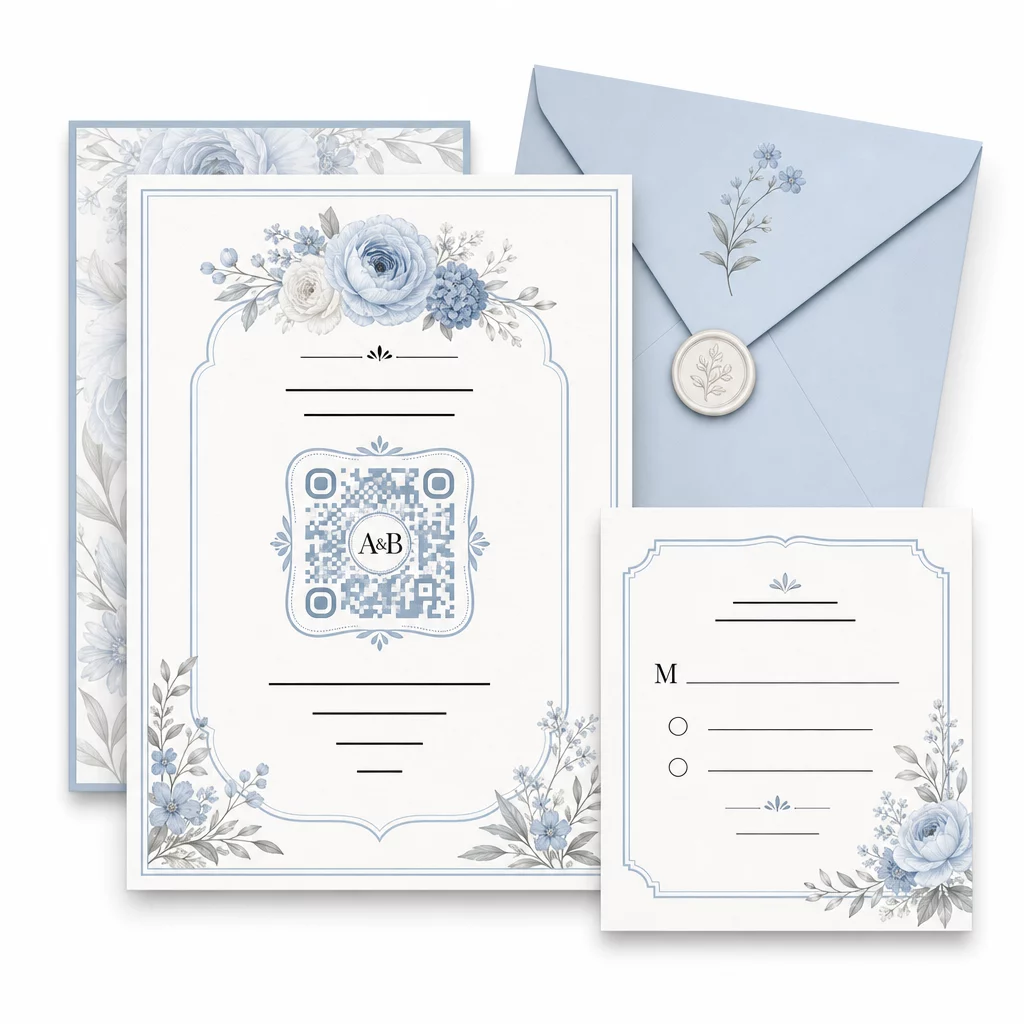
Algunas pautas prácticas para mantener la escaneabilidad intacta al personalizar:
- Mantén el color del primer plano al menos un 40% más oscuro que el fondo
- Evita colocar el código en papel estampado o texturizado que pueda oscurecer los módulos
- Mantén una zona tranquila clara (el borde blanco) alrededor del código
- Imprime con un mínimo de 0.8 × 0.8 pulgadas para invitaciones; más grande para señalización
Para un desglose completo de las mejores prácticas de diseño, consulta las mejores prácticas para la legibilidad de los códigos QR.
Uso de códigos QR dinámicos para la flexibilidad de la boda
Las bodas implican cambios constantes de última hora: los proveedores actualizan los menús, los horarios de la ceremonia cambian y la disposición del lugar se ajusta. Códigos QR dinámicos le permiten actualizar la URL de destino en cualquier momento, incluso después de que las invitaciones hayan sido enviadas por correo o los programas impresos. El código en sí permanece igual; solo cambia el contenido al que apunta.
Esto significa que puede:
- Actualizar el plano de asientos la mañana de la boda sin reimprimir la señalización
- Cambiar un programa en PDF para reflejar un cambio de orador de última hora
- Añadir enlaces a la galería de fotos post-boda al mismo código ya distribuido en las etiquetas de los recuerdos
Los códigos dinámicos también proporcionan análisis de escaneo: puede ver cuántos invitados escanearon su código RSVP, cuándo y en qué dispositivo. Esos datos son útiles para planificar comunicaciones de seguimiento y comprender la participación de los invitados. Obtenga más información sobre seguimiento del rendimiento de los códigos QR para eventos.
Mantenga los detalles de su boda actualizados Utilice códigos QR dinámicos para actualizar las indicaciones del lugar, los planos de asientos o los menús en tiempo real, sin necesidad de reimprimir, incluso después de enviar las invitaciones.
Creación de una invitación de boda digital con un código QR
Si desea que sus invitaciones sean completamente digitales, incrustar un código QR en una invitación digital diseñada es sencillo. El código puede vincularse directamente a su formulario RSVP, sitio web de la boda o página de destino del evento, automatizando el seguimiento de respuestas y brindando a los invitados todo lo que necesitan en un solo lugar. Para una guía paso a paso, consulte la guía sobre Invitación de boda digital con código QR: cómo crearla.
Los códigos QR funcionan igualmente bien en invitaciones impresas y digitales, por lo que puede usar el mismo código en ambos formatos sin duplicar esfuerzos. Ya sea que esté coordinando confirmaciones de asistencia, compartiendo fotos o guiando a los invitados a sus asientos, los códigos QR le brindan una solución práctica, actualizable y amigable para los invitados para el lado logístico de su boda. Comience con uno o dos casos de uso de alto impacto (las confirmaciones de asistencia y las indicaciones del lugar tienden a ofrecer el valor más inmediato) y expanda a partir de ahí según lo que se adapte a su evento.
Cree sus códigos QR de boda Cree códigos QR de boda personalizables y dinámicos con el Generador de códigos QR de Pageloot – de inicio gratuito, con una prueba de 14 días para acceder a análisis y funciones de edición.
Preguntas frecuentes
Sí, pero solo si usas un código QR dinámico. Los códigos dinámicos usan un servidor de redirección, por lo que puedes cambiar la URL de destino – actualizando tu plano de asientos, menú o detalles del evento – sin crear un nuevo código o reimprimir materiales.
No. Cualquier smartphone con cámara que ejecute un sistema operativo razonablemente actual (iOS 11+ o Android 8+) puede escanear un código QR directamente a través de la aplicación de cámara nativa. Para los invitados menos familiarizados, colocar una breve nota de “Escanear con la cámara de su teléfono” junto al código suele ser suficiente orientación.
Para invitaciones y programas impresos, busca un mínimo de 0.8 × 0.8 pulgadas (20 × 20 mm). Para la señalización del lugar y las pantallas de planos de asientos que los invitados escanearán desde unos pocos pies de distancia, escala proporcionalmente – aproximadamente 1 cm de tamaño de código por cada 10 cm de distancia de escaneo esperada. Siempre prueba en el material impreso real antes de la tirada de impresión completa.