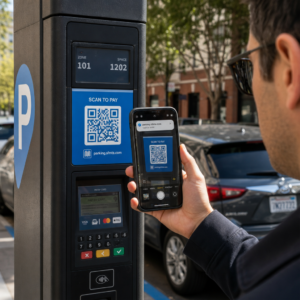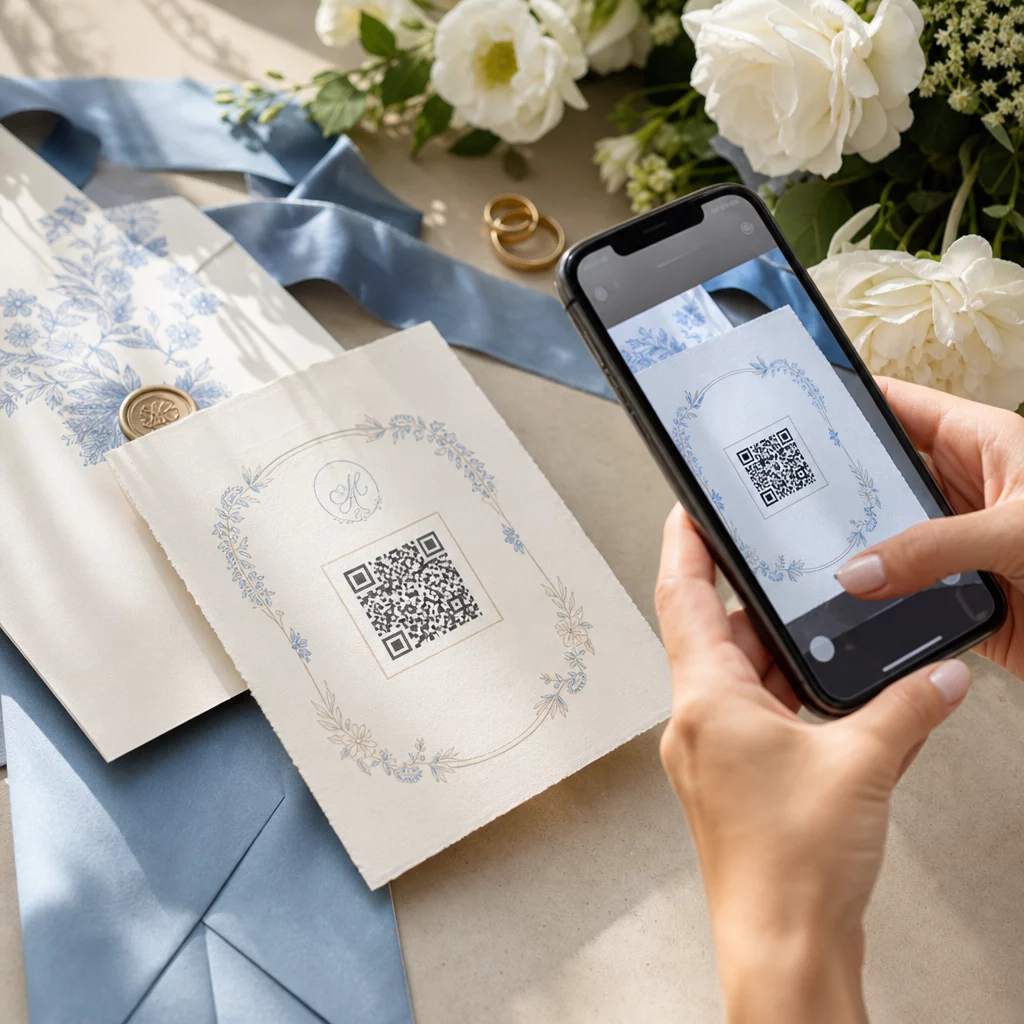
תכנון חתונה כרוך בתיאום עשרות חלקים נעים בין אורחים, ספקים ומקומות אירועים. קודי QR מספקים דרך פשוטה לחבר את כל המידע הזה בנקודת מגע אחת הניתנת לסריקה – הפחתת בזבוז נייר, קיצור זמן התיאום והפיכת היום לחלק יותר עבור כל המעורבים.
למה קודי QR עובדים טוב בחתונות
עם חתונה ממוצעת בארה"ב המארחת כ-116 אורחים, שמירה על כולם מעודכנים ומתואמים היא אתגר לוגיסטי אמיתי. חומרים מודפסים פיזיים הולכים לאיבוד, מתיישנים ועולים כסף לשכפול. קודי QR פותרים את כל שלוש הבעיות בבת אחת.
קוד יחיד יכול לקשר אורחים לאתר החתונה שלכם, לטופס אישורי הגעה, להוראות הגעה למקום האירוע, או לגלריית תמונות – ומכיוון ש קודי QR דינמיים מאפשרים לכם לעדכן את כתובת ה-URL של היעד מבלי להדפיס מחדש, אתם יכולים לבצע שינויים של הרגע האחרון ממש עד ליום האירוע עצמו. גמישות זו לבדה הופכת אותם לשווים התייחסות עבור כל זוג המנהל רשימת אורחים מורכבת.
עקומת האימוץ אינה מהווה עוד מכשול. כ-99.5 מיליון אנשים בארה"ב צפויים לסרוק קודי QR בשנת 2025, והרוב המכריע של הסמארטפונים יכולים לעשות זאת באופן מובנה עם אפליקציית המצלמה – ללא צורך באפליקציה נוספת.
צרו את קוד ה-QR לחתונה שלכם מוכנים להתחיל? השתמשו ב- מחולל קודי QR כדי לבנות קודי QR לחתונה הניתנים להתאמה אישית ודינמיים שתוכלו לעדכן בכל עת.
איך ליצור קודי QR לחתונה
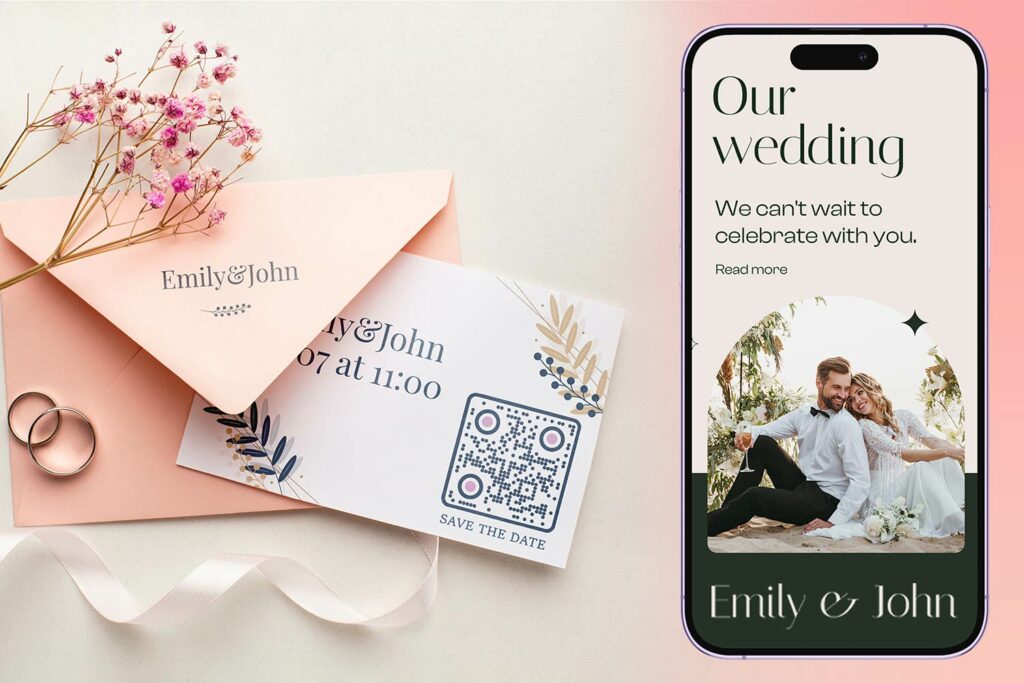
יצירת קוד QR לחתונה אורכת דקות ספורות בלבד. הנה התהליך הבסיסי:
- בחרו את סוג קוד ה-QR שלכם. מקרי שימוש שונים דורשים סוגי קוד שונים – מחולל קודי QR לקישורים מתאים לאתרי חתונה ואלבומי תמונות, בעוד ש- מחולל קוד QR לאירועים אידיאלי עבור "שמרו את התאריך" ורשומות יומן.
- הזן את התוכן שלך. הוסיפו את כתובת ה-URL, קישור לטופס, קובץ PDF או פרטי האירוע שאתם רוצים שהאורחים יקבלו גישה אליהם כשיסרקו.
- התאימו אישית את העיצוב. התאימו את צבעי וסגנון קוד ה-QR לאסתטיקת החתונה שלכם – הוסיפו את המונוגרמה או ראשי התיבות שלכם כלוגו, בחרו פלטת צבעים המתאימה לנושא שלכם, ובחרו צורת מסגרת המתאימה לפריסת כלי הכתיבה שלכם.
- בדקו לפני ההדפסה. סרקו את הקוד המוגמר במספר מכשירים בתנאי תאורה מציאותיים לפני התחייבות להדפסות. להנחיות גודל על פני חומרי הדפסה שונים, ראו גודל קוד QR עבור חומרי הדפסה שונים.
- הורידו והפיצו. הורידו בפורמט ברזולוציה גבוהה (SVG או PDF) להדפסה נקייה על הזמנות, תוכניות, תפריטים ושילוט.
שמרו על פרטים עיקריים גלויים בכל חומרי ההדפסה. שעה, תאריך ומקום צריכים תמיד להופיע בטקסט רגיל. השתמשו בקודי QR כדי להוסיף תוכן משלים – לא כדי להחליף את הפרטים החיוניים שהאורחים צריכים במבט חטוף.
היכן להשתמש בקודי QR לחתונה
📷 Photo Sharing
אחד ממקרי השימוש הפופולריים ביותר בקודי QR לחתונה הוא שיתוף תמונות שיתופי. הניחו קוד QR על מרכזי שולחן או בבר המקשר לאלבום משותף שבו האורחים יכולים לצפות בתמונות מקצועיות ולהעלות את התמונות הספונטניות שלהם. קישור לאלבום Google Photos משותף או לתיקיית Dropbox מאפשר תרומות בזמן אמת לאורך כל האירוע. Pageloot’s תכונת העלאת קבצים מקל על אירוח ושיתוף גלריות תמונות ישירות באמצעות קוד QR.
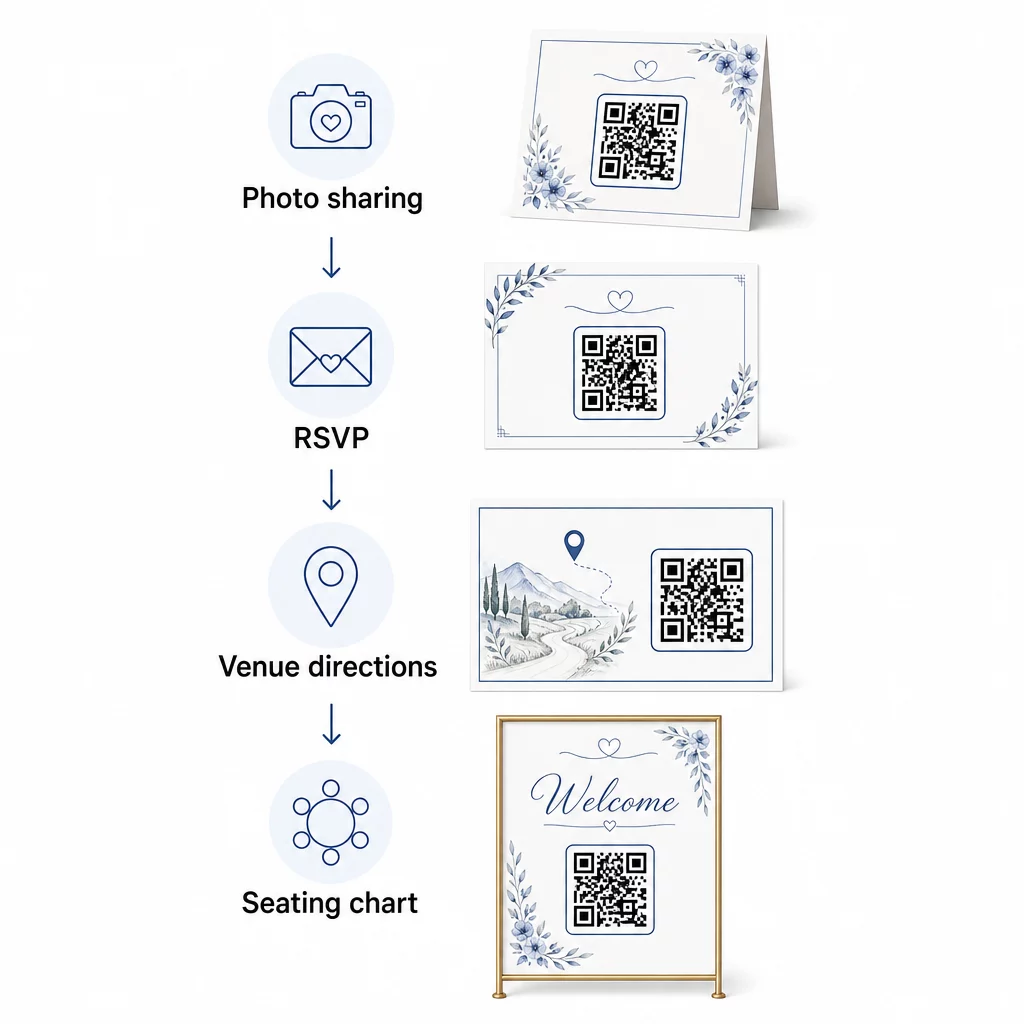
💌 RSVPs
קוד QR על כרטיס שמירת התאריך או ההזמנה שלכם המקשר ישירות לטופס אישור הגעה מסיר חיכוך מתהליך התגובה. האורחים סורקים, ממלאים טופס קצר ושולחים – אין צורך במעטפה. השתמשו ב- מחולל קוד QR של Google Form כדי לחבר את ההזמנה שלכם ישירות לטופס Google האוסף העדפות ארוחה, הגבלות תזונתיות ובקשות שירים לצד אישור הגעה. למדריך מלא, ראו את המדריך בנושא כיצד ליצור קודי QR לאישור הגעה לאירועים.
📍 Venue Directions
בטלו את הלוך ושוב של אורחים המבקשים הוראות הגעה או הוראות חניה. קוד QR של מיקום על ההזמנה או כרטיס ההוראות שלכם פותח את המקום שלכם ישירות במפות Google בסריקה אחת. ה- מחולל קוד QR של מפות גוגל מאפשר לך ליצור קוד שמנתב אורחים למיקום המדויק – כולל אזורי חניה או מקומות נפרדים לטקס ולקבלת פנים.
🗓️ Save-the-Dates and Event Details
במקום כרטיס פשוט של שמרו תאריך, קשרו לדף אירוע מלא המכיל זמני טקס וקבלת פנים, הצעות לינה, קוד לבוש, וקישור לאתר החתונה שלכם. ה מחולל קוד QR לאירועים מאפשר לך לבנות דף נחיתה ממותג עם כל פרטי האירוע, וה מחולל קוד QR של יומן Google מאפשר לאורחים להוסיף את התאריך ליומן שלהם בלחיצה אחת.
🪑 טבלאות ישיבה דיגיטליות
הציבו קוד QR יחיד בכניסה למקום האירוע המקשר לתרשים ישיבה דיגיטלי. האורחים סורקים עם הגעתם ורואים מיד את הקצאת השולחן שלהם – אין צורך בלוח מודפס. גישה זו גם הופכת שינויים של הרגע האחרון בסידורי הישיבה לקלים לניהול, מכיוון שאתם מעדכנים את הדף המקושר במקום להדפיס מחדש שילוט פיזי.
📜 Wedding Programs
קוד QR המחליף את תוכנית הטקס המודפסת מפחית עלויות נייר ומאפשר עדכונים ממש עד תחילת הטקס. קשרו לתוכנית PDF באמצעות ה מחולל קוד QR של PDF כך שהאורחים יוכלו לעקוב אחריו בטלפונים שלהם. אם קריאות, מוזיקה או סדר האירועים משתנים, עדכנו את קובץ ה-PDF מבלי לשנות את הקוד.
🍽️ תפריטים אינטראקטיביים
הציבו קודי QR בכל סידור שולחן המקשרים לתפריט ארוחת הערב המלא, כולל רכיבים ומידע על אלרגנים. לקבלות פנים עם עמדות אוכל ליליות או תפריטי שעת קוקטייל, תוכלו לעדכן את התוכן המקושר לאורך כל הערב באמצעות קוד דינמי.
🎁 Wedding Favors
צרפו כרטיס קוד QR קטן לכל מתנה המקשר להודעת תודה אישית, הודעת וידאו מהזוג, או רשימת השמעה אוצרת שאורחים יכולים לקחת הביתה. זה מוסיף נגיעה אישית מבלי להגדיל את עלות המתנות הפיזיות.
יתרונות וחסרונות של קודי QR לחתונה
| הטבות | חסרונות |
|---|---|
| גישה קלה למידע ללא חומרים מודפסים | לא כל האורחים עשויים להרגיש בנוח עם סמארטפונים |
| חסכוני – מפחית הדפסה לתוכניות ותפריטים | דורש Wi-Fi או נתונים סלולריים במקום האירוע |
| עדכונים בזמן אמת באמצעות קודים דינמיים | דורש מיקום וגודל מחושבים כדי לסרוק באופן אמין |
| אינטראקטיבי ומרתק עבור האורחים | חלק מהאורחים המבוגרים עשויים להזדקק להוראות קצרות |
| מידע מרכזי בקוד אחד הניתן לסריקה | קודים מעוצבים בצורה גרועה יכולים להיות קשים לסריקה בתאורה נמוכה |
עבור מקומות אירועים עם קליטה סלולרית לא אמינה, שקלו לספק גיבוי מודפס למידע קריטי כמו מפות ישיבה והוראות הגעה.
עיצוב קודי QR שמתאימים לאסתטיקת החתונה שלכם
קוד QR פשוט בשחור-לבן לא חייב להתנגש עם נייר מכתבים אלגנטי. רוב מחוללי קודי ה-QR – כולל Pageloot – מאפשרים לכם להתאים אישית צבעים, להוסיף מונוגרמה או לוגו למרכז, לבחור צורות מסגרת, ולהתאים את העיצוב לחבילת ההזמנות שלכם.
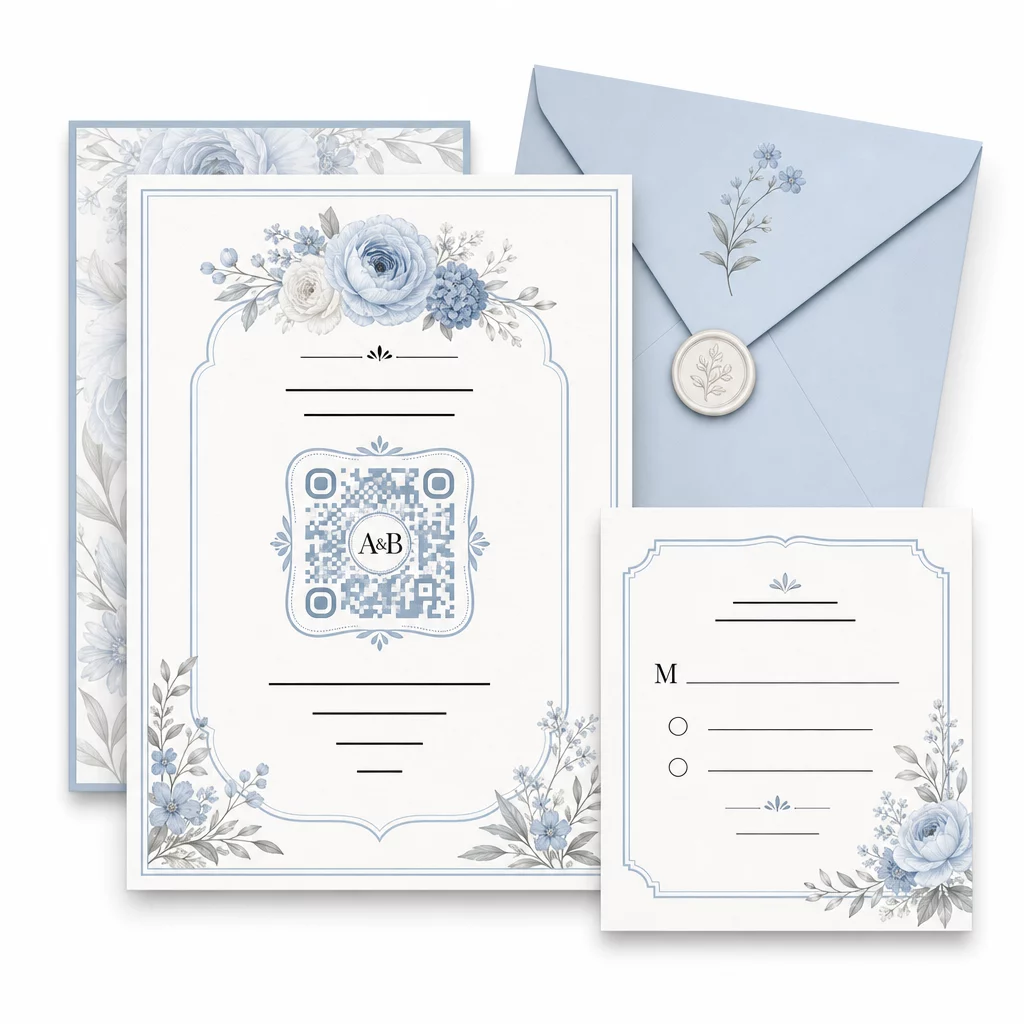
כמה הנחיות מעשיות לשמירה על יכולת הסריקה בעת התאמה אישית:
- שמרו על צבע חזית כהה לפחות ב-40% מצבע הרקע
- הימנעו מהצבת הקוד על נייר עם דוגמאות או טקסטורות שעלולות לטשטש את המודולים
- שמרו על אזור שקט ברור (הגבול הלבן) סביב הקוד
- הדפיסו במינימום 0.8 × 0.8 אינץ' להזמנות; גדול יותר לשילוט
לפירוט מלא של שיטות העיצוב המומלצות, ראו שיטות עבודה מומלצות לקריאות קודי QR.
שימוש בקודי QR דינמיים לגמישות בחתונה
חתונות כרוכות בשינויים מתמידים של הרגע האחרון – קייטרינג מעדכנים תפריטים, זמני טקסים משתנים, וסידורי מקום מתכווננים. קודי QR דינמיים מאפשרים לך לעדכן את כתובת ה-URL היעד בכל עת, גם לאחר שההזמנות נשלחו בדואר או התוכניות הודפסו. הקוד עצמו נשאר זהה; רק התוכן שאליו הוא מפנה משתנה.
משמעות הדבר היא שאתה יכול:
- לעדכן את סידור הישיבה בבוקר החתונה ללא צורך בהדפסה מחדש של השילוט
- להחליף תוכנית PDF כדי לשקף שינוי של הרגע האחרון בדובר
- להוסיף קישורים לגלריית תמונות לאחר החתונה לאותו קוד שכבר הופץ על תגיות מתנות
קודים דינמיים מספקים גם ניתוח סריקות – אתה יכול לראות כמה אורחים סרקו את קוד ה-RSVP שלך, מתי, ובאיזה מכשיר. נתונים אלה שימושיים לתכנון תקשורת מעקב ולהבנת מעורבות האורחים. למד עוד על מעקב אחר ביצועי קודי QR לאירועים.
שמור על פרטי החתונה שלך מעודכנים להשתמש קודי QR דינמיים לעדכן הנחיות הגעה למקום, סידורי ישיבה או תפריטים בזמן אמת – ללא צורך בהדפסה מחדש, גם לאחר שליחת ההזמנות.
יצירת הזמנה דיגיטלית לחתונה עם קוד QR
אם ברצונך לעבור לדיגיטל מלא עם ההזמנות שלך, הטמעת קוד QR בהזמנה דיגיטלית מעוצבת היא פשוטה. הקוד יכול לקשר ישירות לטופס ה-RSVP שלך, לאתר החתונה או לדף נחיתה של האירוע – מה שמייצר אוטומציה למעקב אחר תגובות ומספק לאורחים את כל מה שהם צריכים במקום אחד. למדריך שלב אחר שלב, עיין במדריך בנושא איך ליצור הזמנה דיגיטלית לחתונה עם קוד QR.
קודי QR עובדים באותה מידה טוב על הזמנות מודפסות ודיגיטליות, כך שתוכל להשתמש באותו קוד בשני הפורמטים ללא כפילות מאמץ. בין אם אתה מתאם אישורי הגעה, משתף תמונות או מכוון אורחים למקומותיהם, קודי QR מספקים לך פתרון פרקטי, ניתן לעדכון וידידותי לאורחים לצד הלוגיסטי של חתונתך. התחל עם מקרה שימוש אחד או שניים בעלי השפעה גבוהה – אישורי הגעה והנחיות הגעה למקום נוטים לספק את הערך המיידי ביותר – והרחב משם בהתאם למה שמתאים לאירוע שלך.
בנה את קודי ה-QR לחתונה שלך צור קודי QR לחתונה הניתנים להתאמה אישית ודינמיים עם ה- מחולל קוד QR של Pageloot – חינם להתחלה, עם ניסיון ל-14 יום כדי לגשת לאנליטיקה ותכונות עריכה.
שאלות נפוצות
כן, אבל רק אם אתה משתמש בקוד QR דינמי. קודים דינמיים משתמשים בשרת הפניה מחדש, כך שתוכל לשנות את כתובת ה-URL של היעד – לעדכן את מפת הישיבה, התפריט או פרטי האירוע שלך – מבלי ליצור קוד חדש או להדפיס מחדש חומרים.
לא. כל סמארטפון עם מצלמה המריץ מערכת הפעלה עדכנית באופן סביר (iOS 11+ או אנדרואיד 8+) יכול לסרוק קוד QR ישירות דרך אפליקציית המצלמה המובנית. לאורחים שפחות מכירים, הצבת פתק קצר “סרוק עם מצלמת הטלפון שלך” ליד הקוד היא בדרך כלל מספיק הנחיה.
להזמנות ותוכניות מודפסות, כוונו למינימום של 0.8 × 0.8 אינץ' (20 × 20 מ"מ). לשילוט במקום האירוע ותצוגות מפת ישיבה שאורחים יסרקו ממרחק של כמה מטרים, הגדילו באופן פרופורציונלי – בערך 1 ס"מ של גודל קוד לכל 10 ס"מ של מרחק סריקה צפוי. בחנו תמיד על החומר המודפס בפועל לפני ההדפסה המלאה.