> 산업 > QR Codes for Weddings: A Practical Guide
Wedding QR code

QR Codes for Weddings: A Practical Guide

Streamline wedding planning with QR codes for RSVPs, photo sharing, and directions. Create custom, dynamic codes to keep your guests informed and organized.
Updated on 6월 11, 2026
목차

Planning a wedding involves coordinating dozens of moving parts across guests, vendors, and venues. QR codes give you a simple way to connect all of that information in one scannable touchpoint – reducing paper waste, cutting coordination time, and making the day smoother for everyone involved.

Why QR Codes Work Well at Weddings

With an average U.S. wedding hosting around 116 guests, keeping everyone informed and on the same page is a real logistical challenge. Physical printed materials get lost, become outdated, and cost money to reproduce. QR codes solve all three problems at once.

A single code can link guests to your wedding website, RSVP form, venue directions, or photo gallery – and because 동적 QR 코드 let you update the destination URL without reprinting, you can make last-minute changes right up to the day itself. That flexibility alone makes them worth considering for any couple managing a complex guest list.

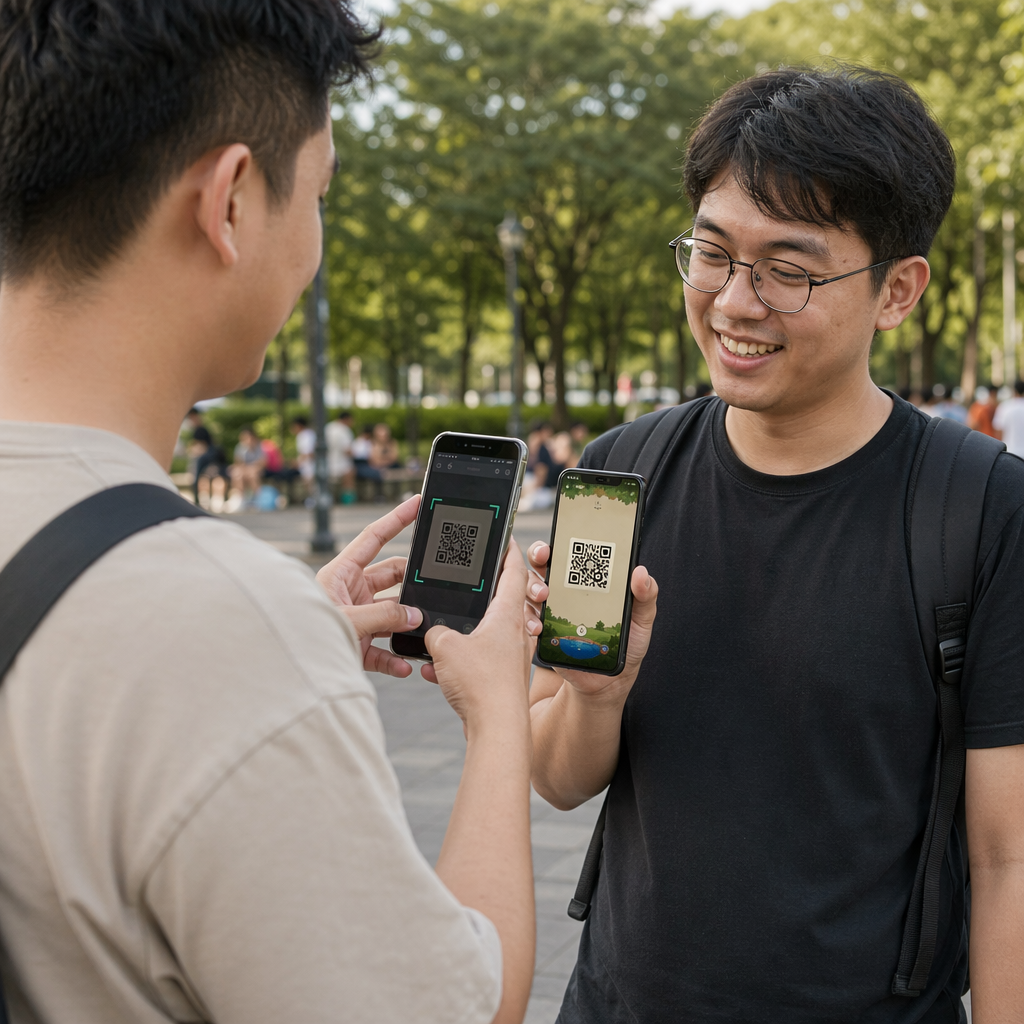
The adoption curve is no longer an obstacle either. An estimated 99.5 million people in the U.S. are expected to scan QR codes in 2025, and the vast majority of smartphones can do it natively with the camera app – no additional app required.

Create Your Wedding QR Code Ready to get started? Use the QR 코드 생성기 to build customizable, dynamic wedding QR codes you can update at any time.

How to Generate Wedding QR Codes

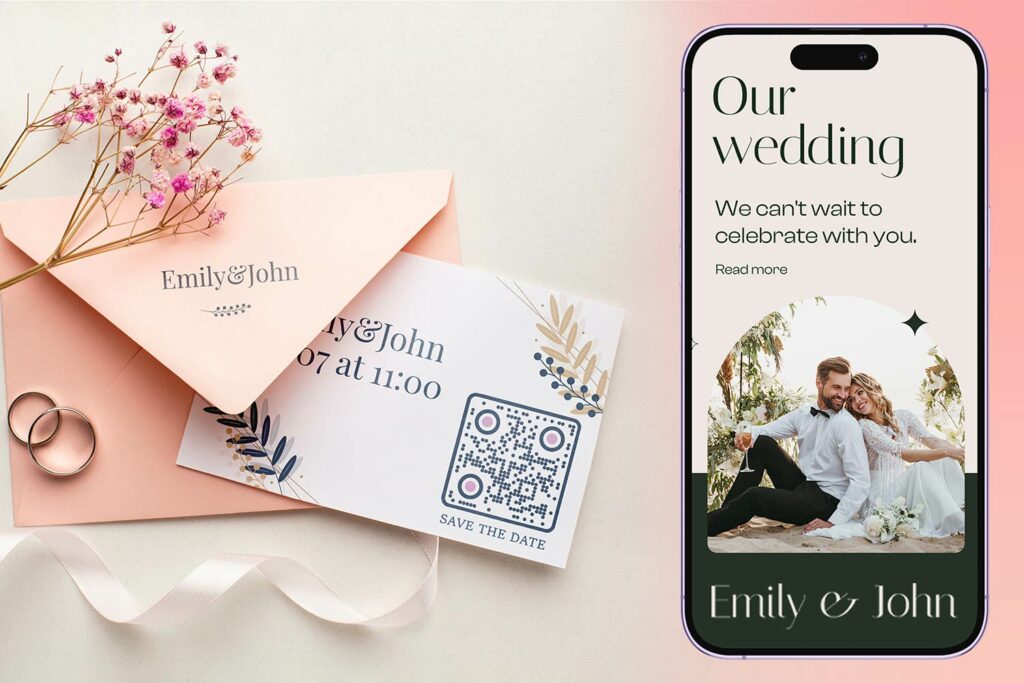
향상된 하객 경험을 위한 QR 코드가 포함된 우아한 웨딩 테이블 세팅

Creating a wedding QR code takes just a few minutes. Here is the basic process:

  • Choose your QR code type. Different use cases call for different code types – a 링크 QR 코드 생성기 works for wedding websites and photo albums, while the 이벤트 QR코드 생성기 is ideal for save-the-dates and calendar entries.
  • Enter your content. Add the URL, form link, PDF, or event details you want guests to access when they scan.
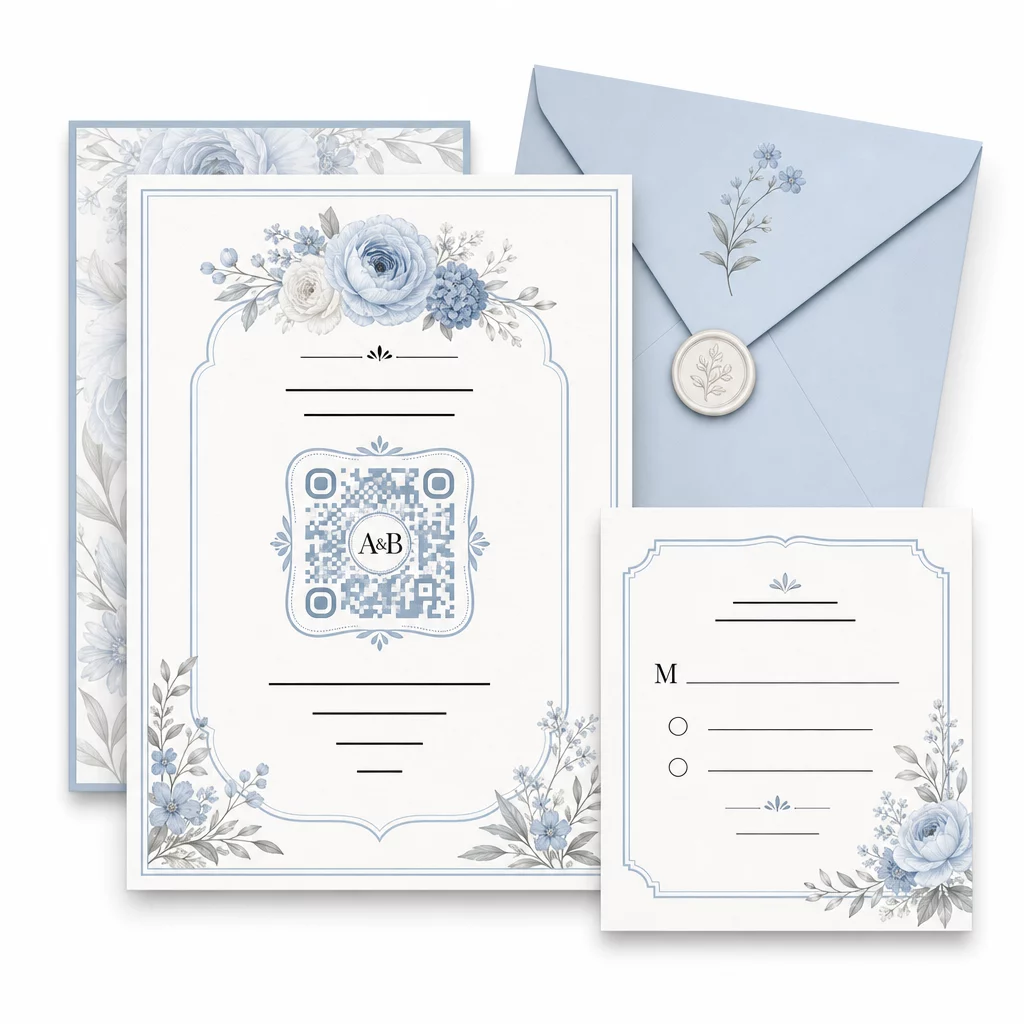
  • Customize the design. Match the QR code colors and style to your wedding aesthetic – add your monogram or initials as a logo, choose a color palette that fits your theme, and select a frame shape that works with your stationery layout.
  • Test before printing. Scan the finished code on multiple devices under realistic lighting conditions before committing to print runs. For sizing guidance across different print materials, see 다양한 인쇄 재료에 대한 QR 코드 크기 조정.
  • Download and distribute. Download in a high-resolution format (SVG or PDF) for clean printing on invitations, programs, menus, and signage.

Keep primary details visible on all printed materials. Time, date, and venue should always appear in plain text. Use QR codes to layer in supplementary content – not to replace the essentials guests need at a glance.

Where to Use Wedding QR Codes

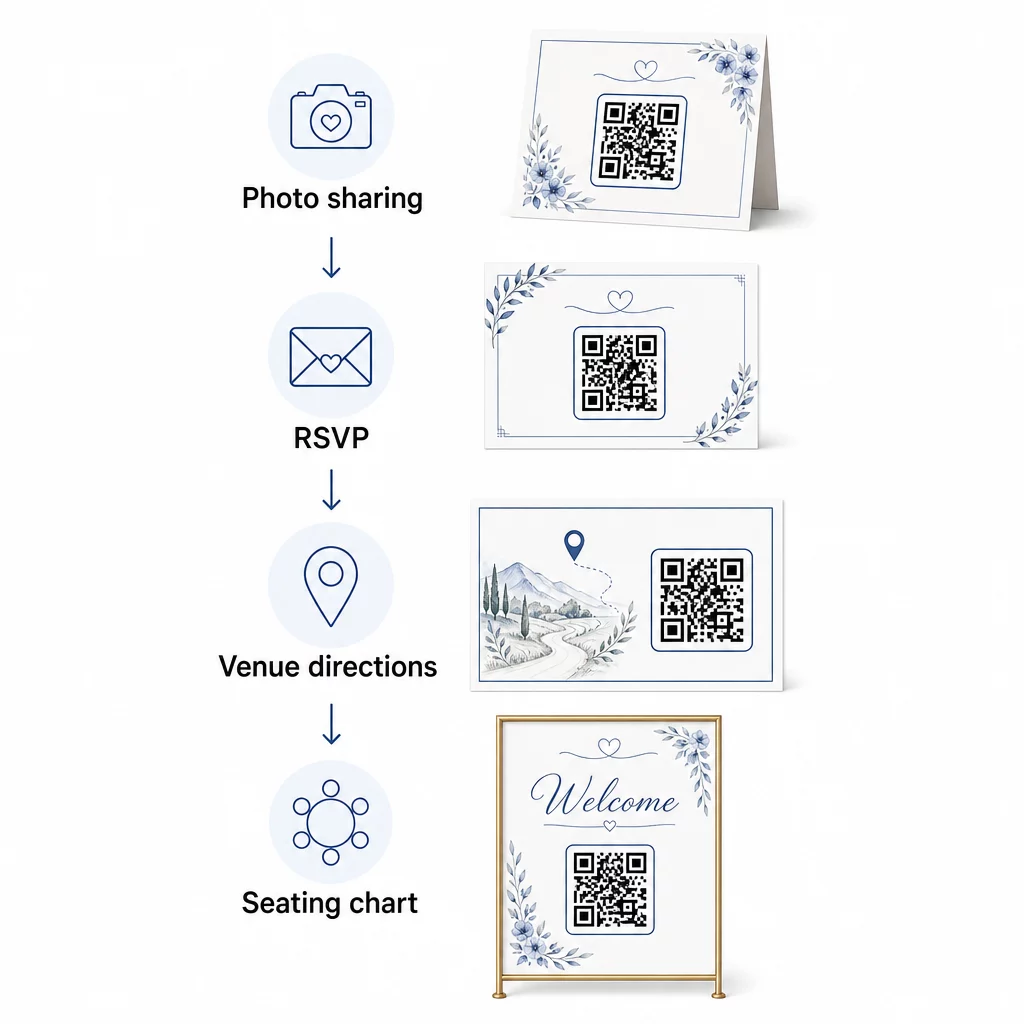
📷 Photo Sharing

One of the most popular wedding QR code use cases is collaborative photo sharing. Place a QR code on table centerpieces or at the bar linking to a shared album where guests can view professional photos and upload their own candid shots. Linking to a shared Google Photos album or Dropbox folder allows real-time contributions throughout the event. Pageloot’s file upload feature makes it easy to host and share image galleries directly through a QR code.

Wedding QR code uses

💌 RSVPs

A QR code on your save-the-date or invitation that links directly to an RSVP form removes friction from the response process. Guests scan, fill out a short form, and submit – no envelope required. Use the Google 양식 QR 코드 생성기 to connect your invitation directly to a Google Form collecting meal preferences, dietary restrictions, and song requests alongside attendance confirmation. For a full walkthrough, see the guide on 이벤트용 RSVP QR 코드 생성 방법.

📍 Venue Directions

Eliminate the back-and-forth of guests asking for directions or parking instructions. A location QR code on your invitation or directions card opens your venue directly in Google Maps with a single scan. The Google 지도 QR 코드 생성기 lets you create a code that routes guests to the exact location – including parking areas or separate ceremony and reception venues.

🗓️ Save-the-Dates and Event Details

Instead of a plain save-the-date card, link to a full event page containing ceremony and reception times, accommodation suggestions, dress code, and a link to your wedding website. The 이벤트 QR코드 생성기 lets you build a branded landing page with all event details, and the Google 캘린더 QR 코드 생성기 lets guests add the date to their calendar with one tap.

디지털 좌석 배치도

Post a single QR code at the venue entrance that links to a digital seating chart. Guests scan on arrival and instantly see their table assignment – no printed board required. This approach also makes last-minute seat changes easy to manage since you update the linked page rather than reprint physical signage.

📜 Wedding Programs

A QR code replacing the printed ceremony program reduces paper costs and allows updates right up until the ceremony begins. Link to a PDF program using the PDF QR 코드 생성기 so guests can follow along on their phones. If readings, music, or order of events changes, update the PDF without changing the code.

🍽️ 인터랙티브 메뉴

Place QR codes at each table setting linking to the full dinner menu, including ingredients and allergen information. For receptions with late-night food stations or cocktail-hour menus, you can update the linked content throughout the evening using a dynamic code.

🎁 Wedding Favors

Attach a small QR code card to each favor linking to a personalized thank-you message, a video message from the couple, or a curated playlist guests can take home. It adds a personal touch without increasing the cost of physical favors.

웨딩 QR 코드의 장단점

이익 Drawbacks
Easy access to info without printed handouts Not all guests may be comfortable with smartphones
Cost-effective – reduce printing for programs and menus Requires Wi-Fi or mobile data at the venue
Real-time updates via dynamic codes Needs thoughtful placement and sizing to scan reliably
Interactive and engaging for guests Some older guests may need brief instructions
Centralized information in one scannable code Poorly designed codes can be hard to scan in low light

For venues with unreliable cell service, consider providing a printed backup for critical information like seating charts and directions.

Designing QR Codes That Fit Your Wedding Aesthetic

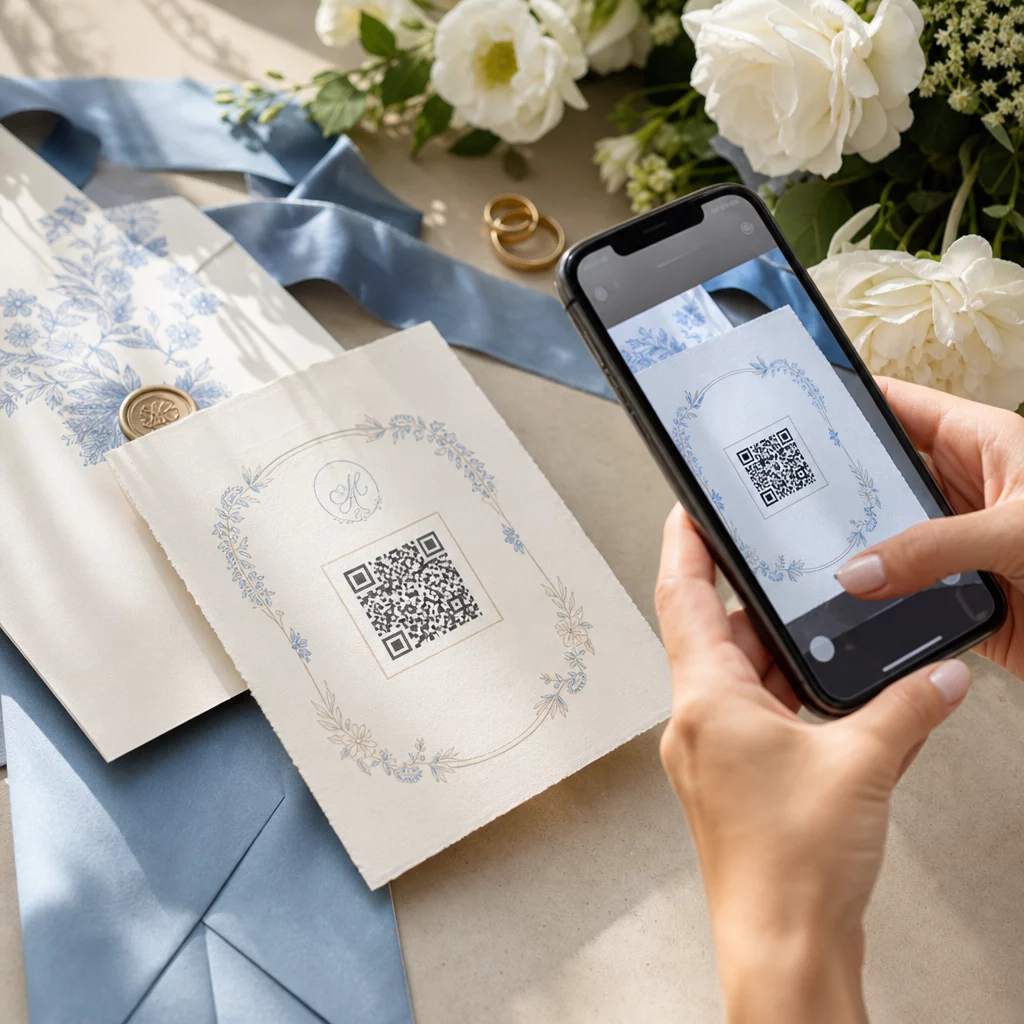
A plain black-and-white QR code doesn’t have to clash with elegant stationery. Most QR code generators – including Pageloot – let you customize colors, add a monogram or logo to the center, choose frame shapes, and match the design to your invitation suite.

Custom wedding QR code

A few practical guidelines to keep scannability intact while customizing:

  • Keep the foreground color at least 40% darker than the background
  • Avoid placing the code on patterned or textured paper that could obscure the modules
  • Maintain a clear quiet zone (the white border) around the code
  • Print at a minimum of 0.8 × 0.8 inches for invitations; larger for signage

For a full breakdown of design best practices, see QR 코드 가독성을 위한 모범 사례.

Using Dynamic QR Codes for Wedding Flexibility

Weddings involve constant last-minute changes – caterers update menus, ceremony times shift, and venue layouts get adjusted. 동적 QR 코드 let you update the destination URL at any point, even after invitations have been mailed or programs printed. The code itself stays the same; only the content it points to changes.

This means you can:

  • Update the seating chart the morning of the wedding without reprinting signage
  • Swap a PDF program to reflect a last-minute speaker change
  • Add post-wedding photo gallery links to the same code already distributed on favor tags

Dynamic codes also provide scan analytics – you can see how many guests scanned your RSVP code, when, and on which device. That data is useful for planning follow-up communications and understanding guest engagement. Learn more about tracking QR code performance for events.

Keep Your Wedding Details Up to Date 사용하다 동적 QR 코드 to update venue directions, seating charts, or menus in real time – no reprinting needed, even after invitations are sent.

Creating a Digital Wedding Invitation with a QR Code

If you want to go fully digital with your invitations, embedding a QR code into a designed digital invite is straightforward. The code can link directly to your RSVP form, wedding website, or event landing page – automating response tracking and giving guests everything they need in one place. For a step-by-step walkthrough, see the guide on how to create a digital wedding invitation with a QR code.

QR codes work equally well on printed and digital invitations, so you can use the same code across both formats without any duplication of effort. Whether you are coordinating RSVPs, sharing photos, or guiding guests to their seats, QR codes give you a practical, updatable, and guest-friendly solution for the logistical side of your wedding. Start with one or two high-impact use cases – RSVPs and venue directions tend to deliver the most immediate value – and expand from there based on what fits your event.

Build Your Wedding QR Codes Create customizable, dynamic wedding QR codes with the Pageloot QR 코드 생성기 – free to start, with a 14-day trial to access analytics and editing features.

자주 묻는 질문

Can I update a wedding QR code after it has been printed?

Yes, but only if you use a dynamic QR code. Dynamic codes use a redirect server, so you can change the destination URL – updating your seating chart, menu, or event details – without creating a new code or reprinting materials.

Do guests need a special app to scan wedding QR codes?

No. Any smartphone with a camera running a reasonably current operating system (iOS 11+ or Android 8+) can scan a QR code directly through the native camera app. For guests who are less familiar, placing a short “Scan with your phone camera” note next to the code is usually enough guidance.

How should I size QR codes on wedding invitations and signage?

For invitations and printed programs, aim for a minimum of 0.8 × 0.8 inches (20 × 20 mm). For venue signage and seating chart displays that guests will scan from a few feet away, scale up proportionally – roughly 1 cm of code size per 10 cm of expected scanning distance. Always test on the actual printed material before the full print run.

작성자 정보

시임 코스타비는 페이지루트의 콘텐츠 책임자입니다. 그는 페이지루트의 혁신적인 QR 코드 생성 서비스에 대한 글을 쓰고 있습니다. 5년 이상 QR 코드 분야에서 쌓아온 깊이 있는 전문 지식을 바탕으로, 시임은 이 분야의 전문가로 인정받고 있습니다. 그는 QR 기술을 활용하여 디지털 상호작용을 간소화하고 향상시키는 데 크게 기여하고 있습니다.

범주
에 대해 자세히 알아보기
✅ QR 코드를위한 #1 솔루션

온라인으로 QR 코드를 생성해야하는 경우 QR 코드 만들기 무료로 여기!
Pageloot는 #1 Go-To 솔루션 QR 코드를 만들고 스캔합니다.

QF-44

블로그 세대

20,000개 이상의 브랜드로부터 신뢰를 받아 더 많은 매출, 리뷰, 팔로워를 확보했습니다.

클라이언트 로고
최고 브랜드의 신뢰
5 중 4.8 평가

4.86 / 5 별점

휴고 로랑
휴고 로랑
레스토랑 주인
가장 쉽고 안정적인 QR 코드 생성기. PDF 파일을 즉시 업로드할 수 있습니다. 이제 레스토랑 메뉴가 디지털화되었습니다.
루카스 얀센
루카스 얀센
부동산 개발사
이것은 훌륭한 도구이며 QR 코드를 사용하면 원하는 곳으로 이동할 수 있습니다. 우리는 위치 QR 코드만 사용하지만 유용한 기능이 너무 많습니다.
엠마 모레티
엠마 모레티
소매 제품
사용하기 쉽고 빠릅니다. 그것은 훌륭하게 작동하고 완벽한 이미지를 생성하므로 직원들이 내 vCard를 다운로드할 수 있습니다.
휴고 로랑
휴고 로랑
레스토랑 주인
가장 쉽고 안정적인 QR 코드 생성기. PDF 파일을 즉시 업로드할 수 있습니다. 이제 레스토랑 메뉴가 디지털화되었습니다.
루카스 얀센
루카스 얀센
부동산 개발사
이것은 훌륭한 도구이며 QR 코드를 사용하면 원하는 곳으로 이동할 수 있습니다. 우리는 위치 QR 코드만 사용하지만 유용한 기능이 너무 많습니다.
엠마 모레티
엠마 모레티
소매 제품
사용하기 쉽고 빠릅니다. 그것은 훌륭하게 작동하고 완벽한 이미지를 생성하므로 직원들이 내 vCard를 다운로드할 수 있습니다.
더 많은 QR 코드보기
무엇이든 디지털 경험으로 전환하세요 3분 이내에.

14일 무료 체험.

신용카드는 필요 없습니다.

첫 구매 시 30% 할인

코드를 사용하세요:

MP3 파일 공유

PDF QR 코드를 생성하려면 가입하세요

필요한 모든 것을 업로드하고 표시합니다.

  • 오디오 파일
  • 팟캐스트
  • 음악

가입 시 14일 무료 체험.
체험 기간 후 QR 코드 만료.

오디오 mp3 QR 코드를 생성하려면 가입하세요

프레임으로 더 많은 스캔 확보

QR 코드에 더 많은 프레임을 추가하려면 가입하세요

클릭 유도 문안 프레임은 고객이 QR 코드와 쉽게 상호 작용할 수 있도록 도와줍니다. 사용해 보세요!

가입 시 14일 무료 체험.
체험 기간 후 QR 코드 만료.

QR 코드에 더 많은 프레임을 추가하려면 가입하세요

도형으로 더 많은 스타일 추가

더 많은 도형을 만들려면 가입하세요

QR 코드는 정사각형일 필요가 없습니다. 브랜드 이미지에 맞게 전환해 보세요.

가입 시 14일 무료 체험.
체험 기간 후 QR 코드 만료.

더 많은 도형을 만들려면 가입하세요

QR 코드에 로고 추가

QR 코드에 로고를 추가하려면 가입하세요

로고와 브랜드를 추가하여 QR 코드를 돋보이게 만드세요.

가입 시 14일 무료 체험.
체험 기간 후 QR 코드 만료.

QR 코드에 로고를 추가하려면 가입하세요

스마트 앱 스토어 리디렉션

앱 스토어 QR 코드를 생성하려면 가입하세요

스마트 앱 스토어 QR 코드에 앱 링크를 추가하세요. 사용자는 장치에 따라 리디렉션됩니다.

가입 시 14일 무료 체험.
체험 기간 후 QR 코드 만료.

앱 스토어 QR 코드를 생성하려면 가입하세요

QR 코드에 이미지 업로드

이미지 QR 코드를 생성하려면 가입하세요

이미지를 쉽게 공유하세요. 몇 초 안에 동적으로 이미지를 변경하십시오.

가입 시 14일 무료 체험.
체험 기간 후 QR 코드 만료.

이미지 QR 코드를 생성하려면 가입하세요

PDF 파일 공유

PDF QR 코드를 생성하려면 가입하세요

필요한 모든 것을 업로드하고 표시합니다.

  • 메뉴 및 가격표
  • 명령
  • 모든 문서

가입 시 14일 무료 체험.
체험 기간 후 QR 코드 만료.

PDF QR 코드를 생성하려면 가입하세요

인쇄 없이 나중에 편집

다시 인쇄하지 않고 QR 코드를 편집하려면 가입하세요

동적 QR 코드를 사용하면 새 QR 코드를 인쇄하지 않고도 QR 코드의 내용을 변경할 수 있습니다.

가입 시 14일 무료 체험.
체험 기간 후 QR 코드 만료.

다시 인쇄하지 않고 QR 코드를 편집하려면 가입하세요

언제? 어디서? QR 코드 스캔 추적

QR 코드를 추적하려면 가입하세요

어떤 QR 코드가 가장 많이 스캔되고 무엇이 고객을 가장 흥분시키는지 알아보십시오.

가입 시 14일 무료 체험.
체험 기간 후 QR 코드 만료.

QR 코드를 추적하려면 가입하세요

인쇄 준비 파일 제공

PDF 및 SVG와 같은 벡터 QR 코드를 생성하려면 가입하세요.

.EPS, .PDF, .SVG

HD 해상도로 QR 코드를 다운로드하고 싶으신가요? 인쇄할 준비가 된 벡터 또는 픽셀 형식을 가져옵니다.

가입 시 14일 무료 체험.
체험 기간 후 QR 코드 만료.

PDF 및 SVG와 같은 벡터 QR 코드를 생성하려면 가입하세요.

기다리세요. 귀하의 QR 코드는 로드 중... 로드 중...

나만의 것으로 만들기

나중을 위해 QR 코드를 저장하려면 가입하세요.

다양한 색상, 로고 및 클릭 유도문안 프레임으로 멋진 QR 코드를 만들어 더 많은 스캔을 받으세요.

가입 시 14일 무료 체험.
체험 기간 후 QR 코드 만료.

나중을 위해 QR 코드를 저장하려면 가입하세요.