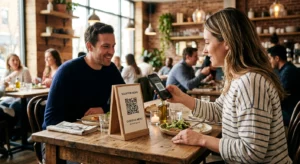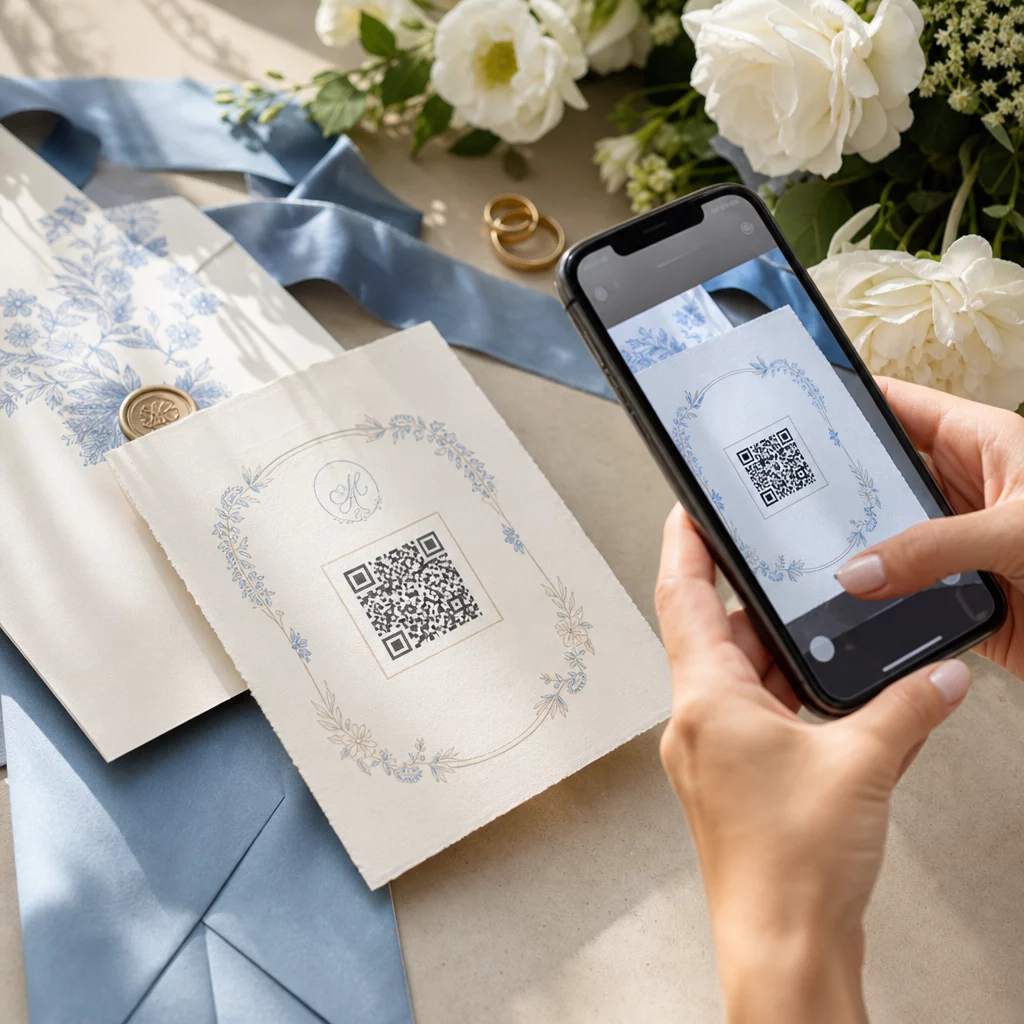
At planlægge et bryllup involverer koordinering af snesevis af bevægelige dele på tværs af gæster, leverandører og steder. QR-koder giver dig en enkel måde at forbinde al den information på ét scannbart berøringspunkt – hvilket reducerer papirspild, skærer ned på koordineringstiden og gør dagen glattere for alle involverede.
Hvorfor QR-koder fungerer godt til bryllupper
Med et gennemsnitligt amerikansk bryllup, der huser omkring 116 gæster, er det en reel logistisk udfordring at holde alle informeret og på samme side. Fysiske trykte materialer bliver væk, bliver forældede og koster penge at reproducere. QR-koder løser alle tre problemer på én gang.
En enkelt kode kan linke gæster til din bryllupshjemmeside, RSVP-formular, vejvisning til stedet eller fotogalleri – og fordi dynamiske QR-koder lader dig opdatere destinations-URL'en uden at genudskrive, kan du foretage ændringer i sidste øjeblik lige op til selve dagen. Den fleksibilitet alene gør dem værd at overveje for ethvert par, der administrerer en kompleks gæsteliste.
Adoptionskurven er heller ikke længere en hindring. Anslået 99,5 millioner mennesker i USA forventes at scanne QR-koder i 2025, og langt de fleste smartphones kan gøre det indbygget med kamera-appen – ingen yderligere app påkrævet.
Opret din bryllups-QR-kode Klar til at komme i gang? Brug QR-kodegenerator til at bygge tilpasselige, dynamiske bryllups-QR-koder, du kan opdatere når som helst.
Sådan genereres bryllups-QR-koder
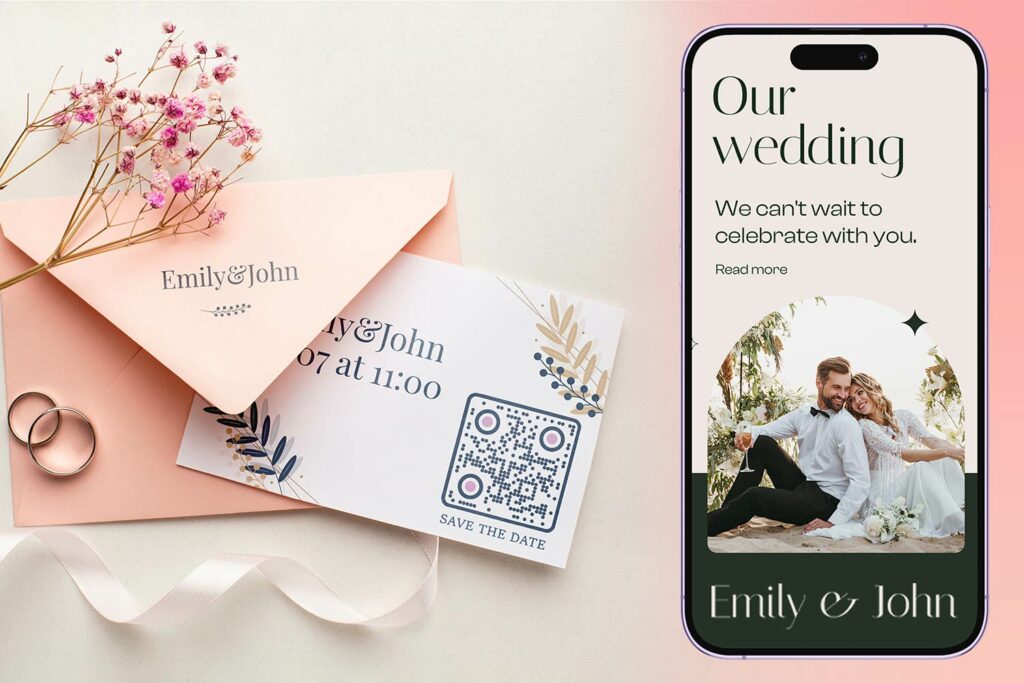
At oprette en bryllups-QR-kode tager kun et par minutter. Her er den grundlæggende proces:
- Vælg din QR-kodetype. Forskellige brugsscenarier kræver forskellige kodetyper – en Link QR-kodegenerator fungerer til bryllupshjemmesider og fotoalbum, mens Event QR-kode generator er ideel til "gem datoen" og kalenderposter.
- Indtast dit indhold. Tilføj den URL, formularlink, PDF eller begivenhedsdetaljer, du ønsker, at gæsterne skal have adgang til, når de scanner.
- Tilpas designet. Tilpas QR-kodens farver og stil til jeres bryllupsæstetik – tilføj jeres monogram eller initialer som logo, vælg en farvepalet, der passer til jeres tema, og vælg en rammeform, der passer til jeres papirlayout.
- Test før udskrivning. Scan den færdige kode på flere enheder under realistiske lysforhold, før I sender den til tryk. For vejledning om størrelse på forskellige trykmaterialer, se QR-kodestørrelse til forskellige printmaterialer.
- Download og distribuer. Download i et højopløseligt format (SVG eller PDF) for skarp udskrivning på invitationer, programmer, menuer og skilte.
Hold primære detaljer synlige på alle trykte materialer. Tid, dato og sted skal altid fremgå i almindelig tekst. Brug QR-koder til at tilføje supplerende indhold – ikke til at erstatte de væsentlige oplysninger, gæsterne skal bruge med et øjeblik.
Hvor man kan bruge QR-koder til bryllup
📷 Photo Sharing
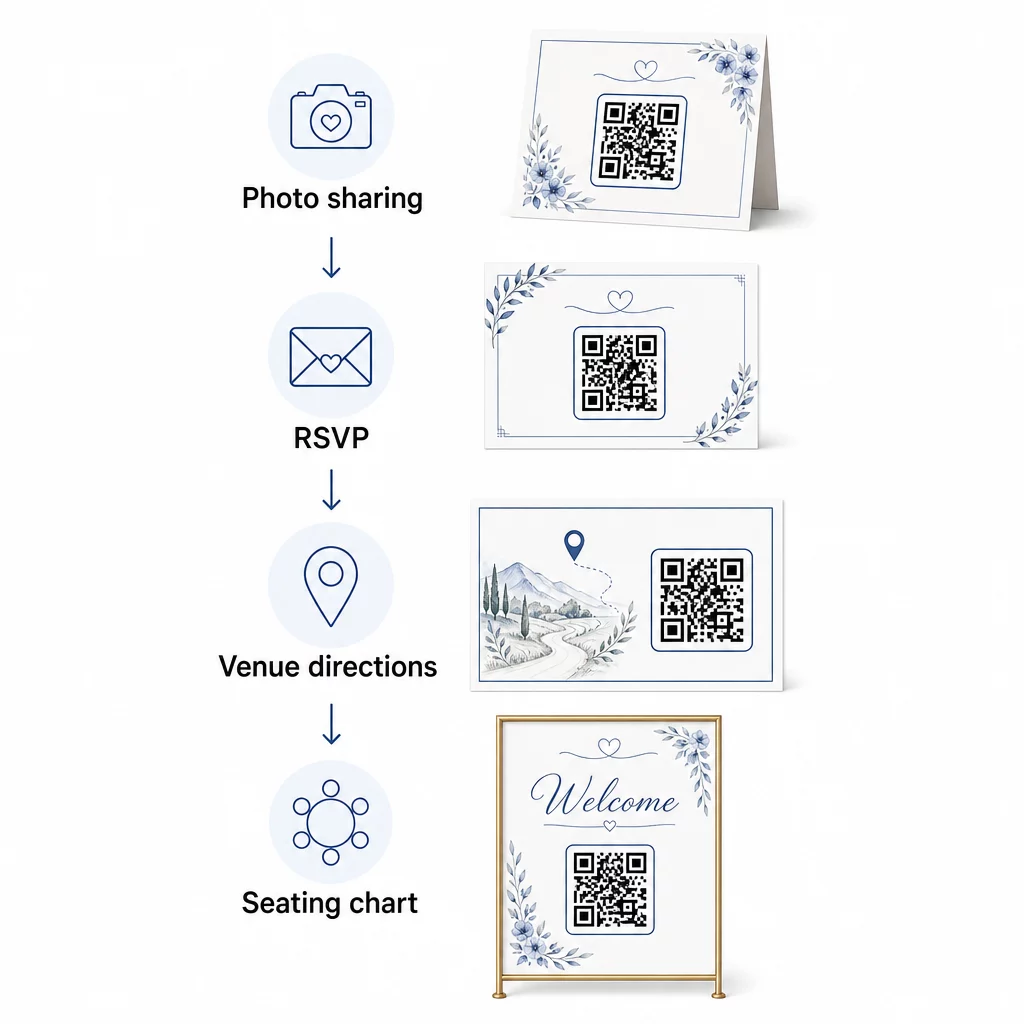
En af de mest populære anvendelser af QR-koder til bryllup er fælles fotodeling. Placer en QR-kode på borddekorationer eller i baren, der linker til et delt album, hvor gæsterne kan se professionelle billeder og uploade deres egne spontane billeder. Ved at linke til et delt Google Fotos-album eller en Dropbox-mappe muliggøres bidrag i realtid under hele arrangementet. Pageloots filoverførselsfunktion gør det nemt at hoste og dele billedgallerier direkte via en QR-kode.
💌 RSVPs
En QR-kode på jeres "save-the-date" eller invitation, der linker direkte til en S.U.-formular, fjerner besvær fra svarprocessen. Gæsterne scanner, udfylder en kort formular og sender – ingen kuvert nødvendig. Brug Google Form QR-kode generator til at forbinde jeres invitation direkte til en Google Formular, der indsamler præferencer for måltider, kostrestriktioner og sangønsker sammen med bekræftelse af deltagelse. For en komplet gennemgang, se guiden om Sådan laver du RSVP QR-koder til events.
📍 Venue Directions
Eliminer frem og tilbage med gæster, der spørger om vej eller parkeringsinstruktioner. En lokations-QR-kode på jeres invitation eller vejvisningskort åbner jeres sted direkte i Google Maps med en enkelt scanning. Den Google Maps QR-kode generator lader dig oprette en kode, der dirigerer gæster til den præcise placering – herunder parkeringsområder eller separate steder for ceremoni og reception.
🗓️ Save-the-Dates and Event Details
I stedet for et almindeligt gem datoen-kort, link til en komplet begivenhedsside, der indeholder tidspunkter for ceremoni og reception, forslag til overnatning, dresscode og et link til jeres bryllupshjemmeside. Den Event QR-kode generator lader dig bygge en brandet landingsside med alle begivenhedsdetaljer, og den Google Kalender QR-kode generator lader gæster tilføje datoen til deres kalender med et enkelt tryk.
🪑 Digitale bordplaner
Opsæt en enkelt QR-kode ved indgangen til stedet, der linker til en digital bordplan. Gæster scanner ved ankomst og ser øjeblikkeligt deres bordplacering – ingen trykt tavle er nødvendig. Denne tilgang gør også ændringer i sidste øjeblik nemme at håndtere, da du opdaterer den linkede side i stedet for at genudskrive fysisk skiltning.
📜 Wedding Programs
En QR-kode, der erstatter det trykte ceremoniprogram, reducerer papirudgifter og tillader opdateringer lige indtil ceremonien begynder. Link til et PDF-program ved hjælp af PDF QR-kode generator så gæsterne kan følge med på deres telefoner. Hvis oplæsninger, musik eller rækkefølgen af begivenheder ændres, opdater PDF'en uden at ændre koden.
🍽️ Interaktive menuer
Placer QR-koder ved hver borddækning, der linker til den fulde middagsmenu, inklusive ingredienser og allergiinformation. Til receptioner med madstationer sent om aftenen eller cocktail-time menuer, kan du opdatere det linkede indhold hele aftenen ved hjælp af en dynamisk kode.
🎁 Wedding Favors
Vedhæft et lille QR-kodekort til hver gave, der linker til en personlig takkebesked, en videobesked fra parret eller en kurateret playliste, som gæsterne kan tage med hjem. Det tilføjer et personligt præg uden at øge omkostningerne ved fysiske gaver.
Fordele og ulemper ved QR-koder til bryllupper
| Fordele | Ulemper |
|---|---|
| Nem adgang til information uden trykte uddelingsmaterialer | Ikke alle gæster er måske fortrolige med smartphones |
| Omkostningseffektivt – reducerer udskrivning af programmer og menuer | Kræver Wi-Fi eller mobildata på stedet |
| Opdateringer i realtid via dynamiske koder | Kræver omhyggelig placering og størrelse for at kunne scannes pålideligt |
| Interaktivt og engagerende for gæsterne | Nogle ældre gæster kan have brug for korte instruktioner |
| Centraliseret information i én scanbar kode | Dårligt designede koder kan være svære at scanne i svagt lys |
For steder med upålidelig mobildækning, overvej at levere en printet backup for kritisk information som bordplaner og vejvisning.
Design af QR-koder, der passer til din bryllupsæstetik
En almindelig sort-hvid QR-kode behøver ikke at kollidere med elegant papirvarer. De fleste QR-kodegeneratorer – inklusive Pageloot – lader dig tilpasse farver, tilføje et monogram eller logo i midten, vælge rammeformer og matche designet til din invitationssuite.
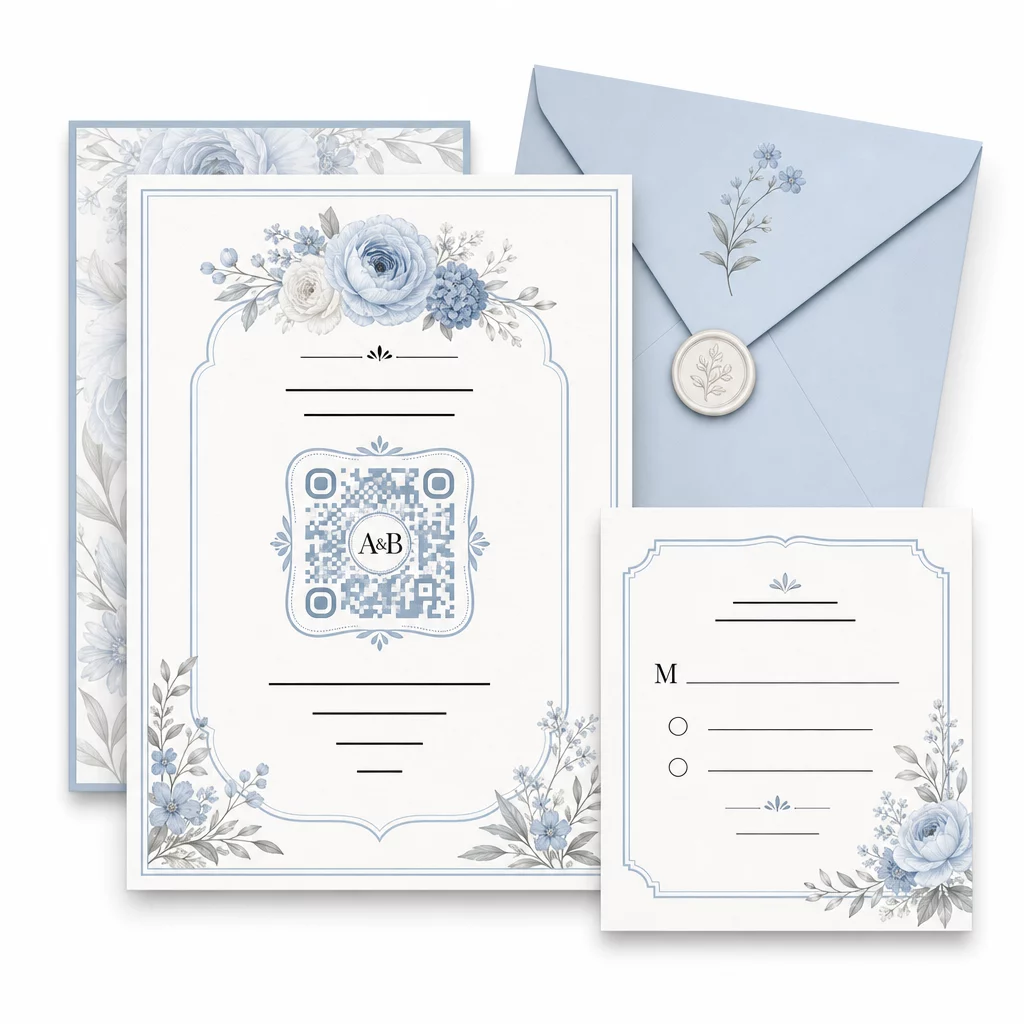
Et par praktiske retningslinjer for at bevare scanbarheden intakt under tilpasning:
- Hold forgrundsfarven mindst 40% mørkere end baggrunden
- Undgå at placere koden på mønstret eller tekstureret papir, der kan skjule modulerne
- Oprethold en klar stillezone (den hvide kant) omkring koden
- Print med et minimum på 0,8 × 0,8 tommer til invitationer; større til skiltning
For en fuld gennemgang af bedste designpraksis, se bedste praksis for QR-kodelæsbarhed.
Brug af dynamiske QR-koder for fleksibilitet til bryllupper
Bryllupper indebærer konstante ændringer i sidste øjeblik – cateringfirmaer opdaterer menuer, ceremonitider ændres, og lokalelayouts justeres. Dynamiske QR-koder lader dig opdatere destinations-URL'en når som helst, selv efter at invitationer er sendt ud eller programmer er trykt. Selve koden forbliver den samme; kun indholdet, den peger på, ændres.
Dette betyder, at du kan:
- Opdatere bordplanen om morgenen på bryllupsdagen uden at genudskrive skilte
- Udskifte et PDF-program for at afspejle en ændring af taler i sidste øjeblik
- Tilføje links til fotogallerier efter brylluppet til den samme kode, der allerede er distribueret på gavemærker
Dynamiske koder giver også scanningsanalyse – du kan se, hvor mange gæster der scannede din RSVP-kode, hvornår og på hvilken enhed. Disse data er nyttige til planlægning af opfølgende kommunikation og forståelse af gæsternes engagement. Lær mere om sporing af QR-kodeydeevne for begivenheder.
Hold dine bryllupsdetaljer opdaterede Brug dynamiske QR-koder for at opdatere vejvisning til lokalet, bordplaner eller menuer i realtid – ingen genudskrivning nødvendig, selv efter at invitationer er sendt.
Oprettelse af en digital bryllupsinvitation med en QR-kode
Hvis du ønsker at gå fuldt digitalt med dine invitationer, er det ligetil at indlejre en QR-kode i en designet digital invitation. Koden kan linke direkte til din RSVP-formular, bryllupshjemmeside eller begivenhedslandingsside – hvilket automatiserer sporingssvar og giver gæsterne alt, hvad de har brug for, ét sted. For en trin-for-trin gennemgang, se guiden om Sådan laver du en digital bryllupsinvitation med QR-kode.
QR-koder fungerer lige godt på trykte og digitale invitationer, så du kan bruge den samme kode på tværs af begge formater uden dobbeltarbejde. Uanset om du koordinerer RSVP'er, deler fotos eller guider gæster til deres pladser, giver QR-koder dig en praktisk, opdaterbar og gæstevenlig løsning til den logistiske side af dit bryllup. Start med en eller to høj-effektive anvendelsestilfælde – RSVP'er og vejvisning til lokalet giver ofte den mest umiddelbare værdi – og udvid derfra baseret på, hvad der passer til din begivenhed.
Byg dine bryllups-QR-koder Opret tilpasselige, dynamiske bryllups-QR-koder med Pageloot QR-kodegenerator – gratis at starte, med en 14-dages prøveperiode for at få adgang til analyser og redigeringsfunktioner.
Ofte stillede spørgsmål
Ja, men kun hvis du bruger en dynamisk QR-kode. Dynamiske koder bruger en omdirigeringsserver, så du kan ændre destinations-URL'en – opdatere din bordplan, menu eller begivenhedsdetaljer – uden at oprette en ny kode eller genoptrykke materialer.
Nej. Enhver smartphone med et kamera, der kører et rimeligt aktuelt operativsystem (iOS 11+ eller Android 8+), kan scanne en QR-kode direkte via den indbyggede kamera-app. For gæster, der er mindre fortrolige, er det normalt tilstrækkeligt at placere en kort “Scan med din telefonkamera”-note ved siden af koden.
For invitationer og trykte programmer, sigt efter et minimum på 0,8 × 0,8 tommer (20 × 20 mm). For skiltning på stedet og udstillinger af bordplaner, som gæsterne vil scanne fra et par fods afstand, skal du skalere proportionalt op – cirka 1 cm kodestørrelse pr. 10 cm forventet scanningsafstand. Test altid på det faktiske trykte materiale før den fulde trykning.