Planiranje vjenčanja uključuje koordinaciju desetaka pokretnih dijelova između gostiju, dobavljača i lokacija. QR kodovi vam daju jednostavan način da povežete sve te informacije u jednoj točki za skeniranje – smanjujući otpad papira, skraćujući vrijeme koordinacije i čineći dan lakšim za sve uključene.
Zašto QR kodovi dobro funkcioniraju na vjenčanjima
S prosječnim vjenčanjem u SAD-u koje ugošćuje oko 116 gostiju, držanje svih informiranih i usklađenih pravi je logistički izazov. Fizički tiskani materijali se gube, zastarijevaju i koštaju novca za reprodukciju. QR kodovi rješavaju sva tri problema odjednom.
Jedan kod može povezati goste s vašom web stranicom vjenčanja, obrascem za RSVP, uputama za lokaciju ili galerijom fotografija – i zato što dinamični QR kodovi vam omogućuju ažuriranje odredišnog URL-a bez ponovnog ispisa, možete napraviti promjene u zadnji tren sve do samog dana. Ta fleksibilnost sama po sebi čini ih vrijednima razmatranja za svaki par koji upravlja složenim popisom gostiju.
Krivulja usvajanja više nije prepreka. Procjenjuje se da će 99,5 milijuna ljudi u SAD-u skenirati QR kodove 2025. godine, a velika većina pametnih telefona to može učiniti izvorno pomoću aplikacije kamere – nije potrebna dodatna aplikacija.
Izradite svoj QR kod za vjenčanje Spremni za početak? Koristite Generator QR kodova za izradu prilagodljivih, dinamičnih QR kodova za vjenčanje koje možete ažurirati u bilo kojem trenutku.
Kako generirati QR kodove za vjenčanje
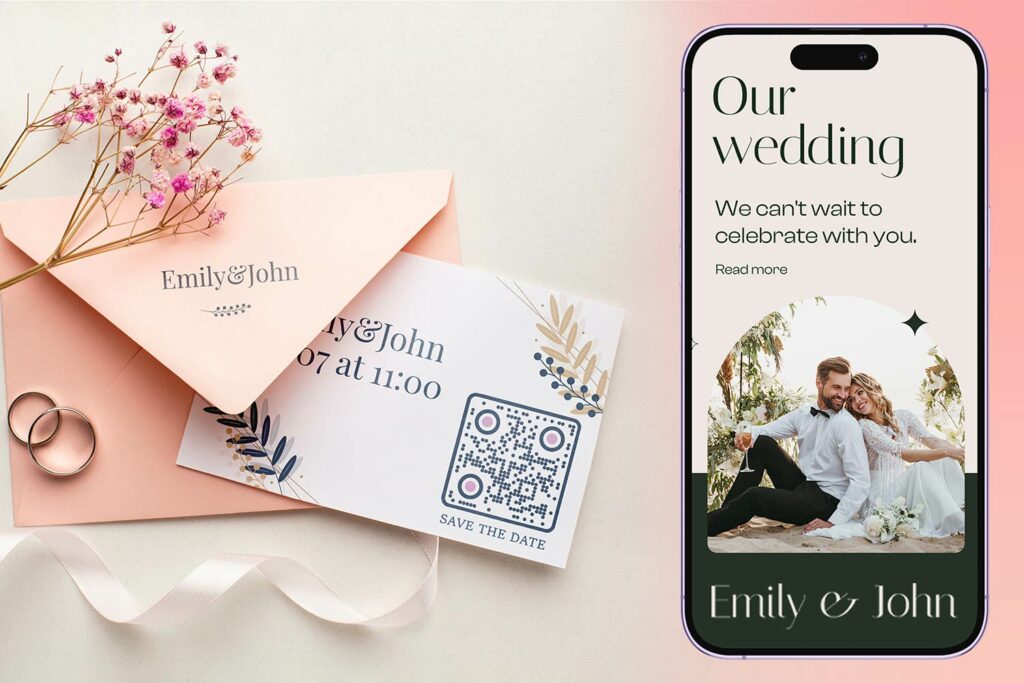
Izrada QR koda za vjenčanje traje samo nekoliko minuta. Evo osnovnog postupka:
- Odaberite vrstu QR koda. Različiti slučajevi upotrebe zahtijevaju različite vrste kodova – a Generator QR kodova za linkove funkcionira za web stranice vjenčanja i foto albume, dok je Generator QR koda događaja idealan za obavijesti o datumu vjenčanja (save-the-dates) i unose u kalendar.
- Unesite svoj sadržaj. Dodajte URL, poveznicu na obrazac, PDF ili detalje događaja kojima želite da gosti pristupe kada skeniraju.
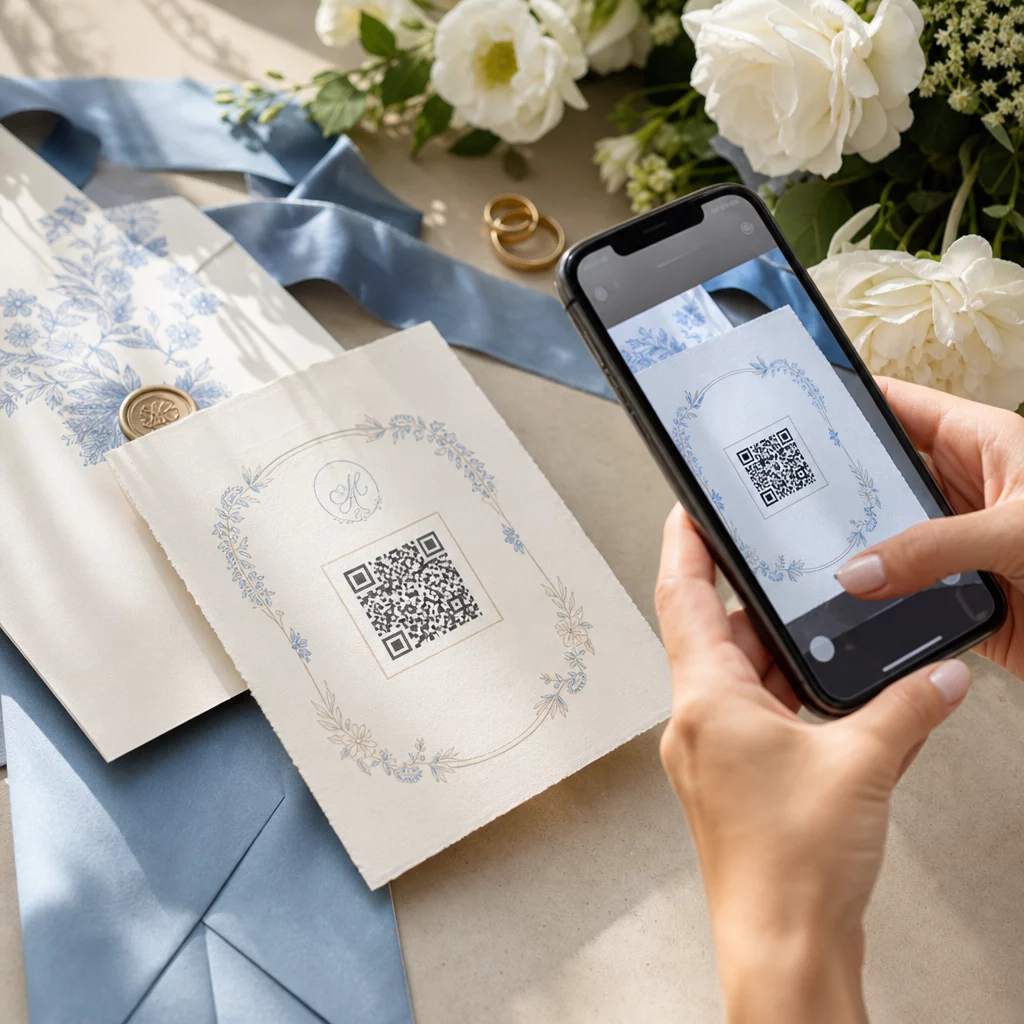
- Prilagodite dizajn. Uskladite boje i stil QR koda s estetikom vašeg vjenčanja – dodajte svoj monogram ili inicijale kao logotip, odaberite paletu boja koja odgovara vašoj temi i odaberite oblik okvira koji se uklapa u raspored vaše papirnate galanterije.
- Testirajte prije ispisa. Skenirajte gotov kod na više uređaja pod realističnim uvjetima osvjetljenja prije nego što se obvežete na tisak. Za smjernice o veličini za različite tiskane materijale, pogledajte Veličina QR koda za različite materijale za ispis.
- Preuzmite i distribuirajte. Preuzmite u formatu visoke rezolucije (SVG ili PDF) za čisto ispisivanje na pozivnicama, programima, jelovnicima i natpisima.
Neka primarni detalji budu vidljivi na svim tiskanim materijalima. Vrijeme, datum i mjesto uvijek bi trebali biti prikazani u običnom tekstu. Koristite QR kodove za dodavanje dodatnog sadržaja – ne za zamjenu osnovnih informacija koje gosti trebaju na prvi pogled.
Gdje koristiti QR kodove za vjenčanja
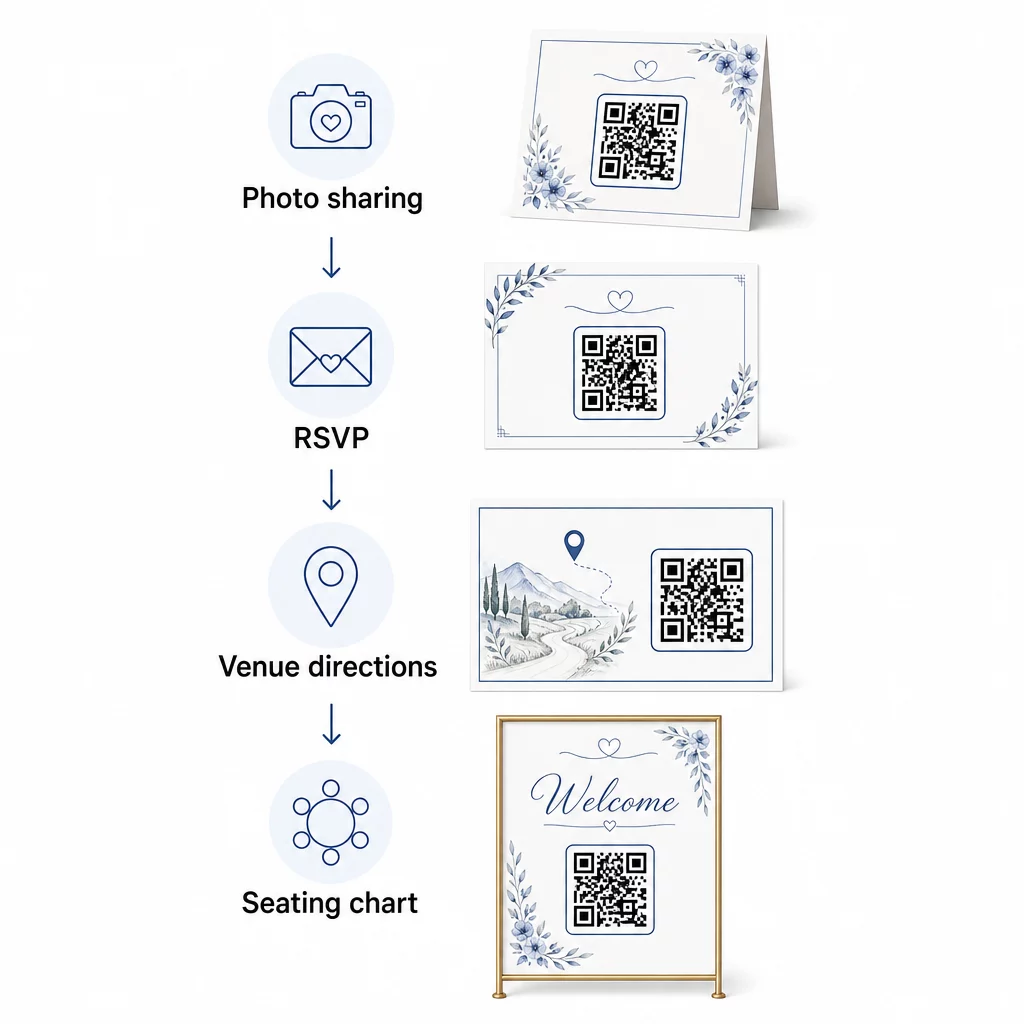
📷 Photo Sharing
Jedna od najpopularnijih primjena QR kodova za vjenčanja je zajedničko dijeljenje fotografija. Postavite QR kod na središnje ukrase stola ili na šank koji vodi do zajedničkog albuma gdje gosti mogu pregledavati profesionalne fotografije i učitavati vlastite spontane snimke. Povezivanje s dijeljenim Google Photos albumom ili Dropbox mapom omogućuje doprinose u stvarnom vremenu tijekom cijelog događaja. Pagelootov značajka prijenosa datoteka olakšava hostiranje i dijeljenje galerija slika izravno putem QR koda.
💌 RSVPs
QR kod na vašoj obavijesti o datumu vjenčanja ili pozivnici koji izravno vodi do obrasca za potvrdu dolaska uklanja prepreke iz procesa odgovaranja. Gosti skeniraju, popune kratki obrazac i pošalju – bez potrebe za omotnicom. Koristite Google Form Generator QR koda za izravno povezivanje vaše pozivnice s Google obrascem koji prikuplja preferencije obroka, prehrambena ograničenja i zahtjeve za pjesme uz potvrdu dolaska. Za potpuni vodič, pogledajte vodič o kako stvoriti RSVP QR kodove za događaje.
📍 Venue Directions
Uklonite stalna pitanja gostiju o uputama za dolazak ili parkiranje. QR kod lokacije na vašoj pozivnici ili kartici s uputama otvara vaše mjesto događaja izravno u Google Kartama jednim skeniranjem. Google Maps Generator QR koda omogućuje vam stvaranje koda koji usmjerava goste na točnu lokaciju – uključujući parkirališta ili odvojena mjesta za ceremoniju i prijem.
🗓️ Save-the-Dates and Event Details
Umjesto obične kartice za obavijest o datumu vjenčanja, povežite na cijelu stranicu događaja koja sadrži vremena ceremonije i prijema, prijedloge smještaja, pravila odijevanja i poveznicu na vašu web stranicu vjenčanja. Ovaj Generator QR koda događaja omogućuje vam izradu brendirane odredišne stranice sa svim detaljima događaja, a Generator QR koda za Google kalendar omogućuje gostima da dodaju datum u svoj kalendar jednim dodirom.
🪑 Digitalni raspored sjedenja
Postavite jedan QR kod na ulazu u mjesto događaja koji vodi do digitalnog rasporeda sjedenja. Gosti skeniraju po dolasku i odmah vide svoj dodijeljeni stol – nije potrebna tiskana ploča. Ovaj pristup također olakšava upravljanje promjenama sjedenja u zadnji tren budući da ažurirate povezanu stranicu umjesto da ponovno tiskate fizičke natpise.
📜 Wedding Programs
QR kod koji zamjenjuje tiskani program ceremonije smanjuje troškove papira i omogućuje ažuriranja sve do početka ceremonije. Povežite na PDF program koristeći Generator PDF QR koda kako bi gosti mogli pratiti na svojim telefonima. Ako se promijene čitanja, glazba ili redoslijed događaja, ažurirajte PDF bez promjene koda.
🍽️ Interaktivni izbornici
Postavite QR kodove na svako mjesto za stolom koji vode do cijelog jelovnika večere, uključujući sastojke i informacije o alergenima. Za prijeme s kasnonoćnim stanicama s hranom ili jelovnicima za koktel sat, možete ažurirati povezani sadržaj tijekom večeri koristeći dinamički kod.
🎁 Wedding Favors
Pričvrstite malu karticu s QR kodom na svaki poklon za goste koja vodi do personalizirane poruke zahvale, video poruke od mladenaca ili odabrane playliste koju gosti mogu ponijeti kući. To dodaje osobni pečat bez povećanja troškova fizičkih poklona.
Za i protiv vjenčanih QR kodova
| Prednosti | Nedostaci |
|---|---|
| Jednostavan pristup informacijama bez tiskanih materijala | Nisu svi gosti navikli na pametne telefone |
| Isplativo – smanjuje tiskanje programa i jelovnika | Zahtijeva Wi-Fi ili mobilne podatke na mjestu događaja |
| Ažuriranja u stvarnom vremenu putem dinamičkih kodova | Zahtijeva promišljen smještaj i veličinu za pouzdano skeniranje |
| Interaktivno i privlačno za goste | Neki stariji gosti možda će trebati kratke upute |
| Centralizirane informacije u jednom kodu koji se može skenirati | Loše dizajnirani kodovi mogu biti teški za skeniranje pri slabom osvjetljenju |
Za mjesta s nepouzdanom mobilnom mrežom, razmislite o pružanju ispisane sigurnosne kopije za kritične informacije poput rasporeda sjedenja i uputa.
Dizajniranje QR kodova koji odgovaraju estetici vašeg vjenčanja
Jednostavan crno-bijeli QR kod ne mora se kositi s elegantnim priborom. Većina generatora QR kodova – uključujući Pageloot – omogućuje vam prilagodbu boja, dodavanje monograma ili logotipa u sredinu, odabir oblika okvira i usklađivanje dizajna s vašim pozivnicama.
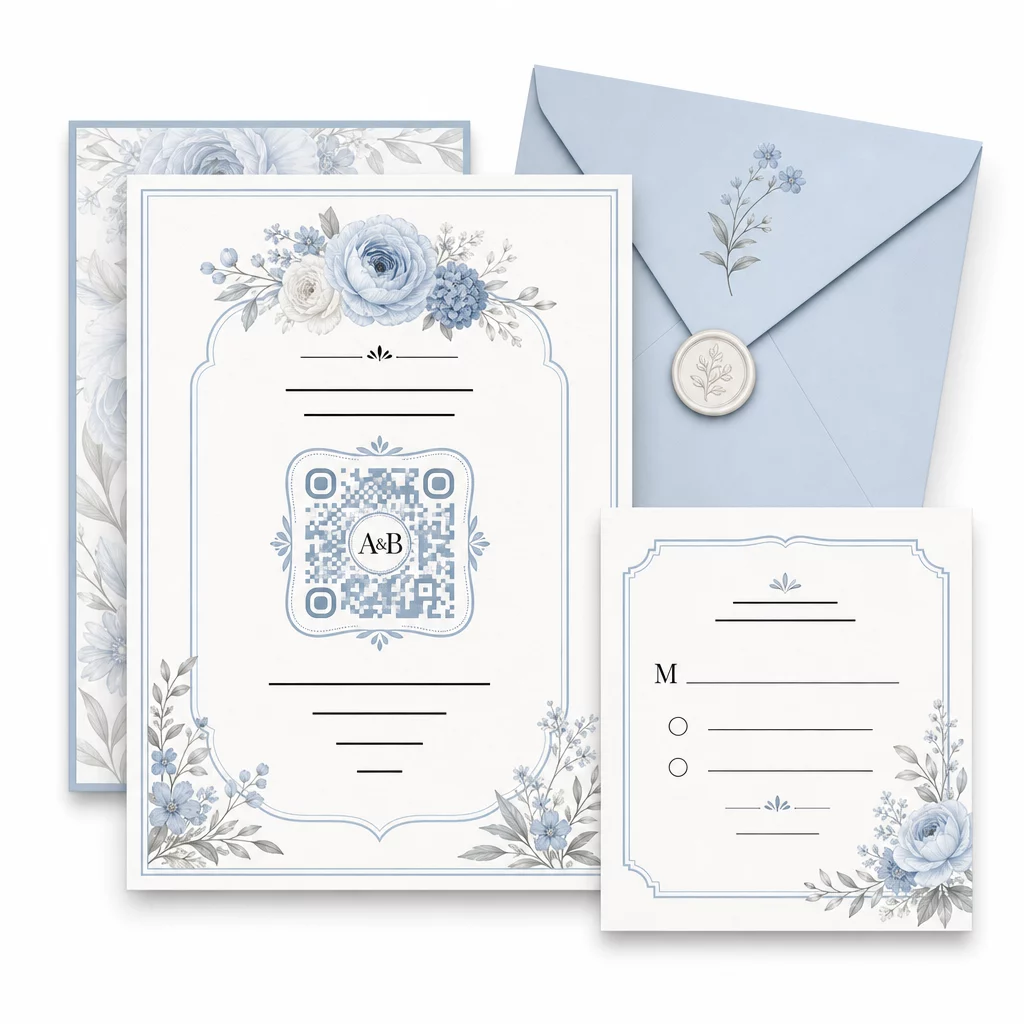
Nekoliko praktičnih smjernica za očuvanje mogućnosti skeniranja tijekom prilagodbe:
- Neka boja prednjeg plana bude barem 40% tamnija od pozadine
- Izbjegavajte postavljanje koda na papir s uzorkom ili teksturom koji bi mogao zakloniti module
- Održavajte jasnu tihu zonu (bijeli rub) oko koda
- Ispišite minimalno 0,8 × 0,8 inča za pozivnice; veće za natpise
Za potpuni pregled najboljih praksi dizajna, pogledajte najbolje prakse za čitljivost QR koda.
Korištenje dinamičkih QR kodova za fleksibilnost vjenčanja
Vjenčanja uključuju stalne promjene u zadnji tren – ugostitelji ažuriraju jelovnike, vremena ceremonija se mijenjaju, a rasporedi mjesta se prilagođavaju. Dinamički QR kodovi omogućuju vam da ažurirate odredišni URL u bilo kojem trenutku, čak i nakon što su pozivnice poslane ili programi ispisani. Sam kod ostaje isti; mijenja se samo sadržaj na koji upućuje.
To znači da možete:
- Ažurirati raspored sjedenja ujutro na dan vjenčanja bez ponovnog ispisa natpisa
- Zamijeniti PDF program kako bi odražavao promjenu govornika u zadnji tren
- Dodati poveznice na galeriju fotografija nakon vjenčanja na isti kod koji je već podijeljen na zahvalnicama
Dinamički kodovi također pružaju analitiku skeniranja – možete vidjeti koliko je gostiju skeniralo vaš RSVP kod, kada i na kojem uređaju. Ti su podaci korisni za planiranje naknadne komunikacije i razumijevanje angažmana gostiju. Saznajte više o praćenju performansi QR koda za događaje.
Održavajte detalje svog vjenčanja ažurnima Koristiti dinamični QR kodovi za ažuriranje uputa za mjesto, rasporeda sjedenja ili jelovnika u stvarnom vremenu – nije potrebno ponovno ispisivanje, čak ni nakon slanja pozivnica.
Izrada digitalne pozivnice za vjenčanje s QR kodom
Ako želite u potpunosti digitalizirati svoje pozivnice, ugradnja QR koda u dizajniranu digitalnu pozivnicu je jednostavna. Kod se može izravno povezati s vašim obrascem za RSVP, web-stranicom vjenčanja ili odredišnom stranicom događaja – automatizirajući praćenje odgovora i dajući gostima sve što im je potrebno na jednom mjestu. Za detaljan vodič korak po korak, pogledajte vodič o kako izraditi digitalnu pozivnicu za vjenčanje s QR kodom.
QR kodovi jednako dobro funkcioniraju na tiskanim i digitalnim pozivnicama, tako da možete koristiti isti kod u oba formata bez dupliciranja napora. Bilo da koordinirate RSVP-ove, dijelite fotografije ili usmjeravate goste na njihova mjesta, QR kodovi vam pružaju praktično, ažurirajuće i gostima prilagođeno rješenje za logističku stranu vašeg vjenčanja. Započnite s jednim ili dva slučaja upotrebe s velikim utjecajem – RSVP-ovi i upute za mjesto obično donose najneposredniju vrijednost – i proširite se odatle na temelju onoga što odgovara vašem događaju.
Izradite svoje QR kodove za vjenčanje Stvorite prilagodljive, dinamične QR kodove za vjenčanje s Pageloot Generator QR kodova – besplatno za početak, uz 14-dnevnu probu za pristup analitici i značajkama uređivanja.
Često postavljana pitanja
Da, ali samo ako koristite dinamički QR kod. Dinamički kodovi koriste poslužitelj za preusmjeravanje, tako da možete promijeniti odredišni URL – ažurirajući svoj raspored sjedenja, jelovnik ili detalje događaja – bez stvaranja novog koda ili ponovnog ispisa materijala.
Ne. Bilo koji pametni telefon s kamerom koji koristi razumno aktualan operativni sustav (iOS 11+ ili Android 8+) može skenirati QR kod izravno putem izvorne aplikacije kamere. Za goste koji su manje upoznati, postavljanje kratke bilješke “Skenirajte kamerom telefona” pored koda obično je dovoljno uputa.
Za pozivnice i tiskane programe, ciljajte na minimalno 0,8 × 0,8 inča (20 × 20 mm). Za natpise na mjestu događaja i prikaze rasporeda sjedenja koje će gosti skenirati s nekoliko stopa udaljenosti, proporcionalno povećajte – otprilike 1 cm veličine koda na svakih 10 cm očekivane udaljenosti skeniranja. Uvijek testirajte na stvarnom tiskanom materijalu prije pune naklade.