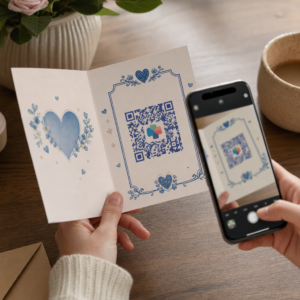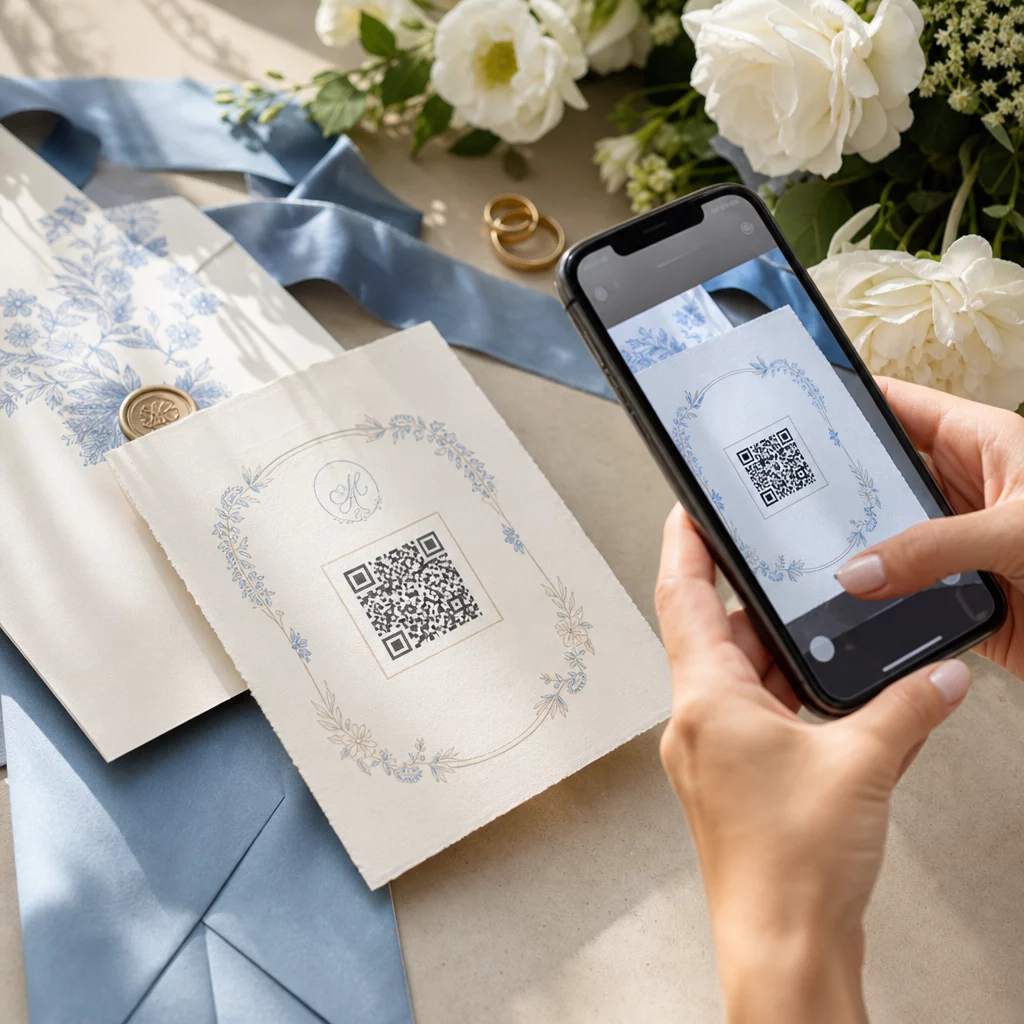
Esküvő tervezésekor vendégek, szolgáltatók és helyszínek tucatnyi mozgó részét kell összehangolni. A QR-kódok egyszerű módot kínálnak arra, hogy mindezt az információt egyetlen szkennelhető érintési ponton keresztül összekapcsolja – csökkentve a papírhulladékot, lerövidítve a koordinációs időt, és mindenki számára zökkenőmentesebbé téve a napot.
Miért működnek jól a QR-kódok esküvőkön?
Mivel egy átlagos amerikai esküvőn körülbelül 116 vendég vesz részt, mindenki tájékoztatása és egy oldalon tartása valódi logisztikai kihívás. A fizikai nyomtatott anyagok elvesznek, elavulnak, és pénzbe kerül az újranyomtatásuk. A QR-kódok mindhárom problémát egyszerre oldják meg.
Egyetlen kód összekapcsolhatja a vendégeket az esküvői webhelyével, az RSVP űrlappal, a helyszínre vezető útvonallal vagy a fotógalériával – és mivel dinamikus QR kódok lehetővé teszik a cél URL frissítését újranyomtatás nélkül, így az utolsó pillanatban is módosíthatja a változtatásokat egészen a nagy napig. Ez a rugalmasság önmagában is megfontolásra érdemessé teszi őket minden olyan pár számára, akik összetett vendéglistát kezelnek.
Az elfogadási görbe sem jelent már akadályt. Becslések szerint 2025-ben 99,5 millió ember fog QR-kódokat szkennelni az Egyesült Államokban, és az okostelefonok túlnyomó többsége natívan, a kamera alkalmazással is képes erre – nincs szükség további alkalmazásra.
Hozza létre esküvői QR-kódját Készen áll a kezdésre? Használja a QR Kód Generátor hogy testreszabható, dinamikus esküvői QR-kódokat hozzon létre, amelyeket bármikor frissíthet.
Hogyan generáljunk esküvői QR-kódokat
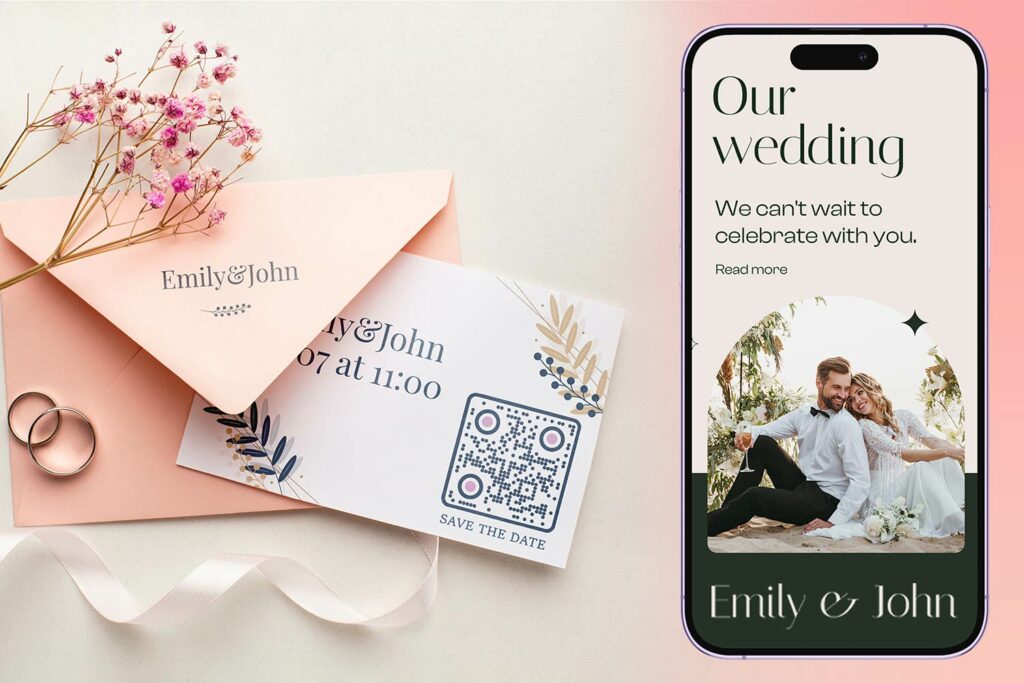
Esküvői QR-kód létrehozása mindössze néhány percet vesz igénybe. Íme az alapvető folyamat:
- Válassza ki a QR-kód típusát. Különböző felhasználási esetek különböző kódtípusokat igényelnek – egy Link QR-kód generátor működik esküvői webhelyekhez és fotóalbumokhoz, míg a Esemény QR kód generátor ideális az „időpontfoglaló” értesítésekhez és naptárbejegyzésekhez.
- Adja meg a tartalmát. Adja hozzá az URL-t, űrlaplinket, PDF-et vagy esemény részleteit, amelyeket a vendégeknek elérhetővé szeretne tenni szkenneléskor.
- Testreszabhatja a designt. Illessze a QR-kód színeit és stílusát az esküvői esztétikájához – adja hozzá monogramját vagy kezdőbetűit logóként, válasszon a témájához illő színpalettát, és válasszon olyan keretformát, amely illeszkedik az írószerek elrendezéséhez.
- Tesztelje nyomtatás előtt. Olvassa be a kész kódot több eszközön, valósághű fényviszonyok között, mielőtt elkötelezné magát a nyomtatás mellett. A különböző nyomtatási anyagok méretezési útmutatójáért lásd: QR-kód méretezése különböző nyomtatási anyagokhoz témakörben található..
- Töltse le és ossza meg. Töltse le nagy felbontású formátumban (SVG vagy PDF) a tiszta nyomtatás érdekében meghívókra, programokra, menükre és táblákra.
Tartsa láthatóan az elsődleges részleteket minden nyomtatott anyagon. Az időpont, dátum és helyszín mindig sima szövegként jelenjen meg. Használjon QR-kódokat kiegészítő tartalom rétegezésére – ne az alapvető információk helyettesítésére, amelyekre a vendégeknek egy pillantásra szükségük van.
Hol használhatók esküvői QR-kódok
📷 Photo Sharing
Az egyik legnépszerűbb esküvői QR-kód felhasználási eset a közös fotómegosztás. Helyezzen el egy QR-kódot az asztali díszekre vagy a bárba, amely egy megosztott albumra mutat, ahol a vendégek megtekinthetik a professzionális fotókat és feltölthetik saját spontán felvételeiket. Egy megosztott Google Fotók albumra vagy Dropbox mappára mutató link lehetővé teszi a valós idejű hozzájárulásokat az esemény során. A Pageloot fájlfeltöltési funkció megkönnyíti a képgalériák közvetlen tárolását és megosztását QR-kódon keresztül.
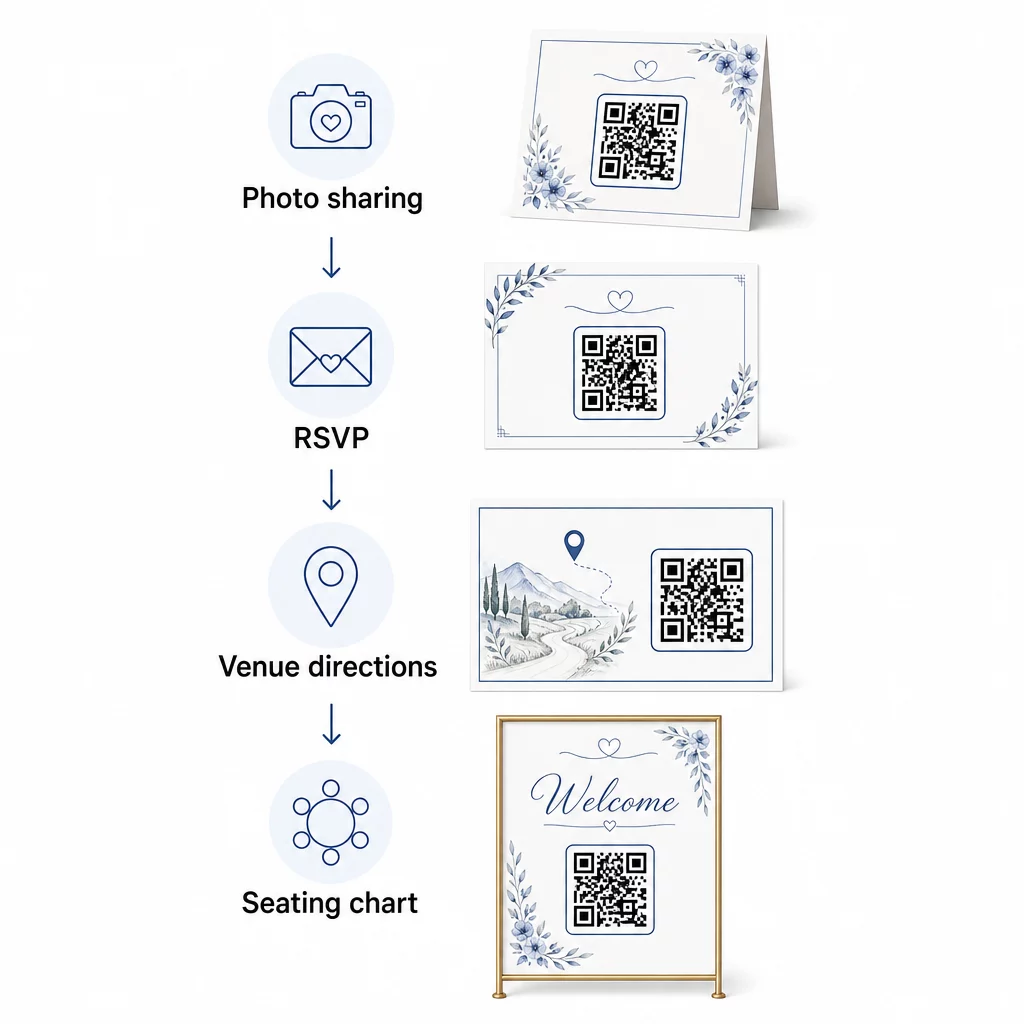
💌 RSVPs
Egy QR-kód az értesítőn vagy meghívón, amely közvetlenül egy RSVP űrlapra mutat, megszünteti a súrlódást a válaszadási folyamatban. A vendégek beolvassák, kitöltenek egy rövid űrlapot, és elküldik – borítékra nincs szükség. Használja a Google Form QR kód generátor hogy meghívóját közvetlenül egy Google űrlaphoz kapcsolja, amely az étkezési preferenciákat, étrendi korlátozásokat és daligényeket gyűjti az részvételi visszaigazolás mellett. A teljes útmutatóért lásd a hogyan készítsünk RSVP QR-kódokat eseményekhez.
📍 Venue Directions
Szüntesse meg a vendégek oda-vissza kérdezősködését az útbaigazításokról vagy parkolási utasításokról. Egy helyszín QR-kód a meghívón vagy útbaigazító kártyán egyetlen beolvasással közvetlenül megnyitja a helyszínt a Google Térképen. A Google Maps QR-kód generátor lehetővé teszi, hogy olyan kódot hozzon létre, amely a vendégeket a pontos helyszínre irányítja – beleértve a parkolókat vagy a különálló szertartás- és fogadáshelyszíneket.
🗓️ Save-the-Dates and Event Details
Egy egyszerű dátummentő kártya helyett linkeljen egy teljes eseményoldalra, amely tartalmazza a szertartás és a fogadás időpontjait, szállásjavaslatokat, öltözködési szabályokat és egy linket az esküvői weboldalához. A Esemény QR kód generátor lehetővé teszi, hogy márkás landing oldalt építsen az összes esemény részlettel, és a Google Naptár QR-kód generátor lehetővé teszi a vendégek számára, hogy egyetlen érintéssel hozzáadják a dátumot a naptárukhoz.
🪑 Digitális ültetési táblázatok
Helyezzen el egyetlen QR-kódot a helyszín bejáratánál, amely egy digitális ülésrendhez kapcsolódik. A vendégek érkezéskor beolvassák, és azonnal látják asztalfoglalásukat – nincs szükség nyomtatott táblára. Ez a megközelítés a last-minute ülésváltoztatásokat is könnyen kezelhetővé teszi, mivel a linkelt oldalt frissíti, ahelyett, hogy újra kinyomtatná a fizikai jelzéseket.
📜 Wedding Programs
A nyomtatott szertartási programot helyettesítő QR-kód csökkenti a papírköltségeket, és lehetővé teszi a frissítéseket egészen a szertartás kezdetéig. Linkeljen egy PDF programra a PDF QR kód generátor így a vendégek követhetik a telefonjukon. Ha az olvasmányok, a zene vagy az események sorrendje megváltozik, frissítse a PDF-et a kód megváltoztatása nélkül.
🍽️ Interaktív menük
Helyezzen el QR-kódokat minden asztali terítéknél, amelyek a teljes vacsoramenühöz kapcsolódnak, beleértve az összetevőket és az allergén információkat. Az éjszakai ételállomásokkal vagy koktélóra menükkel rendelkező fogadások esetén a linkelt tartalmat az este folyamán frissítheti egy dinamikus kód segítségével.
🎁 Wedding Favors
Minden ajándékhoz csatoljon egy kis QR-kód kártyát, amely egy személyre szabott köszönőüzenethez, a pártól származó videóüzenethez vagy egy válogatott lejátszási listához kapcsolódik, amelyet a vendégek hazavihetnek. Ez személyesebbé teszi az ajándékot anélkül, hogy növelné a fizikai ajándékok költségét.
Az esküvői QR-kódok előnyei és hátrányai
| Előnyök | Hátrányok |
|---|---|
| Könnyű hozzáférés az információkhoz nyomtatott anyagok nélkül | Nem minden vendég lehet kényelmesen okostelefonokkal |
| Költséghatékony – csökkenti a programok és menük nyomtatását | Wi-Fi vagy mobiladat szükséges a helyszínen |
| Valós idejű frissítések dinamikus kódokon keresztül | Gondos elhelyezést és méretezést igényel a megbízható szkenneléshez |
| Interaktív és lebilincselő a vendégek számára | Néhány idősebb vendégnek rövid útmutatásra lehet szüksége |
| Központosított információ egyetlen szkennelhető kódban | A rosszul megtervezett kódokat nehéz lehet beolvasni gyenge fényviszonyok között |
Megbízhatatlan mobilhálózattal rendelkező helyszíneken fontolja meg nyomtatott biztonsági másolat biztosítását a kritikus információkhoz, mint például az ülésrend és az útvonalterv.
QR-kódok tervezése, amelyek illeszkednek az esküvői esztétikához
Egy egyszerű fekete-fehér QR-kódnak nem kell ütköznie az elegáns írószerekkel. A legtöbb QR-kód generátor – beleértve a Pageloot-ot is – lehetővé teszi a színek testreszabását, monogram vagy logó hozzáadását a középponthoz, keretformák kiválasztását, és a design illesztését a meghívócsomaghoz.
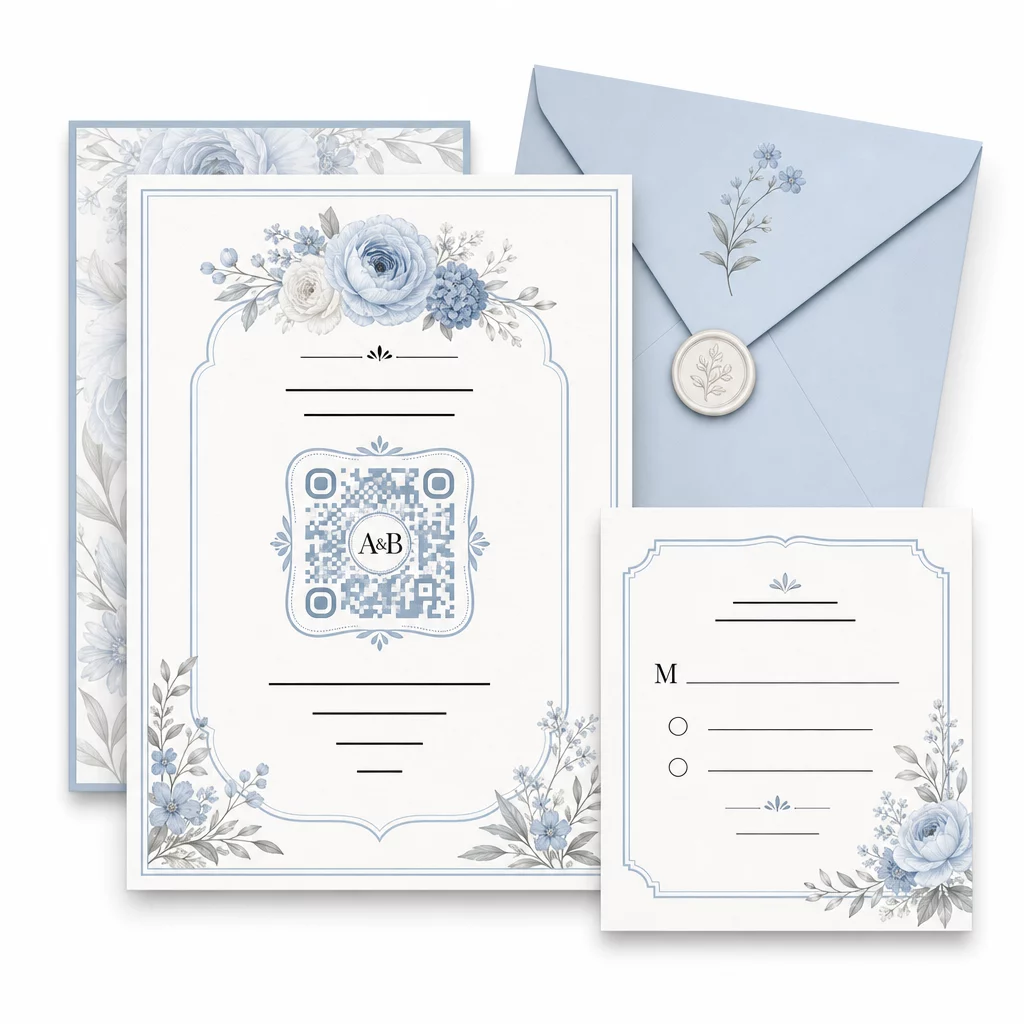
Néhány gyakorlati útmutató a szkennelhetőség megőrzéséhez testreszabás közben:
- Tartsa az előtér színét legalább 40%-kal sötétebbnek, mint a háttér
- Kerülje a kód elhelyezését mintás vagy texturált papírra, amely elhomályosíthatja a modulokat
- Tartson tiszta csendes zónát (a fehér szegélyt) a kód körül
- Nyomtasson legalább 0,8 × 0,8 hüvelyk méretben a meghívókhoz; nagyobb méretben a táblákhoz
A tervezési legjobb gyakorlatok teljes áttekintéséért lásd a QR-kód olvashatóságára vonatkozó legjobb gyakorlatokat.
Dinamikus QR-kódok használata az esküvői rugalmasságért
Az esküvők állandó utolsó pillanatos változásokkal járnak – a vendéglátók frissítik az étlapokat, a szertartás időpontjai eltolódnak, és a helyszín elrendezései módosulnak. Dinamikus QR-kódok lehetővé teszik a cél URL frissítését bármikor, még azután is, hogy a meghívókat elküldték vagy a programokat kinyomtatták. Maga a kód változatlan marad; csak a tartalom változik, amire mutat.
Ez azt jelenti, hogy a következőket teheti:
- Frissítheti az ültetési rendet az esküvő reggelén anélkül, hogy újra kellene nyomtatnia a táblákat
- Kicserélhet egy PDF programot, hogy tükrözze az utolsó pillanatos előadóváltást
- Hozzáadhatja az esküvő utáni fotógaléria linkjeit ugyanahhoz a kódhoz, amelyet már szétosztottak az ajándékcímkéken
A dinamikus kódok szkennelési analitikát is biztosítanak – láthatja, hány vendég szkennelte be az RSVP kódját, mikor és milyen eszközön. Ezek az adatok hasznosak a nyomon követő kommunikáció tervezéséhez és a vendégek elkötelezettségének megértéséhez. Tudjon meg többet a QR-kód teljesítményének nyomon követéséről eseményekhez.
Tartsa naprakészen esküvői részleteit Használat dinamikus QR kódok hogy valós időben frissítse a helyszínre vonatkozó útmutatókat, ültetési rendeket vagy étlapokat – nincs szükség újranyomtatásra, még a meghívók elküldése után sem.
Digitális esküvői meghívó készítése QR-kóddal
Ha teljesen digitálisra szeretné váltani a meghívóit, egy QR-kód beágyazása egy megtervezett digitális meghívóba egyszerű. A kód közvetlenül kapcsolódhat az RSVP űrlapjához, esküvői weboldalához vagy esemény céloldalához – automatizálva a válaszok nyomon követését, és mindent egy helyen biztosítva a vendégeknek, amire szükségük van. Lépésről lépésre útmutatóért tekintse meg a útmutatót arról, hogyan készítsen digitális esküvői meghívót QR-kóddal.
A QR-kódok egyformán jól működnek nyomtatott és digitális meghívókon, így ugyanazt a kódot használhatja mindkét formátumon anélkül, hogy megkettőzné az erőfeszítéseket. Akár az RSVP-ket koordinálja, fényképeket oszt meg, vagy a vendégeket a helyükre irányítja, a QR-kódok praktikus, frissíthető és vendégbarát megoldást kínálnak esküvője logisztikai oldalára. Kezdje egy-két nagy hatású felhasználási esettel – az RSVP-k és a helyszínre vonatkozó útmutatók általában a legközvetlenebb értéket nyújtják –, és onnan bővítse tovább az eseményéhez illeszkedő módon.
Készítse el esküvői QR-kódjait Hozzon létre testreszabható, dinamikus esküvői QR-kódokat a Pageloot QR Kód Generátor – ingyenesen indítható, 14 napos próbaidővel az analitikák és szerkesztési funkciók eléréséhez.
Gyakran Ismételt Kérdések
Igen, de csak akkor, ha dinamikus QR-kódot használ. A dinamikus kódok átirányító szervert használnak, így módosíthatja a cél URL-t – frissítve az ülésrendet, menüt vagy esemény részleteit – anélkül, hogy új kódot hozna létre vagy újranyomtatná az anyagokat.
Nem. Bármely okostelefon, amely kamerával rendelkezik és viszonylag aktuális operációs rendszert futtat (iOS 11+ vagy Android 8+), közvetlenül a natív kameraalkalmazáson keresztül beolvashat egy QR-kódot. Azoknak a vendégeknek, akik kevésbé ismerősek, általában elegendő útmutatás egy rövid “Szkennelje be telefonja kamerájával” megjegyzés elhelyezése a kód mellé.
Meghívók és nyomtatott programok esetén törekedjen legalább 0,8 × 0,8 hüvelyk (20 × 20 mm) méretre. Helyszíni táblák és ülésrend-kijelzők esetén, amelyeket a vendégek néhány láb távolságból fognak beolvasni, arányosan növelje a méretet – körülbelül 1 cm kódméret 10 cm várható beolvasási távolságonként. Mindig tesztelje a tényleges nyomtatott anyagon a teljes nyomtatás előtt.