Pulmade planeerimine hõlmab kümnete liikuvate osade koordineerimist külaliste, müüjate ja toimumiskohtade vahel. QR-koodid pakuvad lihtsat viisi kogu selle teabe ühendamiseks ühes skaneeritavas puutepunktis – vähendades paberijäätmeid, lühendades koordineerimisaega ja muutes päeva kõigi asjaosaliste jaoks sujuvamaks.
Miks QR-koodid pulmas hästi töötavad
Kuna keskmine USA pulm võõrustab umbes 116 külalist, on kõigi teavitamine ja samal lehel hoidmine tõeline logistiline väljakutse. Füüsilised trükimaterjalid lähevad kaduma, aeguvad ja nende taastootmine maksab raha. QR-koodid lahendavad kõik kolm probleemi korraga.
Üks kood saab linkida külalised teie pulmaveebisaidile, RSVP-vormile, toimumiskoha juhistele või fotogaleriile – ja kuna dünaamilised QR-koodid võimaldavad teil siht-URL-i värskendada ilma uuesti printimata, saate teha viimase hetke muudatusi kuni pulmapäevani. Ainuüksi see paindlikkus muudab need kaalumist väärt igale paarile, kes haldab keerulist külaliste nimekirja.
Ka kasutuselevõtu kõver ei ole enam takistuseks. Hinnanguliselt skaneerib 2025. aastal USA-s QR-koode 99,5 miljonit inimest ja enamik nutitelefone suudab seda teha loomulikult kaamera rakendusega – lisarakendust pole vaja.
Loo oma pulma QR-kood Valmis alustama? Kasuta QR-koodi generaator et luua kohandatavaid, dünaamilisi pulma QR-koode, mida saate igal ajal värskendada.
Kuidas luua pulma QR-koode
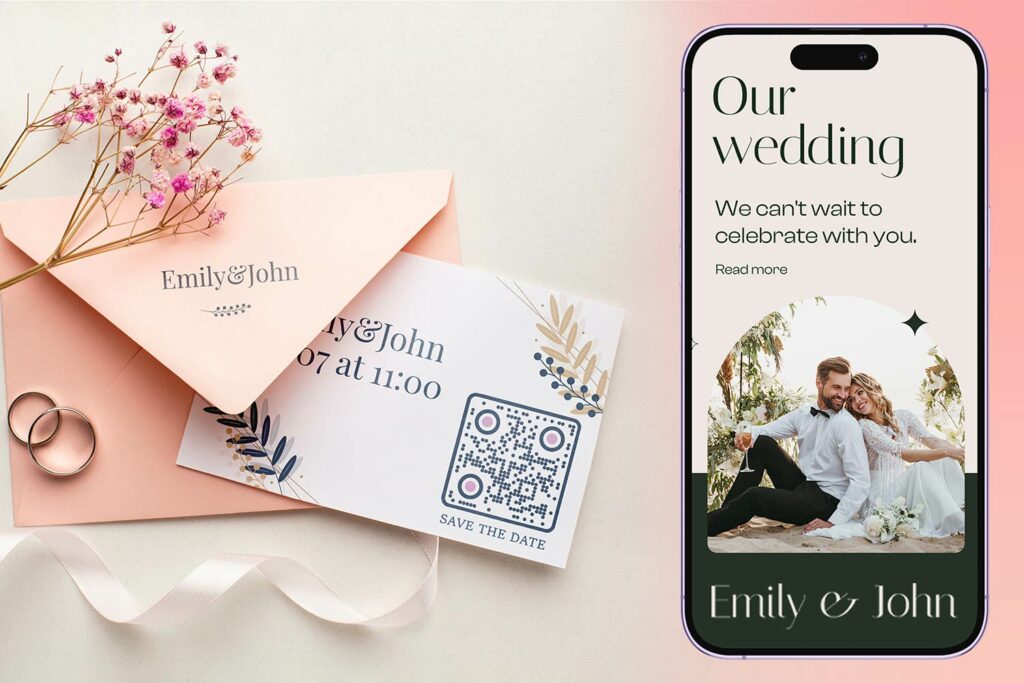
Pulma QR-koodi loomine võtab vaid mõne minuti. Siin on põhiprotsess:
- Vali oma QR-koodi tüüp. Erinevad kasutusjuhud nõuavad erinevaid kooditüüpe – a Lingi QR-koodi generaator sobib pulmaveebisaitidele ja fotoalbumitele, samas kui Sündmuse QR-koodi generaator on ideaalne kuupäevade salvestamiseks ja kalendrikanneteks.
- Sisesta oma sisu. Lisa URL, vormi link, PDF või sündmuse üksikasjad, millele soovid külalistele skaneerimisel ligipääsu anda.
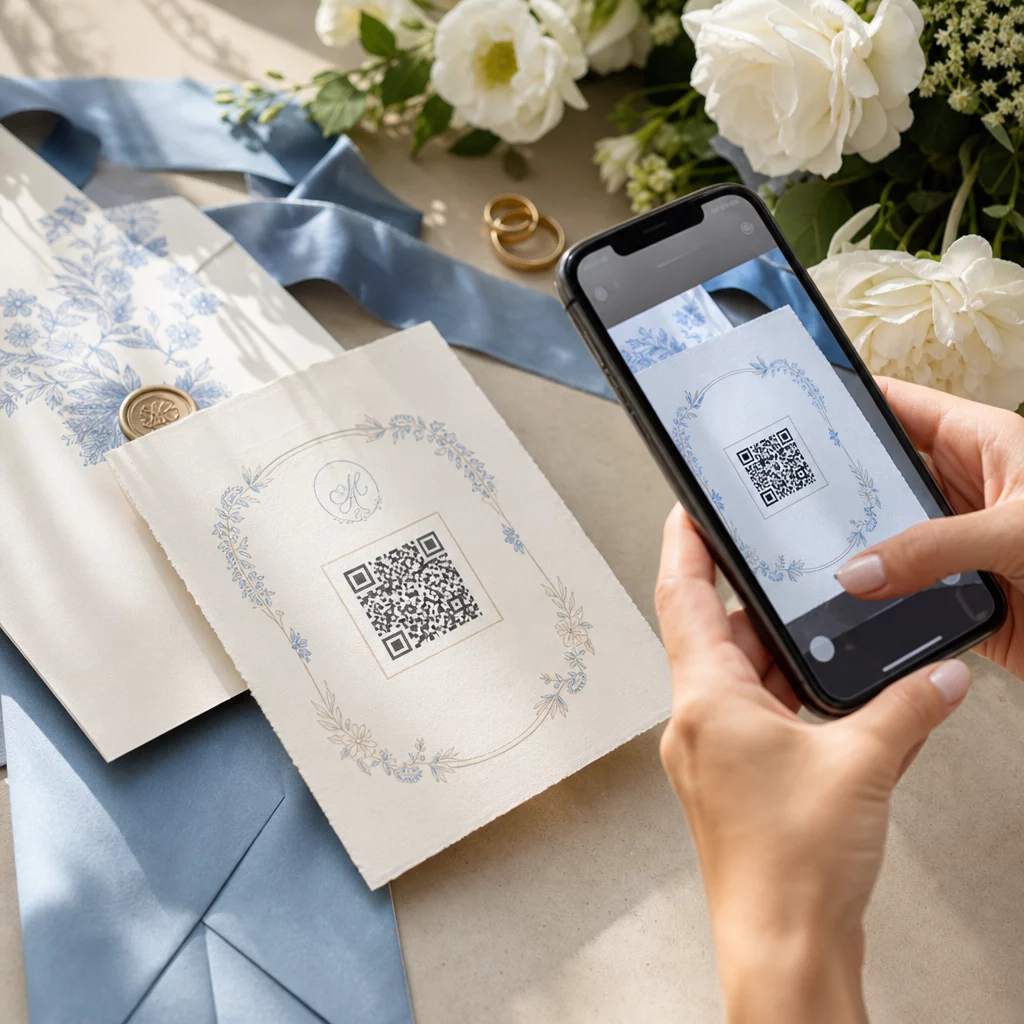
- Kohanda disaini. Sobita QR-koodi värvid ja stiil oma pulmaesteetikaga – lisa oma monogramm või initsiaalid logona, vali oma teemaga sobiv värvipalett ja vali raami kuju, mis sobib sinu kirjatarvete paigutusega.
- Testi enne printimist. Skanni valmis koodi mitmel seadmel realistlikes valgustingimustes enne trükkimist. Erinevate trükimaterjalide suuruse juhiste saamiseks vaata QR-koodi suuruse määramine erinevatele trükimaterjalidele.
- Laadi alla ja levita. Laadi alla kõrge resolutsiooniga formaadis (SVG või PDF) puhta printimise jaoks kutsetele, programmidele, menüüdele ja siltidele.
Hoia peamised detailid nähtaval kõigil trükitud materjalidel. Aeg, kuupäev ja toimumiskoht peaksid alati ilmuma tavalises tekstis. Kasuta QR-koode täiendava sisu lisamiseks – mitte asendama olulisi asju, mida külalised vajavad ühe pilguga.
Kus kasutada pulma QR-koode
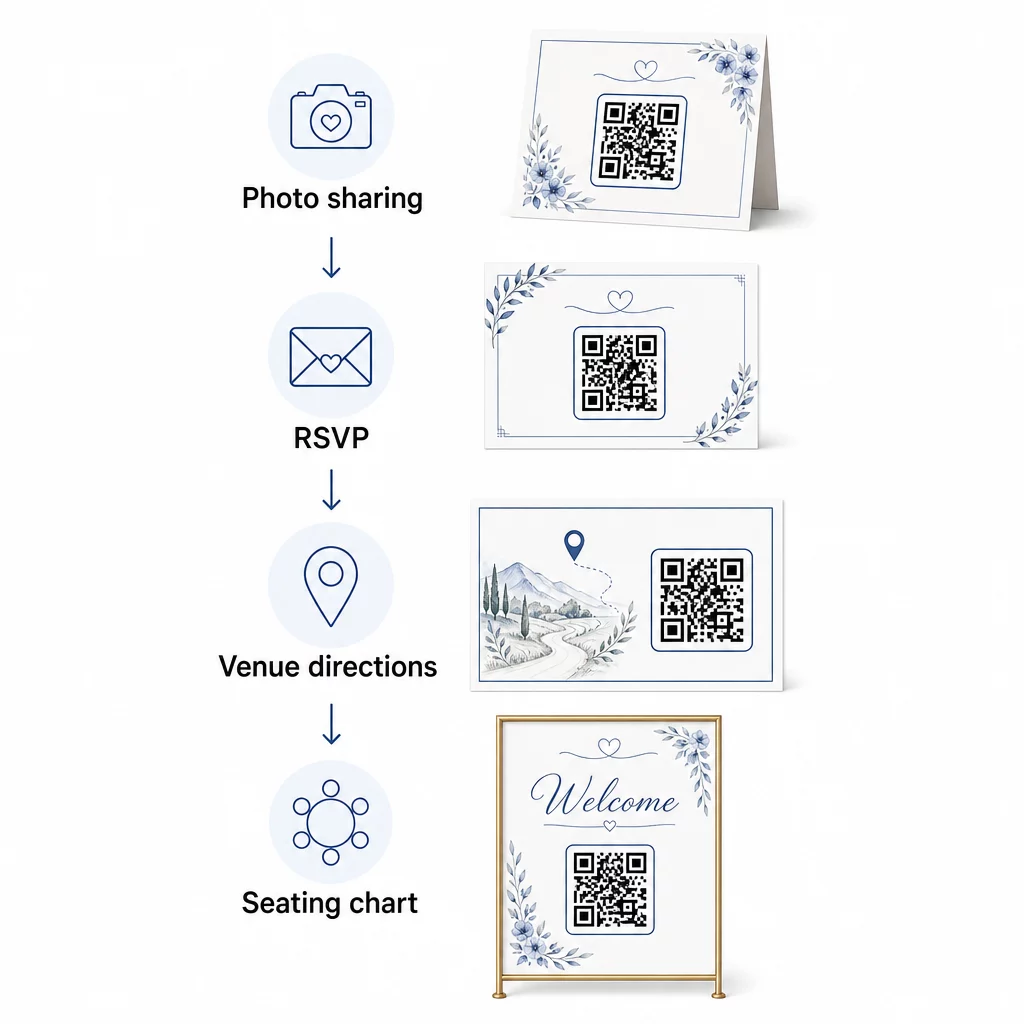
📷 Photo Sharing
Üks populaarsemaid pulma QR-koodi kasutusjuhtumeid on koostööpõhine fotode jagamine. Aseta QR-kood lauakaunistustele või baari, mis lingib jagatud albumile, kus külalised saavad vaadata professionaalseid fotosid ja üles laadida oma spontaanseid pilte. Lingimine jagatud Google Photos albumile või Dropboxi kaustale võimaldab reaalajas panustamist kogu ürituse vältel. Pagelooti faili üleslaadimise funktsioon muudab pildigaleriide majutamise ja jagamise otse QR-koodi kaudu lihtsaks.
💌 RSVPs
QR-kood teie kuupäeva salvestamise kaardil või kutsel, mis lingib otse RSVP-vormile, eemaldab vastamisprotsessist hõõrdumise. Külalised skaneerivad, täidavad lühikese vormi ja esitavad – ümbrikku pole vaja. Kasuta Google vormi QR-koodi generaator oma kutse otse Google Formiga ühendamiseks, kogudes söögivalikuid, toitumispiiranguid ja laulusoove koos osalemise kinnitusega. Täieliku juhendi saamiseks vaata juhendit teemal kuidas luua RSVP QR-koode ürituste jaoks.
📍 Venue Directions
Välista külaliste edasi-tagasi küsimine juhiste või parkimisinfo kohta. Asukoha QR-kood teie kutsel või juhiste kaardil avab teie toimumiskoha otse Google Mapsis ühe skaneerimisega. See Google Maps QR-koodi generaator võimaldab teil luua koodi, mis suunab külalised täpsesse asukohta – sealhulgas parkimisaladele või eraldi tseremoonia- ja vastuvõtukohtadesse.
🗓️ Save-the-Dates and Event Details
Tavapärase kuupäeva broneerimise kaardi asemel linkige täielikule sündmuse lehele, mis sisaldab tseremoonia ja vastuvõtu aegu, majutussoovitusi, riietuskoodi ja linki teie pulmaveebisaidile. See Sündmuse QR-koodi generaator võimaldab teil luua bränditud sihtlehe kõigi sündmuse üksikasjadega ja Google kalendri QR-koodi generaator võimaldab külalistel ühe puudutusega kuupäeva oma kalendrisse lisada.
🪑 Digitaalsed istekohtade kaardid
Postitage sündmuskoha sissepääsu juurde üks QR-kood, mis lingib digitaalsele istumisplaanile. Külalised skaneerivad saabumisel ja näevad koheselt oma lauakohta – trükitud tahvlit pole vaja. See lähenemine muudab ka viimase hetke istekohamuudatused hõlpsasti hallatavaks, kuna värskendate lingitud lehte, mitte ei trüki füüsilisi silte uuesti.
📜 Wedding Programs
Trükitud tseremooniaprogrammi asendav QR-kood vähendab paberikulusid ja võimaldab värskendusi kuni tseremoonia alguseni. Linkige PDF-programmile, kasutades PDF QR-koodi generaator et külalised saaksid oma telefonides kaasa jälgida. Kui lugemised, muusika või sündmuste järjekord muutub, värskendage PDF-i koodi muutmata.
🍽️ Interaktiivsed menüüd
Asetage igale lauakohale QR-koodid, mis lingivad täielikule õhtusöögimenüüle, sealhulgas koostisosade ja allergeenide teabele. Vastuvõttudel hilisõhtuste toidupunktide või kokteilitunni menüüdega saate lingitud sisu kogu õhtu jooksul dünaamilise koodi abil värskendada.
🎁 Wedding Favors
Kinnitage igale kingitusele väike QR-koodiga kaart, mis lingib isikupärastatud tänusõnumile, paari videosõnumile või kureeritud esitusloendile, mille külalised saavad koju kaasa võtta. See lisab isikupärase puudutuse, suurendamata füüsiliste kingituste maksumust.
Pulmade QR-koodide plussid ja miinused
| Eelised | Puudused |
|---|---|
| Lihtne juurdepääs infole ilma trükitud materjalideta | Kõik külalised ei pruugi nutitelefonidega mugavalt hakkama saada |
| Kulutõhus – vähendab programmide ja menüüde trükkimist | Nõuab kohapeal Wi-Fi-t või mobiilset andmesidet |
| Reaalajas uuendused dünaamiliste koodide kaudu | Vajab läbimõeldud paigutust ja suurust, et skaneerimine oleks usaldusväärne |
| Interaktiivne ja kaasahaarav külalistele | Mõned vanemad külalised võivad vajada lühikesi juhiseid |
| Tsentraliseeritud teave ühes skaneeritavas koodis | Halvasti kujundatud koode võib olla raske skaneerida hämaras valguses |
Kohtades, kus mobiililevi on ebausaldusväärne, kaaluge kriitilise teabe, nagu istumisplaanid ja juhised, jaoks trükitud varukoopia pakkumist.
Pulmaesteetikaga sobivate QR-koodide kujundamine
Lihtne mustvalge QR-kood ei pea elegantse kirjatarbega kokku minema. Enamik QR-koodi generaatoreid – sealhulgas Pageloot – võimaldavad teil kohandada värve, lisada keskele monogrammi või logo, valida raami kuju ja sobitada disaini oma kutsekomplektiga.
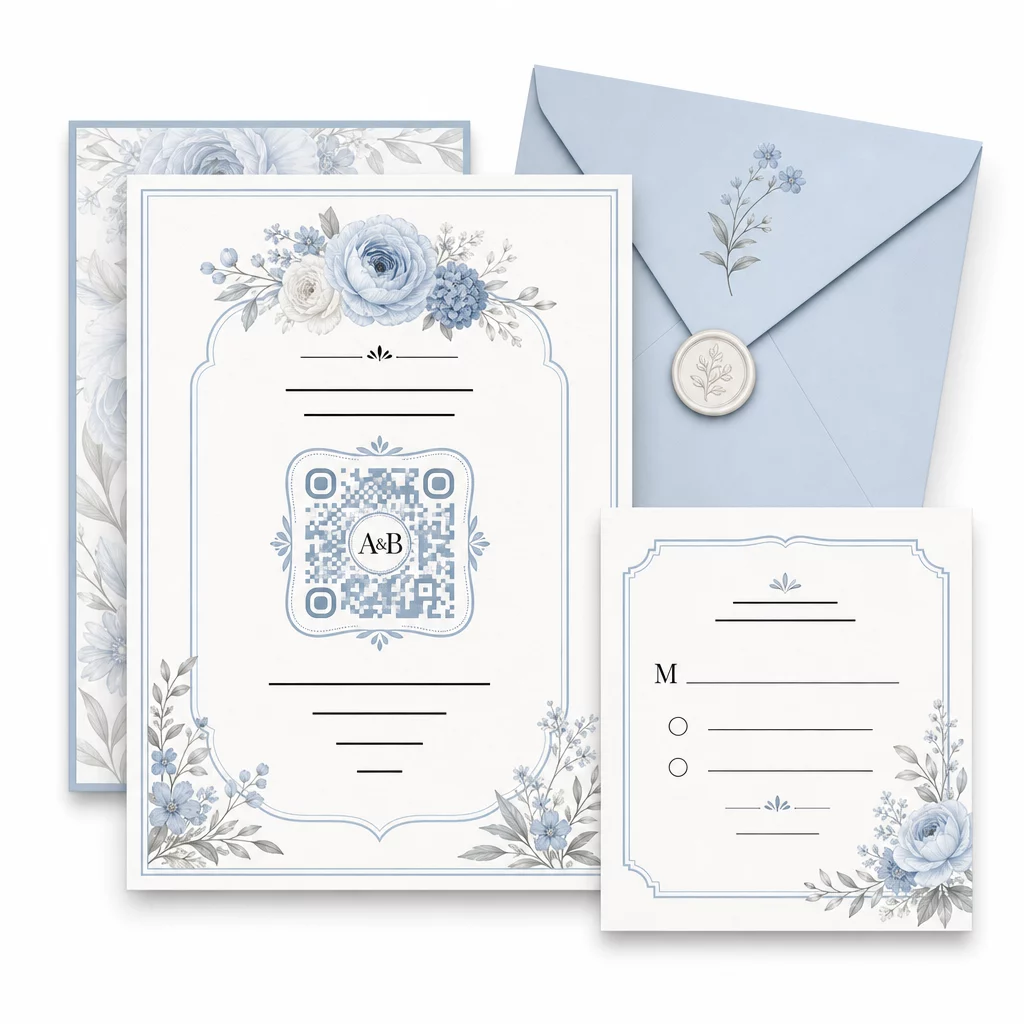
Mõned praktilised juhised skaneeritavuse säilitamiseks kohandamisel:
- Hoidke esiplaanivärv taustast vähemalt 40% tumedam
- Vältige koodi paigutamist mustrilisele või tekstuursele paberile, mis võiks mooduleid varjata
- Hoidke koodi ümber selge vaikne tsoon (valge äär)
- Trükkige kutsetele minimaalselt 0,8 × 0,8 tolli; siltidele suurem
Disaini parimate tavade täieliku ülevaate saamiseks vaadake QR-koodi loetavuse parimaid tavasid.
Dünaamiliste QR-koodide kasutamine pulmade paindlikkuse tagamiseks
Pulmadega kaasnevad pidevad viimase hetke muudatused – toitlustajad uuendavad menüüsid, tseremooniaajad nihkuvad ja toimumiskoha paigutusi kohandatakse. Dünaamilised QR-koodid võimaldavad teil siht-URL-i igal ajal uuendada, isegi pärast kutsete postitamist või programmide trükkimist. Kood ise jääb samaks; muutub ainult sisu, millele see viitab.
See tähendab, et saate:
- Uuendada istumisplaani pulmapäeva hommikul ilma silte uuesti trükkimata
- Vahetada PDF-programmi, et kajastada viimase hetke esineja muutust
- Lisada pulmajärgse fotogalerii lingid samale koodile, mis on juba jagatud kingituste siltidel
Dünaamilised koodid pakuvad ka skaneerimisanalüütikat – näete, kui palju külalisi teie RSVP-koodi skaneeris, millal ja millisel seadmel. Need andmed on kasulikud järelsuhtluse planeerimisel ja külaliste kaasatuse mõistmisel. Lisateavet leiate teema kohta QR-koodi toimivuse jälgimine ürituste jaoks.
Hoidke oma pulmade üksikasjad ajakohasena Kasutage dünaamilised QR-koodid toimumiskoha juhiste, istumisplaanide või menüüde reaalajas uuendamiseks – uuesti trükkimine pole vajalik, isegi pärast kutsete saatmist.
Digitaalse pulmakutse loomine QR-koodiga
Kui soovite oma kutsetega täielikult digitaalseks minna, on QR-koodi manustamine kujundatud digitaalsesse kutsesse lihtne. Kood võib linkida otse teie RSVP-vormile, pulmaveebisaidile või ürituse sihtlehele – automatiseerides vastuste jälgimise ja andes külalistele kõik vajaliku ühes kohas. Samm-sammult juhendi leiate teema kohta kuidas luua digitaalne pulmakutse QR-koodiga.
QR-koodid toimivad võrdselt hästi nii trükitud kui ka digitaalsetel kutsetel, nii et saate kasutada sama koodi mõlemas formaadis ilma topelttööta. Olenemata sellest, kas koordineerite RSVP-sid, jagate fotosid või juhatate külalisi nende kohtadele, pakuvad QR-koodid teile praktilise, uuendatava ja külalissõbraliku lahenduse teie pulma logistilise poole jaoks. Alustage ühe või kahe suure mõjuga kasutusjuhtumiga – RSVP-d ja toimumiskoha juhised kipuvad pakkuma kõige kohesimat väärtust – ja laiendage sealt edasi vastavalt sellele, mis teie üritusele sobib.
Looge oma pulmade QR-koodid Loo kohandatavaid, dünaamilisi pulma QR-koode koos Pageloot QR-koodi generaator – alustamine tasuta, 14-päevase prooviperioodiga analüütika ja redigeerimisfunktsioonidele juurdepääsuks.
Korduma Kippuvad Küsimused
Jah, aga ainult siis, kui kasutate dünaamilist QR-koodi. Dünaamilised koodid kasutavad ümbersuunamisserverit, nii et saate siht-URL-i muuta – värskendades oma istekohtade plaani, menüüd või sündmuse üksikasju – ilma uut koodi loomata või materjale uuesti printimata.
Ei. Iga nutitelefon, millel on kaamera ja mõistlikult kaasaegne operatsioonisüsteem (iOS 11+ või Android 8+), saab QR-koodi skannida otse oma kaamerarakenduse kaudu. Vähem tuttavate külaliste jaoks piisab tavaliselt koodi kõrvale lühikese märkuse “Skanni oma telefoni kaameraga” asetamisest.
Kutsete ja trükitud programmide jaoks püüdke saavutada minimaalselt 0,8 × 0,8 tolli (20 × 20 mm). Ürituse sildistuse ja istumisplaanide kuvade jaoks, mida külalised skaneerivad mõne jala kauguselt, suurendage proportsionaalselt – umbes 1 cm koodi suurust iga 10 cm oodatava skaneerimiskauguse kohta. Testige alati tegelikul trükimaterjalil enne täielikku trükkimist.