Lập kế hoạch đám cưới bao gồm việc điều phối hàng tá yếu tố di chuyển giữa khách mời, nhà cung cấp và địa điểm. Mã QR cung cấp cho bạn một cách đơn giản để kết nối tất cả thông tin đó tại một điểm chạm có thể quét được – giảm lãng phí giấy, cắt giảm thời gian điều phối và giúp ngày trọng đại diễn ra suôn sẻ hơn cho tất cả mọi người.
Tại sao mã QR hoạt động hiệu quả trong đám cưới
Với một đám cưới trung bình ở Hoa Kỳ có khoảng 116 khách mời, việc giữ cho mọi người được thông báo và đồng bộ là một thách thức hậu cần thực sự. Các tài liệu in ấn vật lý dễ bị thất lạc, trở nên lỗi thời và tốn tiền để tái bản. Mã QR giải quyết cả ba vấn đề này cùng một lúc.
Một mã duy nhất có thể liên kết khách mời đến trang web đám cưới của bạn, biểu mẫu RSVP, chỉ đường đến địa điểm hoặc thư viện ảnh – và bởi vì mã QR động cho phép bạn cập nhật URL đích mà không cần in lại, bạn có thể thực hiện các thay đổi vào phút chót ngay trước ngày diễn ra. Chỉ riêng sự linh hoạt đó đã khiến chúng đáng để cân nhắc cho bất kỳ cặp đôi nào đang quản lý một danh sách khách mời phức tạp.
Đường cong chấp nhận cũng không còn là trở ngại. Ước tính 99,5 triệu người ở Hoa Kỳ dự kiến sẽ quét mã QR vào năm 2025, và phần lớn điện thoại thông minh có thể thực hiện điều đó một cách tự nhiên bằng ứng dụng camera – không cần ứng dụng bổ sung.
Tạo mã QR đám cưới của bạn Sẵn sàng bắt đầu? Sử dụng Trình tạo mã QR để xây dựng các mã QR đám cưới động, có thể tùy chỉnh mà bạn có thể cập nhật bất cứ lúc nào.
Cách tạo mã QR đám cưới
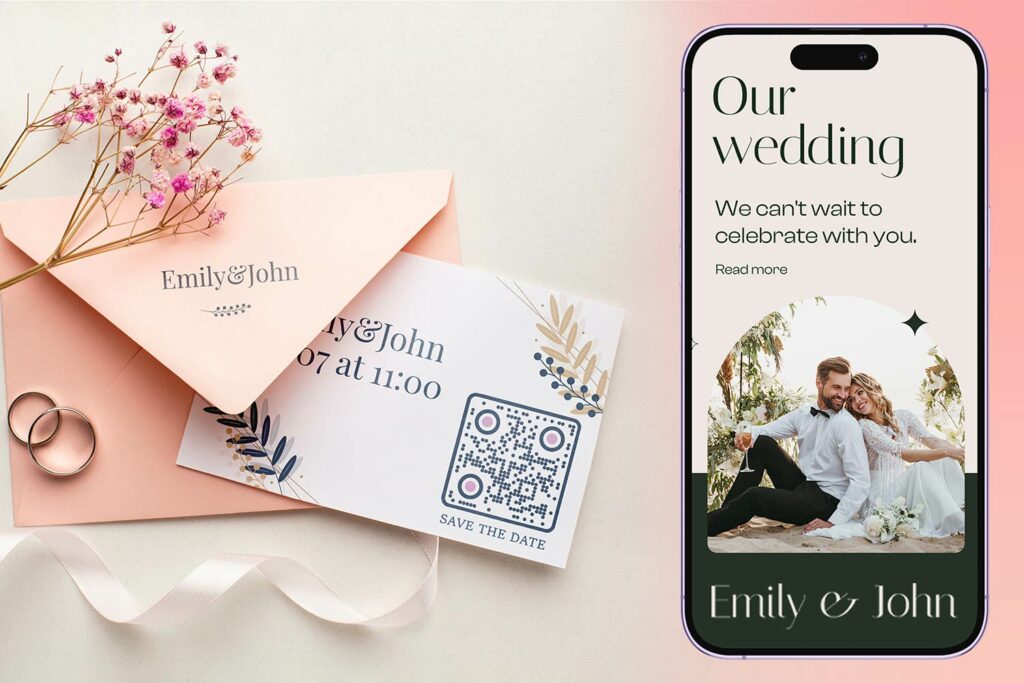
Tạo mã QR đám cưới chỉ mất vài phút. Dưới đây là quy trình cơ bản:
- Chọn loại mã QR của bạn. Các trường hợp sử dụng khác nhau yêu cầu các loại mã khác nhau – một Trình tạo mã QR liên kết hoạt động cho các trang web đám cưới và album ảnh, trong khi Trình tạo mã QR sự kiện là lý tưởng cho các thông báo lưu ngày và mục lịch.
- Nhập nội dung của bạn. Thêm URL, liên kết biểu mẫu, PDF hoặc chi tiết sự kiện mà bạn muốn khách truy cập khi họ quét.
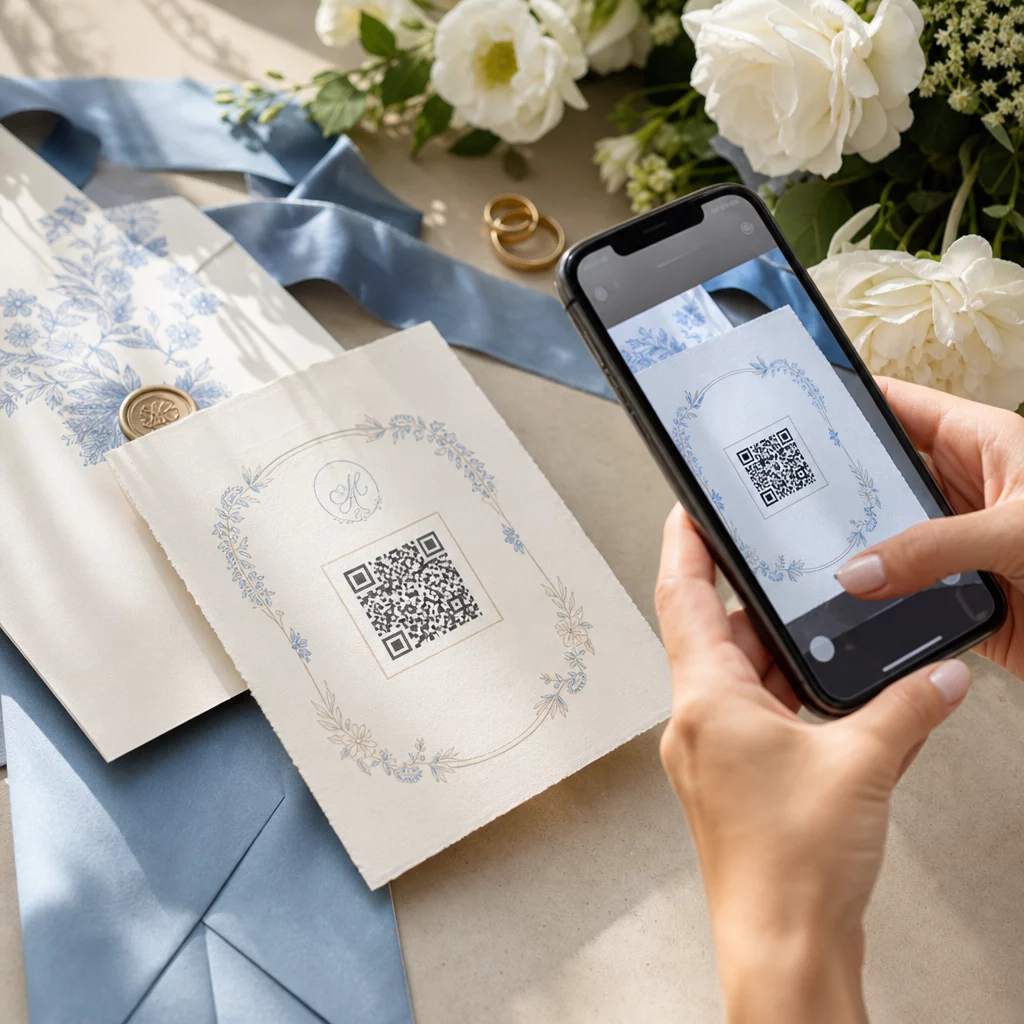
- Tùy chỉnh thiết kế. Phù hợp màu sắc và kiểu dáng mã QR với phong cách đám cưới của bạn – thêm chữ lồng hoặc chữ cái đầu của bạn làm logo, chọn bảng màu phù hợp với chủ đề của bạn và chọn hình dạng khung phù hợp với bố cục văn phòng phẩm của bạn.
- Kiểm tra trước khi in. Quét mã đã hoàn thành trên nhiều thiết bị trong điều kiện ánh sáng thực tế trước khi cam kết in hàng loạt. Để được hướng dẫn về kích thước trên các vật liệu in khác nhau, hãy xem kích thước mã QR cho các vật liệu in khác nhau.
- Tải xuống và phân phối. Tải xuống ở định dạng độ phân giải cao (SVG hoặc PDF) để in rõ nét trên thiệp mời, chương trình, thực đơn và bảng hiệu.
Giữ các chi tiết chính hiển thị trên tất cả các tài liệu in. Thời gian, ngày tháng và địa điểm luôn phải xuất hiện dưới dạng văn bản thuần túy. Sử dụng mã QR để thêm nội dung bổ sung – không thay thế những thông tin cần thiết mà khách cần xem nhanh.
Nơi sử dụng mã QR đám cưới
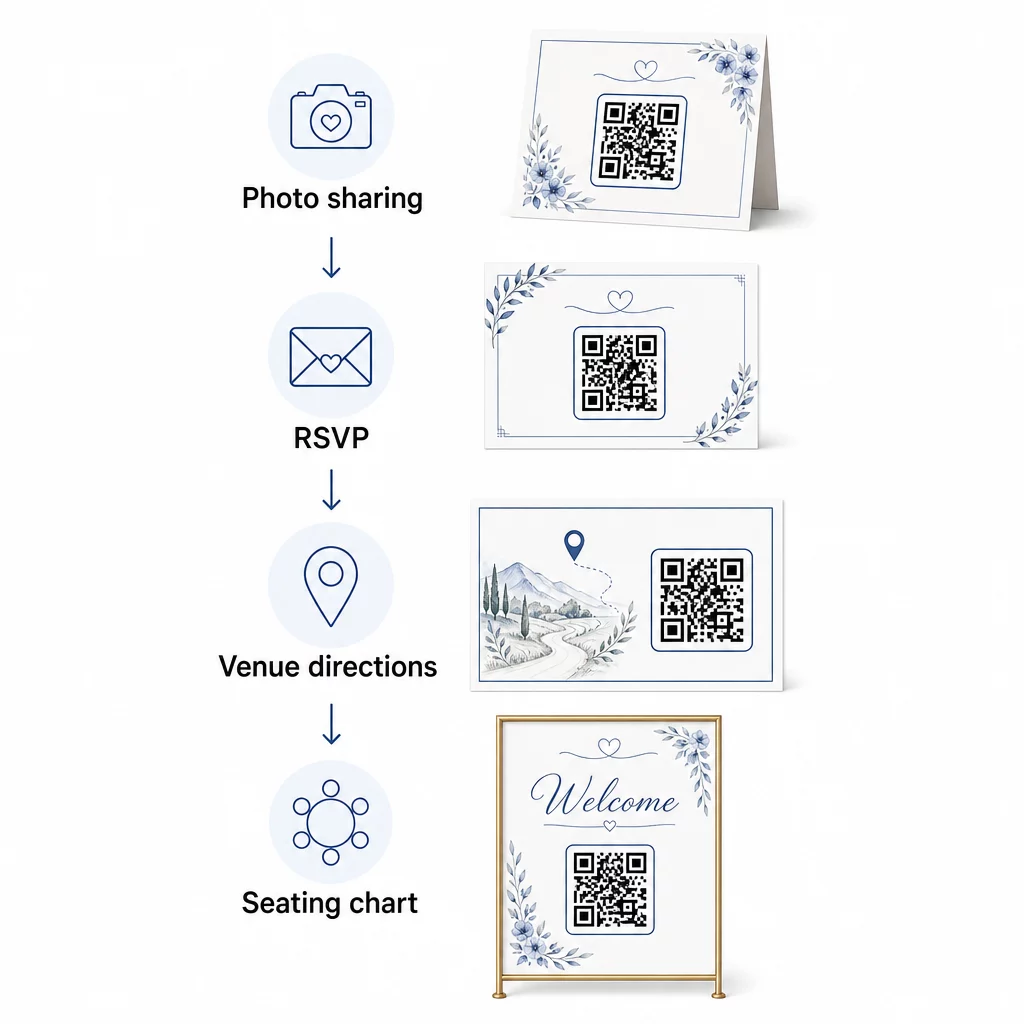
📷 Photo Sharing
Một trong những trường hợp sử dụng mã QR đám cưới phổ biến nhất là chia sẻ ảnh cộng tác. Đặt mã QR trên vật trang trí trung tâm bàn hoặc tại quầy bar liên kết đến một album chia sẻ nơi khách có thể xem ảnh chuyên nghiệp và tải lên những bức ảnh tự chụp của riêng họ. Liên kết đến một album Google Photos hoặc thư mục Dropbox được chia sẻ cho phép đóng góp theo thời gian thực trong suốt sự kiện. Của Pageloot tính năng tải tệp lên giúp dễ dàng lưu trữ và chia sẻ thư viện hình ảnh trực tiếp thông qua mã QR.
💌 RSVPs
Mã QR trên thiệp báo hỷ hoặc thiệp mời của bạn liên kết trực tiếp đến biểu mẫu RSVP giúp loại bỏ sự phức tạp khỏi quy trình phản hồi. Khách chỉ cần quét, điền vào một biểu mẫu ngắn và gửi – không cần phong bì. Sử dụng Trình tạo mã QR Biểu mẫu Google để kết nối thiệp mời của bạn trực tiếp với Google Form thu thập sở thích bữa ăn, hạn chế về chế độ ăn uống và yêu cầu bài hát cùng với xác nhận tham dự. Để biết hướng dẫn đầy đủ, hãy xem hướng dẫn về cách tạo mã QR RSVP cho sự kiện.
📍 Venue Directions
Loại bỏ việc khách phải hỏi đi hỏi lại về chỉ đường hoặc hướng dẫn đỗ xe. Mã QR vị trí trên thiệp mời hoặc thẻ chỉ đường của bạn sẽ mở địa điểm của bạn trực tiếp trong Google Maps chỉ với một lần quét. Cái Trình tạo mã QR của Google Maps cho phép bạn tạo một mã định tuyến khách đến đúng địa điểm – bao gồm khu vực đỗ xe hoặc các địa điểm tổ chức lễ và tiệc riêng biệt.
🗓️ Save-the-Dates and Event Details
Thay vì một tấm thiệp thông báo ngày cưới đơn giản, hãy liên kết đến một trang sự kiện đầy đủ chứa thời gian cử hành lễ và tiệc, gợi ý chỗ ở, quy định trang phục và liên kết đến trang web đám cưới của bạn. Trang Trình tạo mã QR sự kiện cho phép bạn xây dựng một trang đích có thương hiệu với tất cả chi tiết sự kiện, và Trình tạo mã QR của Google Calendar cho phép khách thêm ngày vào lịch của họ chỉ với một lần chạm.
🪑 Sơ đồ chỗ ngồi kỹ thuật số
Đặt một mã QR duy nhất tại lối vào địa điểm liên kết đến sơ đồ chỗ ngồi kỹ thuật số. Khách quét khi đến và ngay lập tức thấy vị trí bàn của họ – không cần bảng in. Cách tiếp cận này cũng giúp dễ dàng quản lý các thay đổi chỗ ngồi vào phút chót vì bạn chỉ cần cập nhật trang được liên kết thay vì in lại bảng hiệu vật lý.
📜 Wedding Programs
Mã QR thay thế chương trình lễ cưới in sẵn giúp giảm chi phí giấy và cho phép cập nhật ngay trước khi buổi lễ bắt đầu. Liên kết đến chương trình PDF bằng cách sử dụng Trình tạo mã QR PDF để khách có thể theo dõi trên điện thoại của họ. Nếu các bài đọc, âm nhạc hoặc thứ tự sự kiện thay đổi, hãy cập nhật PDF mà không cần thay đổi mã.
🍽️ Menu tương tác
Đặt mã QR tại mỗi vị trí bàn liên kết đến thực đơn bữa tối đầy đủ, bao gồm thành phần và thông tin về chất gây dị ứng. Đối với các buổi tiệc có quầy đồ ăn khuya hoặc thực đơn giờ cocktail, bạn có thể cập nhật nội dung được liên kết suốt buổi tối bằng cách sử dụng mã động.
🎁 Wedding Favors
Đính một thẻ mã QR nhỏ vào mỗi món quà liên kết đến một tin nhắn cảm ơn cá nhân hóa, một tin nhắn video từ cặp đôi hoặc một danh sách phát nhạc được tuyển chọn mà khách có thể mang về nhà. Điều này thêm một nét cá nhân mà không làm tăng chi phí quà tặng vật lý.
Ưu và nhược điểm của mã QR đám cưới
| Những lợi ích | Nhược điểm |
|---|---|
| Dễ dàng truy cập thông tin mà không cần tài liệu in | Không phải tất cả khách đều thoải mái với điện thoại thông minh |
| Hiệu quả về chi phí – giảm in ấn cho chương trình và thực đơn | Yêu cầu Wi-Fi hoặc dữ liệu di động tại địa điểm |
| Cập nhật theo thời gian thực qua mã động | Cần vị trí và kích thước được cân nhắc kỹ lưỡng để quét đáng tin cậy |
| Tương tác và thu hút khách mời | Một số khách lớn tuổi có thể cần hướng dẫn ngắn gọn |
| Thông tin tập trung trong một mã có thể quét được | Mã được thiết kế kém có thể khó quét trong điều kiện ánh sáng yếu |
Đối với các địa điểm có dịch vụ di động không đáng tin cậy, hãy cân nhắc cung cấp bản sao in dự phòng cho các thông tin quan trọng như sơ đồ chỗ ngồi và chỉ dẫn.
Thiết kế mã QR phù hợp với thẩm mỹ đám cưới của bạn
Một mã QR đen trắng đơn giản không nhất thiết phải xung đột với văn phòng phẩm trang nhã. Hầu hết các trình tạo mã QR – bao gồm Pageloot – cho phép bạn tùy chỉnh màu sắc, thêm chữ lồng hoặc logo vào giữa, chọn hình dạng khung và phối thiết kế với bộ thiệp mời của bạn.
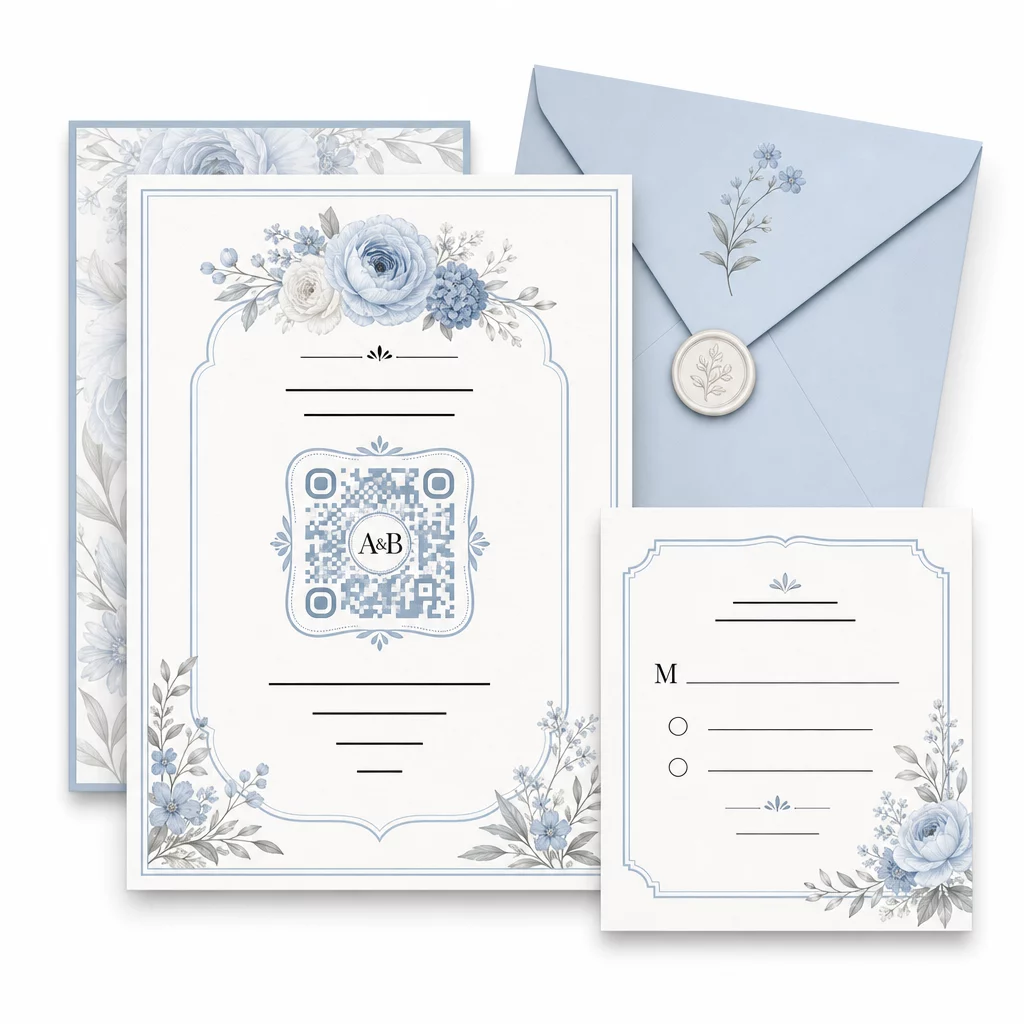
Một vài hướng dẫn thực tế để giữ khả năng quét nguyên vẹn trong khi tùy chỉnh:
- Giữ màu tiền cảnh tối hơn ít nhất 40% so với màu nền
- Tránh đặt mã lên giấy có hoa văn hoặc kết cấu có thể che khuất các mô-đun
- Duy trì một vùng yên tĩnh rõ ràng (viền trắng) xung quanh mã
- In với kích thước tối thiểu 0.8 × 0.8 inch cho thiệp mời; lớn hơn cho bảng hiệu
Để biết chi tiết đầy đủ về các phương pháp thiết kế tốt nhất, hãy xem các phương pháp hay nhất để đọc mã QR.
Sử dụng mã QR động để linh hoạt trong đám cưới
Đám cưới thường xuyên có những thay đổi vào phút chót – nhà cung cấp dịch vụ ăn uống cập nhật thực đơn, thời gian buổi lễ thay đổi và bố cục địa điểm được điều chỉnh. Mã QR động cho phép bạn cập nhật URL đích bất cứ lúc nào, ngay cả sau khi thiệp mời đã được gửi đi hoặc chương trình đã được in. Bản thân mã vẫn giữ nguyên; chỉ có nội dung mà nó trỏ đến thay đổi.
Điều này có nghĩa là bạn có thể:
- Cập nhật sơ đồ chỗ ngồi vào buổi sáng ngày cưới mà không cần in lại bảng hiệu
- Thay đổi chương trình PDF để phản ánh sự thay đổi diễn giả vào phút chót
- Thêm liên kết thư viện ảnh sau đám cưới vào cùng một mã đã được phân phát trên thẻ quà tặng
Mã động cũng cung cấp phân tích lượt quét – bạn có thể xem có bao nhiêu khách đã quét mã RSVP của bạn, khi nào và trên thiết bị nào. Dữ liệu đó hữu ích cho việc lập kế hoạch liên lạc tiếp theo và hiểu mức độ tương tác của khách. Tìm hiểu thêm về theo dõi hiệu suất mã QR cho các sự kiện.
Giữ thông tin chi tiết đám cưới của bạn luôn được cập nhật Sử dụng mã QR động để cập nhật hướng dẫn địa điểm, sơ đồ chỗ ngồi hoặc thực đơn theo thời gian thực – không cần in lại, ngay cả sau khi thiệp mời đã được gửi đi.
Tạo thiệp mời đám cưới kỹ thuật số bằng mã QR
Nếu bạn muốn số hóa hoàn toàn thiệp mời của mình, việc nhúng mã QR vào một thiệp mời kỹ thuật số được thiết kế sẵn là rất đơn giản. Mã có thể liên kết trực tiếp đến biểu mẫu RSVP, trang web đám cưới hoặc trang đích sự kiện của bạn – tự động hóa việc theo dõi phản hồi và cung cấp cho khách mọi thứ họ cần ở một nơi. Để biết hướng dẫn từng bước, hãy xem hướng dẫn về cách tạo thiệp mời đám cưới kỹ thuật số bằng mã QR.
Mã QR hoạt động tốt như nhau trên thiệp mời in và kỹ thuật số, vì vậy bạn có thể sử dụng cùng một mã trên cả hai định dạng mà không cần lặp lại công sức. Cho dù bạn đang điều phối RSVP, chia sẻ ảnh hay hướng dẫn khách đến chỗ ngồi của họ, mã QR mang đến cho bạn một giải pháp thiết thực, có thể cập nhật và thân thiện với khách cho khía cạnh hậu cần của đám cưới. Bắt đầu với một hoặc hai trường hợp sử dụng có tác động cao – RSVP và hướng dẫn địa điểm có xu hướng mang lại giá trị tức thì nhất – và mở rộng từ đó dựa trên những gì phù hợp với sự kiện của bạn.
Xây dựng mã QR đám cưới của bạn Tạo mã QR đám cưới động, có thể tùy chỉnh với Trình tạo mã QR Pageloot – miễn phí để bắt đầu, với bản dùng thử 14 ngày để truy cập các tính năng phân tích và chỉnh sửa.
Các câu hỏi thường gặp
Vâng, nhưng chỉ khi bạn sử dụng mã QR động. Mã động sử dụng máy chủ chuyển hướng, vì vậy bạn có thể thay đổi URL đích – cập nhật sơ đồ chỗ ngồi, thực đơn hoặc chi tiết sự kiện của bạn – mà không cần tạo mã mới hoặc in lại tài liệu.
Không. Bất kỳ điện thoại thông minh nào có camera chạy hệ điều hành tương đối hiện đại (iOS 11+ hoặc Android 8+) đều có thể quét mã QR trực tiếp thông qua ứng dụng camera gốc. Đối với những khách ít quen thuộc hơn, việc đặt một ghi chú ngắn “Quét bằng camera điện thoại của bạn” bên cạnh mã thường là đủ hướng dẫn.
Đối với thiệp mời và chương trình in, hãy đặt mục tiêu kích thước tối thiểu là 0,8 × 0,8 inch (20 × 20 mm). Đối với biển báo địa điểm và màn hình sơ đồ chỗ ngồi mà khách sẽ quét từ vài feet, hãy tăng tỷ lệ thuận – khoảng 1 cm kích thước mã cho mỗi 10 cm khoảng cách quét dự kiến. Luôn kiểm tra trên vật liệu in thực tế trước khi in hàng loạt.