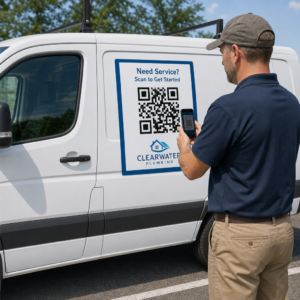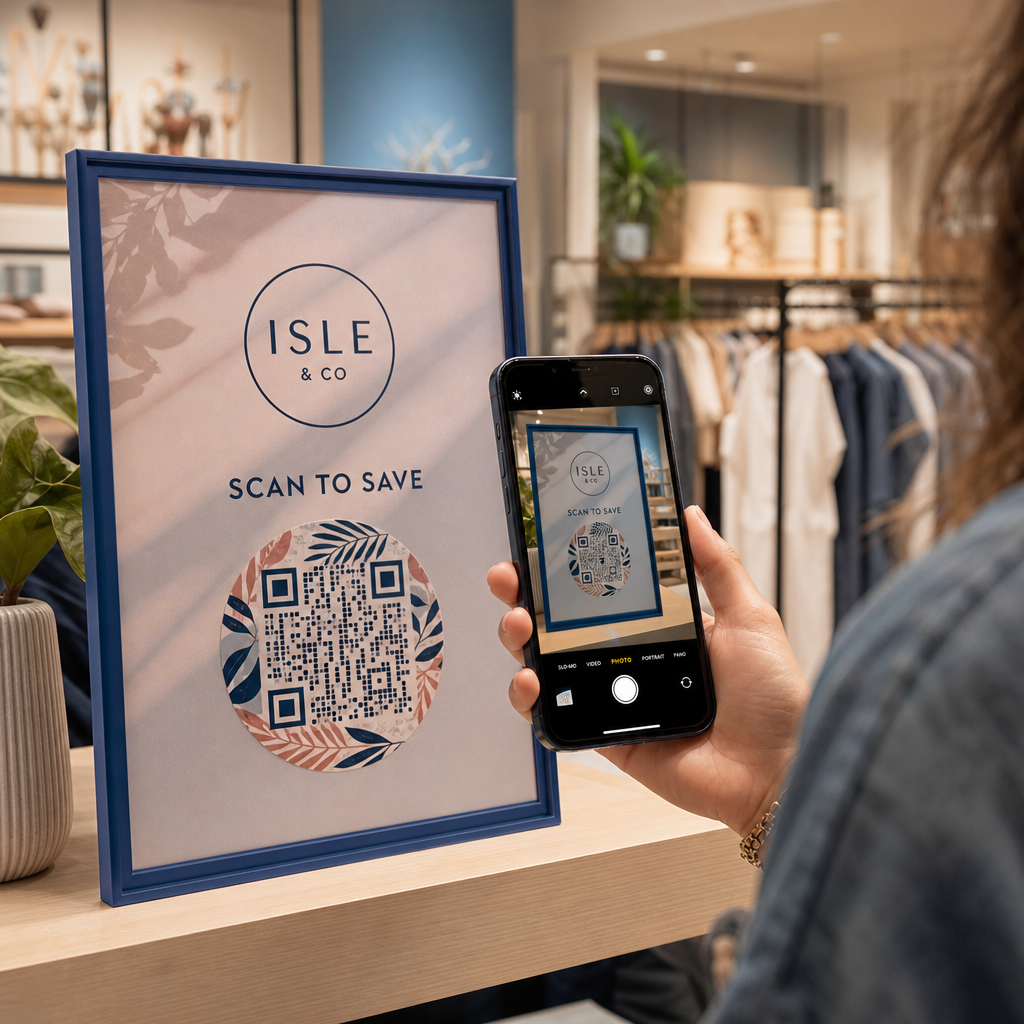
Apakah materi pemasaran fisik Anda gagal mengarahkan lalu lintas ke konten digital Anda? Kode QR hitam-putih generik seringkali menyatu dengan kebisingan visual latar belakang, mengakibatkan interaksi pelanggan yang terlewat dan anggaran kampanye yang terbuang. Dengan menerapkan kontras warna yang strategis, branding khusus, ajakan bertindak yang jelas, dan pelacakan dinamis, Anda dapat mengubah kode biasa menjadi aset visual yang sangat konversif.
Prioritaskan Kemampuan Pindai dengan Kontras Warna Tinggi
Desain visual tidak boleh mengorbankan kemampuan pindai fungsional. Sensor kamera mengurai pola QR dengan mengukur kontras pantulan cahaya antara modul latar depan dan permukaan latar belakang. Warna yang lebih gelap menyerap cahaya sementara warna yang lebih terang memantulkannya, memungkinkan lensa optik membaca titik data yang tertanam dengan jelas.
Untuk menjaga keterbacaan maksimum di berbagai kondisi pencahayaan, terapkan yang sudah ditetapkan pedoman kontras warna kode QR:
- Pertahankan latar depan gelap pada latar belakang terang: Pilih warna pola yang solid dan gelap seperti biru tua, arang, atau merah marun gelap pada latar belakang yang bersih dan terang. Hitam standar di atas putih menghasilkan rasio kontras optimal 21:1.
- Penuhi persyaratan rasio kontras standar: Pertahankan rasio kontras minimum 4.5:1 untuk materi cetak kecil dan setidaknya 3:1 untuk tampilan papan reklame yang lebih besar.
- Hindari gradien internal dan bayangan jatuh: Lewati gradien multi-nada dan bayangan jatuh yang lembut, karena nuansa nada tengah menciptakan kebisingan visual yang membingungkan sensor optik.
- Lewati desain inversi warna: Hindari menggunakan pola terang pada latar belakang gelap, karena desain terbalik gagal pada banyak pemindai kamera smartphone bawaan.
Integrasikan Logo Merek Anda Tanpa Mengorbankan Keterbacaan
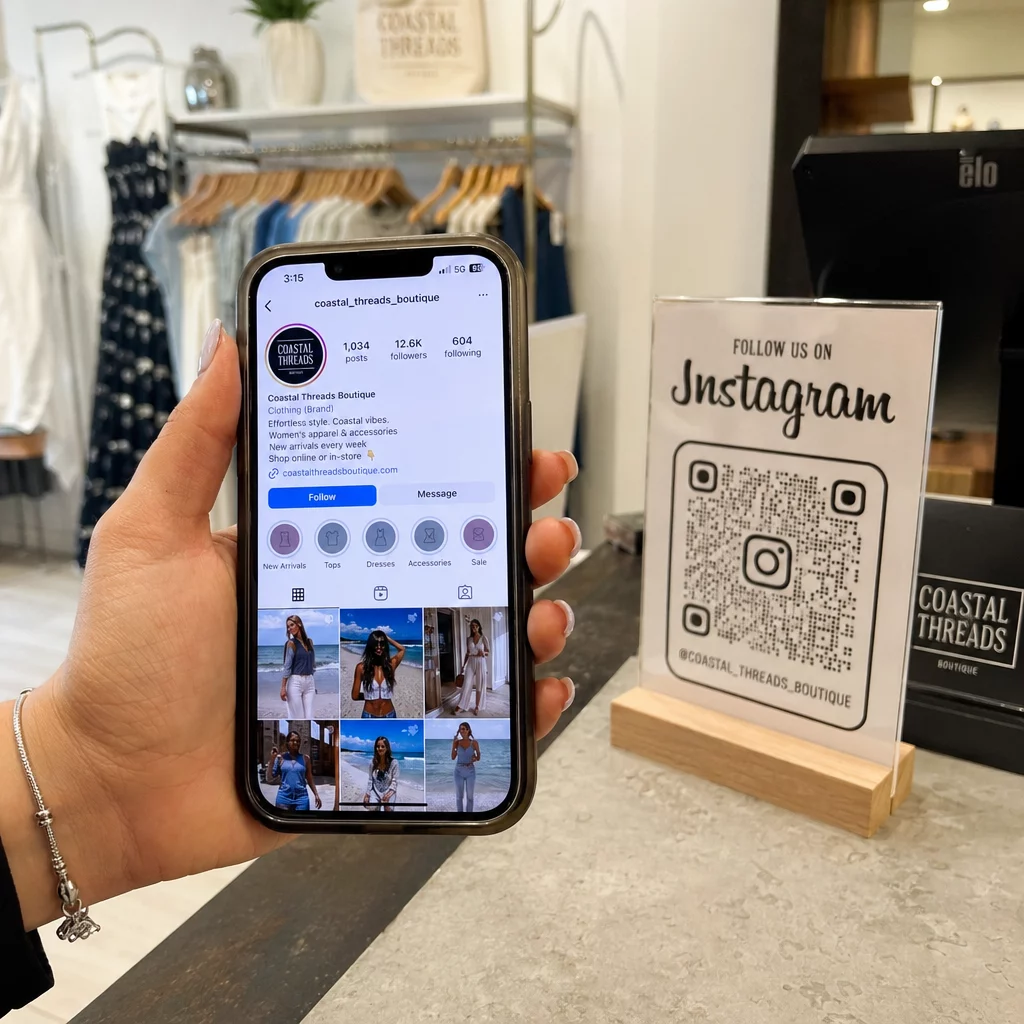
Menempatkan logo perusahaan di dalam matriks QR membangun pengenalan merek instan dan meyakinkan pengguna bahwa URL tujuan adalah sah. Meninjau contoh dunia nyata contoh kode QR bermerek menunjukkan bahwa desain khusus menghasilkan keterlibatan pengguna yang lebih tinggi dibandingkan kotak monokrom biasa.
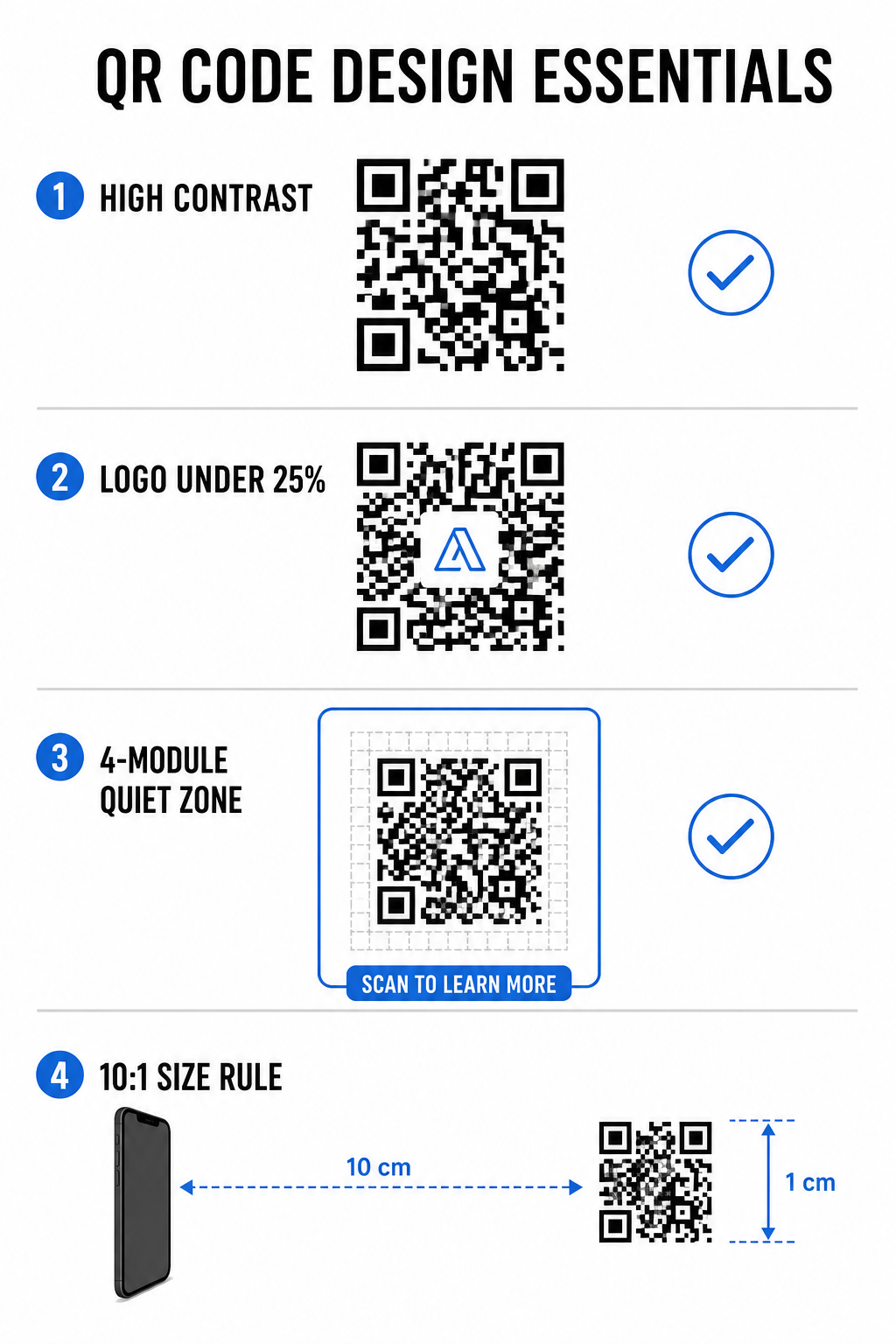
Saat belajar cara menambahkan logo ke kode QR, lindungi zona deteksi pemindai kritis agar kode Anda tetap dapat dibaca:
- Posisikan logo di tengah: Tempatkan grafis tepat di tengah kisi, memastikan tiga pola penyelarasan persegi besar di sudut tetap tidak terhalang sepenuhnya.
- Batasi cakupan logo total: Pertahankan dimensi logo 25% atau kurang dari total lebar dan tinggi QR, tidak pernah melebihi 30% dari area permukaan keseluruhan.
- Pilih tingkat koreksi kesalahan yang lebih tinggi: Atur Koreksi Kesalahan Reed-Solomon ke Tingkat Q (memulihkan hingga 25% data yang tertutup) atau Tingkat H (memulihkan hingga 30%) agar pemindai dapat merekonstruksi informasi pola yang hilang.
- Lindungi kontras latar belakang logo: Tambahkan batas putih polos di sekitar ikon merek gelap untuk mencegah tepi logo menyatu dengan modul pola di sekitarnya.
Buat Kode QR Bermerek dalam Hitungan Detik Ingin meningkatkan materi pemasaran Anda dengan warna kustom, logo, dan bingkai yang menghasilkan konversi tinggi? Mulai rancang kode yang dapat dipindai hari ini dengan Generator QR Code dengan Logo.
Beri Bingkai Kode QR Anda dengan Ajakan Bertindak yang Jelas
Kode QR tanpa label tidak memberikan alasan kuat bagi pelanggan untuk memindai. Menambahkan bingkai ajakan bertindak (CTA) memberikan konteks langsung, memberi tahu pengguna nilai atau konten apa yang menanti mereka.
Menggunakan bingkai CTA kode QR membantu memandu perilaku pengguna dan meningkatkan tingkat konversi:
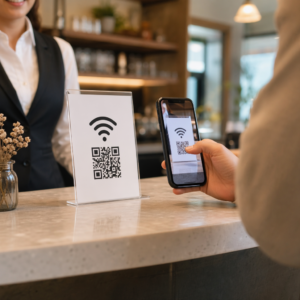
- Tambahkan mikro-salinan yang berorientasi manfaat: Ganti label generik dengan instruksi eksplisit seperti “Pindai untuk Diskon 20%,” “Pindai untuk Melihat Menu,” atau “Pindai untuk WiFi Gratis.”
- Lindungi zona tenang: Pertahankan margin yang tidak terhalang setidaknya empat modul di keempat sisi kode, menjaga batas bingkai dan teks di luar area ini.
- Terapkan templat visual yang sudah ada: Gunakan yang dirancang Template QR code untuk memastikan pembingkaian cocok dengan aset cetak Anda sambil mematuhi aturan teknis zona tenang.
| Elemen | Standar yang Direkomendasikan | Mengapa Ini Penting |
|---|---|---|
| Margin Zona Hening | Minimum 4 modul di semua sisi | Mencegah grafis di sekitar mengganggu pengenalan kamera |
| Cakupan Logo | 20% hingga 25% dari total area permukaan | Menjaga modul data esensial tetap terbaca sambil mempertahankan visibilitas merek |
| Rasio Kontras | Minimum 4.5:1 (cetakan kecil) / 3:1 (cetakan besar) | Menjamin perbedaan yang jelas antara titik-titik latar depan dan latar belakang |
| Ukuran Cetak Minimum | 0,8 x 0,8 inci (2 x 2 cm) | Memastikan lensa kamera ponsel standar dapat fokus dengan benar pada jarak dekat |
Skalakan Dimensi Kode untuk Penempatan Fisik yang Strategis
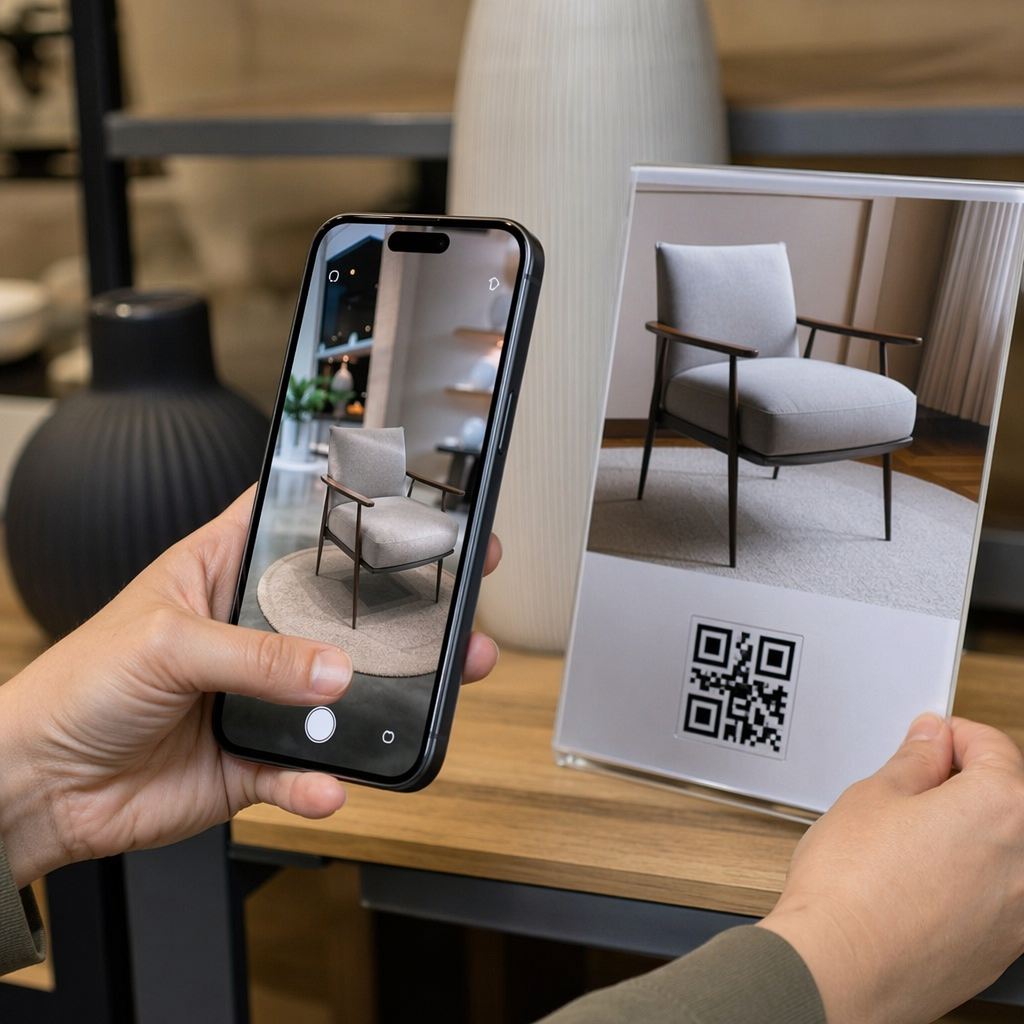
Bahkan kode QR yang menarik secara visual akan gagal jika penempatan fisiknya menghalangi pemindaian yang nyaman. Penempatan yang efektif memerlukan evaluasi jarak pandang, tekstur permukaan, tinggi pemasangan, dan skala cetak.
Mengikuti panduan yang ditetapkan untuk kode QR dalam pemasaran membantu memastikan kinerja yang andal:
- Hitung dimensi menggunakan jarak pandang: Terapkan aturan rasio 10:1, di mana setiap 10 cm jarak pemindaian memerlukan lebar kode QR setidaknya 1 cm.
- Posisikan materi pada ketinggian pandang alami: Pasang tanda dan tampilan cetak antara 3,5 dan 5,5 kaki dari tanah agar pengguna dapat memindai tanpa membungkuk atau menjangkau dengan sudut yang canggung.
- Pilih bahan cetak datar dan tidak reflektif: Pilih permukaan matte daripada laminasi mengkilap atau kemasan melengkung untuk menghilangkan silau cahaya dan distorsi pola.
- Ekspor grafik dalam format vektor resolusi tinggi: Tinjau lebih lanjut tips desain kode QR untuk pemindaian yang lebih baik untuk memastikan grafik diekspor sebagai file SVG atau EPS untuk pencetakan yang jernih.
Gunakan Kode QR Dinamis untuk Melacak dan Mengoptimalkan Kampanye
Kode QR statis mengkodekan URL target langsung ke dalam pola matriks, menghasilkan grid padat yang sulit dipindai dari jarak jauh. Kode QR dinamis mengarahkan pemindai melalui URL singkat, menjaga pola matriks tetap bersih sambil memungkinkan fleksibilitas pasca-cetak.
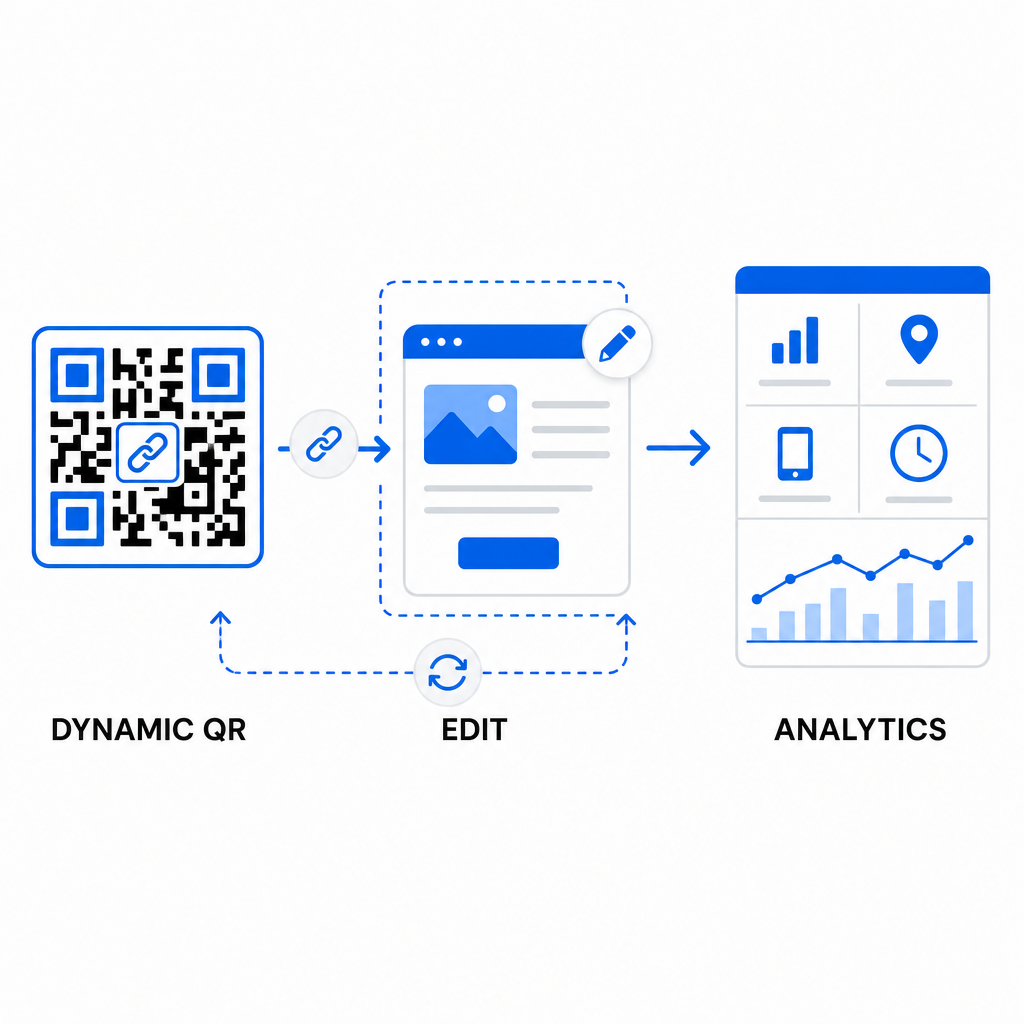
Menerapkan alur kerja dinamis mendukung optimasi berkelanjutan untuk meningkatkan tingkat konversi kode QR:
- Perbarui URL tujuan tanpa mencetak ulang: Ubah tautan halaman arahan, penawaran promosi, atau file digital kapan saja tanpa mengganti aset cetak fisik.
- Tangkap analitik pemindaian yang dapat ditindaklanjuti: Lacak total pemindaian, lokasi geografis, jenis perangkat, dan waktu pemindaian untuk mengukur kinerja kampanye secara real time.
- Lakukan pengujian A/B terstruktur: Bandingkan desain bingkai, CTA, atau halaman arahan yang berbeda dengan mengubah satu variabel pada satu waktu dan melacak URL unik.
Mendesain kode QR visual memerlukan keseimbangan antara branding kreatif dengan persyaratan teknis inti. Dengan menggabungkan kontras warna yang kuat, zona tenang yang terlindungi, bingkai CTA yang berorientasi tindakan, dan pelacakan dinamis, Anda dapat mengubah titik sentuh fisik menjadi interaksi digital yang terukur.
Jelajahi seluruh rangkaian fitur kode QR kustom untuk mendesain aset visual yang memiliki konversi tinggi, atau mulai membangun kampanye Anda berikutnya dengan Pembuat Kode QR Pageloot hari ini.
Pertanyaan yang sering diajukan
Untuk materi jarak dekat seperti kartu nama atau menu restoran, kode QR setidaknya harus berukuran 0,8 x 0,8 inci (2 x 2 cm). Untuk rambu yang dilihat dari kejauhan, ikuti aturan rasio 10:1, di mana setiap 10 cm jarak pemindaian memerlukan lebar kode QR setidaknya 1 cm.
Menambahkan logo tidak akan mengganggu pemindaian selama Anda mengatur tingkat koreksi kesalahan Anda ke Q atau H (yang memulihkan hingga 25% atau 30% data) dan menjaga cakupan logo di bawah 25% dari area kode tanpa menghalangi penanda posisi sudut.
Ya, asalkan Anda menggunakan kode QR dinamis. Kode dinamis menyimpan URL singkat yang dapat diedit, memungkinkan Anda untuk memperbarui tautan target atau konten digital kapan saja dari dasbor manajemen Anda tanpa mencetak ulang materi fisik.