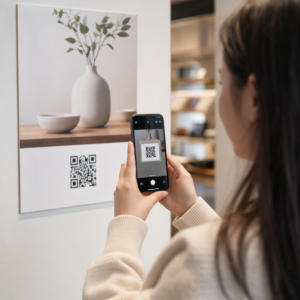
האם שרטוטי נייר, קלסרים מלאים במסמכי בטיחות ויומני ציוד ידניים מאטים את הצוות שלך? כאשר עובדים מבלים זמן בחיפוש אחר המסמך הנכון במקום לבנות, הפרויקט כולו משלם את המחיר. מדריך זה מסביר כיצד קודי QR פותרים בעיה זו – והיכן באתר העבודה הם מספקים את הערך הרב ביותר.
מדוע גישה למסמכים היא בעיה אמיתית באתרי עבודה
ניהול מסמכי בנייה הוא אחד החלקים הגוזלים ביותר זמן בכל פרויקט. מחקר בתעשייה מצא כי איש מקצוע ממוצע בתחום הבנייה מבלה כ-5.5 שעות בשבוע בחיפוש אחר נתוני פרויקט – זוהי יותר מ-10% מזמן הצוות שאבד לחיפוש במקום לבנייה.
העלות אינה רק שעות אבודות. צוותים העובדים משרטוטים מיושנים עושים טעויות. פרוטוקולי בטיחות הנמצאים בקלסר במשרד האתר אינם עוזרים לעובד בקומה השלישית. ציוד שחסרים לו תיעוד תחזוקה נגיש מנוצל לרעה או מדלג על שירות מתוכנן.
קודי QR – ברקודים דו-ממדיים שכל מצלמת סמארטפון יכולה לקרוא בשניות – מספקים גשר ישיר בין מיקום פיזי למסמך דיגיטלי. הדבק אחד על קיר, חבר אחד לציוד, או הדפס אחד על שלט בכניסה לאתר, ועובדים יוכלו לשלוף בדיוק את הקובץ שהם צריכים מבלי להתקשר למשרד או לחפש בתיקיות נייר.
כיצד קודי QR עובדים בהקשר של בנייה
קוד QR הוא תבנית סריקה המקודדת כתובת אינטרנט או קישור לקובץ. כאשר עובד מכוון את מצלמת הטלפון שלו אליו, המכשיר פותח את הקישור באופן אוטומטי – ללא צורך באפליקציה ברוב הסמארטפונים המודרניים.
הסוג השימושי ביותר לבנייה הוא קוד QR דינמי, שיעדו יכול להתעדכן בכל עת דרך לוח מחוונים לניהול מבלי לשנות או להדפיס מחדש את הקוד הפיזי. זה חשוב באתר עבודה מכיוון שמסמכים משתנים ללא הרף: שרטוטים מתוקנים, פרוטוקולי בטיחות מתעדכנים, ומפרטי ציוד מתפתחים. עם קוד דינמי, המדבקה או השלט הפיזי נשארים במקומם בעוד התוכן המקושר מתרענן תוך שניות.
שתף תוכניות מעודכנות ללא הדפסה מחדש צריך לשמור על צוותי השטח עם גרסת השרטוט העדכנית ביותר? השתמש ב- מחולל קוד QR ל-PDF כדי לקשר ישירות לתוכניות הנוכחיות שלך ולעדכן את היעד בכל פעם שיוצאת גרסה מתוקנת.
שימושים מעשיים לקודי QR באתר בנייה
שרטוטים ומפרטים עדכניים
הצב שלטי QR עמידים בפני מזג אוויר בכניסה לפרויקט, בחדרים בודדים ובאזורי עבודה ספציפיים למקצוע. עובדים סורקים כדי לפתוח את סט התוכניות והמפרטים העדכני ביותר ישירות בטלפונים שלהם. כאשר יוצאת גרסה מתוקנת של שרטוט, עדכן את הקובץ המקושר – אין צורך בשלטים חדשים.
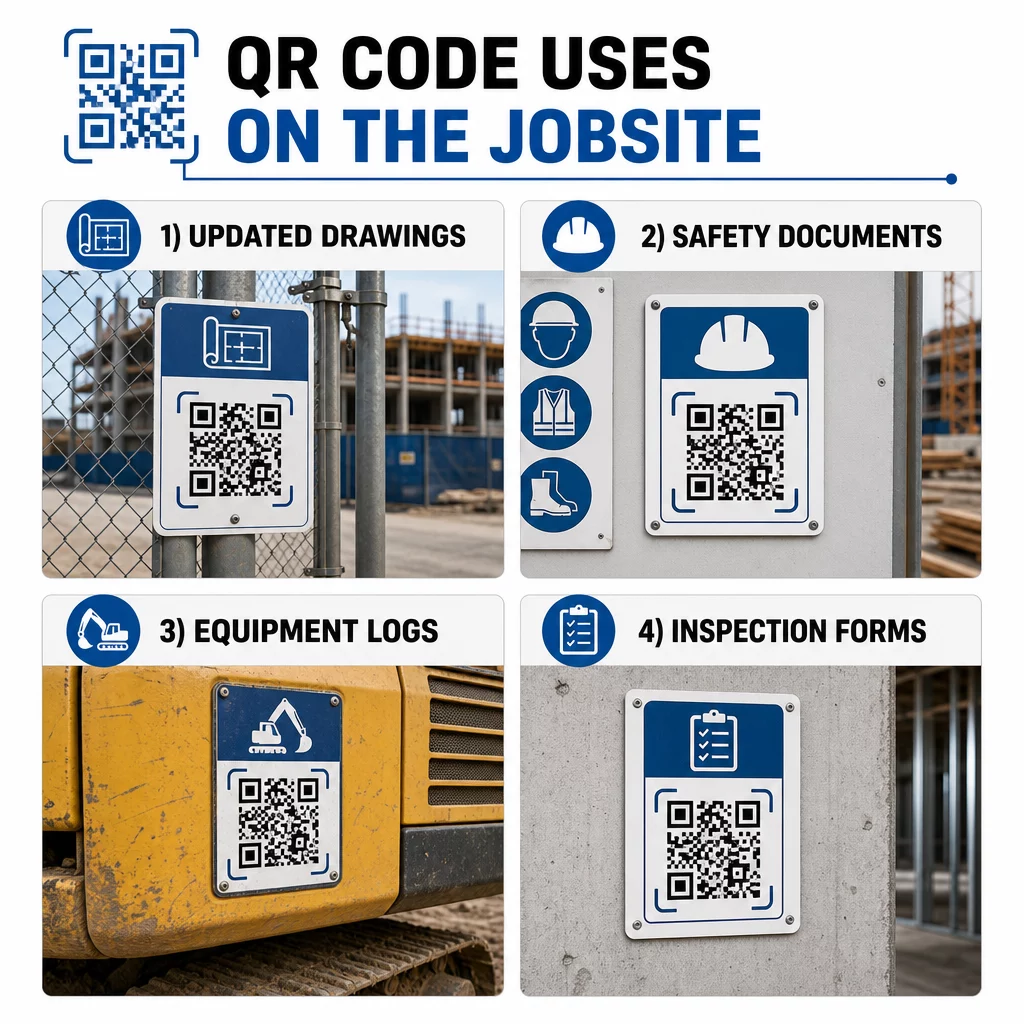
גישה זו מבטלת את הסיכון של צוותים העובדים משרטוטים מיושנים, שהיא אחד המקורות הנפוצים והיקרים ביותר לעבודה חוזרת.
מסמכי בטיחות ורישומי OSHA
צרף קודי QR לשילוט באתר, ארונות בטיחות ונקודות כניסה המקשרים ל:
- גיליונות נתוני בטיחות לחומרים מסוכנים
- נהלי חירום ותוכניות פינוי אתר
- דרישות בטיחות ספציפיות למקצוע
- רישומי פציעות ומחלות של OSHA שלעובדים יש זכות גישה אליהם
קוד QR ראשי בכניסה לפרויקט יכול להפנות למרכז מסמכי בטיחות המכסה את כל האמור לעיל. מכיוון שהקוד דינמי, ניתן להוסיף מסמכים חדשים או לעדכן קיימים מבלי להחליף את השלט. למידע נוסף על שיפור האופן שבו קבלני משנה נשארים מעודכנים לגבי דרישות בטיחות, ראה 5 דרכים שבהן קודי QR משפרים את תקשורת קבלני המשנה.
יומני ציוד ורישומי תחזוקה
צרף קוד QR ישירות לכל פריט ציוד. עובדים ומפעילים סורקים אותו כדי לגשת ל:
- מדריכי הפעלה ונהלי טיפול בטוח
- יומני תחזוקה והיסטוריית שירות
- תאריכי בדיקה ולוחות זמנים לשירות עתידי
- מדריכי פתרון תקלות
זה מחליף מדריכי נייר שנעלמים ונותן למנהלים תיעוד מרכזי של סטטוס כל נכס. כאשר ציוד עובר בין עבודות, היסטוריית התחזוקה שלו עוברת איתו.
כישורי עובדים ורישומי הדרכה
הצבו קודי QR ייחודיים על תגי עובדים, קסדות בטיחות או אפודים זוהרים המקשרים לאישורי ההכשרה ורישומי ההסמכה של כל עובד. מנהלים יכולים לסרוק באתר כדי לאשר שעובד מוסמך למשימה ספציפית ולבדוק אם אישורים כלשהם מתקרבים לתאריך תפוגה.
בדיקות, רשימות ביקורת ובקרת איכות
קשרו קודי QR המוצבים בנקודות בדיקה או על שרטוטים לטפסים דיגיטליים. מפקחים סורקים, משלימים את רשימת הביקורת בטלפון שלהם, ושולחים. כל הרישומים נשמרים באופן מרכזי ומקושרים למיקום או למסמך הספציפי. שימוש ב- קוד QR של Google Form היא דרך פשוטה לפרוס רשימות ביקורת דיגיטליות מבלי לבנות מערכת מותאמת אישית.
דיווח התקדמות עובד באותה צורה: עובדים סורקים קוד על שרטוט, מזינים נתוני עבודה שהושלמה, ומנהלים מקבלים נראות בזמן אמת לגבי אבני דרך בפרויקט.
תיעוד פרויקט ויומני עבודה יומיים
קודי QR בתחנות צ'ק-אין באתר מאפשרים לעובדים לסרוק כדי לתעד נוכחות, לגשת לתוכניות היום, ולפתוח רשימות משימות יומיות. יומנים שהושלמו נשלחים דיגיטלית, מחליפים לוחות מודעות מנייר ומפחיתים את הסיכוי לאובדן רישומים.
שיתוף מסמכי פרויקט גדולים יותר – הגשות, מפרטים, בקשות מידע (RFIs) – עובד היטב עם קוד QR למסמך גוגל, המפנה ישירות למסמך משותף שניתן לעדכן אותו מבלי להנפיק קוד חדש.
מעקב אחר בעיות ורשימות ליקויים
צרפו קוד QR לפריט פגום או למיקום בעייתי. סריקה פותחת כרטיס דיגיטלי המציג את תיאור הבעיה, עדיפות, טכנאי שהוקצה, והיסטוריית עבודה. הערות חדשות נשמרות באופן מרכזי כך שמנהלים וצוותי שטח תמיד רואים את הסטטוס הנוכחי. זה מונע מפריטי רשימת ליקויים ליפול בין הכיסאות במעברים.
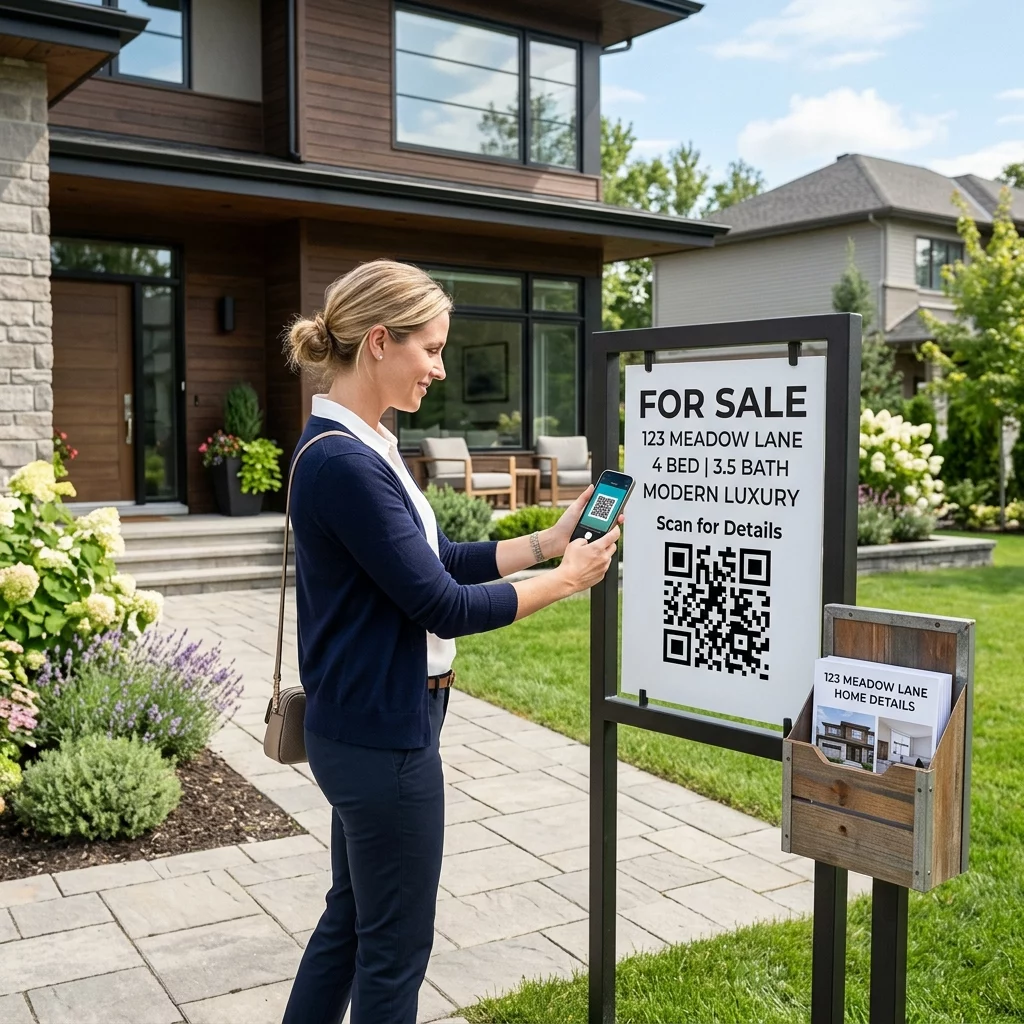
שלטי אתר יכולים גם להציג קוד QR שפותח הדמיות חיצוניות של הפרויקט המוגמר, כך ששכנים, קונים ועוברי אורח יוכלו לראות מה נבנה.
פריסת קודי QR שבאמת נסרקים
קוד QR שעובדים לא יכולים לקרוא בשטח מפספס את המטרה. כמה שיקולים מעשיים:
- גודל ומרחק סריקה. עבור שילוט באתר בנייה, קוד צריך להיות ברוחב של לפחות 1–2 אינץ' לסריקה מטווח קרוב, וגדול יותר עבור שלטים הנצפים ממרחק של כמה מטרים. פעלו לפי ההנחיה של כ-1 אינץ' רוחב קוד לכל 10 אינץ' של מרחק צפייה. ראו גודל קוד QR עבור חומרי הדפסה שונים להנחיות ספציפיות לחומר.
- משטח ומיקום. משטחים שטוחים ומט נסרקים באופן אמין יותר ממשטחים מבריקים, מעוגלים או גליים. הימנע ממיקום קודים במקומות שבהם צללים, סנוור שמש ישיר או חסימה פיזית יפריעו.
- עמידות בפני מזג אוויר. תוויות למינציה או עמידות בפני מזג אוויר מחזיקות מעמד בתנאי חוץ. קוד פגום או מתקלף מפסיק לעבוד.
- ניגודיות. תבנית כהה על רקע בהיר היא השילוב האמין ביותר. סקור שיטות עבודה מומלצות לקריאות קודי QR לפני התחייבות לעיצוב.
- אבטחה. עבור קודים המקשרים למסמכים רגישים – רשומות משאבי אנוש, קבצי חוזים, מפרטים קנייניים – השתמש בבקרות גישה ובקישורי HTTPS. להנחיות, ראה שיטות עבודה מומלצות ליצירת קוד QR מאובטח.
מעקב אחר אילו קודים נמצאים בשימוש
קודי QR דינמיים לא רק מאפשרים לך לעדכן יעדים – הם גם לוכדים נתוני סריקה. באמצעות לוח מחוונים לניהול, תוכל לראות כמה פעמים כל קוד נסרק, מתי, באיזה סוג מכשיר, ומאיזה מיקום. זה אומר לך לאילו מסמכים עובדים ניגשים בפועל, אילו קודי בטיחות ליד אזורים מסוכנים מוזנחים, ואילו רשומות ציוד דורשות תשומת לב.
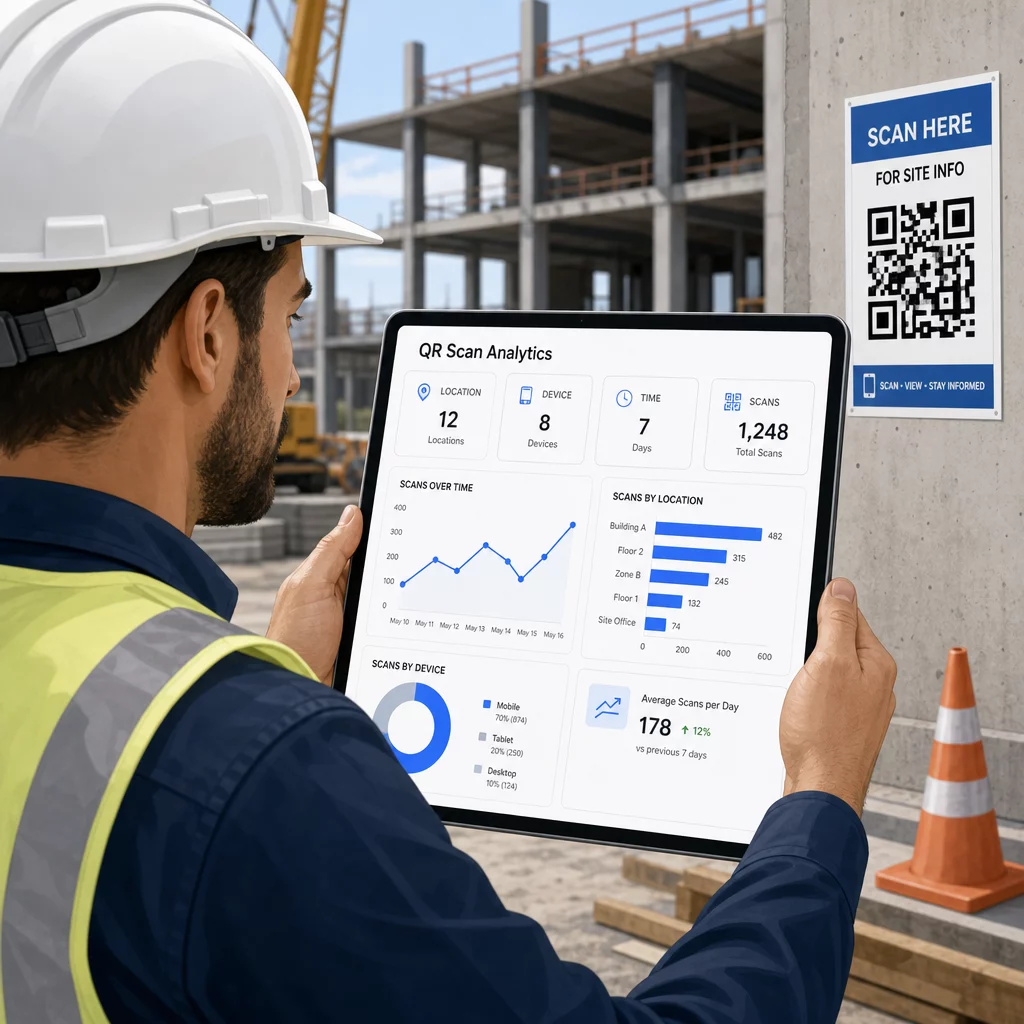
נתונים אלה עוזרים למנהלי אתרים לקבל החלטות מושכלות לגבי היכן קיימים פערי תיעוד ואילו קודים זקוקים למיקום או קידום טובים יותר.
ראה היכן ומתי עובדים סורקים להשתמש ב מחולל קודי QR לקישורים כדי ליצור קודים דינמיים ניתנים למעקב עבור כל תוכן מבוסס URL ולנטר פעילות סריקה ברחבי אתר העבודה שלך מלוח מחוונים יחיד.
שאלות נפוצות
לא. אפליקציית המצלמה המובנית ברוב הסמארטפונים המודרניים של iOS ואנדרואיד יכולה לקרוא קודי QR מבלי להוריד שום דבר נוסף. עובדים פשוט מכוונים את המצלמה שלהם לקוד ומקישים על ההתראה שמופיעה.
עם קוד QR דינמי, הקוד הפיזי נשאר זהה. אתה מעדכן את קובץ היעד או ה-URL דרך לוח המחוונים לניהול קודי ה-QR שלך, והסריקה הבאה פותחת אוטומטית את הגרסה החדשה. זו הסיבה שקודי QR דינמיים מועדפים מאוד עבור מסמכי בנייה, המתוקנים לעיתים קרובות.
הדפיסו על חומרים עמידים למזג אוויר או למינציה, הניחו קודים על משטחים שטוחים המוגנים מחשיפה ישירה לקרינת UV במידת האפשר, והשתמשו בעיצובים בעלי ניגודיות גבוהה הנשארים קריאים גם אם המשטח מתלכלך מעט. בדקו את הנחיות הגודל והקריאות של קודי QR להמלצות ספציפיות לגבי רמות תיקון שגיאות המסייעות לקודים להישאר ניתנים לסריקה גם כשהם פגומים חלקית.