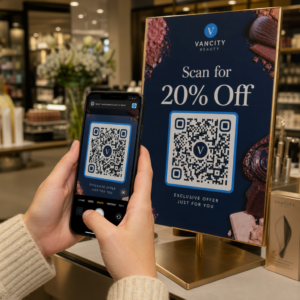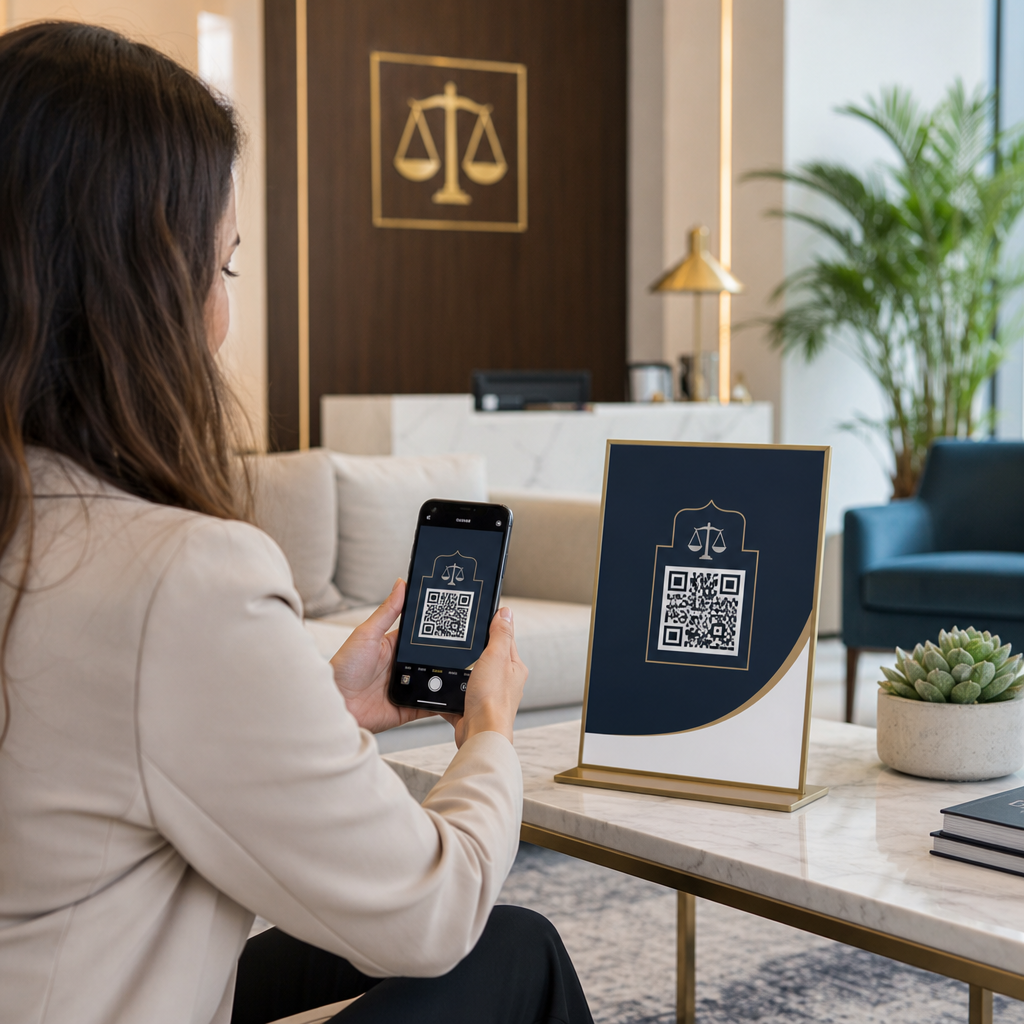

האם אתם מחפשים דרך מודרנית לייעל את תהליכי קבלת הלקוחות והתשלומים מבלי להתפשר על המוניטין המקצועי של משרד עורכי הדין שלכם? תהליכי עבודה אדמיניסטרטיביים מבוססי נייר מאטים את הייעוץ הראשוני, מעכבים גביית חשבונות ויוצרים חיכוך עבור לקוחות פוטנציאליים. הטמעת קודי QR הניתנים לסריקה בכל הפרקטיקה המשפטית שלכם מחברת נקודות מגע פיזיות מודפסות ישירות לפורטלים דיגיטליים מאובטחים, מאיצה את יעילות המשרד תוך שמירה על ציות אתי מלא.
מדוע פרקטיקות משפטיות מאמצות נקודות מגע הניתנות לסריקה
תהליכי שיווק וניהול משפטיים מסורתיים סובלים לעיתים קרובות מחיכוך כאשר לקוחות פוטנציאליים מנסים לעבור מחומרים מודפסים – כגון כרטיסי ביקור, שלטי אירועים או דיוורים ישירים – לטפסי יצירת קשר דיגיטליים ותזמון ייעוץ.
כלל המודל 7.2(א) של לשכת עורכי הדין האמריקאית (ABA) מתיר פרסום עורכי דין בכל מדיה, בתנאי שכל התקשורת תישאר מדויקת ולא מטעה תחת כלל המודל 7.1 של ABA. פרקטיקות משפטיות מודרניות מנצלות ברקודי מטריצה הניתנים לסריקה (הידועים בדרך כלל כקודי QR) כדי לגשר בין מדיה פיזית לדפי נחיתה מקוונים מוצפנים.
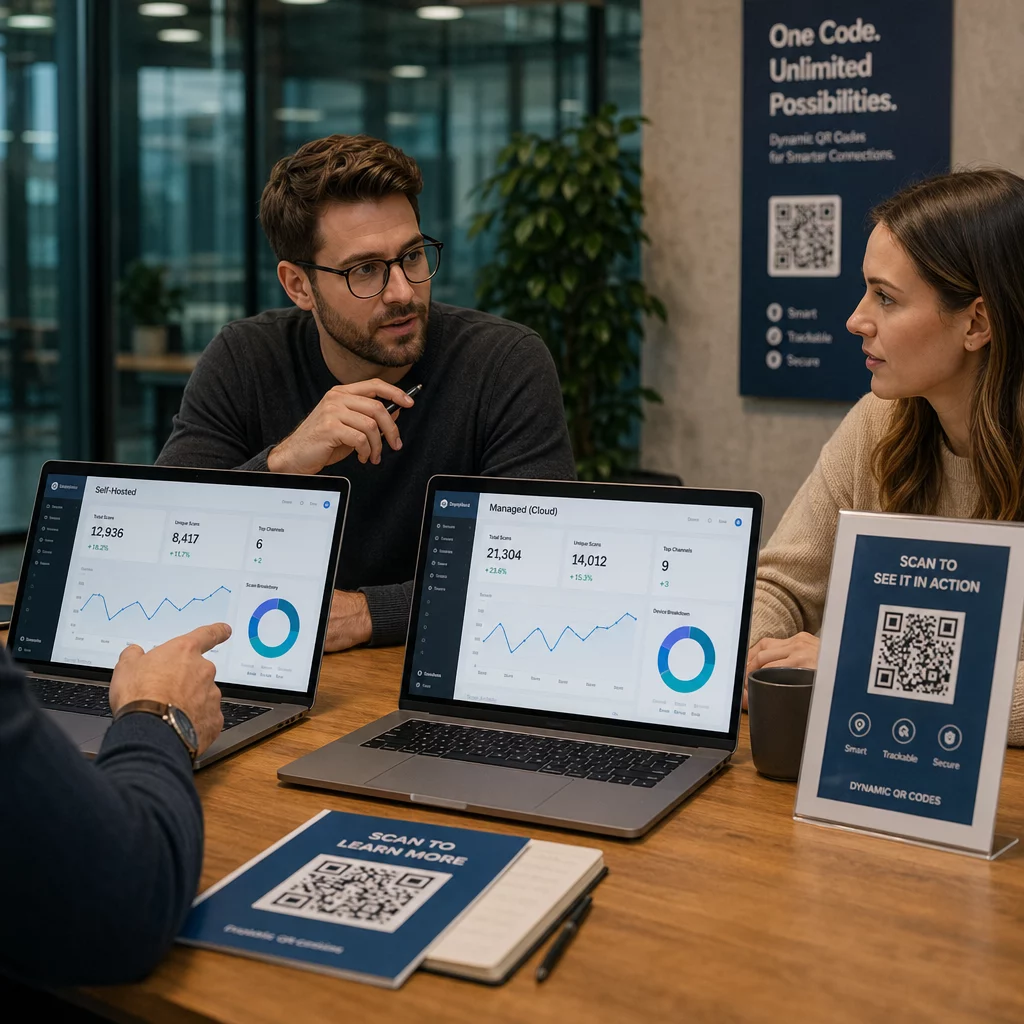
בעת הטמעת נקודות מגע אלו, משרדי עורכי דין חייבים לבחור בין קודים סטטיים לדינמיים:
- קודי QR סטטיים: אחסן נתונים קבועים ישירות בתוך תבנית המטריצה, כלומר אינך יכול לשנות את היעד או לעקוב אחר מדדי סריקה לאחר ההדפסה.
- קודי QR דינמיים: הפנה סורקים דרך קישור הפניה קצר, מה שמאפשר לך לעדכן כתובות URL יעד בכל עת ולנתח את מעורבות הסריקות.
טכנולוגיה דינמית גם רושמת מדדי סריקה שאינם ניתנים לזיהוי אישי – כגון זמן הסריקה, מערכת ההפעלה ואזור גיאוגרפי – מה שמאפשר למשרדים להעריך את ביצועי מסעות הפרסום. כדי ללמוד עוד על בחירת המבנה הטכני המתאים, עיין בפירוט שלנו לגבי קודי QR סטטיים לעומת דינמיים או לחקור כלים רחבים יותר לפרקטיקה משפטית בקרב פתרונות תעשייתיים.
שיפור כרטיסי ביקור של עורכי דין עם כרטיסי vCard דינמיים
כרטיסי ביקור משפטיים סטנדרטיים סובלים לעיתים קרובות ממקום פיזי מוגבל, מה שמאלץ עורכי דין להשמיט פרטי עיסוק חשובים או להדפיס טקסט קטן ולא קריא. שימוש ב- כרטיס ביקור דיגיטלי עם קוד QR מאפשר לכם להטמיע קובץ אנשי קשר וירטואלי מלא (vCard) ישירות על כרטיס נייר.
כאשר לקוח פוטנציאלי או עמית סורק את הקוד באמצעות מצלמת סמארטפון, המכשיר שלו מנחה אותו לשמור את הפרופיל המשפטי המלא שלכם באופן מיידי – כולל מספרי טלפון ראשיים, שלוחות ישירות, כתובות משרד, דוא"ל ישיר ופורטלי אינטרנט של הפירמה. להדרכה שלב אחר שלב על הגדרת כרטיסי קשר וירטואליים, עיינו במדריך שלנו ליצירת קוד QR לפרטי יצירת קשר.
| חזית הכרטיס | גב הכרטיס |
|---|---|
| ג'יין דו, עו"ד. | קוד QR |
| שותפה, ליטיגציה | 0.8 x 0.8 אינץ' |
| סמית' ודו LLP | – |
| [email protected] | סרוק כדי לשמור איש קשר |
כדי לשמור על אסתטיקה נקייה ומקצועית ביותר:
- שמרו את חזית הכרטיס לטיפוגרפיה חיונית, כגון שם עורך הדין, תואר, שם הפירמה ומספר טלפון ראשי.
- מקמו את הקוד הניתן לסריקה בצורה נקייה על הפאנל האחורי בלוויית ביטוי פעולה עדין כמו "סרוק כדי לשמור פרטי יצירת קשר".
- שמרו על גודל הדפסה של לפחות 0.8 x 0.8 אינץ' (2 x 2 ס"מ) כדי להבטיח סריקה מהירה ואמינה.
להמלצות עיצוב מעמיקות יותר, קראו את המדריכים שלנו בנושא עיצוב כרטיס ביקור עם קוד QR ועל תקני ההדפסה המדויקים עבור גדלי קוד QR הטובים ביותר לכרטיסי ביקור.
שדרגו את כלי הנטוורקינג של הפירמה שלכם יעלו איך לקוחות פוטנציאליים שומרים את פרטי יצירת הקשר של עורך הדין ישירות למכשירים הניידים שלהם. השתמשו ב- כרטיס ביקור דיגיטלי עם קוד QR כדי ליצור כרטיסי vCard משפטיים מותאמים אישית וניתנים לסריקה עוד היום.
מודרניזציה של טפסי קליטת לקוחות תוך שמירה על סודיות
טפסי קליטה מנייר בחדרי המתנה מאריכים את תהליך קליטת הלקוחות ומכניסים שגיאות תעתיק נתונים. פריסת טפסי קליטה מקוונים באמצעות יצירת ברקוד גוגל לטופס או ב- מחולל קוד QR לקישור מאפשר ללקוחות פוטנציאליים למלא שאלונים מקדימים לייעוץ ישירות במכשירים הניידים האישיים שלהם.
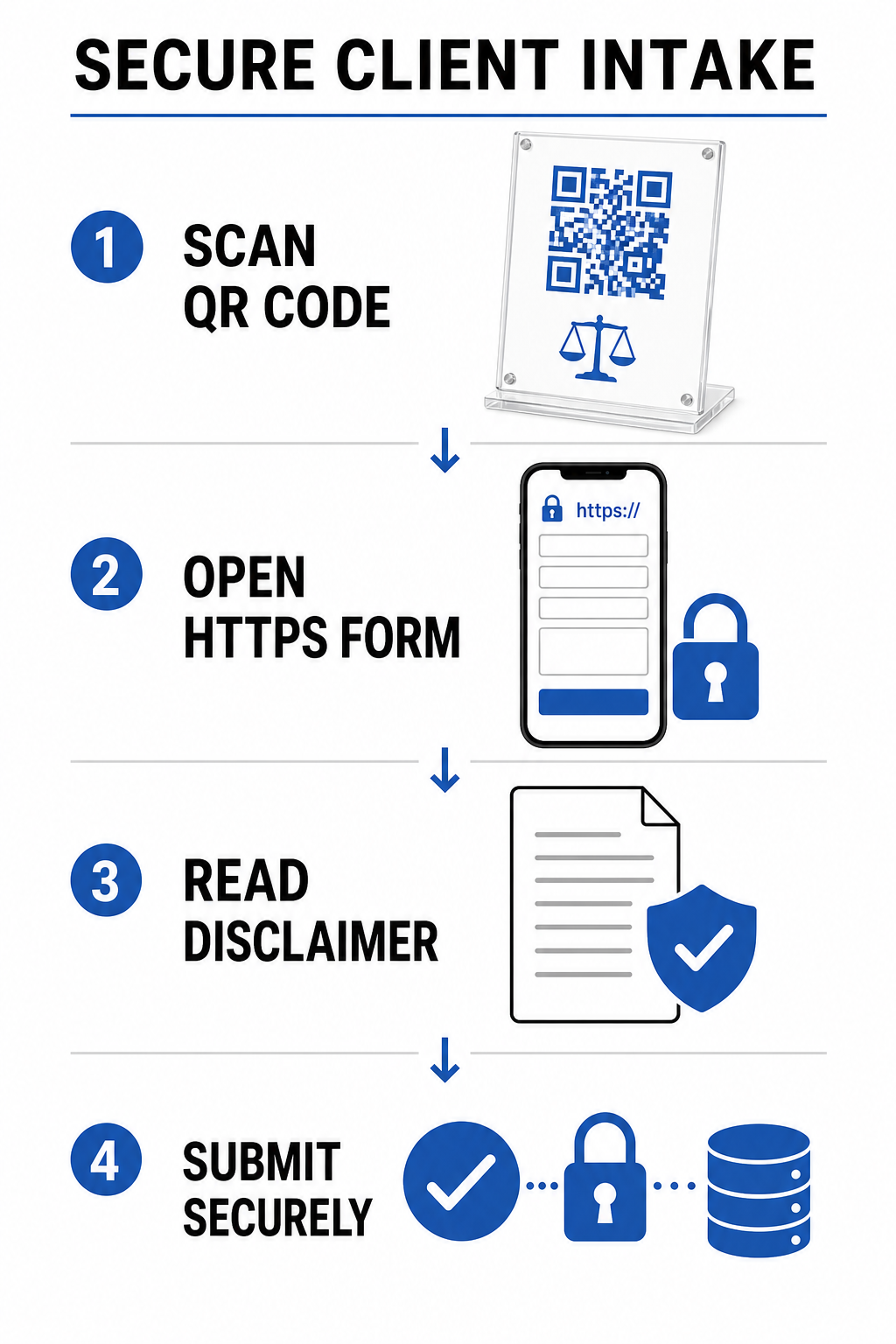
מכיוון שקליטת לקוחות משפטית כרוכה בנתונים אישיים רגישים, מערכות קליטה דיגיטליות חייבות לדבוק בקפדנות בסטנדרטים אתיים:
- חובת סודיות (כלל 1.6 של כללי האתיקה המקצועית של לשכת עורכי הדין האמריקאית - ABA): מחייבת מאמצים סבירים למניעת גישה בלתי מורשית על ידי העברת כל נתוני קבלת לקוחות פוטנציאליים דרך ערוצי HTTPS מוצפנים.
- מיומנות טכנולוגית (כלל 1.1, הערה 8 לכללי האתיקה המקצועית של לשכת עורכי הדין האמריקאית - ABA): דורשת מעורכי דין להישאר מעודכנים לגבי סיכוני אבטחת סייבר ואמצעי הגנה בעת פריסת כלים דיגיטליים המיועדים ללקוחות.
- הצהרות אי-קיום יחסי עורך דין-לקוח: מחייבת משרדים להציג הודעות בולטות המציינות שהגשת טפסים מקדימים אינה יוצרת יחסי עורך דין-לקוח רשמיים.
משרדים המטפלים במידע של לקוחות פוטנציאליים חייבים ליישם גם מדיניות קפדנית לשמירת נתונים ופרטיות. עיין במסגרות הגנת נתונים בינלאומיות ואזוריות במדריך שלנו ל- חוקי פרטיות קודי QR ותקנות מפתח.
האצת תשלומי חשבוניות וריטיינר בצורה מאובטחת
חשבוניות נייר סובלות לעיתים קרובות מעיבוד מתעכב מכיוון שלקוחות דוחים הקלדת מספרי חשבון ארוכים או ביקור ידני בפורטלי אינטרנט. הוספת קישורי תשלום באמצעות מחולל קוד QR ל-PayPal ישירות על דפי חיוב או הסכמי ריטיינר מאפשרת ללקוחות לפתוח פורטלי תשלום מאובטחים תוך שניות.
בעת פריסת תהליכי תשלום דיגיטליים, משרדי עורכי דין חייבים להקפיד על כללי האתיקה החשבונאית המשפטית:
| דרישה אתית | הנחיות ליישום |
|---|---|
| הפרדת כספי נאמנות ותפעול | קודי QR לתשלום עבור פיקדונות ריטיינר שלא נצברו חייבים לנתב באופן בלעדי לחשבונות נאמנות ייעודיים של הלקוח (לדוגמה, IOLTA), לעולם לא ישירות לחשבונות תפעול. |
| טיפול בעמלות עיבוד | אלא אם הוסכם בכתב, עמלות עסקה של סוחרים חייבות להיות משולמות על ידי משרד עורכי הדין ואינן ניתנות לניכוי ישיר מכספי נאמנות של לקוחות. |
| אמצעי הגנה מפני הכחשות עסקה (Chargeback) | יש להגדיר שערי תשלום אינטרנטיים כך שחיובים שנויים במחלוקת או הכחשות עסקה יחויבו מחשבונות תפעול ולא מחשבונות נאמנות של לקוחות. |
למידע מפורט על הגדרת שערי תשלום סריקים, עיין במשאב המשפטי שלנו בנושא קודי QR לתשלומים.
תקני עיצוב ומפרטי הדפסה למשרדי עורכי דין
שמירה על יכולת סריקה וסמכות חזותית דורשת הקפדה על תקני הדפסה טכניים מדויקים בעת הפקת חומרי שיווק משפטיים:
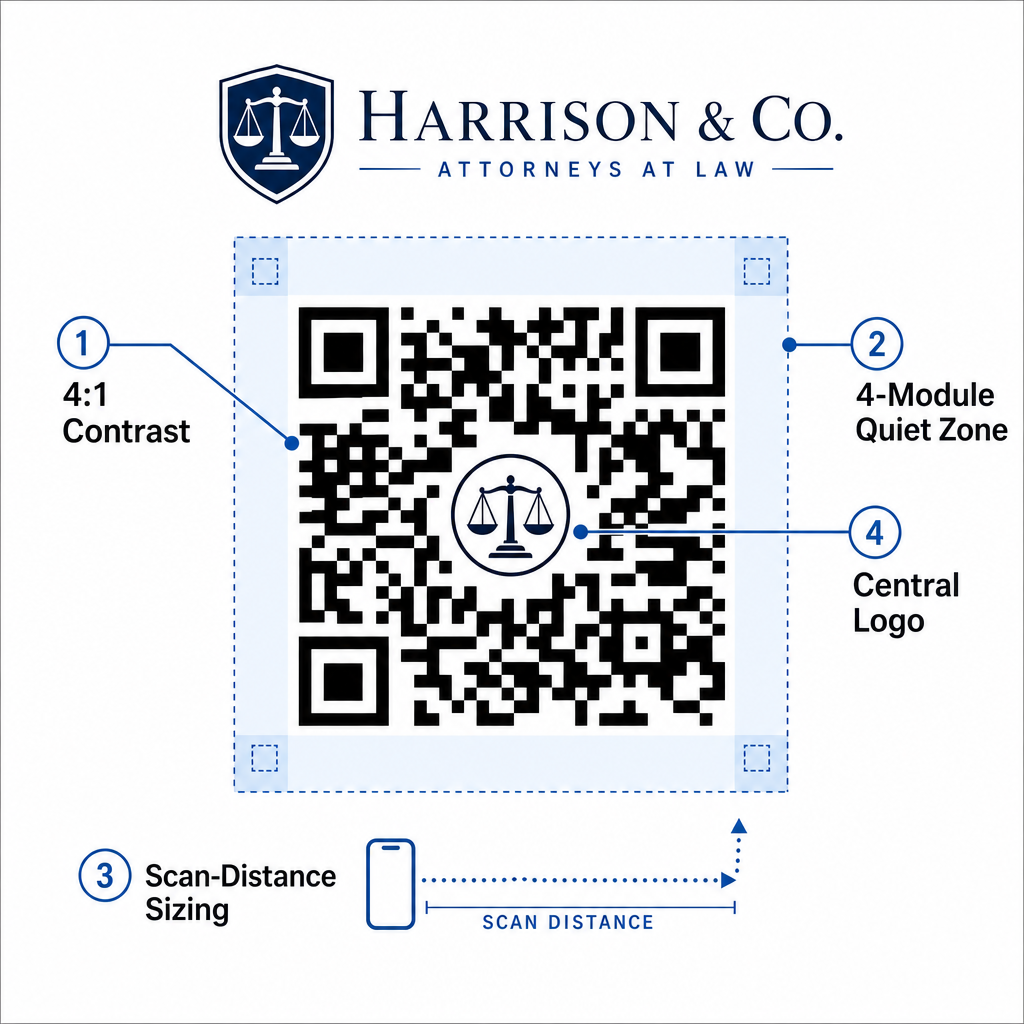
- יחס ניגודיות: שמור על יחס ניגודיות מינימלי של 4:1 בין רכיבי החזית לרקע. הדפס תמיד רכיבים כהים על רקע אחיד ובהיר יותר. הימנע מעיצובים הפוכים (קודים בהירים על רקעים כהים), שכן חיישני מצלמה ניידים מדור קודם מתקשים לעיתים קרובות לפענח תבניות הפוכות.
- גבול אזור שקט: הקצה שוליים נקיים – האזור השקט – סביב כל ארבעת צידי תבנית הקוד. אזור שקט זה חייב להיות שווה לפחות לארבעה רוחבי מודול (גודלו של ריבוע נתונים בודד) כדי לבודד את הקוד מגרפיקה או טקסט שמסביב.
- כלל יחס מרחק-לגודל 10:1: קבע את מידות הקוד בהתבסס על מרחק הסריקה. רוחב הקוד המודפס צריך להיות שווה לפחות לעשירית המרחק בין המצלמה למטרה. לדוגמה, פוסטר שנועד להיסרק ממרחק 5 רגל דורש רוחב קוד QR של לפחות 6 אינץ' (15 ס"מ).
- אלמנטים מיתוגיים: בעת הטמעת סמלי לוגו של משרד עורכי דין באמצעות יצירת QR מעוצב עם לוגו, שמור את הלוגו במרכז ובגודל כזה שלא יחסום את מטרות דפוס מיקום הפינות.
- פורמטי ייצוא וקטוריים: ייצא תמיד גרפיקה סופית בפורמטים וקטוריים (כגון SVG, EPS, או PDF ברזולוציה גבוהה) ב-300 עד 600 DPI כדי למנוע טשטוש פיקסלים במהלך הדפסה מסחרית מקצועית.
לקבלת כללי מיקום מלאים עבור חומרי דפוס, עיין ב מדריך אולטימטיבי למיקום קוד QR בשיווק, למד כיצד לנטר ביצועים באמצעות מעקב אחר קודי QR, וחקור את כל ה תכונות.
ייעל את הפרקטיקה המשפטית שלך עם זרימות עבודה ניתנות לסריקה
שילוב קודי מטריצה ניתנים לסריקה בפעילות משרד עורכי דין הופך נקודות מגע נייר סטטיות לנקודות גישה דיגיטליות מאובטחות וניתנות למדידה. על ידי הטמעת vCards דינמיים בכרטיסי ביקור, יצירת קישורים מוצפנים לטפסי קליטה, אכיפת אמצעי הגנה קפדניים לתשלומים לחשבונות נאמנות, ועמידה בתקני הדפסה מקצועיים, המשרד שלך יכול לייעל את קליטת הלקוחות תוך שמירה על עמידה באתיקה.
התחל ליצור נקודות מגע דיגיטליות ממותגות ודינמיות עבור משרד עורכי הדין שלך עוד היום באמצעות פלטפורמת הניהול המקצועית של Pageloot.
שאלות נפוצות
כן. על פי כללי המודל 7.1 ו-7.2 של לשכת עורכי הדין האמריקאית (ABA), עורכי דין רשאים לשווק שירותים באמצעות כלים דיגיטליים לרבות קודי QR, ובלבד שכל המידע המועבר מדויק, אמיתי ולא מטעה.
קוד QR המודפס על כרטיס ביקור צריך להיות לפחות 0.8 x 0.8 אינץ' (2 x 2 ס"מ) עם שולי אזור שקט של 4 מודולים כדי להבטיח סריקה מהירה ואמינה בכל מכשירי הסמארטפון.
טפסי קליטה המקושרים באמצעות קודי QR צריכים להשתמש בחיבורי HTTPS מוצפנים ולהציג הצהרת ויתור ברורה המורה למשתמשים לא לשלוח עובדות חסויות רגישות ביותר לפני יצירת ייצוג רשמי.