Încetinesc echipa ta planurile pe hârtie, dosarele pline cu documente de siguranță și jurnalele manuale de echipamente? Când muncitorii petrec timp căutând documentul potrivit în loc să construiască, întregul proiect plătește prețul. Acest ghid explică cum codurile QR rezolvă această problemă – și unde pe șantier oferă cea mai mare valoare.
De ce accesul la documente este o problemă reală pe șantiere
Gestionarea documentelor de construcție este una dintre cele mai consumatoare de timp părți ale oricărui proiect. Cercetările din industrie au constatat că profesionistul mediu în construcții petrece aproximativ 5,5 ore pe săptămână doar căutând date de proiect – adică mai mult de 10% din timpul unei echipe pierdut cu căutarea în loc de construcție.
Costul nu înseamnă doar ore pierdute. Echipele care lucrează cu desene învechite fac greșeli. Protocoalele de siguranță care stau într-un dosar la biroul șantierului nu ajută un muncitor de la etajul al treilea. Echipamentele cărora le lipsesc înregistrările de întreținere accesibile sunt utilizate greșit sau sar peste serviciile programate.
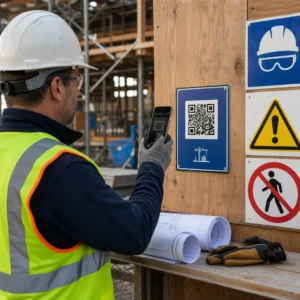
Codurile QR – coduri de bare bidimensionale pe care orice cameră de smartphone le poate citi în câteva secunde – îți oferă o punte directă între o locație fizică și un document digital. Afișează unul pe un perete, atașează unul la o piesă de echipament sau printează unul pe un panou la intrarea în șantier, iar muncitorii pot accesa exact fișierul de care au nevoie fără să sune la birou sau să caute prin dosare de hârtie.
Cum funcționează codurile QR într-un context de construcții
Un cod QR este un model scanabil care codifică o adresă web sau un link de fișier. Când un muncitor își îndreaptă camera telefonului către el, dispozitivul deschide automat acel link – nu este necesară nicio aplicație pe majoritatea smartphone-urilor moderne.
Cel mai util tip pentru construcții este un cod QR dinamic, a cărui destinație poate fi actualizată oricând printr-un tablou de bord de management fără a schimba sau reimprima codul fizic. Acest lucru contează pe un șantier deoarece documentele se schimbă constant: desenele sunt revizuite, protocoalele de siguranță sunt actualizate și specificațiile echipamentelor evoluează. Cu un cod dinamic, autocolantul sau panoul fizic rămâne pe loc, în timp ce conținutul legat este reîmprospătat în câteva secunde.
Partajați planuri actualizate fără a reimprima Trebuie să menții echipele de pe teren la cea mai recentă revizie a desenului? Utilizează Generator cod QR PDF pentru a te conecta direct la planurile tale curente și a actualiza destinația oricând este emisă o revizie.
Utilizări practice pentru codurile QR pe un șantier de construcții
Desene și Specificații Curente
Afișează panouri QR rezistente la intemperii la intrarea în proiect, în camere individuale și în zonele de lucru specifice meseriilor. Muncitorii scanează pentru a deschide cel mai recent set de planuri și specificații direct pe telefoanele lor. Când este emisă o revizie a unui desen, actualizează fișierul legat – nu sunt necesare panouri noi.
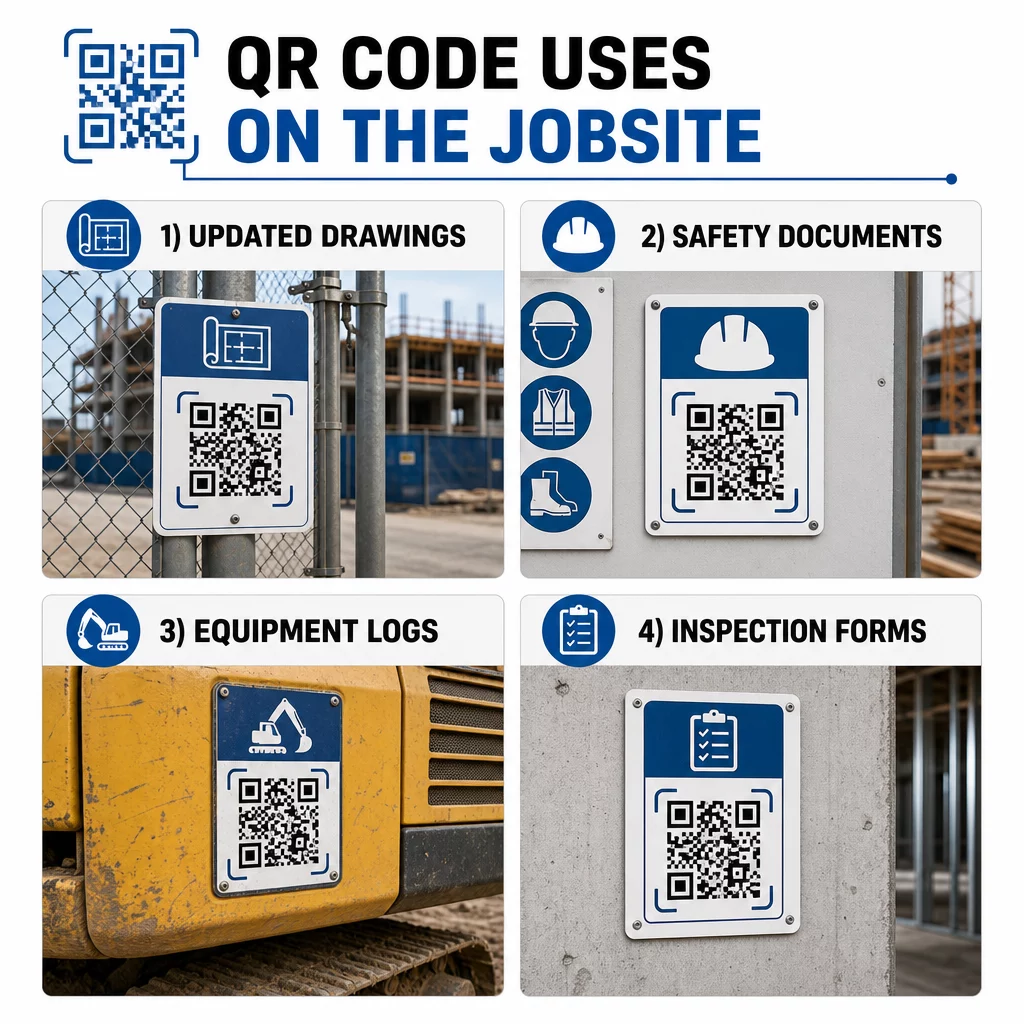
Această abordare elimină riscul ca echipele să lucreze cu desene înlocuite, ceea ce este una dintre cele mai comune și costisitoare surse de refacere.
Documente de siguranță și înregistrări OSHA
Atașați coduri QR la semnalizarea șantierului, dulapuri de siguranță și puncte de control de acces care fac legătura către:
- Fișe cu date de siguranță pentru materiale periculoase
- Proceduri de urgență și planuri de evacuare a șantierului
- Cerințe de siguranță specifice fiecărei meserii
- Înregistrări OSHA privind accidentele și bolile profesionale la care lucrătorii au dreptul de acces
Un cod QR principal la intrarea în proiect poate indica către un centru de documente de siguranță care acoperă toate cele de mai sus. Deoarece codul este dinamic, puteți adăuga documente noi sau actualiza pe cele existente fără a înlocui panoul. Pentru mai multe informații despre îmbunătățirea modului în care subcontractanții rămân informați cu privire la cerințele de siguranță, consultați 5 moduri în care codurile QR îmbunătățesc comunicarea cu subcontractanții.
Jurnale de echipamente și înregistrări de întreținere
Atașați un cod QR direct la fiecare piesă de echipament. Lucrătorii și operatorii îl scanează pentru a accesa:
- Manuale de operare și proceduri de manipulare sigură
- Jurnale de întreținere și istoric de service
- Date de inspecție și programe de service viitoare
- Ghiduri de depanare
Acest lucru înlocuiește manualele pe hârtie care se pierd și oferă managerilor o înregistrare centralizată a stării fiecărui activ. Pe măsură ce echipamentul se mută între locuri de muncă, istoricul său de întreținere se mută odată cu el.
Calificări ale lucrătorilor și înregistrări de instruire
Plasați coduri QR unice pe ecusoanele angajaților, căștile de protecție sau vestele de siguranță care fac legătura cu certificatele de formare și înregistrările de calificare ale fiecărui lucrător. Supraveghetorii pot scana la fața locului pentru a confirma că un lucrător este certificat pentru o anumită sarcină și pentru a verifica dacă vreun credential se apropie de expirare.
Inspecții, Liste de verificare și Controlul calității
Conectați codurile QR plasate la punctele de inspecție sau pe desene la formulare digitale. Inspectorii scanează, completează lista de verificare pe telefonul lor și trimit. Toate înregistrările sunt stocate centralizat și legate de locația sau documentul specific. Utilizarea unui Codul QR al formularului Google este o modalitate simplă de a implementa liste de verificare digitale pentru inspecții fără a construi un sistem personalizat.
Raportarea progresului funcționează în același mod: lucrătorii scanează un cod pe un desen, introduc datele lucrărilor finalizate, iar managerii obțin vizibilitate în timp real asupra etapelor proiectului.
Documentația Proiectului și Jurnale Zilnice
Codurile QR de la stațiile de înregistrare a prezenței pe șantier permit lucrătorilor să scaneze pentru a înregistra prezența, a accesa planurile pentru ziua respectivă și a deschide listele de verificare zilnice a sarcinilor. Jurnalele completate sunt trimise digital, înlocuind panourile de anunțuri pe hârtie și reducând șansa de a pierde înregistrări.
Partajarea documentelor de proiect mai mari – propuneri, specificații, cereri de informații (RFI) – funcționează bine cu un cod QR Google Doc, care redirecționează direct către un document partajat ce poate fi actualizat fără a emite un nou cod.
Urmărirea Problemelor și Liste de Deficiențe
Atașați un cod QR unui element defect sau unei locații cu probleme. Scanarea deschide un tichet digital care arată descrierea problemei, prioritatea, tehnicianul alocat și istoricul lucrărilor. Noile note sunt salvate centralizat, astfel încât managerii și echipele de pe teren să vadă întotdeauna starea curentă. Acest lucru împiedică pierderea elementelor din lista de deficiențe între predări.
Panourile de șantier pot include și un cod QR care deschide randări exterioare ale proiectului finalizat, astfel încât vecinii, cumpărătorii și trecătorii să poată vedea ce se construiește.
Implementarea Codurilor QR Care Sunt Scanați Cu Adevărat
Un cod QR pe care lucrătorii nu-l pot citi pe teren anulează scopul. Câteva considerații practice:
- Dimensiunea și distanța de scanare. Pentru semnalizarea pe un șantier de construcții, un cod ar trebui să aibă o lățime de cel puțin 1-2 inci pentru scanare de aproape și mai mare pentru semnele vizualizate de la câțiva metri distanță. Urmați ghidul de aproximativ 1 inch lățime de cod pentru fiecare 10 inci de distanță de vizualizare. Vezi dimensionarea codurilor QR pentru diferite materiale de imprimare pentru îndrumări specifice materialului.
- Suprafață și amplasare. Suprafețele plane, mate, se scanează mai fiabil decât cele lucioase, curbate sau ondulate. Evitați plasarea codurilor acolo unde umbrele, strălucirea directă a soarelui sau obstrucția fizică vor interfera.
- Rezistență la intemperii. Etichetele laminate sau rezistente la intemperii rezistă în condiții exterioare. Un cod deteriorat sau care se desprinde nu mai funcționează.
- Contrast. Modelul închis pe un fundal deschis este cea mai fiabilă combinație. Revizuiți cele mai bune practici pentru lizibilitatea codurilor QR înainte de a vă angaja într-un design.
- Securitate. Pentru codurile care fac legătura cu documente sensibile – înregistrări HR, fișiere de contract, specificații proprietare – utilizați controale de acces și linkuri HTTPS. Pentru îndrumări, consultați cele mai bune practici pentru generarea sigură de coduri QR.
Urmărirea codurilor utilizate
Codurile QR dinamice nu vă permit doar să actualizați destinațiile – ele captează și date de scanare. Printr-un tablou de bord de management, puteți vedea de câte ori a fost scanat fiecare cod, când, pe ce tip de dispozitiv și din ce locație. Acest lucru vă spune ce documente accesează de fapt lucrătorii, ce coduri de siguranță din apropierea zonelor periculoase sunt ignorate și ce înregistrări de echipamente necesită atenție.
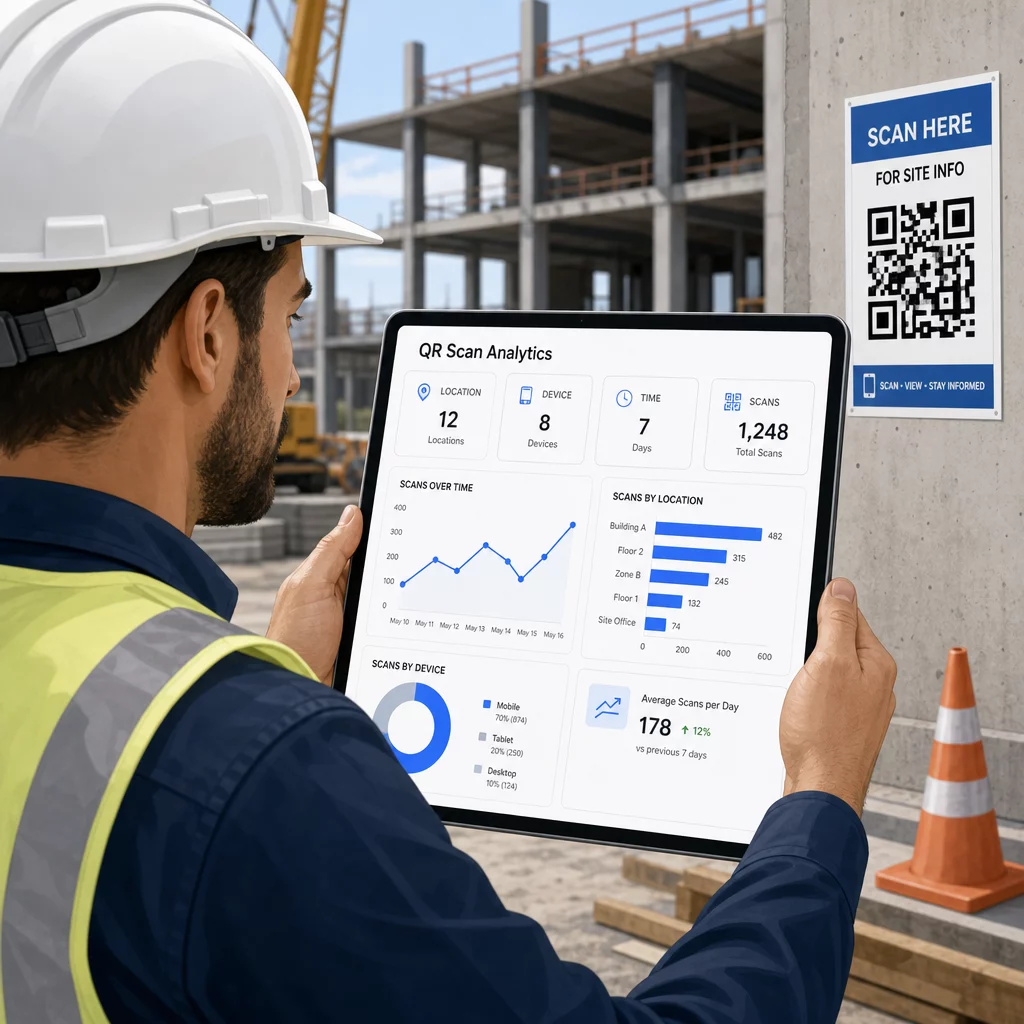
Aceste date îi ajută pe managerii de șantier să ia decizii informate despre unde există lacune în documentație și ce coduri necesită o mai bună amplasare sau promovare.
Vedeți unde și când scanează lucrătorii Folosește Generator de coduri QR pentru linkuri pentru a crea coduri dinamice urmăribile pentru orice conținut bazat pe URL și a monitoriza activitatea de scanare pe șantierul dumneavoastră dintr-un singur tablou de bord.
Întrebări frecvente
Nu. Aplicația de cameră încorporată pe majoritatea smartphone-urilor moderne iOS și Android poate citi coduri QR fără a descărca nimic suplimentar. Angajații pur și simplu își îndreaptă camera către cod și ating notificarea care apare.
Cu un cod QR dinamic, codul fizic rămâne același. Actualizați fișierul destinație sau URL-ul prin tabloul de bord de gestionare a codurilor QR, iar următoarea scanare deschide automat noua versiune. Acesta este motivul pentru care codurile dinamice sunt puternic preferate pentru documentele de construcție, care sunt revizuite frecvent.
Imprimați pe materiale rezistente la intemperii sau laminate, plasați codurile pe suprafețe plane protejate de expunerea directă la UV, acolo unde este posibil, și utilizați designuri cu contrast ridicat care rămân lizibile chiar dacă suprafața se murdărește ușor. Verificați ghidurile de dimensionare și lizibilitate a codurilor QR pentru recomandări specifice privind nivelurile de corecție a erorilor care ajută codurile să rămână scanabile chiar și atunci când sunt parțial deteriorate.