Bremsen Papierbaupläne, Ordner voller Sicherheitsdokumente und manuelle Geräteprotokolle Ihre Mannschaft aus? Wenn Arbeiter Zeit damit verbringen, das richtige Dokument zu suchen, anstatt zu bauen, zahlt das gesamte Projekt den Preis. Dieser Leitfaden erklärt, wie QR-Codes dieses Problem lösen – und wo auf der Baustelle sie den größten Nutzen bringen.
Warum der Dokumentenzugriff ein echtes Problem auf Baustellen ist
Die Verwaltung von Baudokumenten ist einer der zeitaufwendigsten Teile jedes Projekts. Branchenstudien haben ergeben, dass der durchschnittliche Bauprofi etwa 5,5 Stunden pro Woche allein mit der Suche nach Projektdaten verbringt – das sind mehr als 10 % der Teamzeit, die durch Suchen statt Bauen verloren geht.
Die Kosten sind nicht nur verlorene Stunden. Teams, die mit veralteten Zeichnungen arbeiten, machen Fehler. Sicherheitsprotokolle, die in einem Ordner im Baustellenbüro liegen, helfen einem Arbeiter im dritten Stock nicht. Geräte, denen zugängliche Wartungsaufzeichnungen fehlen, werden falsch verwendet oder überspringen geplante Wartungen.
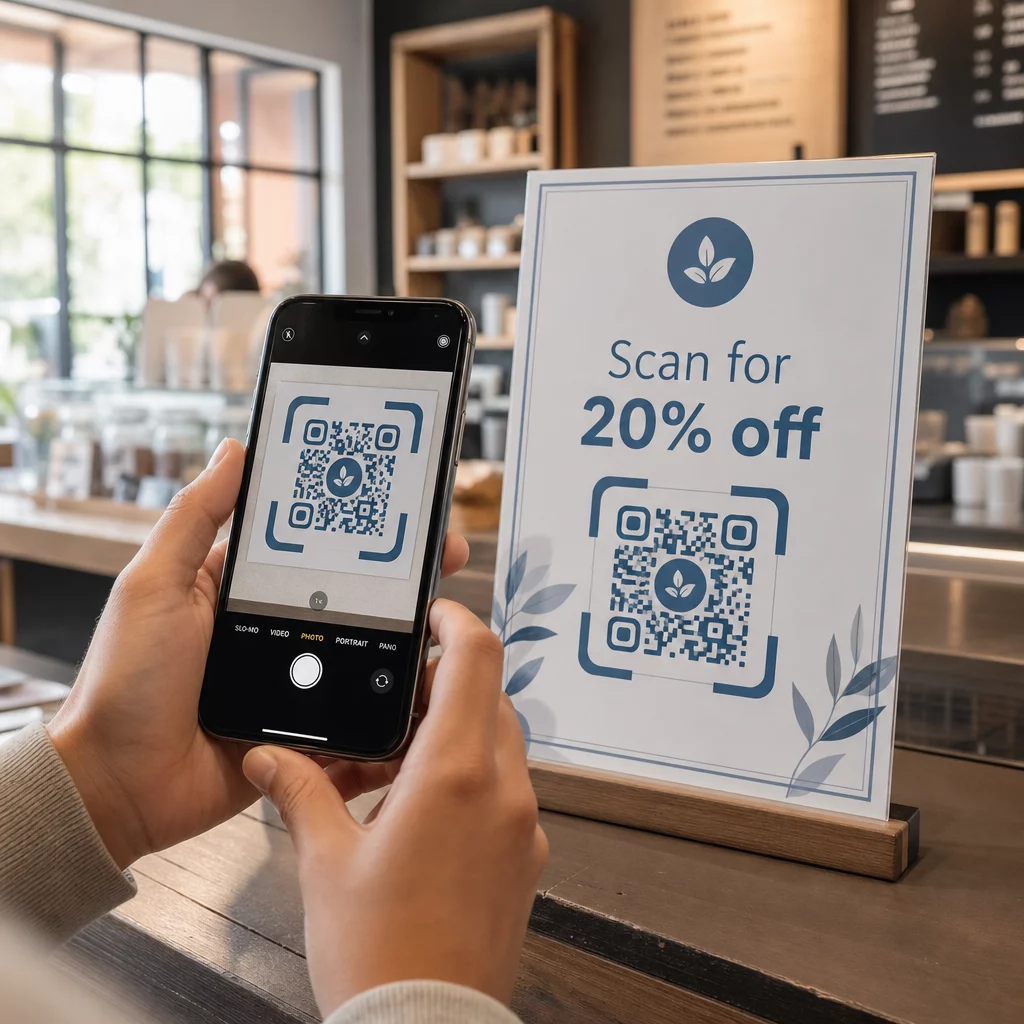
QR-Codes – zweidimensionale Barcodes, die jede Smartphone-Kamera in Sekundenschnelle lesen kann – schlagen eine direkte Brücke zwischen einem physischen Ort und einem digitalen Dokument. Bringen Sie einen an einer Wand an, befestigen Sie einen an einem Gerät oder drucken Sie einen auf ein Schild am Baustelleneingang, und Arbeiter können genau die Datei abrufen, die sie benötigen, ohne das Büro anzurufen oder Papierordner zu durchsuchen.
Wie QR-Codes im Bauwesen funktionieren
Ein QR-Code ist ein scannbares Muster, das eine Webadresse oder einen Dateilink kodiert. Wenn ein Arbeiter seine Telefonkamera darauf richtet, öffnet das Gerät diesen Link automatisch – auf den meisten modernen Smartphones ist keine App erforderlich.
Der nützlichste Typ für das Bauwesen ist ein dynamischer QR-Code, dessen Ziel jederzeit über ein Management-Dashboard aktualisiert werden kann, ohne den physischen Code zu ändern oder neu zu drucken. Dies ist auf einer Baustelle wichtig, da sich Dokumente ständig ändern: Zeichnungen werden überarbeitet, Sicherheitsprotokolle aktualisiert und Gerätespezifikationen entwickeln sich weiter. Mit einem dynamischen Code bleibt der physische Aufkleber oder das Schild an Ort und Stelle, während der verknüpfte Inhalt in Sekundenschnelle aktualisiert wird.
Aktualisierte Pläne ohne Neudruck teilen Müssen Sie die Außendienstteams auf dem neuesten Stand der Zeichnungsrevision halten? Verwenden Sie den PDF QR-Code Generator , um direkt auf Ihre aktuellen Pläne zu verlinken und das Ziel jederzeit zu aktualisieren, wenn eine Revision herausgegeben wird.
Praktische Anwendungen für QR-Codes auf einer Baustelle
Aktuelle Zeichnungen und Spezifikationen
Bringen Sie wetterfeste QR-Schilder am Projekteingang, in einzelnen Räumen und in gewerkspezifischen Arbeitsbereichen an. Arbeiter scannen, um den neuesten Satz von Plänen und Spezifikationen direkt auf ihren Telefonen zu öffnen. Wenn eine Zeichnungsrevision herausgegeben wird, aktualisieren Sie die verknüpfte Datei – keine neuen Schilder erforderlich.
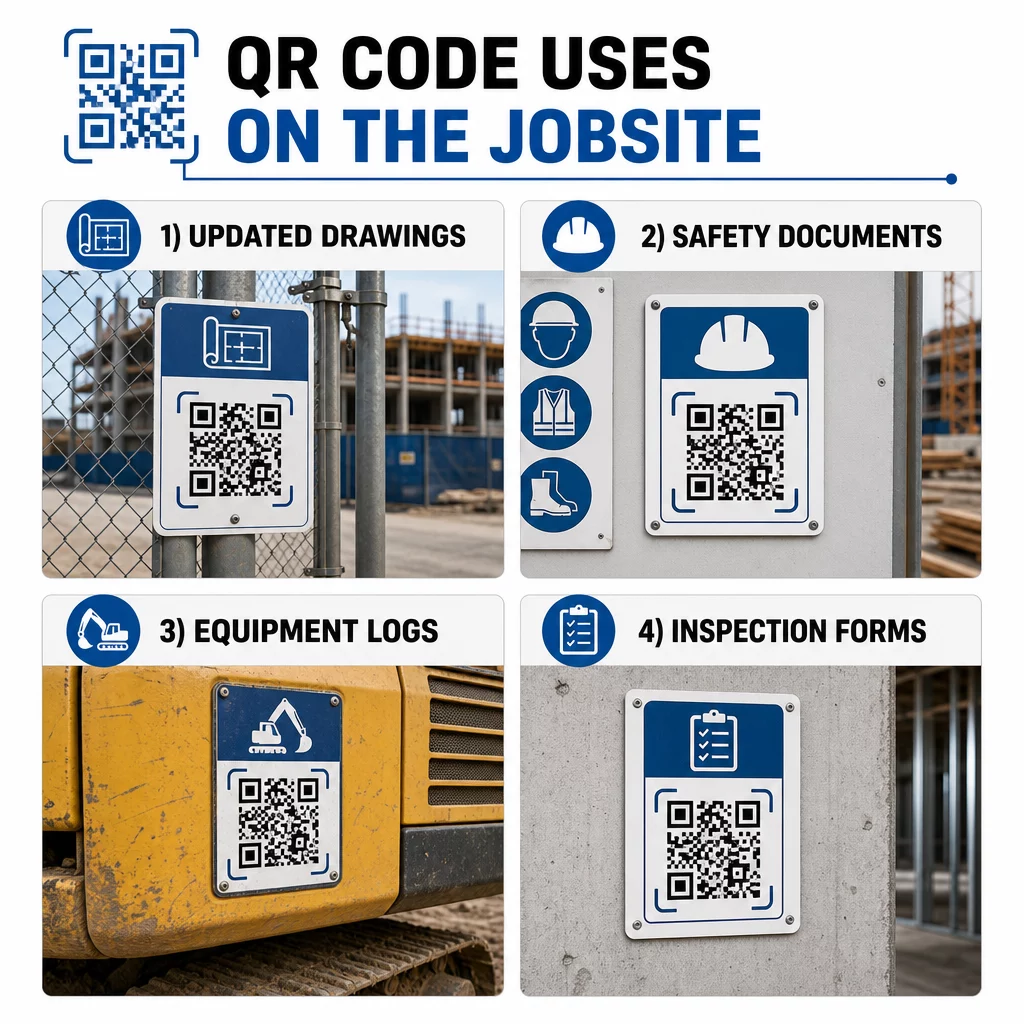
Dieser Ansatz eliminiert das Risiko, dass Teams mit überholten Zeichnungen arbeiten, was eine der häufigsten und kostspieligsten Ursachen für Nacharbeiten ist.
Sicherheitsdokumente und OSHA-Aufzeichnungen
Befestigen Sie QR-Codes an Baustellenschildern, Sicherheitsschränken und Zugangskontrollpunkten, die verlinken zu:
- Sicherheitsdatenblätter für Gefahrstoffe
- Notfallverfahren und Evakuierungspläne für die Baustelle
- Gewerkespezifische Sicherheitsanforderungen
- OSHA-Aufzeichnungen über Verletzungen und Krankheiten, zu denen Arbeitnehmer ein Zugangsrecht haben
Ein Master-QR-Code am Projekteingang kann auf einen Hub für Sicherheitsdokumente verweisen, der all das oben Genannte abdeckt. Da der Code dynamisch ist, können Sie neue Dokumente hinzufügen oder bestehende aktualisieren, ohne das Schild ersetzen zu müssen. Weitere Informationen zur Verbesserung der Information von Subunternehmern über Sicherheitsanforderungen finden Sie unter 5 Wege, wie QR-Codes die Kommunikation mit Subunternehmern verbessern.
Geräteprotokolle und Wartungsaufzeichnungen
Befestigen Sie einen QR-Code direkt an jedem Gerät. Arbeiter und Bediener scannen ihn, um darauf zuzugreifen:
- Bedienungsanleitungen und sichere Handhabungsverfahren
- Wartungsprotokolle und Servicehistorie
- Inspektionsdaten und anstehende Wartungspläne
- Fehlerbehebungsanleitungen
Dies ersetzt verloren gehende Papiermanuale und bietet Managern eine zentralisierte Aufzeichnung des Status jedes Assets. Wenn Geräte zwischen Baustellen wechseln, wandert ihre Wartungshistorie mit ihnen.
Arbeitnehmerqualifikationen und Schulungsnachweise
Platzieren Sie einzigartige QR-Codes auf Mitarbeiterausweisen, Schutzhelmen oder Warnwesten, die mit den Schulungszertifikaten und Qualifikationsnachweisen jedes Mitarbeiters verknüpft sind. Vorgesetzte können vor Ort scannen, um zu bestätigen, dass ein Mitarbeiter für eine bestimmte Aufgabe zertifiziert ist, und zu überprüfen, ob Anmeldeinformationen demnächst ablaufen.
Inspektionen, Checklisten und Qualitätskontrolle
Verknüpfen Sie QR-Codes, die an Inspektionspunkten oder auf Zeichnungen platziert sind, mit digitalen Formularen. Inspektoren scannen, füllen die Checkliste auf ihrem Telefon aus und senden sie ab. Alle Aufzeichnungen werden zentral gespeichert und mit dem spezifischen Ort oder Dokument verknüpft. Die Verwendung eines Google Formular QR-Code ist eine unkomplizierte Möglichkeit, digitale Inspektionschecklisten bereitzustellen, ohne ein benutzerdefiniertes System aufzubauen.
Die Fortschrittsberichterstattung funktioniert auf die gleiche Weise: Mitarbeiter scannen einen Code auf einer Zeichnung, geben Daten zu abgeschlossenen Arbeiten ein, und Manager erhalten Echtzeit-Einblick in Projektmeilensteine.
Projektdokumentation und Tagesprotokolle
QR-Codes an den Check-in-Stationen der Baustelle ermöglichen es den Mitarbeitern, sich einzuscannen, um die Anwesenheit zu erfassen, auf die Tagespläne zuzugreifen und tägliche Aufgaben-Checklisten zu öffnen. Abgeschlossene Protokolle werden digital eingereicht, ersetzen Papier-Pinnwände und reduzieren das Risiko verlorener Aufzeichnungen.
Das Teilen größerer Projektdokumente – Einreichungen, Spezifikationen, RFIs – funktioniert gut mit einem Google Doc QR-Code, der direkt zu einem freigegebenen Dokument weiterleitet, das aktualisiert werden kann, ohne einen neuen Code auszugeben.
Problemverfolgung und Mängellisten
Bringen Sie einen QR-Code an einem defekten Artikel oder Problemort an. Das Scannen öffnet ein digitales Ticket, das die Problembeschreibung, Priorität, den zugewiesenen Techniker und die Arbeitshistorie anzeigt. Neue Notizen werden zentral gespeichert, sodass Manager und Außendienstteams immer den aktuellen Status sehen. Dies verhindert, dass Mängellistenpunkte bei Übergaben übersehen werden.
Bauzäune können auch einen QR-Code enthalten, der öffnet Außenansichten des fertigen Projekts, sodass Nachbarn, Käufer und Passanten sehen können, was gebaut wird.
QR-Codes bereitstellen, die tatsächlich gescannt werden
Ein QR-Code, den Mitarbeiter im Feld nicht lesen können, verfehlt seinen Zweck. Einige praktische Überlegungen:
- Größe und Scan-Abstand. Für Beschilderungen auf einer Baustelle sollte ein Code für das Scannen aus nächster Nähe mindestens 1–2 Zoll breit sein und größer für Schilder, die aus mehreren Fuß Entfernung betrachtet werden. Befolgen Sie die Richtlinie von etwa 1 Zoll Codebreite für alle 10 Zoll Betrachtungsabstand. Siehe QR-Code-Größen für verschiedene Druckmaterialien für materialspezifische Anleitungen.
- Oberfläche und Platzierung. Flache, matte Oberflächen lassen sich zuverlässiger scannen als glänzende, gekrümmte oder gewellte. Vermeiden Sie es, Codes dort zu platzieren, wo Schatten, direkte Sonneneinstrahlung oder physische Hindernisse stören könnten.
- Wetterfestigkeit. Laminierte oder wetterfeste Etiketten halten den Außenbedingungen stand. Ein beschädigter oder sich ablösender Code funktioniert nicht mehr.
- Kontrast. Dunkles Muster auf hellem Hintergrund ist die zuverlässigste Kombination. Überprüfen Sie Best Practices für die Lesbarkeit von QR-Codes bevor Sie sich für ein Design entscheiden.
- Sicherheit. Für Codes, die auf sensible Dokumente verweisen – Personalakten, Vertragsdateien, proprietäre Spezifikationen – verwenden Sie Zugriffskontrollen und HTTPS-Links. Für Anleitungen siehe Best Practices für die sichere QR-Code-Generierung.
Verfolgung der verwendeten Codes
Dynamische QR-Codes ermöglichen nicht nur die Aktualisierung von Zielen – sie erfassen auch Scandaten. Über ein Management-Dashboard können Sie sehen, wie oft jeder Code gescannt wurde, wann, auf welchem Gerätetyp und von welchem Standort aus. Dies verrät Ihnen, auf welche Dokumente Mitarbeiter tatsächlich zugreifen, welche Sicherheitscodes in der Nähe von Gefahrenbereichen ignoriert werden und welche Geräteaufzeichnungen Aufmerksamkeit benötigen.
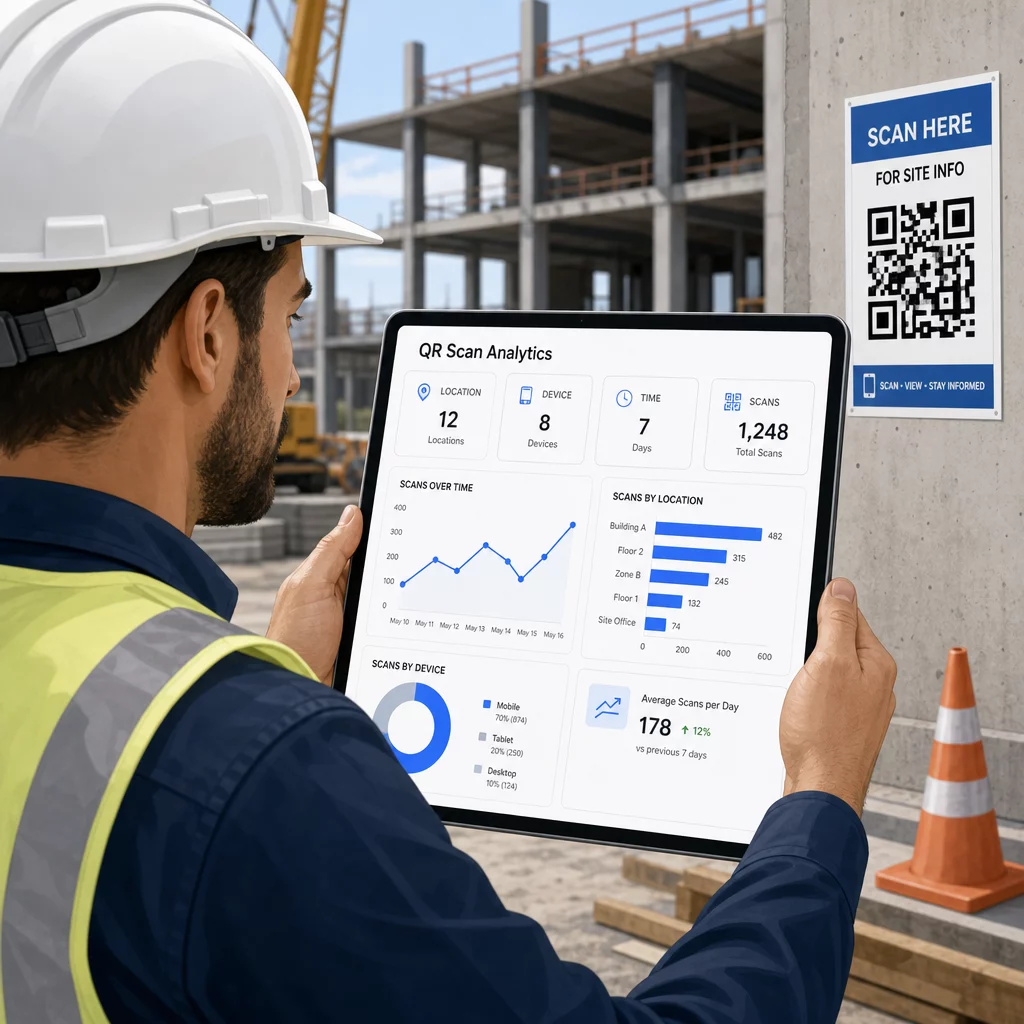
Diese Daten helfen Bauleitern, fundierte Entscheidungen darüber zu treffen, wo Dokumentationslücken bestehen und welche Codes besser platziert oder beworben werden müssen.
Sehen Sie, wo und wann Mitarbeiter scannen Verwenden Sie die Link QR-Code-Generator um verfolgbare dynamische Codes für alle URL-basierten Inhalte zu erstellen und die Scan-Aktivität auf Ihrer Baustelle von einem einzigen Dashboard aus zu überwachen.
Häufig gestellte Fragen
Nein. Die integrierte Kamera-App auf den meisten modernen iOS- und Android-Smartphones kann QR-Codes lesen, ohne etwas Zusätzliches herunterladen zu müssen. Mitarbeiter richten ihre Kamera einfach auf den Code und tippen auf die erscheinende Benachrichtigung.
Bei einem dynamischen QR-Code bleibt der physische Code gleich. Sie aktualisieren die Zieldatei oder URL über Ihr QR-Code-Management-Dashboard, und der nächste Scan öffnet automatisch die neue Version. Aus diesem Grund werden dynamische Codes für Baudokumente, die häufig überarbeitet werden, dringend bevorzugt.
Drucken Sie auf wetterfesten oder laminierten Materialien, platzieren Sie Codes auf flachen Oberflächen, die möglichst vor direkter UV-Strahlung geschützt sind, und verwenden Sie kontrastreiche Designs, die lesbar bleiben, selbst wenn die Oberfläche leicht verschmutzt wird. Überprüfen Sie die Richtlinien zur Größe und Lesbarkeit von QR-Codes für spezifische Empfehlungen zu Fehlerkorrekturstufen, die dazu beitragen, dass Codes auch bei teilweiser Beschädigung scanbar bleiben.