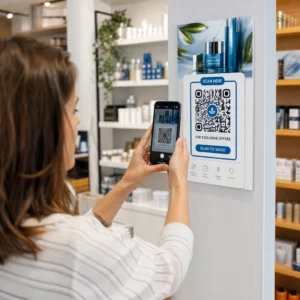
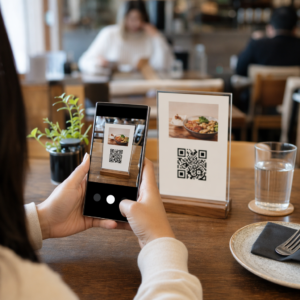
¿Las filas de entrada de tu evento se mueven demasiado lento, o estás perdiendo el rastro de quién tiene acceso a qué? Una pulsera impresa con un código QR resuelve ambos problemas al conectar una credencial física directamente a tus sistemas digitales. Esta guía explica cómo diseñar, generar y gestionar pulseras con código QR que funcionen de forma fiable desde la configuración hasta el análisis posterior al evento.
¿Qué Hacen Realmente las Pulseras con Código QR?
Una pulsera con código QR es una banda física – de tela, vinilo, silicona o papel – impresa con un código QR único que enlaza a un registro o destino digital. Cuando un miembro del personal la escanea, el código valida la admisión de un asistente, confirma su nivel de acceso o activa una acción digital como abrir un perfil o registrar la asistencia.
La distinción clave que vale la pena entender es la diferencia entre estático y Dinámico códigos QR. Un código estático codifica su destino de forma permanente – si algo cambia, necesitas reimprimir. Un código QR dinámico apunta a una URL de redirección corta que puedes actualizar en cualquier momento desde un panel de gestión, sin cambiar el código impreso en la pulsera. Para eventos donde los horarios, zonas o contenido enlazado pueden cambiar antes o durante el evento, los códigos dinámicos te dan significativamente más control.
Crea Códigos QR Dinámicos para Tu Evento ¿Necesitas actualizar los destinos de las pulseras o rastrear la actividad de escaneo en tiempo real? Usa el Generador de códigos QR para eventos para construir códigos dinámicos que puedes gestionar desde un único panel.
Casos de Uso Comunes para Pulseras QR
Admisión y Control de Entrada
La aplicación más directa es usar cada pulsera como un boleto digital. Cuando las pulseras de evento se imprimen con códigos QR únicos y serializados, cada una actúa como una credencial intransferible. Un escáner del personal valida el código en la puerta, lo marca como usado y previene intentos de reingreso con la misma banda. Este enfoque elimina la necesidad de boletos de papel separados y reduce el riesgo de falsificaciones.
Si tu evento tiene múltiples zonas de acceso – áreas VIP, backstage, admisión general – los códigos QR variables te permiten asignar a cada asistente a un nivel específico. El escaneo en cada punto de control confirma si esa pulsera otorga entrada a esa área, dándote control en tiempo real sobre el flujo de la multitud sin verificación manual de listas. Para una mirada más profunda sobre cómo funciona esto en la práctica, consulta la guía sobre uso de códigos QR en boletos para la gestión de entradas.
Seguimiento de la asistencia
Más allá de la entrada por puerta, las pulseras QR te permiten registrar datos de asistencia en múltiples puntos a lo largo de un evento – salas de sesiones, talleres o espacios de trabajo. En lugar de hojas de registro manuales, los asistentes escanean en cada ubicación y el sistema registra quién asistió a qué y cuándo. El sistema de Pageloot herramienta de código QR de asistencia apoya este flujo de trabajo al vincular códigos a formularios o páginas de registro que capturan la participación automáticamente.
Acceso a Información del Evento
Un código QR de pulsera no tiene que servir solo como función de seguridad. Vincularlo a una página de destino da a cada asistente acceso bajo demanda al horario del evento, biografías de oradores, mapas del lugar o actualizaciones de última hora. Debido a que los códigos dinámicos pueden actualizarse sin reimprimir, puedes enviar nueva información a cada pulsera ya distribuida – útil cuando los horarios de las sesiones cambian o una sala se mueve.
Networking y Compartir Contactos
En conferencias profesionales, las pulseras QR pueden funcionar como tarjetas de presentación digitales. Vincular un código de pulsera a una vCard permite a los asistentes compartir sus datos de contacto con un escaneo rápido en lugar de intercambiar tarjetas físicas. El Generador de códigos QR de contacto vCard hace que sea sencillo crear códigos de contacto que almacenen un nombre, correo electrónico, número de teléfono y empresa directamente en el teléfono del escáner.
Beneficios, Canjes y Compromiso
Las pulseras también pueden tener un valor funcional más allá de la identificación. Los códigos serializados vinculados a las cuentas de los asistentes pueden rastrear fichas de bebida precargadas, derechos de mercancía o beneficios de lealtad. Los datos de escaneo revelan qué beneficios se canjearon y cuándo, dando a los organizadores datos de comportamiento útiles junto con la función operativa.
Requisitos de Diseño para un Escaneo Fiable
Una pulsera con código QR que no se escanea en condiciones reales de evento crea fricción exactamente en el momento equivocado. Varios factores de diseño físico determinan si tus códigos funcionarán de forma fiable.
Tamaño y distancia de escaneo
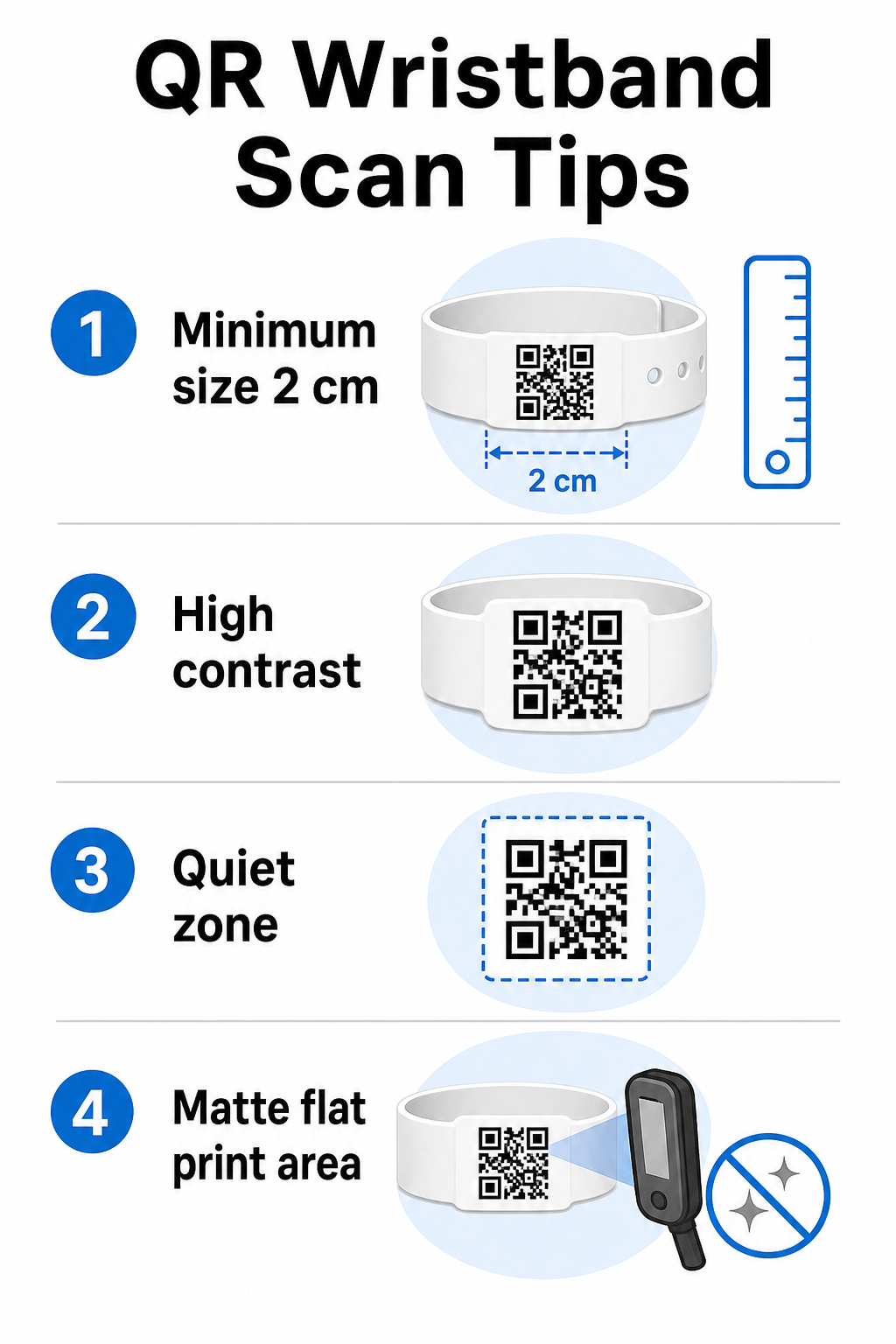
La regla estándar es que el ancho de un código QR debe ser de al menos 1 cm por cada 10 cm de distancia de escaneo esperada. Para pulseras escaneadas a la distancia de un brazo por un dispositivo de mano, un ancho mínimo de 2 cm es el límite práctico. Las pulseras más delgadas que no pueden acomodar este tamaño de forma fiable causarán problemas de escaneo. Consulta la guía completa guía de tamaño de códigos QR para mediciones en diferentes casos de uso.
Contraste de color
El alto contraste entre los módulos del código y el fondo es fundamental. Los módulos oscuros sobre un fondo claro –idealmente negro sobre blanco– dan a los escáneres la señal más clara. Busque una relación de contraste de al menos 4:1. Los diseños invertidos con un código claro sobre un fondo oscuro son generalmente poco fiables y deben evitarse.
Zona tranquila
Este margen indica al escáner dónde comienza y termina el código. Eliminarlo o imprimir sobre él es una de las causas más comunes de fallo de escaneo en pulseras donde el espacio de diseño es limitado. zona tranquila. .
Resolución de impresión y formato
Exporte códigos QR en formato vectorial (SVG o EPS) o archivos ráster de alta resolución con un mínimo de 300 PPP en el tamaño de impresión final. Ampliar una imagen de baja resolución crea bordes de módulo borrosos que los escáneres tienen dificultades para leer. Para obtener orientación sobre cómo lograr una calidad de impresión consistente, el guía de mejores prácticas de legibilidad de códigos QR cubre la lista de verificación técnica completa.
Superficie y acabado
Las pulseras se usan en una superficie curva, lo que introduce distorsión. Imprima el código QR en el área más plana de la pulsera y evite acabados brillantes o reflectantes sobre el código –el deslumbramiento de la iluminación superior del evento interfiere directamente con las cámaras de los teléfonos inteligentes. Un acabado mate sobre el área del código supera consistentemente a las alternativas brillantes en entornos de eventos.
Complejidad del código
Cuantos más datos se codifiquen en un código QR, más denso y difícil de escanear se vuelve. Utilice URL cortas o códigos dinámicos que redirigen a través de un enlace compacto para mantener el código visualmente simple y rápido de escanear. El de Pageloot Generador de códigos QR de enlace maneja automáticamente el acortamiento de URL como parte del flujo de trabajo de códigos dinámicos.
Corrección de Errores
Los códigos QR tienen corrección de errores incorporada que los mantiene escaneables incluso cuando parte del código está dañado. El nivel de corrección más alto permite la recuperación cuando hasta aproximadamente el 30% del área del código está oscurecida –relevante para pulseras que experimentan desgaste, manchas o abrasión menor durante un evento de varios días. Si está añadiendo un logotipo al código, utilice una alta corrección de errores para compensar el área cubierta.
Generación de códigos QR para pulseras
El proceso de generación sigue un flujo de trabajo sencillo:
- Elige tu tipo de código QR. Para admisiones, un enlace o código QR de evento que apunte a su sistema de registro funciona bien. Para compartir contactos, utilice un tipo vCard. Para el registro de asistencia, enlace a un formulario.
- Utilice códigos dinámicos cuando el contenido pueda cambiar. Si su evento abarca varios días o el destino vinculado podría necesitar actualización, los códigos dinámicos le permiten realizar cambios desde su panel de control sin reimprimir una sola pulsera.
- Mantenga la URL codificada corta. Las URL más cortas reducen la densidad del código y mejoran la velocidad de escaneo.
- Personalice dentro de las limitaciones de contraste. Puede añadir el logotipo de su evento y los colores de su marca, pero verifique que el contraste siga siendo suficiente después de la personalización.
- Descargue en formato listo para imprimir. Utilice archivos SVG, EPS o PNG de alta resolución –nunca amplíe un JPEG pequeño.
- Pruebe antes de la impresión masiva. Escanee su prueba en múltiples dispositivos, con poca luz y a las distancias de escaneo que su personal realmente utilizará. Este único paso previene los fallos más comunes del día del evento.
Cree y rastree sus códigos QR de evento Genere códigos únicos para cada asistente, monitoree la actividad de escaneo y actualice el contenido vinculado sin reimprimir. Comience con el Generador de códigos QR y explore opciones específicas del evento en el Generador de códigos QR para eventos.
Consideraciones de seguridad y privacidad
Las pulseras QR que almacenan o enlazan a información personal del asistente conllevan responsabilidades de protección de datos.
Cifre datos sensibles. Si un código de pulsera codifica directamente información personal –como nombre, categoría de entrada o estado de verificación de edad–, esos datos deben cifrarse para que no puedan ser leídos por escáneres no autorizados. El uso de códigos dinámicos que apuntan a un backend seguro y autenticado en lugar de codificar datos sin procesar en el propio código reduce este riesgo significativamente.
Utilice HTTPS con certificados validados. Toda la comunicación entre su aplicación de escaneo y el servidor de validación backend debe ejecutarse a través de canales cifrados. Esto evita la interceptación de eventos de escaneo o datos de asistentes durante el proceso de registro. La guía sobre creación de boletos de eventos con código QR seguros explica en detalle las capas técnicas involucradas.
Limite el acceso a los sistemas de registro. Las aplicaciones de escaneo y los paneles de control para el personal deben requerir credenciales de inicio de sesión individuales en lugar de contraseñas compartidas. Esto limita la exposición si se pierde un dispositivo y facilita la auditoría de quién escaneó qué.
Aplique los principios de privacidad desde el diseño. Recopile solo los datos que su operación requiere. Si utiliza análisis de escaneo para el análisis del flujo de multitudes, los datos anonimizados agregados son suficientes y evitan las implicaciones de privacidad del seguimiento de individuos identificables. Cuando se procesen datos personales, asegúrese de que los asistentes estén informados y de que sus procesos cumplan con las regulaciones aplicables.
Proporcione contexto en el punto de escaneo. Informar a los asistentes sobre lo que hace el código QR de la pulsera –y lo que sucederá cuando el personal lo escanee– genera confianza y reduce la confusión sobre el uso de los datos. Para una visión más amplia sobre cómo asegurar el control de acceso con códigos dinámicos, la guía sobre códigos QR dinámicos para control de acceso cubre la revocación, los registros de auditoría y la gestión de permisos en tiempo real.
Uso de análisis de escaneo para mejorar eventos futuros
Los códigos QR dinámicos generan datos de escaneo que van mucho más allá del recuento de entradas. Con los análisis de Pageloot, puede rastrear cuándo y dónde se escanean los códigos, qué zonas tuvieron la mayor actividad y cómo se comparó el flujo de asistentes con sus proyecciones. Estos datos le ayudan a tomar decisiones informadas sobre la dotación de personal en los puntos de entrada, la programación de sesiones y el diseño de las características de las pulseras para su próximo evento.
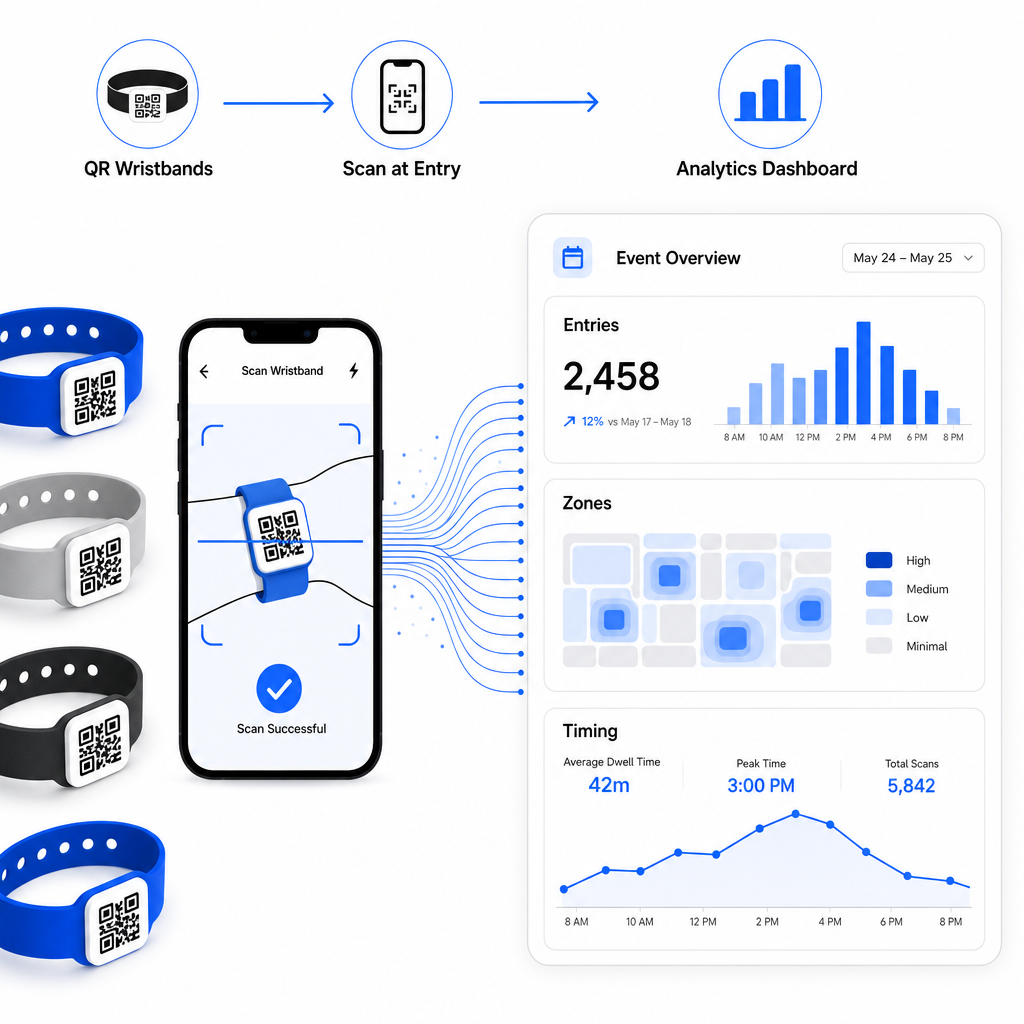
Para un recorrido completo sobre cómo construir una operación de registro basada en QR, la guía sobre optimización del registro de eventos con códigos QR cubre en detalle la logística de escaneo, la capacitación del personal y el monitoreo de asistencia en tiempo real.
Una pulsera QR bien diseñada hace más que identificar a un asistente: conecta una credencial física a un sistema digital en vivo que usted controla. Acertar con las especificaciones de impresión, usar códigos dinámicos para mayor flexibilidad y proteger los datos detrás de cada escaneo son los tres factores que determinan si su programa de pulseras funciona sin problemas el día del evento. Comience con una prueba verificada, no con una tirada de impresión masiva, y construya a partir de ahí.
Configure sus códigos QR de pulsera hoy Cree códigos QR dinámicos y rastreables para su próximo evento con el Generador de códigos QR para eventos y gestione todo desde un único panel de control.
Preguntas frecuentes
El mínimo práctico es de 2 cm de ancho para escaneo de corto alcance. Como regla general, permita al menos 1 cm de ancho de código por cada 10 cm de distancia de escaneo esperada. Reducir el tamaño aumenta el riesgo de fallos de escaneo, especialmente en superficies curvas o flexibles de pulseras.
Sí, si usa códigos QR dinámicos. Los códigos dinámicos apuntan a una URL de redirección corta que usted controla desde un panel de control. Cambiar el destino – como actualizar una página de horario de eventos o intercambiar un formulario de registro – surte efecto inmediatamente en todas las pulseras impresas sin ningún cambio físico.
Evite codificar datos personales en bruto, como nombres, identificadores de tickets o detalles de verificación de edad, directamente en el propio código, ya que cualquier escáner QR puede leerlos. En su lugar, use el código para apuntar a un sistema backend seguro y autenticado que controla qué información se revela y a quién. Este enfoque mantiene los datos sensibles de los asistentes fuera de la superficie de la pulsera y reduce su exposición a accesos no autorizados.