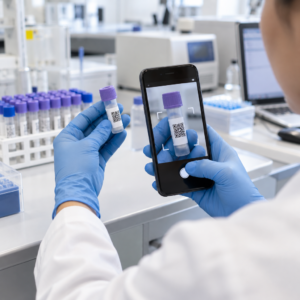
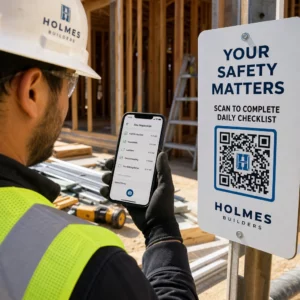
Bevæger dine eventindgangskøer sig for langsomt, eller mister du overblikket over, hvem der har adgang til hvad? Et trykt armbånd med en QR-kode løser begge problemer ved at forbinde en fysisk adgangsgivende direkte til dine digitale systemer. Denne guide forklarer, hvordan man designer, genererer og administrerer QR-kode armbånd, der fungerer pålideligt fra opsætning til efter-event analyse.
Hvad QR-kode armbånd faktisk gør
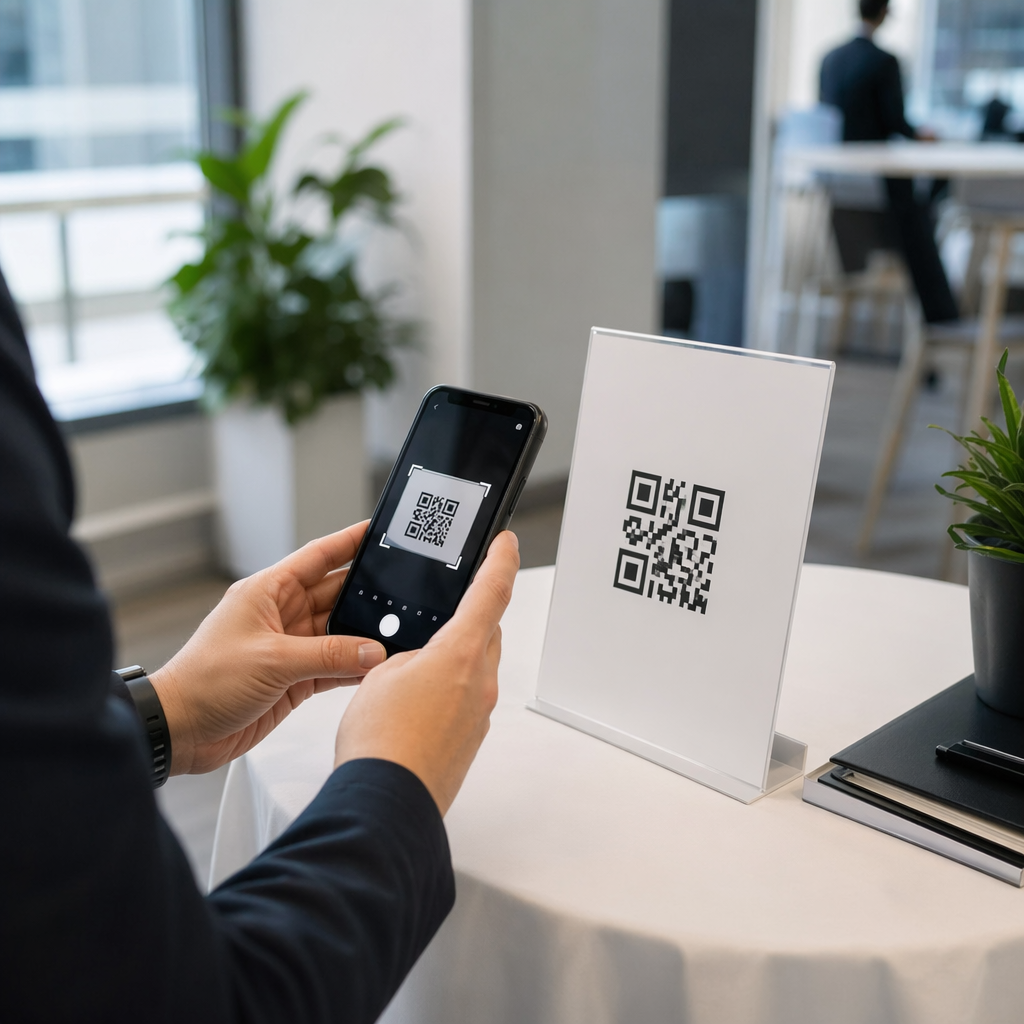
Et QR-kode armbånd er et fysisk bånd – stof, vinyl, silikone eller papir – trykt med en unik QR-kode, der linker til en digital registrering eller destination. Når en medarbejder scanner det, validerer koden enten en deltagers adgang, bekræfter deres adgangsniveau eller udløser en digital handling som at åbne en profil eller logge deltagelse.
Den vigtigste forskel, der er værd at forstå, er forskellen mellem statisk og Dynamisk QR-koder. En statisk kode koder sin destination permanent – hvis noget ændrer sig, skal du genudskrive. En dynamisk QR-kode peger på en kort omdirigerings-URL, som du kan opdatere når som helst fra et administrationspanel, uden at ændre den trykte kode på armbåndet. Til events, hvor tidsplaner, zoner eller linket indhold kan ændre sig før eller under eventet, giver dynamiske koder dig betydeligt mere kontrol.
Opret dynamiske QR-koder til dit event Har du brug for at opdatere armbåndsdestinationer eller spore scanningsaktivitet i realtid? Brug Event QR-kode generator til at bygge dynamiske koder, du kan administrere fra et enkelt dashboard.
Almindelige anvendelsestilfælde for QR-armbånd
Adgang og indgangskontrol
Den mest direkte anvendelse er at bruge hvert armbånd som en digital billet. Når eventarmbånd er trykt med unikke, serialiserede QR-koder, fungerer hvert enkelt som en ikke-overførbar adgangsgivende. En medarbejderscanner validerer koden ved porten, markerer den som brugt og forhindrer forsøg på genindgang med det samme bånd. Denne tilgang fjerner behovet for separate papirbilletter og reducerer risikoen for forfalskninger.
Hvis dit event har flere adgangszoner – VIP-områder, backstage, almindelig adgang – lader variable QR-koder dig tildele hver deltager et specifikt niveau. Scanning ved hvert kontrolpunkt bekræfter, om armbåndet giver adgang til det område, hvilket giver dig realtidskontrol over publikumsflow uden manuel listekontrol. For et dybere kig på, hvordan dette fungerer i praksis, se guiden om brug af QR-koder på billetter til adgangsstyring.
Fremmøde sporing
Ud over portadgang lader QR-armbånd dig logge deltagerdata på flere punkter under et event – sessionslokaler, workshops eller breakout-rum. I stedet for manuelle tilmeldingslister scanner deltagerne ved hvert sted, og systemet logger, hvem der deltog i hvad og hvornår. Pageloots QR-kodeværktøj til fremmøde understøtter denne arbejdsgang ved at linke koder til formularer eller check-in sider, der automatisk registrerer deltagelse.
Adgang til eventinformation
Et armbånds QR-kode behøver ikke kun at tjene en sikkerhedsfunktion. Ved at linke det til en landingsside får hver deltager on-demand adgang til eventets tidsplan, talerbiografier, stedkort eller sidste-øjebliks opdateringer. Fordi dynamiske koder kan opdateres uden genudskrivning, kan du sende ny information til hvert armbånd, der allerede er distribueret – nyttigt når sessionstider ændres, eller et lokale flyttes.
Netværk og kontaktudveksling
På professionelle konferencer kan QR-armbånd fungere som digitale visitkort. Ved at linke en armbåndskode til et vCard kan deltagere dele deres kontaktoplysninger med en hurtig scanning i stedet for at udveksle fysiske kort. Den vCard QR-kode generator gør det ligetil at oprette kontaktkoder, der gemmer et navn, e-mail, telefonnummer og firma direkte på scannerens telefon.
Fordele, indløsninger og engagement
Armbånd kan også have funktionel værdi ud over identifikation. Serialiserede koder, der er knyttet til deltagerkonti, kan spore forudindlæste drikkebilletter, merchandise-rettigheder eller loyalitetsfordele. Scanningsdata afslører, hvilke fordele der blev indløst og hvornår, hvilket giver arrangørerne nyttige adfærdsdata ud over den operationelle funktion.
Designkrav for pålidelig scanning
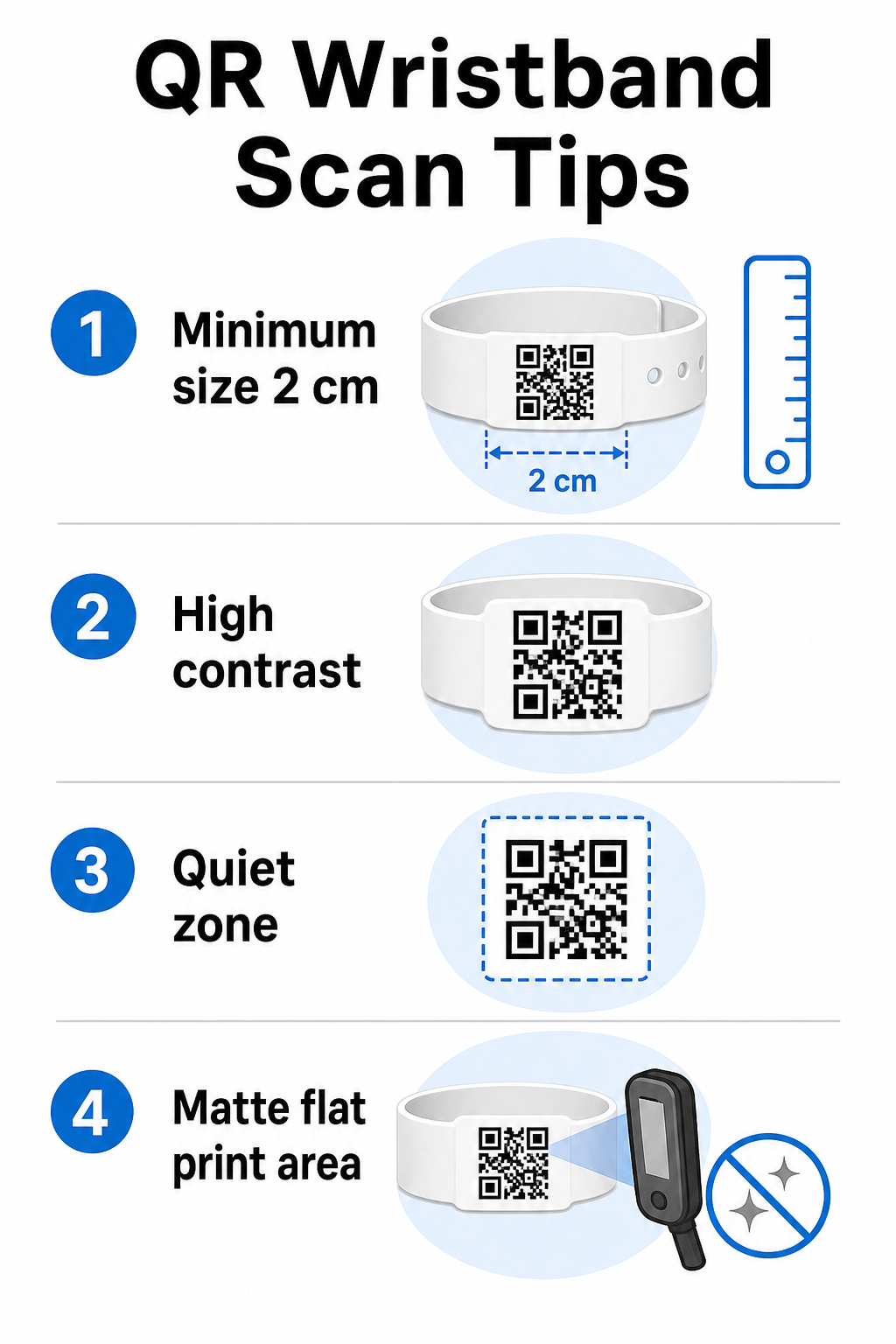
Et QR-kode armbånd, der ikke kan scannes under reelle eventforhold, skaber friktion på præcis det forkerte tidspunkt. Flere fysiske designfaktorer afgør, om dine koder vil fungere pålideligt.
Størrelse og scanningsafstand
Standardreglen er, at en QR-kodes bredde skal være mindst 1 cm for hver 10 cm forventet scanningsafstand. For armbånd, der scannes i armslængde af en håndholdt enhed, er en minimumsbredde på 2 cm det praktiske minimum. Tyndere armbånd, der ikke pålideligt kan rumme denne størrelse, vil forårsage scanningsproblemer. Se den fulde guide til QR-kodestørrelse for målinger på tværs af forskellige anvendelsestilfælde.
Farvekontrast
Høj kontrast mellem kodemodulerne og baggrunden er afgørende. Mørke moduler på en lys baggrund – ideelt sort på hvidt – giver scannere det tydeligste signal. Sigt efter et kontrastforhold på mindst 4:1. Inverterede designs med en lys kode på en mørk baggrund er generelt upålidelige og bør undgås.
Stille zone
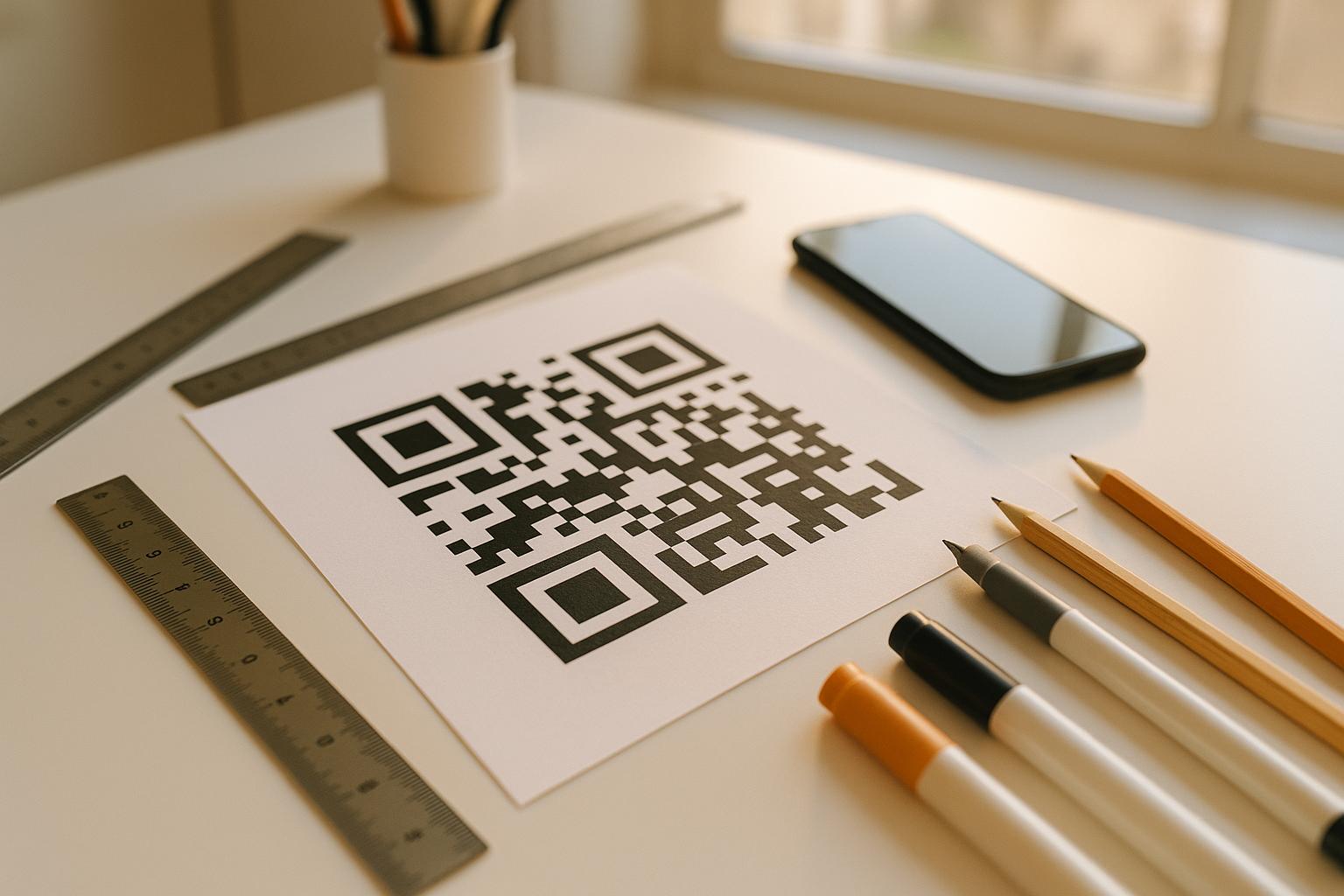
Hver QR-kode kræver en klar hvid kant omkring dens omkreds, kaldet en stille zone. Denne margen signalerer til scanneren, hvor koden begynder og slutter. Fjernelse af den eller udskrivning over den er en af de mest almindelige årsager til scanningsfejl på armbånd, hvor designpladsen er trang.
Udskriftsopløsning og format
Eksporter QR-koder i vektorformat (SVG eller EPS) eller højopløselige rasterfiler med et minimum af 300 DPI ved den endelige udskrevne størrelse. Opskalering af et lavopløseligt billede skaber slørede modulkanter, som scannere har svært ved at læse. For vejledning om opnåelse af ensartet udskriftskvalitet, vejledning i bedste praksis for læsbarhed af QR-koder dækker den fulde tekniske tjekliste.
Overflade og finish
Armbånd bæres på en buet overflade, hvilket introducerer forvrængning. Udskriv QR-koden på det fladeste område af båndet og undgå blanke eller reflekterende overflader over koden – genskin fra eventbelysning ovenfra forstyrrer direkte smartphonekameraer. En mat finish over kodeområdet overgår konsekvent blanke alternativer i eventmiljøer.
Kodekompleksitet
Jo mere data der er kodet i en QR-kode, jo tættere og sværere at scanne bliver den. Brug korte URL'er eller dynamiske koder, der omdirigerer via et kompakt link for at holde koden visuelt enkel og hurtig at scanne. Pageloot's Link QR-kodegenerator håndterer automatisk URL-forkortelse som en del af den dynamiske kodearbejdsgang.
Fejlkorrektion
QR-koder har indbygget fejlkorrektion, der holder dem scanbare, selv når en del af koden er beskadiget. Det højeste korrektionsniveau tillader genoprettelse, når op til cirka 30% af kodeområdet er skjult – relevant for armbånd, der oplever slid, udtværing eller mindre skrammer over et flerdages event. Hvis du tilføjer et logo til koden, skal du bruge høj fejlkorrektion for at kompensere for det dækkede område.
Generering af QR-koder til armbånd
Genereringsprocessen følger en ligetil arbejdsgang:
- Vælg din QR-kodetype. Til adgang fungerer et link eller en event-QR-kode, der peger på dit check-in-system, godt. Til kontaktudveksling skal du bruge en vCard-type. Til registrering af fremmøde skal du linke til en formular.
- Brug dynamiske koder, når indholdet kan ændre sig. Hvis dit event strækker sig over flere dage, eller den linkede destination skal opdateres, giver dynamiske koder dig mulighed for at foretage ændringer fra dit dashboard uden at genudskrive et eneste armbånd.
- Hold den kodede URL kort. Kortere URL'er reducerer kodetætheden og forbedrer scanningshastigheden.
- Tilpas inden for kontrastbegrænsninger. Du kan tilføje dit eventlogo og brandfarver, men verificer, at kontrasten forbliver tilstrækkelig efter tilpasning.
- Download i printklart format. Brug SVG-, EPS- eller høj-DPI PNG-filer – opskaler aldrig en lille JPEG.
- Test før masseprint. Scan din prøve på flere enheder, i dæmpet belysning og ved de scanningsafstande, dit personale faktisk vil bruge. Dette ene trin forhindrer de mest almindelige event-dagsfejl.
Byg og spor dine event-QR-koder Generer unikke koder for hver deltager, overvåg scanningsaktivitet, og opdater linket indhold uden at genudskrive. Start med QR-kodegenerator og udforsk eventspecifikke muligheder på Event QR-kode generator.
Sikkerheds- og privatlivsovervejelser
QR-armbånd, der gemmer eller linker til personlige deltageroplysninger, medfører databeskyttelsesansvar.
Krypter følsomme data. Hvis en armbåndskode direkte koder personlige oplysninger – såsom navn, billetkategori eller aldersverifikationsstatus – skal disse data krypteres, så de ikke kan læses af uautoriserede scannere. Brug af dynamiske koder, der peger på en sikker, autentificeret backend i stedet for at kode rå data i selve koden, reducerer denne risiko betydeligt.
Brug HTTPS med validerede certifikater. Al kommunikation mellem din scanningsapp og backend-valideringsserveren skal køre over krypterede kanaler. Dette forhindrer opsnapning af scanningshændelser eller deltagerdata under check-in-processen. Guiden om 12. oprettelse af sikre QR-kode eventbilletter forklarer de involverede tekniske lag i detaljer.
Begræns adgangen til check-in-systemer. Personaleorienterede scanningsapps og dashboards bør kræve individuelle loginoplysninger frem for delte adgangskoder. Dette begrænser eksponeringen, hvis en enhed mistes, og gør det lettere at revidere, hvem der scannede hvad.
Anvend principper for privacy-by-design. Indsaml kun de data, din drift kræver. Hvis du bruger scanningsanalyse til analyse af publikumsflow, er aggregerede anonymiserede data tilstrækkelige og undgår privatlivskonsekvenserne ved at spore identificerbare individer. Hvor personlige data behandles, skal du sikre, at deltagere informeres, og at dine processer overholder gældende regler.
Giv kontekst ved scanningspunktet. At lade deltagere vide, hvad armbåndets QR-kode gør – og hvad der vil ske, når personalet scanner det – opbygger tillid og reducerer forvirring om databrug. For et bredere kig på sikring af adgangskontrol med dynamiske koder, guiden om dynamiske QR-koder til adgangskontrol dækker tilbagekaldelse, revisionsspor og realtidsstyring af tilladelser.
Brug af scanningsanalyse til at forbedre fremtidige begivenheder
Dynamiske QR-koder genererer scanningsdata, der strækker sig langt ud over at tælle indgange. Med Pageloots analyse kan du spore, hvornår og hvor koder scannes, hvilke zoner der havde mest aktivitet, og hvordan deltagerflowet sammenlignede med dine prognoser. Disse data hjælper dig med at træffe informerede beslutninger om bemanding af indgangspunkter, sessionsplanlægning og design af armbåndsfunktioner til din næste begivenhed.
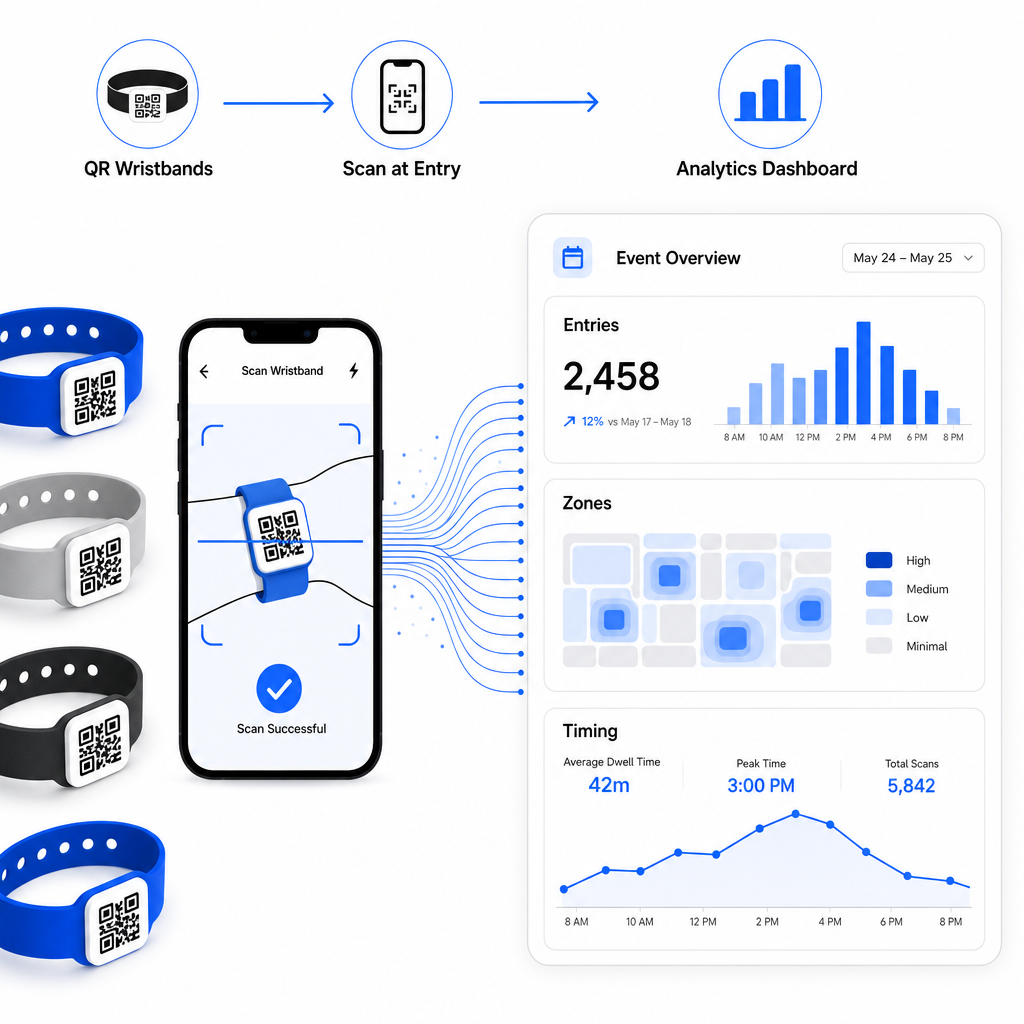
For en komplet gennemgang af opbygning af en QR-baseret check-in-operation, guiden om strømlining af event check-in med QR-koder dækker scanningslogistik, personaletræning og realtidsovervågning af deltagelse i detaljer.
Et veldesignet QR-armbånd gør mere end at identificere en deltager – det forbinder en fysisk legitimationsoplysning til et live digitalt system, som du kontrollerer. At få udskriftsspecifikationerne rigtige, bruge dynamiske koder for fleksibilitet og beskytte dataene bag hver scanning er de tre faktorer, der afgør, om dit armbåndsprogram fungerer problemfrit på eventdagen. Start med et testet bevis, ikke en masseproduktion, og byg derfra.
Opsæt dine armbånds-QR-koder i dag Opret dynamiske, sporbare QR-koder til din næste begivenhed med Event QR-kode generator og administrer alt fra et enkelt dashboard.
Ofte stillede spørgsmål
Det praktiske minimum er 2 cm bredt til scanning på kort afstand. Som hovedregel skal du tillade mindst 1 cm kodebredde for hver 10 cm forventet scanningsafstand. At gå mindre øger risikoen for scanningsfejl, især på buede eller fleksible armbåndsoverflader.
Ja, hvis du bruger dynamiske QR-koder. Dynamiske koder peger på en kort omdirigerings-URL, som du styrer fra et dashboard. Ændring af destinationen – såsom opdatering af en begivenhedsplan-side eller udskiftning af en check-in-formular – træder i kraft øjeblikkeligt på alle trykte armbånd uden fysiske ændringer.
Undgå at indkode rå personlige data såsom navne, billet-ID'er eller oplysninger om aldersverifikation direkte i selve koden, da enhver QR-scanner kan læse den. I stedet skal du bruge koden til at pege på et sikkert, autentificeret backend-system, der styrer, hvilke oplysninger der afsløres, og til hvem. Denne tilgang holder følsomme deltagerdata væk fra armbåndets overflade og reducerer din eksponering for uautoriseret adgang.