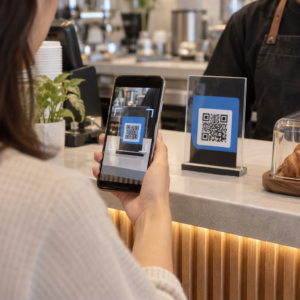
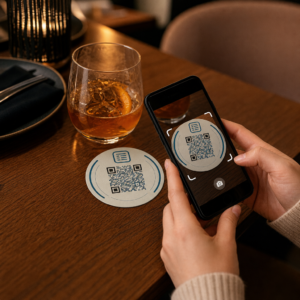
Túl lassan haladnak a rendezvény beléptető sorai, vagy elveszíti a fonalat, hogy kinek mihez van hozzáférése? Egy nyomtatott QR-kódos karszalag mindkét problémát megoldja azáltal, hogy egy fizikai belépőt közvetlenül a digitális rendszereihez kapcsol. Ez az útmutató elmagyarázza, hogyan tervezzen, generáljon és kezeljen QR-kódos karszalagokat, amelyek megbízhatóan működnek a beállítástól a rendezvény utáni elemzésig.
Mire valók valójában a QR-kódos karszalagok?
A QR-kódos karszalag egy fizikai szalag – szövet, vinil, szilikon vagy papír –, amelyre egy egyedi QR-kód van nyomtatva, és amely egy digitális rekordhoz vagy célhoz kapcsolódik. Amikor egy munkatárs beolvassa, a kód vagy érvényesíti a résztvevő belépését, megerősíti a hozzáférési szintjét, vagy digitális műveletet indít el, például profil megnyitását vagy részvétel rögzítését.
A kulcsfontosságú különbség, amit érdemes megérteni, a következő: statikus és Dinamikus QR-kódok. Egy statikus kód véglegesen kódolja a célját – ha bármi változik, újra kell nyomtatni. Egy dinamikus QR-kód egy rövid átirányítási URL-re mutat, amelyet bármikor frissíthet egy kezelőfelületről, anélkül, hogy megváltoztatná a karszalagon lévő nyomtatott kódot. Olyan rendezvények esetében, ahol a menetrendek, zónák vagy a kapcsolódó tartalom változhat a rendezvény előtt vagy alatt, a dinamikus kódok jelentősen nagyobb kontrollt biztosítanak.
Hozzon létre dinamikus QR-kódokat rendezvényéhez Frissítenie kell a karszalagok céljait, vagy valós időben követnie kell a szkennelési tevékenységet? Használja a Esemény QR kód generátor a dinamikus kódok létrehozásához, amelyeket egyetlen irányítópultról kezelhet.
Gyakori felhasználási esetek QR-karszalagokhoz
Beléptetés és bejárati ellenőrzés
A legközvetlenebb alkalmazás az, hogy minden karszalagot digitális jegyként használunk. Amikor a rendezvénykarszalagokat egyedi, sorszámozott QR-kódokkal nyomtatják, mindegyik nem átruházható belépőként funkcionál. Egy munkatárs a kapunál érvényesíti a kódot, megjelöli használtként, és megakadályozza az azonos szalaggal történő újbóli belépési kísérleteket. Ez a megközelítés megszünteti a különálló papírjegyek szükségességét és csökkenti a hamisítványok kockázatát.
Ha rendezvénye több hozzáférési zónával rendelkezik – VIP területek, backstage, általános belépés –, a változó QR-kódok lehetővé teszik, hogy minden résztvevőt egy adott szintre rendeljen. Az egyes ellenőrzőpontokon történő szkennelés megerősíti, hogy az adott karszalag belépést biztosít-e az adott területre, valós idejű kontrollt biztosítva a tömegáramlás felett, manuális listaelemzés nélkül. Ahhoz, hogy mélyebben megismerje, hogyan működik ez a gyakorlatban, tekintse meg az útmutatót a következő témában: QR-kódok használata jegyeken a beléptetéshez.
Látogatáskövetés
A kapun való belépésen túl a QR-karszalagok lehetővé teszik a részvételi adatok rögzítését a rendezvény több pontján – előadótermekben, workshopokon vagy szekciótermekben. A manuális jelenléti ívek helyett a résztvevők minden helyszínen beolvassák a kódot, és a rendszer rögzíti, ki mikor és min vett részt. A Pageloot jelenléti QR-kód eszköz támogatja ezt a munkafolyamatot azáltal, hogy a kódokat űrlapokhoz vagy bejelentkezési oldalakhoz kapcsolja, amelyek automatikusan rögzítik a részvételt.
Hozzáférés a rendezvényinformációkhoz
Egy karszalag QR-kódjának nem kell kizárólag biztonsági funkciót betöltenie. Egy céloldalhoz kapcsolva minden résztvevő igény szerint hozzáférhet a rendezvény menetrendjéhez, az előadók életrajzához, a helyszín térképeihez vagy az utolsó pillanatban érkező frissítésekhez. Mivel a dinamikus kódok újranyomtatás nélkül frissíthetők, új információkat juttathat el minden már kiosztott karszalagra – ez hasznos, ha a foglalkozások időpontjai változnak, vagy egy terem áthelyezésre kerül.
Hálózatépítés és kapcsolattartás megosztása
Szakmai konferenciákon a QR-karszalagok digitális névjegykártyaként is funkcionálhatnak. Egy karszalagkód vCardhoz való kapcsolása lehetővé teszi a résztvevők számára, hogy gyors beolvasással megosszák elérhetőségeiket a fizikai kártyák cseréje helyett. A vCard QR kód generátor egyszerűvé teszi olyan kapcsolati kódok létrehozását, amelyek nevet, e-mail címet, telefonszámot és céget tárolnak közvetlenül a szkennelő telefonjára.
Előnyök, beváltások és elkötelezettség
A karszalagok az azonosításon túl funkcionális értéket is hordozhatnak. A résztvevői fiókokhoz kapcsolt sorszámozott kódok nyomon követhetik az előre feltöltött italjegyeket, árujogosultságokat vagy hűségkedvezményeket. A szkennelési adatok felfedik, mely előnyöket váltották be és mikor, hasznos viselkedési adatokat szolgáltatva a szervezőknek az operatív funkció mellett.
Tervezési követelmények a megbízható szkenneléshez
Egy QR-kódos karszalag, amely valós rendezvénykörülmények között nem olvasható be, pontosan a rossz pillanatban okoz súrlódást. Számos fizikai tervezési tényező határozza meg, hogy a kódok megbízhatóan működnek-e.
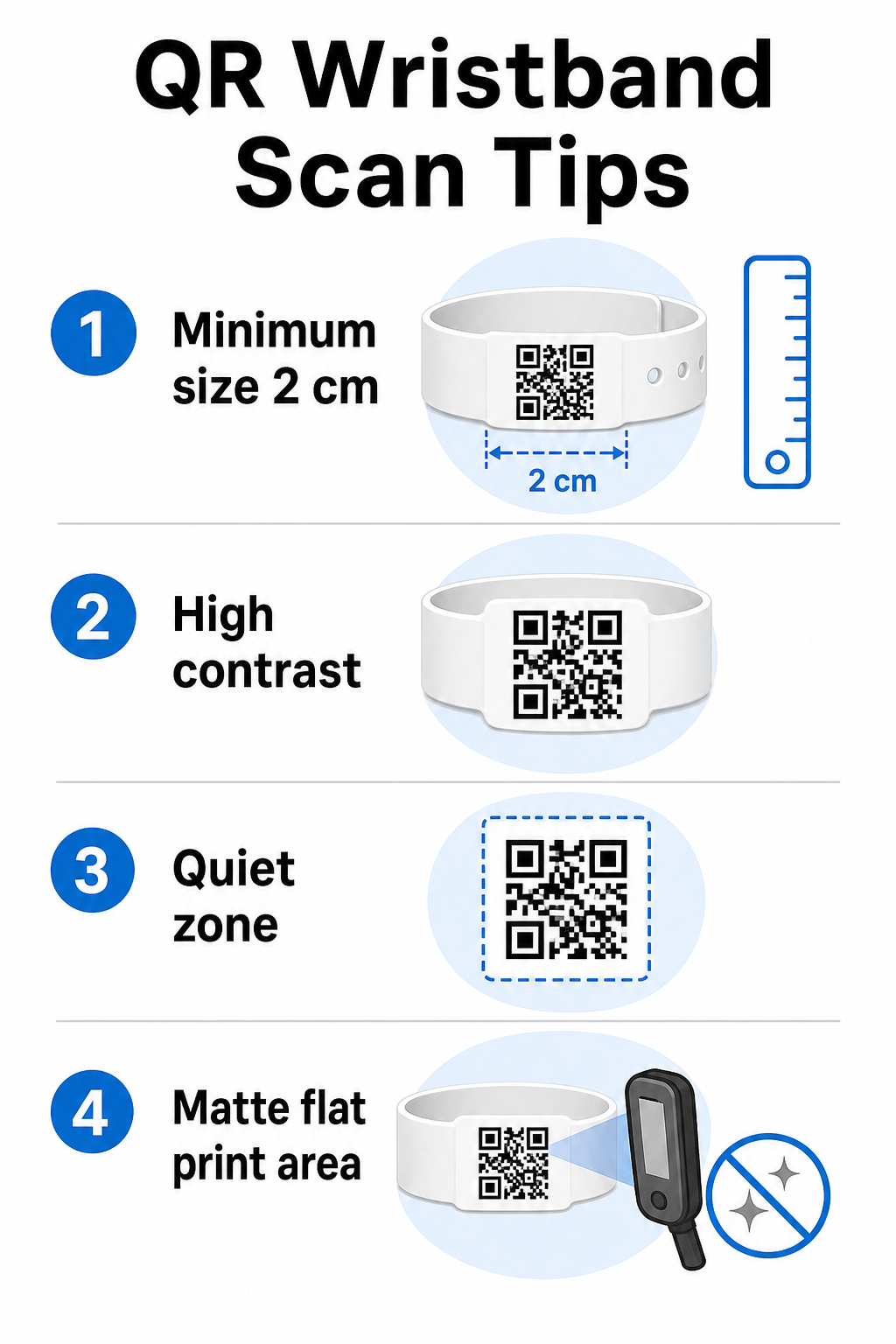
Méret és szkennelési távolság
Az általános szabály az, hogy egy QR-kód szélességének legalább 1 cm-nek kell lennie minden 10 cm várható szkennelési távolságra. Kézi eszközzel karnyújtásnyira beolvasott karszalagok esetén a minimális szélesség 2 cm a gyakorlati alsó határ. Az ennél vékonyabb karszalagok, amelyek nem tudják megbízhatóan befogadni ezt a méretet, szkennelési problémákat okoznak. Lásd a teljes QR-kód méretezési útmutatónkban a különböző felhasználási esetek méréseihez.
Színkontraszt
Magas kontraszt a kódmodulok és a háttér között kritikus. Sötét modulok világos háttéren – ideális esetben fekete fehéren – adják a szkennereknek a legtisztább jelet. Cél a legalább 4:1 kontrasztarány. A fordított tervek, világos kóddal sötét háttéren, általában megbízhatatlanok és kerülendők.
Csendes zóna
Minden QR-kódnak tiszta fehér szegélyre van szüksége a kerülete körül, amelyet a csendes zónára. Ez a margó jelzi a szkennernek, hol kezdődik és hol végződik a kód. Az eltávolítása vagy a rányomtatás az egyik leggyakoribb oka a szkennelési hibáknak azokon a karszalagokon, ahol szűk a tervezési hely.
Nyomtatási felbontás és formátum
Exportálja a QR-kódokat vektoros formátumban (SVG vagy EPS) vagy nagy felbontású raszterfájlokként, legalább 300 DPI-vel a végső nyomtatott méretben. Az alacsony felbontású kép felnagyítása elmosódott moduléleket hoz létre, amelyeket a szkennerek nehezen olvasnak. A konzisztens nyomtatási minőség eléréséhez a QR-kód olvashatósági legjobb gyakorlatok útmutató lefedi a teljes technikai ellenőrzőlistát.
Felület és bevonat
A karszalagokat ívelt felületen viselik, ami torzítást okoz. Nyomtassa a QR-kódot a szalag leglaposabb területére, és kerülje a fényes vagy tükröződő bevonatokat a kód felett – a felső rendezvényvilágításból származó tükröződés közvetlenül zavarja az okostelefon-kamerákat. A kódterületen lévő matt felület következetesen felülmúlja a fényes alternatívákat rendezvénykörnyezetben.
Kódkomplexitás
Minél több adat van kódolva egy QR-kódban, annál sűrűbbé és nehezebben szkennelhetővé válik. Használjon rövid URL-eket vagy dinamikus kódokat, amelyek egy kompakt linken keresztül irányítanak át, hogy a kód vizuálisan egyszerű és gyorsan szkennelhető maradjon. A Pageloot Link QR-kód generátor automatikusan kezeli az URL-rövidítést a dinamikus kód munkafolyamat részeként.
Hibajavítás
A QR-kódok beépített hibajavítással rendelkeznek, amely lehetővé teszi a szkennelést akkor is, ha a kód egy része sérült. A legmagasabb javítási szint lehetővé teszi a helyreállítást, ha a kódterület nagyjából 30%-a el van takarva – ez releváns a többnapos rendezvényeken kopásnak, elkenődésnek vagy kisebb horzsolásnak kitett karszalagok esetében. Ha logót ad hozzá a kódhoz, használjon magas hibajavítást a lefedett terület kompenzálására.
QR-kódok generálása karszalagokhoz
A generálási folyamat egy egyszerű munkafolyamatot követ:
- Válassza ki a QR-kód típusát. Belépéshez jól működik egy link vagy esemény QR-kód, amely a bejelentkezési rendszerére mutat. Kapcsolatmegosztáshoz használjon vCard típust. Jelenlét naplózásához linkeljen egy űrlapra.
- Használjon dinamikus kódokat, ha a tartalom változhat. Ha rendezvénye több napon át tart, vagy a hivatkozott célhely frissítésre szorulhat, a dinamikus kódok lehetővé teszik, hogy a műszerfalról módosításokat végezzen anélkül, hogy egyetlen karszalagot is újra kellene nyomtatnia.
- Tartsa röviden a kódolt URL-t. A rövidebb URL-ek csökkentik a kód sűrűségét és javítják a szkennelési sebességet.
- Testreszabás kontrasztkorlátokon belül. Hozzáadhatja rendezvénye logóját és márkaszíneit, de ellenőrizze, hogy a kontraszt elegendő marad-e a testreszabás után.
- Letöltés nyomtatásra kész formátumban. Használjon SVG, EPS vagy nagy DPI felbontású PNG fájlokat – soha ne nagyítson fel egy kis JPEG-et.
- Tesztelés tömeges nyomtatás előtt. Szkennelje be a próbanyomatot több eszközön, gyenge megvilágításban és azokon a szkennelési távolságokon, amelyeket a személyzet ténylegesen használni fog. Ez az egyetlen lépés megakadályozza a leggyakoribb rendezvénynapi hibákat.
Készítse el és kövesse nyomon rendezvénye QR-kódjait Generáljon egyedi kódokat minden résztvevő számára, figyelje a szkennelési tevékenységet, és frissítse a hivatkozott tartalmat újranyomtatás nélkül. Kezdje a QR Kód Generátor és fedezze fel az eseményspecifikus lehetőségeket a Esemény QR kód generátor.
Biztonsági és adatvédelmi megfontolások
A személyes résztvevői információkat tároló vagy azokra hivatkozó QR-karszalagok adatvédelmi felelősséggel járnak.
Titkosítsa az érzékeny adatokat. Ha egy karszalag kódja közvetlenül személyes információkat – például nevet, jegykategóriát vagy életkor-ellenőrzési státuszt – kódol, akkor ezeket az adatokat titkosítani kell, hogy illetéktelen szkennerek ne olvashassák el. A dinamikus kódok használata, amelyek egy biztonságos, hitelesített háttérrendszerre mutatnak, ahelyett, hogy nyers adatokat kódolnának magában a kódban, jelentősen csökkenti ezt a kockázatot.
Használjon HTTPS-t érvényesített tanúsítványokkal. A szkennelő alkalmazás és a háttér-validációs szerver közötti minden kommunikációnak titkosított csatornákon kell futnia. Ez megakadályozza a szkennelési események vagy a résztvevői adatok elfogását a bejelentkezési folyamat során. A biztonságos QR-kódos rendezvényjegyek létrehozásáról részletesen elmagyarázza az érintett technikai rétegeket.
Korlátozza a hozzáférést a bejelentkezési rendszerekhez. A személyzet által használt szkennelő alkalmazásoknak és műszerfalaknak egyedi bejelentkezési hitelesítő adatokat kell igényelniük a megosztott jelszavak helyett. Ez korlátozza a kitettséget, ha egy eszköz elveszik, és megkönnyíti annak ellenőrzését, hogy ki mit szkennelt.
Alkalmazza az adatvédelem-tervezés elveit. Csak azokat az adatokat gyűjtse, amelyekre a működéséhez szüksége van. Ha szkennelési analitikát használ a tömegáramlás elemzéséhez, az összesített anonimizált adatok elegendőek, és elkerülik az azonosítható egyének nyomon követésének adatvédelmi vonatkozásait. Ahol személyes adatokat dolgoznak fel, gondoskodjon arról, hogy a résztvevők tájékoztatva legyenek, és hogy a folyamatai megfeleljenek az alkalmazandó előírásoknak.
Adjon kontextust a szkennelés pontján. Ha a résztvevők tudják, mire való a karszalag QR-kódja – és mi történik, amikor a személyzet beolvassa –, az bizalmat épít és csökkenti az adatfelhasználással kapcsolatos zavart. A dinamikus kódokkal történő beléptetés biztosításának átfogóbb áttekintéséhez a következő útmutató: dinamikus QR-kódok beléptetéshez tárgyalja a visszavonást, az auditnaplókat és a valós idejű engedélykezelést.
Szkennelési analitika használata a jövőbeli események javítására
A dinamikus QR-kódok olyan szkennelési adatokat generálnak, amelyek messze túlmutatnak a belépések számlálásán. A Pageloot analitikájával nyomon követheti, hogy mikor és hol szkennelték be a kódokat, mely zónákban volt a legnagyobb aktivitás, és hogyan viszonyult a résztvevők áramlása az előrejelzéseihez. Ezek az adatok segítenek megalapozott döntéseket hozni a belépési pontok személyzetének elosztásáról, a foglalkozások ütemezéséről és a karszalag funkcióinak tervezéséről a következő eseményére.
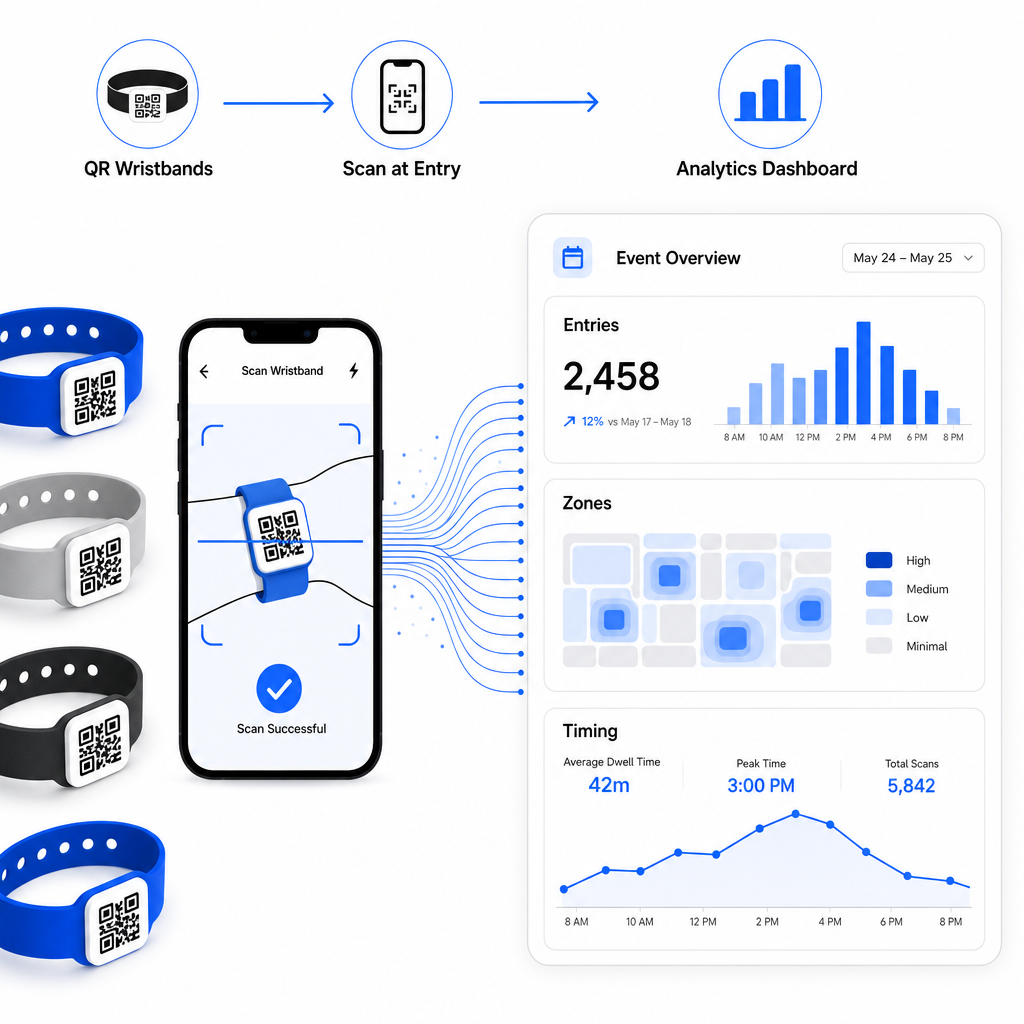
A QR-alapú bejelentkezési művelet felépítésének teljes áttekintéséhez a következő útmutató: az események bejelentkezésének egyszerűsítése QR-kódokkal részletesen tárgyalja a szkennelési logisztikát, a személyzet képzését és a valós idejű részvétel-ellenőrzést.
Egy jól megtervezett QR-karszalag többet tesz, mint azonosítja a résztvevőt – egy fizikai hitelesítő adatot kapcsol egy élő digitális rendszerhez, amelyet Ön irányít. A nyomtatási specifikációk helyes beállítása, a dinamikus kódok használata a rugalmasság érdekében, és az egyes szkennelések mögötti adatok védelme az a három tényező, amely meghatározza, hogy a karszalag programja zökkenőmentesen működik-e az esemény napján. Kezdje egy tesztelt mintával, ne tömeges nyomtatással, és építkezzen onnan.
Állítsa be karszalag QR-kódjait még ma Hozzon létre dinamikus, nyomon követhető QR-kódokat a következő eseményére a Esemény QR kód generátor és mindent egyetlen irányítópultról kezelhet.
Gyakori kérdések
A gyakorlati minimum 2 cm széles a közeli szkenneléshez. Általános szabályként engedjen meg legalább 1 cm kódszélességet minden 10 cm várható szkennelési távolságra. A kisebb méret növeli a szkennelési hibák kockázatát, különösen ívelt vagy rugalmas karszalag felületeken.
Igen, ha dinamikus QR-kódokat használ. A dinamikus kódok egy rövid átirányítási URL-re mutatnak, amit Ön egy irányítópultról irányít. A cél megváltoztatása – mint például egy esemény ütemterv oldalának frissítése vagy egy bejelentkezési űrlap cseréje – azonnal hatályba lép minden nyomtatott karszalagon, fizikai változtatások nélkül.
Kerülje a nyers személyes adatok, mint például nevek, jegyazonosítók vagy életkor-ellenőrzési adatok közvetlen kódolását magában a kódban, mivel bármely QR-szkenner el tudja olvasni. Ehelyett használja a kódot, hogy egy biztonságos, hitelesített háttérrendszerre mutasson, amely szabályozza, milyen információk kerülnek felfedésre és kinek. Ez a megközelítés távol tartja az érzékeny résztvevői adatokat a karszalag felületéről, és csökkenti az illetéktelen hozzáférésnek való kitettségét.