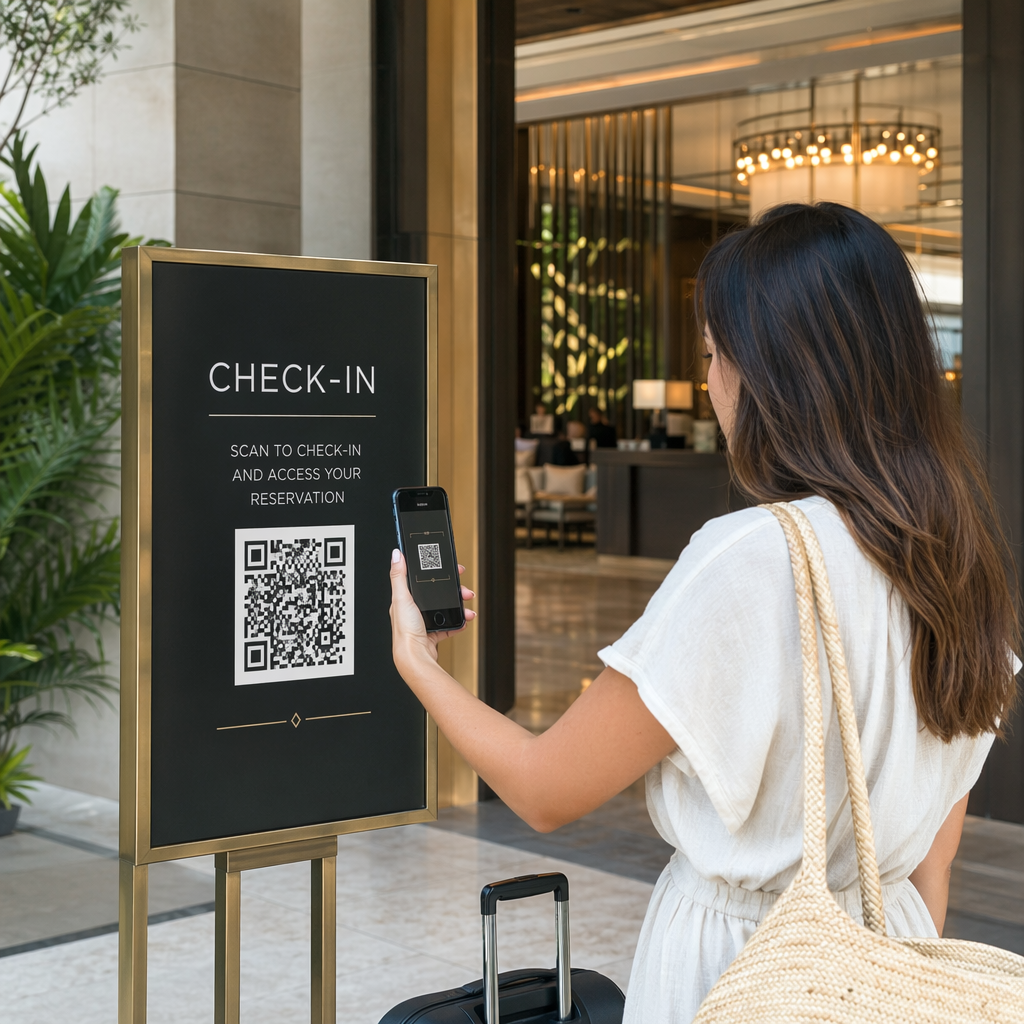
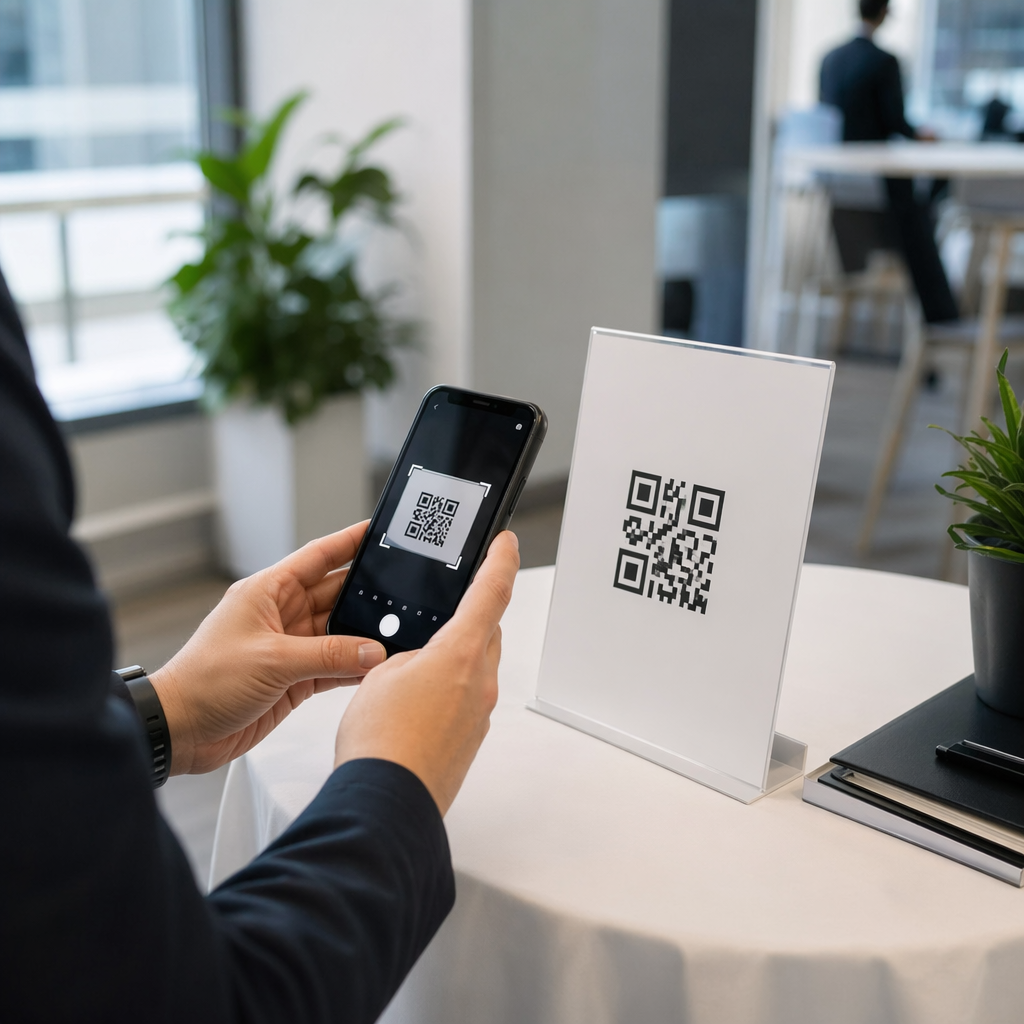
Liniile de intrare la eveniment se mișcă prea încet, sau pierdeți evidența cine are acces la ce? O brățară imprimată cu un cod QR rezolvă ambele probleme prin conectarea unei acreditări fizice direct la sistemele dumneavoastră digitale. Acest ghid explică cum să proiectați, să generați și să gestionați brățări cu cod QR care funcționează fiabil de la configurare până la analiza post-eveniment.
Ce fac de fapt brățările cu cod QR
O brățară cu cod QR este o bandă fizică – din material textil, vinil, silicon sau hârtie – imprimată cu un cod QR unic care face legătura cu o înregistrare digitală sau o destinație. Atunci când un membru al personalului o scanează, codul fie validează admiterea unui participant, confirmă nivelul său de acces, fie declanșează o acțiune digitală, cum ar fi deschiderea unui profil sau înregistrarea prezenței.
Distincția cheie care merită înțeleasă este diferența dintre static și Dinamic codurile QR. Un cod static își codifică destinația permanent – dacă se schimbă ceva, trebuie să reimprimați. Un cod QR dinamic indică o adresă URL scurtă de redirecționare pe care o puteți actualiza oricând dintr-un tablou de bord de management, fără a schimba codul imprimat pe brățară. Pentru evenimente în care programele, zonele sau conținutul legat se pot schimba înainte sau în timpul evenimentului, codurile dinamice vă oferă un control semnificativ mai mare.
Creați coduri QR dinamice pentru evenimentul dumneavoastră Trebuie să actualizați destinațiile brățărilor sau să urmăriți activitatea de scanare în timp real? Utilizați Cod QR invitații pentru evenimente pentru a construi coduri dinamice pe care le puteți gestiona dintr-un singur tablou de bord.
Cazuri comune de utilizare pentru brățările QR
Admitere și controlul accesului
Cea mai directă aplicație este utilizarea fiecărei brățări ca bilet digital. Atunci când brățările de eveniment sunt imprimate cu coduri QR unice, serializate, fiecare acționează ca o acreditare netransferabilă. Un scaner al personalului validează codul la poartă, îl marchează ca utilizat și previne încercările de reintrare cu aceeași brățară. Această abordare elimină necesitatea biletelor de hârtie separate și reduce riscul contrafacerilor.
Dacă evenimentul dumneavoastră are mai multe zone de acces – zone VIP, backstage, admitere generală – codurile QR variabile vă permit să atribuiți fiecărui participant un nivel specific. Scanarea la fiecare punct de control confirmă dacă acea brățară permite intrarea în acea zonă, oferindu-vă control în timp real asupra fluxului de public fără verificarea manuală a listelor. Pentru o privire mai aprofundată asupra modului în care funcționează acest lucru în practică, consultați ghidul despre utilizarea codurilor QR pe bilete pentru gestionarea intrării.
Urmărirea prezenței
Dincolo de intrarea la poartă, brățările QR vă permit să înregistrați datele de prezență în mai multe puncte pe parcursul unui eveniment – săli de sesiune, ateliere sau spații de breakout. În loc de foi de înregistrare manuale, participanții scanează la fiecare locație, iar sistemul înregistrează cine a participat la ce și când. Pageloot instrument pentru coduri QR de prezență sprijină acest flux de lucru prin legarea codurilor la formulare sau pagini de check-in care captează participarea automat.
Acces la informații despre eveniment
Un cod QR de brățară nu trebuie să servească doar o funcție de securitate. Legarea acestuia la o pagină de destinație oferă fiecărui participant acces la cerere la programul evenimentului, biografii ale vorbitorilor, hărți ale locației sau actualizări de ultim moment. Deoarece codurile dinamice pot fi actualizate fără a fi reimprimate, puteți transmite informații noi fiecărei brățări deja distribuite – util atunci când orele sesiunilor se schimbă sau o sală se mută.
Rețea și partajare contacte
La conferințele profesionale, brățările QR pot servi și ca cărți de vizită digitale. Legarea unui cod de brățară la un vCard permite participanților să-și partajeze detaliile de contact printr-o scanare rapidă, în loc să schimbe cărți fizice. Pageloot Creare vCard cu cod QR face simplă crearea de coduri de contact care stochează un nume, e-mail, număr de telefon și companie direct pe telefonul scanerului.
Beneficii, răscumpărări și implicare
Brățările pot avea și o valoare funcțională dincolo de identificare. Codurile serializate legate de conturile participanților pot urmări jetoane de băuturi preîncărcate, drepturi la produse sau beneficii de loialitate. Datele de scanare relevă ce beneficii au fost răscumpărate și când, oferind organizatorilor date comportamentale utile alături de funcția operațională.
Cerințe de design pentru scanare fiabilă
O brățară cu cod QR care nu reușește să scaneze în condiții reale de eveniment creează fricțiune exact în momentul nepotrivit. Mai mulți factori de design fizic determină dacă codurile dumneavoastră vor funcționa fiabil.
Dimensiune și distanță de scanare
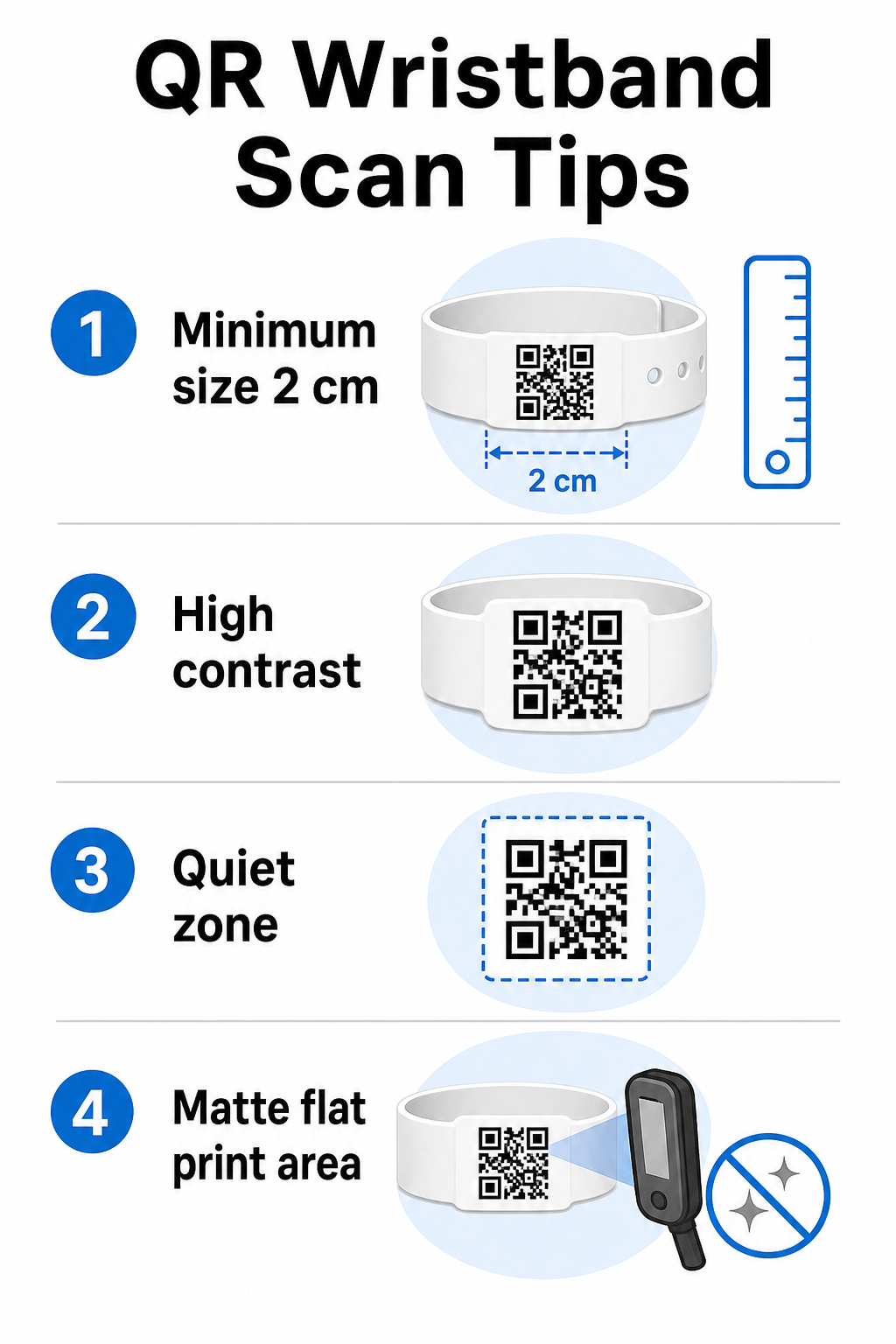
Regula standard este că lățimea unui cod QR ar trebui să fie de cel puțin 1 cm pentru fiecare 10 cm de distanță de scanare așteptată. Pentru brățările scanate la lungimea brațului de un dispozitiv portabil, o lățime minimă de 2 cm este pragul practic. Brățările mai subțiri care nu pot găzdui această dimensiune în mod fiabil vor cauza probleme de scanare. Consultați ghidul complet ghidul nostru de dimensiuni pentru coduri QR pentru măsurători în diferite cazuri de utilizare.
Contrast de culoare
Contrastul ridicat între modulele codului și fundal este critic. Modulele întunecate pe un fundal deschis – ideal negru pe alb – oferă scanerelor cel mai clar semnal. Vizați un raport de contrast de cel puțin 4:1. Designurile inversate cu un cod deschis pe un fundal întunecat sunt, în general, nesigure și ar trebui evitate.
Zona de liniste
Fiecare cod QR necesită o margine albă clară în jurul perimetrului său, numită zonă de liniște. Această margine semnalează scanerului unde începe și se termină codul. Îndepărtarea sau imprimarea peste ea este una dintre cele mai comune cauze de eșec la scanare pe brățări unde spațiul de design este limitat.
Rezoluție și Format de Imprimare
Exportați codurile QR în format vectorial (SVG sau EPS) sau fișiere raster de înaltă rezoluție la un minim de 300 DPI la dimensiunea finală imprimată. Scalarea unei imagini de rezoluție scăzută creează margini neclare ale modulelor pe care scanerele se chinuie să le citească. Pentru îndrumări privind obținerea unei calități consistente a imprimării, de bune practici pentru lizibilitatea codurilor QR acoperă lista completă de verificare tehnică.
Suprafață și Finisaj
Brățările sunt purtate pe o suprafață curbată, ceea ce introduce distorsiuni. Imprimați codul QR pe cea mai plată zonă a brățării și evitați finisajele lucioase sau reflectorizante peste cod – strălucirea de la iluminatul de deasupra evenimentului interferează direct cu camerele smartphone-urilor. Un finisaj mat peste zona codului depășește în mod constant alternativele lucioase în mediile evenimentelor.
Complexitatea Codului
Cu cât sunt mai multe date codificate într-un cod QR, cu atât devine mai dens și mai greu de scanat. Utilizați URL-uri scurte sau coduri dinamice care redirecționează printr-un link compact pentru a menține codul vizual simplu și rapid de scanat. Pageloot Generator de coduri QR pentru linkuri gestionează automat scurtarea URL-urilor ca parte a fluxului de lucru al codului dinamic.
Corecția erorilor
Codurile QR au corecție de eroare încorporată care le menține scanabile chiar și atunci când o parte a codului este deteriorată. Cel mai înalt nivel de corecție permite recuperarea atunci când până la aproximativ 30% din zona codului este obturată – relevant pentru brățările care suferă uzură, pete sau abraziuni minore pe parcursul unui eveniment de mai multe zile. Dacă adăugați un logo la cod, utilizați corecția de eroare ridicată pentru a compensa zona acoperită.
Generarea Codurilor QR pentru Brățări
Procesul de generare urmează un flux de lucru simplu:
- Alege tipul de cod QR. Pentru admiteri, un link sau un cod QR de eveniment care indică sistemul dvs. de check-in funcționează bine. Pentru partajarea contactelor, utilizați un tip vCard. Pentru înregistrarea prezenței, conectați-vă la un formular.
- Utilizați coduri dinamice atunci când conținutul se poate schimba. Dacă evenimentul dvs. se întinde pe mai multe zile sau destinația legată ar putea necesita actualizare, codurile dinamice vă permit să faceți modificări din tabloul de bord fără a reimprima o singură brățară.
- Păstrați URL-ul codificat scurt. URL-urile mai scurte reduc densitatea codului și îmbunătățesc viteza de scanare.
- Personalizați în limitele constrângerilor de contrast. Puteți adăuga logo-ul evenimentului și culorile mărcii, dar verificați dacă contrastul rămâne suficient după personalizare.
- Descărcați în format gata de imprimare. Utilizați fișiere SVG, EPS sau PNG de înaltă DPI – nu scalați niciodată un JPEG mic.
- Testați înainte de imprimarea în masă. Scanați dovada pe mai multe dispozitive, în lumină slabă și la distanțele de scanare pe care personalul dvs. le va folosi efectiv. Acest pas unic previne cele mai comune eșecuri din ziua evenimentului.
Creați și Urmăriți Codurile QR ale Evenimentului Dvs. Generați coduri unice pentru fiecare participant, monitorizați activitatea de scanare și actualizați conținutul legat fără a reimprima. Începeți cu Generator de coduri QR și explorați opțiunile specifice evenimentului la Cod QR invitații pentru evenimente.
Considerații privind securitatea și confidențialitatea
Brățările QR care stochează sau se leagă de informații personale ale participanților implică responsabilități de protecție a datelor.
Criptați datele sensibile. Dacă un cod de brățară codifică direct informații personale – cum ar fi numele, categoria biletului sau starea verificării vârstei – acele date ar trebui criptate astfel încât să nu poată fi citite de scanere neautorizate. Utilizarea codurilor dinamice care indică un backend securizat, autentificat, în loc să codifice date brute în codul în sine, reduce semnificativ acest risc.
Utilizați HTTPS cu certificate validate. Toate comunicările dintre aplicația dvs. de scanare și serverul de validare backend ar trebui să se desfășoare prin canale criptate. Acest lucru previne interceptarea evenimentelor de scanare sau a datelor participanților în timpul procesului de check-in. Ghidul despre crearea de bilete de eveniment securizate cu cod QR explică în detaliu straturile tehnice implicate.
Limitați accesul la sistemele de check-in. Aplicațiile de scanare și tablourile de bord destinate personalului ar trebui să necesite credențiale individuale de conectare, mai degrabă decât parole partajate. Acest lucru limitează expunerea în cazul pierderii unui dispozitiv și facilitează auditarea cine a scanat ce.
Aplicați principii de confidențialitate prin design. Colectați doar datele necesare operațiunii dumneavoastră. Dacă utilizați analize de scanare pentru analiza fluxului de mulțime, datele agregate anonimizate sunt suficiente și evită implicațiile privind confidențialitatea urmăririi persoanelor identificabile. Acolo unde datele personale sunt prelucrate, asigurați-vă că participanții sunt informați și că procesele dumneavoastră respectă reglementările aplicabile.
Oferiți context la punctul de scanare. Faptul de a le permite participanților să știe ce face codul QR al brățării – și ce se va întâmpla atunci când personalul îl scanează – construiește încredere și reduce confuzia legată de utilizarea datelor. Pentru o privire mai amplă asupra securizării controlului accesului cu coduri dinamice, ghidul despre coduri QR dinamice pentru controlul accesului acoperă revocarea, jurnalele de audit și gestionarea permisiunilor în timp real.
Utilizarea analizelor de scanare pentru a îmbunătăți evenimentele viitoare
Codurile QR dinamice generează date de scanare care depășesc cu mult numărarea intrărilor. Cu analizele Pageloot, puteți urmări când și unde sunt scanate codurile, ce zone au înregistrat cea mai mare activitate și cum s-a comparat fluxul participanților cu proiecțiile dumneavoastră. Aceste date vă ajută să luați decizii informate cu privire la personalul punctelor de intrare, programarea sesiunilor și designul caracteristicilor brățărilor pentru următorul dumneavoastră eveniment.
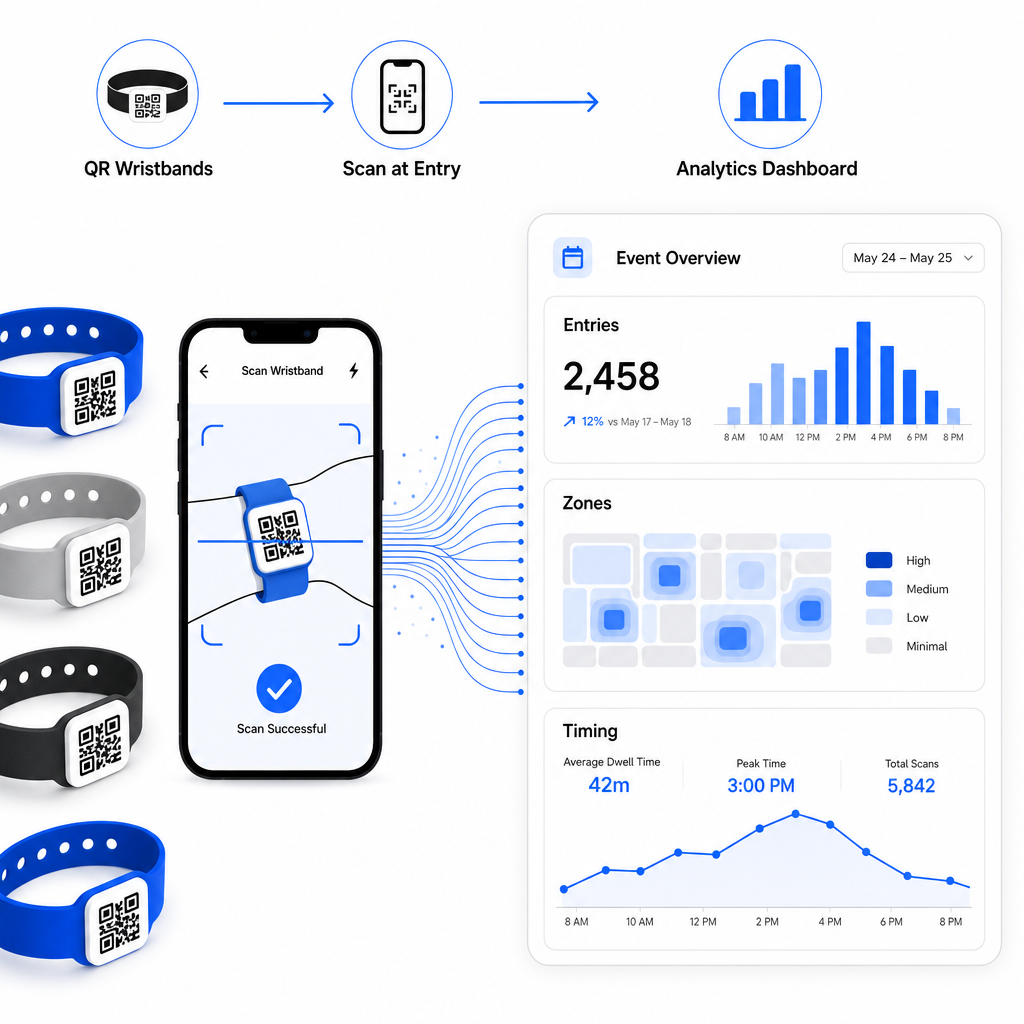
Pentru o prezentare completă a construirii unei operațiuni de check-in bazate pe QR, ghidul despre eficientizarea check-in-ului la evenimente cu coduri QR acoperă în detaliu logistica scanării, instruirea personalului și monitorizarea prezenței în timp real.
O brățară QR bine concepută face mai mult decât să identifice un participant – conectează o acreditare fizică la un sistem digital live pe care îl controlați. Obținerea specificațiilor de imprimare corecte, utilizarea codurilor dinamice pentru flexibilitate și protejarea datelor din spatele fiecărei scanări sunt cei trei factori care determină dacă programul dumneavoastră de brățări funcționează fără probleme în ziua evenimentului. Începeți cu o dovadă testată, nu cu o imprimare în masă, și construiți de acolo.
Configurați-vă codurile QR pentru brățări astăzi Creați coduri QR dinamice, urmăribile pentru următorul dumneavoastră eveniment cu Cod QR invitații pentru evenimente și gestionați totul dintr-un singur tablou de bord.
Întrebări frecvente
Minimul practic este de 2 cm lățime pentru scanare la distanță mică. Ca regulă generală, permiteți cel puțin 1 cm lățime de cod pentru fiecare 10 cm de distanță de scanare așteptată. A merge mai mic crește riscul de eșecuri de scanare, în special pe suprafețe curbate sau flexibile de brățări.
Da, dacă utilizați coduri QR dinamice. Codurile dinamice indică spre un URL de redirecționare scurt pe care îl controlați dintr-un tablou de bord. Schimbarea destinației – cum ar fi actualizarea unei pagini cu programul unui eveniment sau schimbarea unui formular de înregistrare – intră în vigoare imediat pe toate brățările imprimate fără nicio modificare fizică.
Evitați codificarea datelor personale brute, cum ar fi nume, ID-uri de bilet sau detalii de verificare a vârstei, direct în codul însuși, deoarece orice scaner QR îl poate citi. În schimb, utilizați codul pentru a indica spre un sistem backend securizat, autentificat, care controlează ce informații sunt dezvăluite și cui. Această abordare menține datele sensibile ale participanților în afara suprafeței brățării și reduce expunerea dumneavoastră la acces neautorizat.