Haben Sie schon einmal einen QR-Code an einem Parkautomaten oder auf einem Plakat gescannt und dann gezögert, bevor Sie auf den Link getippt haben? Betrüger manipulieren routinemäßig diese Schwarz-Weiß-Quadrate, um Passwörter zu stehlen, Zahlungsdaten zu sammeln oder Malware auf ahnungslose Geräte zu installieren. Wenn Sie lernen, physische Codes zu überprüfen, URL-Vorschauen zu verifizieren und gängige Betrugsmaschen zu erkennen, können Sie mit vollem Vertrauen scannen.
Wie gefälschte QR-Code-Betrügereien funktionieren
QR-Codes sind von Natur aus undurchsichtig. Im Gegensatz zu Standard-Textlinks können menschliche Augen das Schwarz-Weiß-Pixelmuster nicht entschlüsseln, um zu sehen, wohin es führt, bevor sie es scannen. Cyberkriminelle nutzen diesen blinden Fleck durch QR-Code-Phishing aus, oft als Quishing bezeichnet.
Angreifer setzen gefälschte QR-Codes an mehreren gängigen Kontaktpunkten ein:
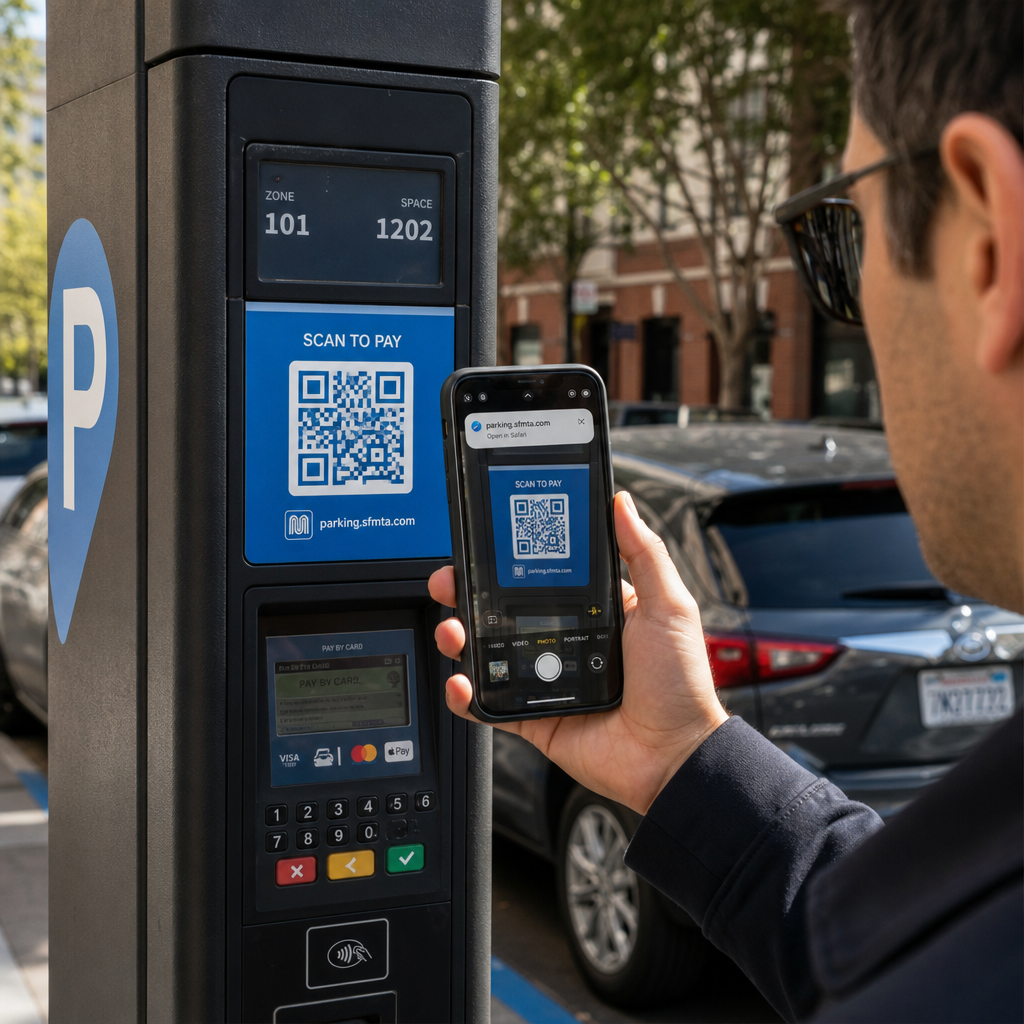
- Aufkleber über legitime Beschilderungen kleben: Betrüger kleben gefälschte Codes auf bestehende Parkautomaten, Fahrkartenautomaten oder Speisekarten, um Opfer auf geklonte Zahlungsportale umzuleiten. Diese Technik hat in letzter Zeit zu weit verbreiteten finanziellen Verlusten geführt QR-Code-Parkbetrug.
- Unaufgeforderte Paketbenachrichtigungen senden: Betrüger liefern unerwartete Pakete oder physische Post, die QR-Codes enthalten, die Empfänger auffordern, persönliche Daten oder Lieferpräferenzen auf betrügerischen Identitätsdiebstahl-Websites zu überprüfen.
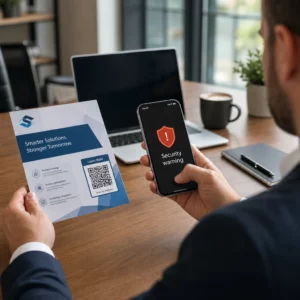
- Codes in bösartigen E-Mail-Anhängen einbetten: Cyberkriminelle platzieren QR-Codes in PDF-Rechnungen oder dringenden Benachrichtigungs-E-Mails, um standardmäßige E-Mail-Sicherheitsfilter zu umgehen, die nach Klartext-Links suchen, was ernsthafte QR-Code-Phishing-Geschäftsrisiken.
- Verteilen von gefälschten Werbeflyern: Betrügerische Flyer bieten gefälschte Rabatte oder dringende öffentliche Mitteilungen, um Benutzer zum Scannen von Codes zu drängen, die gefährliche Dateidownloads auslösen oder Anmeldeinformationen abgreifen.
In jedem Fall nutzen Angreifer die Vertrautheit und Schnelligkeit standardmäßiger QR-Interaktionen aus, um Ihre normale Sicherheitsvorsicht zu umgehen.
Häufige Warnzeichen eines bösartigen QR-Codes
Das Erkennen eines gefälschten QR-Codes erfordert die Überprüfung sowohl der physischen Umgebung, in der der Code erscheint, als auch der dahinterliegenden digitalen Linkstruktur.
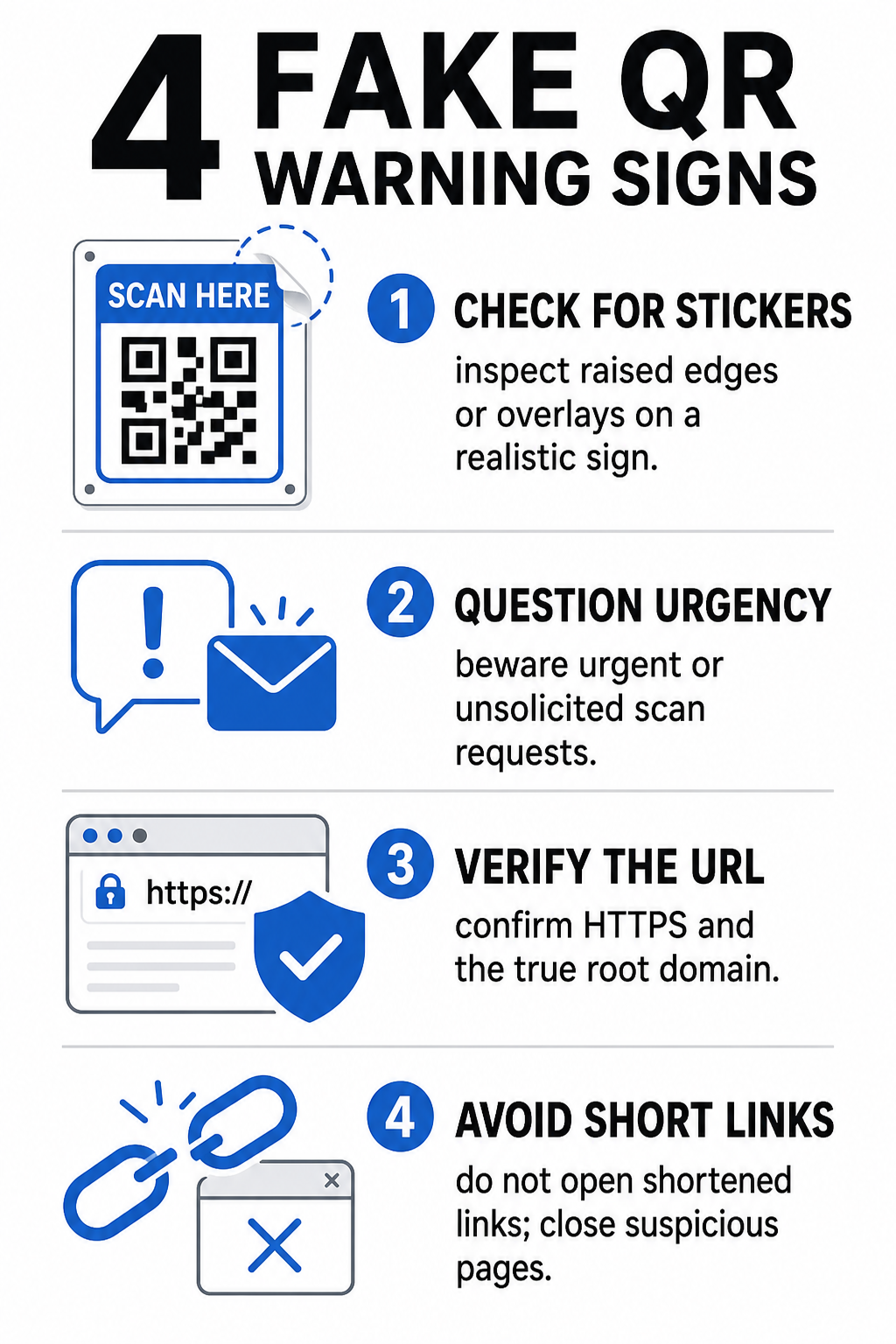
| Risikokategorie | Worauf man achten sollte | Potenzielle Bedrohung |
|---|---|---|
| Physische Manipulation | Abgelöste Aufkleberränder, sich lösende Etiketten oder falsch ausgerichtete Grafiken auf physischen Schildern. | Overlay-Betrug, der Sie von legitimen Parkzahlsystemen wegleitet. |
| Unerwünschte Nachrichten | Dringende E-Mails, SMS oder Briefe, die eine sofortige Zahlung per QR-Code fordern. | Phishing-Versuch, der darauf abzielt, Sie unter Druck zur Eingabe von Zugangsdaten zu verleiten. |
| Ungesicherte Protokolle | URLs, die mit unverschlüsseltem `http:\/\/` statt mit sicherem `https:\/\/` beginnen. | Datenabfangen oder gefälschte Anmeldeseiten, die Zugangsdaten sammeln. |
| Domain-Spoofing | Falsch geschriebene Markennamen, vertauschte Buchstaben oder unbekannte Top-Level-Domains. | Gefälschte Website, die geklont wurde, um authentische Unternehmensportale zu imitieren. |
| Gekürzte Links | Generische Linkverkürzer, die die echte Domain der Zielseite verschleiern. | Verstecktes Ziel, das Malware oder illegale Weiterleitungen verbirgt. |
Wenn Sie eines dieser Warnzeichen entdecken, vermeiden Sie es, den Code zu scannen, oder schließen Sie den Browser-Tab sofort, falls der Link bereits geöffnet wurde. Ein umfassenderes Verständnis QR-Code-Datenschutzrisiken hilft zu klären, wie bösartige Links persönliche Metadaten und Tracking-Informationen sammeln.
Wie man eine Ziel-URL vor dem Antippen sicher überprüft
Sich ein paar Sekunden Zeit zu nehmen, um das Ziel eines QR-Codes vor dem Öffnen zu überprüfen, bietet starken Schutz vor Phishing-Angriffen.
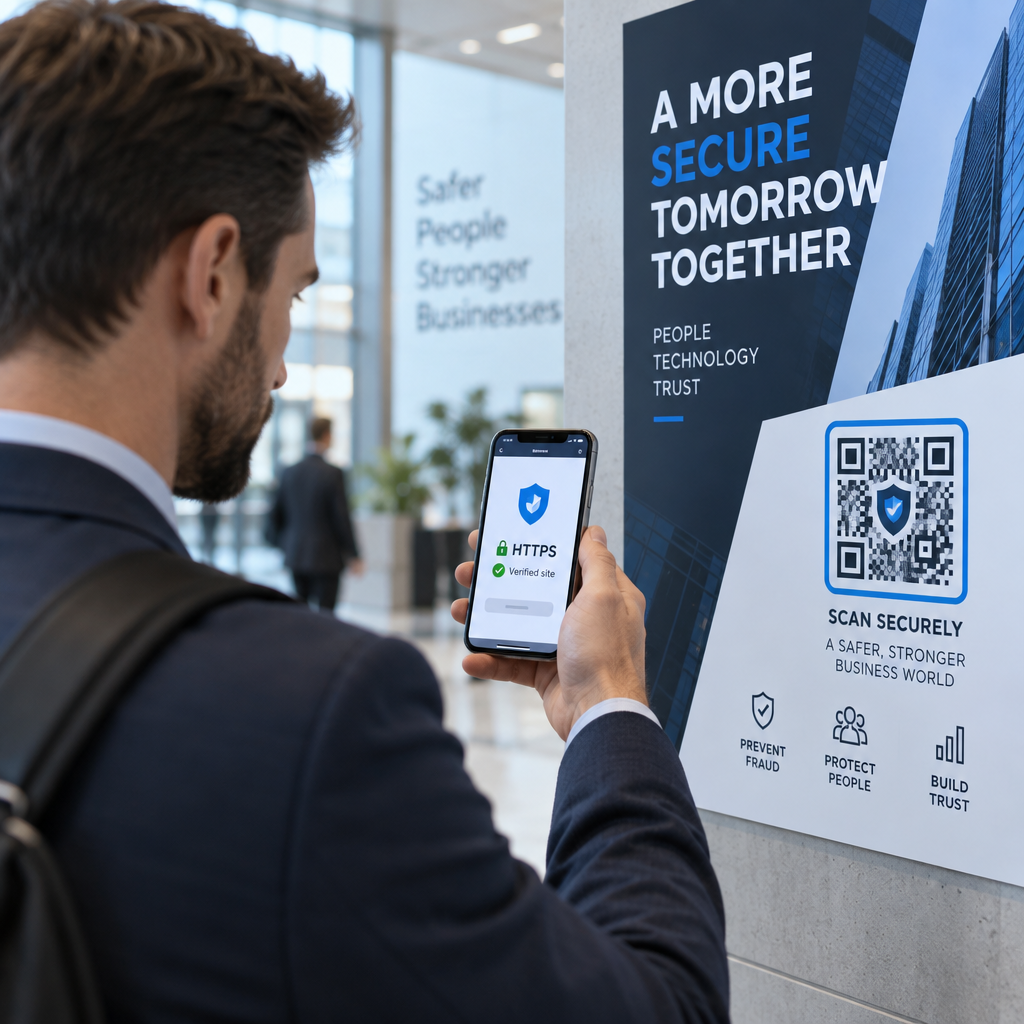
- Kamera-Vorschau oder Scanner-Banner prüfen: Richten Sie die Kamera Ihres Smartphones auf den Code und lesen Sie die angezeigte URL-Domain sorgfältig, bevor Sie zum Öffnen tippen.
- Stamm-Domain auf Spoofing prüfen: Betrachten Sie den primären Domainnamen vor Schrägstrichen oder Subdomains. Zum Beispiel wird `brandname.com.attacker-site.com` von einem Angreifer kontrolliert, nicht von der offiziellen Marke. Achten Sie auf subtile Zeichenaustausche, wie das Ersetzen eines Kleinbuchstaben `l` durch die Zahl `1`.
- Vermeiden Sie das Herunterladen von Apps direkt von QR-Weiterleitungen: Suchen Sie Anwendungen und laden Sie diese direkt aus dem offiziellen App Store Ihres Geräts herunter, anstatt einem Link zu vertrauen, der von einem QR-Code bereitgestellt wird.
- Navigieren Sie direkt zu vertrauenswürdigen Webportalen für Zahlungen: Vermeiden Sie es, Passwörter oder Kreditkarteninformationen auf Seiten einzugeben, die über unerwünschte QR-Codes erreicht wurden. Öffnen Sie stattdessen Ihren mobilen Browser und geben Sie die offizielle Website-Adresse manuell ein.
Misstrauische Codes online testen Möchten Sie Ziel-Links sicher in der Vorschau anzeigen und überprüfen, bevor Sie sie auf Ihrem Smartphone öffnen? Nutzen Sie das kostenlose Pageloot-QR-Code-Scanner um Codebilder hochzuladen und Zielinhalte sicher zu überprüfen.
Praktische Schritte zur Vermeidung von QR-Code-Betrug
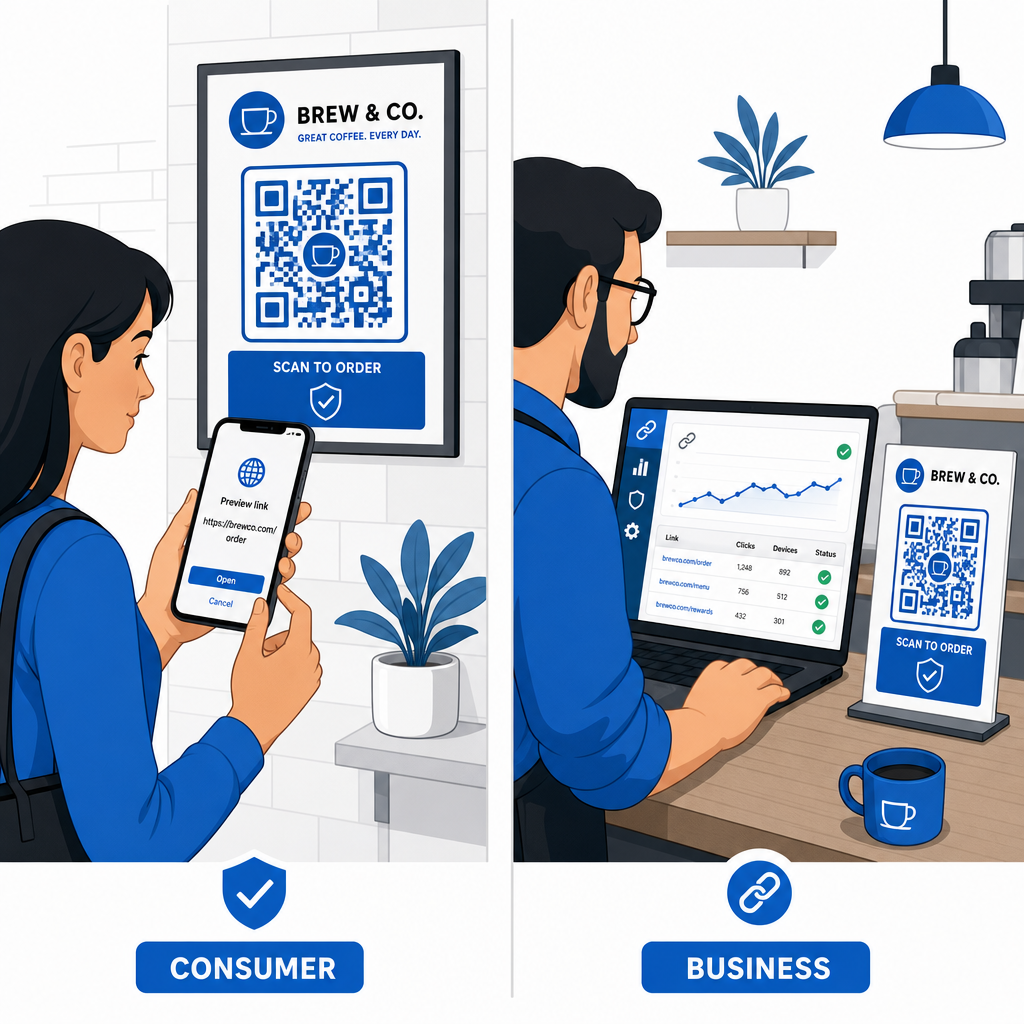
Sowohl einzelne Verbraucher als auch Geschäftsinhaber können strukturierte Sicherheitspraktiken implementieren, um physische und digitale Berührungspunkte sicher zu halten.
Richtlinien für alltägliche Verbraucher
- Physische Beschilderung auf Überlagerungen prüfen: Fühlen Sie die Oberfläche von Parkuhren, öffentlichen Ladestationen oder Plakaten, um sicherzustellen, dass kein Aufkleber den ursprünglichen Code überdeckt.
- Webadressen für Transaktionen manuell eingeben: Öffnen Sie Ihren Webbrowser und geben Sie offizielle URL-Adressen direkt ein, wenn Sie Rechnungen bezahlen oder Finanzdaten eingeben.
- Zwei-Faktor-Authentifizierung für alle Konten aktivieren: Schützen Sie Online-Logins mit einem zusätzlichen Verifizierungsschritt, sodass gestohlene Passwörter allein keinen Kontozugriff gewähren können.
- Betrügerische Aktivitäten an offizielle Portale melden: Melden Sie betrügerische Codes oder Betrügereien den lokalen Behörden und offiziellen Meldeportalen wie dem FBI Internet Crime Complaint Center (IC3) oder der Federal Trade Commission (FTC).
Richtlinien für Geschäftsinhaber
- Dynamische QR-Codes in Kampagnen einsetzen: Verwenden Sie dynamische QR-Codes, um die vollständige Kontrolle über Ziellinks zu behalten und sofortige Aktualisierungen oder die Deaktivierung von Links zu ermöglichen, wenn eine Bedrohung erkannt wird.
- Benutzerdefiniertes Branding und visuelle Logos anwenden: Passen Sie Codedesigns mit Firmenlogos und spezifischen Markenfarben an, wodurch Ihre Codes für Betrüger wesentlich schwieriger mit generischen Aufklebern zu replizieren sind.
- Geschichtete Sicherheitsüberwachungstools implementieren: Kombinieren Sie sicheres QR-Management mit spezialisierten Unternehmenssicherheitstools, um eingehende Links zu bewerten und Phishing-Bedrohungen über Unternehmenskanäle hinweg zu erkennen. Dedizierte Verteidigungstools finden Sie in unserem Leitfaden zu Tools zur Erkennung von QR-Code-Phishing.
- Physische Kontaktpunkte routinemäßig überprüfen: Überprüfen Sie regelmäßig physische Schilder, Tischaufsteller und Kioske, um Aufkleberüberlagerungen oder physische Manipulationen zu erkennen. Die Kombination physischer Überprüfungen mit Best Practices für die Sicherheit von QR-Code-Zahlungen bewahrt das Vertrauen der Kunden. Für eine vollständige Organisationsstrategie finden Sie in unserer Aufschlüsselung, wie Sie Ihr Unternehmen vor QR-Code-Betrug schützen können.
Schützen Sie Ihre digitalen Interaktionen mit intelligentem Scannen
Gefälschte QR-Codes zu erkennen, bedeutet, physische Manipulationen zu erkennen, Zieldomänen zu überprüfen und impulsive Eingaben von Anmeldeinformationen oder Zahlungen zu vermeiden. Indem Sie URL-Vorschauen überprüfen und sich auf verifizierte Webadressen verlassen, können Sie die Bequemlichkeit von QR-Codes sicher nutzen, ohne Ihre Sicherheit zu gefährden.
Wenn Sie unbekannte QR-Codes auf Ihrem Smartphone oder Desktop-Computer analysieren, überprüfen Sie deren Inhalte sicher, bevor Sie Maßnahmen ergreifen. Verwenden Sie den webbasierten Pageloot-QR-Code-Scanner , um kodierte Ziele in der Vorschau anzuzeigen und die Linksicherheit sofort zu bestätigen.
Häufig gestellte Fragen
Das Scannen eines QR-Codes liest lediglich kodierten Text, meist eine Webadresse. Bloßes Scannen des Codes infiziert ein Gerät selten direkt; jedoch kann das Antippen des angezeigten Links, um eine bösartige Website zu besuchen, oder das Herunterladen einer nicht vertrauenswürdigen Datei von dieser Zielseite Malware auf Ihrem Telefon installieren.
Ändern Sie sofort Ihr Passwort auf der betroffenen Website und allen anderen Konten, die diese Anmeldeinformationen teilen. Aktivieren Sie umgehend die Zwei-Faktor-Authentifizierung, benachrichtigen Sie Ihre Bank, falls finanzielle Daten offengelegt wurden, und überwachen Sie Ihre Kreditberichte auf unbekannte Aktivitäten.
Dynamische QR-Codes leiten den Datenverkehr über eine sichere Verwaltungsplattform, anstatt feste Zieldaten einzubetten. Wenn eine Zielwebseite kompromittiert wird oder eine Aktualisierung erfordert, können Administratoren die Ziel-URL ändern oder den Link aus der Ferne deaktivieren, ohne physische Druckmaterialien ersetzen zu müssen.