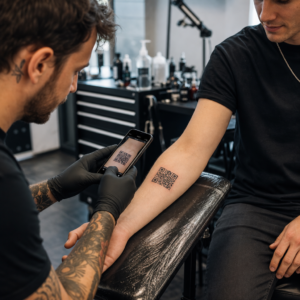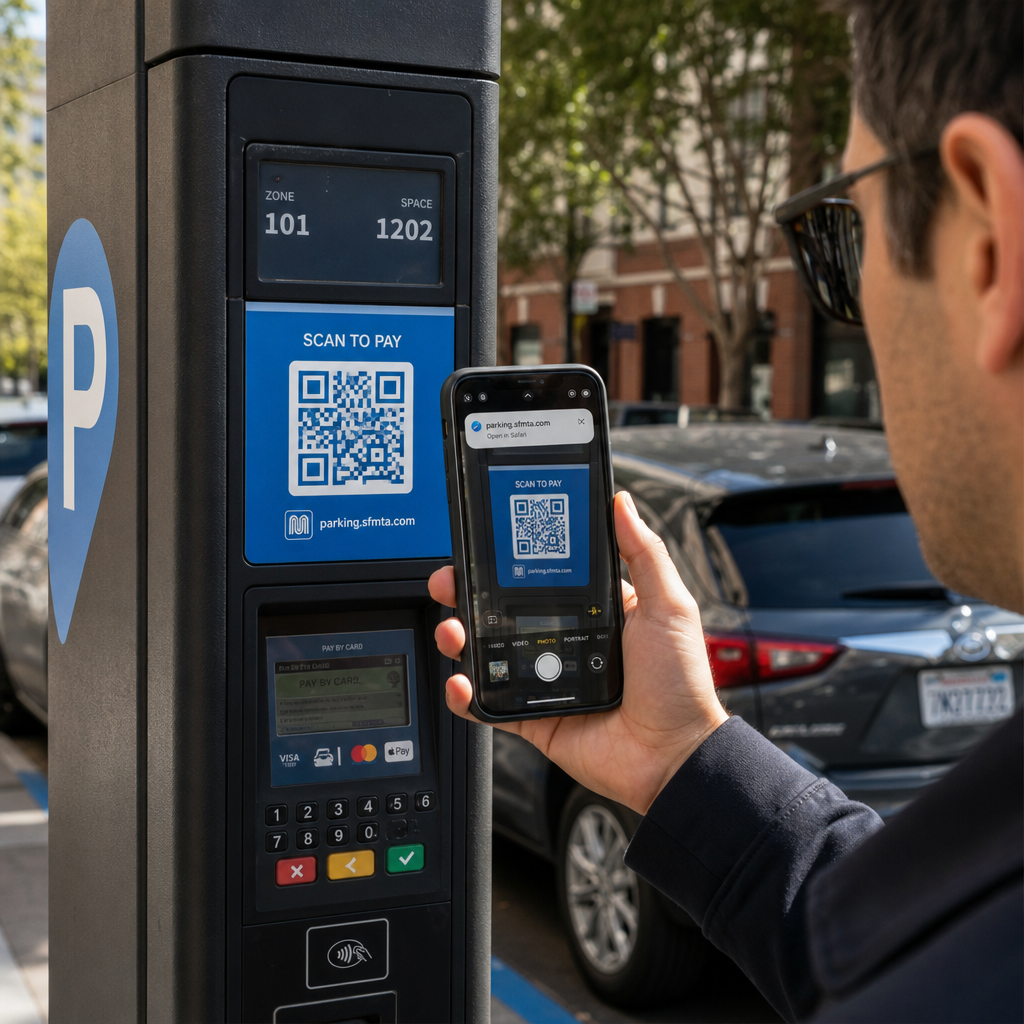
Szkennelt már valaha QR-kódot parkolóórában vagy plakáton, csak azért, hogy habozzon, mielőtt rákattint a linkre? A csalók rendszeresen manipulálják ezeket a fekete-fehér négyzeteket, hogy jelszavakat lopjanak, fizetési adatokat gyűjtsenek, vagy rosszindulatú szoftvereket telepítsenek gyanútlan eszközökre. Ha megtanulja, hogyan ellenőrizze a fizikai kódokat, hogyan ellenőrizze az URL előnézeteket, és felismeri a gyakori csalási taktikákat, teljes bizalommal szkennelhet.
Hogyan működnek a hamis QR-kód csalások
A QR-kódok eleve átláthatatlanok. A hagyományos szöveges linkekkel ellentétben az emberi szem nem tudja megfejteni a fekete-fehér pixelmintát, hogy lássa, hová vezet, mielőtt beolvasná. A kiberbűnözők ezt a vakfoltot használják ki a QR-kódos adathalászat, gyakran „quishing” néven ismert módszerrel.
A támadók hamis QR-kódokat helyeznek el számos gyakori érintkezési ponton:
- Matricák elhelyezése jogos táblákra: A csalók hamis kódokat helyeznek el meglévő parkolóórákra, jegyautomatákra vagy éttermi menükre, hogy az áldozatokat klónozott fizetési portálokra irányítsák át. Ez a technika széles körű pénzügyi veszteségeket okozott az utóbbi időben QR-kódos parkolási csalások.
- Kéretlen csomagértesítések küldése: A csalók váratlan csomagokat vagy fizikai leveleket kézbesítenek, amelyek QR-kódokat tartalmaznak, és arra kérik a címzetteket, hogy csalárd személyazonosság-lopási oldalakon igazolják személyes adataikat vagy szállítási preferenciáikat.
- Kódok beágyazása rosszindulatú e-mail mellékletekbe: A kiberbűnözők QR-kódokat helyeznek PDF számlákba vagy sürgős értesítő e-mailekbe, hogy megkerüljék a normál e-mail biztonsági szűrőket, amelyek egyszerű szöveges linkeket keresnek, ezzel komoly QR-kódos adathalászati üzleti kockázatok.
- Hamis promóciós szórólapok terjesztése: A csalárd szórólapok hamis kedvezményeket vagy sürgős nyilvános értesítéseket kínálnak, hogy rákényszerítsék a felhasználókat olyan kódok beolvasására, amelyek veszélyes fájlletöltéseket indítanak el vagy bejelentkezési adatokat gyűjtenek.
Minden esetben a támadók kihasználják a standard QR interakciók ismertségét és gyorsaságát, hogy megkerüljék a szokásos biztonsági óvintézkedéseket.
Egy rosszindulatú QR-kód gyakori figyelmeztető jelei
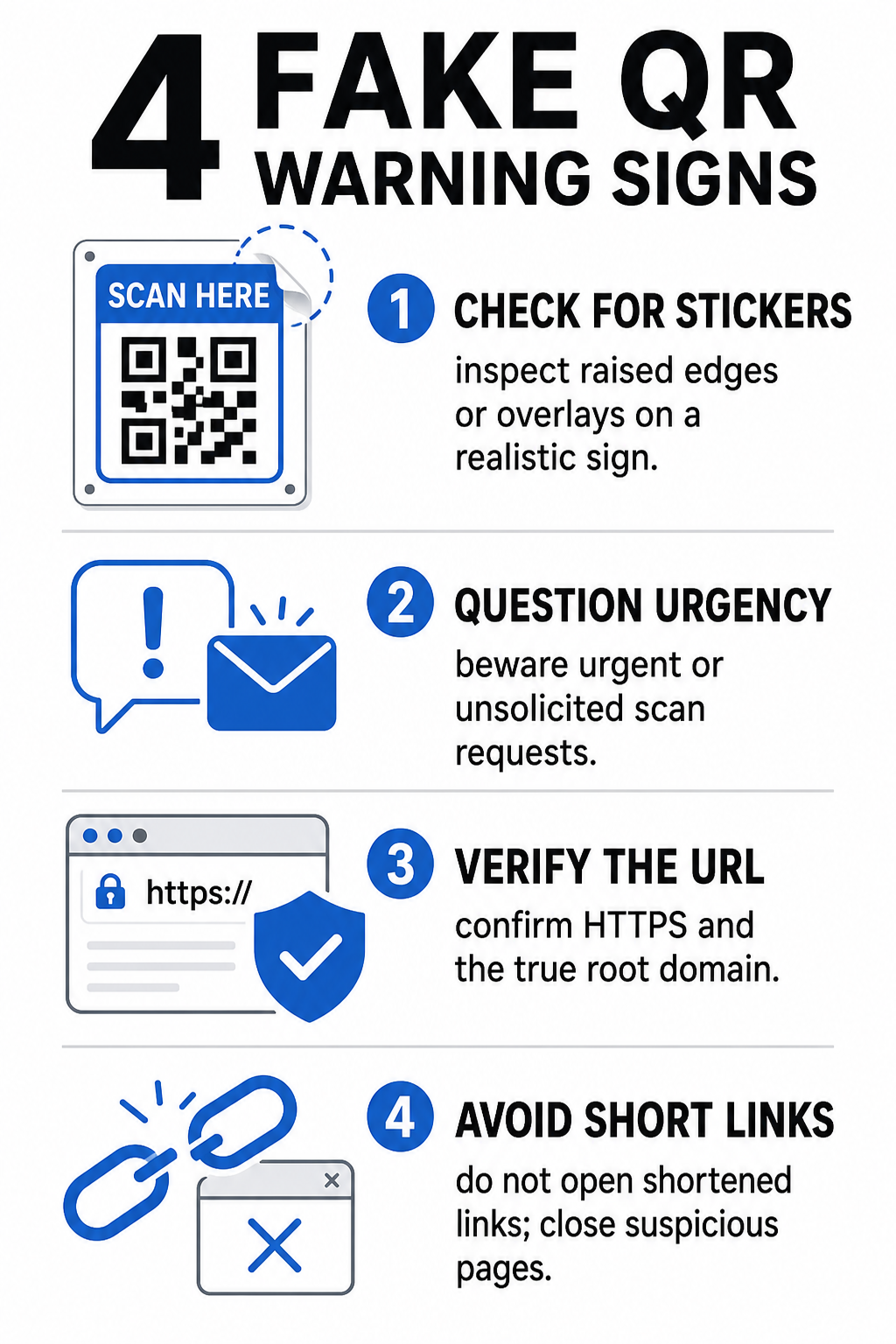
Hamis QR kód felismerése megköveteli a kód fizikai megjelenési környezetének és a mögötte lévő digitális linkstruktúrának egyaránt az ellenőrzését.
| Kockázati kategória | Mire figyeljünk | Lehetséges fenyegetés |
|---|---|---|
| Fizikai manipuláció | Felemelkedett matrica szélek, hámló címkék vagy rosszul illeszkedő grafikák fizikai táblákon. | Átfedéses csalás, amely eltérít a jogszerűtől parkolási fizetési rendszerek. |
| Kéretlen üzenetek | Sürgős e-mailek, szövegek vagy levelek, amelyek azonnali fizetést követelnek QR-kódon keresztül. | Adathalász kísérlet, melynek célja, hogy nyomás alatt csaljon ki hitelesítő adatokat. |
| Nem biztonságos protokollok | URL-ek, amelyek titkosítatlan `http://` kezdenek, nem pedig biztonságos `https://`. | Adatelfogás vagy hamis bejelentkezési oldalak, amelyek hitelesítő adatokat gyűjtenek. |
| Domain meghamisítás | Rosszul írt márkanevek, rosszul elhelyezett betűk vagy ismeretlen legfelső szintű domainek. | Hamisított weboldal, amelyet az autentikus céges portálok utánzására klónoztak. |
| Rövidített linkek | Általános linkrövidítők, amelyek elrejtik a valódi céloldal domainjét. | Rejtett célhely, amely rosszindulatú szoftvert vagy illegális átirányításokat rejt. |
Ha bármelyik ilyen vészjelzést észleli, kerülje a kód beolvasását, vagy azonnal zárja be a böngészőfülét, ha a link már megnyílt. A tágabb értelemben vett megértés QR-kód adatvédelmi kockázatokat segít tisztázni, hogyan gyűjtenek a rosszindulatú linkek személyes metaadatokat és nyomkövetési információkat.
Hogyan ellenőrizhetjük biztonságosan a cél URL-t koppintás előtt
Néhány másodperc ráfordítása a QR-kód céljának ellenőrzésére annak megnyitása előtt erős védelmet nyújt az adathalász támadások ellen.
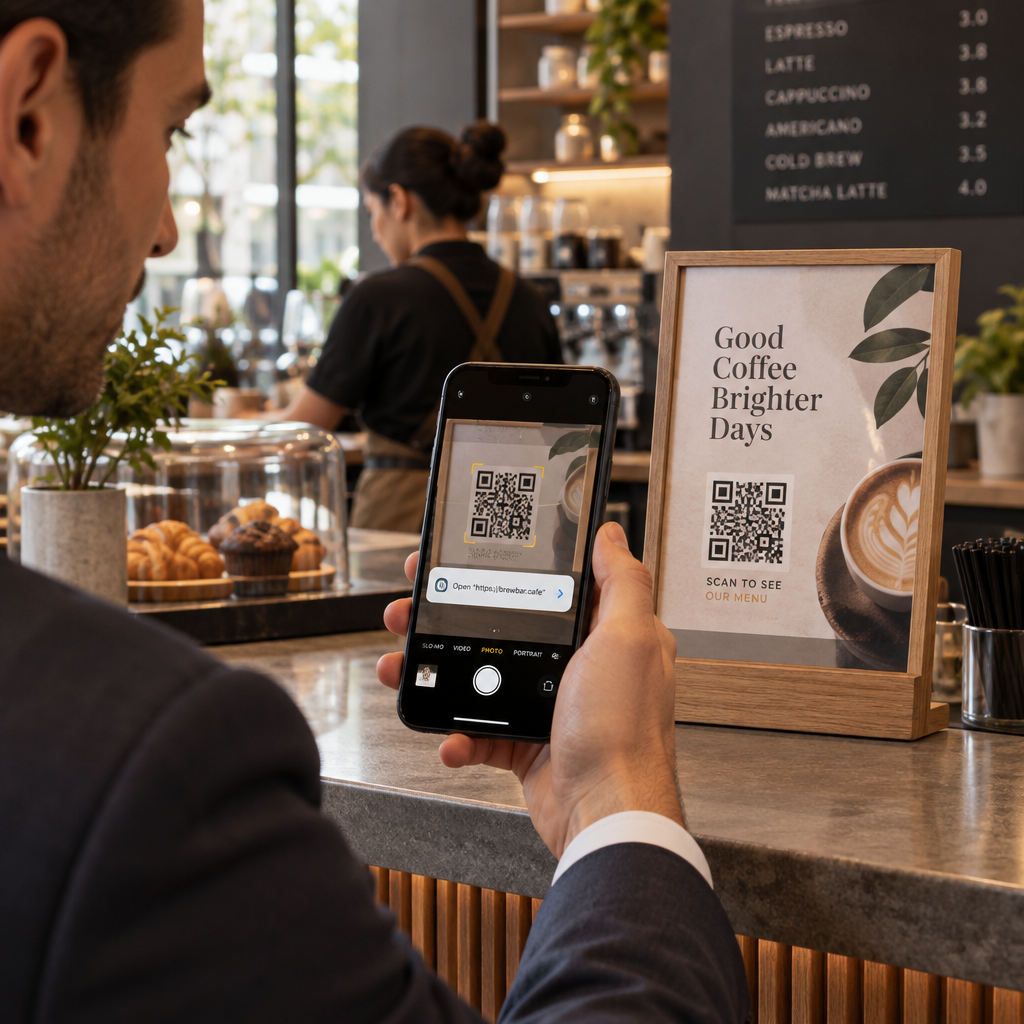
- Ellenőrizze a kamera előnézetét vagy a szkenner bannert: Helyezze okostelefonja kameráját a kód fölé, és figyelmesen olvassa el az előnézeti URL domaint, mielőtt rátapintana a megnyitáshoz.
- Ellenőrizze a gyökérdomaint hamisítás szempontjából: Nézze meg az elsődleges domain nevet bármilyen perjel vagy aldomain előtt. Például a `brandname.com.attacker-site.com` egy támadó ellenőrzése alatt áll, nem a hivatalos márkaé. Figyeljen a finom karaktercserékre, például egy kisbetűs `l` betű `1`-es számmal való helyettesítésére.
- Kerülje az alkalmazások közvetlen letöltését QR-átirányításokból: Keresse és töltse le az alkalmazásokat közvetlenül az eszköze hivatalos alkalmazásboltjából, ahelyett, hogy egy QR-kód által biztosított linkre hagyatkozna.
- Navigáljon közvetlenül megbízható webes portálokra a fizetésekhez: Ne adja meg jelszavát vagy bankkártyaadatait kéretlen QR-kódokon keresztül elérhető oldalakon. Ehelyett nyissa meg mobil böngészőjét, és manuálisan írja be a hivatalos weboldal címét.
Tesztelje a gyanús kódokat online Szeretné biztonságosan előnézetben megtekinteni és ellenőrizni a célhivatkozásokat, mielőtt megnyitná őket okostelefonján? Használja az ingyenes Pageloot QR-kód szkenner a kódképek feltöltéséhez és a cél tartalom biztonságos ellenőrzéséhez.
Gyakorlati lépések a QR-kód átverések megelőzésére
Egyedi fogyasztók és üzlettulajdonosok egyaránt bevezethetnek strukturált biztonsági gyakorlatokat a fizikai és digitális érintkezési pontok biztonságának megőrzése érdekében.
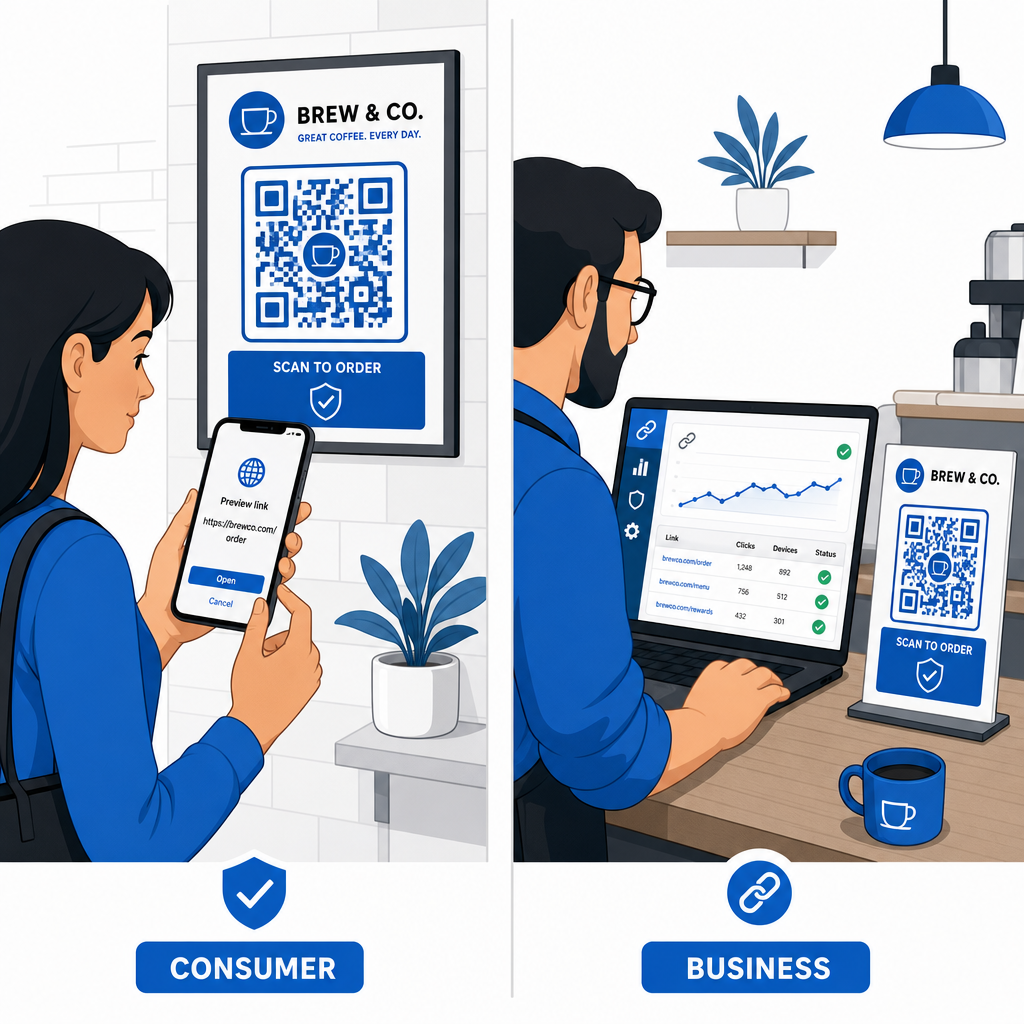
Útmutató a mindennapi fogyasztók számára
- Ellenőrizze a fizikai jelzéseket az átfedések szempontjából: Érintse meg a parkolóórák, nyilvános töltők vagy plakátok felületét, hogy megbizonyosodjon róla, nincs matrica az eredeti kód felett.
- Kézzel írja be a webcímeket a tranzakciókhoz: Nyissa meg webböngészőjét, és közvetlenül írja be a hivatalos URL-címeket, amikor közüzemi számlákat fizet vagy pénzügyi adatokat ad meg.
- Engedélyezze a kétfaktoros hitelesítést minden fiókon: Védje online bejelentkezéseit egy extra ellenőrzési lépéssel, hogy az ellopott jelszavak önmagukban ne biztosítsanak hozzáférést a fiókhoz.
- Jelentse a csalárd tevékenységet hivatalos portálokon: Nyújtson be jelentéseket csalárd kódokról vagy átverésekről a helyi hatóságoknak és hivatalos jelentési portáloknak, mint például az FBI Internet Crime Complaint Center (IC3) vagy a Federal Trade Commission (FTC).
Útmutató üzlettulajdonosok számára
- Dinamikus QR-kódok bevezetése kampányokban: Használjon dinamikus QR-kódokat a célhivatkozások teljes ellenőrzésének fenntartásához, lehetővé téve az azonnali frissítéseket vagy a hivatkozások deaktiválását, ha fenyegetést észlel.
- Egyedi márkajelzés és vizuális logók alkalmazása: Testreszabhatja a kóddizájnokat céges logókkal és specifikus márkaszínekkel, így a kódjai lényegesen nehezebben replikálhatók a csalók számára generikus matricákkal.
- Többrétegű biztonsági felügyeleti eszközök bevezetése: Kombinálja a biztonságos QR-kód kezelést speciális vállalati biztonsági eszközökkel a bejövő linkek kiértékeléséhez és az adathalász fenyegetések észleléséhez a vállalati csatornákon. Áttekintheti a dedikált védelmi eszközöket a mi útmutatónkban, amely a következő témakörökkel foglalkozik: eszközöket is használ a QR-kódos adathalászat észlelésére.
- Rendszeresen ellenőrizze a fizikai érintkezési pontokat: Rendszeresen ellenőrizze a fizikai jelzéseket, asztali állványokat és kioszkokat, hogy észlelje a matrica felhelyezését vagy a fizikai manipulációt. A fizikai ellenőrzések és a következő kombinációja: A QR-kódos fizetési biztonság bevált gyakorlatai megőrzi az ügyfelek bizalmát. Egy teljes szervezeti stratégia érdekében tekintse meg elemzésünket arról, hogyan lehet megvédeni vállalkozását a QR-kódos csalásoktól.
Védje digitális interakcióit okos szkenneléssel
A hamis QR-kódok felismerése a fizikai manipuláció felismerésén, a célállomás domainek ellenőrzésén, valamint az impulzív hitelesítő adatok bevitele vagy fizetési tranzakciók elkerülésén múlik. Az URL-előnézetek ellenőrzésével és az ellenőrzött webcímekre támaszkodva biztonságosan élvezheti a QR-kódok kényelmét anélkül, hogy veszélyeztetné biztonságát.
Ismeretlen QR-kódok elemzésekor okostelefonján vagy asztali számítógépén, biztonságosan ellenőrizze azok tartalmát, mielőtt bármilyen műveletet végezne. Használja a web alapú Pageloot QR-kód szkenner a kódolt célállomások előnézetének megtekintéséhez és a link biztonságának azonnali megerősítéséhez.
Gyakori kérdések
A QR-kód beolvasása egyszerűen dekódolt szöveget olvas be, általában egy webcímet. Pusztán a kód beolvasása ritkán fertőzi meg közvetlenül az eszközt; azonban a megtekintett linkre kattintva egy rosszindulatú weboldalra látogatva, vagy egy megbízhatatlan fájl letöltésével az adott céloldalról, kártevőket telepíthet telefonjára.
Azonnal változtassa meg jelszavát az érintett weboldalon és minden más fiókjában, ahol ugyanezeket az adatokat használja. Azonnal kapcsolja be a kétlépcsős hitelesítést, értesítse bankját, ha pénzügyi adatok kerültek napvilágra, és figyelje hiteljelentéseit az ismeretlen tevékenységek kiszűrésére.
A dinamikus QR-kódok a forgalmat egy biztonságos kezelési platformon keresztül irányítják, ahelyett, hogy rögzített céladatokat ágyaznának be. Ha egy cél weboldal kompromittálódik vagy frissítésre szorul, az adminisztrátorok távolról módosíthatják a cél URL-t, vagy deaktiválhatják a linket anélkül, hogy a fizikai nyomtatott anyagokat cserélni kellene.