> 가이드 > How to Spot Fake QR Codes and Avoid Scams
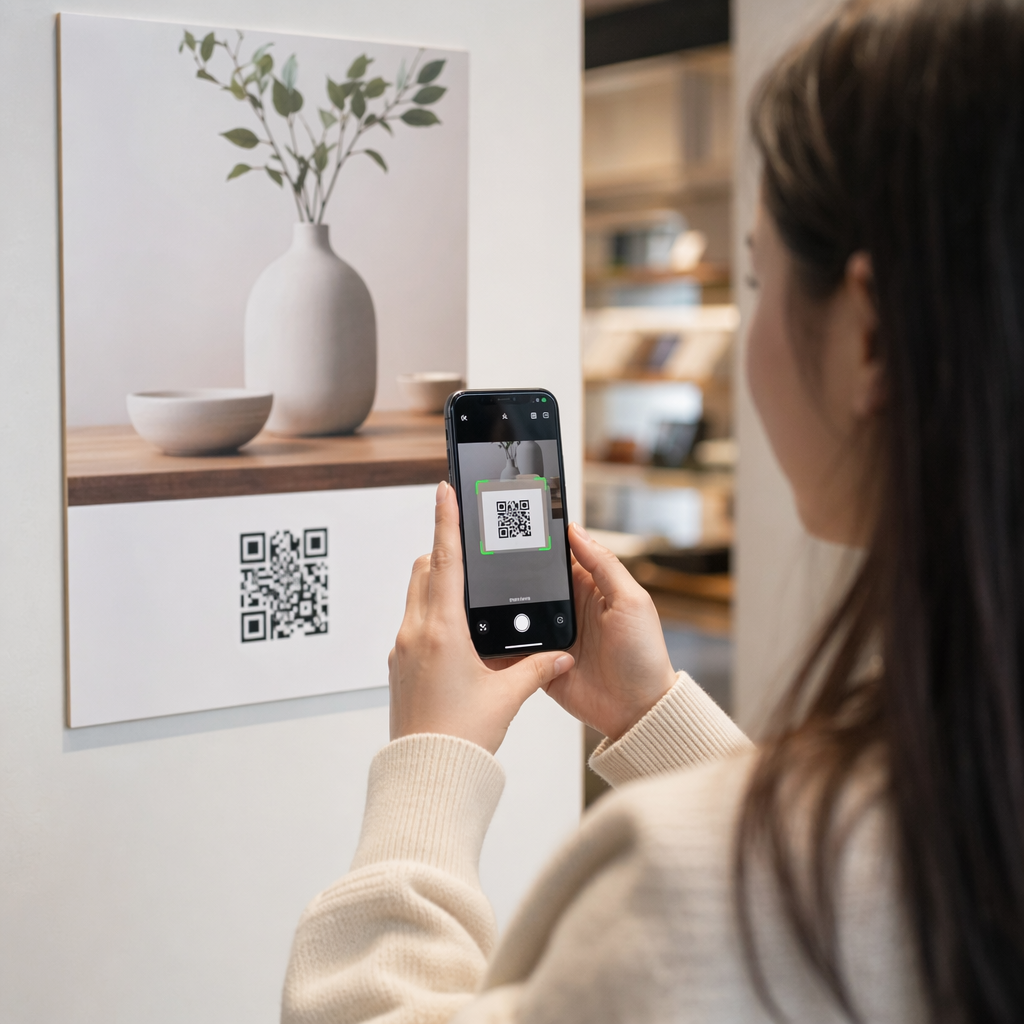
Checking QR code safely

How to Spot Fake QR Codes and Avoid Scams

Learn how to spot fake QR code scams, inspect physical tampering, and safely verify URL previews to protect your passwords, payments, and personal data.
Updated on 7월 28, 2026
목차

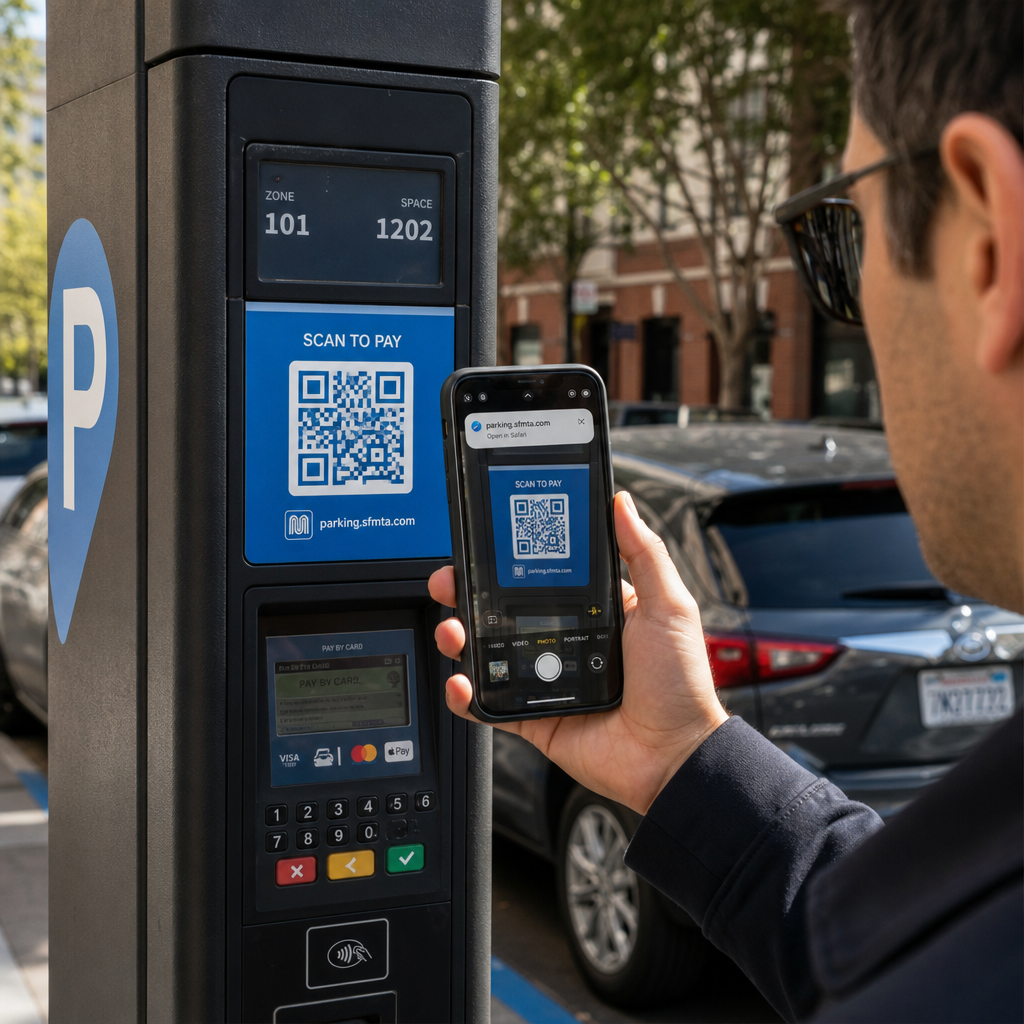
Have you ever scanned a QR code at a parking meter or on a poster, only to hesitate before tapping the link? Scammers routinely manipulate these black-and-white squares to steal passwords, harvest payment details, or install malware on unsuspecting devices. Learning how to inspect physical codes, verify URL previews, and recognize common scam tactics will help you scan with complete confidence.

How Fake QR Code Scams Work

QR codes are inherently opaque. Unlike standard text links, human eyes cannot decode the black-and-white pixel pattern to see where it leads before scanning. Cybercriminals exploit this blind spot through QR code phishing, often called quishing.

Attackers deploy fake QR codes across several common touchpoints:

  • Placing stickers over legitimate signage: Scammers overlay fake codes onto existing parking meters, ticket machines, or restaurant menus to redirect victims to cloned payment portals. This technique has caused widespread financial losses in recent QR code parking scams.
  • Sending unsolicited package notifications: Scammers deliver unexpected packages or physical mail containing QR codes that ask recipients to verify personal details or delivery preferences on fraudulent identity theft sites.
  • Embedding codes inside malicious email attachments: Cybercriminals place QR codes within PDF invoices or urgent notification emails to bypass standard email security filters that search for plain text links, introducing serious QR code phishing business risks.
  • Distributing fake promotional flyers: Fraudulent flyers offer fake discounts or urgent public notices to pressure users into scanning codes that trigger dangerous file downloads or harvest login credentials.

In every case, attackers exploit the familiarity and speed of standard QR interactions to bypass your normal security caution.

Common Warning Signs of a Malicious QR Code

Spotting a fake QR code requires inspecting both the physical environment where the code appears and the digital link structure behind it.

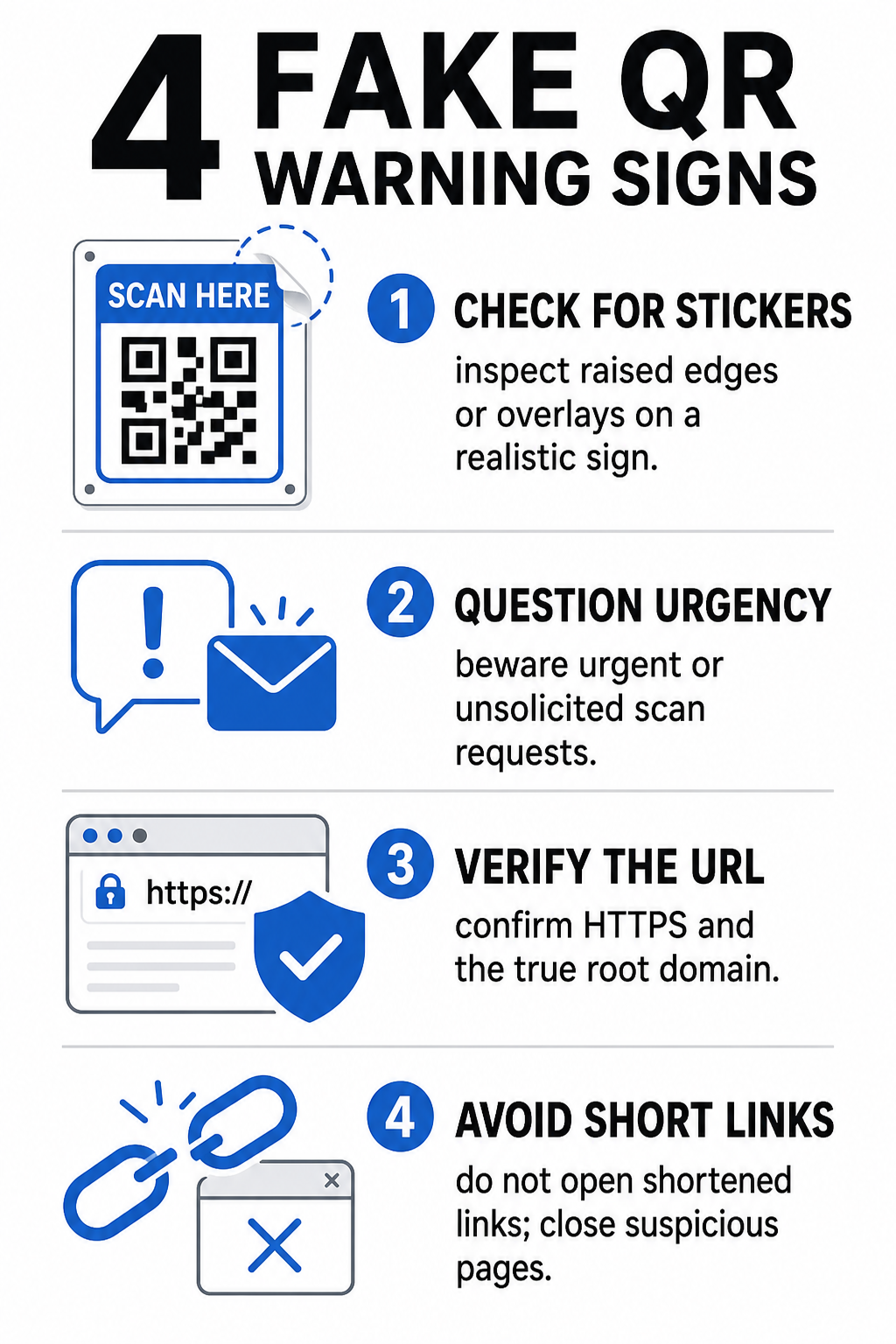
Fake QR warning signs
Risk Category What to Look For Potential Threat
Physical Tampering Raised sticker edges, peeling labels, or misaligned graphics on physical signs. Overlay scam directing you away from legitimate parking payment systems.
Unsolicited Messages Urgent emails, texts, or letters demanding immediate payment via QR code. Phishing attempt designed to trick you into entering credentials under pressure.
Unsecured Protocols URLs starting with unencrypted `http://` rather than secure `https://`. Data interception or fake login pages harvesting credentials.
Domain Spoofing Misspelled brand names, misplaced letters, or unfamiliar top-level domains. Spoofed website cloned to imitate authentic company portals.
Shortened Links Generic link shorteners that obscure the real landing page domain. Hidden destination hiding malware or illicit redirects.

If you spot any of these red flags, avoid scanning the code or close the browser tab immediately if the link has already opened. Understanding broader QR 코드 개인 정보 보호 위험 helps clarify how malicious links harvest personal metadata and tracking information.

How to Safely Verify a Destination URL Before Tapping

Taking a few seconds to inspect a QR code’s destination before opening it provides strong protection against phishing attacks.

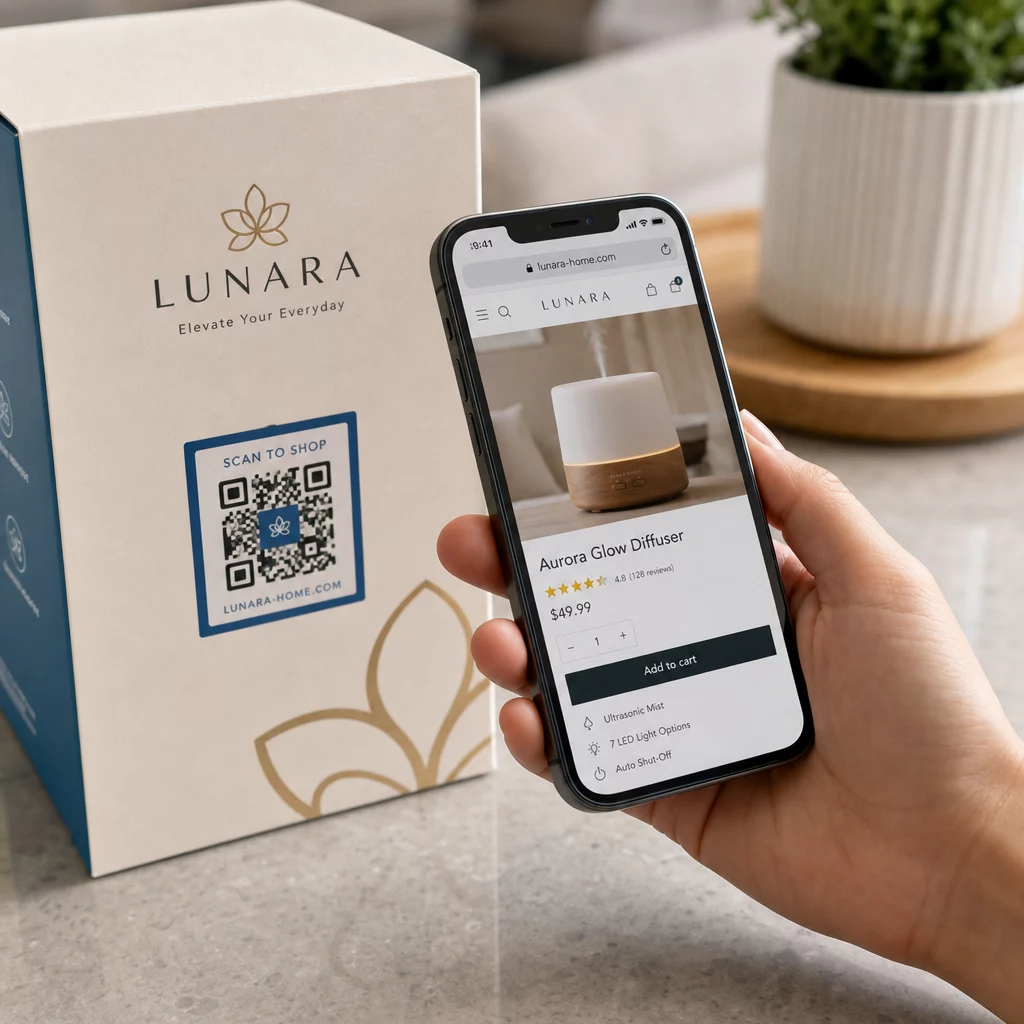
  • Inspect the camera preview or scanner banner: Position your smartphone camera over the code and read the previewed URL domain carefully before tapping to open it.
  • Check the root domain for spoofing: Look at the primary domain name before any slashes or subdomains. For instance, `brandname.com.attacker-site.com` is controlled by an attacker, not the official brand. Watch for subtle character swaps, such as replacing a lowercase letter `l` with the number `1`.
  • Avoid downloading apps directly from QR redirects: Search for and download applications directly from your device’s official app store rather than trusting a link provided by a QR code.
  • Navigate directly to trusted web portals for payments: Avoid entering passwords or credit card information on pages reached through unsolicited QR codes. Instead, open your mobile browser and manually type the official website address.

Test Suspicious Codes Online Want to safely preview and verify destination links before opening them on your smartphone? Use the free Pageloot QR 코드 스캐너 to upload code images and inspect destination content securely.

Practical Steps to Prevent QR Code Scams

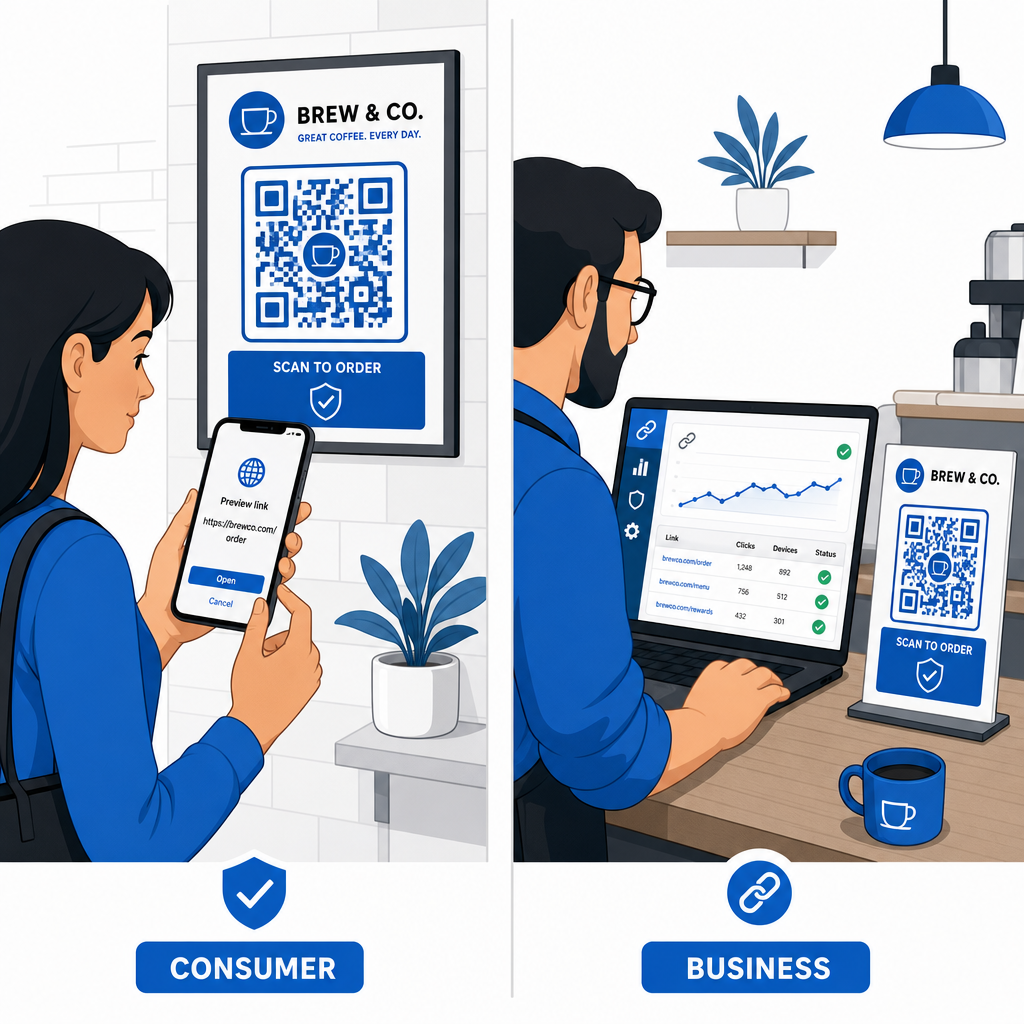
Both individual consumers and business owners can implement structured security practices to keep physical and digital touchpoints safe.

Preventing QR code scams

Guidelines for Everyday Consumers

  • Check physical signage for overlays: Feel the surface of parking meters, public chargers, or posters to ensure no sticker covers the original code.
  • Type web addresses manually for transactions: Open your web browser and type official URL addresses directly when paying utility bills or entering financial credentials.
  • Enable two-factor authentication on all accounts: Protect online logins with an extra verification step so stolen passwords alone cannot grant account access.
  • Report fraudulent activity to official portals: Submit reports of fraudulent codes or scams to local authorities and official reporting portals like the FBI Internet Crime Complaint Center (IC3) or the Federal Trade Commission (FTC).

Guidelines for Business Owners

  • Deploy dynamic QR codes across campaigns: Use dynamic QR codes to maintain full control over destination links, allowing immediate updates or link deactivation if a threat is detected.
  • Apply custom branding and visual logos: Customize code designs with company logos and specific brand colors, making your codes significantly harder for scammers to replicate with generic stickers.
  • Implement layered security monitoring tools: Combine secure QR management with specialized enterprise security tools to evaluate incoming links and detect phishing threats across corporate channels. You can review dedicated defensive tools in our guide to QR 코드 피싱 탐지 도구.
  • Audit physical touchpoints routinely: Inspect physical signs, table tents, and kiosks regularly to detect sticker overlays or physical tampering. Combining physical checks with QR code payment security best practices preserves customer trust. For a complete organizational strategy, explore our breakdown on how to protect your business from QR code scams.

Protect Your Digital Interactions with Smart Scanning

Spotting fake QR codes comes down to recognizing physical tampering, verifying destination domains, and avoiding impulsive credential entry or payment submissions. By inspecting URL previews and relying on verified web addresses, you can safely enjoy the convenience of QR codes without compromising your security.

When analyzing unknown QR codes on your smartphone or desktop computer, verify their contents safely before taking action. Use the web-based Pageloot QR 코드 스캐너 to preview encoded destinations and confirm link safety instantly.

자주 묻는 질문

Can scanning a QR code infect my phone with malware automatically?

Scanning a QR code simply reads encoded text, usually a web address. Merely scanning the code rarely infects a device directly; however, tapping the previewed link to visit a malicious website or downloading an untrusted file from that landing page can install malware on your phone.

What should I do if I scanned a fake QR code and entered my login details?

Immediately change your password on the affected website and any other account sharing those credentials. Turn on two-factor authentication right away, notify your bank if financial details were exposed, and monitor your credit reports for unrecognized activity.

Why are dynamic QR codes safer for businesses than static QR codes?

Dynamic QR codes route traffic through a secure management platform rather than embedding fixed destination data. If a destination web page is compromised or requires updating, administrators can modify the destination URL or deactivate the link remotely without replacing physical print materials.

작성자 정보

시임 코스타비는 페이지루트의 콘텐츠 책임자입니다. 그는 페이지루트의 혁신적인 QR 코드 생성 서비스에 대한 글을 쓰고 있습니다. 5년 이상 QR 코드 분야에서 쌓아온 깊이 있는 전문 지식을 바탕으로, 시임은 이 분야의 전문가로 인정받고 있습니다. 그는 QR 기술을 활용하여 디지털 상호작용을 간소화하고 향상시키는 데 크게 기여하고 있습니다.

범주
에 대해 자세히 알아보기
인쇄된 QR 코드 스캔
QR 코드 사이즈 안내

온라인으로 QR 코드를 생성해야하는 경우 QR 코드 만들기 무료로 여기!
Pageloot는 #1 Go-To 솔루션 QR 코드를 만들고 스캔합니다.

BL-0352

블로그 세대

20,000개 이상의 브랜드로부터 신뢰를 받아 더 많은 매출, 리뷰, 팔로워를 확보했습니다.

클라이언트 로고
최고 브랜드의 신뢰
5 중 4.8 평가

4.86 / 5 별점

휴고 로랑
휴고 로랑
레스토랑 주인
가장 쉽고 안정적인 QR 코드 생성기. PDF 파일을 즉시 업로드할 수 있습니다. 이제 레스토랑 메뉴가 디지털화되었습니다.
루카스 얀센
루카스 얀센
부동산 개발사
이것은 훌륭한 도구이며 QR 코드를 사용하면 원하는 곳으로 이동할 수 있습니다. 우리는 위치 QR 코드만 사용하지만 유용한 기능이 너무 많습니다.

엠마 모레티
엠마 모레티
소매 제품
사용하기 쉽고 빠릅니다. 그것은 훌륭하게 작동하고 완벽한 이미지를 생성하므로 직원들이 내 vCard를 다운로드할 수 있습니다.

휴고 로랑
휴고 로랑
레스토랑 주인
가장 쉽고 안정적인 QR 코드 생성기. PDF 파일을 즉시 업로드할 수 있습니다. 이제 레스토랑 메뉴가 디지털화되었습니다.
루카스 얀센
루카스 얀센
부동산 개발사
이것은 훌륭한 도구이며 QR 코드를 사용하면 원하는 곳으로 이동할 수 있습니다. 우리는 위치 QR 코드만 사용하지만 유용한 기능이 너무 많습니다.
엠마 모레티
엠마 모레티
소매 제품
사용하기 쉽고 빠릅니다. 그것은 훌륭하게 작동하고 완벽한 이미지를 생성하므로 직원들이 내 vCard를 다운로드할 수 있습니다.
더 많은 QR 코드보기
무엇이든 디지털 경험으로 전환하세요 3분 이내에.

14일 무료 체험.

신용카드는 필요 없습니다.

첫 구매 시 30% 할인

코드를 사용하세요:

MP3 파일 공유

PDF QR 코드를 생성하려면 가입하세요

필요한 모든 것을 업로드하고 표시합니다.

  • 오디오 파일
  • 팟캐스트
  • 음악

가입 시 14일 무료 체험.
체험 기간 후 QR 코드 만료.

오디오 mp3 QR 코드를 생성하려면 가입하세요

프레임으로 더 많은 스캔 확보

QR 코드에 더 많은 프레임을 추가하려면 가입하세요

클릭 유도 문안 프레임은 고객이 QR 코드와 쉽게 상호 작용할 수 있도록 도와줍니다. 사용해 보세요!

가입 시 14일 무료 체험.
체험 기간 후 QR 코드 만료.

QR 코드에 더 많은 프레임을 추가하려면 가입하세요

도형으로 더 많은 스타일 추가

더 많은 도형을 만들려면 가입하세요

QR 코드는 정사각형일 필요가 없습니다. 브랜드 이미지에 맞게 전환해 보세요.

가입 시 14일 무료 체험.
체험 기간 후 QR 코드 만료.

더 많은 도형을 만들려면 가입하세요

QR 코드에 로고 추가

QR 코드에 로고를 추가하려면 가입하세요

로고와 브랜드를 추가하여 QR 코드를 돋보이게 만드세요.

가입 시 14일 무료 체험.
체험 기간 후 QR 코드 만료.

QR 코드에 로고를 추가하려면 가입하세요

스마트 앱 스토어 리디렉션

앱 스토어 QR 코드를 생성하려면 가입하세요

스마트 앱 스토어 QR 코드에 앱 링크를 추가하세요. 사용자는 장치에 따라 리디렉션됩니다.

가입 시 14일 무료 체험.
체험 기간 후 QR 코드 만료.

앱 스토어 QR 코드를 생성하려면 가입하세요

QR 코드에 이미지 업로드

이미지 QR 코드를 생성하려면 가입하세요

이미지를 쉽게 공유하세요. 몇 초 안에 동적으로 이미지를 변경하십시오.

가입 시 14일 무료 체험.
체험 기간 후 QR 코드 만료.

이미지 QR 코드를 생성하려면 가입하세요

PDF 파일 공유

PDF QR 코드를 생성하려면 가입하세요

필요한 모든 것을 업로드하고 표시합니다.

  • 메뉴 및 가격표
  • 명령
  • 모든 문서

가입 시 14일 무료 체험.
체험 기간 후 QR 코드 만료.

PDF QR 코드를 생성하려면 가입하세요

인쇄 없이 나중에 편집

다시 인쇄하지 않고 QR 코드를 편집하려면 가입하세요

동적 QR 코드를 사용하면 새 QR 코드를 인쇄하지 않고도 QR 코드의 내용을 변경할 수 있습니다.

가입 시 14일 무료 체험.
체험 기간 후 QR 코드 만료.

다시 인쇄하지 않고 QR 코드를 편집하려면 가입하세요

언제? 어디서? QR 코드 스캔 추적

QR 코드를 추적하려면 가입하세요

어떤 QR 코드가 가장 많이 스캔되고 무엇이 고객을 가장 흥분시키는지 알아보십시오.

가입 시 14일 무료 체험.
체험 기간 후 QR 코드 만료.

QR 코드를 추적하려면 가입하세요

인쇄 준비 파일 제공

PDF 및 SVG와 같은 벡터 QR 코드를 생성하려면 가입하세요.

.EPS, .PDF, .SVG

HD 해상도로 QR 코드를 다운로드하고 싶으신가요? 인쇄할 준비가 된 벡터 또는 픽셀 형식을 가져옵니다.

가입 시 14일 무료 체험.
체험 기간 후 QR 코드 만료.

PDF 및 SVG와 같은 벡터 QR 코드를 생성하려면 가입하세요.

기다리세요. 귀하의 QR 코드는 로드 중... 로드 중...

나만의 것으로 만들기

나중을 위해 QR 코드를 저장하려면 가입하세요.

다양한 색상, 로고 및 클릭 유도문안 프레임으로 멋진 QR 코드를 만들어 더 많은 스캔을 받으세요.

가입 시 14일 무료 체험.
체험 기간 후 QR 코드 만료.

나중을 위해 QR 코드를 저장하려면 가입하세요.