首页 > 指南 > How to Spot Fake QR Codes and Avoid Scams
Checking QR code safely

How to Spot Fake QR Codes and Avoid Scams

Learn how to spot fake QR code scams, inspect physical tampering, and safely verify URL previews to protect your passwords, payments, and personal data.
Updated on 7 月 28, 2026
目录

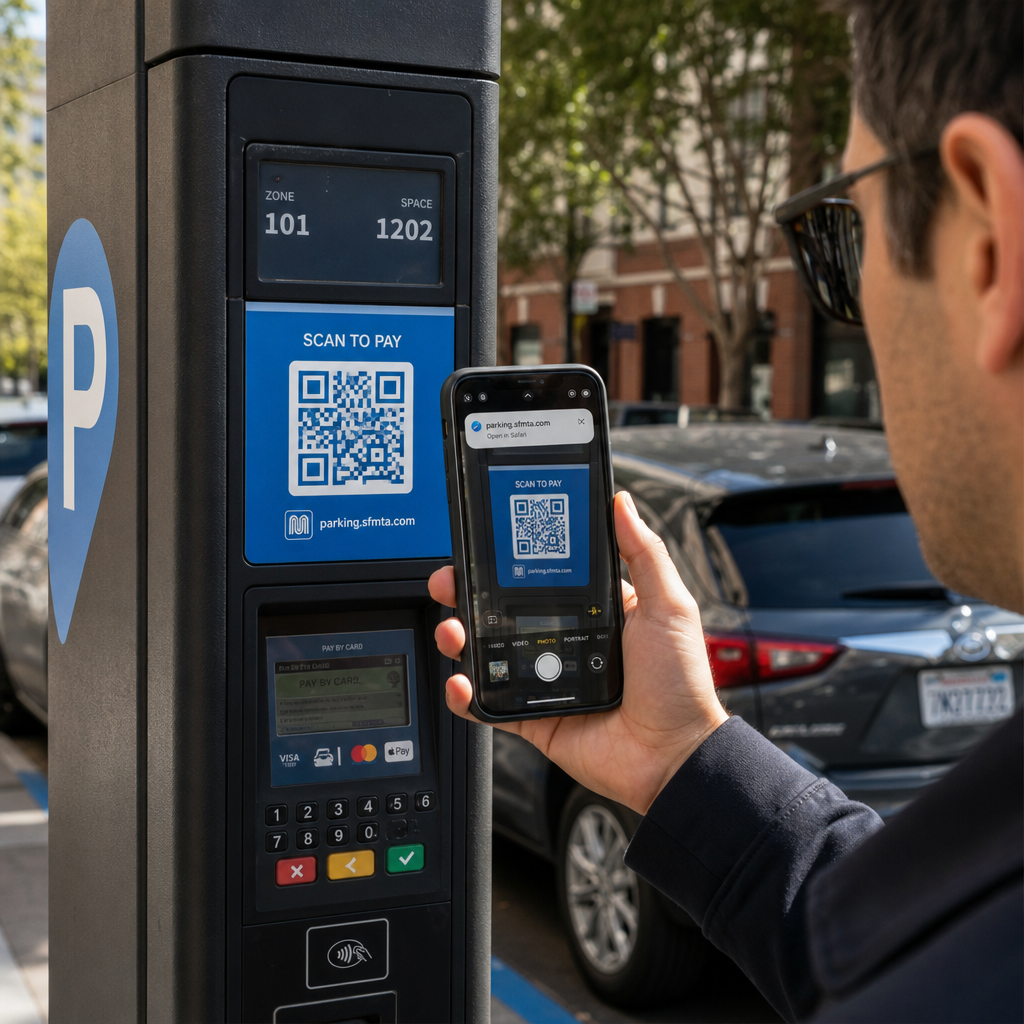
Have you ever scanned a QR code at a parking meter or on a poster, only to hesitate before tapping the link? Scammers routinely manipulate these black-and-white squares to steal passwords, harvest payment details, or install malware on unsuspecting devices. Learning how to inspect physical codes, verify URL previews, and recognize common scam tactics will help you scan with complete confidence.

How Fake QR Code Scams Work

QR codes are inherently opaque. Unlike standard text links, human eyes cannot decode the black-and-white pixel pattern to see where it leads before scanning. Cybercriminals exploit this blind spot through QR code phishing, often called quishing.

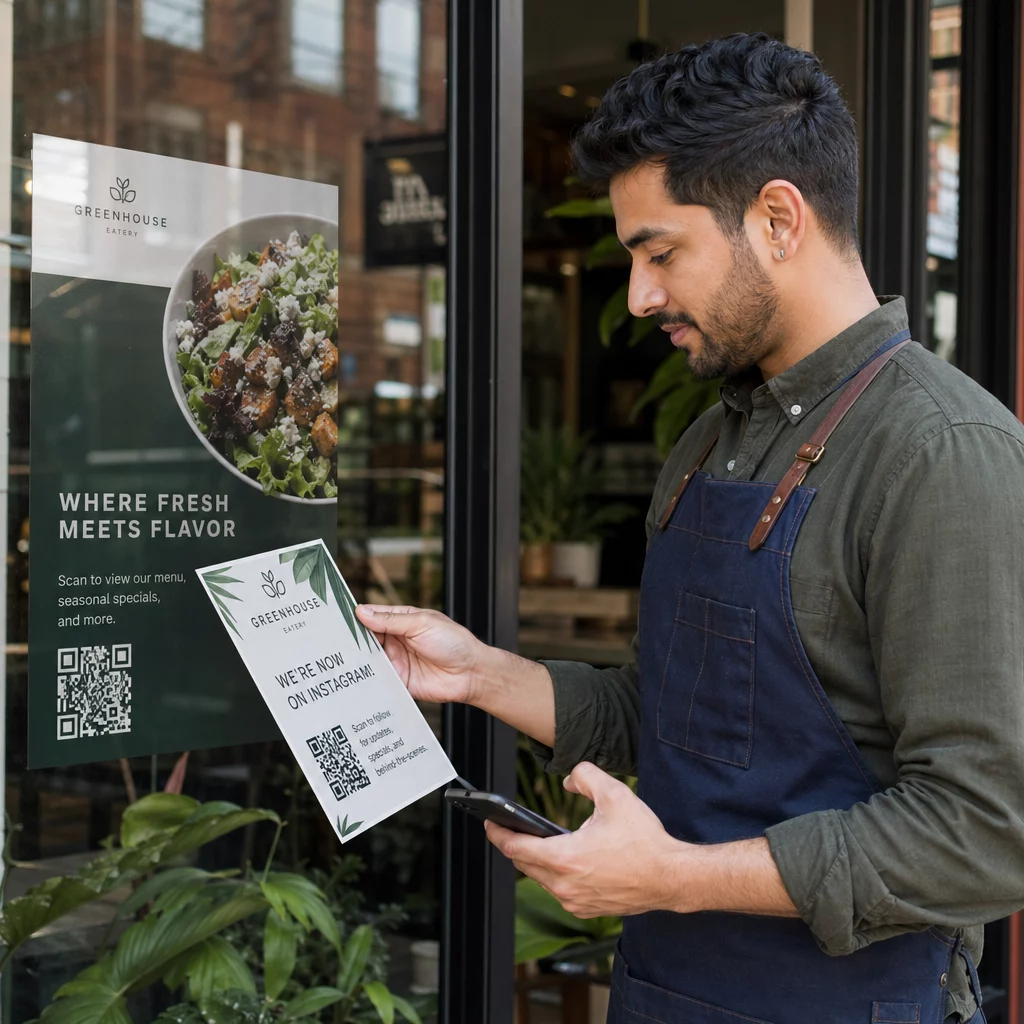
Attackers deploy fake QR codes across several common touchpoints:

  • Placing stickers over legitimate signage: Scammers overlay fake codes onto existing parking meters, ticket machines, or restaurant menus to redirect victims to cloned payment portals. This technique has caused widespread financial losses in recent QR code parking scams.
  • Sending unsolicited package notifications: Scammers deliver unexpected packages or physical mail containing QR codes that ask recipients to verify personal details or delivery preferences on fraudulent identity theft sites.
  • Embedding codes inside malicious email attachments: Cybercriminals place QR codes within PDF invoices or urgent notification emails to bypass standard email security filters that search for plain text links, introducing serious QR code phishing business risks.
  • Distributing fake promotional flyers: Fraudulent flyers offer fake discounts or urgent public notices to pressure users into scanning codes that trigger dangerous file downloads or harvest login credentials.

In every case, attackers exploit the familiarity and speed of standard QR interactions to bypass your normal security caution.

Common Warning Signs of a Malicious QR Code

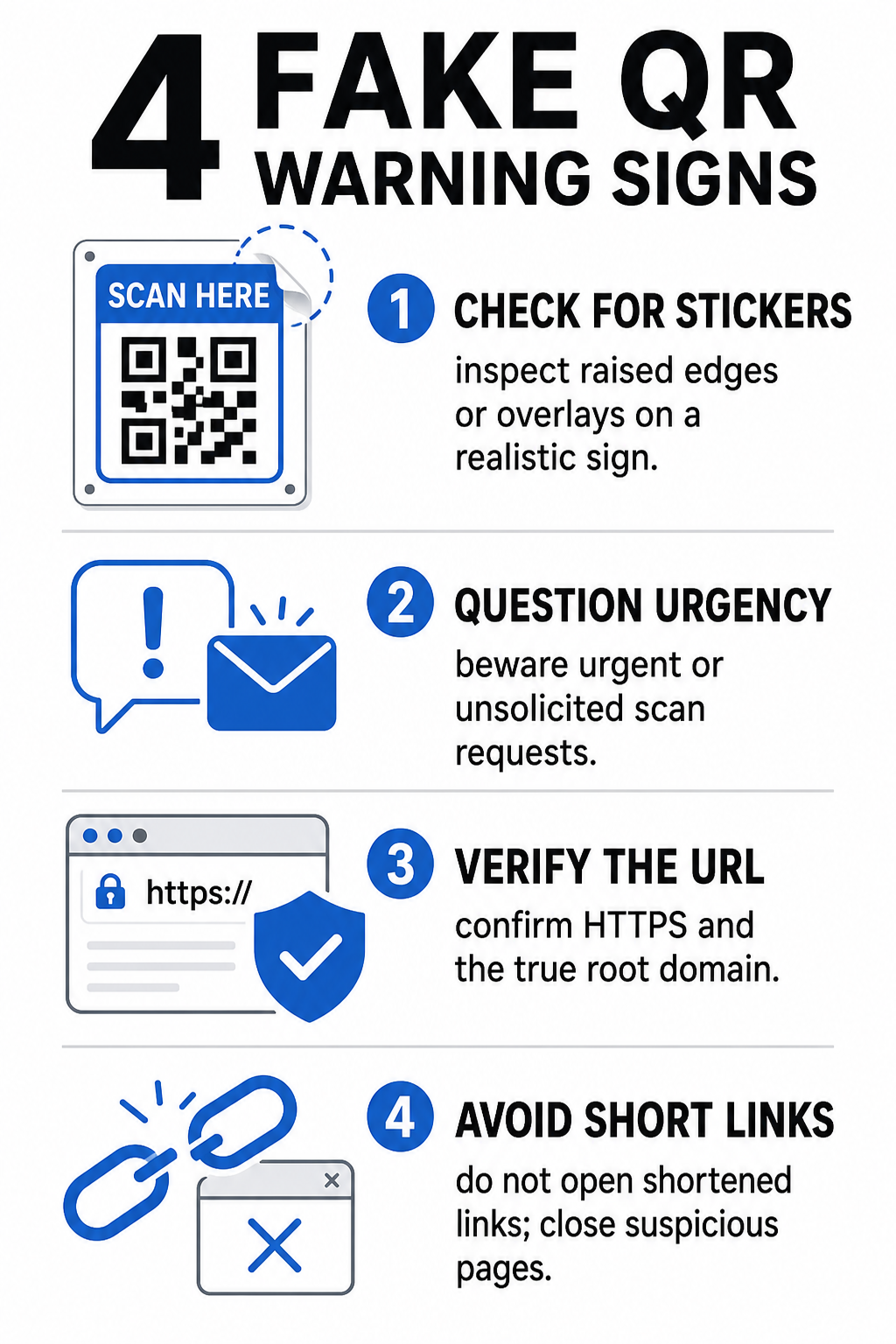
Spotting a fake QR code requires inspecting both the physical environment where the code appears and the digital link structure behind it.

Fake QR warning signs
Risk Category What to Look For Potential Threat
Physical Tampering Raised sticker edges, peeling labels, or misaligned graphics on physical signs. Overlay scam directing you away from legitimate parking payment systems.
Unsolicited Messages Urgent emails, texts, or letters demanding immediate payment via QR code. Phishing attempt designed to trick you into entering credentials under pressure.
Unsecured Protocols URLs starting with unencrypted `http://` rather than secure `https://`. Data interception or fake login pages harvesting credentials.
Domain Spoofing Misspelled brand names, misplaced letters, or unfamiliar top-level domains. Spoofed website cloned to imitate authentic company portals.
Shortened Links Generic link shorteners that obscure the real landing page domain. Hidden destination hiding malware or illicit redirects.

If you spot any of these red flags, avoid scanning the code or close the browser tab immediately if the link has already opened. Understanding broader 二维码隐私风险 helps clarify how malicious links harvest personal metadata and tracking information.

How to Safely Verify a Destination URL Before Tapping

Taking a few seconds to inspect a QR code’s destination before opening it provides strong protection against phishing attacks.

  • Inspect the camera preview or scanner banner: Position your smartphone camera over the code and read the previewed URL domain carefully before tapping to open it.
  • Check the root domain for spoofing: Look at the primary domain name before any slashes or subdomains. For instance, `brandname.com.attacker-site.com` is controlled by an attacker, not the official brand. Watch for subtle character swaps, such as replacing a lowercase letter `l` with the number `1`.
  • Avoid downloading apps directly from QR redirects: Search for and download applications directly from your device’s official app store rather than trusting a link provided by a QR code.
  • Navigate directly to trusted web portals for payments: Avoid entering passwords or credit card information on pages reached through unsolicited QR codes. Instead, open your mobile browser and manually type the official website address.

Test Suspicious Codes Online Want to safely preview and verify destination links before opening them on your smartphone? Use the free Pageloot QR码扫描仪 to upload code images and inspect destination content securely.

Practical Steps to Prevent QR Code Scams

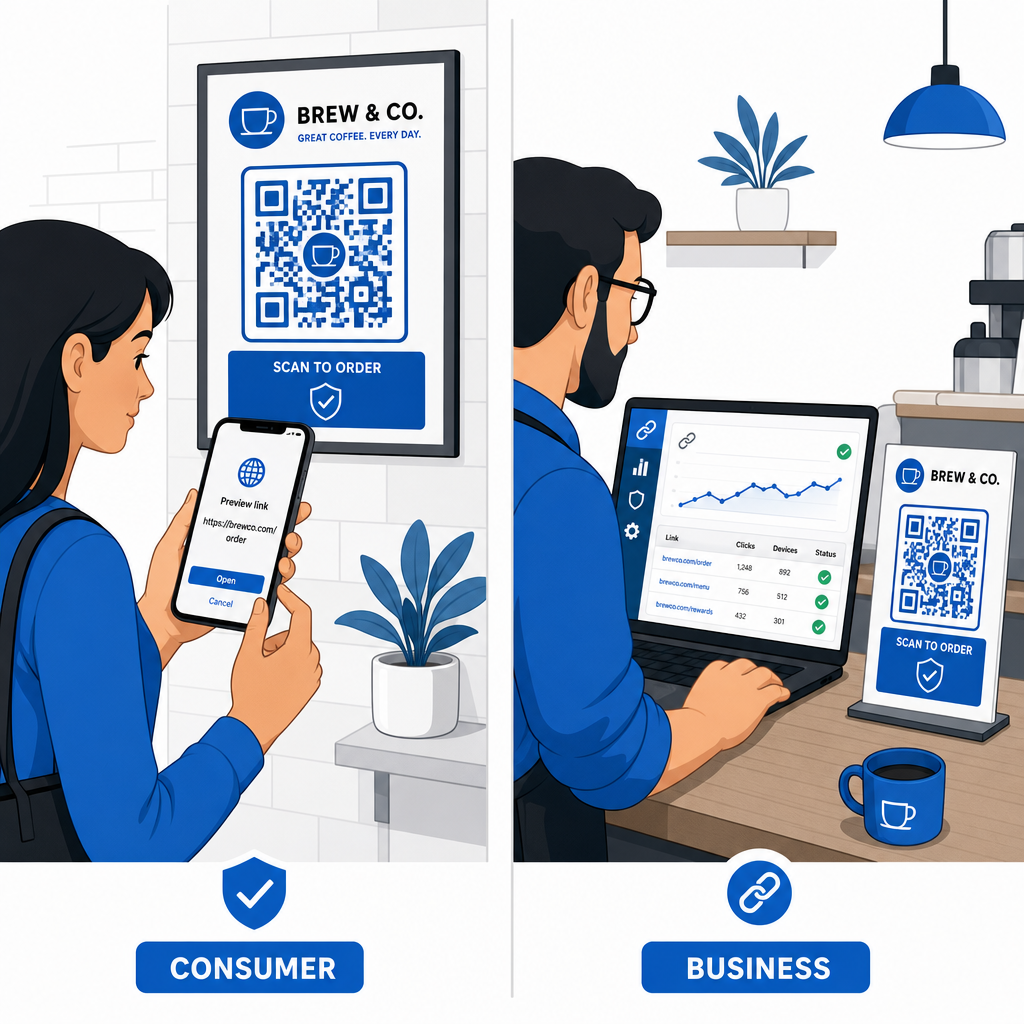
Both individual consumers and business owners can implement structured security practices to keep physical and digital touchpoints safe.

Preventing QR code scams

Guidelines for Everyday Consumers

  • Check physical signage for overlays: Feel the surface of parking meters, public chargers, or posters to ensure no sticker covers the original code.
  • Type web addresses manually for transactions: Open your web browser and type official URL addresses directly when paying utility bills or entering financial credentials.
  • Enable two-factor authentication on all accounts: Protect online logins with an extra verification step so stolen passwords alone cannot grant account access.
  • Report fraudulent activity to official portals: Submit reports of fraudulent codes or scams to local authorities and official reporting portals like the FBI Internet Crime Complaint Center (IC3) or the Federal Trade Commission (FTC).

Guidelines for Business Owners

  • Deploy dynamic QR codes across campaigns: Use dynamic QR codes to maintain full control over destination links, allowing immediate updates or link deactivation if a threat is detected.
  • Apply custom branding and visual logos: Customize code designs with company logos and specific brand colors, making your codes significantly harder for scammers to replicate with generic stickers.
  • Implement layered security monitoring tools: Combine secure QR management with specialized enterprise security tools to evaluate incoming links and detect phishing threats across corporate channels. You can review dedicated defensive tools in our guide to 工具来检测二维码网络钓鱼.
  • Audit physical touchpoints routinely: Inspect physical signs, table tents, and kiosks regularly to detect sticker overlays or physical tampering. Combining physical checks with QR code payment security best practices preserves customer trust. For a complete organizational strategy, explore our breakdown on how to protect your business from QR code scams.

Protect Your Digital Interactions with Smart Scanning

Spotting fake QR codes comes down to recognizing physical tampering, verifying destination domains, and avoiding impulsive credential entry or payment submissions. By inspecting URL previews and relying on verified web addresses, you can safely enjoy the convenience of QR codes without compromising your security.

When analyzing unknown QR codes on your smartphone or desktop computer, verify their contents safely before taking action. Use the web-based Pageloot QR码扫描仪 to preview encoded destinations and confirm link safety instantly.

常见问题

Can scanning a QR code infect my phone with malware automatically?

Scanning a QR code simply reads encoded text, usually a web address. Merely scanning the code rarely infects a device directly; however, tapping the previewed link to visit a malicious website or downloading an untrusted file from that landing page can install malware on your phone.

What should I do if I scanned a fake QR code and entered my login details?

Immediately change your password on the affected website and any other account sharing those credentials. Turn on two-factor authentication right away, notify your bank if financial details were exposed, and monitor your credit reports for unrecognized activity.

Why are dynamic QR codes safer for businesses than static QR codes?

Dynamic QR codes route traffic through a secure management platform rather than embedding fixed destination data. If a destination web page is compromised or requires updating, administrators can modify the destination URL or deactivate the link remotely without replacing physical print materials.

关于作者

Siim Kostabi 是 Pageloot 的内容主管,负责撰写关于我们创新型二维码生成器服务的文章。凭借五年多来在二维码领域积累的深厚专业知识,Siim 是该领域的专家。他致力于利用二维码技术简化和增强数字交互,并取得了显著的成果。.

类别
了解更多关于
扫描应用二维码
如何 下载应用程序
QR QR码的#1解决方案

如果您需要在线创建QR码,则可以 制作二维码 就在这里免费!
Pageloot是 #1转到解决方案 创建和扫描QR码。

BL-0352

博客生成器

受到超过 20,000 个品牌的信赖,可获得更多销售、评论和关注者。

客户徽标
受到顶级品牌的信赖
评分为 4.8(共 5)

4.86 / 5 星评级

雨果·劳伦特
雨果·劳伦特
餐馆老板
有史以来最容易和最可靠的QR码生成器。PDF文件可以立即上传。我们的餐厅菜单现在是数字化的。
卢卡斯-詹森
卢卡斯-詹森
房地产开发商
这是一个很好的工具,二维码带你到你想要的地方。我们只使用位置二维码,但有许多有用的功能。
艾玛-莫雷蒂
艾玛-莫雷蒂
零售产品
易于使用和快速。它工作得很好,创造了一个完美的图像,所以员工可以下载我的vCard。
雨果·劳伦特
雨果·劳伦特
餐馆老板
有史以来最容易和最可靠的QR码生成器。PDF文件可以立即上传。我们的餐厅菜单现在是数字化的。
卢卡斯-詹森
卢卡斯-詹森
房地产开发商
这是一个很好的工具,二维码带你到你想要的地方。我们只使用位置二维码,但有许多有用的功能。
艾玛-莫雷蒂
艾玛-莫雷蒂
零售产品
易于使用和快速。它工作得很好,创造了一个完美的图像,所以员工可以下载我的vCard。
查看更多QR码
顾客扫描图书馆二维码
二维码 图书馆
扫描 Telegram 二维码
制作二维码 电报组
将一切转化为数字体验 不到3分钟。

免费试用 14 天。

无需信用卡。

首次购买可享受 30% 折扣

使用代码:

分享您的 MP3 文件

注册以创建 PDF QR 码

上传和显示你需要的一切。

  • 音频文件
  • 播客
  • 音乐

注册即可享 14 天免费试用。.
试用期结束后,二维码将失效。.

注册以创建音频 mp3 二维码

使用边框获得更多扫描

注册以向您的二维码添加更多框架

呼叫行动框架帮助您的客户与QR码轻松互动。试试吧!

注册即可享 14 天免费试用。.
试用期结束后,二维码将失效。.

注册以向您的二维码添加更多框架

使用形状添加更多样式

注册以创建更多形状

二维码不一定是方形的。试着改变它以适应你的品牌形象。

注册即可享 14 天免费试用。.
试用期结束后,二维码将失效。.

注册以创建更多形状

为您的二维码添加徽标

注册以将您的徽标添加到二维码中

通过在二维码上添加你的标志和品牌,使你的二维码脱颖而出。

注册即可享 14 天免费试用。.
试用期结束后,二维码将失效。.

注册以将您的徽标添加到二维码中

智能应用商店重定向

注册以创建应用商店二维码

将您的应用程序链接添加到我们的智能应用程序商店QR码。用户会根据他们的设备被重新定向。

注册即可享 14 天免费试用。.
试用期结束后,二维码将失效。.

注册以创建应用商店二维码

将图片上传到二维码

注册以创建图像二维码

轻松分享你的图像。在几秒钟内动态地改变任何图像。

注册即可享 14 天免费试用。.
试用期结束后,二维码将失效。.

注册以创建图像二维码

分享您的 PDF 文件

注册以创建 PDF QR 码

上传和显示你需要的一切。

  • 菜单和价格表
  • 使用说明
  • 任何文件

注册即可享 14 天免费试用。.
试用期结束后,二维码将失效。.

注册以创建 PDF QR 码

稍后编辑,无需打印

注册即可编辑您的二维码,无需再次打印

动态QR码让你改变你的QR码的内容,而不需要打印新的QR码。

注册即可享 14 天免费试用。.
试用期结束后,二维码将失效。.

注册即可编辑您的二维码,无需再次打印

何时?何地?追踪您的二维码扫描

注册以追踪您的二维码

发现你的哪些二维码收到了最多的扫描,以及什么最能让你的客户兴奋。

注册即可享 14 天免费试用。.
试用期结束后,二维码将失效。.

注册以追踪您的二维码

提供可打印文件

注册以创建 PDF 和 SVG 等矢量二维码

.EPS, .PDF, .SVG

想下载高清分辨率的QR码吗?获得矢量或像素格式,可随时打印。

注册即可享 14 天免费试用。.
试用期结束后,二维码将失效。.

注册以创建 PDF 和 SVG 等矢量二维码

请等待。您的二维码是 正在加载... 正在加载...

打造专属

注册以保存您的二维码以供日后使用

通过创建具有不同颜色、标识和行动呼吁框架的出色的QR码,获得更多的扫描。

注册即可享 14 天免费试用。.
试用期结束后,二维码将失效。.

注册以保存您的二维码以供日后使用